
Playwright Page Object Model: Day 5 Tutorial
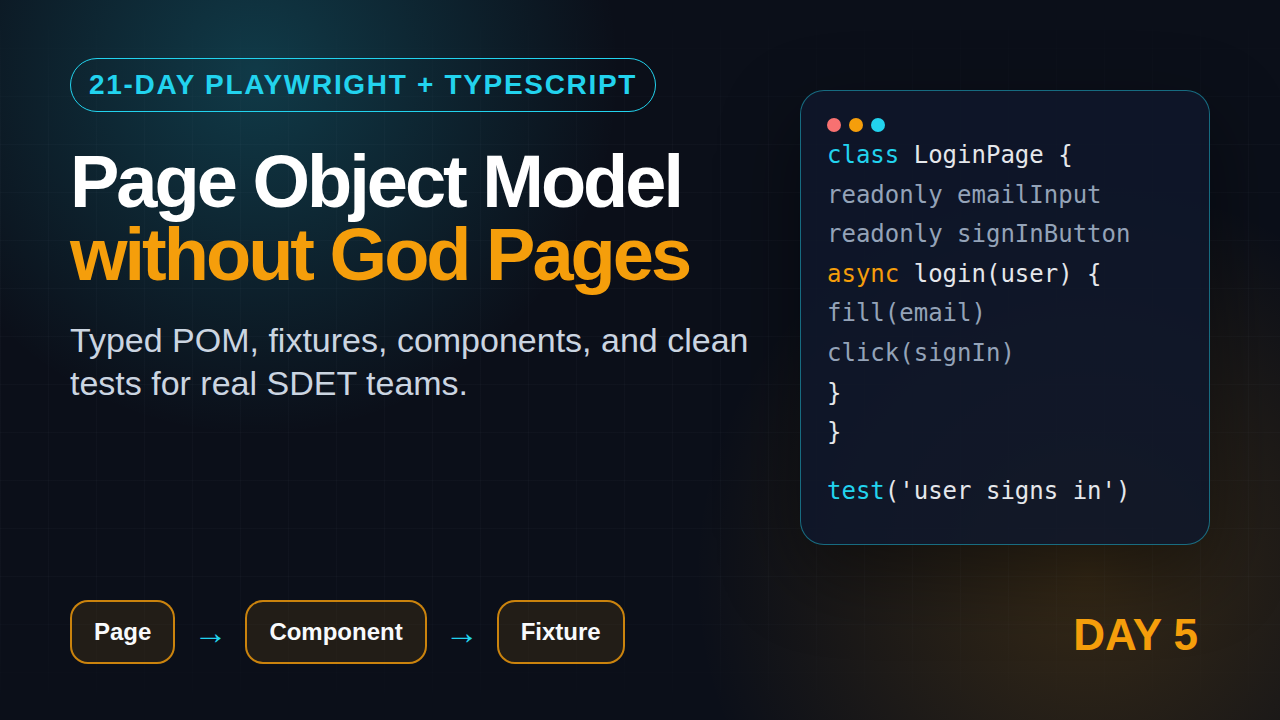
Playwright Page Object Model is useful when your test suite starts repeating the same login steps, dashboard selectors, and checkout actions across files. In Day 5 of this Playwright + TypeScript series, I show a practical Page Object Model that stays small, typed, and readable instead of turning into a slow abstraction factory.
🎭 Want to master this with real projects? Join the Playwright Automation Mastery course at The Testing Academy.
Table of Contents
- What You Will Build on Day 5
- Why Playwright Page Object Model Still Matters
- Project Structure for Page Objects
- Build Your First Page Object
- Use Component Objects, Not God Pages
- Connect Page Objects with Fixtures
- Screenshot Descriptions for Debugging
- Common Pitfalls
- Key Takeaways
- FAQ
Contents
What You Will Build on Day 5
By the end of this tutorial, you will have a small but production-ready Playwright Page Object Model for a login and dashboard flow. We will keep the code realistic: typed constructors, locator fields, action methods, and assertions that do not hide what the test is checking.
This is the natural next step after the first four days of the series. If you missed them, start with Day 1: Playwright TypeScript setup, then read Day 2: locators and assertions, Day 3: actions and auto-waiting, and Day 4: form testing.
Here is the outcome for today:
- A
LoginPageclass that owns login-specific locators. - A
DashboardPageclass that models one screen after authentication. - A reusable
ToastMessagecomponent object. - A fixture setup that injects page objects into tests.
- A checklist for deciding when Page Object Model helps and when it adds noise.
Playwright is already popular enough that this pattern matters for hiring. The npm downloads API reported @playwright/test at 158,453,897 downloads for the last month ending 2026-06-11, and the GitHub API showed the Microsoft Playwright repository with 90,839 stars when I checked for this article. Those numbers do not prove quality by themselves, but they do show that teams expect readable, maintainable Playwright code now.
Why Playwright Page Object Model Still Matters
The official Playwright docs describe page objects as a way to structure large test suites for easier authoring and maintenance. I agree, but only with one condition: the page object must reduce repetition without hiding test intent.
What problem does POM solve?
Without a Page Object Model, repeated UI details spread across every spec file. One selector rename can break 18 tests. One login flow change can force a team to edit 6 different folders. That is boring maintenance work, and it also slows code review because reviewers must check the same locator logic again and again.
A good Playwright Page Object Model solves three problems:
- Selector ownership: selectors live close to the screen or component they represent.
- Flow readability: test files read like user actions, not DOM plumbing.
- Change isolation: when UI copy changes, one object often absorbs the change.
What problem does POM not solve?
POM does not fix bad locators. If you wrap brittle CSS selectors inside a class, the selectors are still brittle. Playwright’s locator docs recommend user-facing locators such as getByRole, getByLabel, and getByText because they match how users and assistive technology see the page.
POM also does not replace assertions. I see beginners write dashboardPage.verifyEverything(). That method may look clean, but it hides the actual expectation. The test should still tell the reader what business outcome matters.
My rule for beginners
Do not create a page object on Day 1 of a project. Write 3 to 5 specs first. Let repetition reveal itself. Then extract the repeated flows into objects. This keeps your architecture grounded in real tests instead of imaginary future requirements.
Project Structure for Page Objects
For Day 5, use a simple structure. Do not copy a large enterprise folder layout from a random GitHub repo. Most learners need less structure, not more.
playwright-pom-demo/
  tests/
    login.spec.ts
    dashboard.spec.ts
  pages/
    login-page.ts
    dashboard-page.ts
  components/
    toast-message.ts
  fixtures/
    app-fixtures.ts
  playwright.config.ts
  package.json
This structure gives each concept a home:
tests/contains spec files only.pages/contains full page objects.components/contains reusable fragments that appear on multiple pages.fixtures/contains Playwright test extensions and dependency wiring.
Install and run the project
If you are following from scratch, create a fresh project:
mkdir playwright-pom-demo
cd playwright-pom-demo
npm init playwright@latest
npm test -- --project=chromium
The latest npm registry data showed @playwright/test version 1.60.0 at the time of research. If your version is newer, the concepts still apply. Check with:
npx playwright --version
npm view @playwright/test version
Use TypeScript strictly
Keep TypeScript strict. Page objects are one of the places where type safety pays off quickly. A typed Page, typed Locator, and typed fixture help your editor catch mistakes before CI does.
{
  "compilerOptions": {
    "target": "ES2022",
    "module": "CommonJS",
    "strict": true,
    "noImplicitAny": true,
    "esModuleInterop": true
  }
}
Build Your First Page Object
We will start with a login page because it appears in almost every real test project. The key idea is simple: locators and user actions belong in the page class, while business assertions stay visible in the spec unless the assertion is truly page-specific.
Create the LoginPage class
// pages/login-page.ts
import { expect, type Locator, type Page } from '@playwright/test';

export class LoginPage {
  readonly page: Page;
  readonly emailInput: Locator;
  readonly passwordInput: Locator;
  readonly signInButton: Locator;
  readonly errorMessage: Locator;

  constructor(page: Page) {
    this.page = page;
    this.emailInput = page.getByLabel('Email');
    this.passwordInput = page.getByLabel('Password');
    this.signInButton = page.getByRole('button', { name: 'Sign in' });
    this.errorMessage = page.getByRole('alert');
  }

  async goto() {
    await this.page.goto('/login');
    await expect(this.emailInput).toBeVisible();
  }

  async login(email: string, password: string) {
    await this.emailInput.fill(email);
    await this.passwordInput.fill(password);
    await this.signInButton.click();
  }

  async expectInvalidLoginMessage(message: string) {
    await expect(this.errorMessage).toContainText(message);
  }
}
Notice the locator choices. I do not start with .form-control:nth-child(2). I use labels and roles because Playwright’s best practices emphasize resilient, user-facing locators. These selectors are also easier for a manual tester to read during code review.
Use the object in a spec
// tests/login.spec.ts
import { test, expect } from '@playwright/test';
import { LoginPage } from '../pages/login-page';

const validUser = {
  email: 'student@example.com',
  password: 'correct-horse-battery-staple'
};

test('user can sign in with valid credentials', async ({ page }) => {
  const loginPage = new LoginPage(page);

  await loginPage.goto();
  await loginPage.login(validUser.email, validUser.password);

  await expect(page.getByRole('heading', { name: 'Dashboard' })).toBeVisible();
});

test('user sees an error for wrong password', async ({ page }) => {
  const loginPage = new LoginPage(page);

  await loginPage.goto();
  await loginPage.login(validUser.email, 'wrong-password');
  await loginPage.expectInvalidLoginMessage('Invalid email or password');
});
This is readable because the page object removes low-level interaction noise. The spec still shows the two important outcomes: dashboard visible for valid login, error visible for invalid login.
Do not hide every click
Some teams put every possible action in the page object. That creates classes with 50 methods and no clear boundary. A better approach is to add a method only after the same sequence appears twice or the interaction has domain meaning.
For example, login(email, password) has domain meaning. But clickSignInButton() is often just a thin wrapper around one click. Thin wrappers are not always wrong, but they should earn their place.
Use Component Objects, Not God Pages
The biggest Page Object Model mistake I see is the God page. One class contains header locators, toast locators, table locators, modal locators, and footer locators. It starts clean and becomes painful after 2 weeks.
Create a component object
If a UI element appears across screens, create a component object. Toast messages are a good example.
// components/toast-message.ts
import { expect, type Locator, type Page } from '@playwright/test';

export class ToastMessage {
  readonly root: Locator;

  constructor(page: Page) {
    this.root = page.getByRole('status');
  }

  async expectSuccess(text: string) {
    await expect(this.root).toBeVisible();
    await expect(this.root).toContainText(text);
  }

  async expectHidden() {
    await expect(this.root).toBeHidden();
  }
}
Now the toast behavior is independent of the page. You can use it on login, settings, billing, or checkout screens without copying locators.
Create the DashboardPage class
// pages/dashboard-page.ts
import { expect, type Locator, type Page } from '@playwright/test';
import { ToastMessage } from '../components/toast-message';

export class DashboardPage {
  readonly page: Page;
  readonly heading: Locator;
  readonly createProjectButton: Locator;
  readonly projectNameInput: Locator;
  readonly saveProjectButton: Locator;
  readonly toast: ToastMessage;

  constructor(page: Page) {
    this.page = page;
    this.heading = page.getByRole('heading', { name: 'Dashboard' });
    this.createProjectButton = page.getByRole('button', { name: 'Create project' });
    this.projectNameInput = page.getByLabel('Project name');
    this.saveProjectButton = page.getByRole('button', { name: 'Save project' });
    this.toast = new ToastMessage(page);
  }

  async expectLoaded() {
    await expect(this.heading).toBeVisible();
  }

  async createProject(name: string) {
    await this.createProjectButton.click();
    await this.projectNameInput.fill(name);
    await this.saveProjectButton.click();
    await this.toast.expectSuccess('Project created');
  }
}
This is still small. The dashboard owns the dashboard flow. The toast component owns toast assertions. The test does not need to know whether the toast uses a div, section, or ARIA status region.
Use a data-testid only when needed
Role, label, placeholder, and text locators should be your first choice. When a control has no stable accessible name, use data-testid. That is better than a fragile CSS path.
<button data-testid="project-card-menu">
  <span class="icon-dots"></span>
</button>
const menuButton = page.getByTestId('project-card-menu');
await menuButton.click();
Do not treat data-testid as a failure. Treat it as an explicit testing contract between frontend and QA.
🚀 Level Up Your Playwright
From locators to CI pipelines — build a production-grade Playwright + TypeScript framework step by step.
Connect Page Objects with Fixtures
Constructing page objects in every test is fine at the beginning. Once the suite grows, Playwright fixtures make tests cleaner. Fixtures are part of Playwright Test and let you extend the base test object with custom objects.
Create custom fixtures
// fixtures/app-fixtures.ts
import { test as base } from '@playwright/test';
import { LoginPage } from '../pages/login-page';
import { DashboardPage } from '../pages/dashboard-page';

type AppFixtures = {
  loginPage: LoginPage;
  dashboardPage: DashboardPage;
};

export const test = base.extend<AppFixtures>({
  loginPage: async ({ page }, use) => {
    await use(new LoginPage(page));
  },

  dashboardPage: async ({ page }, use) => {
    await use(new DashboardPage(page));
  }
});

export { expect } from '@playwright/test';
Now import test and expect from the fixture file instead of Playwright directly.
// tests/dashboard.spec.ts
import { test, expect } from '../fixtures/app-fixtures';

test('user creates a project from dashboard', async ({ loginPage, dashboardPage }) => {
  await loginPage.goto();
  await loginPage.login('student@example.com', 'correct-horse-battery-staple');

  await dashboardPage.expectLoaded();
  await dashboardPage.createProject(`POM demo ${Date.now()}`);

  await expect(dashboardPage.page.getByText('POM demo')).toBeVisible();
});
Should fixtures log in for you?
Be careful. An auto-login fixture can make every test look clean, but it may also hide expensive setup. Prefer Playwright storage state for repeated authentication once you reach Day 8 or Day 9 of this series. For Day 5, keeping login visible helps beginners understand the flow.
Where does test data belong?
Small constants can live inside the spec. Shared test users can live in a dedicated data file. Generated data belongs near the test because the reader should see what is unique.
const projectName = `QA Sprint ${new Date().toISOString()}`;
await dashboardPage.createProject(projectName);
await expect(page.getByText(projectName)).toBeVisible();
This avoids clashes when tests run in parallel.
Screenshot Descriptions for Debugging
For a course, blog, or team wiki, screenshot descriptions help learners understand what they should see. You do not need to include actual screenshots in every spec, but you should know what the trace and screenshot should prove.
Screenshot 1: Login page before submit
Description: The login page is visible with the Email input focused, Password input below it, and the Sign in button enabled. This screenshot proves that LoginPage.goto() lands on the correct route and that accessible labels are available.
await loginPage.goto();
await page.screenshot({ path: 'screenshots/login-page-ready.png', fullPage: true });
Screenshot 2: Invalid login error
Description: The page shows an alert with the message “Invalid email or password” after submitting the wrong password. This screenshot proves that negative validation appears in an accessible alert region.
await loginPage.login('student@example.com', 'wrong-password');
await page.screenshot({ path: 'screenshots/invalid-login-error.png', fullPage: true });
Screenshot 3: Dashboard project created
Description: The Dashboard heading is visible, the new project card appears in the grid, and a success toast says “Project created”. This screenshot proves that the dashboard object completed the action and that the user sees feedback.
await dashboardPage.createProject('POM demo project');
await page.screenshot({ path: 'screenshots/project-created.png', fullPage: true });
When a test fails in CI, the screenshot is useful, but the Playwright trace is even better. The official Trace Viewer guide shows how to inspect actions, DOM snapshots, network calls, and console logs from a failed run.
Common Pitfalls
The Playwright Page Object Model becomes a problem when teams use it as a dumping ground. Here are the mistakes I see most often in training and code reviews.
Pitfall 1: Adding assertions everywhere
Some assertions belong inside page objects. For example, expectLoaded() is fine because it defines whether the page is ready. But business assertions often belong in the spec.
Prefer this:
await dashboardPage.createProject(projectName);
await expect(page.getByText(projectName)).toBeVisible();
Avoid this when it hides intent:
await dashboardPage.createProjectAndVerifyEverything(projectName);
Pitfall 2: Copying Selenium-style waits
Playwright auto-waits for actionability before clicks and fills. Day 3 covered this in detail. Do not add random waitForTimeout(3000) calls inside page objects. That makes every test slower and hides the real synchronization issue.
// Bad
await this.saveProjectButton.click();
await this.page.waitForTimeout(3000);

// Better
await this.saveProjectButton.click();
await expect(this.toast.root).toContainText('Project created');
Pitfall 3: One object per URL only
A page object does not have to map exactly to one URL. It can model a page, a tab, a modal, or a reusable area. For example, a checkout page may have ShippingAddressForm, PaymentForm, and OrderSummary component objects.
Pitfall 4: Treating POM as a framework
POM is a pattern, not a full automation framework. You still need naming rules, test data strategy, CI configuration, trace retention, and reporting. If you want a broader view of Playwright foundation work before AI and MCP tooling, read why learning Playwright MCP without fundamentals can hurt your QA career.
Pitfall 5: Building abstractions for imaginary tests
This is the one that hurts beginners in India the most during interviews. They show a big framework with managers, helpers, wrappers, factories, and base pages, but they cannot explain why each layer exists. In service companies like TCS or Infosys, you may inherit heavy frameworks. In product companies, interviewers often prefer small code that solves a clear problem.
If you are targeting ₹25-40 LPA SDET roles, show judgment. A compact Playwright Page Object Model with clean locators, fixtures, and trace-based debugging is stronger than a bloated framework folder with no readable tests.
Key Takeaways
The Playwright Page Object Model should make tests easier to read, easier to change, and easier to review. If it does not do those three things, simplify it.
- Use Page Object Model after repetition appears, not before.
- Keep locators in page or component classes, but keep business intent visible in specs.
- Use Playwright’s user-facing locators first: role, label, text, placeholder, and test id when needed.
- Split reusable UI pieces into component objects instead of growing God pages.
- Use fixtures when object construction becomes repetitive.
- Avoid hard waits inside page objects. Assert the visible state you need.
Day 5 is the point where your Playwright code starts looking like a real suite. Tomorrow, we can build on this by handling authentication state, storage, and faster logged-in tests.
FAQ
Is Page Object Model mandatory in Playwright?
No. Playwright works perfectly without POM. Use Playwright Page Object Model when tests repeat selectors or flows enough that extraction improves readability.
Should assertions be inside page objects?
Page readiness assertions can live inside page objects. Business outcome assertions should usually stay in the spec so the test remains clear.
Should I create a BasePage class?
Not on Day 5. Add a base class only when multiple page objects share real behavior. Do not add it because a framework template told you to.
Which locators should POM use?
Use getByRole, getByLabel, getByText, and getByPlaceholder first. Use getByTestId when the UI has no stable user-facing selector.
Can I combine POM with Playwright fixtures?
Yes. Fixtures are a clean way to inject page objects into tests. They reduce repeated construction code while keeping the spec readable.
Sources: Playwright official documentation on Page Object Models, Best Practices, Locators, Fixtures, and Trace Viewer. Package and repository numbers came from the npm downloads API, npm registry API, and GitHub repository API checked during publication.
🎓 Master Playwright End to End
Join hundreds of SDETs building real automation frameworks. Lifetime access, hands-on projects, and a job-ready portfolio.

