Playwright CI Sharding with TypeScript: Day 41
I see many Playwright suites get slower right after they become useful. The first 50 tests run in minutes, then the team crosses 400 tests and every pull request waits for the same red CI box. This Day 41 tutorial fixes that with Playwright CI sharding, TypeScript configuration, and a GitHub Actions workflow you can copy.
Table of Contents
- Why Playwright CI sharding matters
- The mental model: workers, projects, retries, shards
- Build the TypeScript baseline project
- Run Playwright CI sharding locally
- GitHub Actions workflow for Playwright CI sharding
- Reports, traces, and artifacts after sharding
- Common pitfalls I see in real teams
- India team context: what managers notice
- Key takeaways
- FAQ
Contents
Why Playwright CI sharding matters
Playwright is popular enough now that slow CI is not a niche problem. The npm registry reported 200,399,564 last-month downloads for @playwright/test for the July 2026 reporting window, and the latest npm package version I checked during this run was 1.62.1 from the npm package metadata endpoint. That does not mean every download is a production suite, but it tells us Playwright has moved from experiment to default choice in many QA teams.
The problem starts when a suite grows in the same shape as the product. Checkout tests, admin tests, visual checks, API setup, authentication flows, mobile emulation, and cross-browser projects all land in one pipeline. A 6 minute suite becomes 18 minutes. Then a product manager asks why a one-line text change takes half an hour to merge.
Playwright’s sharding documentation gives the core feature: run --shard=x/y so one job runs only a slice of the suite. Playwright’s CI guide also recommends stable CI defaults such as npm ci, npx playwright install --with-deps, and cautious worker settings. This tutorial connects those docs into one practical TypeScript setup.
What sharding actually buys you
Sharding does not make one test faster. It makes the wall-clock wait shorter by spreading independent test files across multiple CI jobs. If a suite takes 28 minutes on one runner, four balanced shards can finish much closer to 7 to 10 minutes, depending on test distribution, runner startup time, browser install cache, and the heaviest spec files.
I do not promise perfect 4x speed every time. The slowest shard becomes the ceiling. If one spec file contains 45 long tests and every other file is tiny, the largest shard still controls the pipeline duration.
When not to shard yet
- Your suite has fewer than 80 tests and already finishes under 5 minutes.
- Tests share mutable accounts, carts, database rows, or uploaded files.
- Failures are mostly product bugs, not CI wait time.
- Your team cannot read traces or artifacts from parallel jobs yet.
If these issues are present, fix isolation first. Sharding multiplies a flaky design. It does not clean it.
The mental model: workers, projects, retries, shards
Before touching YAML, get the model right. Playwright has four knobs that people mix up: workers, projects, retries, and shards. They all impact execution, but they solve different problems.
Workers run inside one machine
Playwright’s parallelism docs explain that Playwright Test uses worker processes. By default, test files can run in parallel, while tests inside a single file run in order unless you configure file-level parallel mode. A worker is local to one runner machine.
On a developer laptop, you may allow Playwright to use available CPU cores. On shared CI runners, I usually start with fewer workers because browser tests compete for CPU, memory, disk, and network. The official CI guide even shows workers: process.env.CI ? 1 : undefined as a stability-first default.
Projects multiply coverage
Projects are Playwright’s way to run the same test set against multiple environments. A project might be Chromium desktop, Firefox desktop, WebKit, Pixel 7, iPhone 15, staging, or production smoke. Projects are powerful, but they multiply runtime quickly.
For this Day 41 setup, I use projects carefully: Chromium for pull requests, all browsers for nightly runs. That is a practical compromise for teams that want signal without punishing every small PR.
Retries hide symptoms if you abuse them
Retries are useful for temporary infrastructure noise, not for broken tests. I set retries: process.env.CI ? 1 : 0 in many teams. If a test needs 3 retries every day, it is a bug in test design, environment stability, or application behavior.
The important point: retries apply inside a shard. If one shard contains flaky tests, that shard becomes slower and less trusted. Tag unstable tests and fix them. Do not bury them under a retry blanket.
Shards split the test list across machines
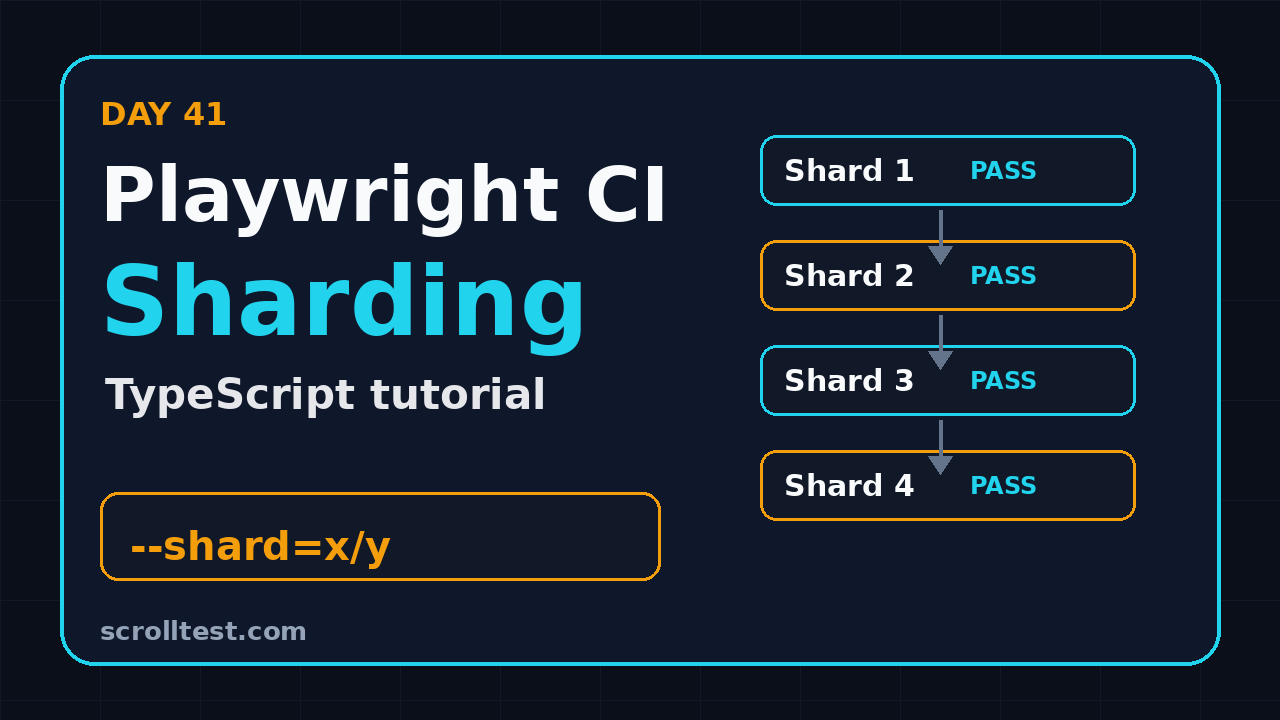
Shards are the CI scaling layer. You run the same command with different shard numbers:
npx playwright test --shard=1/4
npx playwright test --shard=2/4
npx playwright test --shard=3/4
npx playwright test --shard=4/4
Each shard runs a different part of the suite. In GitHub Actions, a matrix can create these jobs automatically. In Jenkins, GitLab CI, or Azure DevOps, you can do the same with parallel jobs and an environment variable.
Build the TypeScript baseline project
Start with a clean baseline. Do not add sharding to a messy repo and hope YAML saves it. I want the project layout to tell a new SDET exactly where config, tests, fixtures, and reports live.
Suggested folder structure
playwright-sharding-demo/
  .github/
    workflows/
      playwright.yml
  tests/
    smoke/
      home.spec.ts
    checkout/
      cart.spec.ts
      payment.spec.ts
    admin/
      users.spec.ts
  fixtures/
    test.ts
  playwright.config.ts
  package.json
  tsconfig.json
This structure keeps the suite readable. A manual tester moving into automation can find smoke tests quickly. An SDET can add fixtures without turning the config file into a dumping ground.
Install the project
mkdir playwright-sharding-demo
cd playwright-sharding-demo
npm init playwright@latest
npm install -D @playwright/test typescript
npx playwright install
Pick TypeScript when the installer asks. If you already have a repo, run only the install commands you need. Keep package versions committed through package-lock.json, because CI should not guess dependency versions.
Use a CI-aware Playwright config
// playwright.config.ts
import { defineConfig, devices } from '@playwright/test';

const isCI = !!process.env.CI;
const runAllBrowsers = process.env.RUN_ALL_BROWSERS === 'true';

export default defineConfig({
  testDir: './tests',
  timeout: 30_000,
  expect: {
    timeout: 5_000,
  },
  fullyParallel: false,
  forbidOnly: isCI,
  retries: isCI ? 1 : 0,
  workers: isCI ? 1 : undefined,
  reporter: [
    ['list'],
    ['html', { outputFolder: 'playwright-report', open: 'never' }],
    ['json', { outputFile: 'test-results/results.json' }],
  ],
  use: {
    baseURL: process.env.BASE_URL ?? 'https://example.com',
    trace: 'on-first-retry',
    screenshot: 'only-on-failure',
    video: 'retain-on-failure',
  },
  projects: runAllBrowsers
    ? [
        { name: 'chromium', use: { ...devices['Desktop Chrome'] } },
        { name: 'firefox', use: { ...devices['Desktop Firefox'] } },
        { name: 'webkit', use: { ...devices['Desktop Safari'] } },
      ]
    : [
        { name: 'chromium', use: { ...devices['Desktop Chrome'] } },
      ],
});
This config is boring on purpose. The PR path uses Chromium only. Nightly can set RUN_ALL_BROWSERS=true. CI uses one worker per shard for stability. If your self-hosted runner has enough CPU and memory, test workers: 2 or workers: 50%, but measure it instead of copying someone else’s number.
A tiny smoke test
// tests/smoke/home.spec.ts
import { test, expect } from '@playwright/test';

test('home page has expected title', async ({ page }) => {
  await page.goto('/');
  await expect(page).toHaveTitle(/Example Domain/);
});
For a real company app, this smoke test might check login, dashboard load, and one critical navigation path. Keep smoke tests short. They should fail fast when the deployment is broken.
Run Playwright CI sharding locally
I always test sharding locally before touching CI. Local verification catches command mistakes, config errors, and test isolation problems faster than waiting for a remote runner.
Create enough test files to see the split
// tests/checkout/cart.spec.ts
import { test, expect } from '@playwright/test';

test('cart page loads', async ({ page }) => {
  await page.goto('/');
  await expect(page.locator('h1')).toContainText('Example Domain');
});

// tests/admin/users.spec.ts
import { test, expect } from '@playwright/test';

test('admin placeholder check', async ({ page }) => {
  await page.goto('/');
  await expect(page.getByRole('link')).toHaveAttribute('href', /iana/);
});
These examples use a public demo page, but your real tests should use stable test data and your staging URL. The goal is to create multiple files, because Playwright’s default sharding works at the test file level unless you change parallel behavior.
Run each shard
npx playwright test --shard=1/3
npx playwright test --shard=2/3
npx playwright test --shard=3/3
Read the output. Each shard should run a subset. If one shard runs nearly everything and another runs almost nothing, your file sizes are uneven. Split monster spec files before you blame Playwright.
Measure runtime properly
Use a simple table in your pull request description or team wiki:
| Run mode | Shards | Workers per shard | Wall-clock time | Notes |
|---|---|---|---|---|
| Baseline | 1 | 1 | 28 min | Single CI job |
| First sharded run | 4 | 1 | 10 min | One heavy shard |
| After splitting large files | 4 | 1 | 8 min | Better distribution |
Do not invent numbers for leadership. Show the before and after from your own pipeline. That builds trust with engineering managers.
GitHub Actions workflow for Playwright CI sharding
Now put it into GitHub Actions. The workflow below uses a matrix with four shards. It installs dependencies, installs browsers, runs one shard, and uploads the report. GitHub’s artifact documentation explains the upload and download pattern for workflow files, and the official page is here: storing workflow data as artifacts.
The workflow file
# .github/workflows/playwright.yml
name: Playwright Tests

on:
  pull_request:
    branches: [main]
  push:
    branches: [main]
  workflow_dispatch:

jobs:
  test:
    name: Playwright shard ${{ matrix.shardIndex }} of ${{ matrix.shardTotal }}
    runs-on: ubuntu-latest
    timeout-minutes: 30
    strategy:
      fail-fast: false
      matrix:
        shardIndex: [1, 2, 3, 4]
        shardTotal: [4]

    steps:
      - name: Checkout repository
        uses: actions/checkout@v4

      - name: Setup Node.js
        uses: actions/setup-node@v4
        with:
          node-version: 22
          cache: 'npm'

      - name: Install dependencies
        run: npm ci

      - name: Install Playwright browsers
        run: npx playwright install --with-deps

      - name: Run Playwright tests
        run: npx playwright test --shard=${{ matrix.shardIndex }}/${{ matrix.shardTotal }}
        env:
          CI: true
          BASE_URL: ${{ secrets.STAGING_BASE_URL }}

      - name: Upload HTML report
        if: always()
        uses: actions/upload-artifact@v4
        with:
          name: playwright-report-${{ matrix.shardIndex }}
          path: playwright-report/
          retention-days: 7

      - name: Upload raw test results
        if: always()
        uses: actions/upload-artifact@v4
        with:
          name: test-results-${{ matrix.shardIndex }}
          path: test-results/
          retention-days: 7
The important line is the shard command. Everything else exists to make the run repeatable and debuggable.
Why fail-fast is false
I set fail-fast: false because I want all shards to finish and upload artifacts. If shard 1 fails in 2 minutes and GitHub cancels shard 2, 3, and 4, you lose information. For UI tests, the failed artifact is often the real answer.
Nightly all-browser workflow
For deeper coverage, add a scheduled job or a manual workflow input that sets RUN_ALL_BROWSERS=true. Keep this away from every pull request unless your team has strong runners and a business reason.
env:
  CI: true
  BASE_URL: ${{ secrets.STAGING_BASE_URL }}
  RUN_ALL_BROWSERS: true
This is the setup I recommend for many Indian services teams too. Pull requests need quick feedback. Nightly builds can do heavier browser coverage. TCS, Infosys, Wipro, and product-company teams all feel the same pain when every PR waits for a full browser matrix.
Reports, traces, and artifacts after sharding
Sharding creates a second problem: evidence is split. If you do not handle reports well, developers will complain that Playwright became harder to debug. Fix the reporting story on day one.
What to upload from every shard
playwright-report/for the HTML report.test-results/for screenshots, videos, traces, and JSON.- Any custom logs your fixtures create.
- Network HAR files only when needed, because they can leak sensitive data.
Keep retention short for PR jobs, usually 7 days. Longer retention is useful for release branches, but do not keep noisy artifacts forever.
Trace viewer habit
Teach every tester to open a trace before asking a developer to debug. I covered trace analysis in Playwright Trace Viewer for AI-Generated Tests, and the same habit applies here. A good trace shows the action, selector, network call, DOM state, console message, and screenshot at the time of failure.
Screenshot description for your tutorial notes: show a GitHub Actions run with four parallel jobs, each named Playwright shard 1 of 4 through Playwright shard 4 of 4. Under the failed shard, show uploaded artifacts named playwright-report-2 and test-results-2. This is the screenshot I want a junior automation engineer to remember.
Merging reports
Playwright supports blob reports and report merging in modern setups. If your team needs a single final report, move from one HTML report per shard to blob reports per shard, upload those blobs, then run a final merge job. For small teams, separate shard reports are acceptable. For release gates, merged reports are cleaner.
Start simple, then improve. A perfect reporting architecture is less useful than a working PR feedback loop that everyone understands.
Common pitfalls I see in real teams
Sharding looks easy in a blog post. Real failures come from hidden coupling. These are the mistakes I see most often when teams move from one runner to four or eight runners.
If every shard logs in as qa@example.com and changes the same profile, you will get random failures. Use a user pool, create users through API setup, or tag read-only tests separately.
// fixtures/test.ts
import { test as base } from '@playwright/test';

export const test = base.extend<{ userEmail: string }>({
  userEmail: async ({}, use, testInfo) => {
    const shard = process.env.SHARD_INDEX ?? 'local';
    const email = `qa-${shard}-${testInfo.workerIndex}@example.test`;
    await use(email);
  },
});

export { expect } from '@playwright/test';
This is not a complete user-management solution, but it shows the idea: isolate data per shard and worker.
Pitfall 2: beforeAll doing too much
Large beforeAll hooks slow each shard and make failures harder to diagnose. Prefer API setup for data, keep UI tests focused on UI behavior, and make setup idempotent.
Pitfall 3: one giant spec file
A file with 70 tests is not friendly to sharding. Split by feature or user journey:
- Move login and smoke checks into
tests/smoke. - Move cart behavior into
tests/checkout/cart.spec.ts. - Move payment edge cases into
tests/checkout/payment.spec.ts. - Move admin flows into
tests/admin.
This helps Playwright distribute work more evenly across shards.
Pitfall 4: unstable selectors
Sharding exposes selector weakness because timing changes. If you still use brittle CSS like .btn:nth-child(3), the test may fail under load. Use role locators, labels, text, and test IDs. If your team is migrating from Selenium habits, read 5 Anti-Patterns Teams Carry From Selenium to Playwright.
Pitfall 5: ignoring visual and media artifacts
If you run visual checks, plan artifact storage carefully. I wrote a separate guide on Playwright Visual Regression Testing: Day 40. Visual diffs can be heavy, and sharded jobs can produce many files. Keep paths predictable.
India team context: what managers notice
In India, the gap between a script writer and an SDET often shows up in CI ownership. Many testers can write a locator. Fewer can explain why a pipeline is slow, why shard 3 is always the bottleneck, and why a flaky account contaminates four jobs at once.
If you are aiming for ₹25-40 LPA automation roles in product companies, Playwright CI sharding is a strong portfolio topic. Put the workflow in a public repo. Add a README with before-after timing. Add screenshots of the Actions matrix and artifacts. This looks more credible than another calculator test.
Service-company teams also benefit. If your client asks why automation is not part of every pull request, show them a sharded pipeline with reports and trace artifacts. That moves the conversation from tool demo to engineering system.
How I would present this in an interview
Use this answer:
“I scaled our Playwright suite by splitting tests across CI shards. First I fixed data isolation and removed shared users. Then I used a GitHub Actions matrix with
--shard=x/y. I uploaded HTML reports and trace artifacts per shard, measured the slowest shard, and split large spec files to improve distribution.”
That answer shows architecture, debugging, and ownership. It is better than saying, “I know Playwright.”
Key takeaways
Playwright CI sharding is not just a command you paste into YAML. It is a small system: isolated tests, predictable config, stable CI defaults, useful artifacts, and clear ownership.
- Use workers for local machine parallelism and shards for multi-machine CI scaling.
- Keep CI stable first. Increase workers only after measuring CPU and flake rate.
- Split giant spec files so shards distribute work more evenly.
- Upload reports, traces, screenshots, and JSON from every shard.
- Teach the team to debug from artifacts, not from guesswork.
For the next tutorial, I would extend this setup into merged blob reports and release-gate dashboards. Once you control sharding, reporting becomes the next serious SDET skill.
FAQ
How many shards should I start with?
Start with 2 or 4 shards. If the suite is under 10 minutes, 2 shards may be enough. If it is 20 to 40 minutes, try 4 shards, measure the slowest shard, then decide whether 6 or 8 is worth the runner cost.
Should I set workers to 1 in CI?
For hosted CI runners, yes, I usually start there. It gives predictable resource usage. On strong self-hosted runners, test 2 workers per shard and compare runtime plus flake rate.
Can I shard by test instead of file?
Playwright’s default behavior distributes test files. You can change parallel behavior, but file-level distribution is easier to reason about. Split large files before reaching for clever settings.
Do I need all browsers on every pull request?
Usually no. Run Chromium on pull requests, then run Chromium, Firefox, and WebKit on nightly or release branches. That keeps feedback fast while still catching browser-specific issues.
What should I add to my portfolio?
Add the GitHub Actions workflow, Playwright config, sample tests, artifact screenshots, and a short README with measured before-after runtime. Link it to your SDET resume under CI/CD test automation ownership.