
Playwright Sharding: Day 15 Parallel CI Tutorial
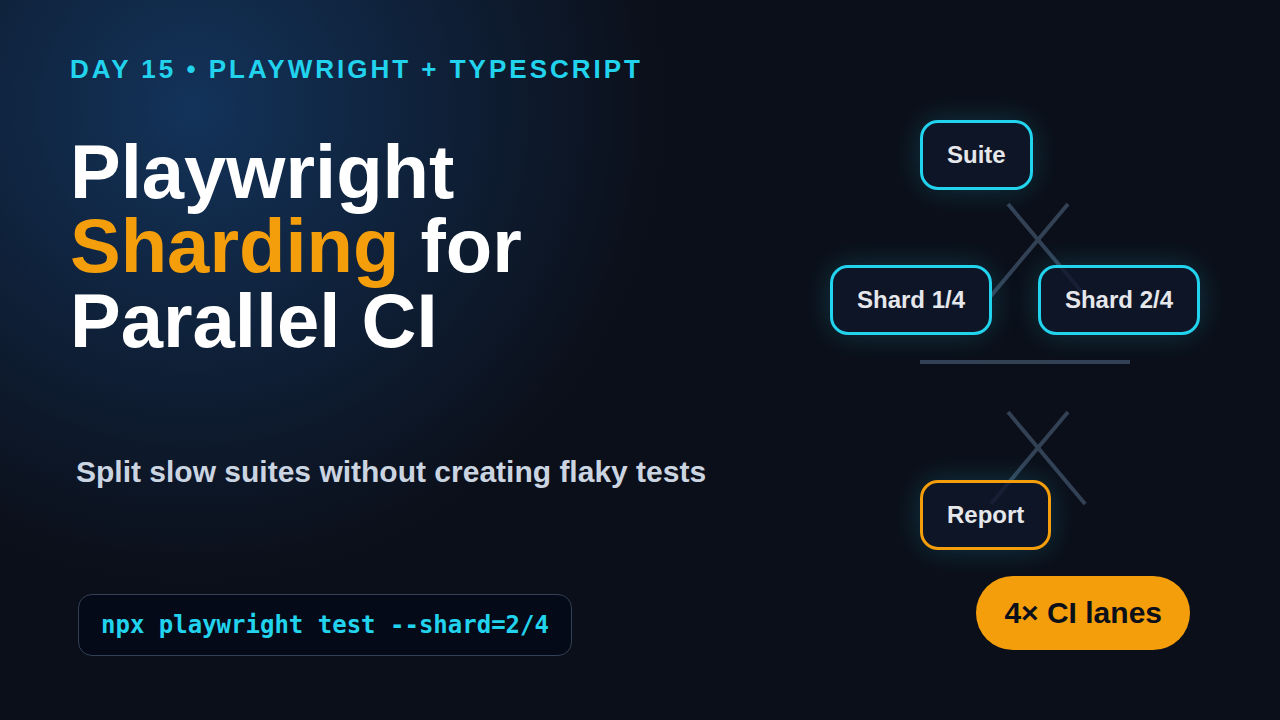
Day 15 of the 21-Day Playwright + TypeScript series.
🎭 Want to master this with real projects? Join the Playwright Automation Mastery course at The Testing Academy.
Playwright sharding is the first performance upgrade I add when a test suite becomes too slow for a serious pull request workflow. Workers make one machine faster. Shards split the same suite across multiple CI machines, so your team gets feedback in minutes instead of waiting for a long single runner to finish.
Table of Contents
- What Is Playwright Sharding?
- Parallelism vs Sharding
- Create a Local Baseline First
- Playwright Sharding in GitHub Actions
- Merge Reports After Sharding
- Handle Data, Auth, and Isolation
- Common Pitfalls I See in Teams
- Production Checklist
- FAQ
Contents
What Is Playwright Sharding?
Playwright sharding means splitting one test suite into separate pieces and running each piece as an independent CI job. The official Playwright sharding guide shows the CLI syntax as --shard=current/total, for example --shard=1/4 for the first shard in a four-shard run. That small flag changes how you think about test execution at scale.
On Day 12 we built a GitHub Actions workflow for Playwright. Today we extend that idea and make the pipeline parallel across runners, not just within one runner. If you missed that setup, read Playwright CI with GitHub Actions first because sharding depends on a working CI baseline.
The simple mental model
Think of a suite with 400 tests. Without sharding, one CI job receives all 400 tests. With four shards, each CI job receives a portion of the suite. The jobs run at the same time, then you merge the reports into one final result.
- Shard 1/4 runs one part of the suite.
- Shard 2/4 runs another part.
- Shard 3/4 and Shard 4/4 do the same.
- The final report job downloads all blobs and creates one HTML report.
Why this matters for SDETs
A slow suite damages the whole engineering loop. Developers stop waiting for test results. QA engineers get blamed for delayed releases. Managers start asking which tests can be skipped. Sharding protects the value of end-to-end tests because it makes them usable inside a pull request workflow.
Playwright is not a small niche tool anymore. The Microsoft Playwright GitHub repository shows more than 91,000 stars, and the npm downloads API reports over 158 million monthly downloads for @playwright/test. Those numbers matter because teams are standardising around Playwright, and CI design is now a core SDET skill.
Parallelism vs Sharding: Do Not Mix the Concepts
Playwright sharding is not the same as worker-level parallelism. The official Playwright parallelism documentation says Playwright Test runs test files in parallel by using worker processes. By default, test files run in parallel, while tests inside a single file run in order unless you configure them differently.
That means you already get parallelism before you add shards. Sharding adds another layer above it.
Workers run inside one machine
Workers are processes on the same runner. If your CI machine has enough CPU and memory, multiple workers can run test files together. You control this with the workers option or the --workers CLI flag.
// playwright.config.ts
import { defineConfig } from '@playwright/test';

export default defineConfig({
  workers: process.env.CI ? 4 : undefined,
  retries: process.env.CI ? 2 : 0,
  reporter: [['html'], ['list']],
});
This is useful, but it has a ceiling. One GitHub runner has limited CPU and memory. If you keep increasing workers, browsers compete for resources and tests become slower or flaky.
Shards run across machines
Shards run as separate jobs. Each job can still use workers internally. A four-shard matrix with four workers per job can run much more work at the same time than one job with four workers.
# Local example: run only the second shard in a four-shard suite
npx playwright test --shard=2/4
The practical rule is simple: tune workers first, then add shards. If your tests cannot run safely with multiple workers on one machine, sharding will expose the same isolation problems faster.
When fully parallel helps
Playwright also supports running tests inside a file in parallel using test.describe.configure({ mode: 'parallel' }) or fullyParallel: true. I use it only when each test is completely independent. If tests share a user, order, cart, database row, inbox, or local storage state, keep them isolated before you turn this on.
import { test, expect } from '@playwright/test';

test.describe.configure({ mode: 'parallel' });

test('guest can open pricing', async ({ page }) => {
  await page.goto('/pricing');
  await expect(page.getByRole('heading', { name: /pricing/i })).toBeVisible();
});

test('guest can open docs', async ({ page }) => {
  await page.goto('/docs');
  await expect(page.getByRole('heading', { name: /docs/i })).toBeVisible();
});
Create a Local Baseline First
Before I add Playwright sharding to CI, I collect a baseline. This prevents guesswork. If the suite is 12 minutes locally but 48 minutes in CI, you may have a CI dependency problem, not a sharding problem.
Run the suite with a controlled worker count
Start with one worker. Then try two, four, and the CI worker count you plan to use. Write down the numbers. Do not trust one run because network-heavy tests naturally vary.
npx playwright test --workers=1
npx playwright test --workers=2
npx playwright test --workers=4
If runtime improves from one to two workers but gets worse at eight workers, your runner is saturated. You need fewer workers per shard, not more.
Tag slow and destructive tests
Some tests should not sit in the same fast pull request lane. Payment flows, destructive admin flows, and heavy visual tests can run in nightly jobs. Playwright projects, tags, and grep patterns help you separate them.
import { test, expect } from '@playwright/test';

test('@smoke user can sign in', async ({ page }) => {
  await page.goto('/login');
  await page.getByLabel('Email').fill('qa@example.com');
  await page.getByLabel('Password').fill('Password123!');
  await page.getByRole('button', { name: 'Sign in' }).click();
  await expect(page.getByRole('banner')).toContainText('Dashboard');
});

test('@nightly admin can export audit report', async ({ page }) => {
  // Keep slow export flows outside the PR lane.
});
For locator strategy and assertion discipline, revisit Playwright Locators and Assertions. Sharding gives bad selectors more chances to fail, so strong locators matter.
Describe the screenshot you expect
Screenshot description for this step: the Playwright HTML report should show a stable pass rate with the same tests passing at one worker and four workers. If the four-worker run has random failures, fix isolation before you touch shards.
Playwright Sharding in GitHub Actions
The cleanest GitHub Actions setup uses a matrix. Each matrix entry runs one shard. The workflow below uses four shards, installs browsers once per job, uploads blob reports, and leaves the final HTML merge to another job.
name: Playwright Sharded Tests

on:
  pull_request:
  push:
    branches: [main]

jobs:
  test:
    timeout-minutes: 30
    runs-on: ubuntu-latest
    strategy:
      fail-fast: false
      matrix:
        shardIndex: [1, 2, 3, 4]
        shardTotal: [4]
    steps:
      - uses: actions/checkout@v4
      - uses: actions/setup-node@v4
        with:
          node-version: 22
          cache: npm
      - run: npm ci
      - run: npx playwright install --with-deps
      - name: Run Playwright shard
        run: npx playwright test --shard=${{ matrix.shardIndex }}/${{ matrix.shardTotal }} --reporter=blob
      - name: Upload blob report
        if: always()
        uses: actions/upload-artifact@v4
        with:
          name: blob-report-${{ matrix.shardIndex }}
          path: blob-report
          retention-days: 7
Notice fail-fast: false. I keep this on because I want every shard to finish and upload its report. If shard 1 fails instantly and GitHub cancels the remaining jobs, you lose the complete failure picture.
Pick the right shard count
Start with two or four shards. Eight shards can be useful for large suites, but it also increases CI minutes, artifact handling, and debugging noise. A good first target is to cut the pull request suite below 10 minutes without creating flaky tests.
- Measure current runtime with one CI job.
- Try two shards with the same worker count.
- Try four shards only if two shards are still slow.
- Compare pass rate, report quality, and CI cost.
Use project selection with shards
If you run Chromium, Firefox, and WebKit on every pull request, sharding alone may not be enough. Many teams run Chromium smoke tests on pull requests and run full browser coverage at night.
# Pull request lane
npx playwright test --project=chromium --grep @smoke --shard=1/4

# Nightly lane
npx playwright test --project=chromium --project=firefox --project=webkit
This is not cheating. It is risk-based testing. The pull request lane answers, “Did this change break the main user journey?” The nightly lane answers, “Do we still have broad confidence across browsers?”
Merge Reports After Sharding
A sharded run is incomplete until reports are merged. Playwright supports blob reports for this exact reason. Each shard produces a blob report. A final job downloads all artifacts and runs npx playwright merge-reports.
  merge-reports:
    if: always()
    needs: [test]
    runs-on: ubuntu-latest
    steps:
      - uses: actions/checkout@v4
      - uses: actions/setup-node@v4
        with:
          node-version: 22
          cache: npm
      - run: npm ci
      - uses: actions/download-artifact@v4
        with:
          path: all-blob-reports
          pattern: blob-report-*
          merge-multiple: true
      - name: Merge Playwright reports
        run: npx playwright merge-reports --reporter html ./all-blob-reports
      - name: Upload HTML report
        if: always()
        uses: actions/upload-artifact@v4
        with:
          name: playwright-html-report
          path: playwright-report
          retention-days: 14
Screenshot description: the GitHub Actions page should show four green test jobs and one merge-reports job. The final artifact should be named playwright-html-report. When you open it, the report should list all tests, not only the tests from one shard.
Keep traces useful
Traces become more important after sharding because failure context is scattered across jobs. I set traces to retain on first retry in CI. This gives enough data without storing huge trace files for every passing test.
import { defineConfig } from '@playwright/test';

export default defineConfig({
  retries: process.env.CI ? 2 : 0,
  use: {
    trace: 'on-first-retry',
    screenshot: 'only-on-failure',
    video: 'retain-on-failure',
  },
  reporter: process.env.CI ? [['blob']] : [['html'], ['list']],
});
If traces are new for you, read Playwright Trace Viewer: Day 7 Tutorial. A trace is often faster than adding five console logs and rerunning the shard.
🚀 Level Up Your Playwright
From locators to CI pipelines — build a production-grade Playwright + TypeScript framework step by step.
Handle Data, Auth, and Isolation
Most sharding failures are not caused by Playwright. They are caused by shared data. Four shards create four sets of browsers that may hit the same backend at the same time. If two tests mutate the same user, order, or environment flag, you get random failures.
Use unique data per worker
Playwright exposes worker information through fixtures. You can use testInfo.workerIndex to create unique emails, tenants, carts, or records. This is not optional for serious parallel execution.
import { test as base, expect } from '@playwright/test';

type Fixtures = {
  userEmail: string;
};

export const test = base.extend<Fixtures>({
  userEmail: async ({}, use, testInfo) => {
    const email = `qa-${Date.now()}-w${testInfo.workerIndex}@example.test`;
    await use(email);
  },
});

test('new user can start checkout', async ({ page, userEmail }) => {
  await page.goto('/signup');
  await page.getByLabel('Email').fill(userEmail);
  await page.getByRole('button', { name: 'Create account' }).click();
  await expect(page.getByText(userEmail)).toBeVisible();
});
We covered fixtures on Day 6. If your test setup is still duplicated across files, revisit Playwright Fixtures and Hooks before scaling the suite.
Store authentication safely
Authentication state is another common problem. A single shared logged-in account can break when tests run together. Prefer one of these patterns:
- Read-only user accounts for read-only tests.
- Per-worker accounts for flows that modify data.
- API-created users for flows that need a clean state.
- Separate admin credentials for destructive admin scenarios.
If you use storage state, make sure the account behind it can support the test load. Day 10 covers this in detail: Playwright Authentication.
Clean up without hiding bugs
I prefer test data that expires automatically over aggressive cleanup in afterEach. Cleanup code can fail and hide the real product issue. For many QA environments, a daily cleanup job is safer than deleting records during the test run.
Common Pitfalls I See in Teams
Playwright sharding looks simple, so teams add it too early. Then they spend two weeks debugging flaky tests that were already unsafe. Here are the patterns I watch for during framework reviews.
Pitfall 1: Sharding a messy suite
If tests depend on order, sharding will break them. A test that assumes “create customer” ran before “edit customer” is not an independent test. Put that flow inside one test or create the required state through an API call.
Pitfall 2: Too many workers per shard
A four-shard setup with eight workers per shard creates 32 worker processes. That can crush a small staging environment. Your bottleneck may be the application under test, not the CI runner. Watch backend CPU, database connections, queue latency, and rate limits.
Pitfall 3: Ignoring retry data
The Playwright retries documentation explains that failed tests are retried in a fresh worker process. Retries are useful for diagnostics, but they should not become a hiding place for flaky tests. Track retry count as a quality metric. A suite that passes after retry every day is still unhealthy.
Pitfall 4: No ownership model
Once a suite is sharded, failures appear in different jobs. Assign ownership by area or tag. Checkout failures go to the commerce team. Login failures go to the identity team. Visual baseline failures go to the frontend owner. Without ownership, the QA team becomes the permanent failure router.
Production Checklist for Playwright Sharding
Use this checklist before you mark sharding as done. It is short, but it catches most production mistakes.
- The suite passes with one worker, two workers, and the planned CI worker count.
- Every test creates or receives isolated data.
- Shared accounts are read-only or split per worker.
- The GitHub Actions matrix uses
fail-fast: false. - Each shard uploads blob reports even when tests fail.
- The merge job runs with
if: always(). - The merged HTML report contains all tests from all shards.
- Traces, screenshots, and videos are retained only when useful.
- Slow tests are tagged and moved to nightly when needed.
- Retry count is reviewed weekly, not ignored.
A realistic India team setup
For many teams in India, especially service teams moving from Selenium to Playwright, I suggest this path: keep pull request tests under 10 minutes, run full cross-browser coverage at night, and teach every SDET to read traces. Product companies often expect this pipeline maturity from mid-level SDETs, and it shows up in interviews for ₹25-40 LPA automation roles.
Do not pitch sharding as a fancy DevOps trick. Pitch it as engineering discipline: fast feedback, stable reports, and fewer blocked merges.
FAQ
Should I use Playwright sharding on day one?
No. First make the suite stable with normal workers. Add sharding when runtime becomes a real pull request problem.
How many shards should I start with?
Start with two. Move to four when you have enough tests and a stable environment. More shards are useful only when the suite is large enough to justify the CI cost.
Does sharding fix flaky tests?
No. It usually exposes flaky tests. If a test depends on shared state, timing, or order, sharding makes the failure more visible.
Can I shard only smoke tests?
Yes. Use --grep @smoke with --shard. This is a practical pattern for fast pull request feedback.
Key Takeaways
Playwright sharding is the right upgrade when your Playwright + TypeScript suite is stable but too slow for pull requests.
- Workers improve speed inside one runner; shards split work across runners.
- Use GitHub Actions matrix jobs for clean shard execution.
- Always merge blob reports into one HTML report.
- Fix data isolation before scaling parallel execution.
- Track retries because a retry-based pass is still a signal.
Tomorrow we move from execution speed to test observability: reporters, annotations, and custom metadata that make failures easier to triage.
Sources: Playwright documentation on parallelism, sharding, CI, and retries; GitHub API data for microsoft/playwright; npm downloads API for @playwright/test.
🎓 Master Playwright End to End
Join hundreds of SDETs building real automation frameworks. Lifetime access, hands-on projects, and a job-ready portfolio.

