
Playwright Fixtures and Hooks: Day 6 Tutorial
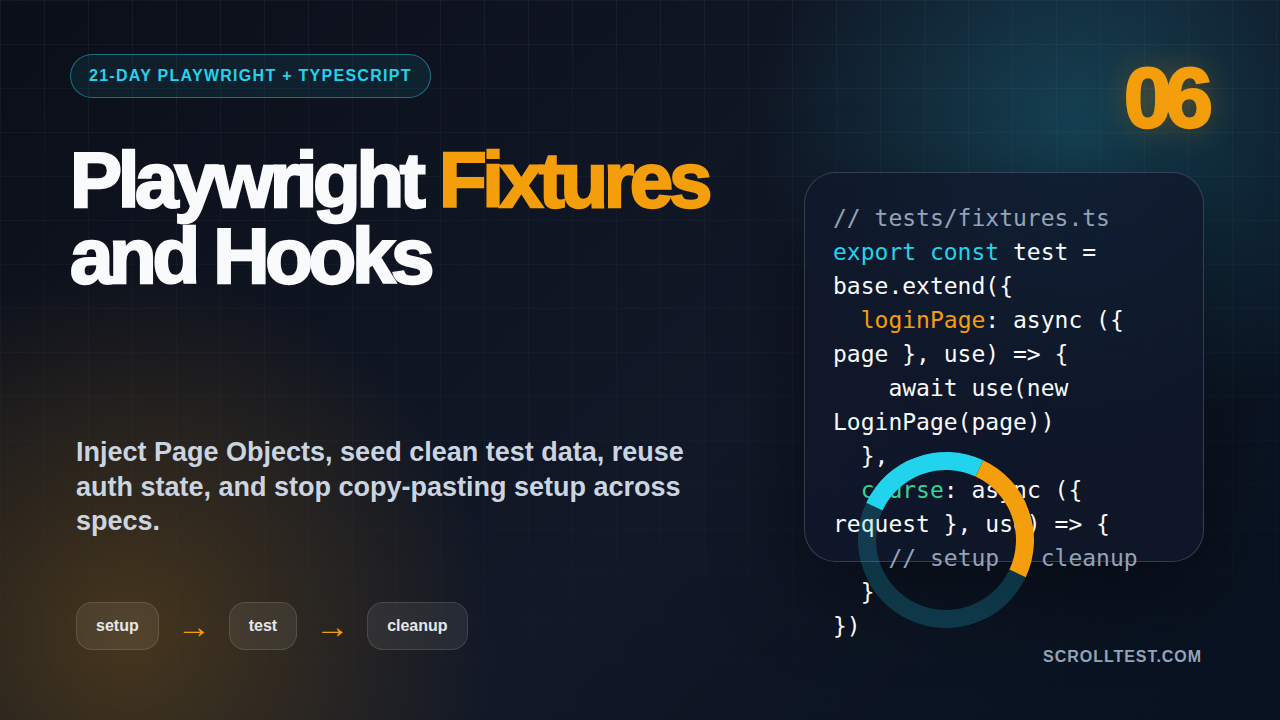
Day 6 of the 21-Day Playwright + TypeScript Tutorial Series.
🎭 Want to master this with real projects? Join the Playwright Automation Mastery course at The Testing Academy.
Playwright fixtures and hooks are where beginner test suites become maintainable automation frameworks. If Day 5 gave us Page Object Model structure, Day 6 gives us controlled setup, clean teardown, test data, authenticated state, and less copy-paste across specs.
I see many SDET teams write good locators and still end up with slow, fragile tests because setup code is scattered across every file. The fix is not a bigger base class. The fix is understanding what belongs in a fixture, what belongs in a hook, and what should stay inside the test.
Table of Contents
- Why Playwright fixtures and hooks matter
- The mental model: test, hook, fixture, worker
- Built-in Playwright fixtures you already use
- Build custom TypeScript fixtures
- Use hooks without creating hidden coupling
- Authentication and test data setup
- Screenshots and debugging workflow
- Common pitfalls I see in real teams
- Key takeaways
- FAQ
Contents
Why Playwright fixtures and hooks matter
Playwright’s official fixture documentation says Playwright Test is based on test fixtures, and fixtures establish the environment for each test while keeping fixtures isolated between tests. That sentence explains why this topic matters more than most beginners expect.
When a suite is small, setup code inside every test feels harmless. A login step here, a database seed there, one browser context tweak in another file. After 100 tests, the same pattern becomes a maintenance tax.
The numbers show why this skill is worth learning. The npm downloads API reported @playwright/test at 158,960,251 downloads for the last month window I checked, and the GitHub API showed the Microsoft Playwright repo at 90,898 stars. This is no longer a niche tool. Teams expect SDETs to write Playwright code that scales beyond demo scripts.
What fixtures solve
A fixture gives your test something it needs. That “something” can be a logged-in page, a seeded user, an API client, a Page Object, a mock payment gateway, or a browser context with a special timezone.
- It removes repeated setup from spec files.
- It gives setup code a clear lifecycle.
- It keeps each test isolated by default.
- It makes Page Objects easier to inject.
- It keeps test data cleanup close to test data creation.
If you followed Day 5 on Playwright Page Object Model, fixtures are the next logical step. Page classes give shape to actions. Fixtures decide how those classes are created and shared.
What hooks solve
Hooks run code before or after tests. Playwright supports patterns such as test.beforeEach, test.afterEach, test.beforeAll, and test.afterAll. Hooks are useful, but they become dangerous when they hide too much.
My rule is simple: hooks are good for obvious, local setup. Fixtures are better for reusable capabilities. If a future reader must open three files to understand why a test starts on a specific page, your abstraction is fighting the team.
The mental model: test, hook, fixture, worker
Before writing code, get the lifecycle clear. A Playwright test is not one long browser session unless you force it to behave that way. Playwright creates isolated browser contexts so tests do not accidentally depend on each other. The authentication guide also explains that tests can load existing authenticated state to avoid logging in inside every test.
Test-scoped fixtures
A test-scoped fixture is created for a test and disposed after that test. This is the safest default for UI automation because it protects isolation.
import { test, expect } from '@playwright/test';

test('profile page opens for a user', async ({ page }) => {
  await page.goto('/profile');
  await expect(page.getByRole('heading', { name: 'Profile' })).toBeVisible();
});
In this small example, page is a built-in fixture. You did not create a browser page manually. Playwright injected it into the test.
Worker-scoped fixtures
A worker-scoped fixture lives for a worker process. Use it for expensive setup that can safely be shared by tests running in that worker. Examples include a backend seed helper, a test organization, or a fake service process.
Do not use worker-scoped fixtures to share mutable UI state. Shared mutable state is how one passing test turns into three random failures on CI.
Hooks versus fixtures
Here is the decision table I use with teams:
- If setup is used in one spec file only, start with
beforeEach. - If setup is used across many files, move it into a fixture.
- If setup creates a typed capability, such as
dashboardPage, use a fixture. - If setup is expensive but safe to share, consider a worker fixture.
- If setup controls authentication state, prefer Playwright storage state over repeated login.
Built-in Playwright fixtures you already use
Most beginners use fixtures before they know the word. The common ones are page, context, browser, request, browserName, and testInfo. Understanding them makes your TypeScript tests cleaner.
The page fixture
The page fixture is a browser page created inside an isolated context. It is perfect for normal end-to-end flows.
test('search returns relevant courses', async ({ page }) => {
  await page.goto('/courses');
  await page.getByRole('searchbox', { name: 'Search courses' }).fill('playwright');
  await expect(page.getByRole('link', { name: /playwright/i })).toBeVisible();
});
Notice the continuation from Day 2 on locators and assertions. Fixtures do not replace good locators. They make good locators easier to use inside well-shaped tests.
The request fixture
The request fixture gives you an API request context. It is useful for setup, assertions, and direct backend checks. For example, you can create test data through an API and then verify it in the UI.
test('new invoice appears in the dashboard', async ({ page, request }) => {
  const invoice = await request.post('/api/test/invoices', {
    data: { customer: 'TTA Learner', amount: 2499 }
  });
  expect(invoice.ok()).toBeTruthy();

  await page.goto('/invoices');
  await expect(page.getByText('TTA Learner')).toBeVisible();
  await expect(page.getByText('₹2,499')).toBeVisible();
});
This pattern is common in product companies because UI setup is slow and noisy. Create data through the API. Validate the user journey through the UI.
The testInfo fixture
testInfo gives metadata about the current test. Use it for attachments, dynamic annotations, or debugging output.
test('checkout summary is correct', async ({ page }, testInfo) => {
  await page.goto('/checkout');
  await testInfo.attach('checkout-url', {
    body: page.url(),
    contentType: 'text/plain'
  });
  await expect(page.getByText('Order Summary')).toBeVisible();
});
Use attachments carefully. CI artifacts should help debugging, not become a dumping ground for random logs.
Build custom TypeScript fixtures
Custom fixtures are where Playwright starts feeling like a framework. The important part is not clever code. The important part is typed, boring, readable setup.
Create a fixtures file
Create a file named tests/fixtures.ts. Export test and expect from there, then import that test in your specs instead of importing directly from @playwright/test.
// tests/fixtures.ts
import { test as base, expect, Page, APIRequestContext } from '@playwright/test';

class LoginPage {
  constructor(private readonly page: Page) {}

  async goto() {
    await this.page.goto('/login');
  }

  async login(email: string, password: string) {
    await this.page.getByLabel('Email').fill(email);
    await this.page.getByLabel('Password').fill(password);
    await this.page.getByRole('button', { name: 'Sign in' }).click();
  }
}

class DashboardPage {
  constructor(private readonly page: Page) {}

  async expectLoaded() {
    await expect(this.page.getByRole('heading', { name: 'Dashboard' })).toBeVisible();
  }
}

type AppFixtures = {
  loginPage: LoginPage;
  dashboardPage: DashboardPage;
};

export const test = base.extend<AppFixtures>({
  loginPage: async ({ page }, use) => {
    await use(new LoginPage(page));
  },

  dashboardPage: async ({ page }, use) => {
    await use(new DashboardPage(page));
  }
});

export { expect };
This is the cleanest way to connect Page Object Model with Playwright fixtures and hooks. You keep classes focused on page behavior, and fixtures handle object creation.
Use the custom fixture in a spec
// tests/dashboard.spec.ts
import { test, expect } from './fixtures';

test('learner can open dashboard after login', async ({ loginPage, dashboardPage }) => {
  await loginPage.goto();
  await loginPage.login('learner@example.com', 'CorrectHorseBatteryStaple!');
  await dashboardPage.expectLoaded();
});
The test reads like a business flow. It does not know how the page object is constructed. It only uses the capability.
Add a test data fixture
A test data fixture can create data before the test and clean it up after the test. The cleanup line matters. Skipping cleanup is one reason QA environments become messy and unreliable.
type Course = { id: string; title: string; price: number };

type DataFixtures = {
  course: Course;
};

export const test = base.extend<AppFixtures & DataFixtures>({
  course: async ({ request }, use) => {
    const createResponse = await request.post('/api/test/courses', {
      data: { title: 'Playwright Fixtures Workshop', price: 999 }
    });
    expect(createResponse.ok()).toBeTruthy();
    const course = await createResponse.json() as Course;

    await use(course);

    await request.delete(`/api/test/courses/${course.id}`);
  }
});
The line await use(course) is the boundary. Code before it is setup. Code after it is teardown. That one idea removes a lot of confusion.
Hooks are not bad. Bad hooks are bad. I use hooks when a group of tests needs the same clear starting point and the setup remains easy to see.
Good beforeEach example
import { test, expect } from './fixtures';

test.describe('billing settings', () => {
  test.beforeEach(async ({ page }) => {
    await page.goto('/settings/billing');
  });

  test('shows saved GST number', async ({ page }) => {
    await expect(page.getByLabel('GST Number')).toHaveValue('29ABCDE1234F1Z5');
  });

  test('shows payment method section', async ({ page }) => {
    await expect(page.getByRole('heading', { name: 'Payment Method' })).toBeVisible();
  });
});
This hook is local and boring. Every test in the block starts on the billing page. No hidden login. No hidden data mutation. No mystery.
Risky beforeAll example
test.describe('risky shared state', () => {
  let orderId: string;

  test.beforeAll(async ({ request }) => {
    const response = await request.post('/api/test/orders', { data: { amount: 5000 } });
    orderId = (await response.json()).id;
  });

  test('updates the order', async ({ request }) => {
    await request.patch(`/api/test/orders/${orderId}`, { data: { status: 'paid' } });
  });

  test('expects the original order status', async ({ request }) => {
    const response = await request.get(`/api/test/orders/${orderId}`);
    expect(await response.json()).toMatchObject({ status: 'created' });
  });
});
This looks efficient, but it couples tests through shared state. The second test depends on the first test not mutating the order. On CI, this can become flaky when parallel execution changes timing.
Better pattern
Create fresh data per test unless cost forces another design. If cost is high, make the shared object read-only. If the shared object must mutate, your tests are probably not independent.
test('updates one fresh order', async ({ request }) => {
  const created = await request.post('/api/test/orders', { data: { amount: 5000 } });
  const order = await created.json();

  await request.patch(`/api/test/orders/${order.id}`, { data: { status: 'paid' } });

  const updated = await request.get(`/api/test/orders/${order.id}`);
  await expect(updated).toBeOK();
  expect(await updated.json()).toMatchObject({ status: 'paid' });
});
For action timing, pair this with the rhythm from Day 3 on Playwright actions and auto-waiting. Good setup does not excuse weak assertions.
🚀 Level Up Your Playwright
From locators to CI pipelines — build a production-grade Playwright + TypeScript framework step by step.
Authentication and test data setup
Authentication is where teams often misuse hooks. Logging in through the UI before every test is realistic, but it is slow. Playwright’s authentication guide recommends loading existing authenticated state when you want to avoid repeated login and keep tests faster.
Create storage state once
A common pattern is a setup project that logs in once and stores authenticated state in a file. Then dependent projects reuse that file.
// tests/auth.setup.ts
import { test as setup, expect } from '@playwright/test';

setup('authenticate learner account', async ({ page }) => {
  await page.goto('/login');
  await page.getByLabel('Email').fill(process.env.E2E_EMAIL!);
  await page.getByLabel('Password').fill(process.env.E2E_PASSWORD!);
  await page.getByRole('button', { name: 'Sign in' }).click();
  await expect(page.getByRole('heading', { name: 'Dashboard' })).toBeVisible();
  await page.context().storageState({ path: 'playwright/.auth/learner.json' });
});
// playwright.config.ts
import { defineConfig, devices } from '@playwright/test';
export default defineConfig({
testDir: './tests',
projects: [
{ name: 'setup', testMatch: /.*\.setup\.ts/ },
{
name: 'chromium-authenticated',
use: {
...devices['Desktop Chrome'],
storageState: 'playwright/.auth/learner.json'
},
dependencies: ['setup']
}
]
});Store this file carefully. Do not commit real session tokens. Add playwright/.auth to .gitignore.
Use fixtures for role-based pages
In India-based teams, I often see admin and maker-checker flows in banking, insurance, ERP, and edtech products. Role-based fixtures make these tests easier to read.
type RoleFixtures = {
  adminPage: Page;
  learnerPage: Page;
};

export const test = base.extend<RoleFixtures>({
  adminPage: async ({ browser }, use) => {
    const context = await browser.newContext({ storageState: 'playwright/.auth/admin.json' });
    const page = await context.newPage();
    await use(page);
    await context.close();
  },

  learnerPage: async ({ browser }, use) => {
    const context = await browser.newContext({ storageState: 'playwright/.auth/learner.json' });
    const page = await context.newPage();
    await use(page);
    await context.close();
  }
});
Now a test can compare admin and learner views without stuffing login steps into the spec.
test('admin sees revenue, learner sees course progress', async ({ adminPage, learnerPage }) => {
  await adminPage.goto('/admin/reports');
  await expect(adminPage.getByText('Monthly Revenue')).toBeVisible();

  await learnerPage.goto('/dashboard');
  await expect(learnerPage.getByText('Course Progress')).toBeVisible();
});
Add configuration options to fixtures
After you understand object fixtures, the next useful pattern is fixture options. Options let you change data without rewriting the fixture. This is useful when one suite runs against a free plan, another suite runs against a pro plan, and a third suite checks an enterprise workflow.
Keep options explicit. I prefer one or two options per fixture group. If you need ten options, your fixture is probably doing too many jobs.
Define a typed option
type PlanName = 'free' | 'pro' | 'enterprise';

type PlanFixtures = {
  planName: PlanName;
  enrolledLearner: { id: string; email: string; plan: PlanName };
};

export const test = base.extend<PlanFixtures>({
  planName: ['free', { option: true }],

  enrolledLearner: async ({ request, planName }, use) => {
    const response = await request.post('/api/test/learners', {
      data: { plan: planName }
    });
    expect(response.ok()).toBeTruthy();
    const learner = await response.json();

    await use(learner);

    await request.delete(`/api/test/learners/${learner.id}`);
  }
});
Now each test file can choose the plan it wants. The fixture still controls setup and cleanup.
import { test, expect } from './fixtures';

test.use({ planName: 'pro' });

test('pro learner can access advanced Playwright course', async ({ page, enrolledLearner }) => {
  await page.goto(`/login-as/${enrolledLearner.id}`);
  await page.goto('/courses/playwright-advanced');
  await expect(page.getByRole('button', { name: 'Start learning' })).toBeVisible();
});
When options help
Fixture options work well when the same behavior needs small, meaningful variations. They are better than copying three spec files and changing one value in each file.
- Plan type: free, pro, enterprise.
- Locale: India, US, UAE, Singapore.
- Feature flag: enabled or disabled.
- Payment mode: card, UPI, net banking, wallet.
For example, an edtech checkout test in India may need UPI, GST, and INR pricing, while a global checkout test may need card payments and USD pricing. The business flow is similar, but the data shape changes. Fixture options keep that difference visible.
Do not turn options into a secret config system
Options should make tests more readable, not more magical. If a test behavior changes based on five nested environment variables, future maintainers will struggle. Put critical differences close to the test with test.use(), and keep environment secrets in CI configuration.
One practical rule: if an option changes the user’s role, plan, locale, or enabled feature, show it in the spec file. If an option changes a password or token, keep it out of the spec and load it from environment variables.
Screenshots and debugging workflow
For a tutorial series, screenshots are not decoration. They teach the reader what the correct state looks like. When you implement today’s exercise, capture these three screenshots for your notes or course material.
Screenshot 1: fixture file in VS Code
Show tests/fixtures.ts open in VS Code with the custom loginPage and dashboardPage fixtures visible. The screenshot should make the base.extend pattern easy to spot.
Screenshot 2: HTML report with fixture-driven tests
Run npx playwright test --reporter=html and open the report. The screenshot should show passing tests grouped by spec file, not a terminal-only success message.
Screenshot 3: Trace Viewer after a failed setup
Break the password on purpose, run the authenticated setup test, and open the trace. The screenshot should show the failed login step, the DOM snapshot, console logs, and network calls. This is how teams debug setup failures without guessing.
npx playwright test tests/auth.setup.ts --trace on
npx playwright show-trace test-results/**/trace.zip
If you skipped Day 1 on Playwright TypeScript setup, go back and configure traces, screenshots, and the HTML reporter first. Fixtures are easier to trust when reports are already working.
Common pitfalls I see in real teams
Playwright fixtures and hooks are powerful, but they also let you create complex frameworks too early. Keep the design smaller than your ambition.
Before adding a new fixture, ask one boring question: will this make tomorrow’s failed test easier to understand? If the answer is no, keep the code local until the pattern repeats at least three times.
Pitfall 1: creating a God fixture
A God fixture gives every test everything: five pages, three API clients, four users, and a helper with 60 methods. This makes tests look short but hides the real setup cost.
Better rule: inject only what a test needs. If a spec needs loginPage, inject loginPage. Do not inject the entire app.
Pitfall 2: using hooks for non-obvious login
A hidden login in beforeEach makes a test hard to read. If every test needs an authenticated state, use storage state or an authenticated fixture and name it clearly.
Pitfall 3: skipping cleanup
Test data without cleanup becomes environment debt. One day the suite fails because an email already exists, a plan limit is reached, or an old order appears in a query.
When you create through an API fixture, delete through the same fixture after await use(). If deletion is not possible, use unique names with timestamps and schedule backend cleanup.
Pitfall 4: forcing all setup into fixtures
Not every helper should become a fixture. If a function simply formats a date, builds a test email, or returns a random mobile number, keep it as a plain utility.
export function uniqueEmail(prefix = 'learner') {
  return `${prefix}.${Date.now()}@example.com`;
}
Fixtures are for lifecycle-managed dependencies. Utilities are for pure helper logic.
Pitfall 5: ignoring career signal
For SDETs targeting ₹25-40 LPA roles in India, this topic is interview gold. TCS/Infosys-style service projects may accept copy-paste tests for a while. Product companies usually push harder on framework design, isolation, CI stability, and data cleanup. Fixtures give you language to explain those decisions.
Key takeaways
Playwright fixtures and hooks help you build tests that remain readable after the first 20 specs. The goal is not abstraction for its own sake. The goal is clear setup, reliable isolation, and faster debugging.
- Use built-in fixtures such as
page,request, andtestInfobefore creating your own. - Use custom fixtures to inject Page Objects, test data, API clients, and role-based pages.
- Use hooks for local, obvious setup. Do not hide major business flows in hooks.
- Prefer storage state for repeated authentication instead of UI login in every test.
- Clean up test data after
await use()so CI does not inherit yesterday’s mess.
Tomorrow we can build on this with cleaner configuration, projects, and environment handling. For today, take one repeated setup block from your current suite and turn it into a small typed fixture. That one refactor will teach more than reading ten examples.
FAQ
Should I use Playwright hooks or fixtures for login?
Use storage state for repeated authenticated tests. Use a fixture when you need a clearly named authenticated page, such as adminPage or learnerPage. Use beforeEach login only when the login flow itself is part of the test purpose.
Are fixtures better than Page Object Model?
No. They solve different problems. Page Object Model organizes page actions and assertions. Fixtures manage how those objects and resources are created, provided to tests, and cleaned up.
Can I use fixtures for API testing?
Yes. The request fixture is already an API capability. Custom fixtures can create API clients, seed data, delete data, and combine API setup with UI verification.
Should I make every helper a fixture?
No. Keep pure helpers as normal functions. Use fixtures when there is lifecycle, setup, teardown, or dependency injection involved.
What should I practice after this tutorial?
Refactor one existing spec. Move repeated Page Object creation into tests/fixtures.ts. Then move one API data setup block into a fixture with cleanup after await use(). Run the spec twice in CI mode to confirm isolation.
Sources: Playwright Fixtures documentation, Playwright Authentication documentation, Playwright Best Practices documentation, npm downloads API for @playwright/test, and GitHub API for microsoft/playwright.
🎓 Master Playwright End to End
Join hundreds of SDETs building real automation frameworks. Lifetime access, hands-on projects, and a job-ready portfolio.
