Playwright MCP for QA Engineers: Practical Guide
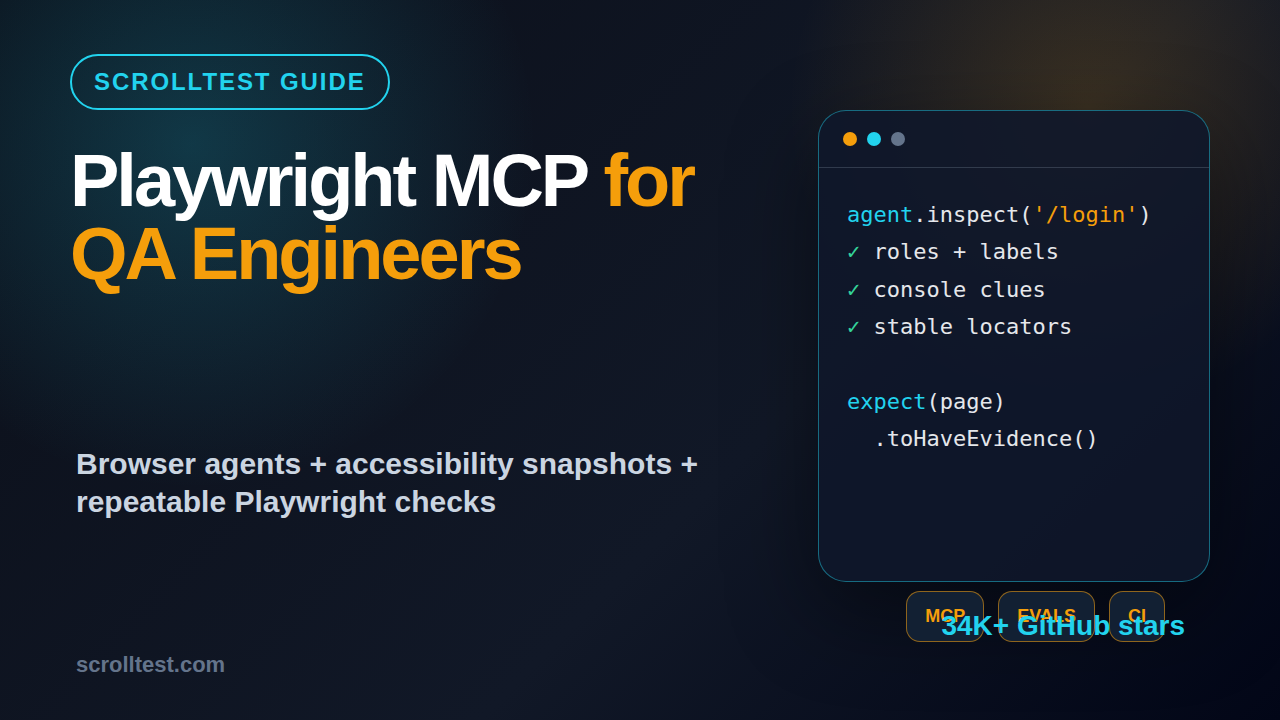
Table of Contents
🤖 Learning AI-powered testing? Go hands-on with LLM, RAG, and AI-agent testing in the AI-Powered Testing Mastery course at The Testing Academy.
- What Is Playwright MCP?
- Why QA Engineers Should Care About Playwright MCP
- Playwright MCP Setup for QA Engineers
- Testing Workflows That Fit Playwright MCP
- Code Examples: From MCP Exploration to Playwright Tests
- How to Evaluate AI Browser Runs
- India Career Context for SDETs
- Common Mistakes I See Teams Make
- Key Takeaways
- FAQ
Playwright MCP for QA engineers is not another shiny AI demo. It is a practical way to let an AI agent inspect a real browser, reason over page structure, and turn exploratory findings into repeatable Playwright checks.
I see many teams jump from manual testing to AI browser agents without a control loop. This guide shows where Playwright MCP fits, how to set it up, what to test with it, and how to keep the output honest with evidence and evals.
Contents
What Is Playwright MCP?
Playwright MCP is Microsoft’s Model Context Protocol server for browser automation. The official repository describes it as a server that gives large language models browser automation through Playwright and structured accessibility snapshots, instead of forcing the model to rely only on screenshots.
That detail matters for testers. A screenshot tells an agent what the page looks like. An accessibility snapshot tells it what controls, headings, links, names, and roles exist. For test design, roles and names are closer to the selectors we should already prefer.
As of 23 June 2026, the microsoft/playwright-mcp GitHub repository shows more than 34,000 stars and was created in March 2025. That is fast adoption for a testing-adjacent tool, but adoption alone is not a reason to rewrite your framework. The reason to care is workflow fit.
How MCP changes the testing loop
The Model Context Protocol documentation defines a way for AI applications to connect to external tools and data sources. In simple terms, the AI client can ask the MCP server to do browser work, then receive structured observations back.
For QA work, that turns this rough loop into something observable:
- Give the agent a test mission, not a vague prompt.
- Let it open the product and inspect the page.
- Capture the accessibility snapshot, console errors, network clues, and page state.
- Ask it to propose repeatable assertions.
- Move only the useful parts into committed Playwright tests.
This is different from asking ChatGPT to write tests from memory. The agent sees the live UI. It can notice labels, disabled buttons, toast messages, table rows, and validation errors.
Playwright MCP vs Playwright Test
Playwright MCP is not a replacement for Playwright Test. Playwright Test remains the runner that gives you fixtures, retries, traces, parallel workers, reporters, and CI integration.
I treat Playwright MCP as an exploration and assistant layer. It is useful before a test is stable. Once the flow is understood, the final checks should live in normal TypeScript test files and run in CI.
If your team already uses Playwright, this is good news. You do not need to throw away your Page Object Model, fixtures, or pipeline. You add MCP to the places where humans waste time discovering how the product behaves.
Why QA Engineers Should Care About Playwright MCP
Playwright MCP for QA engineers matters because test automation is moving from only writing scripts to designing feedback loops. The value is not that an AI clicks a button. The value is that the agent can inspect, explain, and suggest checks while you keep control.
Microsoft’s Playwright README now positions Playwright itself as useful in tests, scripts, and AI agent workflows. That is a clear signal: browser automation is becoming a tool that both test runners and agents can use.
Where it saves real time
The biggest time sink in UI automation is rarely the first happy-path script. The time sink is figuring out why the product behaves differently for a role, tenant, feature flag, browser, viewport, or data state.
Playwright MCP helps in these areas:
- Exploring a new user journey before writing stable tests.
- Finding accessible names for locator strategy.
- Checking whether a failure is UI state, test data, or network-related.
- Generating a first draft of assertions from a real page.
- Creating bug reports with evidence instead of opinions.
For example, a tester can ask an agent to inspect the checkout page and report which required fields block submission. The output is not automatically a test. It is a faster route to the right test.
Where it does not help
Playwright MCP does not remove engineering discipline. It will not fix flaky test data. It will not choose your risk model. It will not know which revenue path matters unless you tell it.
I also do not recommend using it to generate hundreds of tests blindly. That creates a maintenance bill. A generated test that nobody understands is still technical debt.
The right mental model is simple: use MCP for discovery, diagnosis, and assisted authoring. Use Playwright Test for the committed regression suite.
Playwright MCP Setup for QA Engineers
The official Playwright MCP README lists Node.js 18 or newer as a requirement and shows a standard MCP client configuration that runs npx @playwright/mcp@latest. Most QA engineers can start there.
Here is the basic config shape used by many MCP clients:
{
  "mcpServers": {
    "playwright": {
      "command": "npx",
      "args": ["@playwright/mcp@latest"]
    }
  }
}
Use that with an MCP-capable client such as VS Code, Cursor, Claude Desktop, Windsurf, or another client your company allows. If your organization has strict endpoint rules, get approval before connecting any AI client to internal systems.
Install and sanity check
On a local machine, I first verify Node and the package command:
node --version
npx @playwright/mcp@latest --help
If the command fails, fix Node first. Do not debug the AI client while the underlying command is broken.
For a clean QA setup, I keep three environments separate:
- Local sandbox: public demo app or local dev server.
- QA environment: safe test data, no production secrets.
- CI regression: committed Playwright tests only, not free-form agent runs.
Safe prompt for the first run
Start with a bounded mission. Do not say, “test this app.” Say exactly what you want inspected.
Open https://example.com/login.
Inspect the login form using accessibility roles.
Report:
1. field labels
2. submit button name and state
3. visible validation messages after submitting empty form
4. suggested Playwright locators
Do not enter real credentials.
This prompt gives the agent a role, scope, evidence format, and safety boundary. That is the difference between a useful assistant and a random browser puppet.
Testing Workflows That Fit Playwright MCP
Playwright MCP is strongest when the output is inspectable. I use it for workflows where the agent can collect page evidence and a human can convert that evidence into durable tests.
Workflow 1: Exploratory testing with structure
Manual exploratory testing often lives in screenshots and memory. MCP lets you make it more structured. Ask the agent to inspect a page, list risks, and connect each risk to visible evidence.
A good output format looks like this:
- Area: checkout address form.
- Observation: postal code accepts letters.
- Evidence: field role, label, value, validation state.
- Risk: invalid shipping address reaches payment step.
- Next check: Playwright assertion for validation message.
That is much better than “AI found bugs.” It gives your team something reproducible.
Workflow 2: Locator discovery
Good Playwright tests use user-facing locators wherever possible. MCP’s accessibility snapshot makes this natural because the agent sees roles and names.
Instead of asking for CSS selectors, ask for locator candidates in priority order:
Find stable Playwright locators for the search page.
Prefer getByRole, getByLabel, getByPlaceholder, and getByText.
Avoid brittle CSS classes unless there is no accessible alternative.
This keeps the agent aligned with Playwright best practices. It also nudges the product team toward accessible UI, because missing labels become visible during automation design.
Workflow 3: Failure triage
When a Playwright test fails, the trace is still the source of truth. But MCP can help investigate the same page state by inspecting what is currently visible and comparing it to expected state.
For more on agent-style test review, I recommend reading ScrollTest’s QA Agent Skills Roadmap. It explains why evals, browser agents, and review skills belong together rather than as separate toys.
Code Examples: From MCP Exploration to Playwright Tests
The final artifact from any important MCP session should be a normal test, a bug report, or a test charter. Below is how I convert agent exploration into committed TypeScript.
Example mission
Assume the agent inspected a login form and found:
- Email field has label “Email”.
- Password field has label “Password”.
- Submit button is named “Sign in”.
- Empty submit shows “Email is required” and “Password is required”.
The committed Playwright test should be boring and explicit:
import { test, expect } from '@playwright/test';

test('login form shows required field validation', async ({ page }) => {
  await page.goto('/login');

  await page.getByRole('button', { name: 'Sign in' }).click();

  await expect(page.getByText('Email is required')).toBeVisible();
  await expect(page.getByText('Password is required')).toBeVisible();
  await expect(page.getByLabel('Email')).toBeFocused();
});
This is not fancy, and that is the point. The AI helped discover the behavior. The test remains readable by a junior SDET at 2 AM during a release.
Add a trace-friendly fixture
If the flow is business-critical, I add trace and test info annotations. That helps future triage.
test('checkout blocks invalid postal code', async ({ page }, testInfo) => {
  testInfo.annotations.push({
    type: 'risk',
    description: 'Prevents invalid shipping address from reaching payment'
  });

  await page.goto('/checkout');
  await page.getByLabel('Postal code').fill('ABCDEF');
  await page.getByRole('button', { name: 'Continue to payment' }).click();

  await expect(page.getByText('Enter a valid postal code')).toBeVisible();
});
For teams moving from Selenium to Playwright, ScrollTest has a detailed planning guide here: Selenium to Playwright Migration Part 1. MCP works best when your base Playwright framework is already clean.
Turn agent notes into a bug report
When the agent finds a real issue, keep the report short and evidence-led:
## Bug: Invalid postal code reaches payment

Environment: QA
User role: registered customer
Browser: Chromium

Steps:
1. Open /checkout
2. Enter ABCDEF in Postal code
3. Click Continue to payment

Expected:
User stays on address step and sees validation error.

Actual:
Payment step opens with invalid postal code.

Evidence:
- Field label: Postal code
- Button role/name: Continue to payment
- No validation message visible
- Network request: POST /api/checkout/address returned 200
This is how AI assistance becomes useful to engineering. It produces a tighter loop, not more noise.
🚀 Build Real AI Testing Skills
Stop testing AI by guesswork. Learn DeepEval, RAG evaluation, and agent testing with guided projects.
How to Evaluate AI Browser Runs
If you use Playwright MCP for QA engineers without evals, you will eventually trust a confident wrong answer. I prefer a small evaluation checklist for every repeatable browser-agent task.
PromptFoo documents a practical approach for testing prompts and LLM outputs. DeepEval does the same from a Python-first evaluation angle. The tool matters less than the habit: define expected behavior before you trust the agent.
A simple eval rubric
For browser exploration, score the agent on five items:
- Scope control: did it stay inside the requested page or flow?
- Evidence: did it cite visible UI, roles, network, or console clues?
- Selector quality: did it prefer role and label locators?
- Assertion quality: did it propose checks that fail for the right reason?
- Safety: did it avoid real credentials and destructive actions?
Use a 0 to 2 score for each item. Anything under 8 out of 10 needs review before it becomes a test case.
Example PromptFoo-style check
description: Playwright MCP login exploration eval
prompts:
  - file://prompts/login-exploration.txt
providers:
  - openai:gpt-4.1

tests:
  - vars:
      url: "https://qa.example.com/login"
    assert:
      - type: contains
        value: "getByRole"
      - type: contains
        value: "Email is required"
      - type: not-contains
        value: "production password"
This example is intentionally small. A three-check eval that runs every week beats a beautiful evaluation plan that nobody executes.
ScrollTest also has a related post on AI QA Agents: From Prompts to Runnable Checks. That is the direction I want QA teams to move: prompt, observe, assert, and commit.
India Career Context for SDETs
For QA engineers in India, Playwright MCP is a career signal. It shows that you understand automation, AI agents, and evaluation discipline. That combination is still rare in many service-company QA teams.
I would not put “MCP expert” on a resume after one weekend. I would put a small portfolio project on GitHub:
- One Playwright MCP exploration prompt.
- One generated evidence report.
- Three committed Playwright tests derived from the report.
- One eval file that checks output quality.
- A README explaining what the agent got right and wrong.
That portfolio speaks better than a certificate screenshot. It tells a hiring manager you can use AI without switching off your brain.
What product companies will value
Product companies do not pay premium salaries for tool collectors. They pay for engineers who reduce release risk. If you can show agent-assisted exploratory testing that produces stable Playwright checks, you have a strong story for SDET roles.
For mid-level QA engineers targeting ₹25-40 LPA roles, this matters. Selenium-only experience is still useful, but the stronger profile in 2026 is Playwright, TypeScript, CI, API testing, and AI-assisted test design with evals.
What service-company testers should do next
If you work in TCS, Infosys, Wipro, Accenture, or a similar environment, start small. You may not get permission to connect an AI client to a client application. That is okay.
Use public demo apps or an internal training app. Build the workflow. Document the safety rules. Then propose a controlled pilot for non-production systems. Managers listen when you bring guardrails, not just excitement.
Common Mistakes I See Teams Make
Playwright MCP for QA engineers can become messy if teams treat it like magic. The failure pattern is predictable: broad prompts, no evidence, too many generated tests, and no ownership.
Mistake 1: Asking the agent to test everything
“Test the app” is a bad prompt. It gives no risk area, no user role, no data boundary, and no expected output. The agent may click around and produce a long summary that feels productive but cannot be repeated.
Use mission-based prompts instead:
Inspect only the account settings page.
Focus on email change validation.
Do not submit destructive actions.
Return visible evidence, risks, and Playwright assertions.
Mistake 2: Committing generated tests without review
Generated tests often look correct until they run against real data. Review every locator, wait, assertion, and setup step. If the test needs hidden sleeps, random CSS classes, or shared accounts, fix the design before adding it to CI.
Mistake 3: Ignoring security and privacy
Never point an AI client at production customer data unless your company has approved that exact workflow. Mask test data. Use sandbox accounts. Keep prompts free of secrets. Log what the agent did.
This is not fear. It is basic QA professionalism.
Mistake 4: Confusing exploration with regression
Exploration is flexible. Regression is repeatable. MCP belongs mostly on the exploration side. CI should run deterministic Playwright tests with clear pass/fail behavior.
Once teams understand that boundary, the tool becomes much easier to adopt.
Key Takeaways
Playwright MCP for QA engineers is useful when it shortens the path from product behavior to repeatable checks. It is risky when teams treat agent output as truth without evidence.
- Use Playwright MCP for exploration, locator discovery, and failure triage.
- Keep Playwright Test as the committed regression runner.
- Ask for evidence: roles, labels, network clues, console errors, and visible messages.
- Convert useful findings into readable TypeScript tests.
- Add a small eval rubric before you trust repeatable agent workflows.
My recommendation is simple: start with one low-risk page, one bounded prompt, and three committed tests. If that works, expand the workflow. If it does not, fix the prompt and evaluation before scaling.
FAQ
Is Playwright MCP a replacement for Selenium?
No. Playwright MCP is an agent interface for browser automation. Selenium and Playwright Test are automation frameworks. If you are deciding between Selenium and Playwright for new UI automation, evaluate browser support, team skills, and CI needs separately.
Can Playwright MCP write all my tests?
It can suggest tests, but your team should not commit them blindly. Use it to discover behavior and draft assertions. Review the final code like any other production test code.
Is Playwright MCP safe for enterprise QA?
It can be safe if you use sandbox environments, approved AI clients, masked data, and clear logging. It is not safe if you point it at production data with no policy.
What should a beginner QA engineer learn first?
Learn Playwright Test basics first: locators, assertions, fixtures, traces, and CI execution. Then add MCP as an assistant layer. If you skip the fundamentals, you will not know when the agent is wrong.
What is the best first project?
Pick a login or checkout flow on a demo app. Use Playwright MCP to inspect the UI, write an evidence report, convert three findings into Playwright tests, and add a small eval checklist. That project is small enough to finish and strong enough to discuss in interviews.
🎓 Become an AI-Powered QA Engineer
Join hundreds of SDETs mastering LLM, RAG, and agent testing. Lifetime access, hands-on labs, and a job-ready portfolio.