Playwright Upgrade Checklist: 3 Checks Before CI
Playwright upgrade checklist is the difference between a clean version bump and a morning lost to CI noise. Playwright v1.61.1 shipped on June 23, 2026 with 5 bug fixes, so I do not treat upgrades as routine package churn; I run three checks before the version touches the main pipeline.
🎭 Want to master this with real projects? Join the Playwright Automation Mastery course at The Testing Academy.
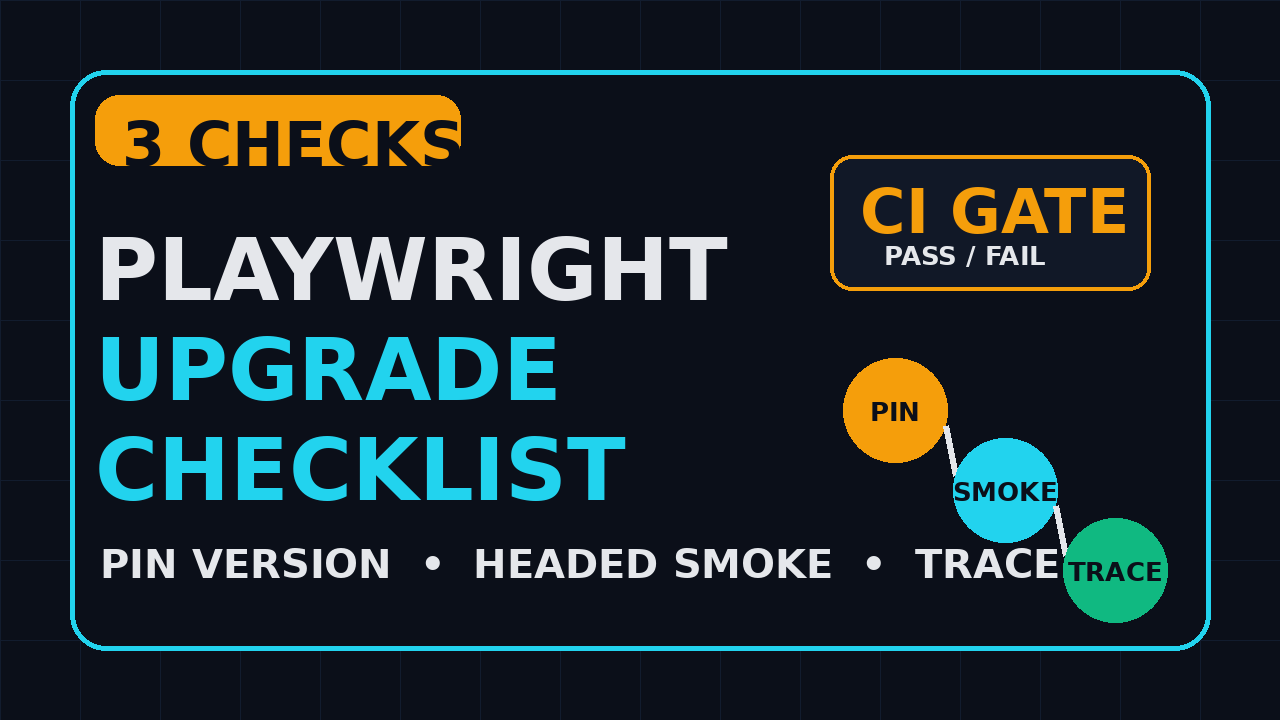
The three checks are simple: pin the exact version, run a headed smoke test, and compare the trace for one flaky test. This is not a giant migration plan. It is the 30-minute safety net I want every QA team to run before a Playwright upgrade lands in CI.
Table of Contents
- Why Playwright upgrades break stable suites
- Check 1: pin the Playwright version
- Check 2: run a headed smoke test
- Check 3: compare the trace for one flaky test
- CI implementation for the upgrade gate
- What Playwright v1.61.1 tells us
- India QA team context
- A reusable Playwright upgrade checklist
- Key takeaways
- FAQ
Contents
Why Playwright upgrades break stable suites
A Playwright upgrade is not only a dependency update. It can change browser binaries, protocol behavior, CLI behavior, TypeScript types, runner internals, reporters, and the way traces are displayed. The official Playwright browser guide states that each Playwright version needs specific browser binaries, which means the package version and browser install step must move together.
Playwright moves fast for a good reason
Playwright is not a small library sitting on top of a stable browser API. It automates Chromium, Firefox, and WebKit with one API, and it tracks browser changes aggressively. The GitHub repository shows more than 91,000 stars and nearly 6,000 forks at the time I checked the API. That adoption is good, but it also means a small release can touch real production CI systems across thousands of teams.
The npm registry currently lists @playwright/test as version 1.61.1, with a Node engine requirement of >=18. The npm downloads API reported 168,663,227 downloads for @playwright/test in the last month from May 28 to June 26, 2026. That number tells me one thing: many teams are upgrading, and many teams are capable of breaking the same way if they skip basic validation.
The failure pattern is usually boring
Most upgrade problems I see are not dramatic framework failures. They are boring mismatches:
package.jsonmoves but browser binaries are still cached from the old version.- CI runs headless only, so a viewport or focus issue hides until a developer opens the test locally.
- A flaky test changes from a timing failure to a trace-viewer clue, but nobody captures the trace before and after.
- A workspace uses pnpm or npm workspaces and one package resolves a different Playwright version.
The cost is real in Indian QA teams
In India, many QA teams run with 1 senior SDET supporting 4 to 8 automation contributors. In a service company setup, the upgrade may be owned by the one person who also handles customer demos. In a product company, the same person may be responsible for CI stability across 20 or 40 pull requests per day. A broken upgrade is not only a test failure. It is blocked releases, late-night debugging, and one more reason managers stop trusting automation.
If you are learning Playwright from scratch, start with the wider Playwright release notes QA checklist. This article is narrower. It gives you the specific upgrade gate I use when a version like 1.61.1 arrives.
Check 1: pin the Playwright version
The first item in this Playwright upgrade checklist is boring and non-negotiable: pin the exact version. Do not let a broad semver range decide what your CI runs. I want the package version, lockfile, browser installation, Docker image, and CI cache key to tell the same story.
Pin the package and verify it
For Playwright v1.61.1, the package version should be explicit. I prefer this command because it writes the exact version into the project:
npm install -D @playwright/test@1.61.1
npx playwright --version
node -p "require('@playwright/test/package.json').version"
That third command is useful in monorepos. It prints the version resolved by Node from the current package, not the version you think you installed. If the output is not 1.61.1, stop before CI. Do not debug browser behavior when dependency resolution is already wrong.
Update browsers with the same version
The Playwright browser documentation says each version needs specific browser binaries. That is why I run the install step right after the package bump:
npx playwright install --with-deps chromium firefox webkitIn a Linux CI image, I keep --with-deps for fresh runners. In a Docker image that already has dependencies, I still run npx playwright install during the image build so browser binaries match the package. This avoids the classic “works on my laptop, fails in GitHub Actions” upgrade story.
Make the cache key version-aware
If you cache Playwright browsers in CI, include the Playwright version in the key. A cache key that only uses OS and lockfile is better than nothing, but I prefer a key that makes the intent obvious:
- name: Read Playwright version
  id: pw
  run: echo "version=$(node -p \"require('@playwright/test/package.json').version\")" >> "$GITHUB_OUTPUT"

- uses: actions/cache@v4
  with:
    path: ~/.cache/ms-playwright
    key: ${{ runner.os }}-playwright-${{ steps.pw.outputs.version }}
This small change prevents an older browser cache from silently riding along with a newer package. It also gives the release engineer a visible upgrade marker in the workflow logs.
Check 2: run a headed smoke test
The second item in the Playwright upgrade checklist is a headed smoke test. Headless CI is fast, but headed mode catches a class of visual, focus, permission, and dialog issues that headless runs can hide. I do not run the full suite headed. I run 3 to 5 stable tests that cover login, navigation, one form submission, and one critical assertion.
Pick boring smoke tests
A smoke test for an upgrade gate should be boring by design. Do not pick the most complex payment test or the most flaky dashboard test. Pick tests that answer one question: can this version drive the browser through our critical path?
- Login with a seeded test user.
- Open the most-used page in the product.
- Submit one form or trigger one primary action.
- Verify one API-backed UI state change.
- Log out or clean up the test data.
If these 5 steps fail only after the upgrade, the issue is worth investigating before the full suite burns 47 minutes of CI time.
Run it locally and in CI
Run the same tagged smoke set in local headed mode and in CI. Here is the command I use:
npx playwright test --grep @upgrade-smoke --headed --project=chromiumFor CI, headed mode needs a display server. On GitHub Actions Ubuntu runners, use xvfb-run:
xvfb-run -a npx playwright test --grep @upgrade-smoke --headed --project=chromiumI also keep one headless run next to it. The point is not to replace the normal pipeline. The point is to compare headless and headed behavior while the diff is still small.
Use a tag that does not rot
Tag upgrade smoke tests clearly in TypeScript:
import { test, expect } from '@playwright/test';

test('@upgrade-smoke user can create a project', async ({ page }) => {
  await page.goto('/login');
  await page.getByLabel('Email').fill(process.env.SMOKE_USER_EMAIL!);
  await page.getByLabel('Password').fill(process.env.SMOKE_USER_PASSWORD!);
  await page.getByRole('button', { name: 'Sign in' }).click();

  await page.getByRole('link', { name: 'Projects' }).click();
  await page.getByRole('button', { name: 'New project' }).click();
  await page.getByLabel('Project name').fill(`upgrade-check-${Date.now()}`);
  await page.getByRole('button', { name: 'Create' }).click();

  await expect(page.getByText('Project created')).toBeVisible();
});
This test uses accessible locators, one user journey, and one final assertion. It is not fancy. That is the point.
Check 3: compare the trace for one flaky test
The third item in the Playwright upgrade checklist is trace comparison. The official Trace Viewer documentation describes traces as a GUI tool for exploring recorded Playwright traces after a script has run, especially when tests fail on CI. For upgrades, I use traces before failure becomes a trend.
Choose one known flaky test
Every team has one test that everyone knows by name. It may be a dashboard load test, a file upload test, or an assertion around async data. Do not hide from that test during an upgrade. Run it once on the old version and once on the new version with trace enabled.
# On the old branch
npx playwright test tests/dashboard.spec.ts:42 --trace on --project=chromium
mv test-results old-version-results

# On the upgrade branch
npx playwright test tests/dashboard.spec.ts:42 --trace on --project=chromium
mv test-results new-version-results
Then open the traces:
npx playwright show-trace old-version-results/**/trace.zip
npx playwright show-trace new-version-results/**/trace.zip
Compare the right things
I do not compare traces like a screenshot puzzle. I look at 5 specific signals:
- Did navigation wait longer or shorter after the upgrade?
- Did a locator resolve to a different element count?
- Did a click happen before the UI was ready?
- Did a network call return a different status code?
- Did the screenshot timeline show a modal, spinner, or toast at the wrong time?
This is where the upgrade becomes concrete. Instead of saying “Playwright is flaky,” you can say “after v1.61.1, this locator resolves before the toast disappears in Chromium headed mode.” That sentence is actionable.
Do not skip API traces
Playwright v1.61.1 includes a bug fix mentioning UI mode and apiRequestContext._wrapApiCall. If your suite mixes UI and API checks, include at least one API-backed test in the trace review. For deeper API patterns, read AI browser bug reports and evidence packs; the same habit applies here: collect evidence before writing theories.
CI implementation for the upgrade gate
The best checklist is the one your team can run without a meeting. I like a separate CI job called playwright-upgrade-gate. It runs only on branches that change package.json, package-lock.json, pnpm-lock.yaml, or playwright.config.ts.
GitHub Actions example
This is a practical starting point:
name: Playwright Upgrade Gate

on:
  pull_request:
    paths:
      - 'package.json'
      - 'package-lock.json'
      - 'pnpm-lock.yaml'
      - 'playwright.config.ts'
      - '.github/workflows/playwright-upgrade.yml'

jobs:
  upgrade-gate:
    runs-on: ubuntu-latest
    steps:
      - uses: actions/checkout@v4
      - uses: actions/setup-node@v4
        with:
          node-version: 20
          cache: 'npm'
      - run: npm ci
      - run: node -p "require('@playwright/test/package.json').version"
      - run: npx playwright install --with-deps chromium
      - run: xvfb-run -a npx playwright test --grep @upgrade-smoke --headed --project=chromium
      - run: npx playwright test tests/flaky-dashboard.spec.ts --trace on --project=chromium
      - uses: actions/upload-artifact@v4
        if: always()
        with:
          name: playwright-upgrade-traces
          path: test-results
This job does 6 things: installs the pinned version, prints the resolved version, installs matching browsers, runs headed smoke, records a trace for a known flaky test, and uploads evidence. That is enough for a review comment with facts.
What to block on
I block the pull request on 3 failures:
- The resolved Playwright version does not match the intended upgrade version.
- The headed smoke test fails on Chromium.
- The known flaky test produces a new deterministic failure with trace evidence.
I do not block the pull request because the full regression suite has one known flaky failure that already existed. That belongs in a separate flake ticket. Upgrade gates should be strict, but they should not become a dumping ground for every old automation debt.
🚀 Level Up Your Playwright
From locators to CI pipelines — build a production-grade Playwright + TypeScript framework step by step.
What Playwright v1.61.1 tells us
The v1.61.1 release is a useful example because it is small. The GitHub release lists 5 bug fixes: an expect.extend matcher override issue, a UI mode API request byte-reporting issue, a trace viewer WebSocket message-time issue, a Node 22.15 sync loader regression, and a pnpm workspace symlink resolution regression for extensionless TypeScript subpath imports.
Small releases can still touch your suite
None of those 5 items sounds like a full rewrite. But each can affect a real team. A custom matcher can change assertion behavior. UI mode can matter for developers debugging locally. Trace viewer timing matters when a flaky test is investigated from CI artifacts. Node 22.15 and pnpm workspace fixes matter in modern TypeScript monorepos.
This is why I do not classify releases only as major, minor, or patch. I classify them by the surface area they touch in my suite:
- Assertions and matchers
- Trace viewer and debug tooling
- Node runtime and module loading
- Package manager and workspace resolution
- Browser binary requirements
Read release notes like a tester
A developer may read “bug fix” and move on. A tester should ask: which part of our suite uses this path? If your framework has custom matchers, the expect.extend fix deserves one targeted run. If you use pnpm workspaces, the extensionless TypeScript subpath import fix deserves one package-level run. If you debug with traces, the trace viewer fix deserves one before-and-after trace review.
India QA team context
For Indian SDETs, this upgrade habit is career capital. Many job descriptions for Playwright automation now expect TypeScript, CI/CD, Docker, and API testing together. A ₹25 LPA to ₹40 LPA SDET role is not won by saying “I know Playwright.” It is won by showing you can keep a Playwright suite stable through releases, flaky tests, browser updates, and CI pressure.
Service company versus product company reality
In a service company, you may not control the customer’s release process. A checklist gives you a professional way to say, “We need 30 minutes for version validation.” In a product company, you may control the pipeline but have less patience from developers. A short gate with trace artifacts earns trust because it does not slow every pull request.
What managers notice
Managers do not remember every locator fix. They remember the person who prevented a release-day failure. If you own this gate for 3 upgrades in a row, you become the person the team trusts with CI. That matters for lead SDET growth more than another generic automation certificate.
If your suite still struggles with waits and retries, read Selenium to Playwright migration: waits, retries, and infrastructure. Upgrade discipline and flake discipline are connected.
A reusable Playwright upgrade checklist
Here is the short version you can paste into a pull request. Keep it visible. Make the reviewer tick each item before merge.
The 30-minute checklist
- Pin
@playwright/testto the exact target version. - Run
node -p "require('@playwright/test/package.json').version". - Run
npx playwright install --with-deps chromium. - Run
npx playwright test --grep @upgrade-smoke --headed --project=chromium. - Run one known flaky test with
--trace on. - Upload the trace artifact to CI.
- Write a 5-line PR comment with version, smoke result, trace result, browser, and Node version.
Pull request comment template
Playwright upgrade validation

- Target version: 1.61.1
- Node version: 20.x
- Browser install: passed with npx playwright install --with-deps chromium
- Headed smoke: passed, 5 tests, Chromium
- Flaky trace review: dashboard test recorded, no new deterministic failure
- CI artifact: playwright-upgrade-traces.zip
When to expand the gate
Expand the gate if the release notes mention your risk area. If the release notes mention Firefox, add a Firefox smoke. If they mention WebKit, add a WebKit smoke. If they mention reporters, add your HTML or custom reporter check. If they mention API request context, add one API test. Keep the default gate small, and expand it only when the release notes justify it.
Key takeaways
The Playwright upgrade checklist is not about fear. It is about respecting the moving parts in modern browser automation.
- Pin the exact Playwright version before CI sees the upgrade.
- Install browser binaries that match the package version.
- Run 3 to 5 headed smoke tests instead of only trusting headless CI.
- Compare one known flaky test with trace enabled before and after the upgrade.
- Use release notes to expand the gate only when a fix touches your suite.
My opinion is simple: if a Playwright upgrade can affect browser binaries, traces, matchers, Node loading, and workspace resolution, it deserves a small validation gate. Thirty minutes of evidence beats 3 hours of Slack messages after main turns red.
FAQ
Should I upgrade Playwright immediately when a patch release ships?
I upgrade quickly when the release fixes an issue near my suite, but I still run the gate. For v1.61.1, teams using Node 22.15, pnpm workspaces, custom matchers, UI mode, or trace viewer debugging have a clear reason to test the patch.
Do I need headed tests for every browser?
No. Start with Chromium headed smoke because it is usually the fastest signal. Add Firefox or WebKit only when your product supports them heavily or the release notes mention browser-specific behavior.
Is trace comparison useful if the test passes?
Yes, for one known flaky test. A passing trace can still show a slower navigation, a locator resolving differently, or an unnecessary wait. I do not inspect 100 traces. I inspect one risky trace.
Can this checklist work with pnpm?
Yes. Replace npm ci with pnpm install --frozen-lockfile, and use pnpm exec playwright. The v1.61.1 release specifically mentions a pnpm workspace symlink regression fix, so pnpm teams should be extra careful with resolution checks.
What is the minimum gate for a small team?
Pin the version, install browsers, run one headed smoke, and save one trace. That is the minimum. If you cannot afford 30 minutes for that, you cannot afford the debugging cost of a bad upgrade either.
Sources: Playwright v1.61.1 GitHub release, GitHub repository API, npm downloads API for @playwright/test, npm registry metadata, Playwright Trace Viewer docs, and Playwright browser docs.
🎓 Master Playwright End to End
Join hundreds of SDETs building real automation frameworks. Lifetime access, hands-on projects, and a job-ready portfolio.