LLM Output Testing: PromptFoo vs DeepEval for QA
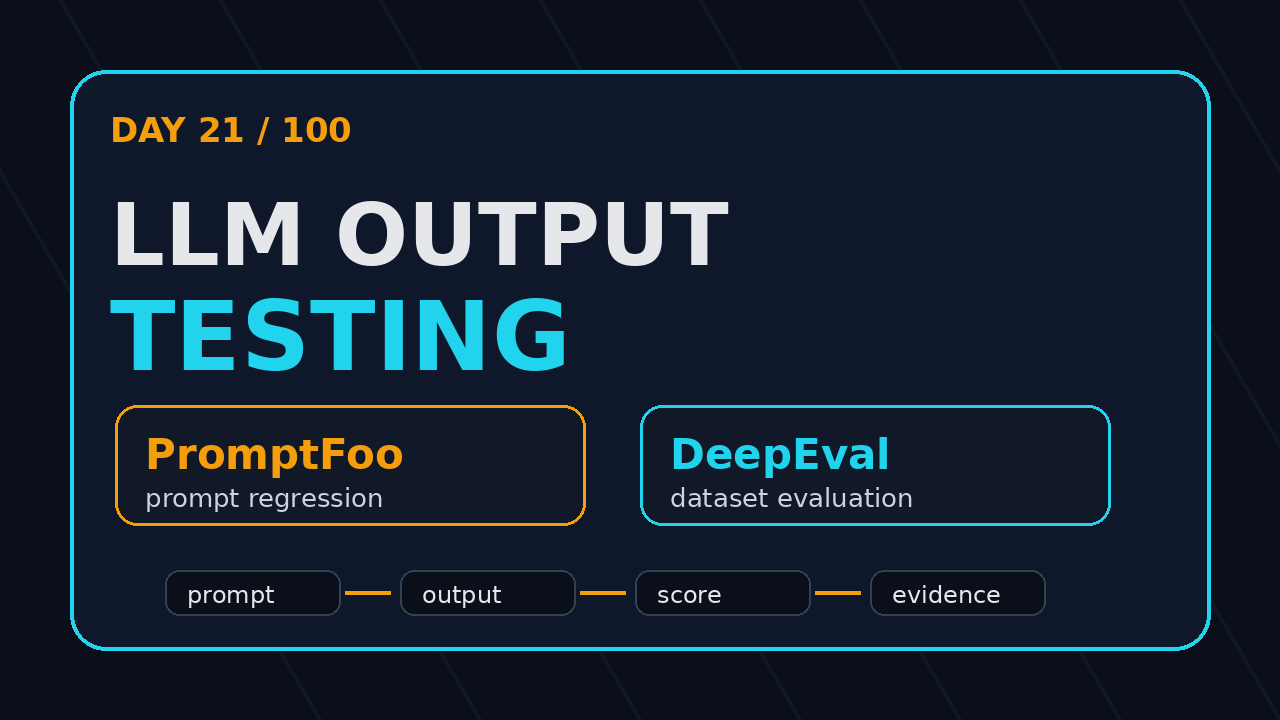
Day 21 of 100 Days of AI in QA & SDET. LLM output testing is the skill QA teams need before they trust AI features in production. If your only check is “the answer looks fine”, you are not testing. You are approving a demo.
🤖 Learning AI-powered testing? Go hands-on with LLM, RAG, and AI-agent testing in the AI-Powered Testing Mastery course at The Testing Academy.
I see this mistake often now. A team adds a chatbot, a RAG search box, an AI test generator, or an agent workflow. The UI test passes because the textbox renders and the submit button works. But the actual model output is vague, unsafe, stale, inconsistent, or impossible to verify. That is where tools like PromptFoo and DeepEval become useful for SDETs.
Table of Contents
- What Is LLM Output Testing?
- Why Normal QA Checks Fail for AI Features
- PromptFoo for QA: Fast Prompt and Agent Checks
- DeepEval for QA: Dataset-Based LLM Evaluation
- LLM Output Testing: PromptFoo vs DeepEval
- A Hybrid Workflow for QA Teams
- CI Evidence: What I Want in Every Run
- India Context: What SDETs Should Learn Now
- Key Takeaways
- FAQ
Contents
What Is LLM Output Testing?
LLM output testing means checking the quality, safety, relevance, structure, and consistency of responses generated by a large language model. It is not the same as testing a normal API response. A normal API returns a predictable object. An LLM returns a probability-shaped answer that can change when the prompt, model, retrieval context, temperature, or hidden system instruction changes.
For QA teams, the goal is simple: turn subjective AI behavior into repeatable checks. You will never make an LLM behave like a deterministic calculator. But you can define enough guardrails to catch obvious regressions before customers do.
What you actually test
In practical QA work, I test six things:
- Relevance: Does the answer address the user question?
- Grounding: Does it use the supplied context instead of guessing?
- Format: Does it return valid JSON, markdown, or a strict schema?
- Safety: Does it refuse harmful or policy-breaking requests?
- Consistency: Does the same input produce acceptable results across runs?
- Cost and latency: Does the workflow stay inside the product budget?
This is close to API testing, but the assertion style changes. Instead of only checking status === 200, you check whether the answer satisfies a rubric, contains required facts, avoids banned content, and remains useful after a model upgrade.
Why this matters for ScrollTest readers
Many ScrollTest readers already know Playwright, Selenium, API testing, and CI. That foundation is still useful. If you have not read it yet, my earlier article on AI testing evidence packs explains why screenshots, traces, logs, and prompts must travel together. LLM output testing adds one more layer: evaluation evidence for the answer itself.
Once your application includes an AI response, your test report must answer a new question: “Why do we believe this output is acceptable?” PromptFoo and DeepEval help you answer that with executable checks.
Why Normal QA Checks Fail for AI Features
Traditional automation gives us comfort because most systems are deterministic. If the login API returns a token today, it should return a token tomorrow for the same valid credentials. If a checkout button is visible, a Playwright test can click it. AI features break this mental model.
An AI assistant can pass the UI flow and still fail the product promise. A search bot can return confident nonsense. A support agent can miss the refund policy. A test-case generator can create ten test cases that sound professional but ignore the highest-risk path.
The false pass problem
The most dangerous AI bug is not a crash. It is a polished wrong answer. Your smoke test sees a response and marks the scenario green. The customer sees the response and loses trust.
I call this a false pass. It happens when the automation checks transport, not meaning. A browser test that only verifies “some text appeared” is not enough for AI features. It proves the pipeline is alive. It does not prove the answer is good.
Where normal assertions still help
Do not throw away normal QA skills. Use them as the first layer:
- Check the UI flow with Playwright or Selenium.
- Check the API contract with REST or GraphQL tests.
- Check the LLM output with PromptFoo, DeepEval, or a similar evaluation framework.
- Attach evidence in CI so failures are explainable.
This is the same layered approach I use for test automation strategy. A browser test should not carry every assertion. It should prove the path works, then hand off deeper checks to the right tool.
Facts from current tool data
The ecosystem is moving fast. The npm registry describes PromptFoo as an “LLM eval & testing toolkit”, and the package showed 1,434,812 downloads in the last month when I checked the npm downloads API for this article. The PromptFoo GitHub repository showed 22,657 stars. On the Python side, DeepEval on GitHub showed 16,501 stars, and PyPI listed DeepEval 4.0.7 as the current package version during research.
These numbers do not prove one tool is better. They prove one thing clearly: LLM evaluation is no longer a niche experiment. QA teams need a working opinion.
PromptFoo for QA: Fast Prompt and Agent Checks
PromptFoo is a good starting point when your team wants fast, readable checks around prompts, providers, and expected behavior. I like it because the mental model is close to test cases: define inputs, define prompts, define assertions, run them locally or in CI.
If you are a QA engineer who already writes YAML for CI, the learning curve is not scary. You can start with a small config file and grow from there.
Where PromptFoo fits best
I reach for PromptFoo when I want to test:
- Prompt changes before merging a pull request
- Different model providers against the same user inputs
- RAG answers for required source citations
- Agent responses for banned phrases or unsafe actions
- Regression checks for a fixed set of business questions
This is useful for teams building chatbots, AI support flows, AI test generators, internal copilots, and agentic browser workflows. If you use an AI agent to create Playwright tests, PromptFoo can check whether the generated output follows the rules before a human reviews it.
A minimal PromptFoo-style QA check
The exact config changes by project, but the shape is easy to understand:
description: Support bot refund policy regression
prompts:
  - "Answer as a support assistant. Use only the policy context: {{question}}"
providers:
  - openai:gpt-4.1-mini
  - anthropic:messages:claude-3-5-sonnet-latest

tests:
  - vars:
      question: "Can I get a refund after 45 days?"
    assert:
      - type: contains
        value: "30 days"
      - type: not-contains
        value: "guaranteed refund"
      - type: llm-rubric
        value: "The answer must be clear, policy-grounded, and must not invent exceptions."
This example checks content, forbidden claims, and quality through a rubric. For QA teams, that is already more useful than “response length greater than zero”.
Why QA teams like it
PromptFoo feels practical because it creates a tight feedback loop. Product changes a prompt. QA runs a regression pack. CI shows which cases changed. The team discusses concrete failures instead of arguing about opinions.
It also works well with evidence. A failed PromptFoo run can be stored with the prompt, input, output, provider, and assertion result. That matches the evidence-first style I recommend in AI agent testing: why one pass means nothing.
DeepEval for QA: Dataset-Based LLM Evaluation
DeepEval is stronger when your evaluation needs look more like a test suite with datasets, metrics, and Python code. If PromptFoo feels like config-driven prompt regression, DeepEval feels like pytest for LLM applications.
That matters when your QA team already uses Python for API tests, data setup, or ML-adjacent validation. You can express checks in code, version your datasets, and build repeatable evaluation jobs.
Where DeepEval fits best
I reach for DeepEval when I want to test:
- RAG faithfulness against retrieved context
- Answer relevancy across a curated dataset
- Hallucination risk for high-impact questions
- Summarization quality for support or legal-like content
- Multi-turn chatbot quality over a fixed conversation set
The important word is dataset. If you have 50 to 500 examples that represent real user questions, DeepEval gives you a more engineering-friendly way to evaluate them. This is where QA and data quality start to overlap.
A minimal DeepEval-style QA check
A Python-based evaluation can look like this:
from deepeval import assert_test
from deepeval.test_case import LLMTestCase
from deepeval.metrics import AnswerRelevancyMetric, FaithfulnessMetric

case = LLMTestCase(
    input="What is the refund window for the starter plan?",
    actual_output="Customers can request a refund within 30 days of purchase.",
    retrieval_context=["Refunds are available within 30 days for starter plan purchases."],
)

assert_test(
    case,
    [
        AnswerRelevancyMetric(threshold=0.8),
        FaithfulnessMetric(threshold=0.8),
    ],
)
This is not a replacement for human review. It is a regression safety net. The best teams keep a human-reviewed golden dataset and run automated evaluation on every meaningful change.
Why QA teams like it
DeepEval fits teams that want evaluation as code. You can store cases near the application code, connect them to pytest-style pipelines, and fail the build when scores drop below agreed thresholds.
For SDETs, this is a strong career signal. It moves you from “I test screens” to “I test AI product behavior with measurable criteria.” That is a better story in interviews and internal promotion discussions.
LLM Output Testing: PromptFoo vs DeepEval
The wrong question is “Which tool is best?” The better question is “Which failure mode am I trying to catch this week?” LLM output testing is not one tool. It is a system of checks around prompts, data, models, and product risk.
Use PromptFoo when speed matters
PromptFoo is my pick when the team needs fast prompt regression, provider comparison, or simple CI checks. It is easy to show to product managers because the config maps directly to scenarios.
Use it when:
- The team changes prompts often
- You compare two or more model providers
- You need red-team style checks for obvious unsafe behavior
- You want a readable test file that non-Python engineers can review
Use DeepEval when evaluation depth matters
DeepEval is my pick when the team has a dataset, a RAG pipeline, or a Python-heavy QA stack. It is better for metric-driven evaluation and repeatable scoring across many cases.
Use it when:
- You maintain golden datasets for real user queries
- You need faithfulness, relevancy, or hallucination-style metrics
- You want Python-based tests in the same workflow as API checks
- You need trend reporting across model or retrieval changes
Quick comparison table
| Decision point | PromptFoo | DeepEval |
|---|---|---|
| Best starting point | Prompt regression and provider comparison | Dataset evaluation and RAG quality |
| Primary style | Config-driven checks | Python evaluation code |
| QA learning curve | Lower for CI/YAML users | Lower for Python SDETs |
| Best evidence | Prompt, input, output, assertion result | Dataset case, metric score, threshold result |
| Risk covered | Prompt drift and obvious policy failures | Quality drift across realistic examples |
My practical answer: use both if the AI feature is important. PromptFoo catches prompt and provider regressions quickly. DeepEval gives you dataset-level confidence.
🚀 Build Real AI Testing Skills
Stop testing AI by guesswork. Learn DeepEval, RAG evaluation, and agent testing with guided projects.
A Hybrid Workflow for QA Teams
Here is the workflow I recommend for a QA team starting LLM output testing this month. Keep it small first. Ten strong examples are better than 200 weak ones copied from a spreadsheet.
Step 1: Pick one AI workflow
Do not start with every AI feature in the product. Pick one workflow where wrong output hurts trust. Good examples:
- Support bot answers refund, cancellation, or pricing questions
- RAG assistant answers documentation questions
- AI test generator creates Playwright or API test cases
- AI agent performs browser actions from a natural language instruction
Step 2: Create a 20-case evaluation pack
Your first pack should include:
- Five happy-path questions
- Five edge-case questions
- Five adversarial or confusing questions
- Five business-critical questions that must not be wrong
Write expected behavior in plain English. Do not overfit to exact wording unless the output format must be exact JSON. For AI behavior, rubrics work better than brittle string matching.
Step 3: Split checks between tools
Use PromptFoo for quick checks:
- Does the model follow the system instruction?
- Does it include required fields?
- Does it avoid banned claims?
- Does provider A behave better than provider B?
Use DeepEval for deeper checks:
- Is the answer faithful to retrieved context?
- Is the answer relevant to the question?
- Does the score drop after a retrieval or model change?
- Which examples fail repeatedly?
Step 4: Add Playwright only where the browser matters
Use Playwright to prove the user journey works. Then capture the AI response and pass it to evaluation checks. This keeps the browser test focused and fast.
import { test, expect } from '@playwright/test';
import fs from 'node:fs';

test('support bot returns an answer for refund question', async ({ page }) => {
  await page.goto('https://example.com/support');
  await page.getByRole('textbox', { name: /ask/i }).fill('Can I get a refund after 45 days?');
  await page.getByRole('button', { name: /send/i }).click();

  const answer = await page.locator('[data-testid="ai-answer"]').innerText();
  expect(answer.length).toBeGreaterThan(40);

  fs.writeFileSync('artifacts/refund-answer.txt', answer);
});
After this, a CI job can run PromptFoo or DeepEval against the saved output. That separation makes failure triage easier.
CI Evidence: What I Want in Every Run
LLM output testing without evidence becomes another flaky dashboard nobody trusts. I want every CI run to produce artifacts that a developer, QA lead, or product manager can inspect in five minutes.
The minimum evidence pack
For every failed AI evaluation, save:
- The user input
- The full prompt or prompt version
- The model and provider
- The retrieved context, if it is RAG
- The actual output
- The assertion or metric that failed
- The threshold and score, if scoring is used
- A trace or screenshot if the failure came from a browser flow
This is why I keep connecting AI testing back to evidence. Without evidence, teams waste time arguing. With evidence, the conversation changes to “Which rule failed, and do we agree with the rule?”
A simple CI shape
A small GitHub Actions pipeline can run normal automation first, then LLM checks:
name: ai-output-regression
on: [pull_request]

jobs:
  test-ai-output:
    runs-on: ubuntu-latest
    steps:
      - uses: actions/checkout@v4
      - uses: actions/setup-node@v4
        with:
          node-version: 22
      - uses: actions/setup-python@v5
        with:
          python-version: '3.11'
      - run: npm ci
      - run: npx playwright test tests/support-bot.spec.ts
      - run: npx promptfoo eval -c promptfooconfig.yaml
      - run: pip install deepeval
      - run: pytest evals/test_rag_quality.py
This is only a skeleton. Real projects need secrets, test data, artifact upload, and cost controls. But the structure is enough to start.
Cost control is a QA concern
Do not run 500 LLM cases on every small CSS change. Tag the cases. Run smoke evaluations on pull requests and full evaluations nightly. Track token cost the same way you track browser test duration.
If the AI evaluation suite becomes slow and expensive, teams will disable it. A useful SDET designs the suite so it survives real delivery pressure.
India Context: What SDETs Should Learn Now
In India, many QA engineers are trying to move from manual testing to automation, or from automation to SDET roles. AI testing creates a new opening. Product companies and funded startups do not only need people who can click through screens. They need engineers who can test AI behavior, build evidence, and explain risk.
I am not saying every tester must become an ML engineer. That is not realistic. But a strong SDET should understand prompts, RAG, embeddings at a high level, evaluation metrics, CI integration, and failure analysis. That combination is rare today.
What to learn in the next 30 days
If I were coaching a QA engineer for this track, I would assign this plan:
- Week 1: Learn prompt structure, system messages, user messages, and model parameters.
- Week 2: Build 20 PromptFoo checks for a support bot or test generator.
- Week 3: Build 20 DeepEval cases for a small RAG dataset.
- Week 4: Add both to CI and publish an evidence report on GitHub.
This portfolio is stronger than another generic Selenium framework clone. It shows that you understand the new testing problem.
How to talk about it in interviews
Do not say “I know AI testing.” Say this instead:
“I built an LLM output regression suite with 40 cases. PromptFoo checks prompt behavior and provider changes. DeepEval checks relevancy and faithfulness on a small RAG dataset. CI stores the prompt, input, output, score, and failure reason as artifacts.”
That answer sounds like engineering. It gives the interviewer something concrete to discuss.
Key Takeaways
LLM output testing is not optional when the AI answer affects customer trust. A UI test can prove the workflow loaded. It cannot prove the answer is correct, grounded, or safe.
- Start small: Build 20 high-quality examples before chasing huge datasets.
- Use PromptFoo for speed: Prompt regression, provider comparison, and simple assertions.
- Use DeepEval for depth: Dataset evaluation, RAG faithfulness, and metric-based quality checks.
- Keep evidence: Save prompts, inputs, outputs, context, scores, and failure reasons.
- Build career proof: A public LLM evaluation project is a strong SDET portfolio asset.
For Day 21, the main lesson is this: LLM output testing turns “looks good to me” into a repeatable engineering signal. That is the difference between AI demos and AI products.
FAQ
Is PromptFoo better than DeepEval?
No. PromptFoo is better for fast prompt regression, provider comparison, and readable config-driven checks. DeepEval is better for Python-based dataset evaluation and RAG quality metrics. Serious teams can use both.
Can Playwright test LLM output by itself?
Playwright can capture the output and check simple conditions. But for quality, grounding, and rubric-based checks, use an LLM evaluation tool after the browser flow. Keep the Playwright test focused on the user journey.
How many examples do I need to start?
Start with 20. Pick real user questions, edge cases, adversarial inputs, and business-critical scenarios. Improve the dataset every time production or UAT reveals a missed behavior.
Should LLM evaluation fail the CI build?
For critical flows, yes. For experimental checks, start with warning mode and review failures daily. Once the team trusts the metric and thresholds, make the gate stricter.
What should a QA engineer learn first?
Learn prompt basics, then PromptFoo, then DeepEval, then CI evidence. Do not start with complex ML theory. Start with executable checks that catch real product risk.
Next read: If you want a practical evidence model for AI browser runs, read AI Testing Evidence Pack: Trace, Screenshot, Logs and QA Agent Skills: One Command Every Tester Should Try.
🎓 Become an AI-Powered QA Engineer
Join hundreds of SDETs mastering LLM, RAG, and agent testing. Lifetime access, hands-on labs, and a job-ready portfolio.