Browser-Use Rust Beta Testing: QA Checklist
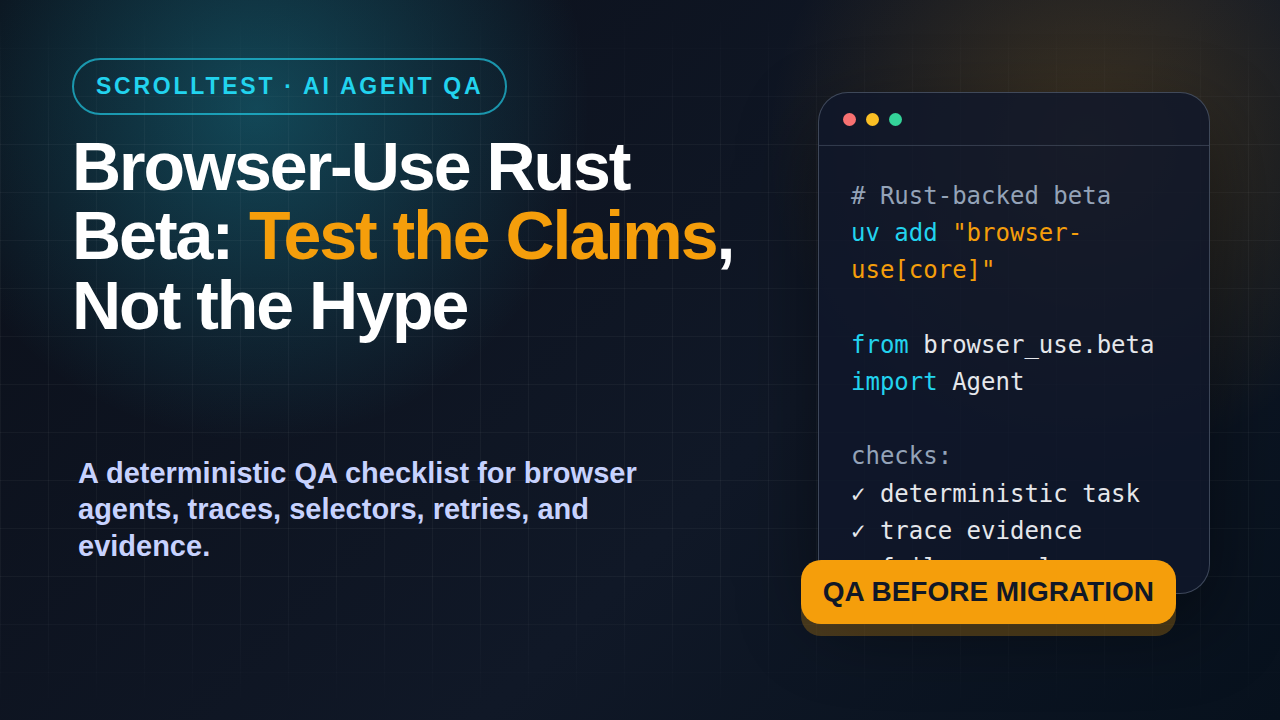
Browser-Use Rust beta testing is not about cheering for a faster agent. It is about proving whether the new browser control loop survives real QA work: login, navigation, assertions, screenshots, traces, retries, and failure explanations.
🎭 Want to master this with real projects? Join the Playwright Automation Mastery course at The Testing Academy.
Browser Use 0.13.0 landed with a clear headline: a Rust-backed beta agent. The release note says the new beta gives models a more direct browser control loop, while the existing Python agent remains unchanged. That is exactly the kind of change QA teams should test with evidence instead of vibes.
Table of Contents
- Why Browser-Use Rust Beta Testing Matters
- What Changed in Browser Use 0.13.0
- The QA Risk Model for Browser Agents
- Browser-Use Rust Beta Testing Checklist
- A Deterministic Smoke Test You Can Run
- What to Measure Before Migration
- India Context for QA Teams
- Common Mistakes When Testing AI Browser Agents
- Key Takeaways
- FAQ
Contents
Why Browser-Use Rust Beta Testing Matters
Browser agents are moving from demo videos to engineering workflows. I see QA engineers using them to check sign-up flows, scrape staging data, explore dashboards, and generate bug reports. That is useful, but it also creates a problem: an agent can look correct while doing the wrong thing.
A traditional Playwright test fails in a boring way. A selector breaks, an assertion fails, a timeout fires, or a network call returns a bad status. An AI browser agent can fail in a more slippery way. It may choose a different path, click a similar element, skip a step, claim success too early, or recover in a way that hides a product bug.
That is why Browser-Use Rust beta testing matters. Browser Use says version 0.13.0 introduces a Rust-backed beta agent with a more direct browser control loop. The GitHub repository also shows serious community interest, with more than 98,000 stars when I checked it through the GitHub API on 14 June 2026. Popularity is not proof, but it means many QA teams will at least experiment with it.
Speed is not the first QA question
When a tool says Rust, many teams immediately ask, “Is it faster?” That is a fair question, but it is not the first QA question. For a testing team, the first question is: “Does the agent produce trustworthy evidence?”
If the agent completes a checkout flow 20 percent faster but cannot explain which assertion proved success, the test is weak. If it takes screenshots but does not attach the failed step, the bug report is weak. If it retries silently until the UI happens to pass, the signal is weak.
I would test these properties before I celebrate speed:
- Can the same task run three times and choose the same critical path?
- Can the agent prove final state with a visible assertion?
- Can it save evidence when the task fails?
- Can it avoid domains and actions that are outside the task?
- Can a human replay the failure from logs, screenshots, or trace files?
Agent testing needs a stricter definition of “pass”
For AI browser agents, “the agent finished” is not a pass condition. A pass condition must include the product state you expected. In a login smoke test, that might be a dashboard URL, a username in the header, and a 200 response for the session endpoint. In a cart test, it might be the product name, quantity, price, and checkout button state.
This is close to the planner, generator, and healer pattern I wrote about in AI Test Agents Need a Planner, Generator, and Healer. The agent can plan and act, but QA still needs independent checks that confirm the result.
What Changed in Browser Use 0.13.0
The official Browser Use 0.13.0 release, published on 8 June 2026, says: “Browser Use 0.13.0 introduces a new Rust-backed beta agent.” The release also says the existing Python agent remains unchanged. That wording matters. This is not a forced migration. It is a beta path that teams can test beside their current implementation.
The release shows a new install path:
uv add "browser-use[core]"And a new import path:
from browser_use.beta import AgentThe Browser Use README expands on the same pattern and shows the beta API with Agent, BrowserProfile, and ChatBrowserUse. It also notes that existing users can keep using from browser_use import Agent, while the Rust-powered beta agent uses from browser_use.beta import Agent.
The safe reading of the release
I read this release as a parallel track, not a replacement mandate. That is good engineering. It lets a QA team compare the Python agent and Rust-backed beta agent on the same deterministic tasks.
The safe rollout is simple:
- Keep your existing Python agent flow unchanged.
- Add the Rust-backed beta to a separate branch or CI job.
- Run both agents on the same five smoke tasks.
- Collect screenshots, logs, durations, and final-state assertions.
- Promote only the tasks where the beta gives equal or better evidence.
What the release does not prove
The release does not prove that your app will become easier to test. It does not prove that flaky flows disappear. It does not prove that your compliance team will accept agent-generated evidence. Those claims must be tested inside your application with your data, your auth, your feature flags, and your CI constraints.
That is not criticism. It is how QA works. A release note is an input. Your test evidence is the decision point.
The QA Risk Model for Browser Agents
Browser agents combine at least four moving pieces: the model, the browser runtime, the page state, and the task prompt. If any one of them changes, your result can change. Browser-Use Rust beta testing should separate these risks instead of treating the agent as one black box.
Risk 1: Non-deterministic decisions
An agent may solve the same task differently across runs. Sometimes that is fine. A human tester also adapts. But automation needs repeatability for critical flows. If run one clicks “Sign in” in the header, run two clicks a modal button, and run three opens a help link, you need to know why.
The fix is to make critical tasks small and constrained. Do not ask the agent to “test the site.” Ask it to “log in as a standard user, open the billing page, and verify the invoice table shows at least one row.” Add allowed domains. Add final assertions. Keep the task short enough that a human can review it in two minutes.
Risk 2: False success
False success is the biggest danger. The agent says the task is complete, but the product is in the wrong state. This happens when the prompt says “check if login works” without defining what “works” means.
For every agent task, write an explicit success contract:
- Expected URL pattern
- Expected visible text
- Expected network response or API state
- Expected screenshot evidence
- Expected absence of error banners
If the agent cannot prove all of those, the task should be marked inconclusive or failed. This is the same discipline I recommend for flaky test investigation in Flaky-Test Triage Agent: A Practical QA Guide.
Risk 3: Silent recovery
Self-healing sounds attractive until it hides product defects. If an agent retries a click five times, closes a modal, refreshes the page, and then passes, you need that path in the report. Silent recovery turns real bugs into invisible noise.
In Browser-Use Rust beta testing, record every recovery action. Treat recovery as data, not magic. A recovered task can still pass, but the report should say what happened and why.
Risk 4: Over-broad browser control
A browser agent with broad instructions can leave your intended test area. It may open docs, search engines, external auth pages, or admin links. The Browser Use README example uses an allowed_domains style guardrail in BrowserProfile. That is the right instinct.
For QA work, guardrails are not optional. Limit domains, users, test data, and destructive actions. Never let an exploratory agent run against production with write access unless you have a very specific approval flow.
Browser-Use Rust Beta Testing Checklist
Here is the checklist I would use before a team moves any Browser Use beta task into CI.
1. Pin the task and environment
Use a stable test user, stable dataset, and stable environment. If your staging data changes every hour, your agent result will be noisy. Create a dedicated smoke-test tenant with known records.
Task: Log in as qa_smoke_user, open /billing/invoices, verify invoice INV-1001 is visible, then save a screenshot.This is not a creative writing prompt. It is a test instruction. The more specific the state, the easier it is to compare Python agent versus Rust-backed beta.
2. Define the final assertion outside the agent
The agent can navigate, but the test harness should verify. Use Playwright, API checks, or DOM assertions to confirm the final state. This avoids the trap where the model grades its own work.
import { test, expect } from '@playwright/test';

test('agent produced a valid billing page state', async ({ page }) => {
  await page.goto(process.env.AGENT_FINAL_URL!);
  await expect(page.getByRole('heading', { name: /Invoices/i })).toBeVisible();
  await expect(page.getByText('INV-1001')).toBeVisible();
  await expect(page.getByText(/error|failed|unauthorized/i)).toHaveCount(0);
});
Playwright’s own trace viewer documentation says traces let you move through each action and visually inspect what happened. That is useful for agent work because the failure path is often more valuable than the final answer.
3. Save evidence by default
Do not wait for failures to start saving evidence. For beta evaluation, save screenshots, task logs, final URLs, durations, and any trace artifact your harness supports. You want a before-and-after baseline.
Your report should answer five questions:
- What task did the agent receive?
- Which path did it take?
- What assertion proved success?
- What recovery actions happened?
- What artifacts can a human review?
4. Run repeatability checks
Run each task at least five times before you trust the result. Five is not a magic number, but it catches obvious randomness without burning a full day. If the task passes five times with the same final state and usable evidence, it becomes a candidate for nightly CI.
Track these numbers:
- Pass count
- Inconclusive count
- Failure count
- Median duration
- Number of recoveries per run
- Number of manual review minutes needed
5. Compare against a scripted baseline
An agent task should earn its place. Compare it against a scripted Playwright test. If the scripted test is shorter, faster, and easier to debug, keep the script. Use the agent where it adds value: messy exploratory paths, dynamic UIs, quick research tasks, and triage assistance.
This is the same thinking behind learning Playwright fundamentals before MCP workflows. Agents are useful when the foundation is strong. They are risky when they replace fundamentals too early.
A Deterministic Smoke Test You Can Run
Below is a practical smoke-test pattern. Treat it as a skeleton. Replace the app URL, user, and expected text with your own test data.
Python agent task with guardrails
import asyncio
from browser_use.beta import Agent, BrowserProfile, ChatBrowserUse

TASK = """
Open https://staging.example.com/login.
Log in as qa_smoke_user using the provided test credentials.
Open the billing invoices page.
Verify invoice INV-1001 is visible.
Save the final page state and explain the exact evidence used.
Do not visit any domain except staging.example.com.
"""

async def main():
    agent = Agent(
        task=TASK,
        llm=ChatBrowserUse(model="openai/gpt-5.5"),
        browser_profile=BrowserProfile(
            headless=True,
            allowed_domains=["staging.example.com"],
        ),
    )
    history = await agent.run()
    print(history.final_result())

if __name__ == "__main__":
    asyncio.run(main())
The important part is not the model name. The important part is the contract. The task names the page, the user, the target record, the evidence expectation, and the domain boundary.
Result schema for QA review
Ask the agent or wrapper to output a simple schema. Do not accept a paragraph as the only result.
{
  "task_id": "billing-smoke-001",
  "status": "pass",
  "final_url": "https://staging.example.com/billing/invoices",
  "assertions": [
    "Heading Invoices was visible",
    "Invoice INV-1001 was visible",
    "No error banner was visible"
  ],
  "recoveries": [],
  "artifacts": ["screenshot.png", "trace.zip", "agent-log.json"]
}
This schema makes review faster. It also helps you compare the Python agent and Rust-backed beta agent without reading 2,000 lines of logs.
CI gate example
Do not fail your main pipeline on a beta agent on day one. Start with a non-blocking job. Promote it only after you have repeatability data.
name: browser-agent-smoke
on:
  workflow_dispatch:
  schedule:
    - cron: '30 3 * * *'

jobs:
  browser-use-beta:
    runs-on: ubuntu-latest
    continue-on-error: true
    steps:
      - uses: actions/checkout@v4
      - uses: astral-sh/setup-uv@v3
      - run: uv add "browser-use[core]"
      - run: uv run python tests/agents/billing_smoke.py
      - uses: actions/upload-artifact@v4
        with:
          name: browser-use-beta-evidence
          path: artifacts/
Notice the job is non-blocking. That is intentional. A beta agent should collect evidence before it becomes a release gate.
🚀 Level Up Your Playwright
From locators to CI pipelines — build a production-grade Playwright + TypeScript framework step by step.
What to Measure Before Migration
If you are evaluating Browser-Use Rust beta testing seriously, create a small scorecard. Do not let the discussion become “the new one feels better.” Score it.
Measure reliability first
Reliability is the percentage of runs that reach the correct final state with valid evidence. I separate failures from inconclusive runs. A failure means the product or agent clearly failed. Inconclusive means the result lacks enough proof.
A simple scorecard can look like this:
| Task | Python agent | Rust beta | Decision |
|---|---|---|---|
| Login smoke | 5/5 pass | 5/5 pass | Candidate |
| Billing invoice | 4/5 pass | 5/5 pass | Investigate gain |
| Cart update | 5/5 pass | 3/5 pass | Keep Python |
| Admin search | 3/5 pass | 4/5 pass | More data |
The table does not need to be fancy. It needs to stop opinion fights.
Measure review cost
Agent output has a hidden cost: human review. If every run needs ten minutes of log reading, the automation is not cheap. Track review minutes per task.
For example, a scripted Playwright failure might take two minutes to triage because the assertion is direct. An agent failure might take eight minutes because you need to understand its path. That difference matters when you scale from five tasks to fifty.
Measure evidence quality
Evidence quality is not the same as artifact count. Ten screenshots without step context are worse than one trace and one clear assertion. The best evidence lets a developer reproduce or reject the issue quickly.
I prefer this evidence order:
- Final-state assertion from an independent harness.
- Trace or step log showing the path.
- Screenshot at the moment of failure or success.
- Network or console errors when relevant.
- Agent explanation, treated as supporting context.
Measure safety boundaries
Every migration scorecard should include safety. Did the agent stay inside the allowed domain? Did it avoid destructive actions? Did it use only test accounts? Did it expose secrets in logs? A fast agent that leaks credentials is not an upgrade.
India Context for QA Teams
Indian QA teams will feel this shift quickly because services teams and product companies are both trying to add AI to delivery. The difference is how they measure it. In many services environments, the first ask will be “Can we reduce manual regression effort?” In product companies, the ask will be “Can we get faster evidence without increasing release risk?”
For SDETs targeting ₹25-40 LPA roles, the skill is not “I can run an AI agent.” The skill is “I can design evals, evidence, and safety gates for browser agents.” That is a stronger interview story because it connects AI work to release quality.
What managers will ask
A good engineering manager will ask practical questions:
- Which flows are safe for agent testing?
- How do we stop false positives?
- What evidence goes into the CI artifact?
- How do we compare agent results with scripted tests?
- What happens when the model changes?
If you can answer those questions, you are not just following the AI trend. You are building a test strategy.
Where manual testers can contribute
Manual testers have an advantage here. They already know messy user paths, ambiguous copy, flaky environments, and product-specific edge cases. That knowledge is exactly what agent prompts and evals need.
The upgrade path is clear: learn enough Playwright to write independent assertions, learn enough Python or TypeScript to run wrappers, and learn enough eval design to judge agent output. You do not need to become a model researcher. You need to become the person who knows whether the agent’s answer is trustworthy.
Common Mistakes When Testing AI Browser Agents
I see the same mistakes every time a new browser-agent tool gets attention.
Mistake 1: Asking the agent to test too much
“Test the checkout flow” is too broad. Split it into login, product search, add to cart, cart validation, address selection, payment mock, and order confirmation. Small tasks produce cleaner evidence.
Mistake 2: Letting the model be the judge
If the same model performs the task and decides whether it passed, you have weak assurance. Add independent assertions with Playwright, API checks, or database validation where appropriate.
Mistake 3: Ignoring negative paths
Happy paths make demos look good. QA value comes from edge cases. Test expired sessions, disabled buttons, out-of-stock items, validation errors, and slow network states. A browser agent that handles the happy path only is a helper, not a safety net.
Mistake 4: No artifact discipline
If evidence is scattered across console logs, screenshots, and chat output, nobody will review it. Standardize artifact names and attach them to CI runs. A developer should find the relevant screenshot in one click.
Mistake 5: Migrating before comparison
Do not replace a stable scripted test with a beta agent because the release sounds exciting. Run both for a while. Keep the test that gives better signal at lower maintenance cost.
Key Takeaways
Browser-Use Rust beta testing should be practical, skeptical, and evidence-heavy. The 0.13.0 release is worth testing because it introduces a Rust-backed beta agent while keeping the existing Python agent unchanged. That gives QA teams a safe comparison path.
- Browser Use 0.13.0 introduced a Rust-backed beta agent on 8 June 2026, but beta means prove it inside your app.
- Do not measure speed first. Measure final-state proof, repeatability, review cost, and safety boundaries.
- Use independent assertions. The agent should not be the only judge of its own success.
- Run the Python agent and Rust-backed beta on the same deterministic smoke tasks before migration.
- For SDETs, the career value is eval design: prompts, guardrails, traces, assertions, and clear evidence.
If you are already exploring AI agents for QA, start with one smoke flow. Keep it small. Save evidence. Compare results. That is how Browser-Use Rust beta testing becomes engineering work instead of another tool demo.
FAQ
Is Browser Use 0.13.0 replacing the Python agent?
No. The official release says the existing Python agent remains unchanged. The Rust-backed agent is available through the beta import path, which makes side-by-side testing the safest approach.
Should QA teams move Browser Use beta tasks into CI immediately?
Not as blocking release gates. Start with non-blocking scheduled jobs, collect evidence, and promote only the tasks that show repeatability and clear assertions.
What is the best first task for Browser-Use Rust beta testing?
Pick a deterministic smoke flow: login, one page navigation, one visible record, and one screenshot. Avoid broad exploratory tasks until your evidence pipeline is stable.
How is this different from a normal Playwright test?
A Playwright test follows scripted steps. A browser agent can decide steps dynamically. That flexibility is useful, but it also needs stricter evidence, guardrails, and independent assertions.
Which sources support this article?
I used the Browser Use 0.13.0 GitHub release, the Browser Use GitHub repository and README, the Browser Use documentation, and Microsoft’s Playwright trace viewer documentation.
🎓 Master Playwright End to End
Join hundreds of SDETs building real automation frameworks. Lifetime access, hands-on projects, and a job-ready portfolio.