Playwright 1.61.1 Smoke Checklist for QA Teams
Playwright 1.61.1 smoke checklist work should be boring, repeatable, and finished before the upgrade reaches your main branch. Microsoft published Playwright v1.61.1 on June 23, 2026, and the release is small enough to tempt teams into a blind bump. I would still treat it as a controlled QA change because it touches expect behavior, UI mode API reporting, Trace Viewer timing, and Node 22 loader edge cases.
This guide gives QA teams a practical upgrade checklist they can run in one working day. You will get commands, a browser matrix, CI pinning advice, rollback steps, and the evidence I expect before approving a Playwright upgrade.
Table of Contents
- Why Playwright 1.61.1 Matters
- Playwright 1.61.1 Smoke Checklist Overview
- Before You Upgrade: Baseline the Current Suite
- Install, Pin, and Verify the Toolchain
- Run the Browser Matrix That Actually Catches Risk
- Inspect Traces, Fixtures, and API Calls
- CI Release Gate and Rollback Plan
- India QA Team Context: Make Upgrade Work Visible
- Key Takeaways
- FAQ
Contents
Why Playwright 1.61.1 Matters
Playwright 1.61.1 is not a flashy feature release. The official GitHub release notes list five bug fixes, including fixes for custom expect matchers, UI mode API request reporting, Trace Viewer websocket message timing, and two Node 22 sync loader regressions. That is exactly the kind of release QA teams underestimate.
The package is also not a niche dependency anymore. The npm downloads API reported 173,247,025 downloads for @playwright/test in the last-month window ending July 5, 2026, and the npm registry metadata shows version 1.61.1 as the latest package with a Node requirement of >=18. On GitHub, the Playwright repository has more than 92,000 stars. Small releases now land inside very large CI estates.
Small fix releases can still break test assumptions
I see teams make one repeated mistake: they read “bug fixes” and assume “safe”. That is not how test frameworks behave. A bug fix changes behavior that at least one test suite may have accidentally depended on.
For Playwright 1.61.1, the risky areas are specific:
- Custom
expect.extendmatchers with names that overlap default matchers. - API request reporting in UI mode.
- Trace Viewer websocket timing display.
- Node 22 sync loader behavior in TypeScript and pnpm workspaces.
- Extensionless TypeScript subpath imports.
The upgrade is bigger than one package.json line
A Playwright upgrade changes three layers at once. You change the test runner package, the browser binaries, and the assumptions inside your fixtures. If your CI image has cached browsers, if your local machine uses a different Node version, or if your team runs tests across Chromium only, the upgrade can look clean in one place and fail in another.
That is why a smoke checklist matters. It gives the team a repeatable approval path instead of one engineer saying, “Works on my machine.” If you want a broader versioning approach, read ScrollTest’s Playwright Upgrade Checklist: Stop Blind Updates and then use this article as the release-specific checklist for v1.61.1.
Playwright 1.61.1 Smoke Checklist Overview
The Playwright 1.61.1 smoke checklist has one job: prove the upgrade is safe enough for your main test suite. It is not a replacement for a full regression run. It is the release gate before you spend compute on the full run.
The one-day upgrade path
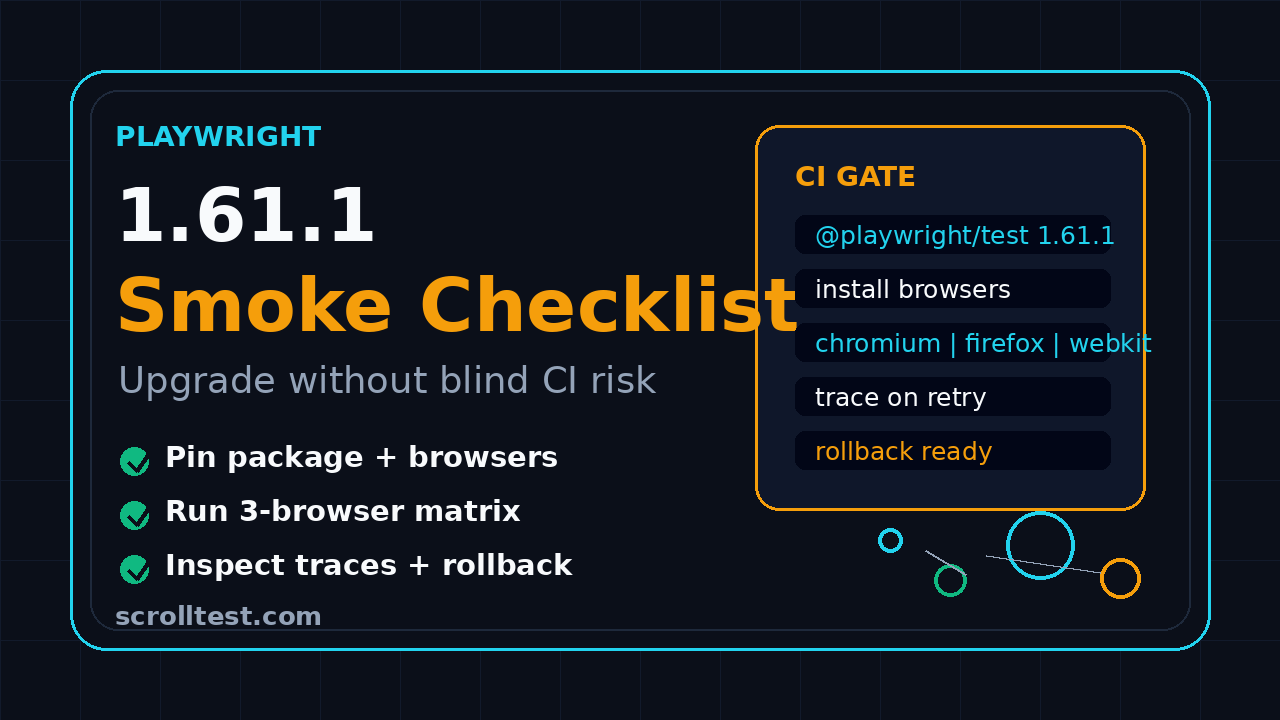
Use this sequence when the team owns an existing Playwright TypeScript suite:
- Create an upgrade branch and record the current Playwright, Node, npm, and browser versions.
- Install Playwright 1.61.1 and the matching browsers.
- Run a fast smoke suite on Chromium, Firefox, and WebKit.
- Run at least one API test and one UI mode session if your team uses those flows.
- Open traces from failures and compare timing, screenshots, network logs, and console errors.
- Run the same smoke suite inside CI with a clean browser cache.
- Publish the evidence in the pull request and keep rollback commands ready.
What counts as enough evidence?
I do not approve a framework upgrade with only a green terminal screenshot. I want evidence that helps the next engineer debug the change if a failure appears tomorrow.
Minimum evidence for this release:
- A branch name that mentions the version, for example
chore/playwright-1-61-1. - Before and after dependency snapshots.
- CI link for the smoke job.
- Trace zip for at least one representative browser run.
- Notes for any changed matcher behavior or fixture change.
- A rollback command and owner.
Choose a small but representative smoke suite
Your smoke suite should not be your full nightly suite. It should be the smallest set of tests that proves the framework still handles your app’s most common patterns. For most product teams, that means login, navigation, one create flow, one update flow, one API assertion, and one critical visual or file upload path.
If you need a locator refresher before touching the suite, use the ScrollTest guide on resilient locator strategies in Playwright. A framework upgrade is a bad time to carry brittle XPath debt into a new browser run.
Before You Upgrade: Baseline the Current Suite
Most bad Playwright upgrades fail before the install command. The team does not know its current baseline, so every failure becomes a debate. Baseline first, then upgrade.
Capture version and environment facts
Run these commands on the branch before changing dependencies:
node --version
npm --version
npx playwright --version
npx playwright install --dry-run
npm ls @playwright/test playwright
Save the output in the pull request description or a short markdown note. If your team uses pnpm or Yarn, record that version too. The v1.61.1 release notes specifically mention Node 22 sync loader regressions and pnpm workspace symlink resolution, so I would not skip package-manager details for this release.
Run the current smoke suite before changing anything
This step feels slow, but it saves hours. A pre-upgrade smoke run tells you whether the branch is already red. If the current version fails, stop the upgrade and fix the baseline first.
npx playwright test --project=chromium --grep @smoke --reporter=line
npx playwright test --project=firefox --grep @smoke --reporter=line
npx playwright test --project=webkit --grep @smoke --reporter=line
If you do not have @smoke tags, create them now. Every mature Playwright framework should have a stable, fast, business-critical smoke slice. Without that slice, every dependency upgrade becomes a full-regression tax.
Record flaky tests before the upgrade
Do not let known flaky tests hide behind the Playwright version bump. Create a short table:
- Test name
- Failure rate from the last 10 CI runs
- Browser affected
- Known owner
- Decision: fix, quarantine, or exclude from upgrade gate
I prefer excluding known flaky tests from the upgrade gate and running them separately. The goal is to validate the framework upgrade, not to reopen every product bug in the same pull request.
Install, Pin, and Verify the Toolchain
Once the baseline is green, update Playwright. Pin the version. Do not use a range that silently pulls the next release into CI next week.
Use exact versions in package.json
For npm, this is the clean upgrade command:
npm install --save-dev @playwright/test@1.61.1
npx playwright install --with-deps
npx playwright --version
For pnpm:
pnpm add -D @playwright/test@1.61.1
pnpm exec playwright install --with-deps
pnpm exec playwright --version
For Yarn:
yarn add -D @playwright/test@1.61.1
yarn playwright install --with-deps
yarn playwright --version
Check your lockfile diff. The lockfile should show the framework version change clearly. If it changes many unrelated packages, pause and understand why. A dependency bump should not smuggle a broad toolchain rewrite into the same PR.
Match local and CI Node versions
The npm metadata for @playwright/test@1.61.1 lists node >=18. That is the minimum, not your team standard. If developers run Node 22 locally and CI runs Node 20, or the reverse, you may see loader behavior in one place only.
Add a version file if the repo does not already have one:
# .nvmrc
22.15.0
Then mirror it in CI. For GitHub Actions, keep the version explicit:
jobs:
  playwright-smoke:
    runs-on: ubuntu-latest
    steps:
      - uses: actions/checkout@v4
      - uses: actions/setup-node@v4
        with:
          node-version-file: .nvmrc
          cache: npm
      - run: npm ci
      - run: npx playwright install --with-deps
      - run: npx playwright test --grep @smoke --reporter=line
Confirm browser binaries changed as expected
Playwright manages browser builds. Your upgrade is incomplete if the package changed but the browsers came from an old cache. In CI, prefer a clean install for the smoke gate. Locally, remove old browser caches only when you need to reproduce a CI-only failure.
npx playwright install --with-deps chromium firefox webkit
npx playwright test --list | head -50
The --list command is a cheap sanity check. If your projects disappeared, your config resolution broke before the browser even opened.
Run the Browser Matrix That Actually Catches Risk
A good Playwright 1.61.1 smoke checklist does not stop at Chromium. Chromium-only checks are useful for speed, but they do not prove cross-browser safety.
Start with a three-browser smoke command
Run the smallest representative suite across all configured desktop browsers:
npx playwright test --grep @smoke --project=chromium --reporter=html,line
npx playwright test --grep @smoke --project=firefox --reporter=html,line
npx playwright test --grep @smoke --project=webkit --reporter=html,line
If your project config uses different names, list them first:
npx playwright test --list
Keep the first run serial if the suite is small. Parallelism is great for delivery speed, but serial execution makes early upgrade failures easier to read.
Add one mobile viewport if your product depends on it
Many teams claim mobile web support but never include it in upgrade gates. If your product has real mobile traffic, include one mobile project in the smoke job. It does not need to be the full device matrix.
// playwright.config.ts
import { defineConfig, devices } from '@playwright/test';

export default defineConfig({
  projects: [
    { name: 'chromium', use: { ...devices['Desktop Chrome'] } },
    { name: 'firefox', use: { ...devices['Desktop Firefox'] } },
    { name: 'webkit', use: { ...devices['Desktop Safari'] } },
    { name: 'mobile-chrome', use: { ...devices['Pixel 7'] } }
  ]
});
Do not add ten mobile profiles to the upgrade smoke gate. Pick one that represents product risk. Keep the suite fast enough that engineers actually run it.
Watch for timeout and auto-waiting changes
Even when release notes do not mention actionability or auto-waiting, browser updates can expose timing assumptions. During the first run, collect failures by pattern, not by individual test.
- Selector never found
- Click intercepted
- Navigation timeout
- Assertion timeout
- Network idle assumption
- Download or upload path failure
If half the failures are timing-related, resist the urge to raise the global timeout. Open traces first. A timeout increase hides symptoms. It rarely fixes the upgrade risk.
Inspect Traces, Fixtures, and API Calls
Playwright’s Trace Viewer is one of the best reasons to use the framework. For this release, traces matter even more because v1.61.1 includes a Trace Viewer websocket timing fix and a UI mode API request reporting fix.
Turn trace collection on for the upgrade branch
I like this setting during upgrade validation:
// playwright.config.ts
import { defineConfig } from '@playwright/test';

export default defineConfig({
  use: {
    trace: 'on-first-retry',
    screenshot: 'only-on-failure',
    video: 'retain-on-failure'
  },
  retries: process.env.CI ? 1 : 0
});
If the smoke suite is tiny, you can temporarily set trace: 'on' for the upgrade branch. Do not keep that setting forever unless your storage budget supports it.
Check API tests and route.fulfill behavior
Even if the v1.61.1 notes do not list route.fulfill, API interception is a frequent source of false confidence. Include at least one route mock or API request test in the smoke slice. ScrollTest has a focused example on modifying API responses in Playwright with route.fulfill if your team needs a concrete pattern.
import { test, expect } from '@playwright/test';

test('@smoke API health and UI contract stay aligned', async ({ page, request }) => {
  const apiResponse = await request.get('/api/health');
  expect(apiResponse.ok()).toBeTruthy();

  await page.route('**/api/profile', async route => {
    await route.fulfill({
      status: 200,
      contentType: 'application/json',
      body: JSON.stringify({ name: 'Upgrade Smoke User', plan: 'qa' })
    });
  });

  await page.goto('/profile');
  await expect(page.getByText('Upgrade Smoke User')).toBeVisible();
  await expect(page.getByText('qa')).toBeVisible();
});
This test covers browser navigation, route interception, API response handling, and UI assertions. That is a useful upgrade smoke test because it crosses framework boundaries.
Audit custom expect matchers
The v1.61.1 release notes mention a fix where an expect.extend matcher with the same name as a default matcher in the same expect instance could override the default matcher implementation. If your framework has custom matchers, search for them.
grep -R "expect.extend" -n tests src playwright fixtures || true
Then look for matcher names that collide with built-in assertions. Better names are domain-specific, such as toHaveValidInvoiceTotal, toMatchAccessibleNamePolicy, or toPassCheckoutContract. Avoid cute names that shadow Playwright defaults.
CI Release Gate and Rollback Plan
The upgrade is not approved until CI proves it. Local evidence is useful, but CI is where dependency caches, Linux packages, sharding, and environment variables become real.
Create a dedicated upgrade job
Do not overload your full regression pipeline first. Create a focused job that runs the Playwright 1.61.1 smoke checklist. Keep it visible in the PR.
name: playwright-upgrade-smoke

on:
  pull_request:
    paths:
      - 'package.json'
      - 'package-lock.json'
      - 'playwright.config.ts'
      - 'tests/**'

jobs:
  smoke:
    runs-on: ubuntu-latest
    timeout-minutes: 20
    steps:
      - uses: actions/checkout@v4
      - uses: actions/setup-node@v4
        with:
          node-version-file: .nvmrc
          cache: npm
      - run: npm ci
      - run: npx playwright install --with-deps
      - run: npx playwright test --grep @smoke --project=chromium --project=firefox --project=webkit
      - uses: actions/upload-artifact@v4
        if: always()
        with:
          name: playwright-report
          path: playwright-report/
This job is intentionally boring. It installs cleanly, runs the smoke matrix, and uploads the report. That is enough for a dependency gate.
Pin Docker images when CI uses containers
If your suite runs inside Docker, pin the base image. A Playwright package bump plus a floating Node image is two upgrades in one PR. That makes failures harder to explain.
FROM mcr.microsoft.com/playwright:v1.61.1-jammy
WORKDIR /app
COPY package*.json ./
RUN npm ci
COPY . .
CMD ["npx", "playwright", "test", "--grep", "@smoke"]
If you maintain your own image, rebuild it on the upgrade branch and push it with a versioned tag. Never let latest decide your test framework version.
Keep rollback boring
A rollback plan should fit in three commands. Put it in the PR description:
git checkout -b rollback/playwright-previous-version
npm install --save-dev @playwright/test@PREVIOUS_VERSION
npx playwright install --with-deps
Also document the previous Docker image tag if you use one. The best rollback is not heroic. It is a short, reviewed change that restores the previous known-good state.
India QA Team Context: Make Upgrade Work Visible
For Indian QA teams, the biggest problem with dependency upgrades is not technical skill. It is visibility. In many service-company environments, upgrade work is treated as housekeeping until a client demo breaks. In product companies, it becomes engineering work only when the team ties it to release risk.
QA leads should own the release note translation
A Playwright release note is written for framework users. Your team needs a translation into product risk. For v1.61.1, I would write it like this:
- Custom assertions may behave differently if we shadow default matcher names.
- UI mode API request reporting may show different byte counts.
- Trace Viewer websocket timing may display corrected values.
- Node 22 and pnpm workspace users need loader checks.
- CI must install matching browsers before approval.
That translation is what managers understand. It also helps SDETs show ownership beyond writing test cases. At ₹25-40 LPA levels, companies expect engineers to reduce release risk, not just maintain scripts.
Do not schedule upgrades on Friday evening
This sounds basic, but I still see it. Run dependency upgrades early in the week. Give yourself at least one business day for CI failures, browser cache issues, and flaky test triage. Friday upgrades turn small framework issues into weekend support work.
Use the upgrade as a coaching moment
If you lead a QA team, assign the upgrade PR to one engineer and the review to another. Ask them to explain:
- What changed in the release?
- Which tests prove the upgrade is safe?
- Which failures are product bugs and which are framework issues?
- What is the rollback path?
This is how manual testers moving into automation learn release engineering habits. Tools change every quarter. The discipline stays.
Key Takeaways
The Playwright 1.61.1 smoke checklist is not about fear. It is about proving a small framework update with enough evidence that your team can merge confidently.
- Playwright v1.61.1 is a bug-fix release, but it touches matcher behavior, UI mode reporting, Trace Viewer timing, and Node 22 loader cases.
- Baseline your current suite before changing dependencies, or you will confuse old flakiness with new upgrade risk.
- Pin
@playwright/test@1.61.1, install matching browsers, and keep Node versions consistent between local and CI. - Run smoke tests across Chromium, Firefox, WebKit, and one mobile profile if mobile web matters to your product.
- Attach traces, CI links, lockfile diffs, and rollback commands to the PR.
My rule is simple: if the upgrade cannot be explained in one PR description, it is not ready for the main branch. Keep the checklist small, evidence-heavy, and repeatable.
FAQ
Should every team upgrade to Playwright 1.61.1 immediately?
No. Upgrade when you can run the smoke checklist and review the evidence. If your current suite is stable and you are in a release freeze, schedule the upgrade for the next safe window. Do not ignore it for months, but do not push it blindly either.
Is Playwright 1.61.1 safe with Node 22?
The v1.61.1 release notes include fixes for Node 22 sync loader regressions. That is a good reason to test Node 22 carefully if your team uses it. Match local and CI Node versions, and include pnpm workspace checks if your repo uses pnpm.
Do I need to update browser binaries after updating the npm package?
Yes. Run npx playwright install --with-deps or the equivalent command for your package manager. A package-only update can leave CI using cached browser binaries, which makes upgrade results misleading.
How long should the smoke suite take?
For most teams, the upgrade smoke suite should finish in 10-20 minutes in CI. If it takes one hour, engineers will avoid running it. Keep the gate small and run the full regression suite after the smoke gate passes.
What should I do if only WebKit fails after the upgrade?
Open the trace first. Check selectors, actionability, network assumptions, and browser-specific rendering. If the failure is a real product compatibility issue, file it separately. If it is a test assumption, fix the test inside the upgrade PR only when the fix is small and clearly related.