
AI Agent Testing: Why One Pass Means Nothing
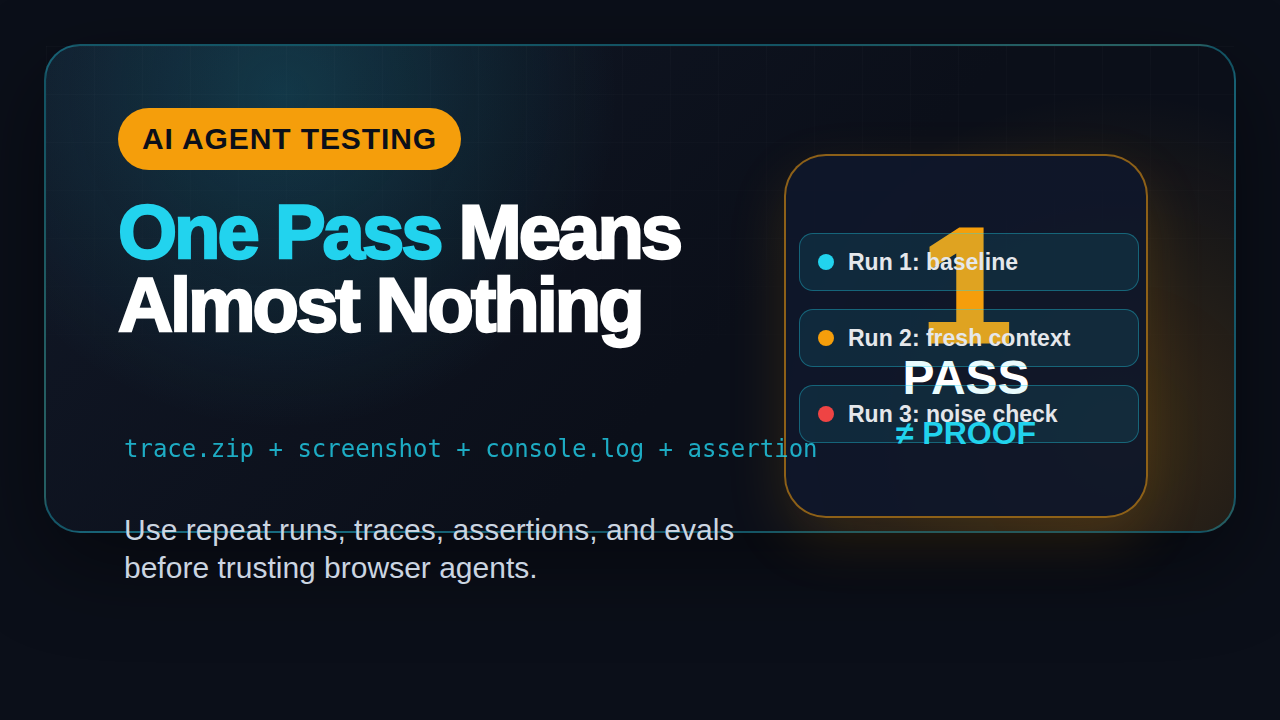
Table of Contents
🤖 Learning AI-powered testing? Go hands-on with LLM, RAG, and AI-agent testing in the AI-Powered Testing Mastery course at The Testing Academy.
- What Is AI Agent Testing?
- Why One Green Agent Run Is Weak Evidence
- The Three-Run Rule for AI Agent Testing
- The Evidence Pack Every Agent Run Needs
- How Playwright Trace Changes Agent Debugging
- Turn Agent Checks Into Evals and CI Gates
- India Context: The New SDET Skill Gap
- A Practical Implementation Playbook
- Key Takeaways
- FAQ
AI agent testing has a simple trap: the agent completes one browser task, everyone claps, and the demo gets treated like proof. I see this mistake more often now because browser agents are getting better, but a single pass still tells you almost nothing about reliability, repeatability, or release risk.
The fix is not to distrust AI agents. The fix is to test them like real software. In this guide, I will show a practical model for repeat runs, trace evidence, assertions, and CI gates that QA teams can use before they trust an AI browser agent in production workflows.
Contents
What Is AI Agent Testing?
AI agent testing is the practice of checking whether an autonomous or semi-autonomous agent can complete a task repeatedly, safely, and with useful evidence. For QA teams, that usually means a browser agent that reads a goal, opens an application, clicks through UI steps, makes decisions, and reports what happened.
This is different from classic UI automation. A Playwright test normally follows a fixed path that you wrote. An AI browser agent may decide the next action based on page text, screenshots, DOM state, model output, memory, or tool calls. That makes it powerful. It also makes it harder to verify.
Classic automation checks a known path
In a classic test, the question is usually: did this script perform the expected workflow? You control selectors, waits, assertions, and data setup. If it fails, you inspect a trace or screenshot and update the code.
That style still matters. In fact, if your team is new to browser automation, start with stable Playwright foundations first. ScrollTest already has a practical guide on Playwright CI with GitHub Actions, and that baseline matters before you add agents.
Agent testing checks decisions, not only clicks
With an AI agent, the question changes. You now ask:
- Did the agent understand the goal?
- Did it choose the right page and UI element?
- Did it avoid unsafe actions?
- Did it recover from a small UI change?
- Did it prove the result with evidence?
- Can it repeat the same task tomorrow?
This is why I treat AI agent testing as a mix of functional testing, exploratory testing, observability, and LLM evaluation. A green run is only one data point. A release decision needs a pattern.
Why the topic matters now
Browser agents are no longer toy demos. The browser-use project on GitHub describes its goal as making websites accessible for AI agents, and its repository has crossed 99,000 GitHub stars according to the GitHub API checked for this article. The latest browser-use release I checked was 0.13.2, published on June 12, 2026.
Why One Green Agent Run Is Weak Evidence
A single successful AI browser run feels convincing because it looks close to human work. The agent opens a browser, reads the page, clicks something, and reaches the expected screen. The video is impressive. The problem is that demos hide variance.
Agents have more sources of variance
A normal UI test can be flaky because of timing, selectors, data, network latency, or test environment issues. An AI agent adds more moving parts:
- The model may choose a different action on the same page.
- The prompt may be interpreted slightly differently.
- The page may expose different visible text due to personalization.
- The agent may use memory from a previous step incorrectly.
- The tool call may succeed, but the reasoning may be wrong.
- The final answer may sound confident even when the browser state is wrong.
That last point is where many teams get burned. A model can write a clean summary that says the task completed, even when the checkout failed, the filter was not applied, or the wrong record was edited. If your only proof is the agent’s final text, you do not have a test. You have a story.
Green once does not measure repeatability
Repeatability is the minimum bar for release confidence. If an agent passes once and fails twice, it is not ready for a critical workflow. If it passes three times with the same evidence, it may be ready for a pilot. If it passes across browsers, data sets, and environment noise, it starts to look like a real test asset.
This is the same thinking we already use for flaky tests. ScrollTest has a practical post on flaky-test triage agents. The key idea is simple: a failure is not only a red mark. It is a signal that needs classification. Agent failures need the same discipline.
The Three-Run Rule for AI Agent Testing
My default rule for AI agent testing is simple: never accept one pass. Run the same task at least three times before calling it stable enough for a team discussion. For release gates, run more than three. But three is a useful minimum because it catches the obvious demo-only wins.
Run 1: baseline behavior
The first run answers a basic question: can the agent complete the task at all? Keep the task narrow. Do not ask it to test the whole application. Start with a workflow that has a clear success condition.
Example task:
Open the staging app, log in with the test user, search for order ORD-1001, verify that the status is Shipped, and capture evidence.
This is better than “test orders” because the goal is measurable. The agent either finds the order and verifies the status, or it does not.
Run 2: repeat with a fresh context
The second run should start clean. Clear cookies if needed. Reset the browser context. Use the same input data. The goal is to check whether the result depends on accidental browser state.
If run 1 passes and run 2 fails, the agent may have depended on cached state, previous navigation, remembered DOM hints, or lucky timing. That is not production confidence.
Run 3: repeat with small noise
The third run adds small, realistic noise. Use a different browser viewport. Add network delay if your tooling supports it. Use a nearby record. Keep the task semantically the same, but avoid a perfect replay.
A practical three-run checklist looks like this:
- Run the exact task in a clean browser context.
- Run it again with the same data and no carried state.
- Run it with one controlled variation, such as viewport or test record.
- Compare final assertions, screenshots, trace steps, and console logs.
- Only then mark the task as a candidate for CI or scheduled monitoring.
What counts as a pass?
A pass is not “the agent said it passed.” A pass needs a verified end state. I prefer at least one hard assertion from the browser state or API response.
import { test, expect } from '@playwright/test';

test('agent verifies shipped order with evidence', async ({ page }) => {
  // The agent may perform navigation and search steps before this point.
  await expect(page.getByRole('heading', { name: /order ORD-1001/i })).toBeVisible();
  await expect(page.getByTestId('order-status')).toHaveText('Shipped');

  await page.screenshot({ path: 'evidence/order-ORD-1001-shipped.png', fullPage: true });
});
Even if an agent chooses the steps, the final check should be deterministic. This is where SDET judgment matters.
The Evidence Pack Every Agent Run Needs
AI agent testing needs an evidence pack. Without evidence, every discussion becomes opinion. With evidence, you can debug, compare, and improve the agent.
The minimum evidence pack
For every agent run, capture these items:
- Task prompt: the exact instruction sent to the agent.
- Environment: browser, viewport, base URL, test account, build version.
- Step log: each action the agent attempted.
- Final assertion: the deterministic check that marks pass or fail.
- Screenshot: the final page state, plus failure screenshots.
- Trace: Playwright trace or equivalent browser replay.
- Console logs: JavaScript errors, warnings, and failed requests.
- Network clue: key API response status or payload when relevant.
This may sound heavy, but it saves time. A failed agent run without a trace is a long meeting. A failed run with trace, screenshot, and console logs is a 10-minute triage.
Evidence beats confidence text
LLMs are good at writing confident summaries. That is useful for reports, but it is not proof. The proof comes from state: URL, DOM, API response, screenshot, trace, and assertion.
If your agent says “I successfully submitted the form,” I still want to see the confirmation ID or the API response. If your agent says “the dashboard loaded correctly,” I still want to see the expected widget count and a screenshot.
Connect evidence to defect reports
A good AI agent bug report should have three lines before the long details:
- Task: what the agent was asked to do.
- Observed evidence: trace, screenshot, console log, or network response.
- Reproducible assertion: the exact check that failed.
This turns a vague “the AI failed” message into a bug that an engineer can act on. It also protects QA credibility. You are not complaining about the model. You are showing a reproducible system failure.
How Playwright Trace Changes Agent Debugging
Playwright is still one of the strongest foundations for AI agent testing because it gives you browser control and trace evidence. Microsoft describes Playwright as a framework for web testing and automation across Chromium, Firefox, and WebKit, and its GitHub repository had more than 91,000 stars when I checked the API for this article.
Why trace matters
A trace lets you replay the browser session, inspect actions, view screenshots, check network requests, and understand where a decision went wrong. This matters even more for agents because the failure may not be a simple selector issue.
For example, an agent may click “Cancel” because the button is visually closer to the prompt text. It may search the wrong column because table labels changed. It may stop early because it saw a toast message that looked like success. A trace helps you see the difference between tool failure and reasoning failure.
Trace-first agent runs
I like a trace-first setup for any serious agent experiment. Start tracing before the agent acts. Stop tracing after the final assertion. Save the trace even for passed runs during pilot mode.
import { chromium } from 'playwright';

async function runAgentScenario(agentTask: (page: any) => Promise<void>) {
  const browser = await chromium.launch();
  const context = await browser.newContext({ viewport: { width: 1365, height: 768 } });

  await context.tracing.start({ screenshots: true, snapshots: true, sources: true });
  const page = await context.newPage();

  try {
    await agentTask(page);
    await page.getByText('Order status: Shipped').waitFor({ timeout: 5000 });
  } finally {
    await context.tracing.stop({ path: 'evidence/agent-order-check.zip' });
    await browser.close();
  }
}
The exact agent framework can change. The evidence pattern should not.
What to inspect in trace review
During trace review, I check five things:
- Did the agent visit the expected domain and route?
- Did it click the correct control, or only something visually similar?
- Did it wait for the right state before moving ahead?
- Did the network response confirm the action?
- Did the final assertion prove the user-facing result?
If you want a broader comparison of scripted and agentic browser testing, read ScrollTest’s guide on AI browser testing with human scripts vs agent runs.
🚀 Build Real AI Testing Skills
Stop testing AI by guesswork. Learn DeepEval, RAG evaluation, and agent testing with guided projects.
Turn Agent Checks Into Evals and CI Gates
AI agent testing becomes serious when you move from ad hoc runs to evals. An eval is a repeatable check that scores whether the agent behavior meets a defined standard. It can be simple at first. The important part is that it runs again and produces comparable results.
PromptFoo and DeepEval are part of the QA toolbox
The PromptFoo GitHub project describes itself as a way to test prompts, agents, and RAGs with CLI and CI/CD integration. Its repository had more than 22,000 GitHub stars when I checked. The DeepEval GitHub project describes itself as an LLM evaluation framework and had more than 16,000 stars.
These tools are not replacements for Playwright. They solve a different problem. Playwright proves browser state. PromptFoo and DeepEval help score model output, tool-use behavior, and scenario quality. For agentic QA, you often need both.
A simple eval file for an agent task
You can start with a small YAML file that defines tasks and expected properties. The tool syntax may change by framework, but the idea is stable.
description: "Order status agent smoke checks"
providers:
  - id: openai:gpt-4.1-mini

tests:
  - vars:
      task: "Find order ORD-1001 and verify that the status is Shipped."
    assert:
      - type: contains
        value: "Shipped"
      - type: not-contains
        value: "unable to verify"

  - vars:
      task: "Find order ORD-1002 and report the customer name and order status."
    assert:
      - type: contains
        value: "Order"
      - type: contains
        value: "Status"
This is not enough for a full release gate, but it is a useful start. Add browser assertions and trace evidence around it, and the eval becomes far more useful.
CI gate design
Do not put every agent experiment into a blocking CI gate on day one. Start with reporting mode. Let the agent checks run nightly. Watch pass rate, failure reasons, and execution cost. Once the checks are stable, promote a small set to blocking mode.
A healthy CI maturity path looks like this:
- Local experiment: one tester runs the agent and captures evidence.
- Repeat-run pilot: three to ten runs across stable data.
- Nightly report: non-blocking scheduled checks with traces.
- Selective gate: only high-confidence workflows block merges.
- Regression pack: agent checks join normal automation reporting.
That path is slower than a demo. It is also safer.
India Context: The New SDET Skill Gap
In India, I see a clear split forming. Service-company QA teams are still measured heavily on execution volume, defect counts, and automation coverage. Product-company SDET teams are asking for stronger engineering judgment, CI ownership, observability, and now AI evaluation skills.
Prompt users are not enough
If your AI testing skill is only “I can ask ChatGPT to write test cases,” that will not create a strong career moat. Many testers can do that now. The stronger skill is building a repeatable validation system around AI output.
For a manual tester moving into AI-assisted QA, the portfolio should show artifacts, not only claims:
- A Playwright test with trace evidence.
- A PromptFoo or DeepEval eval suite.
- A browser-agent run with screenshots and console logs.
- A bug report with task, evidence, and assertion.
- A GitHub Actions workflow that runs checks on schedule.
ScrollTest has a useful career guide on AI testing skills for manual testers. Pair that roadmap with the evidence model in this article and you will have a stronger story in interviews.
Where salary conversations are heading
If you are targeting ₹25-40 LPA roles, do not present yourself as an “AI prompt tester.” Present yourself as an SDET who can evaluate agent behavior with traces, assertions, datasets, and CI gates. That is a stronger, more concrete position.
A Practical Implementation Playbook
Here is the playbook I would use if a team asked me to introduce AI agent testing without creating chaos.
Step 1: Pick one workflow with low blast radius
Do not start with payments, data deletion, production admin actions, or anything that can harm users. Start with read-only or test-environment workflows. Good candidates include search, filter, report download, dashboard verification, or help-center validation.
Step 2: Write the success contract
Before the agent runs, write the success contract in plain English and code. Plain English aligns humans. Code prevents vague passes.
const successContract = {
  task: 'Verify shipped status for order ORD-1001',
  requiredUrlPattern: /\/orders\/ORD-1001/,
  requiredText: ['ORD-1001', 'Shipped'],
  forbiddenText: ['Error', 'Access denied', 'Unable to load']
};
Step 3: Run three times and classify failures
Do not only count pass or fail. Classify failure reason:
- App issue: the application is broken for humans too.
- Automation issue: browser tooling, timeout, selector, or environment failed.
- Agent reasoning issue: the agent made a poor decision.
- Prompt issue: the task instruction was ambiguous.
- Data issue: the test record was missing, dirty, or inconsistent.
This classification helps you improve the system. If every failure is blamed on “AI,” nobody learns anything.
Step 4: Store evidence where the team can review it
Save traces, screenshots, logs, and eval results in CI artifacts. Link them from the test report. If a failure pings Slack but the evidence is hidden on one tester’s laptop, your process will not scale.
Step 5: Promote only stable checks
After a week of nightly runs, promote only the stable checks. Keep experimental checks non-blocking. This protects the team from noisy AI automation while still allowing learning.
Step 6: Review prompts like test code
Prompts are now part of the test asset. Review them in pull requests. Version them. Keep them short enough to understand. If a prompt change improves pass rate, require evidence from multiple runs before merging.
Key Takeaways
AI agent testing is useful, but only when teams stop treating a single green run as proof. The next serious QA skill is not prompt writing alone. It is repeatable validation.
- One passed AI agent run is a demo, not a release signal.
- Run important agent tasks at least three times before discussing stability.
- Every run needs an evidence pack: prompt, trace, screenshot, logs, assertion, and environment.
- Playwright trace helps separate app bugs, tooling problems, and agent reasoning failures.
- PromptFoo and DeepEval style evals add repeatability for model and agent behavior.
- Indian SDETs can stand out by showing evidence-based AI testing portfolios, not generic prompt skills.
If you are starting this week, pick one workflow, write one success contract, run it three times, and save the trace. That small habit will teach you more about AI agent testing than ten polished demos.
FAQ
Is AI agent testing replacing Playwright automation?
No. The better pattern is agent plus deterministic checks. Let the agent explore or perform flexible steps where it helps. Use Playwright assertions, traces, and API checks to prove the result.
How many runs are enough before trusting an AI agent?
Three runs are my minimum for early confidence. For release gates, use more runs across browsers, data sets, and builds. The exact number depends on workflow risk.
What should I capture when an agent fails?
Capture the prompt, step log, screenshot, trace, console logs, network clue, and final assertion. Without those items, the failure is hard to debug and easy to dismiss.
Which tools should QA engineers learn first?
Start with Playwright because browser evidence matters. Then add PromptFoo or DeepEval for eval thinking. If you work with browser agents, study projects like browser-use so you understand how agent actions are executed.
What is the fastest portfolio project for AI agent testing?
Build a small browser-agent check for a demo app, run it three times, store Playwright traces, and write a bug report template with task, evidence, and assertion. Push the code and evidence notes to GitHub. That is more credible than saying you know AI testing.
🎓 Become an AI-Powered QA Engineer
Join hundreds of SDETs mastering LLM, RAG, and agent testing. Lifetime access, hands-on labs, and a job-ready portfolio.

