AI Testing Evidence Pack: Trace, Screenshot, Logs
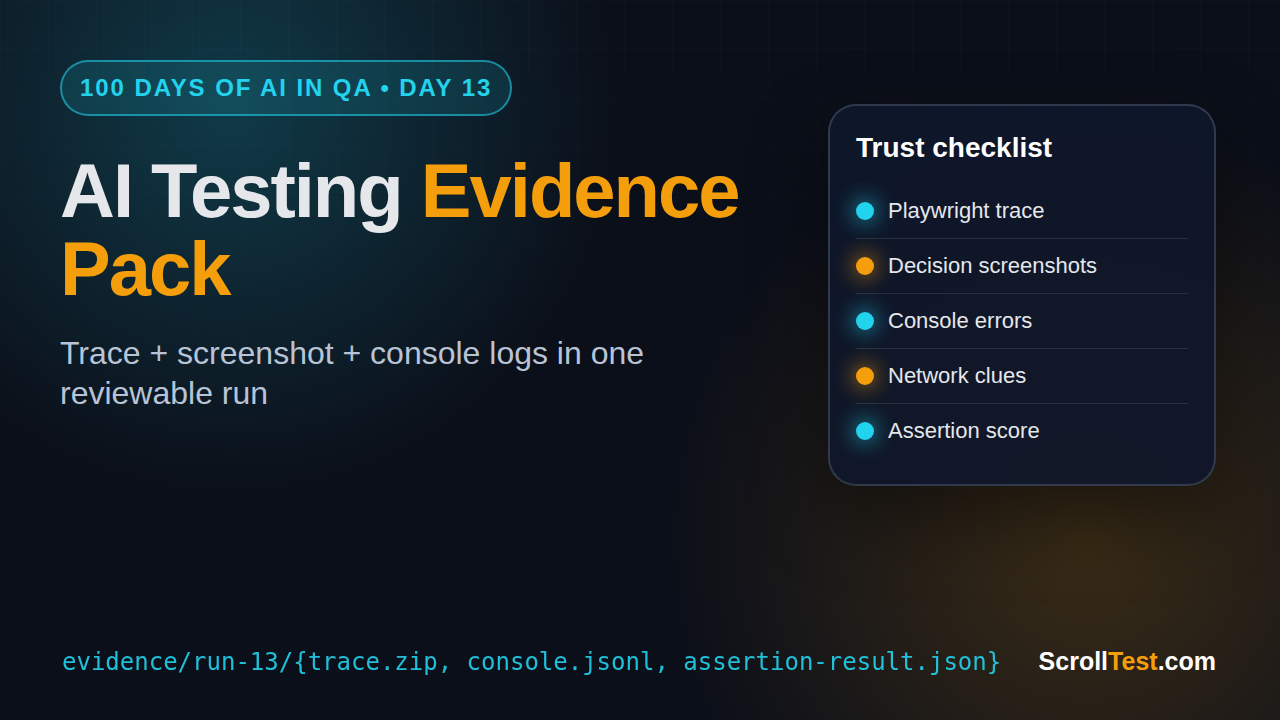
Table of Contents
🤖 Learning AI-powered testing? Go hands-on with LLM, RAG, and AI-agent testing in the AI-Powered Testing Mastery course at The Testing Academy.
- What Is an AI Testing Evidence Pack?
- Why One Green Run Is Not Proof
- The Five Artifacts Every AI Testing Evidence Pack Needs
- Playwright Implementation for an AI Testing Evidence Pack
- How to Score AI Agent Runs Without Fooling Yourself
- CI Workflow for an AI Testing Evidence Pack
- India SDET Career Context
- Common Mistakes
- Key Takeaways
- FAQ
An AI testing evidence pack is the difference between “the agent says it passed” and “the team can trust this run.” I see many QA teams try AI browser agents, get one green result, and treat that as validation. That is risky. This article gives you a practical evidence model: trace, screenshot, console logs, network clues, assertion result, and a small scoring loop you can run in CI.
Contents
What Is an AI Testing Evidence Pack?
An AI testing evidence pack is a bundle of artifacts captured from one AI-assisted test run. It explains what the agent tried, what the browser showed, what the app logged, which network calls failed, and which assertion finally decided pass or fail.
I prefer this definition:
An AI testing evidence pack is a reviewable record of an AI test run that lets a human reproduce the failure, challenge the agent’s decision, and decide whether the result is trustworthy.
This matters because AI agents can be convincing and wrong at the same time. A plain text summary is not enough. A green badge is not enough. Even a screenshot is not enough if the agent skipped the step that created the business risk.
Sources I use for the model
Playwright’s Trace Viewer documentation describes traces as a way to explore recorded Playwright traces after the script has run, especially for failures on CI. The Playwright retries documentation also separates flaky tests from failed tests, which is useful when an AI agent passes after a retry. Playwright’s API includes console message access, so browser logs can be attached to the same run.
I also checked live ecosystem data before writing this. The GitHub API showed microsoft/playwright at 91,316 stars and SeleniumHQ/selenium at 34,212 stars on 21 June 2026. The npm downloads API showed @playwright/test at 163,130,561 downloads in the previous month, while selenium-webdriver had 8,470,308. These numbers do not prove one tool is better, but they show why many new AI browser testing workflows are being built around Playwright first.
Why One Green Run Is Not Proof
The biggest mistake I see in AI testing demos is treating a single successful run as proof. It looks impressive on a screen share. The agent opens a browser, types into fields, handles a popup, clicks submit, and prints “success.” Then everyone claps.
That is not testing. That is a demo.
I wrote about this risk in AI Agent Testing: Why One Pass Means Nothing. The short version is simple: an agent can pass because the app works, because the prompt was easy, because test data was already prepared, because the agent skipped a hard step, or because the assertion was too weak.
The false-positive problem
A false positive happens when the test says pass but the product is still broken. AI agents create new false-positive patterns:
- The agent summarizes success without checking the final UI state.
- The agent clicks a fallback path that users do not know exists.
- The agent accepts an error toast as “expected behavior.”
- The agent retries until the app behaves once, then hides the earlier failures.
- The agent verifies text that was already present before the action.
The fix is not “stop using AI.” The fix is to require evidence for every claim. If the agent says “user was created,” I want the network response, final UI state, test data ID, and assertion result in the same folder.
The retry trap
Retries are useful. They are also dangerous when teams use them to hide uncertainty. Playwright marks tests as flaky when they fail initially and pass after retry. That distinction is important for AI testing too.
If an AI agent passes only after three attempts, the evidence pack should show all three attempts. The failed attempts are not noise. They tell you whether the agent struggled with selectors, timing, unclear instructions, changing UI, or a real product defect.
My rule is strict: never delete the failed run just because the final run passed. Store the failed trace, the final trace, and the agent reasoning summary side by side.
The Five Artifacts Every AI Testing Evidence Pack Needs
A useful AI testing evidence pack does not need 50 files. It needs the right files. I start with five artifacts and add more only when the workflow demands it.
1. Task prompt and constraints
Save the exact task given to the agent. Do not save a cleaned-up version. If the prompt was vague, the evidence pack should reveal that.
Example task file:
Task: Sign in as a standard user, add the cheapest backpack to cart, and verify cart total.
Environment: staging
Allowed actions: browser only
Forbidden actions: no API shortcuts, no direct database calls
Pass condition: cart page shows item name, quantity 1, and total price
This small file prevents a common argument later: “Did the agent know it had to verify the total?” If the task file says it, the agent missed it. If the task file does not say it, the prompt needs work.
2. Browser trace
The trace is the main artifact. It lets the reviewer step through actions, snapshots, network activity, and timing. For Playwright users, this is already a native capability. You do not need to build a custom replay system before proving the idea.
For AI browser testing, the trace should be tied to the agent step number. If step 4 says “click checkout,” the trace should show which element was clicked, what changed, and whether the page moved to the expected state.
Internal link: if you are comparing human scripts with agent runs, read AI Browser Testing: Human Script vs Agent Run. It gives a practical side-by-side format that fits this evidence pack model.
3. Screenshot at every decision point
Do not screenshot every millisecond. Screenshot decisions. Capture before the agent clicks a risky element, after the click, and at the final assertion point.
Good screenshot names are boring and clear:
01-login-page-before-submit.png02-inventory-after-login.png03-cart-before-checkout.png04-final-cart-total-assertion.png
The naming convention matters when a manager or developer opens the zip file without your test runner. They should understand the story from file names alone.
4. Console and network logs
Console errors often explain why an AI agent behaved strangely. A click may not work because a frontend exception blocked hydration. A button may be visible but disabled because an API call returned 500. A page may look correct while silently failing analytics or entitlement calls.
This is where AI testing becomes useful for developers. A bug report with “agent failed checkout” is weak. A bug report with trace, screenshot, console exception, failed /api/cart call, and assertion message is actionable.
5. Assertion result and score
The final artifact is the assertion. I want one file that says what passed, what failed, and why. Avoid vague agent summaries like “workflow completed successfully.” Use crisp checks.
{
  "task_id": "checkout-cheapest-backpack",
  "status": "failed",
  "score": 0.72,
  "assertions": [
    {"name": "login_success", "passed": true},
    {"name": "item_added_to_cart", "passed": true},
    {"name": "cart_total_visible", "passed": false}
  ],
  "failure_reason": "Cart total was missing after item add. Network call /api/cart/total returned 500."
}
This file becomes the bridge between AI output and QA decision-making. The agent can explain, but the assertion decides.
Playwright Implementation for an AI Testing Evidence Pack
You can start with a simple Playwright fixture. The goal is not to build a full platform on day one. The goal is to capture the evidence consistently every time an AI-assisted flow runs.
Folder structure
I use one folder per run:
evidence/
  checkout-cheapest-backpack/
    run-2026-06-21T04-30-00Z/
      task.md
      agent-steps.json
      trace.zip
      screenshots/
      console.jsonl
      network.jsonl
      assertion-result.json
      summary.md
This is easy to zip, upload to CI artifacts, attach to Jira, or send to a developer.
TypeScript example
Here is a minimal Playwright pattern you can adapt. It captures console logs, failed requests, screenshots, and a JSON assertion file.
import { test, expect, Page } from '@playwright/test';
import fs from 'node:fs';
import path from 'node:path';

const runId = new Date().toISOString().replace(/[:.]/g, '-');
const evidenceDir = path.join('evidence', 'checkout-cheapest-backpack', runId);

function writeJsonl(file: string, data: unknown) {
  fs.mkdirSync(path.dirname(file), { recursive: true });
  fs.appendFileSync(file, JSON.stringify(data) + '\n');
}

async function attachEvidenceListeners(page: Page) {
  page.on('console', msg => {
    writeJsonl(path.join(evidenceDir, 'console.jsonl'), {
      type: msg.type(),
      text: msg.text(),
      location: msg.location(),
      time: new Date().toISOString()
    });
  });

  page.on('requestfailed', req => {
    writeJsonl(path.join(evidenceDir, 'network.jsonl'), {
      url: req.url(),
      method: req.method(),
      failure: req.failure()?.errorText,
      time: new Date().toISOString()
    });
  });

  page.on('response', res => {
    if (res.status() >= 400) {
      writeJsonl(path.join(evidenceDir, 'network.jsonl'), {
        url: res.url(),
        status: res.status(),
        time: new Date().toISOString()
      });
    }
  });
}

test('AI assisted checkout evidence pack', async ({ page }, testInfo) => {
  fs.mkdirSync(path.join(evidenceDir, 'screenshots'), { recursive: true });
  fs.writeFileSync(path.join(evidenceDir, 'task.md'), `
Task: Login, add cheapest backpack to cart, verify cart total.
Pass condition: Cart has item name, quantity 1, and visible total.
`);

  await attachEvidenceListeners(page);
  await page.goto(process.env.APP_URL ?? 'https://example.com');
  await page.screenshot({ path: path.join(evidenceDir, 'screenshots', '01-home.png') });

  // Replace this block with your AI agent call.
  // The important part: every agent step writes evidence.
  await page.getByRole('textbox', { name: /username/i }).fill('standard_user');
  await page.getByRole('textbox', { name: /password/i }).fill('secret_sauce');
  await page.getByRole('button', { name: /login/i }).click();
  await page.screenshot({ path: path.join(evidenceDir, 'screenshots', '02-after-login.png') });

  await page.getByText(/backpack/i).click();
  await page.getByRole('button', { name: /add to cart/i }).click();
  await page.getByRole('link', { name: /cart/i }).click();
  await page.screenshot({ path: path.join(evidenceDir, 'screenshots', '03-cart.png') });

  const itemVisible = await page.getByText(/backpack/i).isVisible();
  const qtyVisible = await page.getByText('1').first().isVisible();
  const totalVisible = await page.getByText(/total/i).isVisible().catch(() => false);

  const result = {
    status: itemVisible && qtyVisible && totalVisible ? 'passed' : 'failed',
    assertions: { itemVisible, qtyVisible, totalVisible },
    traceAttachment: testInfo.outputPath('trace.zip')
  };

  fs.writeFileSync(
    path.join(evidenceDir, 'assertion-result.json'),
    JSON.stringify(result, null, 2)
  );

  expect(itemVisible).toBeTruthy();
  expect(qtyVisible).toBeTruthy();
  expect(totalVisible).toBeTruthy();
});
This example is intentionally plain. You can plug in an agent later. Start by proving that the evidence model works before you make the agent smarter.
Where BrowsingBee fits
This is also the reason I keep building BrowsingBee around evidence, not just browser control. A QA tool should not only run an AI browser task. It should return trace, screenshot, console logs, and failure reason in one package. That is what turns an impressive demo into a repeatable QA workflow.
How to Score AI Agent Runs Without Fooling Yourself
A score is useful only when it is boring, consistent, and explainable. Do not ask an LLM, “Was this run good?” and accept the answer. Use a small rubric.
A simple 100-point rubric
Start with this:
- Task completion, 30 points: Did the agent reach the required final state?
- Assertion quality, 25 points: Did the run verify a real business outcome?
- Evidence completeness, 20 points: Are trace, screenshots, logs, and network clues present?
- Recovery behavior, 15 points: Did the agent recover without hiding a defect?
- Reproducibility, 10 points: Can another engineer rerun or inspect the same case?
Anything below 80 should not be treated as a trustworthy pass. Anything below 60 should be treated as a failed experiment, even if the agent summary sounds confident.
Run it more than once
For agent testing, I like 10 runs per critical workflow before promoting it into CI. Ten is not magic. It is enough to expose obvious instability without wasting a full sprint.
Track these numbers:
- Pass rate across 10 runs
- Average score
- Lowest score
- Number of recoveries
- Number of failed network calls
- Number of times the agent changed path
If the pass rate is 9 out of 10 but the lowest score is 42, investigate. One messy pass can hide a real product risk.
Connect it with LLM eval tools
PromptFoo and DeepEval are useful when your agent includes LLM decisions. The GitHub API showed promptfoo/promptfoo at 22,413 stars and confident-ai/deepeval at 16,341 stars on 21 June 2026. That growth is not random. QA teams are borrowing eval ideas from LLM product teams.
For more detail on repeatable AI checks, read LLM Regression Testing with PromptFoo. The same mindset applies here: define the expected behavior, run it repeatedly, score it, and fail the build when the signal drops.
🚀 Build Real AI Testing Skills
Stop testing AI by guesswork. Learn DeepEval, RAG evaluation, and agent testing with guided projects.
CI Workflow for an AI Testing Evidence Pack
The evidence pack becomes valuable when CI stores it automatically. If engineers need to run a local script, copy screenshots, and manually zip files, the habit will die.
CI artifact rules
Use these rules:
- Upload the full evidence folder on every failure.
- Upload the full evidence folder on flaky passes.
- Upload a slim evidence folder on clean passes.
- Keep artifacts for at least 14 days on active projects.
- Attach the evidence URL to the failure notification.
The “flaky pass” rule is the most important. If the agent failed first and passed later, the team needs that information. A flaky AI workflow should never look identical to a clean pass.
GitHub Actions example
name: ai-browser-evidence
on:
  workflow_dispatch:
  pull_request:

jobs:
  agent-check:
    runs-on: ubuntu-latest
    steps:
      - uses: actions/checkout@v4
      - uses: actions/setup-node@v4
        with:
          node-version: 22
      - run: npm ci
      - run: npx playwright install --with-deps chromium
      - run: npx playwright test tests/ai-checkout.spec.ts --trace=on
        env:
          APP_URL: ${{ secrets.STAGING_APP_URL }}
      - uses: actions/upload-artifact@v4
        if: always()
        with:
          name: ai-testing-evidence-pack
          path: |
            evidence/**
            test-results/**
            playwright-report/**
This does not require a big platform. It requires discipline. Every run produces evidence. Every failure is reviewable. Every claim has a file behind it.
When to fail the build
Do not fail production builds on a brand-new AI agent workflow. Start with observation mode. Run the agent, collect evidence, and report the score without blocking merges.
Move to blocking mode only when these conditions are true:
- The workflow has at least 30 historical runs.
- The pass rate is stable.
- The lowest score is acceptable.
- The false-positive review is complete.
- The team knows who owns failures.
This staged rollout keeps credibility high. QA engineers lose trust when a noisy tool blocks releases without strong evidence.
India SDET Career Context
For SDETs in India, this is a strong portfolio area. Many engineers are learning prompt writing, but fewer can show a production-grade AI testing workflow with evidence, CI artifacts, and failure triage.
If you are targeting product companies or senior SDET roles, build one portfolio project like this:
- Pick a demo e-commerce app.
- Write 3 Playwright flows.
- Add one AI-assisted flow.
- Capture an AI testing evidence pack for every run.
- Publish a short README with trace, screenshots, score, and failure examples.
That portfolio says more than “I know AI tools.” It says you understand risk, observability, CI, and developer handoff. In interviews, this gives you concrete stories for automation architecture, flaky tests, debugging, and AI quality.
For career positioning, do not sell yourself as someone who “uses AI.” Sell yourself as someone who can test AI-assisted workflows safely. That is a better signal for ₹25-40 LPA SDET roles because companies need engineers who can reduce release risk, not just run new tools.
Common Mistakes
Here are the mistakes I would avoid if you are starting this week.
Mistake 1: Keeping only the final screenshot
A final screenshot shows the end state. It does not show how the agent got there. If the path matters, capture the path.
Mistake 2: Trusting the agent summary
Agent summaries are useful as notes, not verdicts. The verdict should come from assertions and evidence.
Mistake 3: Ignoring console errors
Many UI bugs leave clues in the browser console before users complain. Capture console logs by default.
Mistake 4: Mixing test data across runs
If run 1 creates a user and run 2 reuses it accidentally, your evidence becomes confusing. Generate unique test data or reset state clearly.
Mistake 5: Starting with too many workflows
Pick one business-critical flow first. Login is usually too shallow. Checkout, subscription upgrade, report export, or permission change gives better signal.
Key Takeaways
An AI testing evidence pack turns AI browser runs into reviewable QA work. Without it, you are trusting a summary. With it, you can inspect the run, challenge the result, and hand developers useful failure data.
- One green AI run is not proof. Repeat the workflow and compare evidence.
- Capture task prompt, trace, screenshots, console logs, network clues, and assertions.
- Score agent runs with a clear rubric instead of accepting confident summaries.
- Store evidence as CI artifacts, especially for failed and flaky runs.
- For SDETs, this is a strong portfolio project because it connects AI, Playwright, CI, and debugging.
If you want a practical next step, take one Playwright test this week and add an evidence folder to it. Do not start with 20 flows. Start with one flow where a false positive would hurt the team.
FAQ
What is an AI testing evidence pack?
It is a folder of artifacts from an AI-assisted test run: task prompt, browser trace, screenshots, console logs, network data, assertion result, and summary. It helps a human review whether the agent result is trustworthy.
Is a Playwright trace enough?
No. A trace is the strongest artifact, but it does not capture the full agent intent by itself. Pair it with the prompt, agent steps, screenshots at decision points, logs, and assertion results.
Should AI agent tests block CI?
Not at first. Run them in observation mode, collect at least 30 historical runs, review false positives, then decide which workflows are stable enough to block merges.
How many runs should I use before trusting an AI workflow?
I start with 10 runs for early evaluation and 30 historical runs before CI blocking. The exact number depends on business risk, but one pass is never enough.
🎓 Become an AI-Powered QA Engineer
Join hundreds of SDETs mastering LLM, RAG, and agent testing. Lifetime access, hands-on labs, and a job-ready portfolio.