
QA Agent Skills: One Command Every Tester Should Try
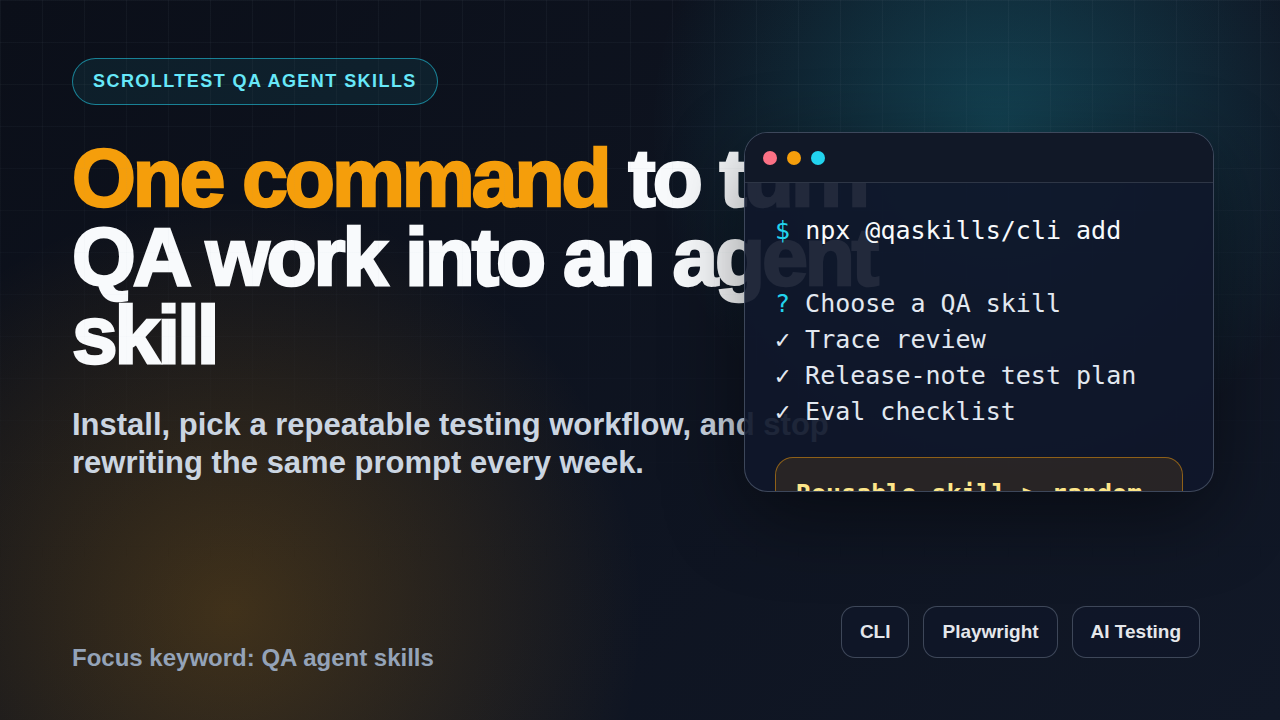
Table of Contents
🤖 Learning AI-powered testing? Go hands-on with LLM, RAG, and AI-agent testing in the AI-Powered Testing Mastery course at The Testing Academy.
- What Are QA Agent Skills?
- Why One Command Matters for Testers
- Install QASkills CLI and Add Your First Skill
- QA Agent Skills Workflows Worth Automating
- How to Design a Good QA Agent Skill
- Playwright Example: Turn Trace Review into a Skill
- Add CI, Evidence, and Evals
- India Career Context for SDETs
- Common Mistakes
- Key Takeaways
- FAQ
QA agent skills are the simplest way I know to stop rewriting the same testing prompt every week. If a QA workflow has a repeatable input, expected output, and review checklist, it deserves to become a skill your AI coding agent can run on demand.
The command I want every QA engineer to try this week is simple: npx @qaskills/cli add. It turns useful QA routines into reusable agent instructions instead of loose chat history. That shift matters because AI testing only becomes reliable when the process is repeatable.
Contents
What Are QA Agent Skills?
QA agent skills are small, reusable instruction packs for AI coding agents. A skill tells the agent what role to play, what inputs to collect, what files to inspect, what steps to follow, and what output format to produce. Think of it as a test checklist plus a prompt plus a tiny operating manual.
Anthropic describes Claude Code skills as a way to extend the agent with specialized instructions and resources. The important part for testers is not the branding. The useful idea is that a skill packages domain knowledge so you do not depend on memory, luck, or a perfect prompt typed at 11 PM.
Why testers need skills, not random prompts
Most QA prompts fail because they are incomplete. A tester says, “review this Playwright failure,” but forgets to provide the trace, console output, network error, retry count, environment, and acceptance criteria. The agent guesses. Sometimes it gives a helpful answer. Sometimes it invents a cause that sounds confident and wastes an hour.
A QA agent skill removes that randomness. It says:
- Ask for the trace path if it is missing.
- Read the failing spec before suggesting a fix.
- Compare the assertion with the product behavior.
- Separate root cause, evidence, and suggested patch.
- Do not mark the run as fixed without a repeatable command.
That is boring. Boring is good in testing. A reliable testing workflow should produce the same quality of reasoning on Monday morning and Friday night.
The difference between a prompt and a skill
A prompt is usually one message. A skill is an asset. A prompt asks, “Can you create test cases for this story?” A skill says, “Use this test design method, ask for missing acceptance criteria, classify cases into smoke, regression, negative, boundary, and risk-based groups, then output a table with priority and automation suitability.”
For a QA team, that difference becomes visible after the third use. The skill saves onboarding time. It makes reviews easier. It also gives managers a standard to coach against.
Why One Command Matters for Testers
QA agent skills sound abstract until you install one. That is why the command matters. The @qaskills/cli package on npm describes itself as a CLI tool to install, search, and manage QA testing skills for AI coding agents. The npm registry shows the latest package version as 0.2.0, and the npm downloads API reported 1,009 downloads for the last month during this run.
I do not treat a download count as proof of quality. I treat it as a signal that the workflow is installable and public. That matters for QA engineers because the first barrier with AI tooling is usually not intelligence. It is setup friction.
The tester’s real problem is repeatability
Manual testers, automation engineers, and SDETs repeat the same mental workflows every day:
- Turn acceptance criteria into test scenarios.
- Review release notes and decide regression scope.
- Debug flaky Playwright or Selenium failures.
- Summarize API changes into contract tests.
- Convert production bugs into prevention checks.
- Prepare interview answers from project experience.
These are not one-off tasks. They are repeatable thinking patterns. If you can explain the pattern clearly, you can turn it into a skill.
One command lowers the activation energy
A lot of QA engineers are interested in AI but stuck in tutorial mode. They watch demos, save posts, and try a few prompts. Then real sprint work takes over. A CLI command helps because it compresses the first step into a concrete action.
npx @qaskills/cli addThat command is useful because it fits how technical testers already work. It runs from the terminal. It can live near a repository. It encourages versioned, shareable workflows. It also makes AI adoption less dependent on one person in the team who writes good prompts.
If you are moving from manual testing to automation, pair this with a structured upskilling plan like From Manual Tester to SDET in 30 Days. The CLI does not replace fundamentals. It helps you package your fundamentals into reusable workflows.
Install QASkills CLI and Add Your First Skill
The best first skill is not the most impressive one. Pick the workflow you already repeat twice a week. For most teams, I recommend starting with release-note review, failed test triage, or user story test design.
Prerequisites
You need Node.js, a terminal, and an AI coding environment that can read skill instructions. If you are already running Playwright or a modern front-end test stack, you probably have Node installed. If not, install Node LTS first.
Use this quick check:
node -v
npm -v
Then run the command:
npx @qaskills/cli addThe command may ask you what skill you want to add and where it should be installed. Choose the option that matches your agent setup. If you are not sure, create a scratch repository and experiment there first. Do not start by wiring AI into a critical production test repo without review.
A safe first workflow
Use this simple release-note review workflow:
- Paste the release note or link to the change summary.
- Ask the skill to identify changed surfaces: UI, API, data, permissions, performance, and integrations.
- Ask it to create smoke, regression, and exploratory checks.
- Review the output against actual product knowledge.
- Convert the best checks into tickets, test cases, or automation tasks.
This workflow is safe because the agent is not changing code. It is helping you think. You still review the output before it reaches the team.
What good output looks like
A useful QA skill output should be structured. I prefer a table with these columns:
- Area changed
- Risk
- Suggested test
- Priority
- Automation candidate
- Evidence needed
That final column is important. Testing without evidence becomes opinion. If the agent suggests a test, it should also say what evidence proves the behavior: screenshot, API response, database row, log line, trace, or assertion.
QA Agent Skills Workflows Worth Automating
QA agent skills work best when they handle a narrow, repeatable job. Do not build one giant “QA assistant” skill that tries to do everything. Build small skills with clear boundaries.
Skill 1: User story to test scenarios
This is the easiest win for manual testers. The skill reads a story, asks for missing acceptance criteria, and produces scenarios grouped by risk. The output should not be a generic list of 50 cases. It should reflect the product behavior.
Suggested instruction:
Given a user story, identify functional, negative, boundary, permission, API, data, and regression scenarios. Ask for missing acceptance criteria before finalizing. Mark each case as smoke, regression, or exploratory.Skill 2: Playwright failure triage
Playwright already gives strong debugging artifacts such as traces, screenshots, videos, and reports. A skill can force the agent to read those artifacts in a disciplined order instead of guessing from the error message alone.
Suggested instruction:
Read the failing spec, assertion, trace summary, screenshot, console errors, and network errors. Classify the failure as product bug, test data issue, selector issue, timing issue, environment issue, or unclear. Provide evidence for the classification.If you want a stronger evidence model, read AI Testing Evidence Pack: Trace, Screenshot, Logs. It gives a practical structure for deciding whether an AI-assisted run can be trusted.
Skill 3: API contract review
API changes break consumers quietly. A skill can compare an OpenAPI diff, release note, or pull request summary and produce contract tests. This is useful for teams working with REST, GraphQL, and internal platform APIs.
The skill should check status codes, required fields, optional fields, auth behavior, backward compatibility, pagination, rate limits, and error response shape. This is where AI helps because it can scan broad changes quickly, but the tester must still verify the final contract.
Skill 4: Bug report quality check
Bad bug reports waste engineering time. A skill can review a draft bug report and ask for missing details before it goes to Jira. It should check title clarity, environment, steps, expected result, actual result, evidence, frequency, business impact, and workaround.
This is a great skill for new testers because it teaches better bug reporting through feedback. Over time, the team learns what a good report looks like.
How to Design a Good QA Agent Skill
A good skill is not a long prompt with fancy words. It is a tight workflow. The agent should know exactly what to do, what not to do, and how to report uncertainty.
Use the input, process, output pattern
Every skill should answer three questions:
- Input: What does the user provide?
- Process: What steps does the agent follow?
- Output: What does the final answer look like?
Here is a simple template:
# Skill: Release Note Test Plan

## Inputs
- Release note text or URL
- Target environment
- Known high-risk modules

## Process
1. Identify changed areas.
2. Map each change to user impact.
3. Create smoke, regression, negative, and exploratory checks.
4. Mark unknowns clearly.
5. Ask for missing information before making risky assumptions.

## Output
Return a table with area, risk, test idea, priority, owner, and evidence.
Add guardrails
Guardrails are rules that protect the team from confident nonsense. For QA work, I use these guardrails often:
- Do not invent requirements.
- Mark assumptions explicitly.
- Separate product bugs from test bugs.
- Do not change selectors without checking user-facing behavior.
- Never call a run fixed without a repeatable verification command.
These rules sound obvious, but they are exactly where AI-assisted testing can go wrong. The agent wants to be helpful. Your skill must make it accurate before it is helpful.
Keep the skill small
If a skill needs 20 steps, split it. One skill should do one job well. I prefer skills that finish in five to seven steps and produce a predictable artifact. This makes them easier to review, test, and improve.
🚀 Build Real AI Testing Skills
Stop testing AI by guesswork. Learn DeepEval, RAG evaluation, and agent testing with guided projects.
Playwright Example: Turn Trace Review into a Skill
Let us make this concrete. Suppose a Playwright test fails in CI. Without a skill, a tester pastes the error into chat and asks for a fix. That is weak. With a skill, the agent follows a triage flow.
Example skill instruction
# Skill: Playwright Trace Triage

You are reviewing a failed Playwright test. Do not guess from the stack trace alone.

## Required inputs
- Failing spec path
- Error message
- Trace file or trace summary
- Screenshot path if available
- CI job link if available

## Steps
1. Read the failing test and locator strategy.
2. Inspect the assertion and expected state.
3. Review screenshot or trace evidence.
4. Check console and network errors.
5. Classify the failure type.
6. Suggest the smallest safe fix.
7. Provide a verification command.

## Output
- Classification
- Evidence
- Suggested fix
- Risk of fix
- Command to verify
Example Playwright command
The skill should always end with something runnable:
npx playwright test tests/checkout.spec.ts --project=chromium --trace=onIf the issue is flaky, ask for repeated execution:
npx playwright test tests/checkout.spec.ts --project=chromium --repeat-each=10That command matters. A suggested fix without verification is just a suggestion. A suggested fix with a repeatable command becomes engineering work.
Example output
Classification: Selector issue with possible product timing risk
Evidence: The test clicks [data-testid=pay-now], but the trace shows two matching elements after the new wallet banner loads.
Suggested fix: Replace the broad locator with a role-based locator scoped to the checkout summary section.
Risk: Low if the accessible name is stable. Medium if translations change the label.
Verify: npx playwright test tests/checkout.spec.ts --project=chromium --repeat-each=10
This is the level of specificity I want from AI-assisted QA. Not “try adding a wait.” Not “the element may be hidden.” Evidence first, fix second.
Add CI, Evidence, and Evals
GitHub Actions documentation defines workflows as automated processes made of jobs and steps. That model fits QA agent skills well. A skill can help create a test plan, but CI should still run the checks and store evidence.
Do not trust one green run
One green run is useful. It is not proof. AI-generated tests can pass while checking the wrong thing. AI triage can classify a failure incorrectly. AI-written selectors can become brittle if nobody reviews the DOM contract.
I recommend a three-part gate:
- Evidence: trace, screenshot, logs, network details, and assertion result.
- Repeatability: rerun the focused test multiple times for suspected flake.
- Review: human review for requirement alignment and risk.
Simple CI workflow idea
name: qa-agent-assisted-tests
on:
  pull_request:
    branches: [main]

jobs:
  test:
    runs-on: ubuntu-latest
    steps:
      - uses: actions/checkout@v4
      - uses: actions/setup-node@v4
        with:
          node-version: 22
      - run: npm ci
      - run: npx playwright install --with-deps chromium
      - run: npx playwright test --trace=on
      - uses: actions/upload-artifact@v4
        if: always()
        with:
          name: playwright-report
          path: playwright-report/
The skill can explain failures, but CI produces the evidence. Keep both. If your team is experimenting with AI agents for browser testing, connect this with an evidence pack and a review checklist before you increase scope.
Where evals fit
An eval is a repeatable check for the AI output itself. For example, if your skill turns release notes into test plans, you can evaluate whether the output includes risks, negative cases, affected APIs, rollback checks, and evidence. This is how QA engineers should think about AI. Do not ask, “Did the AI answer nicely?” Ask, “Did the output meet the testable standard?”
India Career Context for SDETs
For India-based QA engineers, QA agent skills are a career signal. Not because every company has mature AI testing today. Many do not. The signal is that you can convert messy QA work into repeatable systems.
Service companies such as TCS, Infosys, Wipro, and Cognizant still hire many testers into execution-heavy roles. Product companies and funded startups expect more ownership. They want people who can design automation, debug CI, review logs, understand APIs, and now use AI without blindly trusting it.
What hiring managers notice
If a candidate says, “I use ChatGPT for test cases,” that is common now. If a candidate says, “I built a reusable skill that turns release notes into a risk-based regression plan, and I evaluate it with a checklist,” that is different. It shows process thinking.
For mid-level SDETs targeting strong product companies, this is the story to build:
- I can automate with Playwright or Selenium.
- I can test APIs and reason about contracts.
- I can design CI evidence, not just run tests locally.
- I can use AI agents with guardrails and evals.
- I can teach the process to the team.
That story is stronger than listing 20 tools. In interviews, show one before-and-after example: a manual review process that became a skill, the output format, the guardrails, and the measurable time saved.
Beginner path
If you are early in your QA journey, do not skip basics. Learn test design, HTTP, SQL, JavaScript or Java, Git, and one automation framework. Then add AI skills on top. AI can speed up your work, but it cannot replace missing testing judgment.
A practical 30-day path looks like this:
- Week 1: Git, command line, JavaScript basics.
- Week 2: Playwright fundamentals and locators.
- Week 3: API testing and test data design.
- Week 4: CI, evidence, and one QA agent skill.
This is realistic. It gives you portfolio evidence. It also keeps you away from the trap of collecting AI tools without building core SDET ability.
Common Mistakes
Most teams will not fail because the CLI is hard. They will fail because they treat AI skills like magic. Here are the mistakes I see.
Mistake 1: Making the skill too broad
“Act as my QA assistant” is not a skill. It is a wish. Narrow the job. A release-note skill should not also debug Playwright, write API tests, and prepare interview answers. Build separate skills.
Mistake 2: No output standard
If the skill can answer in any format, review becomes painful. Define the table, checklist, or JSON shape. This makes the output easier to compare across runs.
Mistake 3: No evidence requirement
Every testing recommendation should connect to evidence. If the skill says an issue is a selector problem, it should cite the locator, DOM behavior, screenshot, trace step, or repeated run result. Without evidence, the answer is not test engineering. It is commentary.
Mistake 4: No human review
AI can draft. AI can classify. AI can summarize. But a tester still owns risk. Keep human review for requirement interpretation, production impact, security-sensitive behavior, and any change that modifies test logic at scale.
Mistake 5: Hiding the skill from the team
If one person has a useful skill sitting locally, the team does not benefit. Put the skill in the repo if that fits your workflow. Review changes like code. Add examples. Track what improves and what fails.
Key Takeaways
QA agent skills are not about replacing testers. They are about turning repeatable QA judgment into reusable workflows that an AI coding agent can follow consistently.
- Try
npx @qaskills/cli addin a scratch repo before using it on critical work. - Start with one narrow workflow: release-note review, trace triage, user story scenarios, or bug report review.
- Design every skill with clear inputs, steps, guardrails, and output format.
- Require evidence for every testing recommendation.
- Use CI and evals to check the work instead of trusting one good answer.
The best QA engineers in 2026 will not be the ones who paste prompts fastest. They will be the ones who turn testing knowledge into systems. A small CLI command is a good place to start.
FAQ
What are QA agent skills?
QA agent skills are reusable instruction packs that help AI coding agents perform specific testing workflows such as test design, Playwright trace review, API contract review, or bug report quality checks.
Is npx @qaskills/cli add only for automation testers?
No. Manual testers can use skills for user story analysis, exploratory charters, bug report review, and regression planning. Automation knowledge helps, but the first value is structured thinking.
Can QA agent skills write Playwright tests?
They can help draft tests, but you should review selectors, assertions, test data, and CI evidence. Do not merge AI-generated tests without verifying that they check the right behavior.
How do I know if a skill is good?
A good skill produces consistent output, asks for missing inputs, marks assumptions, connects claims to evidence, and ends with a clear next action or verification command.
Should every QA team create its own skills?
Teams should start with shared skills for repeated workflows and customize them for product context. The best skill includes your team’s risks, terminology, environments, and definition of useful evidence.
Sources checked for this article: QASkills public site, npm registry metadata for @qaskills/cli, npm downloads API, Anthropic Claude Code skills documentation, GitHub Actions documentation, and ScrollTest internal posts for related reading.
🎓 Become an AI-Powered QA Engineer
Join hundreds of SDETs mastering LLM, RAG, and agent testing. Lifetime access, hands-on labs, and a job-ready portfolio.

