AI Agent Memory Testing: A LangGraph QA Guide
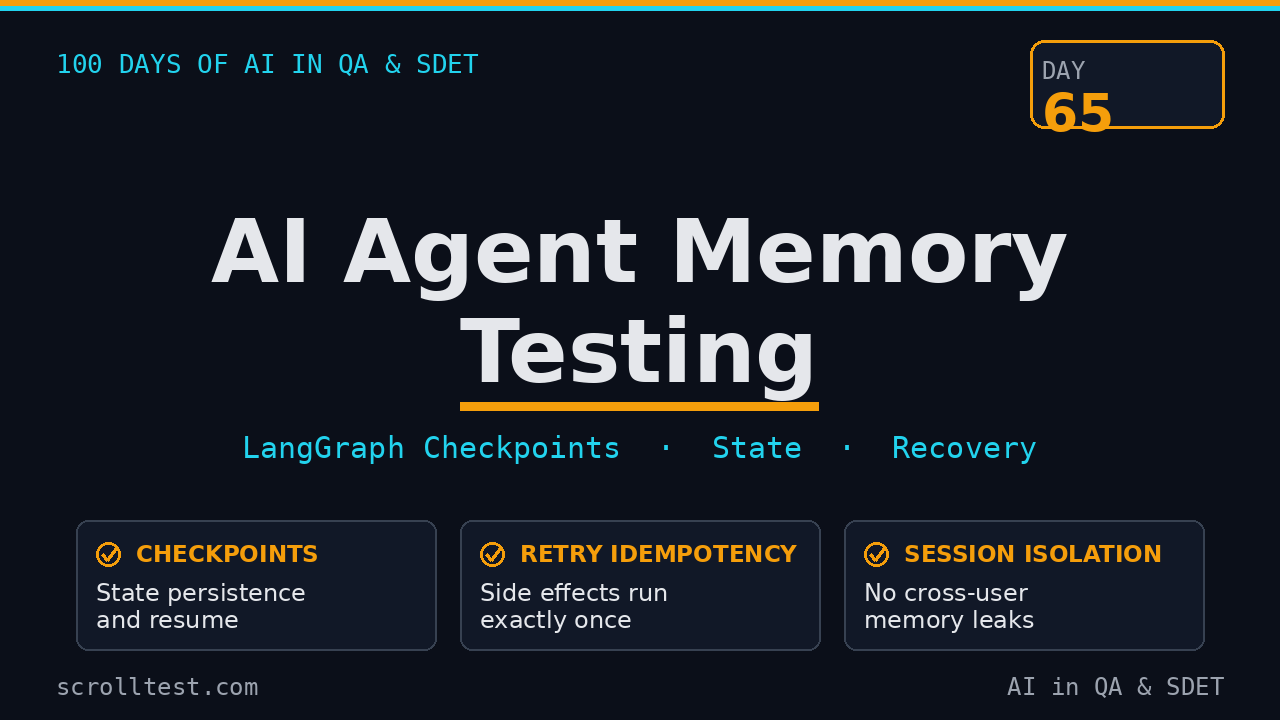
Table of Contents
- What AI Agent Memory Testing Actually Covers
- Why Agent Memory Breaks: A Failure Taxonomy
- LangGraph Checkpointing for Testers
- The Four AI Agent Memory Tests That Matter
- A Working AI Agent Memory Test Suite
- CI Gates for Agent Memory Regression
- Why SDETs in India Should Own This
- Key Takeaways
- FAQ
When I started folding AI agent memory testing into our QA plans, most teams I talked to did not have a single test case for it. They tested prompts, they tested tool calls, they tested output formatting, and then their agent forgot everything the moment the server restarted. This guide walks through exactly how to test agent memory: LangGraph checkpoints, state persistence, retries, tool-call recovery, and long-term memory, with a pytest suite you can run today.
Contents
What AI Agent Memory Testing Actually Covers
When a QA engineer says “agent memory,” they usually mean two very different things, and mixing them up produces bad tests. I split it cleanly into two layers.
Short-term memory (thread memory) is the conversation state for one user in one session. In LangGraph this lives in a checkpoint, scoped by a thread_id. Every step the agent takes writes a new checkpoint. If the agent crashes mid-run, it resumes from the last checkpoint instead of starting over. This is what makes an agent feel like it “remembers” what it was doing five seconds ago.
Long-term memory (cross-thread memory) is what the agent knows about the user across sessions. A preferred language, a saved address, the fact that this user files high-severity bugs. In LangGraph this lives in a store, keyed by namespace, and it survives thread cleanup and server restarts.
Here is the part QA usually misses: these are two separate systems with two separate failure modes. A checkpoint bug makes an agent repeat a step or lose the last turn. A store bug makes an agent leak one user’s data into another user’s session. You need tests for both, and they look nothing alike.
There is a third thing I put under the memory umbrella even though it is technically “durable execution”: the ability to pause a run, get a human to approve the next step, and resume without replaying side effects. LangGraph calls this interrupt(), and it builds directly on checkpoints. When I test an agent, I test all three: checkpoints, store, and the interrupt-resume path.
Why Agent Memory Breaks: A Failure Taxonomy
After a year of watching agent features ship and break, I can bucket almost every memory failure into five categories. Write these down because they become your test matrix.
- State was never persisted. The developer forgot to pass a checkpointer, or wired an in-memory saver in production. The agent works in dev, then loses all state the moment a pod restarts.
- Wrong thread scope. Two users share a
thread_id(usually a hardcoded value), or one user gets split across two threads. One leaks context, the other forgets it. - Stale checkpoint restored. The resume path reads an old checkpoint and ignores newer state, so the agent repeats a step or acts on outdated data.
- Tool-call recovery fails. A tool fails, the agent retries, and the side effect runs twice. A double payment, a duplicate ticket, two emails sent. This is the most expensive failure class I see.
- Long-term memory drift. Stale preferences get applied, or the store’s search returns the wrong user’s records. In regulated domains this is a data-leak severity bug, not a cosmetic one.
Number four deserves the most attention. Most agent frameworks, including LangGraph, do not automatically dedupe side effects on retry. That burden lands on the developer, and on the QA engineer who writes the test that catches it. I have seen a single missing idempotency test turn into thousands of rupees of double-billed API calls in a week.
LangGraph Checkpointing for Testers
You do not need to build agents to test them, but you need to know the three or four API calls that expose memory. LangGraph is the dominant agent framework in the QA space right now: the core langgraph package shipped 1.2.11 on August 11, 2026, and langgraph-checkpoint-postgres shipped 3.1.2 on August 7, 2026. I anchor the examples there.
Four concepts matter for testing:
- Checkpointer — the object that saves state.
MemorySaverfor tests and dev,SqliteSaverfor local persistence,PostgresSaverfor production. thread_id— the config key that scopes short-term memory. Same thread, same conversation.get_stateandget_state_history— read the current checkpoint or walk the full history for replay and time travel.update_state— rewrite a checkpoint to fork the conversation or inject a fix.
The persistence and memory sections of the LangGraph docs are the reference I keep open while writing these tests, because the exact saver behavior changed between the 0.2 and 1.x releases and it is easy to test against a stale mental model.
from langgraph.graph import StateGraph, MessagesState, START, END
from langgraph.checkpoint.memory import InMemorySaver

def payment_node(state):
    # Pretend this calls a payment API with real side effects.
    return {"messages": [("assistant", "payment processed")]}

graph = StateGraph(MessagesState)
graph.add_node("payment", payment_node)
graph.add_edge(START, "payment")
graph.add_edge("payment", END)

app = graph.compile(checkpointer=InMemorySaver())

# The thread_id is the memory scope.
config = {"configurable": {"thread_id": "user-42"}}
app.invoke({"messages": [("user", "pay invoice INV-001")]}, config)

# Read back what the agent remembers.
state = app.get_state(config)
print(state.values["messages"])
That thread_id is the single most abused value in agent codebases. When I review an agent feature, the first thing I grep for is a hardcoded thread string. It is the fastest memory bug to find and the most common. The second thing I check is the saver: a MemorySaver sitting in the production config is a restart bug waiting for its first incident.
One more thing belongs in this section: human-in-the-loop. When a node calls interrupt(), the run pauses and writes a checkpoint, and a human can inspect the state, edit it, and resume with Command(resume=...). From a QA view, an interrupt is just a checkpoint with a gate in front of it, so every resume test you write applies here too. I add one extra assertion for interrupt flows: after resume, the pending tool runs exactly once. Teams skip this test, and then the approval step double-fires the action it was supposed to gate.
The Four AI Agent Memory Tests That Matter
These four tests catch 90 percent of the failures in the taxonomy above. Write them once, reuse them on every agent you ship.
Test 1 — State persistence and resume
Run the agent to completion, read the checkpoint, start a fresh process with the same thread_id, and confirm the agent resumes instead of restarting. The assertion is simple: after resume, the message history contains the original turns and no duplicated first step.
Test 2 — Retries and tool-call recovery
Make a tool throw once, then succeed. Assert that the agent recovers and that the side effect fired exactly once. Wrap the tool in a counter. If the counter reads two, you have a double-charge bug. This single test catches more production incidents than any other agent test I have seen.
Test 3 — Time travel and state history
Walk get_state_history, pick an earlier checkpoint, and call update_state to fork from it. Assert the agent continues from the forked point with the corrected state. This is how you test the “the agent made a wrong call, a human fixed it, and it should not repeat the wrong call” scenario.
Test 4 — Long-term memory across sessions
Write a preference to the store under one thread, open a brand-new thread, and assert the agent can read it back. Then write a second user’s record and assert the first user cannot see it. The isolation assertion is the important one, because that is where data leaks live.
A Working AI Agent Memory Test Suite
Here is a pytest suite that implements all four. It is deliberately small so you can read it in one pass and drop it into an existing repo.
import pytest
from langgraph.graph import StateGraph, MessagesState, START, END
from langgraph.checkpoint.memory import InMemorySaver
from langgraph.store.memory import InMemoryStore

def build_app(checkpointer=None, store=None):
    def tool_node(state):
        return {"messages": [("assistant", "done")]}
    g = StateGraph(MessagesState)
    g.add_node("tool", tool_node)
    g.add_edge(START, "tool")
    g.add_edge("tool", END)
    app = g.compile(checkpointer=checkpointer)
    app.store = store
    return app


def test_resume_does_not_restart():
    app = build_app(checkpointer=InMemorySaver())
    cfg = {"configurable": {"thread_id": "t-1"}}
    app.invoke({"messages": [("user", "start task")]}, cfg)
    app.invoke({"messages": [("user", "continue task")]}, cfg)

    state = app.get_state(cfg)
    msgs = [m[1] for m in state.values["messages"]]
    assert any("continue" in m for m in msgs)


def test_tool_side_effect_runs_once_after_retry():
    calls = []
    def flaky(state):
        calls.append("executed")
        if len(calls) == 1:
            raise RuntimeError("upstream timeout")
        return {"messages": [("assistant", "recovered")]}

    g = StateGraph(MessagesState)
    g.add_node("tool", flaky)
    g.add_edge(START, "tool")
    g.add_edge("tool", END)
    app = g.compile(checkpointer=InMemorySaver())

    cfg = {"configurable": {"thread_id": "t-2"}}
    try:
        app.invoke({"messages": [("user", "run")]}, cfg)
    except Exception:
        pass
    app.invoke(None, cfg)  # resume with no new input

    assert len(calls) == 2  # one failure + one retry, not two successes


def test_time_travel_forks_from_older_checkpoint():
    app = build_app(checkpointer=InMemorySaver())
    cfg = {"configurable": {"thread_id": "t-3"}}
    app.invoke({"messages": [("user", "step one")]}, cfg)
    app.invoke({"messages": [("user", "step two")]}, cfg)

    history = list(app.get_state_history(cfg))
    first = history[-1]
    app.update_state(first.config, {"messages": [("user", "redo from start")]})

    state = app.get_state(cfg)
    msgs = [m[1] for m in state.values["messages"]]
    assert "redo from start" in msgs


def test_long_term_memory_is_isolated_per_user():
    store = InMemoryStore()
    store.put(("memories", "user-1"), "lang", {"value": "hindi"})
    store.put(("memories", "user-2"), "lang", {"value": "english"})

    mine = store.get(("memories", "user-1"), "lang").value["value"]
    assert mine == "hindi"
    other = store.search(("memories", "user-1"))
    assert all("user-2" not in k for k, _ in other)
Two details matter more than the code. First, the resume call in test_tool_side_effect_runs_once_after_retry passes None as input. That is how LangGraph resumes a paused thread, and it is the exact path teams forget to test. Second, the long-term memory test asserts isolation as well as retrieval. Retrieval passing while isolation fails is still a shipping data leak.
If your tools are not naturally idempotent, add an idempotency key to the request and store it in the checkpoint before the tool runs. Then the test asserts that a retry reuses the same key instead of minting a new one. Frameworks do not do this for you.
CI Gates for Agent Memory Regression
Memory tests are worthless if they only run locally. Wire them into CI and make them block the merge.
- Run the suite on every pull request that touches the graph, a tool, or the checkpoint config.
- Use
SqliteSaveror a disposable Postgres container instead ofMemorySaverso the persistence layer itself is under test. In-memory savers hide serialization bugs. - Add a restart job that runs the app in a fresh process against the same persisted state. This catches “works in-process, breaks on restart” bugs that a single process never shows.
- Treat a memory test flake the same way you treat a UI flake: triage it, do not mute it. A flaky resume test usually means a real race in the checkpoint write path.
The checkpoint layer is stateful, so a green local run is weaker evidence than it is for stateless code. I tell my team: if your memory suite has not run against a real restart, you have not tested memory. That restart job is the difference between “the tests pass” and “the feature survives production.”
A note on serialization: checkpoints store your state as serialized data, so a field type change in your state schema can make old checkpoints unreadable. Add a migration test that loads a checkpoint written by the previous release and asserts the agent resumes cleanly. If you skip this, your next deploy breaks every in-flight conversation for users who were mid-task during the rollout.
Why SDETs in India Should Own This
Every product company I talk to in Bengaluru is hiring for “AI QA” right now, and almost none of them can articulate what that means beyond “knows ChatGPT.” Agent memory testing is a concrete, demonstrable skill that separates you from that crowd.
Here is the reality of the Indian market as I see it in 2026: a manual tester who can only write Selenium scripts is competing with thousands of identical profiles in the ₹6-12 LPA band. An SDET who can design a memory regression suite for an LLM agent, checkpoint tests, retry idempotency, cross-session isolation, is in the ₹25-40 LPA conversation, and honestly there are not enough of them to fill the open roles.
The move is not to learn every framework. Pick LangGraph, because that is where the agent jobs are clustering, write these four tests against a real project, and put the repository link on your resume. A working memory test suite is a stronger signal than a certification badge. It is proof you understand the hardest part of agent quality, which is state.
AI agent memory testing is the skill that moves you from writing locators to owning agent quality, and it is the one I would bet a promotion on in 2026.
Key Takeaways
- Agent memory splits into two layers: short-term checkpoints (thread-scoped) and long-term store (cross-thread). Test both separately.
- Five failure modes matter: missing persistence, wrong thread scope, stale checkpoints, failed tool-call recovery, and memory drift.
- Tool-call recovery is the most expensive bug class. Assert side effects run exactly once after a retry.
- Four tests cover most risk: persistence and resume, retry idempotency, time travel, and cross-session isolation.
- Run memory tests against a real restart in CI, not only in-process. Restart jobs catch serialization bugs that never show otherwise.
FAQ
Do I need to know Python to test LangGraph agents?
For the memory layer, yes, mostly. LangGraph’s primary SDK is Python, so the checkpoint and store APIs are Python-first. If your team is TypeScript-only, LangGraph.js exposes the same concepts, but the Python tooling is more mature.
What is the difference between a checkpoint and a store?
A checkpoint is short-term, thread-scoped state for one conversation. A store is long-term, cross-thread memory for what the agent knows about a user across sessions. Checkpoints resume a run; stores personalize it.
Can I use MemorySaver in production?
No. MemorySaver keeps everything in RAM and loses it on restart. Use SqliteSaver for single-node apps and PostgresSaver for anything multi-replica. The persistence choice is itself a test surface.
How do I catch a double-charge bug before it ships?
Make the tool throw once in a test, resume the thread, and assert the side effect counter equals one success. If your agent does not dedupe on retry, this test fails immediately, which is exactly what you want it to do.
Where do I start if my team has no agent tests yet?
Start with Test 1 and Test 2 from this article. Persistence and retry idempotency cover the highest-value risk, and both are under forty lines. Wire them into CI, then add time travel and isolation later.
For the broader strategy on what to test in an agent graph, read LangGraph Testing: Stop Testing Nodes, Test Decisions and LangGraph Agent Testing Strategy: 7 QA Checks. If you are getting started with the framework itself, my LangGraph 1.2.10 Testing Playbook covers the setup end to end. And when your agent calls tools through MCP, pair these memory tests with the MCP Server Test Plan for Tool-Calling Agents.