Playwright Page Object Model: Day 14 Tutorial
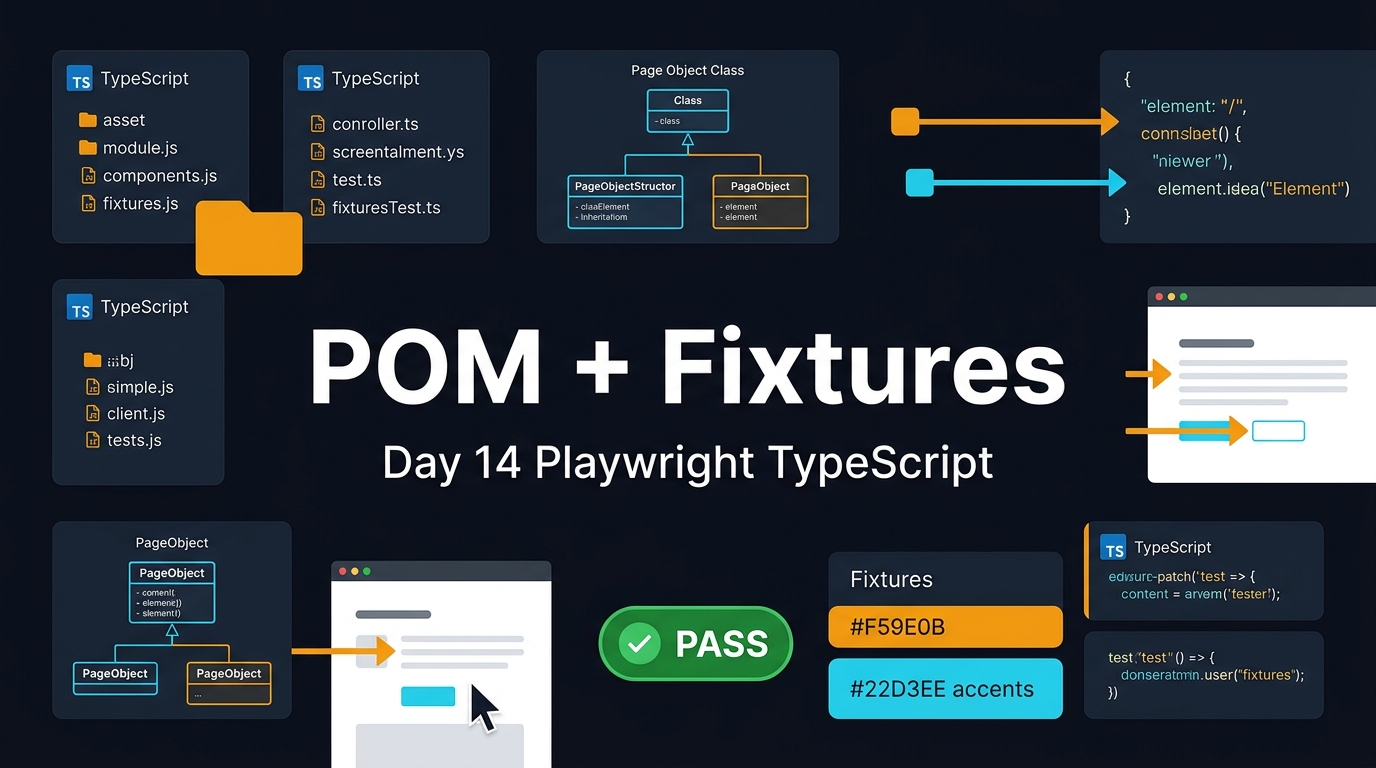
Day 14 of the 21-Day Playwright + TypeScript series. The Playwright Page Object Model is where many automation suites either become maintainable or turn into a second application nobody wants to debug. I use POMs when they make intent clearer, but I do not use them as a dumping ground for every selector and assertion.
🎭 Want to master this with real projects? Join the Playwright Automation Mastery course at The Testing Academy.
In this tutorial, I will build a practical TypeScript structure with page classes, component objects, and Playwright fixtures. You will see the file layout, real code, screenshot checkpoints, and the mistakes I see in QA teams when they copy Selenium-style POMs into Playwright.
Table of Contents
- What Is Playwright Page Object Model?
- When Should You Use POM in Playwright?
- Project Setup for Day 14
- Build Your First Page Object
- Combine Components and Fixtures
- Where Assertions and Test Data Should Live
- Debugging, Traces, and Screenshot Checkpoints
- Common Pitfalls I See in POM Suites
- Key Takeaways
- FAQ
Contents
What Is Playwright Page Object Model?
A Playwright Page Object Model is a way to move page-specific actions and locators out of test files and into TypeScript classes. The Playwright page object documentation describes page objects as a structure that can improve authoring and maintenance for large test suites. That is the key phrase: large test suites. A two-test demo does not need a framework. A 400-test regression suite does.
The goal is simple. A test should read like a user story, not like a long list of CSS selectors. The details of clicking buttons, filling fields, and waiting for page state should live close to the page they belong to.
What a POM hides
A good page object hides implementation details that change often:
- Locators for buttons, inputs, cards, and links.
- Small user actions like login, search, filter, checkout, and logout.
- Page-specific waits that are meaningful to the business flow.
- Repeated navigation paths used across many specs.
What a POM should not hide
A page object should not hide the purpose of the test. If the test reads like app.doStep1(); app.doStep2(); app.doStep3();, you have created mystery code. I prefer method names that expose intent:
await loginPage.loginAs('qa.manager@example.com', process.env.QA_PASSWORD!);
await dashboardPage.openProject('Checkout Revamp');
await projectPage.expectBuildStatus('Passed');
Notice the difference. The test still tells me what the user does. The page object only removes noise.
Why this matters in 2026
Playwright is not a niche tool anymore. The npm downloads API reported 160,531,467 downloads for @playwright/test in the last month window I checked, and the Microsoft Playwright GitHub repository API showed 91,360 stars. Those numbers do not prove quality by themselves, but they prove adoption. More teams are now asking the same question: how do we keep Playwright tests clean after month three?
That is where Day 14 fits. We already covered authentication, API testing, network mocking, CI, and Docker earlier in this series. If you want to connect this lesson with the previous setup, read Playwright Authentication: Day 10 Tutorial, Playwright Network Mocking: Day 11, and Playwright Docker: Day 13 Tutorial.
When Should You Use POM in Playwright?
I do not start every Playwright project with a heavy POM layer. That is how teams over-engineer simple suites. I start with plain tests, then extract page objects when repetition becomes visible.
Use a POM when repetition is real
Create a page object when at least three specs repeat the same page behavior. For example:
- Three specs perform the same login flow.
- Five specs search and filter the same table.
- Ten specs use the same checkout wizard.
- Multiple roles open the same dashboard with different data.
At that point, copy-paste becomes expensive. One locator change can break ten tests. A POM lets you repair the behavior in one file.
Do not use POM for every small widget
Not every button deserves a class. If a component appears once, keep it in the spec or a simple helper. Page object layers have a cost. They add files, naming decisions, imports, and mental overhead.
Here is my rule: extract when the next person will understand the suite faster. If extraction only makes the author feel clever, do not extract.
Playwright is not Selenium
Many SDETs learned POM through Selenium. That background helps, but Playwright has different strengths. Locators auto-wait. Assertions retry. Fixtures manage setup and cleanup. Browser contexts give test isolation. If you build a Selenium-era base class with sleep wrappers and driver utilities, you lose what Playwright gives you for free.
The Playwright fixtures documentation says fixtures give each test what it needs and nothing else, while keeping fixtures isolated between tests. That line should shape your design. A clean Playwright framework uses POM classes with fixtures instead of a giant global driver object.
Project Setup for Day 14
We will use a simple structure that scales without becoming fancy. The goal is not to impress architects. The goal is to help a QA engineer add a new test without asking five people where files should go.
Recommended folder structure
playwright-pom-demo/
  playwright.config.ts
  tests/
    checkout.spec.ts
    dashboard.spec.ts
  pages/
    LoginPage.ts
    DashboardPage.ts
    CheckoutPage.ts
  components/
    Header.ts
    Toast.ts
  fixtures/
    app.fixture.ts
  test-data/
    users.ts
  screenshots/
    day-14-pom-structure.png
Screenshot description: capture VS Code with the folders expanded. The screenshot should show pages, components, fixtures, and tests side by side. This is useful for learners because the architecture becomes visual before the code begins.
Install and run
npm init playwright@latest
npm install -D @playwright/test
npx playwright test --ui
Use TypeScript strict mode if you can. A typed page object catches missing constructor arguments, invalid role names, and wrong return values before CI burns ten minutes.
Configuration baseline
// playwright.config.ts
import { defineConfig, devices } from '@playwright/test';

export default defineConfig({
  testDir: './tests',
  timeout: 30_000,
  expect: { timeout: 5_000 },
  fullyParallel: true,
  retries: process.env.CI ? 1 : 0,
  reporter: [['html'], ['list']],
  use: {
    baseURL: process.env.BASE_URL ?? 'https://example.com',
    trace: 'retain-on-failure',
    screenshot: 'only-on-failure',
    video: 'retain-on-failure'
  },
  projects: [
    { name: 'chromium', use: { ...devices['Desktop Chrome'] } }
  ]
});
This config supports local work and CI. If you followed Playwright CI GitHub Actions: Day 12, this file plugs into the pipeline without extra changes.
Build Your First Page Object
Let us start with login. Login is the classic candidate for a page object because many tests need it, and the UI often changes.
Create LoginPage.ts
// pages/LoginPage.ts
import { expect, type Locator, type Page } from '@playwright/test';

export class LoginPage {
  readonly page: Page;
  readonly emailInput: Locator;
  readonly passwordInput: Locator;
  readonly signInButton: Locator;
  readonly errorBanner: Locator;

  constructor(page: Page) {
    this.page = page;
    this.emailInput = page.getByLabel('Email');
    this.passwordInput = page.getByLabel('Password');
    this.signInButton = page.getByRole('button', { name: 'Sign in' });
    this.errorBanner = page.getByRole('alert');
  }

  async goto() {
    await this.page.goto('/login');
    await expect(this.signInButton).toBeVisible();
  }

  async loginAs(email: string, password: string) {
    await this.emailInput.fill(email);
    await this.passwordInput.fill(password);
    await this.signInButton.click();
  }

  async expectInvalidLoginMessage(message: string) {
    await expect(this.errorBanner).toContainText(message);
  }
}
The locators are declared once. The methods are short. There is no custom wait helper. Playwright locators and assertions already know how to wait for the right state.
Use the page object in a spec
// tests/login.spec.ts
import { test, expect } from '@playwright/test';
import { LoginPage } from '../pages/LoginPage';

test('user can login with valid credentials', async ({ page }) => {
  const loginPage = new LoginPage(page);

  await loginPage.goto();
  await loginPage.loginAs('dev@example.com', 'correct-password');

  await expect(page.getByRole('heading', { name: 'Dashboard' })).toBeVisible();
});

test('user sees error for invalid password', async ({ page }) => {
  const loginPage = new LoginPage(page);

  await loginPage.goto();
  await loginPage.loginAs('dev@example.com', 'wrong-password');
  await loginPage.expectInvalidLoginMessage('Invalid email or password');
});
Some teams move every assertion into page objects. I do not. I keep page-specific assertions in the page object when they describe that page. I keep scenario assertions in the test when they describe the business outcome.
Return the next page when it helps
For flows, returning the next page object can make tests cleaner.
// pages/LoginPage.ts
import { DashboardPage } from './DashboardPage';

async loginAndOpenDashboard(email: string, password: string) {
  await this.loginAs(email, password);
  const dashboard = new DashboardPage(this.page);
  await dashboard.expectLoaded();
  return dashboard;
}
Do not overuse chaining. A test that chains six page objects in one line becomes hard to debug. Use returns when the transition is obvious.
Combine Components and Fixtures
The Playwright Page Object Model becomes stronger when you separate full pages from reusable components. A header, toast notification, left navigation, date picker, or modal can appear on many pages. These should not be copied into every page class.
Create a Header component
// components/Header.ts
import { expect, type Locator, type Page } from '@playwright/test';

export class Header {
  readonly page: Page;
  readonly root: Locator;
  readonly profileMenu: Locator;
  readonly logoutButton: Locator;

  constructor(page: Page) {
    this.page = page;
    this.root = page.getByRole('banner');
    this.profileMenu = this.root.getByRole('button', { name: /profile/i });
    this.logoutButton = page.getByRole('menuitem', { name: 'Logout' });
  }

  async expectVisible() {
    await expect(this.root).toBeVisible();
  }

  async logout() {
    await this.profileMenu.click();
    await this.logoutButton.click();
  }
}
This object is not a page. It represents a reusable part of the app. The locators are scoped where possible with this.root. That reduces accidental matches when multiple buttons share the same text.
Create typed fixtures
Fixtures remove repeated construction from test files. They also give one standard way to create pages and components.
// fixtures/app.fixture.ts
import { test as base } from '@playwright/test';
import { LoginPage } from '../pages/LoginPage';
import { DashboardPage } from '../pages/DashboardPage';
import { Header } from '../components/Header';

type AppFixtures = {
  loginPage: LoginPage;
  dashboardPage: DashboardPage;
  header: Header;
};

export const test = base.extend<AppFixtures>({
  loginPage: async ({ page }, use) => {
    await use(new LoginPage(page));
  },
  dashboardPage: async ({ page }, use) => {
    await use(new DashboardPage(page));
  },
  header: async ({ page }, use) => {
    await use(new Header(page));
  }
});

export { expect } from '@playwright/test';
Use fixtures in tests
// tests/dashboard.spec.ts
import { test, expect } from '../fixtures/app.fixture';

test('manager sees project health cards', async ({ loginPage, dashboardPage, header }) => {
  await loginPage.goto();
  await loginPage.loginAs('manager@example.com', process.env.MANAGER_PASSWORD!);

  await dashboardPage.expectLoaded();
  await header.expectVisible();
  await expect(dashboardPage.projectHealthCards).toHaveCount(4);
});
This is the shape I like. The test is readable, the setup is typed, and the page objects are still simple.
🚀 Level Up Your Playwright
From locators to CI pipelines — build a production-grade Playwright + TypeScript framework step by step.
Where Assertions and Test Data Should Live
POM design becomes messy when teams cannot decide where assertions and data belong. I use a simple split.
Keep page state assertions in page objects
These assertions confirm that the page is ready or that a page-level element appears.
// pages/DashboardPage.ts
import { expect, type Locator, type Page } from '@playwright/test';

export class DashboardPage {
  readonly page: Page;
  readonly heading: Locator;
  readonly projectHealthCards: Locator;

  constructor(page: Page) {
    this.page = page;
    this.heading = page.getByRole('heading', { name: 'Dashboard' });
    this.projectHealthCards = page.getByTestId('project-health-card');
  }

  async expectLoaded() {
    await expect(this.heading).toBeVisible();
    await expect(this.projectHealthCards.first()).toBeVisible();
  }

  async openProject(projectName: string) {
    await this.page.getByRole('link', { name: projectName }).click();
  }
}
Keep business assertions in tests
If the test is about a business rule, keep the final expectation in the spec. That makes reports easier to read.
test('failed deployment is shown to release manager', async ({ dashboardPage }) => {
  await dashboardPage.openProject('Billing API');

  await expect(page.getByText('Deployment blocked')).toBeVisible();
  await expect(page.getByText('Security scan failed')).toBeVisible();
});
The page object opened the project. The spec verified the rule. That separation helps code review because reviewers can understand what the test protects.
Keep test data boring
// test-data/users.ts
export const users = {
  manager: {
    email: 'manager@example.com',
    passwordEnv: 'MANAGER_PASSWORD'
  },
  viewer: {
    email: 'viewer@example.com',
    passwordEnv: 'VIEWER_PASSWORD'
  }
} as const;

export function passwordFor(user: keyof typeof users) {
  const envName = users[user].passwordEnv;
  const password = process.env[envName];
  if (!password) throw new Error(`Missing env var: ${envName}`);
  return password;
}
Do not hardcode real passwords. Do not put production emails in a public repo. For Indian service-company teams working on client projects, this point matters. One accidental screenshot in a demo deck can expose more than people expect.
Debugging, Traces, and Screenshot Checkpoints
A POM can make debugging harder if it hides too much. The fix is not to avoid page objects. The fix is to add visible checkpoints and keep trace-friendly method names.
Add test steps
import { test } from '../fixtures/app.fixture';

test('checkout flow applies coupon', async ({ loginPage, dashboardPage }) => {
  await test.step('Login as paid user', async () => {
    await loginPage.goto();
    await loginPage.loginAs('paid.user@example.com', process.env.PAID_USER_PASSWORD!);
  });

  await test.step('Open checkout page from dashboard', async () => {
    await dashboardPage.openProject('Checkout Revamp');
  });
});
When this fails, the HTML report and trace viewer show the step names. That saves time during triage.
Screenshot checkpoints for the tutorial
For this Day 14 article, capture these screenshots while practicing:
- Screenshot 1: VS Code folder structure with
pages,components, andfixtures. - Screenshot 2: Playwright UI mode showing a passing login spec.
- Screenshot 3: Trace viewer opened on a failed login step with the locator highlighted.
- Screenshot 4: HTML report showing named
test.stepblocks.
Use traces instead of adding sleeps
If a page object method is flaky, do not add waitForTimeout(3000). Open the trace. Check whether the locator was wrong, the data was missing, the request failed, or the app took longer than expected. Playwright trace viewer exists for this exact reason.
This is also why Day 13 Docker and Day 12 CI matter. A trace collected in CI is better than a Slack message that says, “it failed once, please rerun.”
Common Pitfalls I See in POM Suites
The Playwright Page Object Model fails when teams treat it as a religion instead of a design choice. Here are the traps I see most often.
Pitfall 1: One giant BasePage
A base page with 40 helper methods becomes a junk drawer. It usually contains wrappers for click, fill, wait, screenshot, scroll, and random JavaScript execution. Most of those wrappers add no value because Playwright already provides strong primitives.
Use base classes only when they remove real duplication. Even then, prefer composition first. A Header component is clearer than a BasePage.logout() method that appears on every page, including public pages where logout is impossible.
Pitfall 2: CSS selectors everywhere
Playwright encourages user-facing locators such as role, label, text, and test id. CSS is still useful, but it should not be your default for core flows. A selector like .btn.btn-primary:nth-child(2) tells me nothing about user intent.
// Prefer this
page.getByRole('button', { name: 'Create project' });

// Avoid this for user-facing flows
page.locator('.primary-action > button:nth-child(2)');Methods like validateDashboard() are too vague. What exactly is valid? Loaded heading? Four cards? Correct role? Fresh data? Name the method after the outcome.
await dashboardPage.expectLoaded();
await dashboardPage.expectProjectVisible('Checkout Revamp');
await dashboardPage.expectNoAdminActionsForViewer();
Pitfall 4: Page objects that call APIs secretly
Sometimes setup through API is the right move. We covered API testing earlier in the series, and API setup can make UI tests faster. But do not hide API calls inside a click method. If checkoutPage.applyCoupon() also creates a coupon through API, the test becomes misleading.
Put setup in fixtures or explicit helper functions. Keep page objects focused on page behavior.
Pitfall 5: No ownership
In many teams, everyone edits page objects and nobody owns them. After two months, methods duplicate each other with slightly different names: clickSubmit, submitForm, save, clickSaveButton. Create naming rules early. Review page object changes like production code.
Key Takeaways
The Playwright Page Object Model is useful when it makes tests easier to read, change, and debug. It is harmful when it becomes an abstraction layer that hides the test’s intent.
- Start simple. Extract page objects when repetition becomes real.
- Use Playwright locators and assertions directly. Avoid Selenium-style wrapper habits.
- Split full pages and reusable components.
- Use typed fixtures to create page objects consistently.
- Keep business assertions visible in the spec.
- Use traces, screenshots, and
test.stepfor debugging instead of sleeps.
If you are building a framework for a team, this is the point where your code starts affecting hiring and onboarding. A manual tester moving into automation should be able to open one spec and understand the flow in five minutes. That is the standard I use.
FAQ
Is Page Object Model required in Playwright?
No. Playwright works perfectly with plain spec files. Use POM when repeated page behavior starts making tests noisy or hard to maintain.
Should assertions be inside page objects?
Some assertions should be inside page objects, especially page readiness checks like expectLoaded(). Business assertions should usually stay in the spec so the test report clearly explains the scenario.
Should I create one page object per URL?
Not always. Create one object per meaningful page or application area. Some URLs need multiple component objects. Some simple pages need no object at all.
Can fixtures replace page objects?
No. Fixtures and page objects solve different problems. Page objects model page behavior. Fixtures create and provide dependencies to tests in a clean, isolated way.
What is the best next lesson after POM?
The next natural step is building a full test architecture with tags, projects, reports, environment config, and ownership rules. POM gives you the building blocks. Architecture decides how the team uses them.
🎓 Master Playwright End to End
Join hundreds of SDETs building real automation frameworks. Lifetime access, hands-on projects, and a job-ready portfolio.