Selenium 4.46 Upgrade Checklist: Test Product, Not Tests
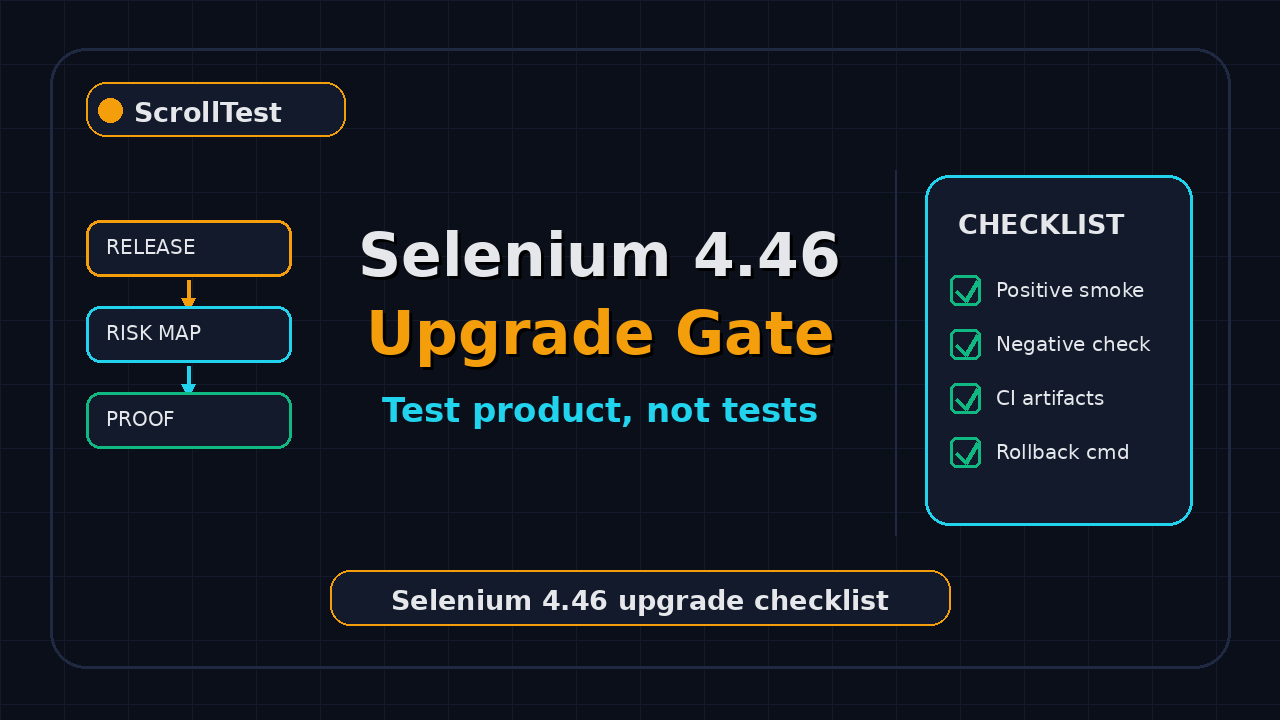
If your team treats every dependency bump like a green checkbox, this Selenium 4.46 upgrade checklist is for you. Selenium 4.46.0 shipped on 11 July 2026, but the useful question is not “can our suite run on the new version?” It is “what proof shows our test framework still tests the product, not itself?”
That question matters because mature UI automation suites fail in boring ways. A wrapper hides a real browser error. A retry masks a product bug. A custom wait keeps passing after the page stopped showing the state customers actually see. I use Selenium 4.46.0 here as the example, but the checklist works for every automation upgrade.
Table of Contents
- Why This Upgrade Needs Proof
- Selenium 4.46 Upgrade Checklist
- Turn Release Notes Into a Risk Map
- Product Proof Before Framework Proof
- TypeScript Smoke Pack for Selenium Upgrades
- CI Gate: Stop Framework-Only Green Builds
- India Team Context for QA Leads
- Common Traps I See During Upgrades
- Key Takeaways
- FAQ
Contents
Why This Upgrade Needs Proof
Selenium 4.46.0 is not a random patch note. The official Selenium 4.46.0 GitHub release lists changes across Java, Python, .NET, Ruby, JavaScript, Rust, docs, and build tooling. GitHub published that release at 2026-07-11T00:47:53Z. That date gives QA teams a clean marker for an upgrade branch, release-note review, and post-merge monitoring window.
The ecosystem size also justifies a careful gate. The Selenium GitHub repository API shows more than 34,000 stars and more than 8,600 forks at the time I checked it. The npm downloads API reports 7,597,713 last-month downloads for selenium-webdriver for the 2026-06-16 to 2026-07-15 window. Those numbers do not prove your framework is safe, but they prove the upgrade touches a large production community.
Version upgrades change more than package-lock files
A Selenium upgrade can affect the driver handshake, BiDi behavior, error messages, logging, timeouts, and browser interaction edge cases. Your application did not change, but your observation layer changed. That is why a plain “all tests passed” report is too weak.
I want three types of evidence before I trust the new version:
- Product evidence: the suite catches a seeded product bug.
- Framework evidence: selectors, waits, screenshots, logs, and retries still behave as expected.
- Pipeline evidence: CI fails for the right reason and records useful artifacts.
The real risk: testing the harness
Many long-running Selenium suites slowly become tests of the framework. They prove the Page Object can click a button, not that checkout, login, search, or billing works. They prove a retry decorator can wait 30 seconds, not that the UI became usable for a customer.
This is why I like the question from today’s topic: What proof shows our test framework still tests the product, not itself? It forces the team to produce evidence, not confidence.
Selenium 4.46 Upgrade Checklist
This Selenium 4.46 upgrade checklist starts before the package bump. If you only run it after a failed pipeline, you are already debugging under pressure.
1. Capture the current baseline
Before changing the Selenium version, capture one clean run on the old version. Save the commit SHA, browser versions, driver versions, CI job URL, and test duration. If your current build takes 47 minutes and the upgraded build takes 68 minutes, that is a signal. If your current build has 12 known flakes and the upgraded build has 29, that is also a signal.
Use a small JSON baseline file so the comparison is not trapped in screenshots:
{
  "suite": "checkout-smoke",
  "seleniumVersion": "4.45.0",
  "browser": "chrome",
  "browserVersion": "stable",
  "ciRunUrl": "https://ci.example.com/job/checkout-smoke/1842",
  "tests": 42,
  "failed": 0,
  "retried": 1,
  "durationSeconds": 612
}
2. Read the release notes like a QA lead
Do not ask only “what changed?” Ask “which tests can observe this change?” Selenium 4.46.0 includes a Java note that current BiDi related classes are marked beta, according to the official release entry. That does not mean every team must block the upgrade. It means teams using BiDi logs, network events, console events, or browser internals need targeted coverage.
3. Create an upgrade branch with a hard rollback point
Name the branch clearly, for example upgrade/selenium-4-46. Keep the package bump in one commit and framework fixes in separate commits. If the dependency change and 38 Page Object rewrites sit in one commit, rollback becomes politics.
4. Run a product-negative test
A product-negative test deliberately seeds or targets a known failing condition. Example: point the checkout test at a build where the “Place Order” button is disabled for one payment method. If the suite stays green, the framework is proving itself, not the product.
5. Compare artifacts, not feelings
Compare screenshots, console logs, browser logs, network traces, and failure screenshots between the old and new version. The Selenium docs emphasize WebDriver as a browser automation interface in the official WebDriver documentation. Your audit should prove that this interface still observes the user-visible state you care about.
Turn Release Notes Into a Risk Map
Release notes become useful only when they create test work. A QA manager should not paste the Selenium 4.46.0 changelog into Slack and call it done. Convert it into a risk map with owners, scenarios, and exit criteria.
Use this release-note triage table
| Release-note area | Possible risk | Proof to collect |
|---|---|---|
| Java or language binding changes | Wrapper behavior changes | One smoke run per binding in use |
| BiDi related changes | Logs, network events, or console capture drift | One test that asserts a real browser event |
| Build or driver support changes | CI image mismatch | Browser and driver versions printed in CI |
| Docs or troubleshooting updates | Known error pattern changed | Failure screenshot plus raw WebDriver error |
This is the same thinking I recommend in Selenium 4.45.0 Upgrade Notes for Test Leads and Playwright Upgrade Checklist: Trace, Diff, Rollback. Upgrade notes are not content. They are inputs for risk tickets.
Pick 5 scenarios, not 500 tests
For a first upgrade gate, I prefer a tight set of 5 scenarios over a full regression run that nobody reads. Choose one scenario from each critical flow:
- Login with a real assertion on the post-login identity.
- Search or filter with a visible result count.
- Create or update a record with a database or API check.
- Checkout, booking, or payment sandbox flow.
- Admin or permission boundary check.
Each scenario must fail when the product is wrong. If a scenario only proves navigation and clicks, it is not enough for an upgrade gate.
Product Proof Before Framework Proof
The strongest upgrade proof is simple: show me a controlled product failure that the suite catches after the Selenium bump. I call this the product-negative check. It makes the framework answer one honest question.
What product-negative proof looks like
Here are examples I accept in real teams:
- A feature flag turns off “Apply Coupon” and the coupon test fails with a business assertion.
- A seeded test user loses the “Admin” role and the permission test fails at the access assertion.
- A mock API returns an empty cart and the checkout test fails on “cart item count,” not on a stale element.
- A test environment build contains a known disabled button and the test fails before the order API call.
The failure reason matters. A good failure says expected order status CONFIRMED, received PAYMENT_PENDING. A weak failure says element click intercepted with no product context.
Separate selector health from product health
Selectors are important, but selector health is not product health. The Selenium Page Object Model guidance explains the value of separating page services from test intent. That separation helps only when your tests assert business outcomes outside the Page Object itself.
I like Page Objects that expose business language:
await checkoutPage.placeOrder();
await orderSummary.expectOrderConfirmed(orderId);
await orderApi.expectOrderStatus(orderId, "CONFIRMED");
The UI action, UI assertion, and API assertion tell a clearer story than 18 raw clicks. After a Selenium upgrade, that story protects you from false green builds.
TypeScript Smoke Pack for Selenium Upgrades
The npm API shows Selenium WebDriver is still heavily used in JavaScript projects, with 7.59 million last-month downloads in the checked window. If your team runs TypeScript, keep a small smoke pack that is independent of your largest framework abstractions.
Install and print versions in CI
Version logging is boring until the day it saves 2 hours. Put this command in your CI before the smoke pack:
node -e "console.log({node: process.version, selenium: require('selenium-webdriver/package.json').version})"
google-chrome --version || true
chromedriver --version || true
The goal is not pretty output. The goal is a searchable audit trail when a browser, driver, or package changes without a human noticing.
Use a thin Selenium test, not your full framework
This example avoids custom wrappers on purpose. It opens a page, asserts a real title, and checks a visible product state. Replace the URL and selectors with your application, but keep the test thin.
import { Builder, By, until } from "selenium-webdriver";
import assert from "node:assert/strict";

const appUrl = process.env.APP_URL ?? "https://example.test";

async function main() {
  const driver = await new Builder().forBrowser("chrome").build();
  try {
    await driver.get(`${appUrl}/login`);
    await driver.findElement(By.css("[data-testid=email]")).sendKeys("qa-upgrade@example.com");
    await driver.findElement(By.css("[data-testid=password]")).sendKeys(process.env.TEST_PASSWORD ?? "secret");
    await driver.findElement(By.css("[data-testid=login-submit]")).click();

    const header = await driver.wait(
      until.elementLocated(By.css("[data-testid=dashboard-title]")),
      10000
    );
    assert.equal(await header.getText(), "Dashboard");

    const plan = await driver.findElement(By.css("[data-testid=account-plan]")).getText();
    assert.match(plan, /Free|Pro|Enterprise/);
  } finally {
    await driver.quit();
  }
}

main().catch((error) => {
  console.error(error);
  process.exit(1);
});
Add one deliberate failure mode
Run the same smoke test against a controlled bad state once in the upgrade branch. For example, set TEST_USER_ROLE=blocked and assert that the dashboard test fails with a permission message. The exact mechanism depends on your app, but the principle stays the same: prove the test can catch a product failure.
CI Gate: Stop Framework-Only Green Builds
A CI gate for Selenium 4.46.0 should answer 4 questions before merge. Did the smoke pack pass on the new version? Did the product-negative check fail as expected? Did artifacts upload? Did the run stay inside the agreed flake and duration budget?
Minimal GitHub Actions gate
This is a compact pattern. It prints versions, installs dependencies, runs positive smoke tests, then runs a negative check that must fail.
name: selenium-upgrade-gate
on: [pull_request]

jobs:
  smoke:
    runs-on: ubuntu-latest
    steps:
      - uses: actions/checkout@v4
      - uses: actions/setup-node@v4
        with:
          node-version: 22
      - run: npm ci
      - run: node -e "console.log(require('selenium-webdriver/package.json').version)"
      - run: npm run test:selenium:smoke
      - name: Product-negative check must fail
        run: |
          set +e
          TEST_USER_ROLE=blocked npm run test:selenium:smoke
          code=$?
          if [ "$code" -eq 0 ]; then
            echo "Negative product check passed. Framework is not proving product behavior."
            exit 1
          fi
          echo "Negative product check failed as expected."
      - uses: actions/upload-artifact@v4
        if: always()
        with:
          name: selenium-upgrade-artifacts
          path: artifacts/
Track the 4 metrics that matter
Do not drown the upgrade review in 27 charts. Track these 4 metrics:
- Pass rate: positive smoke pack should be 100% on the upgrade branch.
- Negative detection: controlled product failure must be caught.
- Retries: retry count should not increase beyond the agreed budget.
- Runtime: duration should not jump without a known reason.
If your team also uses AI release triage, read AI Browser Release Radar for QA Teams. The same release-note-to-risk habit works for Selenium, Playwright, browser updates, and AI eval tooling.
Manager review questions before merge
I use a short review script in upgrade PRs because it stops vague status updates. The QA lead, developer owner, and DevOps owner should answer these questions in the PR description:
- Which Selenium 4.46.0 release-note items are relevant to our language binding?
- Which 5 product flows did we run, and why did we choose them?
- Which controlled product failure did we seed, and what exact assertion caught it?
- What changed in retry count, runtime, screenshots, logs, or browser warnings?
- What command rolls back the dependency and reruns the smoke pack?
This takes 10 minutes when the work is real. It takes an hour when the upgrade was just a package bump. That friction is useful. It catches missing owners before the change reaches main.
Definition of done for the upgrade PR
My definition of done is strict but small. The PR can merge only when the positive smoke pack passes, the negative product check fails for the expected reason, artifacts are attached, and one reviewer confirms the release-note risk map. I do not require a heroic full-suite run for every patch upgrade. I require proof that the suite still observes customer-visible behavior.
India Team Context for QA Leads
In India-based teams, Selenium upgrade work often lands between sprint delivery, regression support, and production release support. I see this pattern in service companies and product companies. The difference is not talent. The difference is ownership.
Service company pattern
In a TCS, Infosys, Wipro, or Cognizant style delivery model, the team may not own the CI image, the browser grid, and the application release calendar together. That makes upgrades slow. The practical fix is a one-page upgrade ticket with 5 scenarios, 4 metrics, and 1 rollback command. Do not ask for a 2-week “automation hardening sprint” without evidence.
Product company pattern
In a product company, SDETs are expected to own quality signals, not just scripts. For ₹25-40 LPA SDET roles in Bengaluru, Hyderabad, Pune, and remote-first teams, upgrade gates are a strong portfolio story. A candidate who can explain product-negative checks, CI artifacts, browser logs, and release-note risk mapping sounds very different from a candidate who says “I updated the pom.xml.”
Portfolio angle for SDETs
If you are building a portfolio, create a public sample repo with one Selenium upgrade branch. Include the baseline JSON, the smoke test, the negative check, and the GitHub Actions gate. Link it from your resume. One working upgrade gate beats 10 generic bullet points about automation frameworks.
Common Traps I See During Upgrades
Most Selenium upgrade failures are not caused by Selenium itself. They come from weak test design, hidden infrastructure drift, and teams treating green CI as a complete answer.
Trap 1: fixing every flaky test inside the upgrade branch
Do not mix old debt with upgrade validation. If a test was flaky on 4.45.0, mark it as existing debt. Fix critical blockers only. Otherwise the branch becomes a rewrite project and nobody knows whether 4.46.0 caused the change.
Trap 2: trusting retries more than artifacts
A retry can be useful. A retry without a screenshot, browser log, and error context is just a broom. The Selenium troubleshooting documentation exists because WebDriver failures need concrete error data. Capture it.
Trap 3: ignoring browser and grid versions
Selenium is one part of the chain. Chrome, Edge, Firefox, browser drivers, Docker images, Selenium Grid, and cloud device providers can all shift behavior. Print versions in every upgrade run. I repeat this because it is the simplest fix that teams still skip.
Trap 4: using Page Objects as assertion black holes
A Page Object should not hide every assertion. If checkoutPage.completeOrder() swallows 7 waits and returns true, you have no product proof. Put the important assertions where test reviewers can read them.
Trap 5: no rollback command
Every upgrade PR should include the rollback command. For npm, that may be:
npm install selenium-webdriver@4.45.0
npm test -- --grep "checkout smoke"
For Maven or Gradle, document the exact dependency line and CI job to rerun. Rollback should be boring.
Key Takeaways
The Selenium 4.46 upgrade checklist is not about fear. It is about evidence. Selenium 4.46.0 shipped on 11 July 2026, the JavaScript package still records millions of monthly npm downloads, and the project remains one of the biggest browser automation ecosystems. That scale deserves a serious validation habit.
- Do not accept “all tests passed” as the only upgrade proof.
- Run one product-negative check so the suite proves it can catch a real bug.
- Map release notes to risks, owners, scenarios, and artifacts.
- Keep a thin Selenium smoke pack outside your heaviest framework wrappers.
- Print versions and preserve artifacts in CI before merging the bump.
If you want a broader comparison before planning your next framework move, read Playwright vs Selenium vs Cypress 2026. If you are staying with Selenium, start with the 5-scenario gate above and make the next upgrade measurable.
FAQ
Is Selenium 4.46.0 safe to upgrade?
I cannot declare it safe for every team. The official release exists, and the project is active, but your safety depends on browser versions, bindings, grid setup, wrappers, and test design. Use the upgrade checklist before merging.
Do I need to run the full regression suite for a Selenium upgrade?
Not as the first gate. Start with 5 critical scenarios, one product-negative check, and artifact comparison. Run broader regression after the upgrade branch clears the focused gate.
What is the best proof that a test framework still tests the product?
A controlled product failure. If you seed a known bug or bad state and the suite catches it with a business assertion, the framework is still connected to product behavior.
Should Selenium teams move to Playwright instead of upgrading?
That depends on your product, language stack, browser coverage, and team skills. The npm API shows @playwright/test had 184,398,283 last-month downloads in the checked window, so Playwright adoption is strong. But migration is a separate decision. Do not use migration talk to avoid making your current Selenium suite measurable.
What should QA managers ask before approving the PR?
Ask this: “Show me the positive smoke result, the product-negative failure, the artifacts, the version printout, and the rollback command.” If the PR cannot answer those 5 items, it is not ready.