Playwright Upgrade Checklist: Trace, Diff, Rollback
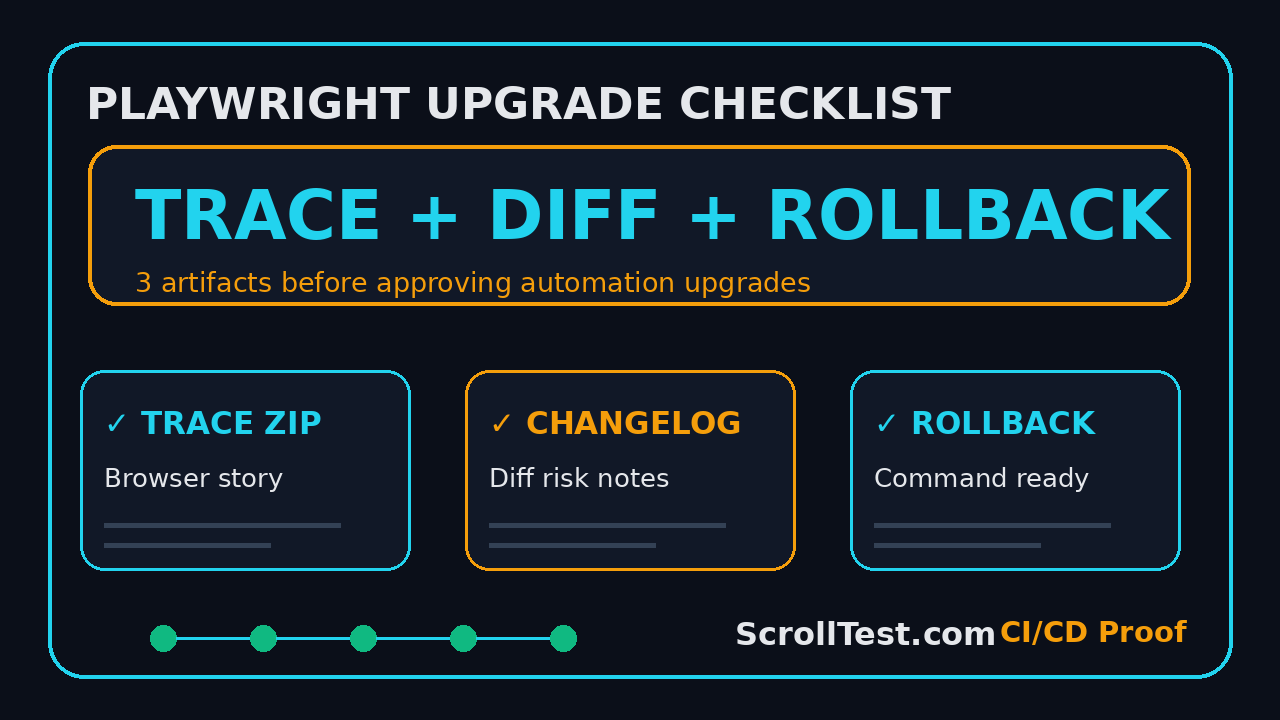
A Playwright upgrade checklist should not start with “npm update”. It should start with proof: a trace from the failing path, a changelog diff that explains what changed, and a rollback command that any engineer can run at 2 AM. I see QA teams approve browser automation upgrades with only a green pipeline, and that is too thin for a tool that controls releases.
Playwright is not a small dependency anymore. The npm downloads API reported 178,859,169 downloads for @playwright/test in the last month for the period ending 13 July 2026, and the Microsoft Playwright GitHub repository showed 92,855 stars when I checked this article. With that scale, the upgrade conversation must move from “did tests pass?” to “can we explain, debug, and reverse this release safely?”
Table of Contents
- Why a Proof-First Playwright Upgrade Checklist Matters
- Artifact 1: Capture a Trace Before Approval
- Artifact 2: Turn the Changelog Diff Into Risk Notes
- Artifact 3: Keep a Rollback Command Ready
- How to Build This Playwright Upgrade Checklist Into CI/CD
- India Context: What QA Leads Should Ask Their Teams
- Common Mistakes During Playwright Upgrades
- A Copy-Paste Upgrade Approval Template
- FAQ
- Key Takeaways
Contents
Why a Proof-First Playwright Upgrade Checklist Matters
Most upgrade checklists are written like package manager notes. They say: create a branch, update dependencies, run tests, merge. That is fine for a side project. It is weak for a QA organization where one flaky selector can block a mobile-web checkout release in Bengaluru, London, or New York.
Playwright upgrades affect more than syntax
A Playwright release can touch browsers, locators, screenshots, traces, test runner behavior, reporters, fixtures, and CI images. The official Playwright release notes exist for a reason: every version has small changes that can become big changes in a real suite. If your team only checks the final pass count, you miss the story behind the pass count.
I treat an automation framework upgrade like a production change. It needs evidence. The exact evidence depends on the suite, but three artifacts cover most risk:
- Trace: proof of what happened in the browser.
- Changelog diff: proof of what changed between versions.
- Rollback command: proof that recovery is not a meeting.
The current numbers justify stronger controls
The latest npm registry response for @playwright/test showed version 1.61.1, and the full registry metadata listed that version as published on 23 June 2026. The same registry package has thousands of published versions in its metadata. This is a healthy ecosystem, but it also means your team will see frequent updates.
Frequent releases are good when the team has a review habit. They are painful when every upgrade becomes a surprise regression hunt. For more release-driven QA thinking, I also recommend ScrollTest’s Playwright Upgrade Checklist: 3 Files Before Merge and AI Browser Release Radar for QA Teams.
What “approved” should mean
Approved should not mean “the GitHub Actions badge is green.” Approved should mean the lead can answer four questions in under 5 minutes:
- Which Playwright version are we moving from and to?
- Which release-note items affect our suite?
- Where is the trace for the most important user journey?
- What command rolls this back if the next deployment fails?
If any answer is missing, the upgrade can wait. A one-day delay is cheaper than a week of flaky reruns.
Artifact 1: Capture a Trace Before Approval
The trace is the strongest artifact in a Playwright upgrade checklist because it shows what the browser did. Screenshots help. Logs help. A trace gives the lead a timeline: actions, DOM snapshots, console messages, network calls, and screenshots in one place.
Use trace on the journeys that hurt
Do not record traces for every test just to create a large ZIP folder. Pick the flows where an upgrade can cost real money or reputation. For most teams, I start with these 5:
- Login with the primary identity provider.
- Checkout or payment simulation.
- Search and filter workflow.
- File upload or export workflow.
- Admin permission change or critical configuration path.
If you already have a production smoke pack, use that. If you do not, create a small pack before you touch the Playwright version.
Recommended trace configuration
Playwright documents tracing in its official guide at Trace Viewer. For upgrade approval, I prefer retaining a trace on the first retry and forcing a trace for the upgrade smoke project. This keeps daily runs lighter while still giving evidence when it matters.
// playwright.config.ts
import { defineConfig, devices } from '@playwright/test';

export default defineConfig({
  testDir: './tests',
  retries: process.env.CI ? 1 : 0,
  reporter: [
    ['html', { outputFolder: 'playwright-report' }],
    ['junit', { outputFile: 'test-results/junit.xml' }]
  ],
  use: {
    trace: process.env.UPGRADE_PROOF === '1' ? 'on' : 'on-first-retry',
    screenshot: 'only-on-failure',
    video: 'retain-on-failure'
  },
  projects: [
    {
      name: 'upgrade-smoke-chromium',
      use: { ...devices['Desktop Chrome'] },
      grep: /@upgrade-smoke/
    }
  ]
});
Then run the upgrade proof suite with one command:
UPGRADE_PROOF=1 npx playwright test --project=upgrade-smoke-chromium --reporter=htmlWhat the QA lead should inspect
Do not ask the lead to watch 30 minutes of recordings. Ask for a small evidence package:
- HTML report URL or artifact path.
- Trace ZIP for at least 3 critical tests.
- List of changed failures before and after the upgrade.
- One screenshot of the Trace Viewer showing the highest-risk flow.
The lead should open one trace and check selectors, network timing, console errors, and final assertions. If the trace is missing, approval is missing.
Artifact 2: Turn the Changelog Diff Into Risk Notes
The changelog diff is where most teams get lazy. They paste the Playwright release link into a pull request and call it done. That does not help the reviewer. A useful changelog diff maps release notes to your test suite.
Start with exact versions
First, record the old and new versions. Do not write “latest”. I want exact strings in the pull request title or body:
node -p "require('./package-lock.json').packages['node_modules/@playwright/test'].version"
npm view @playwright/test version
If the project uses pnpm or yarn, use the matching lockfile command. The point is simple: the reviewer must know the exact delta.
Generate a dependency diff
For a Node project, I like to create a small upgrade branch and capture the lockfile change separately. This command sequence is basic, but it gives the team a concrete artifact:
git checkout -b chore/playwright-upgrade-1-61-1
npm install -D @playwright/test@1.61.1
git diff -- package.json package-lock.json > artifacts/playwright-lockfile-diff.patch
The patch is not for reading line by line. It proves which package moved and whether unexpected packages changed. If a Playwright upgrade drags unrelated dependency changes into the pull request, I split them.
Convert release notes into risk categories
Use the official release notes as the source, but rewrite them as risk notes for your suite. I use four buckets:
- Browser behavior: Chromium, Firefox, or WebKit changes that can affect rendering or permissions.
- Locator behavior: selector, role, test id, or accessibility lookup changes.
- Runner behavior: retries, sharding, reporters, fixtures, timeouts, or config changes.
- Tooling behavior: trace viewer, codegen, CLI, Docker image, or dependency changes.
This is also where QA managers can connect release review with risk tickets. ScrollTest has a related playbook in Selenium Release Notes: QA Risk Review Playbook; the same thinking works for Playwright.
Example changelog diff note
A useful note is short and testable:
## Playwright upgrade risk notes

From: @playwright/test 1.60.x
To:   @playwright/test 1.61.1
Source: https://playwright.dev/docs/release-notes

Risk bucket: Browser behavior
Impact: Re-run checkout, PDF export, and notification permission tests.
Evidence: trace files attached for checkout.spec.ts and export.spec.ts.
Decision: approve only if no new console errors appear in trace viewer.
Rollback: npm install -D @playwright/test@1.60.x && npx playwright install
Notice what this does: it gives the lead a decision, not homework.
Artifact 3: Keep a Rollback Command Ready
The rollback command is the artifact nobody cares about until the release is broken. Then it becomes the only artifact that matters. If your Playwright upgrade checklist does not include rollback, it is not an approval checklist. It is a hope checklist.
Rollback must include package and browser binaries
Playwright is different from a small utility package because it installs browser binaries. The safe rollback path should include the package version and the browser installation step. A simple npm example looks like this:
# Roll back Playwright package and browser binaries
npm install -D @playwright/test@1.60.0
npx playwright install --with-deps
npx playwright test --project=upgrade-smoke-chromium
For teams using pinned Docker images, rollback might mean reverting the image tag instead:
# Example only: use the image tag your team has tested
docker pull mcr.microsoft.com/playwright:v1.60.0-jammy
docker run --rm -v "$PWD":/work -w /work mcr.microsoft.com/playwright:v1.60.0-jammy \
  npx playwright test --project=upgrade-smoke-chromium
Playwright’s official Docker guide is documented at playwright.dev/docs/docker. If your CI uses Docker, the image tag belongs in the pull request.
Store rollback as a script, not a paragraph
Paragraphs are easy to ignore under pressure. Scripts are easier to run. Add a rollback script to the branch, even if you delete it after approval:
{
  "scripts": {
    "test:upgrade-smoke": "UPGRADE_PROOF=1 playwright test --project=upgrade-smoke-chromium",
    "rollback:playwright": "npm install -D @playwright/test@1.60.0 && npx playwright install --with-deps"
  }
}
Now the release manager can say, “run npm run rollback:playwright” instead of searching Slack for the right command.
Define rollback triggers before merge
A rollback trigger should be objective. Here are 4 triggers I accept in automation upgrade pull requests:
- Critical smoke suite pass rate drops below 100% after one retry.
- New browser console error appears in checkout, login, or payment trace.
- Median CI duration increases by more than 20% across 3 consecutive runs.
- Visual baseline changes appear outside approved components.
If the team does not define triggers, every failure becomes a debate. Define the triggers before the merge.
How to Build This Playwright Upgrade Checklist Into CI/CD
The best checklist is not a Google Doc. It is a CI gate with artifacts. A pull request template helps, but a pipeline makes the behavior repeatable.
Create a dedicated upgrade workflow
Here is a compact GitHub Actions workflow that runs only when the branch name starts with chore/playwright-upgrade or when a maintainer triggers it manually:
name: Playwright Upgrade Proof

on:
  workflow_dispatch:
  pull_request:
    branches: [main]
    paths:
      - 'package.json'
      - 'package-lock.json'
      - 'playwright.config.ts'
      - 'tests/**'

jobs:
  upgrade-proof:
    if: startsWith(github.head_ref, 'chore/playwright-upgrade') || github.event_name == 'workflow_dispatch'
    runs-on: ubuntu-latest
    steps:
      - uses: actions/checkout@v4
      - uses: actions/setup-node@v4
        with:
          node-version: 22
          cache: 'npm'
      - run: npm ci
      - run: npx playwright install --with-deps
      - run: UPGRADE_PROOF=1 npx playwright test --project=upgrade-smoke-chromium
      - uses: actions/upload-artifact@v4
        if: always()
        with:
          name: playwright-upgrade-proof
          path: |
            playwright-report
            test-results
            artifacts/playwright-lockfile-diff.patch
This is not fancy. That is the point. It produces the trace, report, and diff in one place.
Add a pull request checklist
The pull request should force the author to attach evidence. I use this format:
## Playwright upgrade checklist

- [ ] Exact old version:
- [ ] Exact new version:
- [ ] Official release notes reviewed:
- [ ] Changelog risk buckets added:
- [ ] Trace artifact attached:
- [ ] Lockfile diff attached:
- [ ] Rollback command tested:
- [ ] Upgrade smoke suite result:
- [ ] Owner for first 24 hours after merge:
The “owner for first 24 hours” line matters. In teams with 10+ SDETs, upgrades fail when everybody assumes somebody else is watching.
Connect this with release gates
If your organization already has release gates, add the evidence package as a required artifact. ScrollTest’s AI Test Evidence in CI/CD Release Gates explains the same principle: a gate without evidence becomes theater. For a Playwright upgrade, evidence means files, commands, and URLs.
India Context: What QA Leads Should Ask Their Teams
In India, many QA teams sit between service delivery expectations and product-company release speed. The pressure is real. A TCS, Infosys, Wipro, or Cognizant-style delivery team may need formal approval notes. A Bengaluru product company may want faster merges. Both need proof.
Use upgrades to train SDETs, not just maintain tools
A mid-level SDET who can explain a Playwright upgrade with traces, release notes, and rollback steps is more valuable than a tester who only fixes selectors. For career growth, this is the difference between “automation executor” and “quality owner”. In Indian product companies, that ownership often separates ₹12-18 LPA execution roles from ₹25-40 LPA senior SDET and QA lead tracks.
I do not claim a Playwright checklist alone creates that salary jump. The point is simpler: engineers who own risk, evidence, and recovery have better conversations in interviews and promotions.
Questions for QA managers
Before approving an upgrade, ask the engineer these 6 questions:
- Which exact Playwright version did you install?
- Which official release-note items did you map to our suite?
- Which 3 traces should I open first?
- Which failures changed compared with main?
- Which command rolls the upgrade back?
- Who watches the first nightly run after merge?
If the engineer answers clearly, approve the change. If not, coach them. This is a practical way to build senior thinking inside the team.
Common Mistakes During Playwright Upgrades
I see the same mistakes across teams. None of them look dangerous in isolation. Together, they create a flaky suite that nobody trusts.
Keep the pull request narrow. If React, Vite, TypeScript, ESLint, and Playwright all move in the same branch, the failure analysis becomes slow. Upgrade Playwright alone unless a documented peer dependency forces another change.
Mistake 2: Trusting only headed local runs
A local headed run is useful for debugging, but CI is where your suite lives. Always run the upgrade smoke pack in the same CI image or runner family that executes production tests.
Mistake 3: Ignoring browser install drift
Playwright’s package and browser binaries travel together. If one developer has old browsers cached locally, they may see a different result from CI. Run npx playwright install --with-deps in the upgrade job so the artifact represents the real target environment.
Mistake 4: Not checking trace console output
A test can pass while new console errors appear. During an upgrade, that matters. Open the trace and inspect console entries for the critical flow. A green assertion with a new browser error deserves a note.
Mistake 5: Treating rollback as failure
Rollback is not failure. Rollback is engineering discipline. If the team can reverse a Playwright upgrade in 10 minutes, it will upgrade more often and with less fear.
A Copy-Paste Upgrade Approval Template
Use this template in Jira, Linear, GitHub, or your internal release tool. It is intentionally short because long templates do not survive busy sprint weeks.
# Playwright upgrade approval

Target phrase: Playwright upgrade checklist
Change owner: @name
Date: YYYY-MM-DD

## Version movement
Old: @playwright/test x.y.z
New: @playwright/test a.b.c
Official notes: https://playwright.dev/docs/release-notes

## Risk notes
- Browser behavior:
- Locator behavior:
- Runner behavior:
- Tooling behavior:

## Required proof
- Trace artifact:
- HTML report:
- Lockfile diff:
- Rollback command:

## Approval decision
- [ ] Approved
- [ ] Hold
Reason:

## Rollback
Command:
Owner:
Trigger:
What to attach
Attach 3 things only: trace ZIP, lockfile patch, and rollback command output. If a reviewer needs more, add it in a comment. Do not bury the decision under 20 screenshots.
What to automate next
Once this habit works manually, automate these checks:
- Fail the pull request if no trace artifact exists.
- Fail the pull request if Playwright changes with unrelated dependencies.
- Post the old and new versions as a PR comment.
- Upload the release-note risk summary as a markdown artifact.
This is where AI can help. A small script can read the package diff and draft risk buckets, but the lead still owns the approval decision.
FAQ
Should every Playwright upgrade need manual approval?
No. Patch upgrades in a low-risk internal app may not need a meeting. But they still need evidence. For a customer-facing flow, I want at least trace, changelog notes, and rollback.
How many tests should be in the upgrade smoke suite?
Start with 5 to 10 tests. Pick business-critical paths, not the easiest tests. A 7-minute smoke suite with strong coverage is better than a 70-minute suite nobody wants to run.
Can I use screenshots instead of traces?
Screenshots are useful, but they are weaker than traces. A trace shows actions, network calls, console messages, and DOM snapshots. Use screenshots as supporting evidence, not the main artifact.
Should I always upgrade to the latest Playwright version?
Not automatically. Check the release notes, your browser support needs, and CI image readiness. If the latest version fixes a bug that affects your suite, move faster. If not, schedule the upgrade with normal release hygiene.
What if the team uses Java or Python Playwright?
The proof pattern stays the same. Use the language-specific package command, but keep the same 3 artifacts: trace, changelog diff, and rollback command.
Key Takeaways
A Playwright upgrade checklist works only when it produces proof. The next time a team member asks for approval, ask for these artifacts before you look at the green badge:
- Trace: show me the browser story for the critical flow.
- Changelog diff: show me what changed and why it matters to our suite.
- Rollback command: show me how we recover without a meeting.
- CI artifact: show me the report, trace ZIP, and lockfile patch in one place.
- Owner: show me who watches the first 24 hours after merge.
If you are leading a QA team, this is the standard I would set this week. Do not block upgrades. Make them safer. A strong Playwright upgrade checklist turns a risky dependency bump into an auditable engineering change.