Selenium 4.45 Scroll Testing: What QA Must Check
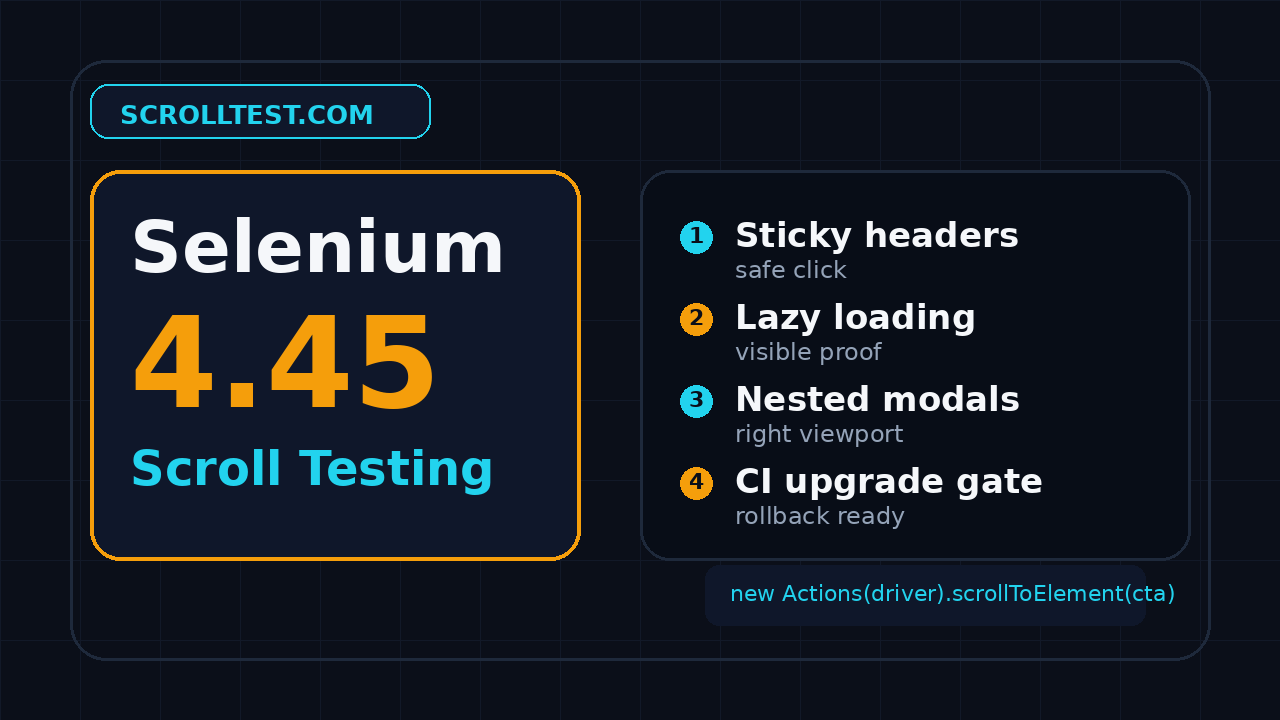
Selenium 4.45 scroll testing matters because scroll bugs rarely look dramatic in a release note, but they break real user journeys fast. If your product has sticky headers, lazy-loaded cards, infinite lists, modals, or mobile-style panels, this release is a good reason to review how your automation proves scrolling instead of only clicking.
I am not treating Selenium 4.45 as a panic upgrade. I am treating it as a forcing function: read the release, run the right smoke tests, and make scrolling evidence visible before the version lands in CI.
Table of Contents
- Why Selenium 4.45 scroll testing matters
- What changed in Selenium 4.45
- The scroll-heavy risk map
- A practical Selenium 4.45 scroll testing smoke suite
- Code examples for scroll checks
- CI release process for Selenium upgrades
- India SDET context: what this skill signals
- Common mistakes I still see
- Key takeaways
- FAQ
Contents
Why Selenium 4.45 scroll testing matters
Scroll is where “green” tests lie
Most teams have at least one Selenium test that passes while the UI is still wrong. The element exists in the DOM, the click technically fires, and the assertion checks a final URL or a toast. The test is green. The user still sees a sticky header covering the button, a lazy-loaded card missing from the list, or a modal body that never reaches the confirm action.
That gap is why I like using browser automation releases as test design checkpoints. Selenium 4.45 was published on GitHub on 16 June 2026. The release page points teams to component changelogs across Java, Python, .NET, Ruby, and JavaScript. Even when a release is not marketed as a scroll release, the upgrade can change dependency behavior, driver behavior, timing, and the shape of failures.
Selenium remains a serious ecosystem. The public Selenium GitHub repository shows more than 34,000 stars, which is not a quality metric by itself, but it does show that many teams still depend on it. That scale is exactly why a small upgrade deserves a focused rollout instead of an automatic version bump.
Scroll bugs are business bugs
Scroll-heavy pages are not edge cases anymore. Pricing pages hide plan details below the fold. Checkout pages place payment widgets inside nested containers. Admin dashboards use sticky sidebars and virtualized tables. Documentation sites lazy-load examples. Career pages use infinite lists. A broken scroll is often a broken conversion path.
I see teams spend hours debating whether Playwright or Selenium is faster while ignoring the simpler question: did the automated test prove what the user could see? For scroll scenarios, the answer is often no. A locator assertion is not enough. A scroll test should prove viewport position, clickable state, visible content, and evidence after the action.
What this article gives you
This guide maps Selenium 4.45 into a practical scroll testing review. You will get a risk map, a smoke suite, Java and Python examples, CI rollout steps, and a short checklist you can give to any SDET before the next upgrade.
If you want a broader upgrade workflow, read ScrollTest’s release note test plan for QA teams. This article is the scroll-specific version for Selenium-heavy suites.
What changed in Selenium 4.45 for scroll testing
Start with the release, not the package command
The wrong upgrade flow starts with pip install -U selenium or a blind Maven version bump. The better flow starts with the release note, a list of affected bindings, and a small set of journeys that represent real risk. Selenium 4.45’s GitHub release is the primary source for the version and release date, and it links to the language-specific changelogs that matter for your stack.
Do not read release notes only for shiny features. Read them for test impact. A change in driver management, waits, protocol handling, or language binding behavior can expose weak assumptions that were already present in your suite. That is not bad. That is the upgrade doing useful work.
Wheel actions are the scroll API worth reviewing
Selenium’s official documentation describes scroll wheel actions as a representation of a scroll wheel input device. The docs show scenarios such as scrolling to an element, scrolling by a given amount, and scrolling from an element or offset. This is more explicit than relying on incidental browser behavior after a click.
That matters because scroll-heavy testing needs intent. When I use a wheel action, I am saying the page must respond to a user-style scroll. When I use JavaScript, I am often bypassing the user interaction layer. Both have a place, but they are not equivalent checks.
scrollIntoView is useful, but it has traps
MDN documents Element.scrollIntoView() as a method that scrolls an element’s ancestor containers so the element becomes visible. That sounds perfect until a sticky header covers the target, a nested container consumes the scroll, or the element is visible but not interactable.
The WebDriver specification also defines how remote ends interact with elements and scrolling concepts. The WebDriver spec is not bedtime reading, but it is useful when your team needs to separate browser behavior from framework assumptions.
My rule is simple: use JavaScript scroll helpers for setup only when needed, then validate the page using WebDriver-visible evidence. Do not let a helper become the thing you are testing.
The Selenium 4.45 scroll testing risk map
1. Sticky headers and covered targets
Sticky headers are the classic scroll failure. The target is present. The target is technically visible. The click still hits the header area or a transparent overlay. Selenium may return an interception error, or worse, the test may click something else and fail later with a confusing assertion.
Your smoke suite should include one page with a sticky header and a target below the fold. The assertion should not stop at “element displayed.” Check that the element’s bounding rectangle is inside the safe viewport area and that the click produces the expected result.
2. Lazy-loaded sections
Lazy loading breaks weak tests because the content does not exist until the user scrolls near it. A naïve locator wait may time out. A JavaScript scroll may skip the intersection pattern your app relies on. A fast CI browser may reveal timing bugs that a local machine hides.
For lazy-loaded sections, I want two checks: the placeholder appears before scrolling, and the final content appears after a user-like scroll. This proves the page actually reacts to the scroll event instead of only satisfying a final DOM assertion.
3. Infinite lists and virtualized tables
Infinite lists are not just long pages. Many frameworks recycle DOM nodes. That means “row 50 exists” can be a bad assertion if the list only keeps 20 rendered rows at a time. You need stable identifiers, visible text, and evidence that the user can reach the item after repeated scrolls.
Virtualized tables deserve special attention in enterprise apps. Finance dashboards, logistics screens, CRM tables, and QA admin panels often use virtualization to handle thousands of rows. Your test should verify scroll position, row identity, and recovery when the table refreshes.
4. Nested scroll containers
Nested containers create another trap. The page body does not move, but the modal body, drawer, chat panel, or table container scrolls. A global JavaScript scroll does nothing useful. A wheel action from the wrong origin moves the wrong area. A click at the end fails because the target never entered the actual container viewport.
Any Selenium 4.45 scroll testing checklist should include at least one nested container. If your product has modals, test the modal body. If your product has side panels, test the panel. If your product has a grid, test the grid viewport rather than the page.
For Playwright-heavy teams comparing strategy, this is also where ScrollTest’s custom matcher guide is useful. The idea transfers: encode the scroll-specific assertion so every test does not invent its own weak version.
A practical Selenium 4.45 scroll testing smoke suite
The 10-check suite I would run before CI rollout
You do not need 200 tests to validate a Selenium upgrade. You need a thin suite that hits the behaviors most likely to break. I prefer 10 checks because it is small enough to run on every upgrade branch and broad enough to catch real scroll regressions.
- Scroll to a below-the-fold CTA and click it.
- Scroll under a sticky header and confirm the target is not covered.
- Trigger a lazy-loaded section and assert final content.
- Scroll an infinite list until a known item appears.
- Scroll a virtualized table and verify row identity.
- Scroll inside a modal body and click the final action.
- Scroll inside a side drawer or filter panel.
- Scroll horizontally in a wide table if your product supports it.
- Run the same scenario in Chrome and Firefox where supported.
- Capture screenshots or logs when scroll position changes.
What evidence should be captured
A scroll smoke test should leave evidence. I want screenshots before and after the scroll, the target locator, the target bounding rectangle, and the final user-visible result. When a failure happens in CI, the reviewer should understand whether the page failed to scroll, the element was covered, or the assertion was too early.
- Before screenshot: proves the element started outside the viewport.
- After screenshot: proves the element entered the visible area.
- Bounding rectangle: proves the element was not hidden under a header.
- Action result: proves the user journey completed.
- Driver and browser versions: helps separate app bugs from environment drift.
If your team already runs Selenium Grid, connect this upgrade suite to your grid health checks. ScrollTest has a related guide on Selenium Grid health checks before a CI release.
Pass criteria should be boring
Do not allow “it passed locally” as a release criterion. Define the gate clearly: the suite passes on the upgrade branch, failures include artifacts, and rollback is one version change. Boring criteria reduce drama when the browser version, driver version, and Selenium binding all move in the same week.
Code examples for Selenium 4.45 scroll testing
Java: wheel action plus safe viewport assertion
This Java example uses a wheel action to scroll to a target and then checks whether the element sits below a known sticky header. Tune the header height for your application. The key point is that the assertion talks about the viewport, not only the DOM.
import org.openqa.selenium.*;
import org.openqa.selenium.interactions.Actions;

WebElement pricingCta = driver.findElement(By.cssSelector("[data-testid='pricing-cta']"));
new Actions(driver).scrollToElement(pricingCta).perform();

JavascriptExecutor js = (JavascriptExecutor) driver;
Map<String, Object> rect = (Map<String, Object>) js.executeScript(
    "const r = arguments[0].getBoundingClientRect();" +
    "return {top: r.top, bottom: r.bottom, height: r.height};",
    pricingCta
);

long top = Math.round(((Number) rect.get("top")).doubleValue());
long bottom = Math.round(((Number) rect.get("bottom")).doubleValue());
long viewportHeight = (Long) js.executeScript("return window.innerHeight;");
int stickyHeaderHeight = 72;

if (top < stickyHeaderHeight || bottom > viewportHeight) {
    throw new AssertionError("CTA is not safely clickable after scroll: " + rect);
}

pricingCta.click();
Python: lazy-load check with explicit evidence
This Python example scrolls in steps until a lazy-loaded card appears. It avoids one giant jump because many apps rely on intersection thresholds. The screenshots are intentionally named for debugging.
from selenium.webdriver.common.by import By
from selenium.webdriver.common.action_chains import ActionChains
from selenium.webdriver.support.ui import WebDriverWait
from selenium.webdriver.support import expected_conditions as EC

wait = WebDriverWait(driver, 12)
driver.save_screenshot("before-lazy-section.png")

for attempt in range(8):
    ActionChains(driver).scroll_by_amount(0, 500).perform()
    cards = driver.find_elements(By.CSS_SELECTOR, "[data-testid='lazy-card']")
    if cards:
        break
else:
    raise AssertionError("Lazy cards did not load after 8 scroll attempts")

card = wait.until(EC.visibility_of_element_located((By.CSS_SELECTOR, "[data-testid='lazy-card']")))
driver.save_screenshot("after-lazy-section.png")
assert card.is_displayed()
JavaScript binding: nested container check
When a modal body scrolls instead of the document, target the container. Here the script scrolls the modal body for setup, then Selenium verifies the final action is visible and clickable. Use this pattern when wheel origin support in your binding is not enough for a tricky container.
const { By, until } = require('selenium-webdriver');

const modalBody = await driver.findElement(By.css('[data-testid="modal-body"]'));
await driver.executeScript('arguments[0].scrollTop = arguments[0].scrollHeight', modalBody);

const confirm = await driver.wait(
  until.elementLocated(By.css('[data-testid="modal-confirm"]')),
  10000
);
await driver.wait(until.elementIsVisible(confirm), 10000);
await confirm.click();
I do not pretend these snippets are a complete framework. They are starting points. The real win is the habit: every scroll test says what moved, why it moved, what became visible, and what the user could do next.
CI release process for Selenium upgrades
Use a branch, a pinned version, and a rollback command
My preferred rollout is simple. Create a dependency branch, pin Selenium 4.45 explicitly, run the scroll smoke suite, and publish the artifacts. Do not merge until the same branch has a clear rollback path. This sounds basic, but it saves teams from emergency debugging when a Monday morning pipeline starts failing.
# Python example
python -m pip install "selenium==4.45.0"
pytest tests/scroll_smoke --browser=chrome --html=reports/scroll.html

# Rollback example if the gate fails
python -m pip install "selenium==4.44.0"
Separate product bugs from automation assumptions
A failing upgrade suite can mean three things. The product has a real bug. The automation had a weak assumption. The environment changed. Treat each outcome differently.
- Product bug: create a normal defect with screenshot and reproduction steps.
- Automation assumption: fix the helper, matcher, or wait strategy.
- Environment drift: pin browser and driver versions until the team reviews the difference.
This is where QA leadership matters. A good SDET does not say “Selenium broke.” A good SDET says, “This upgrade exposed that our modal scroll check was using the document instead of the modal body.” That sentence gets engineering attention.
Keep the suite small enough to run often
If the scroll upgrade suite takes 45 minutes, people will skip it. Keep it under 10 minutes if possible. Run one or two representative journeys per risk area. Put the wider regression suite behind a nightly job or a release candidate gate.
For teams deciding whether Selenium still fits their roadmap, ScrollTest’s Selenium strategy for 2026 gives a broader view. My position is practical: keep Selenium where it is stable, but stop treating old green tests as proof that the user experience still works.
India SDET context: Selenium 4.45 scroll testing as a career signal
Upgrade discipline separates senior SDETs from script maintainers
In India, many QA engineers still learn Selenium first. That is not a problem. The problem is stopping at locator syntax. Product companies and strong service teams expect SDETs to own reliability, not only write page objects. A Selenium upgrade is a chance to show that skill.
If you are interviewing for an SDET role, talk about how you validate framework upgrades. Mention release notes, pinned versions, smoke suites, artifacts, and rollback. That answer is stronger than listing every locator strategy from memory.
What I would expect from a ₹25-40 LPA SDET
At senior compensation levels, I expect more than “I updated the dependency.” I expect a plan. The plan should identify risky flows, choose a small validation suite, run it in CI, and explain failures with evidence. For scroll-heavy applications, that means knowing sticky headers, lazy loading, nested containers, and virtualized lists.
This is also useful for engineers moving from TCS, Infosys, Wipro, or similar service backgrounds into product teams. Product teams care about ownership. A framework upgrade with a clear test gate is an ownership story.
A portfolio exercise you can publish
Build a small demo page with a sticky header, a lazy section, an infinite list mock, and a modal. Write five Selenium tests against it. Upgrade from one Selenium version to another. Capture the before and after report. That portfolio project tells me more than another calculator test.
Common Selenium 4.45 scroll testing mistakes
Mistake 1: treating displayed as clickable
isDisplayed() is not a complete user assertion. It does not prove the element is safe from a sticky header, overlay, animation, or disabled state. Use it as one signal, not the whole verdict.
Mistake 2: using JavaScript for every scroll
JavaScript scrolling is useful for setup, but it can bypass the interaction path your users take. If the product relies on wheel events, intersection observers, or container-level scroll listeners, a direct JavaScript jump can hide the bug. Prefer user-like wheel actions where possible, then use JavaScript only when you intentionally need setup control.
Mistake 3: ignoring mobile and responsive layouts
Scroll behavior changes on smaller viewports. Sticky headers get taller. Bottom bars appear. Modals become full-screen panels. A desktop-only scroll test can miss the exact issue your users hit on mobile. Even if your Selenium suite is not a full mobile automation setup, run at least one responsive viewport check for important journeys.
Mistake 4: no artifact on failure
A scroll failure without a screenshot is a time sink. You end up replaying locally, guessing at timing, and arguing about whether CI was slow. Capture screenshots and basic geometry when the test fails. The artifact should make the failure obvious in 30 seconds.
Mistake 5: upgrading every dependency at once
Do not upgrade Selenium, browser images, test runner, and reporting library in the same change unless you have a strong reason. If everything moves together, failure analysis gets messy. Upgrade Selenium 4.45 in a controlled branch, then move the rest.
Key takeaways for Selenium 4.45 scroll testing
Selenium 4.45 scroll testing is less about one version number and more about upgrade discipline. The release gives QA teams a useful moment to review whether their tests prove the user can actually move through the page.
- Start with the Selenium 4.45 release note and language changelog before changing dependencies.
- Include sticky headers, lazy-loaded sections, infinite lists, virtualized tables, and nested containers in your smoke suite.
- Prefer user-like wheel actions when the scroll behavior itself matters.
- Use JavaScript scroll helpers carefully and never confuse setup with validation.
- Capture screenshots, bounding rectangles, browser versions, and final user-visible results.
If I had to give one rule, it is this: after a Selenium upgrade, every critical scroll test should prove visibility, safe clickability, and user outcome. Anything less is only a locator check wearing a QA badge.
FAQ
Is Selenium 4.45 mainly a scroll-focused release?
No. Selenium 4.45 is a broader Selenium release with component changelogs across bindings. This article uses the release as a trigger to review scroll-heavy automation risk because scrolling is where many real UI failures hide.
Should I replace JavaScript scroll helpers with wheel actions everywhere?
No. Replace them where the user interaction matters. JavaScript helpers are fine for controlled setup, but user-like wheel actions are better when you need to prove that the page responds to real scrolling behavior.
How many scroll tests should run before a Selenium upgrade?
For most teams, 8 to 12 focused smoke tests are enough for the upgrade gate. The goal is not full regression. The goal is to cover the highest-risk scroll patterns quickly and with good artifacts.
What is the best first test to add?
Add a sticky-header test. Scroll to a below-the-fold action, verify the target is below the header and inside the viewport, then click it. This catches a surprising number of weak assumptions.
Does this apply if my team is moving to Playwright?
Yes. The exact APIs differ, but the testing idea is the same. Prove what the user sees, how the page moves, and what evidence supports the final assertion.