Playwright WebSocket Testing TypeScript: Day 35
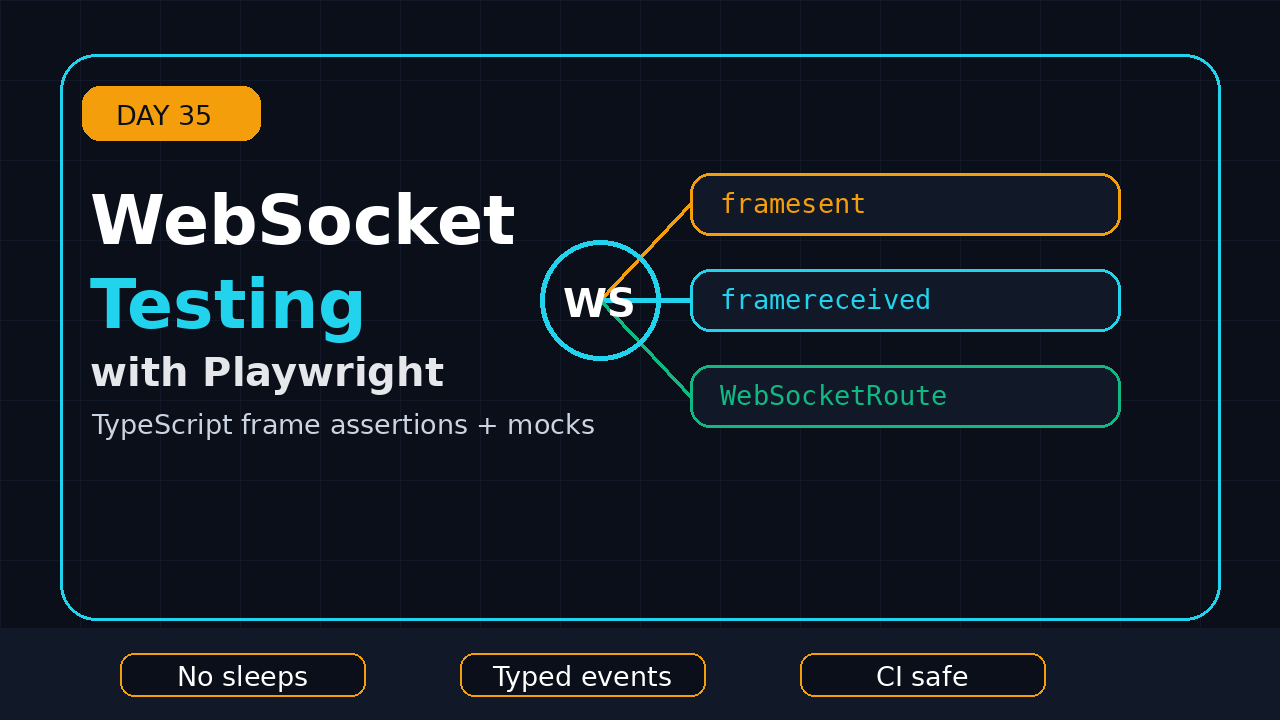
Playwright WebSocket testing TypeScript is where many UI automation suites stop being realistic. Normal HTTP mocks cover login, dashboards, and CRUD screens, but chat, notifications, trading screens, collaboration tools, live maps, and AI assistants often move important product behavior through WebSocket frames.
Day 35 of this Playwright + TypeScript series shows how I test those real-time flows without turning the suite into a timing lottery. We will inspect frames, wait for specific messages, mock a socket with WebSocketRoute, intercept live traffic, and avoid the flaky patterns I see in QA teams when they first automate real-time apps.
Table of Contents
- Why WebSockets Matter in Playwright Tests
- Project Setup for WebSocket Tests
- Observe WebSocket Frames
- Assert Real-Time UI Behavior
- Mock WebSocketRoute in TypeScript
- Intercept Live WebSocket Traffic
- Debugging and Screenshot Notes
- CI Pitfalls and Fixes
- Key Takeaways
- FAQ
Contents
Why WebSockets Matter in Playwright Tests
HTTP is request-response. WebSocket is a long-lived connection. The browser opens a socket once, then sends and receives frames without creating a new HTTP request for every update. The MDN WebSocket API documentation describes it as a two-way interactive communication session between the user’s browser and a server.
That matters for automation because the UI can change without a button click, page navigation, XHR completion, or route response. If the test waits only for a locator and ignores the socket contract, it may pass while the real-time layer is broken.
Common product flows that use sockets
- Customer support chat where an agent reply arrives asynchronously.
- Order status screens that update from pending to packed to shipped.
- Admin dashboards with live metrics and alert badges.
- Collaborative editors where another user changes the same document.
- AI assistants that stream partial responses token by token.
I treat WebSocket tests as contract tests plus UI tests. The socket frame must carry the right event, and the page must react correctly. If I assert only the final UI text, I miss malformed events. If I assert only raw frames, I miss rendering bugs.
What Playwright gives us
The official Playwright WebSocket API exposes the socket URL, close status, frame events, socket errors, and a waitForEvent helper. The Playwright WebSocketRoute API goes further: it can mock the entire WebSocket conversation or connect to the real server and intercept messages in either direction.
That split is useful. I use the WebSocket class when I want to observe real traffic. I use WebSocketRoute when I want deterministic test data, simulated server messages, blocked frames, or a patched live response.
Version and adoption context
For this tutorial I checked npm before writing. The latest @playwright/test package metadata reports version 1.62.0, and the npm downloads API reports 191,083,347 downloads for @playwright/test from 2026-06-25 to 2026-07-24. That does not mean every team uses the newest WebSocket APIs, but it does show why Playwright is now a mainstream choice for serious browser automation.
If you are following this series, read Day 34 on Playwright network mocking in TypeScript first. WebSocket testing uses the same mindset: control the boundary, assert the contract, and keep CI deterministic.
Project Setup for WebSocket Tests
Start with a normal Playwright TypeScript project. The only extra dependency in this tutorial is a tiny local WebSocket server for examples. In a real product suite, your app already has the socket server, and you point the test to the test environment.
npm init playwright@latest
npm install -D ws @types/ws
Create a small server only for practice. This server accepts a connection, welcomes the browser, and echoes a structured JSON message when the page sends subscribe:orders.
// tests/support/ws-server.ts
import { WebSocketServer } from 'ws';

export async function startOrderSocketServer(port = 9321) {
  const wss = new WebSocketServer({ port });

  wss.on('connection', socket => {
    socket.send(JSON.stringify({ type: 'connected', requestId: 'srv-1' }));

    socket.on('message', raw => {
      const message = raw.toString();

      if (message === 'subscribe:orders') {
        socket.send(JSON.stringify({
          type: 'order.updated',
          orderId: 'ORD-1001',
          status: 'packed'
        }));
      }
    });
  });

  return {
    url: `ws://127.0.0.1:${port}/orders`,
    close: () => new Promise<void>(resolve => wss.close(() => resolve()))
  };
}
Minimal demo page
Use this page when you want a reproducible exercise. A production test would open your real app instead. The important point is that the browser creates a WebSocket and the UI updates only after a server frame arrives.
// tests/support/order-page.ts
export function orderPageHtml(socketUrl: string) {
  return `
    <main>
      <h1>Order monitor</h1>
      <button id="subscribe">Subscribe</button>
      <p id="connection">Disconnected</p>
      <p id="status">No update</p>
      <script>
        const socket = new WebSocket('${socketUrl}');
        socket.addEventListener('open', () => {
          document.querySelector('#connection').textContent = 'Connected';
        });
        socket.addEventListener('message', event => {
          const msg = JSON.parse(event.data);
          if (msg.type === 'order.updated') {
            document.querySelector('#status').textContent =
              msg.orderId + ' is ' + msg.status;
          }
        });
        document.querySelector('#subscribe').addEventListener('click', () => {
          socket.send('subscribe:orders');
        });
      </script>
    </main>
  `;
}
Test isolation rule
Do not share one socket server across parallel tests unless the server is designed for it. Shared state creates ghost failures. One worker changes subscription state, another worker receives the wrong event, and the team starts blaming Playwright. The root cause is usually test data isolation.
For a team in India working across TCS, Infosys, or a product-company QA org, this is the difference between a demo suite and an SDET-grade framework. Mature teams isolate data before they add retries.
Observe WebSocket Frames
The simplest Playwright WebSocket testing TypeScript pattern is observation. Let the app connect to the real socket, then listen to frame events. You are not mocking anything yet. You are proving that the browser sent and received the right messages.
import { test, expect } from '@playwright/test';
import { startOrderSocketServer } from './support/ws-server';
import { orderPageHtml } from './support/order-page';

test('observes sent and received WebSocket frames', async ({ page }) => {
  const server = await startOrderSocketServer();
  const sentFrames: string[] = [];
  const receivedFrames: string[] = [];

  page.on('websocket', ws => {
    expect(ws.url()).toContain('/orders');

    ws.on('framesent', event => {
      sentFrames.push(event.payload.toString());
    });

    ws.on('framereceived', event => {
      receivedFrames.push(event.payload.toString());
    });
  });

  await page.setContent(orderPageHtml(server.url));
  await expect(page.locator('#connection')).toHaveText('Connected');

  await page.locator('#subscribe').click();
  await expect(page.locator('#status')).toHaveText('ORD-1001 is packed');

  expect(sentFrames).toContain('subscribe:orders');
  expect(receivedFrames.some(frame => frame.includes('order.updated'))).toBe(true);

  await server.close();
});
Why not use sleep?
A bad WebSocket test waits two seconds after clicking subscribe. That is not a synchronization strategy. It is a guess. Replace sleeps with UI assertions and socket event predicates. If the expected frame never arrives, the test should fail with a useful reason, not drift until the timeout.
Convert frame payloads safely
Playwright frame payloads can be strings or buffers. I convert to a string first, then parse JSON only when the payload looks like JSON. This keeps the test from crashing on heartbeat frames such as ping, pong, or custom health messages.
function parseSocketJson(payload: string | Buffer) {
  const text = payload.toString();
  if (!text.trim().startsWith('{')) return { raw: text };
  return JSON.parse(text) as Record<string, unknown>;
}
Assert Real-Time UI Behavior
Raw frame assertions are useful, but users do not read frames. They read the screen. A good test connects both layers: first prove the app receives the right event, then prove the UI shows the right state.
Use a message predicate
The WebSocket API supports waiting for a specific event. The docs mention waitForEvent with a predicate and timeout options. Use that shape to wait for one meaningful frame instead of collecting every frame forever.
test('waits for a specific order update frame', async ({ page }) => {
  const server = await startOrderSocketServer(9322);
  let orderSocketPromise = page.waitForEvent('websocket', ws =>
    ws.url().includes('/orders')
  );

  await page.setContent(orderPageHtml(server.url));
  const orderSocket = await orderSocketPromise;

  const updatePromise = orderSocket.waitForEvent('framereceived', event => {
    const data = parseSocketJson(event.payload);
    return data.type === 'order.updated' && data.orderId === 'ORD-1001';
  }, { timeout: 5000 });

  await page.locator('#subscribe').click();
  await updatePromise;

  await expect(page.locator('#status')).toHaveText('ORD-1001 is packed');
  await server.close();
});
Assert the event schema
Do not stop at includes('order.updated') for core product flows. Assert the event shape. This catches accidental backend changes before they become silent UI bugs.
type OrderUpdatedEvent = {
  type: 'order.updated';
  orderId: string;
  status: 'created' | 'packed' | 'shipped' | 'cancelled';
};

function assertOrderUpdated(value: unknown): asserts value is OrderUpdatedEvent {
  const event = value as Partial<OrderUpdatedEvent>;
  expect(event.type).toBe('order.updated');
  expect(event.orderId).toMatch(/^ORD-\d+$/);
  expect(['created', 'packed', 'shipped', 'cancelled']).toContain(event.status);
}
Screenshot description for your test report
Attach screenshots around the visible state change, not around the raw socket event. A useful screenshot for this test shows a dark browser page with the heading “Order monitor”, a connected badge, and the status text “ORD-1001 is packed” below the Subscribe button. That screenshot helps a manager understand the flow without opening DevTools.
If you need stronger reporting, pair this lesson with the earlier ScrollTest guide on Playwright Trace Viewer. Trace gives you screenshots, actions, console logs, and network details in one artifact.
Mock WebSocketRoute in TypeScript
Observation is realistic, but mocking is deterministic. Playwright’s WebSocketRoute can catch a socket created by the page and behave like the server. The official docs say that when a WebSocket route is set up, the route object allows Playwright to handle the WebSocket like an actual server would.
This is powerful for QA because you can simulate rare server events: rejected payment, delayed agent reply, risk alert, forced logout, stock update, or streaming AI response. You do not need to seed three backend systems for one UI assertion.
Mock the whole socket
test('mocks a WebSocket server response', async ({ page }) => {
  await page.routeWebSocket('**/orders', async ws => {
    ws.onMessage(message => {
      if (message === 'subscribe:orders') {
        ws.send(JSON.stringify({
          type: 'order.updated',
          orderId: 'ORD-2002',
          status: 'shipped'
        }));
      }
    });
  });

  await page.setContent(orderPageHtml('ws://example.test/orders'));
  await page.locator('#subscribe').click();

  await expect(page.locator('#status')).toHaveText('ORD-2002 is shipped');
});
Use mocks for edge cases
Here is the numbered workflow I use when a real-time feature has too many backend dependencies:
- Test one happy path against the real service in a stable test environment.
- Mock business edge cases with
page.routeWebSocket(). - Assert the outgoing subscription message.
- Send one server frame at a time.
- Assert the UI state after every frame.
- Keep the mock data in typed builders, not inline strings.
Typed event builders
Typed builders keep the suite readable. They also reduce copy-paste mistakes when the backend team adds a field.
function orderUpdated(overrides: Partial<OrderUpdatedEvent> = {}): OrderUpdatedEvent {
  return {
    type: 'order.updated',
    orderId: 'ORD-3003',
    status: 'packed',
    ...overrides
  };
}

await page.routeWebSocket('**/orders', ws => {
  ws.onMessage(message => {
    expect(message).toBe('subscribe:orders');
    ws.send(JSON.stringify(orderUpdated({ status: 'cancelled' })));
  });
});
Intercept Live WebSocket Traffic
Sometimes a full mock is too artificial. You want the real backend connection, but you want to inspect, block, or modify one message. That is where connectToServer() helps. The WebSocketRoute docs explain that after connecting to the server, messages are forwarded by default unless you add onMessage() handlers.
Patch one outgoing message
test('patches a subscription message before it reaches the server', async ({ page }) => {
  await page.routeWebSocket('**/orders', async client => {
    const server = await client.connectToServer();

    client.onMessage(message => {
      const patched = message === 'subscribe:orders'
        ? 'subscribe:orders?tenant=qa'
        : message;

      server.send(patched);
    });

    server.onMessage(message => {
      client.send(message);
    });
  });

  // Open the real app here in a real project.
});
Block noisy frames
Real sockets often send telemetry, cursor movement, heartbeats, or presence updates. Do not assert every frame. Filter noise, then assert business events. The goal is not to mirror the WebSocket server. The goal is to prove that the browser and product contract still work.
function isBusinessEvent(text: string) {
  return text.includes('order.updated') || text.includes('payment.failed');
}

server.onMessage(message => {
  if (message.toString().includes('heartbeat')) return;
  if (isBusinessEvent(message.toString())) client.send(message);
});
Know when not to intercept
Interception is sharp. If every test modifies socket traffic, nobody trusts the suite. Keep one thin layer of contract-style tests against the real service, then use mocks for permutations. This gives developers quick feedback and gives QA leaders confidence that the live integration still works.
Debugging and Screenshot Notes
WebSocket failures can be hard to read because the page may look idle. The button was clicked, no console error appears, and the status text never changes. Good debugging starts before the failure.
Add test steps
await test.step('subscribe to order updates', async () => {
  await page.locator('#subscribe').click();
});

await test.step('verify packed order event appears in UI', async () => {
  await expect(page.locator('#status')).toHaveText('ORD-1001 is packed');
});
Capture frame logs on failure
Keep a small in-memory log of sent and received frames. Attach it only when the test fails or when you are building a new test. Full socket logs can expose tokens or customer data, so redact sensitive fields before writing artifacts.
const socketLog: string[] = [];

page.on('websocket', ws => {
  ws.on('framesent', e => socketLog.push(`SEND ${e.payload}`));
  ws.on('framereceived', e => socketLog.push(`RECV ${e.payload}`));
  ws.on('socketerror', error => socketLog.push(`ERROR ${error}`));
});

test.afterEach(async ({}, testInfo) => {
  if (testInfo.status !== testInfo.expectedStatus) {
    await testInfo.attach('websocket-log.txt', {
      body: socketLog.join('\n'),
      contentType: 'text/plain'
    });
  }
});
Screenshot descriptions that help
For a tutorial, I would include three screenshots: before subscription, after the socket connects, and after the server update arrives. The third screenshot should highlight the updated status area, not the whole browser. If the UI has a toast or badge, crop around it. The point is to show what changed because of the frame.
CI Pitfalls and Fixes
Most flaky Playwright WebSocket testing TypeScript failures come from environment gaps, not from Playwright itself. CI runs faster, slower, and more isolated than your laptop. That exposes hidden assumptions.
Pitfall 1: subscribing before the socket opens
If the app sends a message before the socket is open, browsers throw or silently drop work depending on the app code. Test the user flow, but also ask developers to disable the Subscribe button until the connection is ready.
Pitfall 2: one account used by all workers
Parallel workers plus one shared user account is a classic real-time testing problem. Worker 1 subscribes to order A, worker 2 changes order B, and both receive shared account notifications. Use worker-scoped accounts or unique tenant data.
Pitfall 3: asserting heartbeat frames
Heartbeats are transport noise. They are not product behavior. Assert business events such as order.updated, message.created, or agent.reply.completed.
Pitfall 4: hiding socket failures with retries
Retries are useful for infrastructure noise, but they can hide real bugs in event ordering. If the first run fails and the retry passes, inspect the trace and socket log. Do not close the ticket with “flaky, ignored.” That habit costs teams more than fixing the synchronization point.
CI checklist
- Use unique users, tenants, or order IDs per worker.
- Prefer test-controlled socket mocks for rare states.
- Keep one real integration test for the live socket path.
- Redact tokens from socket logs before attaching artifacts.
- Set explicit timeouts for expected frames.
- Fail with clear messages when a frame never arrives.
If you are building a larger framework, connect this lesson with Playwright CI with GitHub Actions and Playwright sharding. Real-time tests need stronger isolation when the suite starts running across multiple machines.
Key Takeaways
Playwright WebSocket testing TypeScript is not about spying on every frame. It is about proving that the real-time product contract works and that the UI responds correctly.
- Use
page.on('websocket')when you want to observe live traffic. - Use
waitForEventwith predicates instead of fixed sleeps. - Use
page.routeWebSocket()to mock rare server events deterministically. - Use
connectToServer()only when you need live traffic plus targeted interception. - Filter heartbeats and telemetry. Assert business events.
- Attach focused screenshots and redacted socket logs for debugging.
My rule is simple: one real socket test for confidence, mocked socket tests for coverage, and typed event builders for maintainability. That pattern keeps the suite useful for both developers and QA teams.
FAQ
Can Playwright test WebSocket messages?
Yes. Playwright exposes WebSocket events such as framesent, framereceived, socketerror, and close. You can observe messages from the page and assert the payload that matters to the business flow.
Can Playwright mock WebSocket responses?
Yes. Use page.routeWebSocket() or browserContext.routeWebSocket(). If you do not call connectToServer(), Playwright can mock the socket conversation and send server-like messages to the page.
Should every WebSocket test hit the real backend?
No. Keep a small number of real integration tests. Mock edge cases and rare states. This gives you speed, stability, and coverage without making CI dependent on every downstream service.
What is the biggest WebSocket testing mistake?
The biggest mistake is using fixed sleeps after a button click. Wait for a specific frame or a visible UI state. A sleep makes the test slower and still does not prove the expected event arrived.
Where does this fit in the Playwright framework?
Put socket helpers beside your network and API helpers. Keep event builders typed, keep logs redacted, and expose simple methods such as mockOrderUpdate() or waitForOrderEvent() to test authors.