Playwright Upgrade Checklist for Production E2E
A Playwright upgrade checklist is no longer optional if your E2E suite blocks releases. Playwright moves fast, browsers move faster, and a minor version bump can touch test runner behavior, bundled browser binaries, trace output, APIRequestContext details, TypeScript loading, and CI images in the same week.
🎭 Want to master this with real projects? Join the Playwright Automation Mastery course at The Testing Academy.
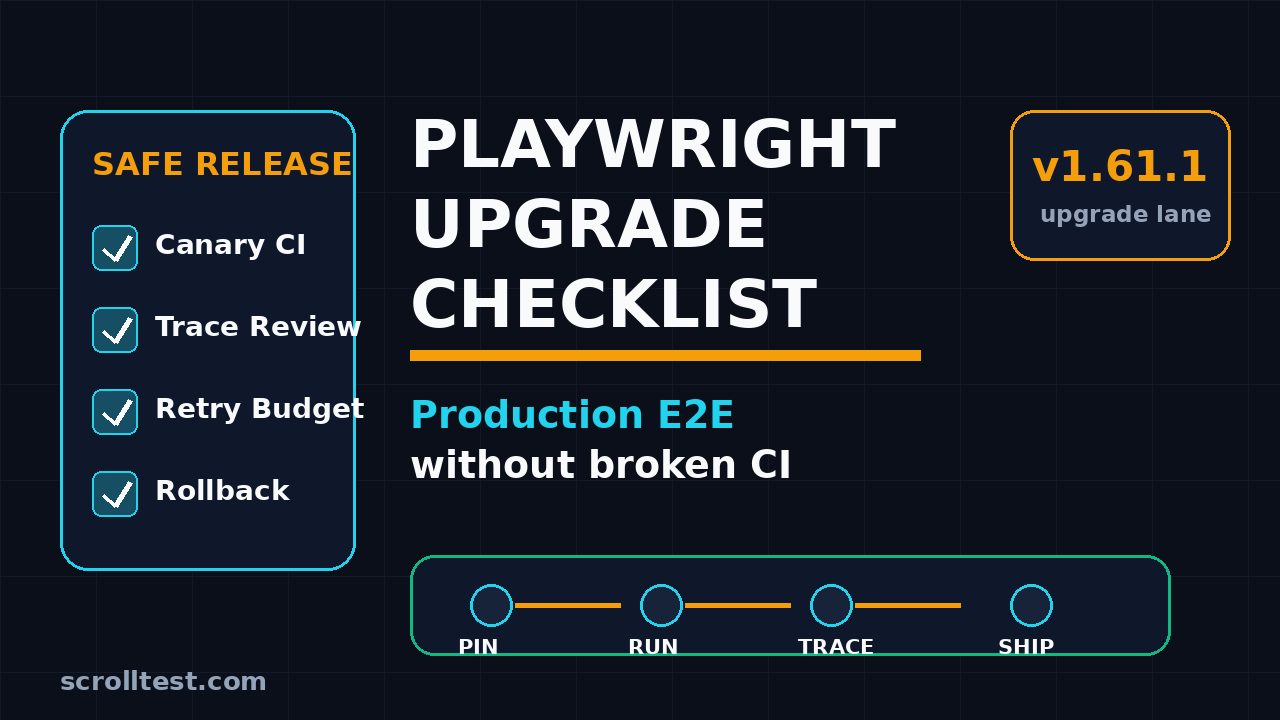
I see teams treat a Playwright upgrade like a package-lock cleanup. That is how a green pipeline becomes a flaky release gate on Monday morning. This guide gives you a production-safe upgrade workflow that I use for serious E2E suites: pin versions, run canaries, compare traces, control retries, and keep rollback boring.
Table of Contents
- Why Playwright upgrades break production E2E
- Start with release notes, not npm update
- Create a baseline before touching versions
- Build a canary CI lane for the Playwright upgrade checklist
- Pin browsers, Node, Docker, and dependencies
- Review traces like a release artifact
- Set a retry budget instead of hiding failures
- Rollback plan and release decision
- India QA team context
- FAQ
Contents
Why Playwright upgrades break production E2E
Playwright is stable, but it is not frozen. The project ships frequent releases, and each release can include browser changes, test runner changes, and framework-level fixes. The latest release at the time of writing, Playwright v1.61.1, was published on 23 June 2026 and focused on bug fixes around expect extensions, UI mode API request reporting, trace viewer websocket timing, and Node 22 loader regressions.
Those are not abstract release notes. Each item maps to something a production E2E suite might depend on. If your framework has custom expect matchers, UI mode debugging, trace review, or a pnpm workspace with TypeScript imports, you have a real reason to test the upgrade before merging it.
Minor version does not mean minor blast radius
The common mistake is assuming semantic versioning protects the test suite. It helps, but it does not remove environmental risk. Browser automation sits on top of browsers, drivers, network behavior, timing, Node, package managers, and CI containers. A tiny change in one layer can expose hidden assumptions in another layer.
For example, an old locator that depends on a delayed animation might pass for six months. A newer browser binary can render faster, and suddenly the same test clicks too early because the app still has a race condition. The Playwright upgrade did not create the product bug, but it made the bug visible.
The cost of a bad upgrade is bigger than one red build
A broken upgrade creates three costs. First, engineers stop trusting the E2E gate. Second, QA spends hours separating product bugs from framework noise. Third, the team often adds retries to get back to green, which hides the real signal.
That is why this article treats a Playwright version bump like a controlled release. You need evidence before you promote it to the main pipeline.
Start with release notes, not npm update
The first item in any Playwright upgrade checklist is simple: read the release notes before running npm update. I do not mean skim the title. Read the changed areas and map each line to your framework.
The official Microsoft Playwright releases page is the source of truth. GitHub reported about 91,829 stars for the Playwright repository during this run, and npm reported 165,464,635 last-month downloads for @playwright/test. In plain English: this tool is widely used, and changes get noticed quickly, but your suite still needs its own validation.
Classify release notes into risk buckets
I use four buckets. They keep the review practical and stop the team from arguing in vague terms.
- Runner risk: changes to
@playwright/test, projects, fixtures, retries, reporters, sharding, or annotations. - Browser risk: bundled Chromium, Firefox, WebKit, channel behavior, permissions, screenshots, videos, or viewport differences.
- Debugging risk: trace viewer, UI mode, HTML reporter, console capture, network logs, or HAR recording.
- Environment risk: Node version, TypeScript loader, pnpm or npm workspace behavior, Docker image, and OS packages.
Playwright v1.61.1 hits debugging and environment risk directly because it includes trace viewer and Node loader fixes. That does not mean the release is dangerous. It means you should validate the exact areas your team uses.
Write a two-line upgrade hypothesis
Before changing code, write the hypothesis in the pull request. This forces the upgrade owner to be specific.
Upgrade hypothesis:
- Move @playwright/test from 1.60.x to 1.61.1.
- Main risk areas: trace viewer output, custom expect matchers, Node 22 + pnpm workspace imports.

Success criteria:
- Smoke, critical checkout, auth, and API setup projects pass in canary CI.
- New traces open correctly and show useful network and console evidence.
- Flake rate does not increase beyond the agreed retry budget.
This tiny block changes the review conversation. Now the team is testing a known risk model, not a random dependency bump.
Create a baseline before touching versions
You cannot compare a new Playwright version if yesterday’s suite health is unknown. A baseline gives you a clean before and after view. I prefer one baseline run from the default branch and one upgrade run from the candidate branch, both on the same CI image and same test selection.
Capture the baseline signals
At minimum, capture these values before the upgrade branch runs:
- Playwright package version
- Node version
- Package manager and lockfile hash
- Docker image tag or CI runner image
- Browser versions installed by Playwright
- Total tests, passed tests, failed tests, flaky tests, skipped tests
- Runtime per project and total runtime
- Trace, screenshot, video, and HTML report locations
If your team already published a daily test health report, add the upgrade fields there. If not, start with a markdown artifact attached to the CI job.
Use commands that leave evidence
Do not rely on memory or Slack screenshots. Print versions inside CI and upload them as an artifact.
node --version
npm --version
npx playwright --version
npx playwright install --dry-run || true
npx playwright test --list > artifacts/test-list.txt
The --list output is useful when a configuration change silently adds or removes tests. I have seen suites look faster after an upgrade only because a project was filtered out by mistake.
Separate framework failures from product failures
The baseline run should already tell you which tests are unhealthy. Mark known product defects before the upgrade. Otherwise the upgrade PR becomes a dumping ground for unrelated failures.
For teams with long-running suites, I like a three-tier selection:
- Smoke: 10 to 30 tests that must pass on every commit.
- Critical path: payment, login, search, checkout, user management, or the equivalent business flows.
- Full regression: the full project matrix, usually nightly or pre-release.
The upgrade candidate should pass the first two before you spend time debugging full regression noise.
Build a canary CI lane for the Playwright upgrade checklist
A canary lane is the safest way to test a Playwright upgrade without disturbing the production release gate. The main pipeline keeps using the approved version. The canary pipeline runs the candidate version on a controlled slice of tests and produces evidence.
This is where the Playwright upgrade checklist becomes operational. You are not asking every developer to think about upgrade safety. You are encoding it in CI.
Keep canary results visible but non-blocking at first
For the first two or three runs, make the canary job non-blocking. That gives the QA owner time to classify failures. Once the candidate looks stable, flip the canary to required for the upgrade PR only.
name: playwright-upgrade-canary

on:
  pull_request:
    paths:
      - "package.json"
      - "package-lock.json"
      - "playwright.config.ts"
      - "tests/**"

jobs:
  canary:
    runs-on: ubuntu-latest
    timeout-minutes: 45
    steps:
      - uses: actions/checkout@v4
      - uses: actions/setup-node@v4
        with:
          node-version: 22
          cache: npm
      - run: npm ci
      - run: npx playwright install --with-deps
      - run: npx playwright test --project=chromium --grep "@smoke|@critical" --reporter=html,line
        env:
          CI: true
      - uses: actions/upload-artifact@v4
        if: always()
        with:
          name: playwright-canary-report
          path: |
            playwright-report
            test-results
The exact CI provider does not matter. GitHub Actions, Jenkins, GitLab CI, Azure Pipelines, and CircleCI can all do this. The principle matters: separate upgrade evidence from normal release traffic.
Run the same tests twice only when investigating flakes
Do not start by running everything five times. That burns CI minutes and hides the root cause. Start with one clean canary. If a test fails, rerun only the failed area with trace, video, and console logs enabled.
Playwright’s official continuous integration guide recommends installing browsers with dependencies in CI. Follow that advice rather than assuming the runner image is good enough.
Compare main and canary in the same dashboard
If you use an internal dashboard, add a simple field called playwright_candidate_version. If you do not have a dashboard, publish a PR comment with pass rate, runtime, failed tests, and artifact links.
{
  "baseline_version": "1.60.x",
  "candidate_version": "1.61.1",
  "node": "22.x",
  "suite": "chromium smoke + critical",
  "pass_rate": "98.7%",
  "runtime_minutes": 18,
  "new_failures": 2,
  "known_failures": 1,
  "decision": "hold for trace review"
}
Keep the numbers boring and visible. That is how you stop upgrade decisions from becoming opinion fights.
Pin browsers, Node, Docker, and dependencies
Most Playwright upgrade failures are not only Playwright failures. They are version drift failures. One engineer upgrades @playwright/test, another CI image changes Node, and the Docker base image quietly updates system dependencies. Now nobody knows which change caused the failure.
Upgrade one layer at a time
The safer sequence is:
- Lock the current CI image and Node version.
- Upgrade only
@playwright/testand Playwright browsers. - Run the canary lane.
- Review traces and failures.
- Only then consider Node, Docker, or OS image changes.
This sequence is slower than a blind update, but it is much faster than debugging five moving parts at once.
Make the upgrade diff obvious
For npm projects, the pull request should show a small diff in package.json and the lockfile. If a Playwright upgrade PR also changes 40 unrelated dependencies, reject it. Bundle upgrades are convenient for the person making the PR and painful for the person debugging production failures.
{
  "devDependencies": {
    "@playwright/test": "1.61.1",
    "typescript": "5.8.3"
  },
  "engines": {
    "node": ">=22 <23"
  }
}
Use an exact version for the upgrade PR. After validation, you can decide whether your team wants exact pins, Renovate-managed updates, or a scheduled upgrade window.
Do not forget Playwright Docker images
If your suite runs inside official Playwright Docker images, upgrade the image tag with the package. A package-image mismatch can create confusing browser dependency issues. If your company maintains a custom CI image, document the browser install command and OS packages.
For Docker-heavy teams, this older ScrollTest guide on Selenium Grid health checks before CI release is still relevant. The tool is different, but the habit is the same: test the infrastructure, not just the script.
🚀 Level Up Your Playwright
From locators to CI pipelines — build a production-grade Playwright + TypeScript framework step by step.
Review traces like a release artifact
The trace is not a debugging toy. During upgrades, it is release evidence. Playwright’s trace viewer documentation explains how traces capture actions, snapshots, network activity, console output, and test steps. That is exactly what you need when a canary failure appears after a version bump.
Enable trace for the right runs
I do not keep full tracing on for every successful test in every pipeline. It can make artifacts heavy. For upgrade canaries, I prefer trace on first retry or trace for the selected critical tests.
// playwright.config.ts
import { defineConfig } from '@playwright/test';

export default defineConfig({
  retries: process.env.CI ? 1 : 0,
  reporter: [['html'], ['line']],
  use: {
    trace: 'on-first-retry',
    screenshot: 'only-on-failure',
    video: 'retain-on-failure'
  },
  projects: [
    { name: 'chromium', use: { browserName: 'chromium' } },
    { name: 'firefox', use: { browserName: 'firefox' } },
    { name: 'webkit', use: { browserName: 'webkit' } }
  ]
});
For a critical production app, I add one targeted run with trace always on for the top 10 journeys. The artifact size is worth it during an upgrade window.
Review trace differences, not only screenshots
A screenshot tells you what the page looked like. A trace tells you how it got there. During upgrade review, inspect:
- Action timing around clicks, fills, and navigations
- Network calls that changed order or status
- Console errors that were previously ignored
- Locator resolution for strict mode failures
- Unexpected redirects, modals, or permission prompts
- API setup calls made through
requestfixtures
The v1.61.1 release notes mention trace viewer websocket message timing. If your product uses websockets, traces deserve extra attention in this upgrade cycle.
Use one internal link as a deeper trace reference
If your team is still learning trace-first debugging, read the ScrollTest article on 3 checks before a Playwright upgrade hits CI. This article expands that idea into a full production release process.
Set a retry budget instead of hiding failures
Retries are useful. Unlimited retries are a lie. An upgrade can look safe if the suite passes after three attempts, but users do not get three attempts when checkout breaks.
Define the retry budget before the canary runs
A simple retry budget works better than a long debate. Example:
- Smoke suite: zero new flaky tests allowed.
- Critical path suite: one retry allowed for known external dependency instability.
- Full regression: new flake rate must stay under the team’s existing baseline.
- Any deterministic failure in auth, payment, order creation, or data setup blocks promotion.
The exact numbers depend on your suite. The key is deciding before you see the result.
Tag failures by cause
Every failure in the upgrade PR should get one of these labels:
- Product defect: app behavior is wrong and the old version also exposes it.
- Test defect: locator, wait, fixture, or data setup is weak.
- Framework change: Playwright behavior changed and the test needs adjustment.
- Environment defect: Node, Docker, browser dependency, network, or secret issue.
- Unknown: not enough evidence yet, do not promote.
That last label matters. Unknown is not a green signal. Unknown means the upgrade owner needs another trace, log, or reproduction.
Fix tests in small patches
Do not rewrite the framework inside the upgrade PR. If a locator is weak, fix that locator. If a fixture is racing, fix that fixture. Keep the change small enough that a reviewer can connect the failure to the fix.
For locator-heavy failures, this ScrollTest guide on drag and drop testing in Playwright shows the level of specificity I like: identify the browser behavior, choose the right API, and keep evidence.
Rollback plan and release decision
A rollback plan is not pessimism. It is professional software delivery. The best Playwright upgrade is one you can revert in five minutes without breaking the team.
Prepare rollback before merge
The rollback should be mechanical:
git revert <upgrade-commit-sha>
npm ci
npx playwright install --with-deps
npx playwright test --project=chromium --grep @smoke
If you use Renovate or Dependabot, keep the upgrade in a dedicated PR. If you publish internal Docker images, keep the previous image tag available for at least one release cycle.
Use a release decision table
Here is the decision table I use with SDET teams:
| Signal | Promote? | Action |
|---|---|---|
| Smoke and critical path pass, no new flakes | Yes | Merge and monitor nightly regression |
| One known flaky test, trace confirms external dependency | Maybe | Merge only with ticket and owner |
| New deterministic failure in critical journey | No | Fix before merge |
| Trace or report artifacts missing | No | Rerun with evidence |
| Node or Docker changed in same PR | No | Split the PR |
This table removes ego from the decision. The release either has evidence or it does not.
Monitor after merge
After promotion, watch the first 24 hours of E2E runs. Compare pass rate, runtime, and top failures with the baseline. If the suite gets slower or noisier, investigate quickly. A slow suite is often the first sign that the upgrade exposed waits, network slowness, or fixture cleanup problems.
India QA team context
In India, many QA teams sit between service-company delivery pressure and product-company release expectations. In a TCS or Infosys-style project, you may not control the full CI stack. In a Bengaluru product company, you might own the release gate and answer directly when the pipeline blocks deployment.
The upgrade habit matters in both cases. For manual testers moving into SDET roles, this is the kind of practical engineering behavior that separates script writing from automation ownership. If you want ₹25-40 LPA SDET opportunities, you need to talk about CI evidence, rollback plans, and flake budgets, not only locators.
What hiring managers notice
When I interview SDETs, I listen for these signals:
- Can the candidate explain how they validate dependency upgrades?
- Can they separate product defects from test framework defects?
- Do they know how traces, screenshots, videos, and console logs support debugging?
- Can they design a CI lane instead of only running tests locally?
- Do they understand rollback, ownership, and release risk?
A Playwright upgrade story is a strong interview example because it proves you understand automation as a production system.
Key takeaways: Playwright upgrade checklist
A Playwright upgrade checklist protects your release gate from avoidable noise. Keep it simple, visible, and evidence-based.
- Read Playwright release notes and classify risk before changing packages.
- Capture a baseline with versions, runtime, pass rate, and artifacts.
- Run a separate canary CI lane for smoke and critical paths.
- Pin Playwright, browsers, Node, Docker, and lockfiles so only one layer changes at a time.
- Review traces, console logs, screenshots, and videos before promotion.
- Define a retry budget before results arrive.
- Keep rollback mechanical and tested.
If you want a reusable internal artifact, turn the checklist into a PR template. The best upgrade process is the one your team actually repeats.
FAQ
How often should a team upgrade Playwright?
For active product teams, I prefer a scheduled monthly review or a smaller upgrade whenever Playwright ships a fix that affects your suite. Waiting six months makes the diff larger and the debugging harder. The right rhythm depends on release pressure, browser coverage, and suite stability.
Should Playwright upgrades block product releases?
No, not at first. Run the upgrade in a canary lane while the main release gate stays on the approved version. Once the candidate passes the agreed checks, promote it to the main pipeline.
Is it safe to upgrade Node and Playwright together?
It is possible, but I do not recommend it for production E2E suites. Upgrade one layer at a time unless a release note explicitly requires the Node change. Split PRs make failures easier to diagnose.
What is the most important artifact during a Playwright upgrade?
The trace is usually the most useful artifact because it shows actions, snapshots, console output, and network behavior together. Screenshots and videos help, but traces explain the sequence.
What should I do if the upgrade increases flakiness?
Do not hide it with retries. Label each failure by cause, compare with the baseline, fix deterministic test defects, and hold promotion until unknown failures have evidence. If the risk is too high, rollback and schedule a focused fix window.
🎓 Master Playwright End to End
Join hundreds of SDETs building real automation frameworks. Lifetime access, hands-on projects, and a job-ready portfolio.