Playwright TypeScript Framework: Day 21 Capstone
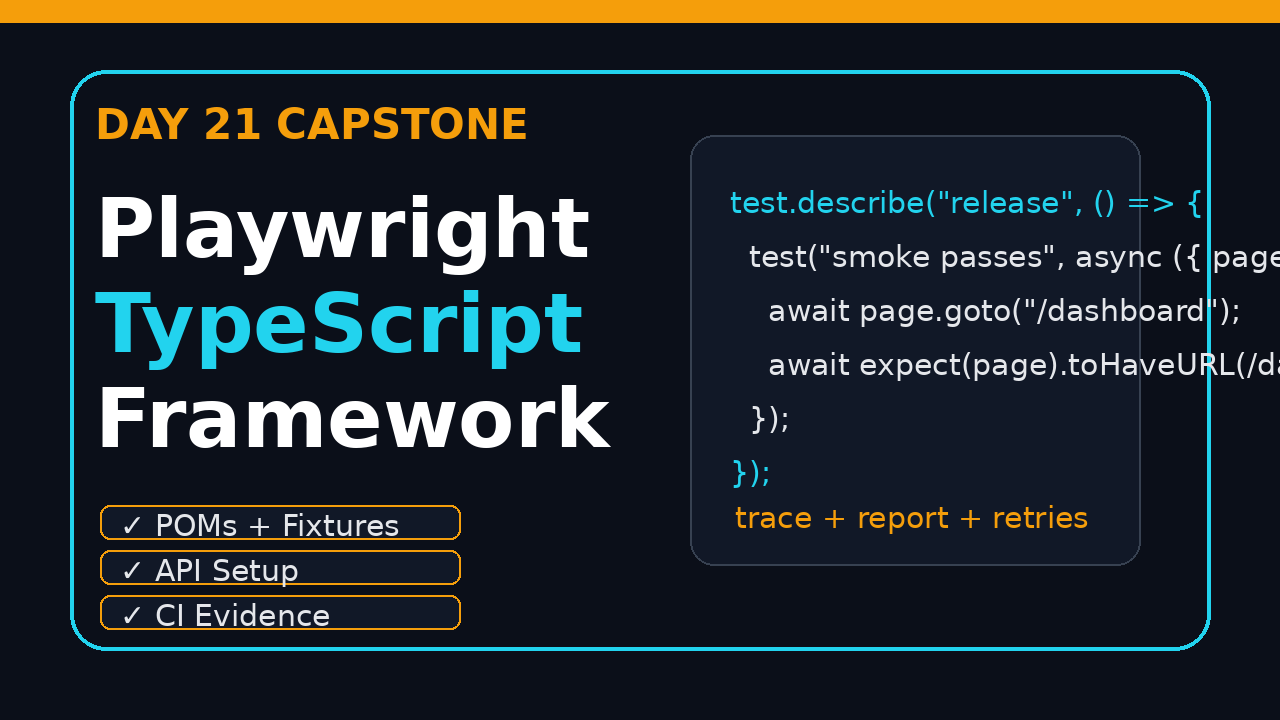
Day 21 is the capstone. In this tutorial, we assemble a production-ready Playwright TypeScript framework from the pieces you learned across the series: locators, assertions, fixtures, page objects, API setup, test data, traces, CI, and reporting. The goal is simple: a framework you can explain in an interview and use on a real product without rewriting it next week.
🎭 Want to master this with real projects? Join the Playwright Automation Mastery course at The Testing Academy.
I see many QA engineers complete Playwright basics and then get stuck at the same point. They know how to write one test, but they do not know how to organize 200 tests, 12 page objects, multiple environments, test users, flaky workflows, and CI evidence. This article gives you that missing bridge.
Table of Contents
- Capstone Goal: What We Are Building
- Playwright TypeScript Framework Architecture
- Project Setup and Folder Structure
- Fixtures, Page Objects, and Test Data
- API Setup, Auth State, and Reliable Data
- CI, Traces, Screenshots, and Reports
- Playwright TypeScript Framework Release Checklist
- Common Pitfalls I Want You to Avoid
- Key Takeaways
- FAQ
Contents
Capstone Goal: What We Are Building
A good test framework has one job: reduce the cost of confident releases. It should make happy-path tests easy, failure investigation quick, and maintenance boring. If the framework makes every change feel like archaeology, it has already failed.
For Day 21, we are building a compact but realistic Playwright TypeScript framework with these parts:
- Strict TypeScript setup with clear scripts.
- Environment-aware Playwright configuration.
- Page Object Models for stable user flows.
- Custom fixtures for users, API clients, and pages.
- API-driven setup so tests do not depend on slow UI preparation.
- Trace, screenshot, video, and HTML report evidence.
- GitHub Actions workflow for CI execution.
- A release checklist that tells you when the suite is healthy.
The official Playwright documentation describes Playwright as enabling reliable end-to-end testing for modern web apps. That reliability comes from features like auto-waiting, web-first assertions, browser contexts, tracing, and isolated test execution. The framework design below uses those features instead of fighting them.
Why this matters for interviews and real teams
In interviews, a simple login test is not enough anymore. Hiring managers ask how you handle parallel execution, flaky tests, test data, reports, and CI failures. In product companies, the same questions show up during release calls. The person who can answer with architecture, not buzzwords, stands out.
For India-based SDETs, this is a practical career filter. Service company projects may still accept script collections, but product companies paying higher packages expect framework thinking: separation of concerns, fast feedback, and strong debugging evidence.
What the data says
Playwright is not a niche tool now. The @playwright/test package recorded 165,464,635 npm downloads in the last month for the 2026-05-29 to 2026-06-27 window via the npm downloads API. The Microsoft Playwright GitHub repository also shows more than 91,000 stars at the time of writing. These numbers do not prove your framework is good, but they do prove the ecosystem is large enough to invest in seriously.
Playwright TypeScript Framework Architecture
The architecture should be boring on purpose. I want a new engineer to open the repo and understand the layout in 10 minutes. If they need a 90-minute KT session to run one test, the framework is too clever.
The layers
Use five layers. Keep them separate even when the project is small:
- Spec layer: readable test scenarios and assertions.
- Page layer: locators and page actions.
- Fixture layer: reusable setup objects injected into tests.
- Service layer: API helpers for setup, cleanup, and backend checks.
- Config layer: environment, browser, retries, reporters, and timeouts.
This keeps your specs clean. A test should read like a user story, not like a DOM traversal exercise. If your test has 20 selectors inside it, you are leaking page details into the wrong layer.
Reference structure
playwright-ts-framework/
  .github/
    workflows/
      e2e.yml
  src/
    config/
      env.ts
    fixtures/
      test.ts
    pages/
      LoginPage.ts
      DashboardPage.ts
    services/
      AuthApi.ts
      UsersApi.ts
    test-data/
      users.ts
    utils/
      random.ts
  tests/
    auth/
      login.spec.ts
    smoke/
      dashboard.spec.ts
  playwright.config.ts
  package.json
  tsconfig.json
Screenshot description: Capture the repository tree in VS Code with src/pages, src/fixtures, src/services, and tests expanded. This screenshot is useful in a portfolio article or interview deck because it proves you understand framework boundaries.
If you need a refresher on the previous architecture step, read Playwright Framework Architecture: Day 20. Day 21 turns that architecture into the final checklist and working skeleton.
Project Setup and Folder Structure
Start with a clean TypeScript project. Do not mix JavaScript and TypeScript in the same learning framework unless you have a strong reason. Strict TypeScript catches boring mistakes before CI wastes 12 minutes on them.
Install and initialize
mkdir playwright-ts-framework
cd playwright-ts-framework
npm init -y
npm i -D @playwright/test typescript ts-node dotenv
npx playwright install
npx tsc --init
Then add scripts to package.json:
{
  "scripts": {
    "test": "playwright test",
    "test:headed": "playwright test --headed",
    "test:debug": "playwright test --debug",
    "test:smoke": "playwright test tests/smoke",
    "report": "playwright show-report",
    "typecheck": "tsc --noEmit"
  }
}
Run this before committing:
npm run typecheck
npm test
Playwright config
The config file should make local execution friendly and CI execution strict. The official Playwright CI guide recommends CI-specific behavior such as using retries in CI and workers based on the environment. Here is a practical baseline:
import { defineConfig, devices } from '@playwright/test';

export default defineConfig({
  testDir: './tests',
  timeout: 45_000,
  expect: { timeout: 7_000 },
  fullyParallel: true,
  forbidOnly: !!process.env.CI,
  retries: process.env.CI ? 2 : 0,
  workers: process.env.CI ? 2 : undefined,
  reporter: [
    ['html', { open: 'never' }],
    ['list']
  ],
  use: {
    baseURL: process.env.BASE_URL ?? 'https://example.test',
    trace: 'retain-on-failure',
    screenshot: 'only-on-failure',
    video: 'retain-on-failure'
  },
  projects: [
    { name: 'chromium', use: { ...devices['Desktop Chrome'] } },
    { name: 'firefox', use: { ...devices['Desktop Firefox'] } }
  ]
});
Do not enable three browsers on day one if your suite is slow and unstable. Start with Chromium smoke coverage, stabilize the framework, then expand browser coverage where product risk justifies it.
Fixtures, Page Objects, and Test Data
This is where a Playwright TypeScript framework becomes maintainable. Page objects hide page details. Fixtures inject prepared objects. Test data keeps your assertions readable.
Page object example
Playwright has an official guide for Page Object Models. Keep your POMs small. A page object is not a dumping ground for every possible action on the page.
import { expect, type Locator, type Page } from '@playwright/test';

export class LoginPage {
  readonly page: Page;
  readonly email: Locator;
  readonly password: Locator;
  readonly signIn: Locator;
  readonly error: Locator;

  constructor(page: Page) {
    this.page = page;
    this.email = page.getByLabel('Email');
    this.password = page.getByLabel('Password');
    this.signIn = page.getByRole('button', { name: 'Sign in' });
    this.error = page.getByRole('alert');
  }

  async goto() {
    await this.page.goto('/login');
  }

  async login(email: string, password: string) {
    await this.email.fill(email);
    await this.password.fill(password);
    await this.signIn.click();
  }

  async expectInvalidLoginMessage() {
    await expect(this.error).toContainText('Invalid email or password');
  }
}
Fixture example
The official fixture documentation explains how Playwright fixtures provide test isolation and reusable setup. In a framework, fixtures are where you expose page objects and service clients.
import { test as base } from '@playwright/test';
import { LoginPage } from '../pages/LoginPage';
import { AuthApi } from '../services/AuthApi';

type AppFixtures = {
  loginPage: LoginPage;
  authApi: AuthApi;
};

export const test = base.extend<AppFixtures>({
  loginPage: async ({ page }, use) => {
    await use(new LoginPage(page));
  },

  authApi: async ({ request }, use) => {
    await use(new AuthApi(request));
  }
});

export { expect } from '@playwright/test';
Clean spec
import { test, expect } from '../../src/fixtures/test';
import { validUser, invalidUser } from '../../src/test-data/users';

test.describe('Login', () => {
  test('allows a valid user to sign in', async ({ loginPage, page }) => {
    await loginPage.goto();
    await loginPage.login(validUser.email, validUser.password);
    await expect(page.getByRole('heading', { name: 'Dashboard' })).toBeVisible();
  });

  test('shows error for invalid credentials', async ({ loginPage }) => {
    await loginPage.goto();
    await loginPage.login(invalidUser.email, invalidUser.password);
    await loginPage.expectInvalidLoginMessage();
  });
});
Notice what the spec does not contain: CSS selectors, hard waits, random email strings, or repeated setup code. That is the standard you want across the suite.
If you are still building confidence with POMs, revisit Playwright Page Object Model: Day 5 Tutorial and Playwright Fixtures and Hooks: Day 6 Tutorial.
API Setup, Auth State, and Reliable Data
UI setup is expensive. If every test creates data through the UI, your suite will become slow and fragile. Use APIs for setup and cleanup wherever possible.
Auth API service
import type { APIRequestContext } from '@playwright/test';

export class AuthApi {
  constructor(private readonly request: APIRequestContext) {}

  async login(email: string, password: string) {
    const response = await this.request.post('/api/login', {
      data: { email, password }
    });

    if (!response.ok()) {
      throw new Error(`Login API failed: ${response.status()}`);
    }

    return response.json();
  }
}
Storage state pattern
For stable authenticated tests, create storage state once per role and reuse it. Do not log in through the UI in every spec unless the login itself is under test.
// tests/setup/auth.setup.ts
import { test as setup, expect } from '@playwright/test';

setup('authenticate as admin', async ({ page }) => {
  await page.goto('/login');
  await page.getByLabel('Email').fill(process.env.ADMIN_EMAIL!);
  await page.getByLabel('Password').fill(process.env.ADMIN_PASSWORD!);
  await page.getByRole('button', { name: 'Sign in' }).click();
  await expect(page.getByRole('heading', { name: 'Dashboard' })).toBeVisible();
  await page.context().storageState({ path: '.auth/admin.json' });
});
Screenshot description: Show the Playwright HTML report for the setup project, then show the generated .auth/admin.json file hidden from git. The visual lesson is clear: authentication is a setup artifact, not repeated test noise.
Data rules
Use these rules for test data:
- Static data is fine for read-only reference screens.
- Generated data is better for create/update/delete workflows.
- API cleanup is better than UI cleanup.
- Never let parallel tests fight for the same user, cart, order, or tenant.
- Never commit real credentials or customer-like data.
For a deeper data plan, read Playwright Test Data Management: Day 19.
🚀 Level Up Your Playwright
From locators to CI pipelines — build a production-grade Playwright + TypeScript framework step by step.
CI, Traces, Screenshots, and Reports
A framework without evidence is incomplete. When CI fails, the team should not ask, “What happened?” The trace, screenshot, console logs, and report should answer that question.
GitHub Actions workflow
name: Playwright E2E

on:
  pull_request:
  workflow_dispatch:

jobs:
  e2e:
    runs-on: ubuntu-latest
    timeout-minutes: 20
    steps:
      - uses: actions/checkout@v4
      - uses: actions/setup-node@v4
        with:
          node-version: 22
          cache: npm
      - run: npm ci
      - run: npx playwright install --with-deps
      - run: npm run typecheck
      - run: npm test
        env:
          BASE_URL: ${{ secrets.BASE_URL }}
          ADMIN_EMAIL: ${{ secrets.ADMIN_EMAIL }}
          ADMIN_PASSWORD: ${{ secrets.ADMIN_PASSWORD }}
      - uses: actions/upload-artifact@v4
        if: always()
        with:
          name: playwright-report
          path: playwright-report/
          retention-days: 7
Trace-first debugging
Playwright’s Trace Viewer lets you inspect actions, snapshots, network calls, console logs, and source locations. This is why I prefer trace: 'retain-on-failure' for CI. It gives you evidence without storing huge traces for every passing test.
Screenshot description: Capture a failed test in Trace Viewer with the action list on the left, DOM snapshot in the middle, and network tab visible. Add a small annotation: “Failure evidence, not guesswork.”
CI gates
For a real team, I like these gates:
- Pull request smoke: 10 to 20 critical tests, under 10 minutes.
- Nightly regression: broader coverage, multiple browsers if needed.
- Release candidate run: smoke plus high-risk flows with trace artifacts retained.
- Upgrade canary: same smoke suite on the next Playwright version before upgrading everyone.
This keeps feedback fast. Do not run 900 end-to-end tests on every tiny pull request and then blame Playwright for slow CI. That is a pipeline design problem.
Playwright TypeScript Framework Release Checklist
Use this Playwright TypeScript framework checklist before you call the capstone complete. Print it, add it to your README, or turn it into a pull request template.
Framework readiness checklist
- Selectors: Prefer role, label, text, placeholder, and test id locators over brittle CSS paths.
- Assertions: Use web-first assertions like
toBeVisible,toHaveText, andtoHaveURL. - Timeouts: No random
waitForTimeoutcalls in committed tests. - Fixtures: Page objects and API clients are injected through fixtures.
- Data: Parallel tests do not share mutable records.
- Auth: Storage state is used for non-login scenarios.
- Reports: HTML report and trace artifacts are uploaded in CI.
- Retries: CI retries are enabled, but retry count is tracked and reviewed.
- Secrets: Credentials come from CI secrets, not source control.
- README: A new engineer can install, run, debug, and view reports from the README.
README template
# Playwright TypeScript Framework

## Install
npm ci
npx playwright install

## Run tests
npm test
npm run test:smoke
npm run test:headed

## Debug
npm run test:debug
npm run report

## Environment variables
BASE_URL=
ADMIN_EMAIL=
ADMIN_PASSWORD=

## CI evidence
- HTML report: playwright-report/
- Traces: retained on failure
- Screenshots: captured on failure
If you publish this as a GitHub portfolio project, keep the README practical. Recruiters may not read every line, but senior engineers will scan the structure, scripts, and failure evidence.
Common Pitfalls I Want You to Avoid
These mistakes are common because they feel productive in the first week. They become expensive in month three.
Pitfall 1: Treating POMs like Selenium-era utility dumps
Playwright does not need a wrapper around every action. Do not create methods like clickElement, fillText, and waitForPage unless they add real value. Playwright already gives you strong locators, auto-waiting, and assertions.
Pitfall 2: Hiding assertions inside page objects
Some assertions belong in page objects, especially page-specific expectations. But if every business assertion is hidden inside a method called verifyPage, your spec becomes vague. Keep critical assertions visible in the test when they explain the business outcome.
Pitfall 3: Using retries as a flakiness blanket
Retries are useful in CI, but they are not a strategy. Track retry patterns. If the same test passes only on retry three times this week, fix the test or the product race condition. A green build with hidden retries is not the same as a healthy suite.
Pitfall 4: Ignoring upgrade discipline
Playwright moves quickly. The latest GitHub release at the time of writing is v1.61.1, published on 2026-06-23. Before upgrading your main framework, run a canary job, review traces, and pin the version in package-lock.json. I wrote a separate Playwright Upgrade Checklist if you want a release-safe process.
Pitfall 5: No owner for failed tests
Every failed test needs an owner. Not a group chat. Not “QA team”. One person investigates, labels the failure, and closes the loop. Without ownership, flaky tests become background noise and everyone stops trusting automation.
Key Takeaways
The Playwright TypeScript framework you build on Day 21 should be small enough to understand and strong enough to grow. If you remember only five things, remember these:
- Keep specs readable and move page details into page objects.
- Use fixtures to inject pages, API clients, and reusable setup.
- Use APIs and storage state to avoid slow UI setup.
- Capture traces, screenshots, videos, and HTML reports in CI.
- Review retries and flaky tests instead of pretending green means healthy.
My suggested next step: create the repo, implement two login tests, one dashboard smoke test, one API setup helper, and one GitHub Actions workflow. That is enough to show framework thinking without building a monster project.
FAQ
Is Playwright with TypeScript better than Playwright with JavaScript?
For a long-term framework, yes. TypeScript gives you safer refactoring, clearer fixture types, and better editor support. JavaScript is fine for quick experiments, but TypeScript is the better default for team frameworks.
Should every test use Page Object Model?
No. Use POMs for screens and flows that repeat. For a one-off admin page with two checks, a direct test may be cleaner. The rule is simple: abstract repetition, not curiosity.
How many tests should run in PR CI?
Start with 10 to 20 high-value smoke tests and keep the run under 10 minutes. Put broader regression in nightly or release candidate pipelines. Fast feedback wins.
Do I need multiple browsers from day one?
No. Start with Chromium if your team is still stabilizing the framework. Add Firefox, WebKit, or mobile emulation when product risk or customer data justifies it.
What should I show in my portfolio?
Show the folder structure, a clean spec, one page object, one fixture, the CI workflow, and the Playwright HTML report. That combination proves you understand more than syntax.
🎓 Master Playwright End to End
Join hundreds of SDETs building real automation frameworks. Lifetime access, hands-on projects, and a job-ready portfolio.