Playwright Framework Architecture: Day 20
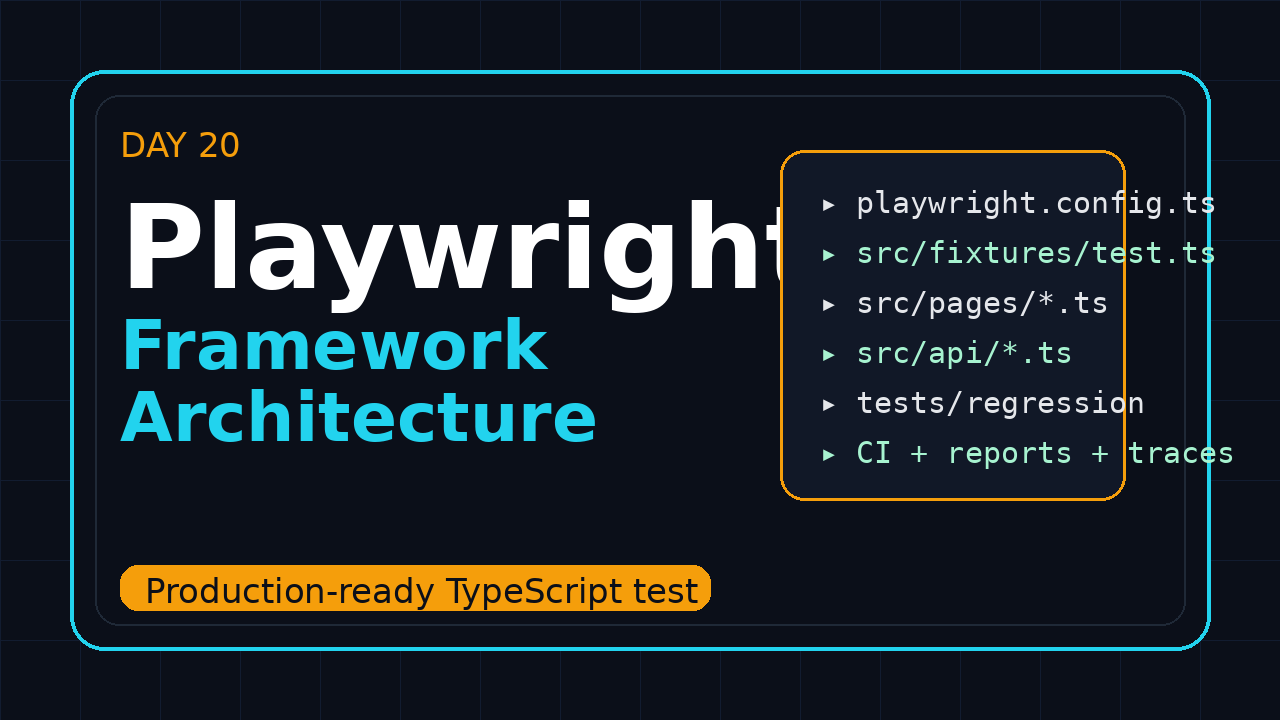
I see many teams learn locators, fixtures, API testing, traces, and CI, then still struggle because the project has no clear Playwright framework architecture. Day 20 connects the previous 19 days into one practical TypeScript structure you can hand to a team, onboard a new SDET into, and run in CI without daily drama.
🎭 Want to master this with real projects? Join the Playwright Automation Mastery course at The Testing Academy.
Table of Contents
- Why Playwright Framework Architecture Matters
- The Target Folder Structure
- Design the Configuration Layer
- Build a Typed Fixtures Layer
- Keep Page Objects Boring and Useful
- Add Data and API Helpers
- CI, Reports, Traces, and Evidence
- Team Guardrails That Prevent Rot
- Common Pitfalls
- Key Takeaways
- FAQ
Contents
Why Playwright Framework Architecture Matters
Playwright gives you strong primitives: browser contexts, projects, fixtures, retries, traces, reporters, API requests, and parallel workers. The official configuration documentation is clear that runner options belong at the top level and test options belong under use. That one rule already tells us something important: architecture is mostly about putting decisions in the correct layer.
As of this run, the Microsoft Playwright GitHub repository has more than 91,000 stars, and npm reports more than 168 million downloads for @playwright/test in the last month. Those numbers are not a reason to copy random framework templates from GitHub. They are a reason to keep your own framework simple enough that a growing team can maintain it.
What we are solving today
The goal is not to build a fancy wrapper around Playwright. The goal is to make the default path the correct path. A good framework answers these questions without a meeting:
- Where does a new test file go?
- Where do selectors live?
- How do we create test data?
- How do we switch between staging, QA, and local environments?
- Which artifacts are captured when a test fails?
- How does CI split the suite without breaking isolation?
The architecture rule I use
I use one simple rule: tests should read like user intent, helpers should hide technical noise, and configuration should stay visible. If a test has 40 lines of request setup, random sleeps, environment branching, and cleanup code, the test is not a test anymore. It is a maintenance trap.
Before this article, read the previous pieces on Playwright test data management, Playwright CI with GitHub Actions, and Page Object Model in Playwright. Day 20 pulls those ideas into one production layout.
The Target Folder Structure
A production Playwright framework architecture starts with folders that make ownership obvious. I prefer a structure that separates specs, page objects, fixtures, API clients, data factories, and operational scripts.
playwright-framework/
├── playwright.config.ts
├── package.json
├── tsconfig.json
├── .env.example
├── tests/
│   ├── smoke/
│   │   └── login.spec.ts
│   ├── regression/
│   │   └── checkout.spec.ts
│   └── accessibility/
│       └── checkout-a11y.spec.ts
├── src/
│   ├── pages/
│   │   ├── LoginPage.ts
│   │   └── CheckoutPage.ts
│   ├── fixtures/
│   │   └── test.ts
│   ├── api/
│   │   ├── ApiClient.ts
│   │   └── UserApi.ts
│   ├── data/
│   │   ├── users.ts
│   │   └── orders.ts
│   ├── config/
│   │   └── env.ts
│   └── utils/
│       ├── ids.ts
│       └── attachments.ts
├── scripts/
│   ├── cleanup-test-data.ts
│   └── verify-env.ts
└── test-results/
Why this structure works
This structure keeps test files short. The tests folder shows business coverage. The src folder holds reusable test infrastructure. The scripts folder handles operational work that should not be buried inside specs.
Notice what is missing: no global helpers.ts dumping ground, no common.ts file with 900 lines, no custom runner, and no wrapper that hides Playwright APIs from the team. If your SDETs cannot use normal Playwright documentation because the internal framework renamed everything, the architecture has gone too far.
How to split specs
Use folders based on execution intent, not org chart politics. Smoke tests should be few and fast. Regression can be broad. Accessibility, visual, API, and mobile viewport tests can have their own folders if they run on different schedules.
- Put critical path checks in
tests/smoke. - Put end-to-end flows in
tests/regression. - Put isolated contract checks in
tests/apiif the suite grows. - Put visual and accessibility checks in separate projects or folders.
Design the Configuration Layer
The configuration layer is the spine of a Playwright framework architecture. It defines projects, retries, reporters, trace settings, base URL, timeouts, screenshots, video rules, and web server behavior. Playwright’s projects documentation is especially useful here because projects let one suite run across browsers, devices, roles, or environments.
// playwright.config.ts
import { defineConfig, devices } from '@playwright/test';
import { env } from './src/config/env';

export default defineConfig({
  testDir: './tests',
  timeout: 45_000,
  expect: { timeout: 10_000 },
  fullyParallel: true,
  forbidOnly: !!process.env.CI,
  retries: process.env.CI ? 2 : 0,
  workers: process.env.CI ? 4 : undefined,
  reporter: [
    ['html', { open: 'never' }],
    ['junit', { outputFile: 'test-results/junit.xml' }],
    ['list']
  ],
  use: {
    baseURL: env.baseUrl,
    trace: 'retain-on-failure',
    screenshot: 'only-on-failure',
    video: 'retain-on-failure',
    actionTimeout: 15_000,
    navigationTimeout: 30_000
  },
  projects: [
    { name: 'chromium', use: { ...devices['Desktop Chrome'] } },
    { name: 'firefox', use: { ...devices['Desktop Firefox'] } },
    { name: 'webkit', use: { ...devices['Desktop Safari'] } },
    { name: 'mobile-chrome', use: { ...devices['Pixel 7'] } }
  ]
});
Keep environment logic out of tests
Tests should not ask, “am I in staging?” Use a typed config module instead. This avoids hidden branching across 200 spec files.
// src/config/env.ts
type TestEnv = 'local' | 'qa' | 'staging';

const currentEnv = (process.env.TEST_ENV ?? 'qa') as TestEnv;

const urls: Record<TestEnv, string> = {
  local: 'http://localhost:3000',
  qa: 'https://qa.example.com',
  staging: 'https://staging.example.com'
};

export const env = {
  name: currentEnv,
  baseUrl: urls[currentEnv],
  apiBaseUrl: process.env.API_BASE_URL ?? `${urls[currentEnv]}/api`,
  adminEmail: required('ADMIN_EMAIL'),
  adminPassword: required('ADMIN_PASSWORD')
};

function required(name: string): string {
  const value = process.env[name];
  if (!value) throw new Error(`Missing required env var: ${name}`);
  return value;
}
Screenshot description
Screenshot to capture for this section: show VS Code with playwright.config.ts open on the left and the Playwright HTML report on the right. Highlight trace: 'retain-on-failure', retries, and the project list. This makes the configuration layer visible to beginners.
Build a Typed Fixtures Layer
Fixtures are where many teams either win or create a monster. The official fixtures documentation explains how fixtures set up resources before a test and clean them after a test. In a framework, fixtures should create useful objects, authenticated pages, API clients, and test data handles.
// src/fixtures/test.ts
import { test as base, expect, APIRequestContext } from '@playwright/test';
import { LoginPage } from '../pages/LoginPage';
import { CheckoutPage } from '../pages/CheckoutPage';
import { ApiClient } from '../api/ApiClient';
import { buildUser } from '../data/users';

type AppFixtures = {
  loginPage: LoginPage;
  checkoutPage: CheckoutPage;
  api: ApiClient;
  testUser: { id: string; email: string; password: string };
};

export const test = base.extend<AppFixtures>({
  api: async ({ request }, use) => {
    const client = new ApiClient(request);
    await use(client);
  },

  testUser: async ({ api }, use, testInfo) => {
    const user = buildUser(testInfo.workerIndex);
    const created = await api.users.create(user);
    await use(created);
    await api.users.deleteIfExists(created.id);
  },

  loginPage: async ({ page }, use) => {
    await use(new LoginPage(page));
  },

  checkoutPage: async ({ page }, use) => {
    await use(new CheckoutPage(page));
  }
});

export { expect };
Use fixtures for lifecycle, not assertions
A fixture can create a user. A fixture can log in. A fixture can attach data to the report. But a fixture should not assert that checkout works. Assertions belong in tests because readers need to see the behavior under test.
Example spec with clean intent
// tests/regression/checkout.spec.ts
import { test, expect } from '../../src/fixtures/test';

test('registered user can complete checkout', async ({
  loginPage,
  checkoutPage,
  testUser
}) => {
  await loginPage.open();
  await loginPage.signIn(testUser.email, testUser.password);

  await checkoutPage.addProduct('Playwright Course');
  await checkoutPage.payWithTestCard();

  await expect(checkoutPage.orderConfirmation).toContainText('Order confirmed');
});
This is what I want from a production framework: the test explains the journey. The framework handles repeatable plumbing.
Keep Page Objects Boring and Useful
Page objects should not become another application inside your test suite. A good page object exposes stable actions and meaningful locators. It does not hide every Playwright method, and it does not turn one simple click into a 12-step abstraction.
// src/pages/LoginPage.ts
import { expect, type Locator, type Page } from '@playwright/test';

export class LoginPage {
  readonly email: Locator;
  readonly password: Locator;
  readonly signInButton: Locator;
  readonly errorBanner: Locator;

  constructor(private readonly page: Page) {
    this.email = page.getByLabel('Email');
    this.password = page.getByLabel('Password');
    this.signInButton = page.getByRole('button', { name: 'Sign in' });
    this.errorBanner = page.getByRole('alert');
  }

  async open() {
    await this.page.goto('/login');
    await expect(this.signInButton).toBeVisible();
  }

  async signIn(email: string, password: string) {
    await this.email.fill(email);
    await this.password.fill(password);
    await this.signInButton.click();
  }

  async expectInvalidCredentials() {
    await expect(this.errorBanner).toContainText('Invalid credentials');
  }
}
Selectors belong close to behavior
I prefer locators inside page objects when they describe screen behavior. For shared components, create component objects such as HeaderNav or DatePicker. Avoid a separate selector repository unless your product has a very strong reason for it.
Do not overwrap Playwright
This is a common enterprise mistake. Teams create clickElement, enterText, waitAndClick, and assertText wrappers. That removes Playwright’s readable API and often reintroduces Selenium-era habits. Prefer native locators and web-first assertions.
If you need a refresher, Day 14 covers Playwright Page Object Model in more detail.
🚀 Level Up Your Playwright
From locators to CI pipelines — build a production-grade Playwright + TypeScript framework step by step.
Add Data and API Helpers
Test data is part of framework architecture, not an afterthought. A suite that depends on one shared user will fail randomly once CI runs tests in parallel. Use API helpers to create the state you need, then let fixtures clean it.
// src/api/ApiClient.ts
import type { APIRequestContext } from '@playwright/test';
import { UserApi } from './UserApi';

export class ApiClient {
  readonly users: UserApi;

  constructor(readonly request: APIRequestContext) {
    this.users = new UserApi(request);
  }
}

// src/api/UserApi.ts
import { expect, type APIRequestContext } from '@playwright/test';

export class UserApi {
  constructor(private readonly request: APIRequestContext) {}

  async create(payload: { email: string; password: string; name: string }) {
    const response = await this.request.post('/api/test/users', { data: payload });
    expect(response.ok()).toBeTruthy();
    return await response.json();
  }

  async deleteIfExists(id: string) {
    const response = await this.request.delete(`/api/test/users/${id}`);
    if (![200, 204, 404].includes(response.status())) {
      throw new Error(`Failed to cleanup user ${id}: ${response.status()}`);
    }
  }
}
Typed factories beat copied JSON
// src/data/users.ts
export function buildUser(workerIndex: number) {
  const runId = process.env.GITHUB_RUN_ID ?? Date.now().toString();
  const suffix = `${runId}-${workerIndex}-${Math.random().toString(16).slice(2)}`;

  return {
    email: `pw-user-${suffix}@example.test`,
    password: 'Test@12345',
    name: `PW User ${suffix}`
  };
}
The important detail is uniqueness. Parallel workers must not fight for the same username, cart, order, or tenant. Day 19 explains this deeply in the test data management tutorial.
Screenshot description
Screenshot to capture for this section: show an HTML report test detail page with an attached JSON file named test-user.json. Add a caption: “Every failing test should tell me which data it created.” This turns cleanup and debugging into visible habits.
CI, Reports, Traces, and Evidence
A framework that works only on a laptop is not finished. CI is where architecture becomes honest. Playwright has built-in support for HTML reports, JUnit reports, traces, videos, screenshots, retries, and sharding. The official CI guide and reporters documentation are the two references I keep open while setting this up.
# .github/workflows/playwright.yml
name: Playwright Tests

on:
  pull_request:
  push:
    branches: [main]

jobs:
  test:
    runs-on: ubuntu-latest
    timeout-minutes: 30
    steps:
      - uses: actions/checkout@v4
      - uses: actions/setup-node@v4
        with:
          node-version: 22
          cache: npm
      - run: npm ci
      - run: npx playwright install --with-deps
      - run: npm run verify:env
        env:
          TEST_ENV: qa
          ADMIN_EMAIL: ${{ secrets.ADMIN_EMAIL }}
          ADMIN_PASSWORD: ${{ secrets.ADMIN_PASSWORD }}
      - run: npx playwright test --project=chromium
        env:
          CI: true
          TEST_ENV: qa
          ADMIN_EMAIL: ${{ secrets.ADMIN_EMAIL }}
          ADMIN_PASSWORD: ${{ secrets.ADMIN_PASSWORD }}
      - uses: actions/upload-artifact@v4
        if: always()
        with:
          name: playwright-report
          path: |
            playwright-report/
            test-results/
Evidence policy
I use this simple evidence policy for most teams:
- Trace on failure: always.
- Screenshot on failure: always.
- Video on failure: useful for flaky UI flows.
- HTML report: uploaded on every CI run.
- JUnit report: sent to CI test summary tooling.
- Custom attachments: data IDs, API payload IDs, and environment details.
Keep CI commands boring
The CI command should be boring enough that a new engineer can run the same thing locally. If your CI has a 90-line shell script with hidden retries and silent cleanup, debugging becomes slow. Put reusable operational logic in typed scripts and keep the workflow readable.
Team Guardrails That Prevent Rot
The best Playwright framework architecture has guardrails. Not motivational documentation. Actual checks. I want a pull request to fail before bad patterns enter the suite.
Guardrail 1: forbid accidental committed focused tests
{
  "scripts": {
    "test": "playwright test",
    "test:smoke": "playwright test tests/smoke --project=chromium",
    "test:ci": "playwright test --project=chromium",
    "lint": "eslint .",
    "typecheck": "tsc --noEmit",
    "verify:env": "tsx scripts/verify-env.ts",
    "cleanup:test-data": "tsx scripts/cleanup-test-data.ts"
  }
}
forbidOnly: !!process.env.CI in the Playwright config catches test.only during CI. Pair it with linting and code review rules for sleeps, shared data, and weak selectors.
Guardrail 2: define a test review checklist
Use a short checklist in every pull request:
- Does the test use user-facing locators first?
- Is test data unique per run or per worker?
- Can the test run alone?
- Can the test run in parallel?
- Does failure produce a useful trace or attachment?
- Is the assertion about business behavior, not implementation noise?
Guardrail 3: keep ownership visible
Add tags or annotations for ownership. This matters in Indian service companies and product companies alike. In a TCS or Infosys-style delivery model, ownership may map to modules and client teams. In a product company, ownership may map to squads. Either way, an unowned failing test becomes background noise.
import { test, expect } from '../../src/fixtures/test';

test('checkout applies coupon discount', {
  tag: ['@checkout', '@payments'],
  annotation: [
    { type: 'owner', description: 'checkout-squad' },
    { type: 'risk', description: 'revenue-impact' }
  ]
}, async ({ checkoutPage }) => {
  await checkoutPage.openWithProduct('Playwright Course');
  await checkoutPage.applyCoupon('QA20');
  await expect(checkoutPage.total).toContainText('20% off');
});
Common Pitfalls
Most framework problems are not Playwright problems. They are design problems. I see the same mistakes repeat across teams.
Pitfall 1: building a wrapper framework
A wrapper framework makes every native Playwright feature harder to use. Avoid wrappers around page, locator, and expect. Add small helpers only when they remove real duplication.
Pitfall 2: sharing state between tests
Shared login state is fine when you understand isolation. Shared user data is dangerous when tests mutate it. The Playwright best practices guide recommends tests that are isolated and independently runnable. Treat that as a framework requirement, not a nice-to-have.
Pitfall 3: hiding failures with retries
Retries are useful in CI, but they are not a strategy for bad selectors, poor data setup, or unstable environments. If a test passes only after two retries every day, create an issue, attach the trace, and fix the cause.
Pitfall 4: no upgrade habit
The Playwright GitHub repository moves fast. Build a monthly upgrade habit. Run smoke tests, review release notes, update browsers, and keep the framework current. A neglected framework becomes expensive quietly.
Key Takeaways
A strong Playwright framework architecture is boring in the best way. It makes good tests easy to write and bad tests easy to reject.
- Keep tests focused on user intent, not setup noise.
- Use configuration for environment, projects, retries, reporters, and artifacts.
- Use typed fixtures for lifecycle and cleanup.
- Keep page objects small and close to user-facing behavior.
- Create test data through API helpers and unique factories.
- Upload reports, traces, screenshots, and useful attachments from CI.
- Add guardrails for selectors, shared state, ownership, and focused tests.
If you are building a portfolio project for SDET interviews, this is the kind of architecture that stands out. It shows you can write tests, but more importantly, it shows you can design a maintainable automation system.
FAQ
Should every Playwright project use Page Object Model?
No. Small suites can start with plain specs and helper functions. Use page objects when flows repeat, screens have many stable actions, or multiple engineers work on the same area.
Should I create a custom Playwright wrapper?
Usually no. Use Playwright directly. Add small helpers for domain-specific work such as login, data creation, or report attachments. Do not rename the entire Playwright API.
How many projects should I define in Playwright config?
Start with one browser for pull requests and expand for nightly runs. A common setup is Chromium on every PR, then Chromium, Firefox, WebKit, and one mobile viewport on scheduled runs.
Where should API setup live?
Put API setup in typed API clients and call them from fixtures. This keeps specs readable and makes cleanup consistent.
What is next in the 21-day series?
Day 21 is the capstone. We will combine setup, locators, fixtures, API testing, authentication, CI, reports, data, and framework architecture into a final production checklist.
🎓 Master Playwright End to End
Join hundreds of SDETs building real automation frameworks. Lifetime access, hands-on projects, and a job-ready portfolio.