Selenium 4.46 QA Manager Upgrade Checklist
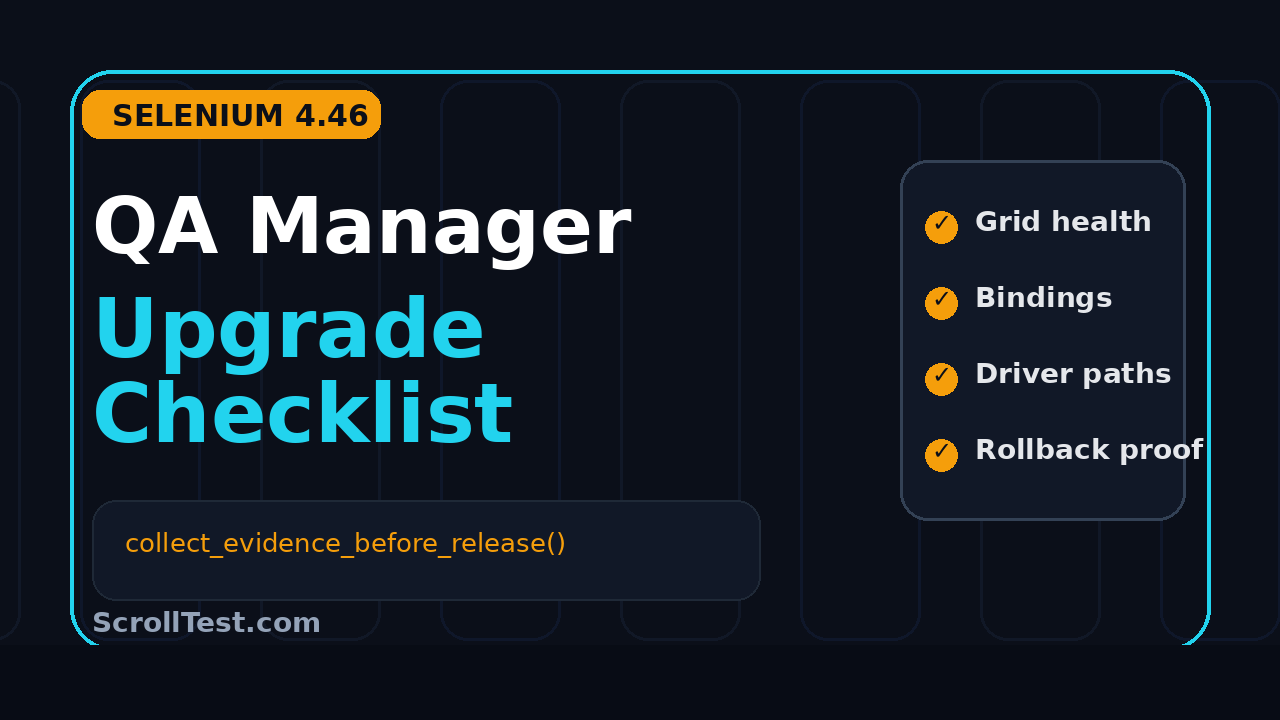
Selenium 4.46 upgrade checklist work should not start by changing a version number. I see QA managers lose days because the team upgrades bindings, runs a happy-path suite, and calls the release safe while Grid capacity, driver assumptions, proxies, and rollback proof stay untested.
This guide turns the Selenium 4.46.0 release into a manager-friendly release-risk checklist. Use it to decide what to test, what evidence to collect, and when to say no to a same-day rollout.
Table of Contents
- Why QA Managers Need a Selenium 4.46 Upgrade Checklist
- What Changed in Selenium 4.46.0
- Pre-Upgrade Inventory Before Touching Dependencies
- Binding Risk: Java, Python, .NET, Ruby, and JavaScript
- Selenium 4.46 Upgrade Checklist for Grid Health
- Browser Driver and Selenium Manager Assumptions
- Flaky Suite Triage After the Upgrade
- Rollback Evidence Your Release Review Needs
- A 30-Minute Manager Rollout Plan
- FAQ
Contents
Why QA Managers Need a Selenium 4.46 Upgrade Checklist
Selenium upgrades look simple from outside the QA team. A developer sees one Maven coordinate, one PyPI package, or one npm package. A QA manager sees a release surface that touches browser startup, proxy handling, Grid scheduling, parallel test capacity, container images, browser versions, and CI failure triage.
That is why a Selenium 4.46 upgrade checklist is a release-management artifact, not just an automation task. The checklist forces the team to answer one question before the rollout: what can break in production validation if this library behaves differently tomorrow morning?
The dependency bump is the smallest part
The visible change may be one line:
<dependency>
  <groupId>org.seleniumhq.selenium</groupId>
  <artifactId>selenium-java</artifactId>
  <version>4.46.0</version>
</dependency>
But that line can change how tests talk to browsers, how Selenium Manager resolves binaries, how remote sessions are created, and how Grid queues work. If your automation suite is the release gate for payments, onboarding, pricing, or checkout, the risk is not theoretical.
Managers need evidence, not confidence
I do not ask my team whether the upgrade “looks fine.” I ask for evidence:
- Which bindings changed in each repo?
- Which browser versions were used during validation?
- Did Grid queue time, session creation time, and node health stay stable?
- Which failures are new, and which are old flakes?
- Can we roll back in less than 15 minutes?
That evidence creates a clean release review. It also protects SDETs from vague blame when a browser-side failure appears after the upgrade.
Why this release deserves a risk pass
The official GitHub release was published on July 11, 2026. The release notes include changes across Java, Python, .NET, Ruby, JavaScript, Selenium Manager, Grid, build tooling, and BiDi-related work. Selenium is a mature project with more than 34,000 GitHub stars at the time I checked the repository API, so even small release notes land inside thousands of CI pipelines.
One specific item should catch a manager’s eye: the release notes mention a Grid fix for Redis-backed SessionQueue classpath packaging. If you run distributed Grid at scale, that is not a cosmetic change. It belongs in your upgrade validation plan.
What Changed in Selenium 4.46.0
Read the official release notes first, then translate them into risk areas. Selenium 4.46.0 is not a single-feature release. It is a cross-binding maintenance release with important fixes and framework evolution.
I group the release into five manager-level buckets:
- Binding changes for Java, Python, .NET, Ruby, and JavaScript.
- Grid behavior and packaging changes.
- Selenium Manager and browser resolution changes.
- BiDi-related API and schema work.
- Build, release, and internal infrastructure cleanup.
Only the first three usually affect a QA manager’s release decision immediately. The last two still matter, especially for teams building custom wrappers around Selenium internals, but they rarely block a standard web regression suite.
The official sources to use
Use source links, not social posts, when you write your upgrade ticket. The primary source is the Selenium 4.46.0 GitHub release. For package verification, Python teams can check the selenium 4.46.0 PyPI release page. Grid teams should keep the official Selenium Grid documentation open while validating topology and operational behavior.
The PyPI metadata I checked lists selenium 4.46.0 as requiring Python 3.10 or newer. That matters if your CI still has legacy Python workers. A passing local run on Python 3.12 does not protect an older Jenkins agent that still uses Python 3.9.
What I would not overreact to
What should trigger extra review
I add extra review when a release note mentions one of these areas:
- Session creation, SessionQueue, Distributor, Router, or Node behavior.
- Selenium Manager browser or driver discovery.
- Proxy, NO_PROXY, or corporate network handling.
- BiDi, CDP, browser version support, or capability negotiation.
- Language-binding API changes used by our framework wrapper.
Selenium 4.46.0 touches several of these areas. That is enough reason to run a structured upgrade plan.
Pre-Upgrade Inventory Before Touching Dependencies
Start the Selenium 4.46 upgrade checklist with inventory. If the team cannot tell you where Selenium is used, the upgrade will become archaeology after the first red build.
Create one upgrade issue per application group, not one global “upgrade Selenium” issue. A checkout suite, admin suite, analytics suite, and mobile-web suite may share Selenium, but they do not share the same business risk.
Inventory the repositories
Run a dependency search across repos before assigning work. Here are practical commands:
# Java / Maven
rg "selenium-java|selenium-api|selenium-remote-driver" -n .

# Gradle
rg "org.seleniumhq.selenium" -n .

# Python
rg "selenium==|selenium>=|selenium~=" requirements*.txt pyproject.toml setup.cfg

# JavaScript / TypeScript
rg "selenium-webdriver" package.json package-lock.json pnpm-lock.yaml yarn.lock
The output becomes your upgrade map. Add repo name, owner, binding, current version, target version, CI job, browser matrix, and rollback command.
Record the current browser matrix
Capture baseline metrics
Before the upgrade branch, save the baseline. At minimum, capture:
- Total tests, passed tests, failed tests, skipped tests.
- Median and p95 suite duration.
- Session creation time for local and remote runs.
- Grid queue length and queue wait time during peak parallelism.
- Top 20 flaky tests from the last 7 days.
- Browser versions and OS images used in CI.
This is boring work until the upgrade fails. Then it becomes the difference between a clean rollback and a two-hour argument.
Binding Risk: Java, Python, .NET, Ruby, and JavaScript
The official release notes link detailed changelogs for each binding. Managers do not need to read every pull request, but they must know which binding their team uses and who owns validation for it.
Java checklist
For Java teams, verify the framework layer before the application tests. Selenium 4.46.0 release notes include Java changes around BiDi beta marking, browser version and CDP version visibility, system proxy setting handling for Selenium Manager arguments, and Docker version comparison behavior.
Your Java validation should include:
- Local Chrome, Edge, and Firefox startup through your WebDriver factory.
- RemoteWebDriver session creation against Grid and any cloud provider.
- Proxy and NO_PROXY behavior if your CI runs behind a corporate network.
- Capability serialization for browser name, browser version, platform, and custom vendor keys.
- Any internal helper that reads CDP version or browser version from logs.
Do not start with a 6,000-test regression suite. Start with a framework smoke suite that proves driver creation, navigation, screenshot, file upload, JavaScript execution, alert handling, window switching, and teardown.
Python checklist
For Python teams, first check interpreter support. The PyPI package metadata for selenium 4.46.0 lists Python 3.10+ as the requirement. If your organization still has mixed worker images, add a CI guard that prints the Python version before tests start.
import sys
import selenium

print("python", sys.version)
print("selenium", selenium.__version__)
assert sys.version_info >= (3, 10), "Selenium 4.46 requires Python 3.10+"
Then validate browser startup, Safari or WebView2 usage if relevant, remote capabilities, and download/upload flows. Python test suites often hide browser configuration inside pytest fixtures, so review the fixtures before calling the upgrade done.
.NET, Ruby, and JavaScript checklist
.NET teams should focus on HTTP client behavior, fixture-level driver ownership, and any BiDi usage. Ruby teams should review proxy and NO_PROXY handling if the suite runs inside enterprise networks. JavaScript teams should validate TypeScript compile health, WebDriver imports, custom capabilities, and any experimental BiDi wrapper.
Selenium 4.46 Upgrade Checklist for Grid Health
If your team uses Selenium Grid, this is the most important part of the Selenium 4.46 upgrade checklist. The Selenium documentation describes Grid as the way to run WebDriver scripts on remote machines by routing client commands to remote browser instances. That routing layer is exactly where small operational changes can become visible as random test failures.
The release notes call out a Grid fix for Redis-backed SessionQueue classpath packaging. Teams using Redis-backed queues should test this explicitly. Teams not using Redis should still run the Grid health checklist because session routing and node compatibility are core release gates.
Grid topology snapshot
Before changing versions, document your topology:
- Standalone Grid, hub-node, or distributed mode.
- Number of nodes and browser slots per node.
- Docker image tags for Grid and browser nodes.
- Redis or non-Redis queue setup.
- Maximum parallel sessions configured in CI.
- Cloud provider fallback, if any.
Put this in the upgrade ticket. If a rollback is needed, this note prevents “what was running before?” confusion.
Grid smoke commands
Run a small remote smoke before the full suite. I use a script like this:
from selenium import webdriver
from selenium.webdriver.common.by import By

options = webdriver.ChromeOptions()
options.set_capability("browserName", "chrome")

driver = webdriver.Remote(
    command_executor="http://localhost:4444/wd/hub",
    options=options,
)
try:
    driver.get("https://scrolltest.com")
    assert "ScrollTest" in driver.title
    driver.find_element(By.TAG_NAME, "body")
    print(driver.capabilities)
finally:
    driver.quit()
Run the same smoke for Chrome, Firefox, and Edge if those browsers are part of your supported matrix. Capture capabilities in logs. Capabilities show the actual browser and platform negotiated by Grid, not the version someone assumed in the ticket.
Grid health metrics to compare
A green test result is not enough. Compare these before and after:
- Session creation p50 and p95.
- Queue wait time under normal parallel load.
- Node disconnects or unhealthy node events.
- Timeouts during session creation.
- Browser startup failures by node.
- Memory and CPU pressure on node containers.
If Grid session creation slows down by 30% during peak CI, your release pipeline may miss its SLA even when tests pass. That is a manager-level risk.
Browser Driver and Selenium Manager Assumptions
Selenium Manager has reduced a lot of manual driver pain, but it also means browser discovery is part of your test runtime. Selenium 4.46.0 release notes include Selenium Manager and browser-path-related work. That belongs in the upgrade plan.
The failure mode is common: local machines pass because Selenium Manager resolves a browser path correctly, but CI fails because the browser is installed in a custom location, the cache is cold, or the network blocks downloads.
Make browser resolution visible
Add logs that show the browser path, driver path, browser version, and Selenium version. Do not wait for a failure to discover these details.
WebDriver driver = new ChromeDriver();
Capabilities caps = ((RemoteWebDriver) driver).getCapabilities();
System.out.println("browserName=" + caps.getBrowserName());
System.out.println("browserVersion=" + caps.getBrowserVersion());
System.out.println("seleniumVersion=4.46.0");
In CI, archive the logs as build artifacts. If the first post-upgrade failure happens tomorrow, you want the evidence available without rerunning the job.
Check corporate proxy paths
Proxy handling deserves its own test if your runners sit behind a corporate network. The release notes mention proxy-related work in bindings. Run one job with the same proxy, NO_PROXY, and certificate setup as production CI.
A basic proxy checklist:
- Print HTTP_PROXY, HTTPS_PROXY, and NO_PROXY at job start with secrets masked.
- Resolve the browser binary without internet access if your runners are locked down.
- Run one test against an internal environment URL.
- Run one test against an external public URL used by your smoke suite.
- Confirm logs do not leak proxy credentials.
This matters in India services companies and large enterprises where QA infrastructure is often segmented. A product company with clean GitHub-hosted runners may not see the same failure pattern as an Infosys or TCS-style enterprise network.
Do not mix driver policy changes
If the team wants to change Chrome auto-update policy, Docker image versions, and Selenium together, stop the rollout. Approve one variable at a time unless there is a production incident forcing the change.
Flaky Suite Triage After the Upgrade
Every Selenium upgrade exposes old flakes. Managers often misread this. The upgrade did not always create the flake; it may have changed timing enough to reveal bad waits, weak selectors, or test data dependency.
Your job is not to demand zero failures. Your job is to separate upgrade regressions from existing automation debt.
Classify failures into four buckets
Use this failure classification table during the first run:
- Product bug: The application behavior is wrong, and the same issue reproduces manually.
- Automation bug: The selector, wait, fixture, or assertion is weak.
- Upgrade regression: The same test passes on the old Selenium version and fails consistently on 4.46.0 with the same browser.
- Environment issue: Grid, browser image, network, data, or CI runner caused the failure.
This mirrors the way I recommend teams handle release-note-driven testing in Release Notes to Test Plan: QA Workflow That Works. Without classification, your standup becomes a list of failed test names and opinions.
Run A/B comparison for suspicious failures
For any suspicious failure, run old Selenium and 4.46.0 against the same browser image and same test data. Do not compare Monday’s old build with Wednesday’s new build if the application changed in between.
# Example pattern for CI matrix
SELENIUM_VERSION=4.45.0 pytest tests/smoke/test_checkout.py
SELENIUM_VERSION=4.46.0 pytest tests/smoke/test_checkout.py
The A/B result gives managers a clean decision. If both versions fail, do not block the Selenium upgrade for unrelated automation debt. If only 4.46.0 fails, keep the upgrade branch blocked until the root cause is understood.
Fix waits before blaming Selenium
Selenium exposes browser behavior. It does not magically stabilize an application that uses async rendering, lazy-loaded content, or poor test data setup. Before blaming Selenium, review waits and selectors.
Rollback Evidence Your Release Review Needs
A rollback plan is not “we will revert if needed.” A rollback plan is a tested command, a time estimate, and proof that the old path still works.
For a QA manager, rollback evidence is the safety net that lets the team move fast without gambling with release quality.
Define rollback triggers
Set rollback triggers before the upgrade:
- Smoke suite pass rate drops below 98% for confirmed upgrade-related reasons.
- Grid session creation p95 increases beyond the agreed threshold.
- More than two critical release-gate flows fail only on Selenium 4.46.0.
- Remote provider compatibility breaks for a supported browser.
- Rollback takes longer than the planned window during rehearsal.
Numbers prevent emotional decisions. Adjust thresholds to your team, but write them down before the run.
Rehearse rollback once
Run the rollback on a branch or staging pipeline. For Java, that may mean reverting a BOM or parent POM. For Python, it may mean pinning selenium back in requirements. For Docker Grid, it may mean reverting image tags.
# Python rollback example
python -m pip install "selenium==4.45.0"
python -c "import selenium; print(selenium.__version__)"

# Docker Grid rollback example
docker compose pull
docker compose up -d --force-recreate
Archive the successful rollback build. That artifact is more useful than a long Confluence page nobody tested.
Keep old artifacts for 7 days
Keep old dependency lockfiles, Docker image tags, and CI artifacts for at least one week after the upgrade. Most Selenium upgrade issues show up quickly, but not all suites run daily. A weekly admin regression may be the first place a Grid routing or browser capability issue appears.
A 30-Minute Manager Rollout Plan
This is the short version I would use in a QA manager meeting. It is designed for teams that cannot pause delivery for a long migration but still need disciplined evidence.
Minute 0-5: confirm scope
Confirm affected repos, bindings, Grid usage, browser matrix, CI jobs, and release-gate suites. Assign one owner per binding and one owner for Grid. If nobody owns Grid, the manager owns the risk by default.
Minute 5-10: lock the baseline
Capture current Selenium version, browser versions, Grid topology, pass rate, suite duration, and top flaky tests. Link to recent CI runs. This baseline protects the team from guessing later.
Minute 10-20: run staged validation
Run validation in this order:
- Framework smoke suite with local browsers.
- RemoteWebDriver smoke suite against Grid.
- Critical business smoke flows.
- Parallel Grid stress run at normal CI concurrency.
- Focused regression for flows with historic flakiness.
This staged order catches infrastructure failures before burning compute on a full regression suite.
Minute 20-25: compare evidence
Compare pass rate, failure buckets, Grid health, session creation time, and duration. Ask owners to report facts, not vibes. A good update sounds like this: “Python smoke passed on 4.46.0 with Python 3.11, Chrome 126, and Grid remote. One failure reproduces on 4.45.0, so it is not upgrade-related.”
Minute 25-30: decide rollout, hold, or rollback
FAQ
Should every team upgrade to Selenium 4.46.0 immediately?
No. Upgrade deliberately. If Selenium is part of your release gate, run the checklist first. If your current version has a bug fixed in 4.46.0, prioritize the upgrade. If your team is in the middle of a major release freeze, prepare the branch and validate after the freeze.
Is Selenium 4.46.0 risky for Grid users?
Grid users should test carefully because Grid is operational infrastructure. The release notes mention a Redis-backed SessionQueue packaging fix, and the official Grid docs describe Grid as the routing layer for remote browser execution. That combination is enough reason to validate session creation, queue behavior, and node health before rollout.
What is the most common mistake during Selenium upgrades?
The most common mistake is changing too many things at once. Teams upgrade Selenium, browser images, test data, CI runners, and framework code together. Then every failure becomes a mystery. Keep the browser matrix fixed for the first Selenium validation pass.
How much evidence does a QA manager need?
Enough to make a release decision without asking the same question twice. At minimum: baseline version, target version, affected repos, smoke results, Grid metrics if applicable, failure classification, source links, and rollback proof.
Key Takeaways
The Selenium 4.46 upgrade checklist gives QA managers a practical way to approve the release without pretending that a dependency bump is risk-free. Pair it with the Selenium Grid upgrade risk matrix and the Selenium 4.45 upgrade notes if your team maintains a release-note testing playbook.
- Start with inventory and baseline metrics before changing dependencies.
- Validate each language binding used by your organization.
- Treat Grid health as a release gate if your CI depends on remote sessions.
- Keep browser and driver versions fixed during the first Selenium validation pass.
- Classify failures before blaming Selenium or approving rollback.
- Rehearse rollback once and keep artifacts for at least 7 days.
If you manage SDETs in India or globally, this is the difference between a clean ₹25-40 LPA senior-engineer habit and a junior “it passed on my machine” habit. The upgrade is not done when tests are green. It is done when the team can explain why green means safe.