
Integration of Protractor Beautiful Test Reports
🎭 Want to master this with real projects? Join the Playwright Automation Mastery course at The Testing Academy.
Test Reporting in the Software testing is an essential part. Finding a good reporting is an always very tedious task. In this tutorial, We will learn how we can integrate the ‘Protractor Beautiful Reporter’ – https://github.com/Evilweed/protractor-beautiful-reporter. Why we choose this. Normal Jasmine reporter is very simple and not much screenshot friendly. This plugin has following features which makes it more suitable for Reporting for Protractor / Angular based Projects.- Get attached Screenshots
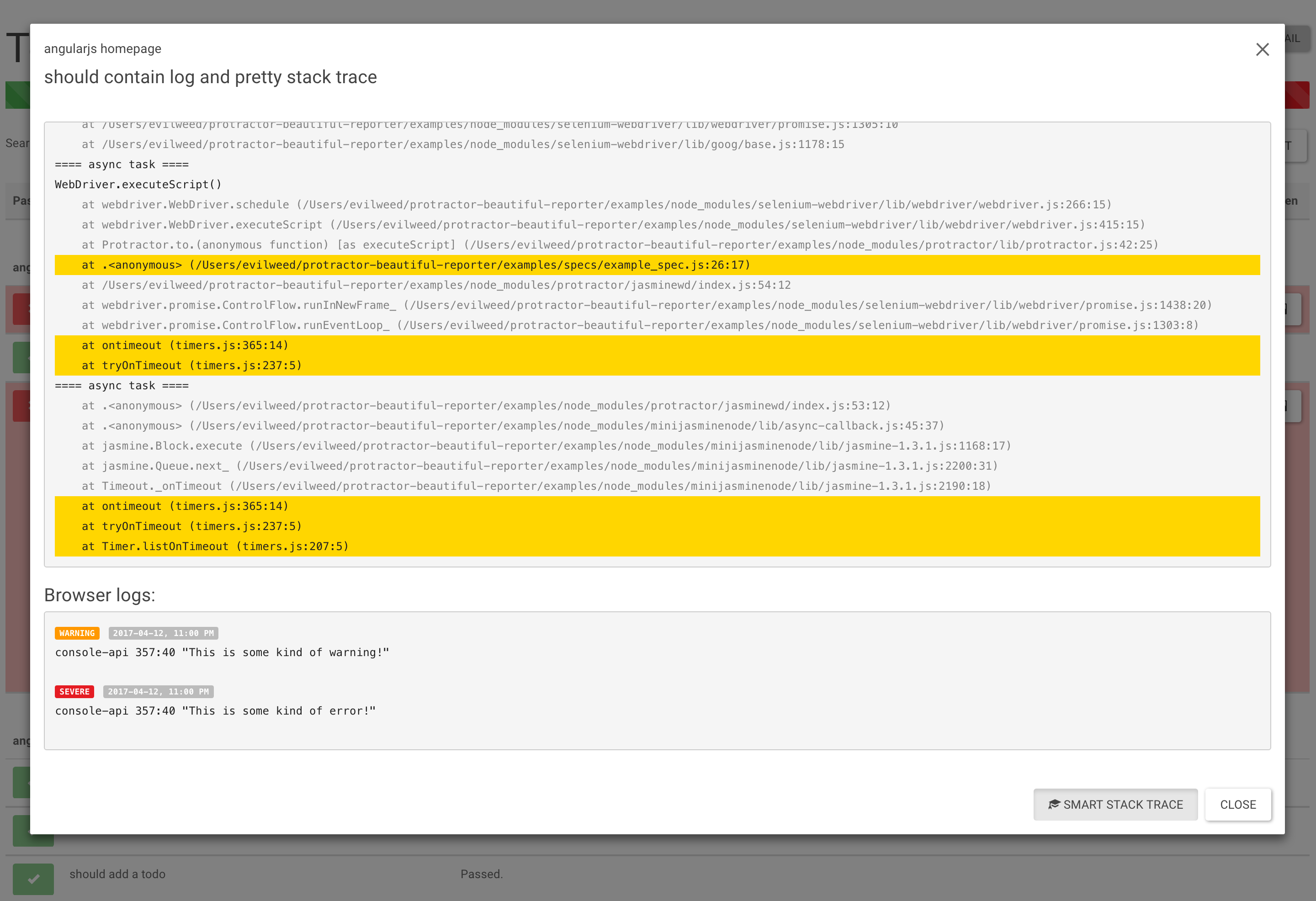
- Selenium & Browser’s Logs (only for Chrome)
- Full Stack Trace (with suspected line highlight)
- Screenshot only on failed spec.
- Test Search
- Filters (can display only Passed/Failed/Pending/Has Browser Logs)
- Inline Screenshots
- Details (Browser/Session ID/OS)
- Duration time for test cases (only Jasmine2)
npm install protractor-beautiful-reporter --save-devIn your protractor config file e.g protractor-config.js
var HtmlReporter = require('protractor-beautiful-reporter');

exports.config = {
// your config here ...

onPrepare: function() {
// Add a screenshot reporter and store screenshots to `/tmp/screenshots`:
jasmine.getEnv().addReporter(new HtmlReporter({
baseDirectory: 'tmp/screenshots',
, docTitle: 'my reporter' // Title of report
}).getJasmine2Reporter());
}
}
Please note that the screenshots are generated are in /tmp/screenshot directory.
If you want to have screenshot in sub folder –
Screenshots Subfolder (optional)
You can store all images in a subfolder by usingscreenshotsSubfolder option:
new HtmlReporter({
   baseDirectory: 'tmp/screenshots'
   , screenshotsSubfolder: 'images'
});
Reports –
 Normal Test Results of Passwd Testcases –
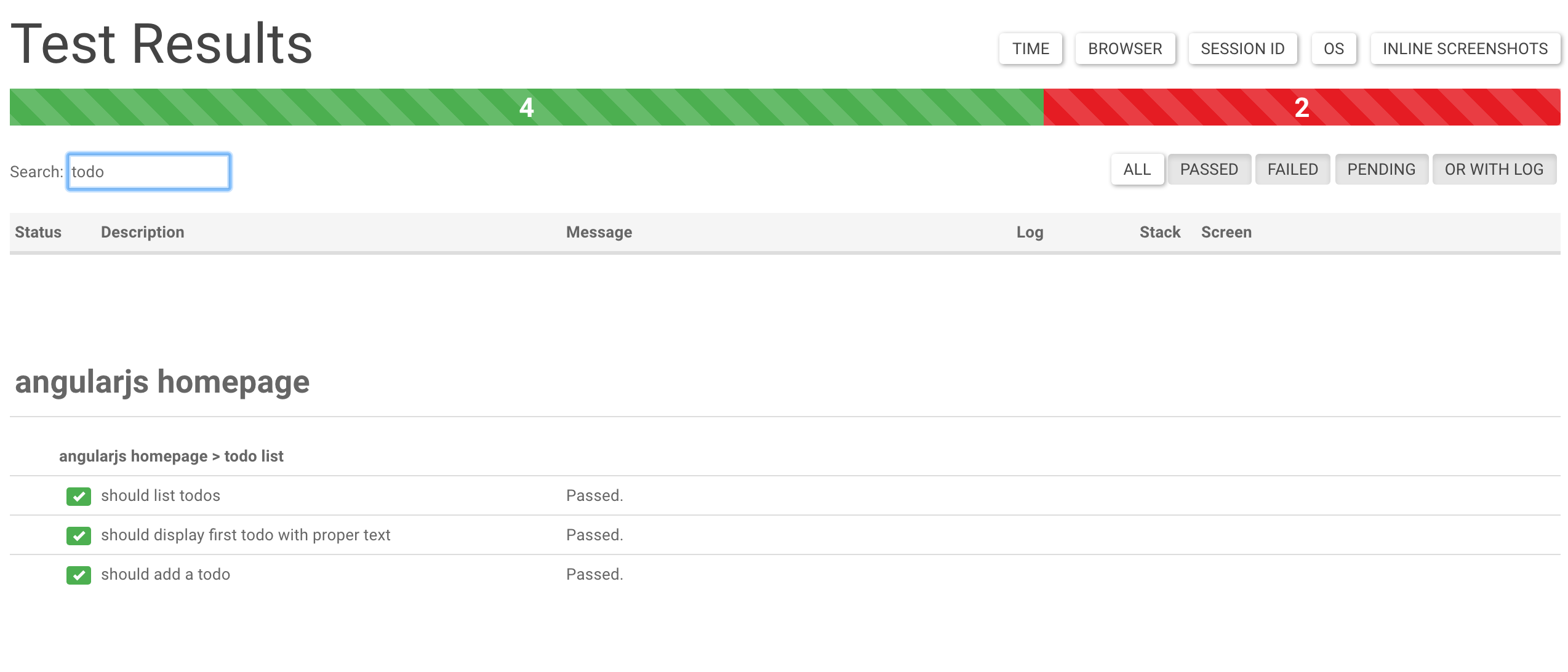 Support of logs : –
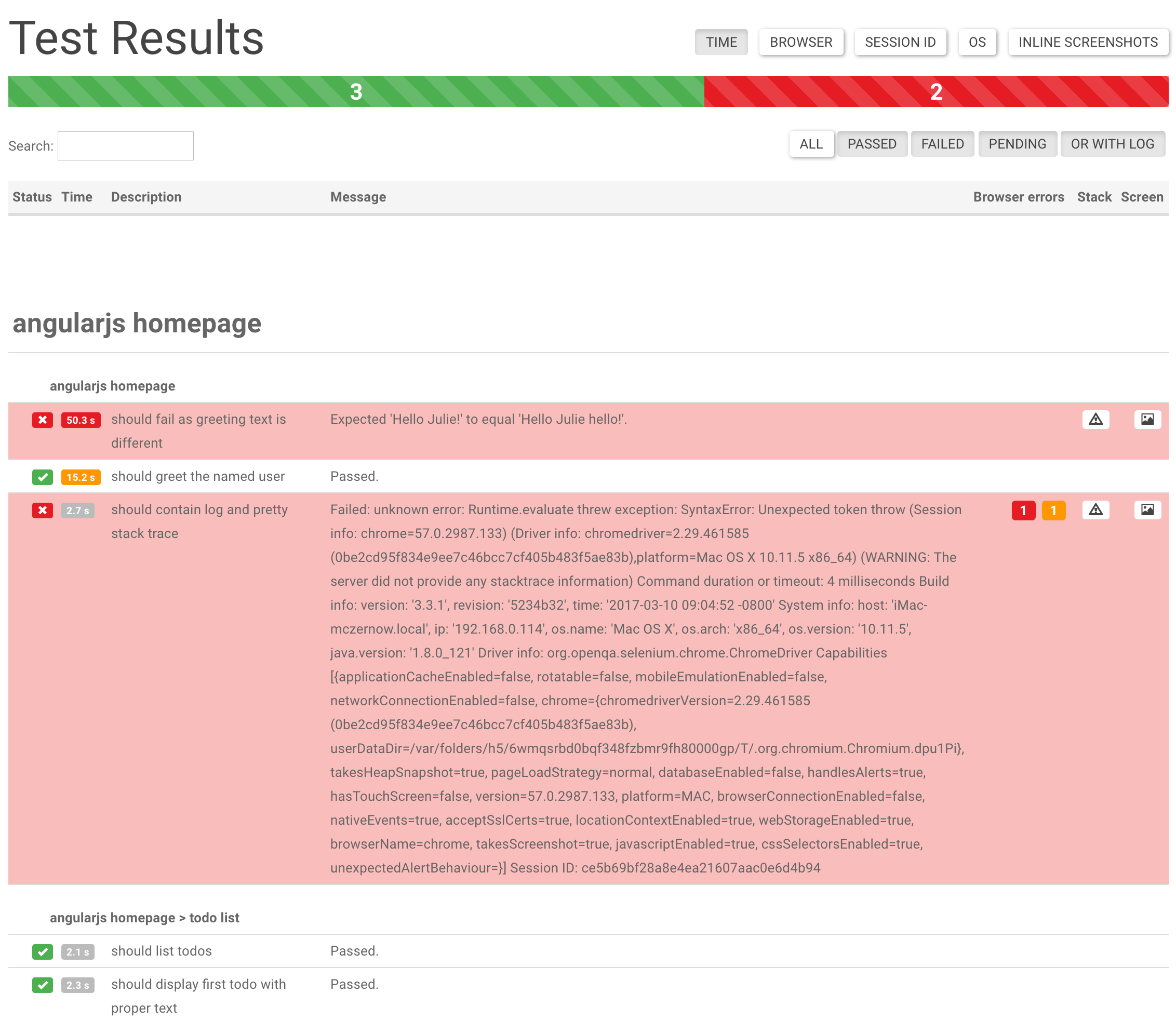
 Failed logs and screenshot results
 Read more at – https://github.com/Evilweed/protractor-beautiful-reporter
We have used it for a while. It far better than “Jasmine2HtmlReporter“. which lags in UI and some features.
Note: Make sure you delete the previous build folder of Junit else. It will combine your builds in one report.
Thanks for reading ! 🙂 If you enjoyed it, hit that share button. Would mean a lot to me and it helps other people see the story.
Read more at – https://github.com/Evilweed/protractor-beautiful-reporter
We have used it for a while. It far better than “Jasmine2HtmlReporter“. which lags in UI and some features.
Note: Make sure you delete the previous build folder of Junit else. It will combine your builds in one report.
Thanks for reading ! 🙂 If you enjoyed it, hit that share button. Would mean a lot to me and it helps other people see the story.
🎓 Master Playwright End to End
Join hundreds of SDETs building real automation frameworks. Lifetime access, hands-on projects, and a job-ready portfolio.


how to display difference images in the generated report when the testcases is failed.
How to integrate beautiful protractor in jenkins ???