Playwright Annotations TypeScript Guide
Day 28 of the Playwright + TypeScript series. Playwright annotations TypeScript code looks small, but it controls a serious part of your test strategy: what runs, what is skipped, what is expected to fail, and what becomes visible in reports. I see teams misuse annotations as a dustbin for unstable tests. Used well, they become a clean language for risk, ownership, and CI decisions.
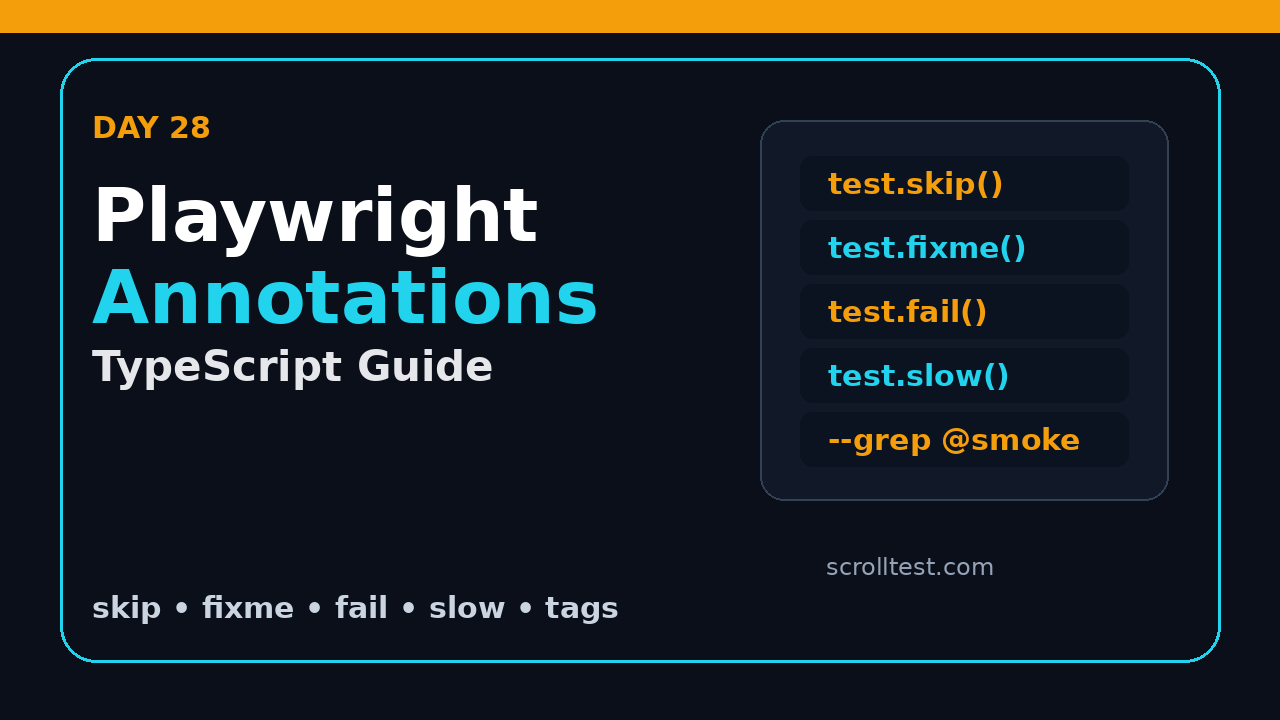
This tutorial shows the practical way to use test.skip(), test.fixme(), test.fail(), test.slow(), tags, and custom annotations in a TypeScript Playwright framework. We will connect annotations with grep filters, projects, reports, pull request rules, and a lightweight review process that stops skipped tests from becoming permanent graveyards.
Table of Contents
- Why Playwright Annotations Matter
- Setup: A Small TypeScript Baseline
- Built-In Playwright Annotations TypeScript Examples
- Tags, Grep, and Test Selection
- Custom Annotations for Ownership and Risk
- CI Policy: What Should Run Where?
- Reporting and Review Workflow
- Common Pitfalls I See in Real Teams
- Key Takeaways
- FAQ
Contents
Why Playwright Annotations Matter
Annotations are not comments. They change execution and reporting. The official Playwright annotations documentation states that Playwright supports tags and annotations that appear in the test report, with built-in annotations such as skip, fail, fixme, and slow.
That makes annotations part of your engineering process. If a test is skipped, someone has decided that a scenario should not block the build. If a test is marked as expected to fail, someone is tracking known broken behavior. If a test is tagged as smoke, someone expects it to run quickly in every important pipeline.
Why this belongs in Day 28
By this point in the series, we have already covered locators, fixtures, authentication, CI, sharding, trace viewer, reports, visual testing, performance checks, accessibility checks, and framework architecture. Annotations sit above all of them. They are the control layer that tells your framework which tests are safe, risky, slow, browser-specific, flaky, customer-critical, or blocked by a known product issue.
If you missed the earlier framework pieces, read the ScrollTest guides on Playwright visual regression testing with TypeScript, Playwright performance testing with TypeScript, and multi-environment configuration in Playwright. Those posts give the base where annotations start to matter.
The adoption context
Playwright is no longer a niche test runner. The public GitHub API for microsoft/playwright reported more than 93,000 stars during this run, and the npm downloads API for @playwright/test reported more than 184 million downloads in the last month window. Those numbers do not prove quality by themselves, but they do prove that many teams now treat Playwright as serious infrastructure.
When the framework becomes infrastructure, annotation discipline matters. A casual test.skip() in a local branch can turn into a blind spot in production regression if nobody reviews it.
Setup: A Small TypeScript Baseline
We will use a simple Playwright Test project. If you already have a framework, keep your structure. The examples below focus on the test layer and the config layer.
npm init playwright@latest
npm install -D @playwright/test
npx playwright --version
The official Playwright command line documentation says the current list of commands and arguments is available through npx playwright --help. I recommend adding that command to your onboarding notes because new testers often memorize old flags from blog posts.
Recommended folder layout
For this tutorial, keep the files small and visible:
tests/
  checkout.annotations.spec.ts
  dashboard.annotations.spec.ts
playwright.config.ts
package.json
The folder name is not important. The important part is that annotation decisions stay close to tests. Do not hide skip rules in helper functions until the team understands the behavior clearly.
Screenshot description
If you are documenting this internally, take one screenshot of the HTML report where Playwright shows skipped, failed, and passed tests side by side. Label it: “Annotation states in Playwright HTML report”. That screenshot helps manual testers understand why a skipped test is not the same as a passed test.
Built-In Playwright Annotations TypeScript Examples
This is the core of the Playwright annotations TypeScript guide. Playwright gives you four built-in execution annotations that I use regularly: skip, fixme, fail, and slow. Each one has a different meaning. Treat them as separate tools, not synonyms.
Use test.skip when the scenario is not applicable
test.skip() means Playwright does not run the test. Use it when the scenario is irrelevant for a browser, platform, environment, or project. Do not use it because the test is annoying.
import { test, expect } from '@playwright/test';

test('downloads invoice as PDF', async ({ page, browserName }) => {
  test.skip(browserName === 'webkit', 'PDF download is Chromium-only in this product');

  await page.goto('/billing');
  await page.getByRole('button', { name: 'Download invoice' }).click();
  await expect(page.getByText('Invoice generated')).toBeVisible();
});
The reason string is not decoration. It is a tiny audit trail. In code reviews, I reject skip calls without a reason because they become impossible to clean up later.
Use test.fixme when the test should not run yet
test.fixme() also prevents execution, but the message is different. You are saying the test or product behavior is broken and needs a fix. I use fixme when running the test causes noisy failures, long timeouts, or crashes.
test('shows loyalty points after successful payment', async ({ page }) => {
  test.fixme(true, 'BUG-4182: loyalty API returns stale points in staging');

  await page.goto('/checkout/success');
  await expect(page.getByTestId('loyalty-points')).toContainText('250');
});
Notice the bug ID. Without a ticket, fixme becomes a hiding place. With a ticket, it becomes a tracked exception.
Use test.fail for expected failures that should still run
test.fail() is different from fixme. Playwright runs the test and expects it to fail. If it unexpectedly passes, Playwright complains. This is useful when you want signal from a known bug without blocking the main suite in a misleading way.
test('blocks checkout when card is expired', async ({ page }) => {
  test.fail(true, 'BUG-4210: expired card validation currently returns 200');

  await page.goto('/checkout');
  await page.getByLabel('Card number').fill('4000000000000069');
  await page.getByRole('button', { name: 'Pay now' }).click();
  await expect(page.getByText('Card expired')).toBeVisible();
});
I prefer test.fail for high-value bugs because it keeps the test alive. When the bug is fixed, the test becomes a reminder to remove the annotation.
Use test.slow with evidence
test.slow() marks a test as slow and triples the test timeout according to the Playwright documentation. That is powerful, and it is easy to abuse. If every test becomes slow, your timeout policy is broken.
test('exports a 12-month transaction report', async ({ page }) => {
  test.slow();

  await page.goto('/reports');
  await page.getByLabel('Range').selectOption('12 months');
  await page.getByRole('button', { name: 'Export CSV' }).click();
  await expect(page.getByText('Export complete')).toBeVisible();
});
My rule is simple: if a test needs slow, add a comment or reason in the test name that explains the business workflow. Long payment, report, migration, and file processing flows are reasonable. A normal login test marked slow is a smell.
Tags, Grep, and Test Selection
Tags are the most useful part of Playwright annotations TypeScript teams ignore for too long. Tags give you a clean way to build suites without duplicating test files.
The simple approach is to place tags in the test title. It is readable, searchable, and works well with grep filters.
test('guest checkout accepts UPI payment @smoke @payments', async ({ page }) => {
  await page.goto('/checkout');
  await page.getByRole('button', { name: 'Pay with UPI' }).click();
  await expect(page.getByText('Waiting for payment')).toBeVisible();
});

test('admin can refund a settled transaction @regression @payments', async ({ page }) => {
  await page.goto('/admin/refunds');
  await page.getByLabel('Transaction ID').fill('txn_123');
  await page.getByRole('button', { name: 'Refund' }).click();
  await expect(page.getByText('Refund submitted')).toBeVisible();
});
Then run targeted suites from the command line:
npx playwright test --grep @smoke
npx playwright test --grep @payments
npx playwright test --grep-invert @slow
Design a small tag taxonomy
Do not create 40 tags in the first week. Start with a small set:
@smoke: must run before every deployment.@regression: runs in nightly or pre-release pipelines.@critical: maps to money, login, data loss, or legal risk.@mobile: mobile viewport or device-specific behavior.@a11y: accessibility checks.@visual: screenshot or visual comparison checks.
In India-based QA teams, I often see fresh automation engineers add tags like @login, @sanity, @p1, @prod, and @important without a written definition. Three months later nobody knows what should run. Keep a TEST_TAGS.md file and define each tag in one sentence.
Use config grep for project-level behavior
You can also put grep rules in Playwright config when a project should run a focused subset.
// playwright.config.ts
import { defineConfig, devices } from '@playwright/test';

export default defineConfig({
  testDir: './tests',
  projects: [
    {
      name: 'chromium-smoke',
      use: { ...devices['Desktop Chrome'] },
      grep: /@smoke/,
    },
    {
      name: 'chromium-regression',
      use: { ...devices['Desktop Chrome'] },
      grepInvert: /@manual-only/,
    },
  ],
});
This becomes useful in CI where you want a quick smoke job on pull requests and a larger regression job on schedule.
Custom Annotations for Ownership and Risk
Playwright also allows custom annotations. I use them to make reports more useful for leads and managers. A raw failed test name tells you something broke. An owner annotation tells you who should look first.
Add metadata to test.info()
You can push custom annotations at runtime using test.info().annotations.
test('seller can approve return request @critical', async ({ page }) => {
  test.info().annotations.push(
    { type: 'owner', description: 'returns-team' },
    { type: 'risk', description: 'refund-money-flow' },
    { type: 'ticket', description: 'QA-772' }
  );

  await page.goto('/seller/returns');
  await page.getByRole('button', { name: 'Approve return' }).click();
  await expect(page.getByText('Return approved')).toBeVisible();
});
This is not a replacement for a test management tool. It is a lightweight way to make the Playwright HTML report more actionable. When a nightly run fails, the first triage call becomes faster because the report carries context.
Use annotations for business risk
A good annotation strategy includes technical and business language. Technical tags help machines select tests. Business annotations help humans understand impact.
- Mark the customer journey: checkout, onboarding, renewal, refund, admin approval.
- Mark the owner: team or squad, not one individual who may move projects.
- Mark the risk: revenue, data integrity, compliance, privacy, availability.
- Mark the ticket when a skip, fixme, or expected failure exists.
This is where senior SDETs separate themselves from script writers. The test does not just click buttons. It communicates risk.
CI Policy: What Should Run Where?
Annotations are most valuable when CI respects them. If every pipeline runs every test, tags are only labels. If CI uses tags intentionally, annotations become your release control system.
Pull request pipeline
For pull requests, run fast checks. I usually include linting, TypeScript checks, API smoke tests, and a browser smoke project.
name: playwright-pr
on: [pull_request]

jobs:
  smoke:
    runs-on: ubuntu-latest
    steps:
      - uses: actions/checkout@v4
      - uses: actions/setup-node@v4
        with:
          node-version: 22
      - run: npm ci
      - run: npx playwright install --with-deps chromium
      - run: npx playwright test --project=chromium-smoke
The pull request job should be boring and fast. If it takes 45 minutes, developers will ignore it. Use @smoke to protect the most important journeys first.
Nightly regression pipeline
For nightly, run the broader suite. Include visual, accessibility, API, and cross-browser projects where the product needs them.
npx playwright test --grep @regression --retries=1
npx playwright show-report
If you use sharding, combine this with the approach from the ScrollTest tutorial on Playwright sharding. Tags decide what runs. Shards decide how to split the load.
Release branch pipeline
For release branches, I prefer a strict rule: no unexplained skip, no stale fixme, and no expected failures without a linked ticket. This is where a small script pays off.
// scripts/check-annotations.ts
import { readFileSync, readdirSync } from 'node:fs';
import { join } from 'node:path';

const testDir = 'tests';
const files = readdirSync(testDir).filter(file => file.endsWith('.spec.ts'));
const problems: string[] = [];

for (const file of files) {
  const fullPath = join(testDir, file);
  const source = readFileSync(fullPath, 'utf8');
  const riskyAnnotation = /test\.(skip|fixme|fail)\(([^)]*)\)/g;
  let match: RegExpExecArray | null;

  while ((match = riskyAnnotation.exec(source))) {
    const line = source.slice(0, match.index).split('\n').length;
    const call = match[0];
    if (!/BUG-|QA-|JIRA-/.test(call)) {
      problems.push(`${fullPath}:${line} missing ticket in ${match[1]} annotation`);
    }
  }
}

if (problems.length) {
  console.error(problems.join('\n'));
  process.exit(1);
}
This is intentionally simple. It will not parse every TypeScript pattern, but it catches the behavior I care about: risky annotations must have a reason that points to a tracked issue.
Reporting and Review Workflow
Annotations only work when someone reviews them. A skipped test that nobody sees is a silent risk. A skipped test that appears in a weekly report is manageable.
Review annotations weekly
Create a 20-minute weekly review for the automation owner. The agenda is simple:
- Count skipped tests by team.
- Count fixme tests by ticket age.
- Check expected failures that now pass.
- Remove stale slow annotations.
- Move permanent exclusions into documented project rules.
This does not need a heavy dashboard. A Playwright HTML report, CI artifact, and ticket links are enough for most teams.
Add annotation rules to code review
Code reviewers should ask five questions when they see annotations:
- Is the annotation type correct?
- Does the reason explain business or technical context?
- Is there a ticket for skipped, fixed, or expected-failure behavior?
- Does this affect smoke, regression, or release pipelines?
- When will the annotation be removed?
This is especially useful for teams moving from manual testing to automation. The tester learns that automation code is not only about syntax. It is about release risk.
Screenshot description
Capture one screenshot from CI showing the command that ran: npx playwright test --grep @smoke. Capture a second screenshot from the HTML report showing a skipped test with its reason. These two screenshots make a good internal wiki page: “How our Playwright annotation policy works”.
Common Pitfalls I See in Real Teams
Most annotation problems are not technical. They are process problems written in TypeScript.
Pitfall 1: using skip for flaky tests
A flaky test should be investigated, quarantined with a ticket, or fixed. If you skip it without a review path, you have hidden risk. Use a clear tag like @quarantine if the team has a defined quarantine workflow, then review it daily until it is gone.
Tags should help selection. If every team invents its own tag names, CI becomes messy. Keep the first version boring: @smoke, @regression, @critical, @visual, @a11y, and domain tags like @payments.
Pitfall 3: no expiry date
Every fixme should have an expiry review. I do not mean the test must be fixed in seven days. I mean someone must look at it again. In product companies, this ownership habit matters more than another clever helper function.
Pitfall 4: hiding product bugs as test bugs
Automation engineers sometimes mark a test as broken because they do not want to argue with developers. That is weak QA ownership. If the product behavior is wrong, write the bug clearly, attach trace, screenshot, API response, and mark the test with test.fail or test.fixme based on whether it can run safely.
Pitfall 5: ignoring India hiring expectations
For SDET interviews in India, especially product companies paying stronger packages than typical service-company bands, framework thinking matters. A candidate who can explain annotation policy, CI selection, and flaky-test governance sounds more senior than someone who only says, “I know Playwright locators.” If you target ₹25-40 LPA SDET roles, learn to explain these trade-offs clearly.
Key Takeaways: Playwright Annotations TypeScript Rules
Playwright annotations TypeScript support is simple at the syntax level, but it becomes powerful when your team treats it as release metadata.
- Use
skiponly when a scenario is not applicable. - Use
fixmewhen the test should not run until a tracked issue is fixed. - Use
failwhen a known bug should still execute and alert you when it starts passing. - Use
slowsparingly and only for workflows that genuinely need more time. - Keep tags small, documented, and connected to CI jobs.
- Add owner, risk, and ticket annotations when reports need triage context.
- Review skipped and expected-failure tests every week.
If you remember one thing from Day 28, remember this: annotations are not a way to silence failures. They are a way to make test intent visible.
FAQ
Should I use test.skip or test.fixme for a broken feature?
Use test.fixme when the feature or test is broken and should not run right now. Use test.skip when the scenario is not applicable for the current project, browser, device, or environment.
Can I run only tagged Playwright tests?
Yes. Put a tag like @smoke in the test title and run npx playwright test --grep @smoke. You can also use grep and grepInvert inside playwright.config.ts for project-level selection.
No. Start with tags for tests that influence CI selection or risk reporting. If every test has five tags, the signal gets weaker.
Do annotations appear in reports?
Yes. Playwright documentation says tags and annotations are displayed in the test report. That is why reason strings and custom annotations are worth writing carefully.
What should I teach junior automation engineers first?
Teach the difference between skip, fixme, and fail. Then teach tag discipline. The syntax takes 10 minutes. The judgment takes practice.