AI Browser Agent Testing: One Pass Is Not Proof
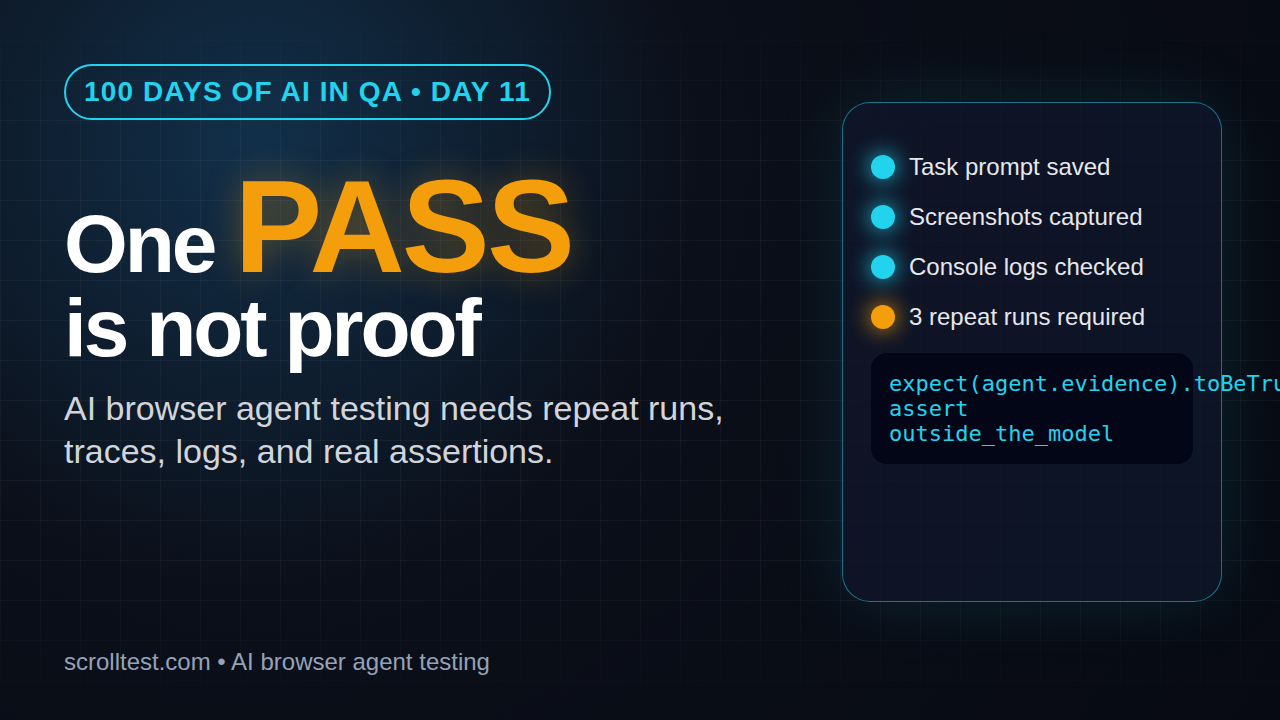
Day 11 of 100 Days of AI in QA & SDET: AI browser agent testing starts with repeatability, not a one-pass demo.
🤖 Learning AI-powered testing? Go hands-on with LLM, RAG, and AI-agent testing in the AI-Powered Testing Mastery course at The Testing Academy.
AI browser agent testing has one dangerous trap: a browser agent passes once, everyone celebrates, and the team treats the run like evidence. I see this mistake more often now because tools such as Browser-Use make browser automation with AI agents feel easy. The hard part is not getting one run to pass. The hard part is proving the agent can repeat the same business outcome under controlled conditions.
Browser-Use release 0.13.2 was published on June 12, 2026. The Browser-Use GitHub repository has crossed 99,000 stars according to the GitHub API I checked before writing this article. The browser-use PyPI package shows Python 3.11+ as the requirement. QA teams will see more browser agents in demos, PoCs, and internal tooling this year. So we need a practical testing standard now.
Table of Contents
- What Is AI Browser Agent Testing?
- Why One Successful Agent Run Is Not Proof
- The Evidence Pack Every Agent Run Needs
- The Repeatability Matrix I Use
- Code Example: Wrap an Agent Run Like a Test
- CI Gates for AI Browser Agent Testing
- India Career Angle for QA Engineers
- Key Takeaways
- FAQ
Contents
What Is AI Browser Agent Testing?
AI browser agent testing is the discipline of checking whether an AI agent can perform browser tasks reliably, explainably, and safely. The agent may use a browser automation layer, a model, screenshots, DOM information, tools, and a task prompt. The QA job is to check the full system, not just the final screen.
A normal Playwright test has a fixed script. It clicks a known selector, fills a known field, and asserts a known result. An AI browser agent is different. It receives a goal such as “log in and update the shipping address” and decides the steps at runtime.
That flexibility is useful, but it creates a new testing problem. The same task can produce different paths, intermediate states, token usage, and failures. If you only check the final message, you miss the actual risk.
What makes it different from classic UI automation?
Classic UI automation usually fails because of selectors, timing, environments, data, or poor assertions. Agent-based browser testing adds new failure modes:
- The agent may choose the wrong page but still produce a confident success message.
- The model may misread visual state or hidden validation messages.
- The run may pass with one model and fail with another model.
- The same prompt may behave differently when page copy changes.
- The agent may complete the task but leave unsafe side effects.
This is why I treat browser agents as systems under test. They need test cases, fixtures, assertions, logs, traces, and release gates. If you liked the approach in AI QA agents from prompts to runnable checks, this article is the next layer: proof.
The simplest definition
For me, a tested browser agent answers four questions:
- Did it complete the correct task?
- Can it repeat the task across multiple runs?
- Can I see evidence for each important step?
- Can I reproduce the failure when it breaks?
If the answer to any of these is no, the agent is not production-ready. It may still be useful for exploration, demos, and personal productivity, but it should not be trusted as a QA signal.
Why One Successful Agent Run Is Not Proof
The hidden cost of one successful agent run is false confidence. A single pass tells you that one path worked once with one model, one browser state, one data setup, and one timing condition. That is not enough for QA.
I say the same thing about flaky UI automation. A test that passes once and fails tomorrow is not a safety net. It is a noisy alarm. Agent runs make this worse because the output often looks polished. A nice final summary can hide a weak journey.
Browser-Use is moving fast
The Browser-Use project describes itself as a way to make websites accessible for AI agents. Its 0.13.1 and 0.13.2 release notes show model, tooling, and release workflow changes. The exact feature list will keep changing. The QA principle should not.
Three ways a one-pass demo lies to you
- It hides path variance. The agent may use a different path on run two, which introduces a new bug.
- It hides data dependence. The run may work only because the user account already had clean data.
- It hides weak assertions. The agent may say “done” without verifying the database, API response, or UI state.
This is also why I do not accept “the AI failed” as a bug report. I want the task, the observed evidence, and the reproducible assertion. That same discipline applies to AI test coverage and generated test cases.
What counts as proof?
Proof is not perfection. Proof means the team has enough evidence to make a decision. For internal tools, three repeat runs may be enough. For payment, healthcare, compliance, or data-destructive workflows, you need stricter gates.
At minimum, I want this before I trust an AI browser agent:
- Three successful repeat runs on a clean fixture.
- One negative test where the agent should stop.
- Step-level screenshots or video.
- Console and network clues for failures.
- Assertions outside the model response.
- A human-readable failure explanation.
The Evidence Pack Every Agent Run Needs
AI browser agent testing becomes useful when every run produces an evidence pack. I use this term deliberately. A final text answer is not enough. A QA engineer needs artifacts that can be inspected after the run.
1. Task and constraints
Store the exact task prompt, model name, browser-agent library version, target environment, test account, and blocked actions. If the task says “buy a product”, the constraints must say whether checkout is allowed or whether the run stops before payment.
A good task record looks like this:
Task: Add the cheapest wireless mouse to the cart and stop before payment.
Environment: staging
Agent library: browser-use 0.13.x
Model: provider/model-name
Account: qa_agent_cart_01
Blocked actions: payment submit, account deletion, email change
Expected result: cart has one wireless mouse, checkout page is not submitted
This record prevents arguments later. If the task is vague, the run is hard to judge.
2. Step log
Every important agent action should be logged. I want to know what the agent saw, what it decided, and what tool action it took. The step log does not need to expose chain-of-thought. It needs an operational trace.
- Page or URL observed
- Action selected
- Selector, text, or coordinate used
- Screenshot before or after the action
- Assertion or checkpoint result
3. Screenshots and traces
Screenshots are underrated in AI-agent testing. A screenshot proves the UI state. A trace proves the journey. When the agent says it completed the flow, I still want to open the trace and inspect the last meaningful screen.
If you already use Playwright, treat Playwright traces as a QA habit. I have covered trace-driven debugging before in ScrollTest, and the same habit applies here. An agent without traces is hard to debug.
4. Console and network logs
Many agent runs fail because the UI looks fine while the app is broken underneath. Console errors, failed API calls, and slow network responses can explain why an agent took a strange path. Capture them automatically.
This is where QA engineers have an advantage over prompt-only users. We know how to connect UI behavior with logs, APIs, data, and environment state.
5. Final assertion outside the model
The most important rule: do not let the model be the only judge. If the agent says “the address was updated”, verify the address with a UI assertion, API call, database check, or test double.
This connects directly to LLM regression testing. Use deterministic assertions wherever possible. Save model-based grading for subjective output quality, not for basic facts.
The Repeatability Matrix I Use
When a team shows me a browser-agent demo, I ask for a repeatability matrix. It is simple, boring, and effective. It turns the conversation from “cool demo” to “trusted QA signal”.
The matrix
| Dimension | Minimum check | Why it matters |
|---|---|---|
| Same prompt, same data | 3 repeat runs | Finds random path variance |
| Same prompt, fresh data | 2 clean accounts | Finds hidden fixture dependence |
| Negative flow | 1 blocked action | Checks whether the agent stops safely |
| UI copy change | 1 small text variation | Checks robustness beyond exact wording |
| Model or version change | Smoke suite before upgrade | Catches behavior drift |
You do not need a giant test suite on day one. Start with five tasks that matter. For example:
- Login with a valid account.
- Search and filter a product.
- Add an item to cart.
- Update a profile field.
- Stop safely before a destructive action.
Run each task three times. Keep screenshots, traces, logs, and final assertions. That gives you 15 data points before anyone claims the agent is reliable.
How to score results
I use four statuses:
- Pass: Task completed, assertion passed, evidence is complete.
- Soft fail: Task completed, but evidence is missing or path is risky.
- Hard fail: Task did not complete or assertion failed.
- Unsafe: Agent attempted a blocked action or changed data it should not touch.
Unsafe is not just another failure. It is a release blocker. If an agent can delete data, send emails, approve payments, or publish changes without guardrails, stop the rollout.
The 80 percent trap
Some teams say, “The agent passes 80 percent of runs, so it is good.” I disagree. For a QA signal, 80 percent may be too low. For an exploratory assistant, 80 percent may be acceptable. Context decides the gate.
Be clear about the use case. A personal research agent can fail and recover. A production smoke-test agent that gates releases needs a much higher bar.
🚀 Build Real AI Testing Skills
Stop testing AI by guesswork. Learn DeepEval, RAG evaluation, and agent testing with guided projects.
Code Example: Wrap an Agent Run Like a Test
Even if your agent tool is written in Python, you can apply the same testing structure you use in Playwright or API automation. The key is to separate the agent action from the verification.
Python structure for an agent task
from dataclasses import dataclass
from datetime import datetime
from pathlib import Path

@dataclass
class AgentRunResult:
    task: str
    status: str
    final_url: str
    screenshots: list[str]
    console_errors: list[str]
    assertion_passed: bool
    failure_reason: str | None = None


def run_cart_agent(agent, base_url: str) -> AgentRunResult:
    task = "Add one wireless mouse to cart and stop before payment"
    evidence_dir = Path("artifacts") / datetime.utcnow().strftime("%Y%m%d-%H%M%S")
    evidence_dir.mkdir(parents=True, exist_ok=True)

    # Agent performs the flexible browser journey.
    agent_result = agent.run(task=task, url=base_url)

    # Verification stays outside the model response.
    cart_count = agent.browser.locator("[data-testid='cart-count']").text_content()
    checkout_submitted = "payment-confirmation" in agent.browser.url

    assertion_passed = cart_count == "1" and not checkout_submitted

    return AgentRunResult(
        task=task,
        status="pass" if assertion_passed else "hard_fail",
        final_url=agent.browser.url,
        screenshots=agent_result.screenshots,
        console_errors=agent_result.console_errors,
        assertion_passed=assertion_passed,
        failure_reason=None if assertion_passed else "Cart assertion failed or payment was submitted",
    )
The agent is allowed to decide the path. The test still owns the assertion. That separation is the difference between a demo and a test.
Playwright-style evidence wrapper
If your team already uses Playwright, wrap agent tasks inside a fixture that captures trace, video, console logs, and final assertions.
import { test, expect } from '@playwright/test';

test('agent can add product to cart safely', async ({ page }, testInfo) => {
  const consoleErrors: string[] = [];
  page.on('console', msg => {
    if (msg.type() === 'error') consoleErrors.push(msg.text());
  });

  await page.goto(process.env.STAGING_URL!);

  // Replace this with your agent bridge or local agent runner.
  const result = await runBrowserAgent({
    page,
    task: 'Add one wireless mouse to cart and stop before payment',
    blockedActions: ['submit-payment', 'delete-account'],
  });

  await testInfo.attach('agent-summary', {
    body: JSON.stringify(result, null, 2),
    contentType: 'application/json',
  });

  await expect(page.getByTestId('cart-count')).toHaveText('1');
  await expect(page).not.toHaveURL(/payment-confirmation/);
  expect(consoleErrors, 'console errors during agent run').toEqual([]);
});
This pattern gives you normal QA controls around an AI-driven journey. You can run it in CI, attach artifacts, and compare failures across builds.
What not to assert
Do not assert only on the final agent message. This is weak:
assert "done" in agent_result.final_answer.lower()That checks confidence, not correctness. Assert on the actual system state.
CI Gates for AI Browser Agent Testing
AI browser agent testing should not live only on someone’s laptop. Once a workflow matters, add a small CI gate. Keep it narrow at first. Browser agents can be slower and more expensive than deterministic tests, so pick the flows that deserve the cost.
Start with a nightly agent suite
I prefer nightly agent suites before PR-blocking suites. A nightly run gives the team signal without slowing every pull request. After the suite stabilizes, move the most valuable checks into release gates.
A practical sequence:
- Run five agent tasks nightly on staging.
- Store screenshots, traces, logs, and JSON summaries.
- Fail the job only on hard fail or unsafe status.
- Send soft fails to a review queue.
- Promote stable tasks to release smoke checks.
Version pinning matters
Pin the browser-agent library, browser version, and model name where possible. If you change all three at once, you will not know what caused the behavior shift. The Browser-Use releases show how quickly agent libraries can move. Treat upgrades like any other dependency upgrade.
Prompt regression checks
For task prompts, use prompt regression checks. The idea is simple: store task prompts, expected constraints, and expected assertions in a dataset. When you change the prompt, run the dataset again.
If you use PromptFoo or a similar eval framework, connect it to your agent tasks. I wrote a separate PromptFoo regression checklist for QA teams because prompt changes deserve the same respect as code changes.
Security and safety gates
Agent testing also touches security. The OWASP Top 10 for LLM Applications is useful reading because browser agents can be exposed to prompt injection, sensitive data disclosure, and unsafe tool use. A malicious page instruction should not override your test’s blocked actions.
For browser agents, add safety checks such as:
- Never submit payment in test mode unless explicitly allowed.
- Never change password, email, or recovery settings.
- Never follow page instructions that conflict with the system task.
- Never expose secrets in logs, screenshots, or final summaries.
- Never run on production accounts without a written approval path.
India Career Angle for QA Engineers
For Indian QA engineers, this is a career wedge. Many testers are learning ChatGPT prompts. Fewer can design repeatable evals for AI browser agents. That gap matters.
Service-company projects often reward execution speed. Product companies reward engineers who reduce release risk. If you can show a portfolio with browser-agent traces, assertions, CI reports, and failure analysis, you look different from someone who only says “I use AI tools”.
A portfolio task for this week
Build one small demo:
- Pick a public demo site or your own test app.
- Create one browser-agent task.
- Run it three times with clean data.
- Capture screenshots and logs.
- Write a one-page test report with pass, soft fail, hard fail, and unsafe criteria.
Put the report on GitHub. Add a README that explains the test objective, tool version, model name, and assertions. This is stronger than another generic resume bullet.
How managers should evaluate candidates
If I interview an SDET for AI-agent testing, I do not ask only prompt questions. I ask:
- How do you verify the agent did the right thing?
- How do you handle flaky agent behavior?
- What evidence do you store after a run?
- How do you prevent unsafe actions?
- How do you test prompt injection against a browser agent?
These questions separate tool users from QA engineers. The market will need both, but the second group will have more career range.
Key Takeaways: AI Browser Agent Testing Needs Proof
AI browser agent testing is becoming a real QA skill because browser agents are moving from demos into workflows. My position is simple: one pass is not proof. Treat every agent run like a testable system.
- A successful browser-agent demo is not the same as a repeatable QA signal.
- Every important run needs task constraints, step logs, screenshots, traces, console logs, and final assertions.
- Do not let the model be the only judge of success. Verify system state outside the model response.
- Use a repeatability matrix before trusting an agent in CI or release gates.
- For SDETs, AI browser agent testing is a practical portfolio skill with real differentiation.
If you are building AI-assisted QA workflows, start small. Pick one task, run it three times, save the evidence, and write down the failure rules. That single habit will put you ahead of most teams still treating agent demos as proof.
FAQ
Is AI browser agent testing a replacement for Playwright or Selenium?
No. I see it as an extra layer. Deterministic Playwright and Selenium tests are still better for stable regression checks. Browser agents are useful for exploratory flows, flexible journeys, and tasks where rigid scripting is expensive.
How many repeat runs are enough?
For low-risk internal workflows, start with three clean repeat runs. For release gates or risky flows, increase the count and add negative tests, fixture variation, and version-change checks.
Should I use Browser-Use in production QA?
Use it carefully. Browser-Use is popular and moving fast, but production QA needs pinned versions, evidence capture, safety constraints, and external assertions. Do not ship an agent workflow based only on a successful demo.
What is the most important artifact to save?
If I can pick only one, I save the trace or step-level screenshots. But the best answer is a complete evidence pack: task, version, model, logs, screenshots, trace, final assertion, and failure reason.
What should manual testers learn first?
Learn basic Playwright, API assertions, and prompt evaluation. Then build one browser-agent testing portfolio project. The goal is not to become a model researcher. The goal is to prove AI behavior with QA discipline.
🎓 Become an AI-Powered QA Engineer
Join hundreds of SDETs mastering LLM, RAG, and agent testing. Lifetime access, hands-on labs, and a job-ready portfolio.