
Playwright Flaky Tests: Day 17 Retries and Fixes
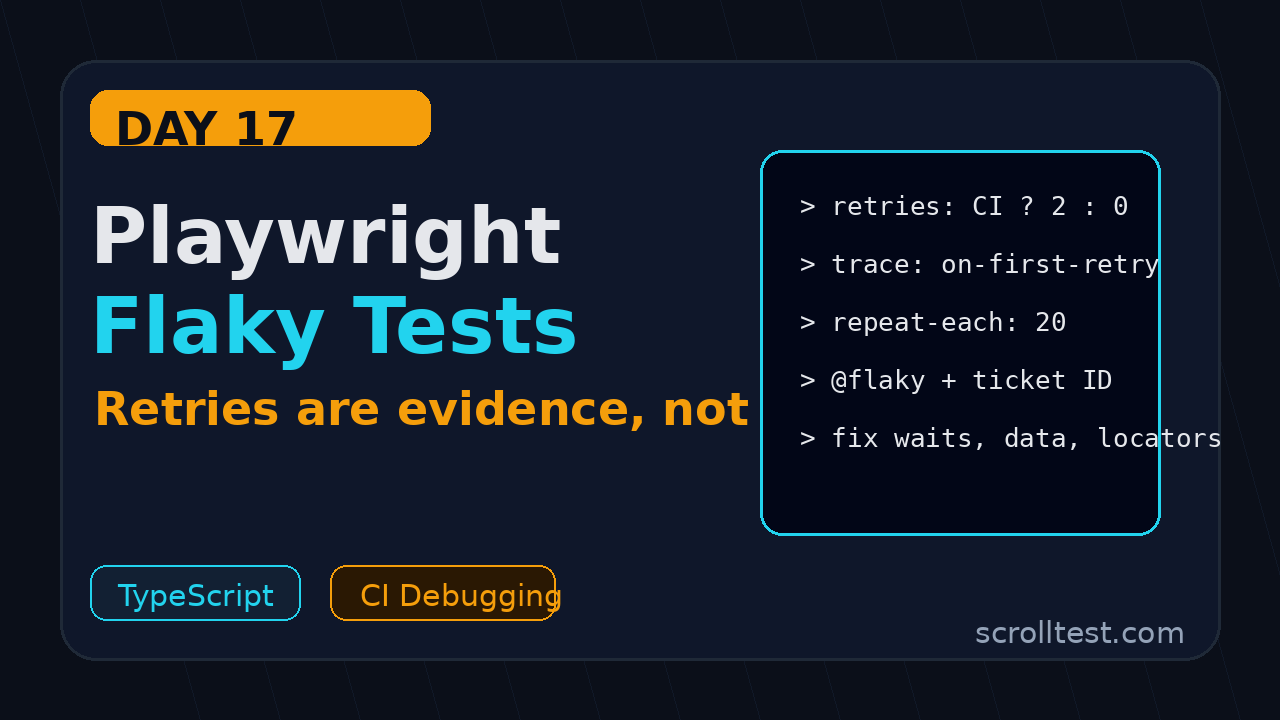
Day 17 of the 21-Day Playwright + TypeScript Tutorial Series: Playwright flaky tests, retries, trace evidence, and fixes for CI pipelines.
🎭 Want to master this with real projects? Join the Playwright Automation Mastery course at The Testing Academy.
Playwright flaky tests are not a badge of real-world complexity. They are usually a sign that the test is waiting for the wrong thing, sharing the wrong state, or hiding a product bug behind retries.
In this tutorial, I will show how I debug, classify, fix, and report flaky tests in a Playwright TypeScript project without turning retries into a blind safety net.
Table of Contents
- Why Playwright flaky tests hurt teams
- How retries work in Playwright Test
- A baseline retry configuration for local and CI
- A practical flaky test debugging workflow
- Fix patterns for Playwright flaky tests
- Timeouts without guesswork
- Quarantine and tagging without hiding failures
- CI reporting for flaky tests
- Common pitfalls I see in teams
- Key takeaways
- FAQ
Contents
Why Playwright flaky tests hurt teams
Playwright is stable, fast, and strict by default. That does not mean every Playwright suite becomes stable automatically. A bad locator, a shared account, a slow backend, or an animation race can still break trust in the pipeline.
The official Playwright retries documentation says retries automatically re-run a failed test and then classify the result as passed, flaky, or failed. That classification matters. A test that passes on the second run is not clean. It is a warning that the suite needs attention.
At the time I researched this article, the microsoft/playwright GitHub repository had more than 91,000 stars, and the npm downloads API showed @playwright/test above 166 million downloads in the last month. Adoption is not the problem. Test discipline is.
Why teams ignore flaky tests
I see three reasons teams normalize flaky tests:
- The team is measured only on pass percentage, not test quality.
- Retries are enabled with no failure review process.
- The suite grew without ownership by feature area.
This is dangerous in Indian service teams and product companies alike. In TCS or Infosys style projects, a flaky test often becomes a daily stand-up excuse. In product companies, it blocks release confidence and wastes senior engineer time.
The cost is not just CI minutes
A flaky test burns time in four places:
- The CI job runs longer because the test retries.
- The QA engineer opens the report and checks screenshots.
- The developer asks whether it is a test issue or product issue.
- The release manager loses trust in the whole suite.
If your suite has 800 tests and 20 are flaky, the team does not distrust 20 tests. It starts distrusting all 800.
How retries work in Playwright Test
Playwright Test supports retries at the project level, config level, and command line. A failed test can be re-run in a fresh worker process. That fresh worker is important because it reduces pollution from the previous failed run.
Playwright classifies results into three buckets:
- Passed: the test passed on the first attempt.
- Flaky: the test failed first, then passed on retry.
- Failed: the test failed on the first run and all retries.
This makes retries useful as a detection tool. It does not make retries a fix.
Command line retries
For a quick reproduction, run a specific test with retries from the terminal:
npx playwright test tests/checkout.spec.ts --retries=2If it passes only after a retry, do not close the issue. Open the trace and ask why the first attempt failed.
Config retries
A normal setup uses zero retries locally and one or two retries in CI. Local runs should fail fast so the author feels the pain immediately. CI can retry once because shared environments have more noise.
// playwright.config.ts
import { defineConfig, devices } from '@playwright/test';

export default defineConfig({
  testDir: './tests',
  retries: process.env.CI ? 2 : 0,
  workers: process.env.CI ? 4 : undefined,
  reporter: [
    ['list'],
    ['html', { outputFolder: 'playwright-report', open: 'never' }],
    ['junit', { outputFile: 'test-results/junit.xml' }]
  ],
  use: {
    trace: 'on-first-retry',
    screenshot: 'only-on-failure',
    video: 'retain-on-failure',
    actionTimeout: 15_000,
    navigationTimeout: 30_000
  },
  projects: [
    { name: 'chromium', use: { ...devices['Desktop Chrome'] } }
  ]
});
This pairs well with Day 16 on Playwright reports, because HTML and JUnit reports become the evidence trail for flaky behavior.
A baseline retry configuration for local and CI
My default rule is simple: zero retries on a developer laptop, two retries in CI, trace on the first retry, and failure artifacts always uploaded. That gives the suite a chance to survive temporary environment noise while still exposing suspicious tests.
Why trace on first retry works
trace: 'on-first-retry' keeps the first clean run light. When a test fails and retries, Playwright records the second attempt. This is useful because the retry often captures the failure pattern or the recovery behavior.
If you are actively debugging a flaky test, switch to full tracing for that run:
npx playwright test tests/payment.spec.ts \
  --project=chromium \
  --retries=3 \
  --trace=on
Then open the report:
npx playwright show-reportScreenshot description: the HTML report shows the test title with a flaky label, retry attempts, duration, stdout, screenshot, video, and a trace attachment. The trace viewer timeline lets you inspect each action, locator, network request, console error, and snapshot.
Do not apply the same retries to every project
Mobile emulation, WebKit, and production-like environments may behave differently. Playwright allows retries per project:
export default defineConfig({
  projects: [
    {
      name: 'chromium-smoke',
      use: { ...devices['Desktop Chrome'] },
      retries: process.env.CI ? 1 : 0
    },
    {
      name: 'webkit-regression',
      use: { ...devices['Desktop Safari'] },
      retries: process.env.CI ? 2 : 0
    }
  ]
});
Use this only when you have evidence. If WebKit needs more retries, create a ticket with trace links. Otherwise the config becomes a junk drawer.
A practical flaky test debugging workflow
When someone says a test is flaky, I do not start by changing timeouts. I first classify the failure. Most Playwright flaky tests fit one of five buckets.
The five-bucket classification
- Locator flake: the selector matches the wrong element or more than one element.
- Wait flake: the test waits for a visible element but the real condition is API completion or URL change.
- Data flake: the test uses shared records, reused emails, or an account modified by another test.
- Environment flake: the app, CDN, database, or test server is unstable.
- Product flake: the user flow has a real race condition or intermittent bug.
Write the bucket in the ticket. This small discipline prevents random fixes.
Reproduce with repeat-each
Playwright has a useful --repeat-each option. I use it before increasing retries because it tells me whether a test fails under repetition.
npx playwright test tests/cart.spec.ts \
  --project=chromium \
  --repeat-each=20 \
  --workers=1
If it fails with one worker, the issue is likely in the test or product flow. If it fails only with multiple workers, suspect shared data or backend limits.
Run with one worker, then many workers
This two-step run catches isolation problems:
# Step 1: isolate the test
npx playwright test tests/cart.spec.ts --workers=1 --repeat-each=10

# Step 2: add pressure
npx playwright test tests/cart.spec.ts --workers=6 --repeat-each=10
If step two fails and step one passes, inspect accounts, storage state, test data, and server rate limits. Day 10 on Playwright authentication is useful here because reused storage state is a common source of hidden coupling.
Open trace before touching code
Trace viewer is the fastest path to evidence. Day 7 covered Playwright Trace Viewer in detail. For flake work, focus on four panels:
- Actions: did Playwright click the intended element?
- Snapshots: what did the DOM look like before the failure?
- Network: did the API call finish or fail?
- Console: did the app throw a JavaScript error?
Fix patterns for Playwright flaky tests
The best fix depends on the bucket. Here are the patterns I use most in real Playwright TypeScript suites.
Fix locator flake with user-facing locators
Bad locator:
await page.locator('.btn-primary').click();Better locator:
await page.getByRole('button', { name: 'Place order' }).click();If the text is dynamic, use a test id that reflects business intent:
await page.getByTestId('checkout-place-order').click();Day 2 on Playwright locators and assertions explains why role-based locators usually survive UI refactoring better than CSS chains.
Fix wait flake with web-first assertions
Bad pattern:
await page.waitForTimeout(3000);
await expect(page.locator('.toast')).toContainText('Saved');
Better pattern:
await expect(page.getByRole('status')).toContainText('Saved', {
  timeout: 10_000
});
Playwright assertions retry until the condition passes or times out. A hard sleep waits the same amount even when the app is ready in 200 ms, and still fails when the app needs 3.5 seconds.
Fix network-dependent flake with request evidence
When a button triggers an API call, wait for the response that proves the app completed the operation.
const saveResponse = page.waitForResponse(response =>
  response.url().includes('/api/profile') && response.status() === 200
);

await page.getByRole('button', { name: 'Save profile' }).click();
await saveResponse;
await expect(page.getByRole('status')).toContainText('Profile saved');
Use this carefully. Do not assert every API in an E2E test. Add it where UI readiness depends on a known backend event.
Fix data flake with per-test data
Shared test data is the silent killer. Generate unique users, carts, and order IDs per test.
import { test, expect } from '@playwright/test';

function uniqueEmail(testTitle: string) {
  const safeTitle = testTitle.toLowerCase().replace(/[^a-z0-9]+/g, '-');
  return `qa-${safeTitle}-${Date.now()}@example.test`;
}

test('new user can complete checkout', async ({ page }, testInfo) => {
  const email = uniqueEmail(testInfo.title);

  await page.goto('/signup');
  await page.getByLabel('Email').fill(email);
  await page.getByLabel('Password').fill('Password123!');
  await page.getByRole('button', { name: 'Create account' }).click();

  await expect(page.getByText(email)).toBeVisible();
});
In a mature framework, push this into a fixture and create data through API calls. Day 6 on fixtures and hooks fits this pattern well.
🚀 Level Up Your Playwright
From locators to CI pipelines — build a production-grade Playwright + TypeScript framework step by step.
Timeouts without guesswork
Timeouts are not evil. Random timeout increases are evil. A timeout should describe expected system behavior, not panic after a failure.
Use the right timeout layer
The Playwright timeouts documentation separates timeout behavior into several layers:
- Test timeout: maximum time for the whole test.
- Expect timeout: maximum time for an assertion to pass.
- Action timeout: maximum time for actions like click and fill.
- Navigation timeout: maximum time for navigation events.
Do not increase the global timeout because one slow assertion fails. Tune the smallest layer that matches the problem.
export default defineConfig({
  timeout: 45_000,
  expect: {
    timeout: 7_500
  },
  use: {
    actionTimeout: 15_000,
    navigationTimeout: 30_000
  }
});
Use test.slow for known slow flows
If a report export flow always takes longer, mark that test as slow instead of raising timeouts for the whole suite.
test('admin can export monthly sales report', async ({ page }) => {
  test.slow();

  await page.goto('/admin/reports');
  await page.getByRole('button', { name: 'Export monthly report' }).click();
  await expect(page.getByText('Report is ready')).toBeVisible();
});
This communicates intent to the next engineer. It also stops one slow feature from weakening the entire framework.
Quarantine and tagging without hiding failures
Sometimes a flaky test cannot be fixed in the same day. Maybe the product bug needs a backend change. Maybe the environment team needs logs. Quarantine is acceptable when it is visible, time-boxed, and owned.
Create an explicit flaky annotation
Use tags in the title or annotations so CI can run a separate quarantine job.
test('user can download invoice @flaky', async ({ page }) => {
  test.info().annotations.push({
    type: 'issue',
    description: 'FLAKE-184: invoice service returns 502 in staging'
  });

  await page.goto('/billing');
  await page.getByRole('link', { name: 'Download invoice' }).click();
  await expect(page.getByText('Download started')).toBeVisible();
});
Then exclude it from the release gate but still run it in a nightly quarantine workflow:
# release gate
npx playwright test --grep-invert @flaky

# nightly quarantine job
npx playwright test --grep @flaky --retries=2
Rules for quarantine
- Every quarantined test needs a ticket ID.
- Every ticket needs an owner.
- Every quarantined test needs a review date.
- The quarantine count must be visible in CI reports.
If the quarantine list only grows, your team is not managing quality. It is archiving pain.
CI reporting for flaky tests
CI should make flaky tests hard to ignore. A green build with 12 flaky tests should not look the same as a clean green build.
Upload artifacts even when the job fails
In GitHub Actions, use if: always() for reports. Day 12 covered Playwright CI with GitHub Actions. Here is the flaky-test version:
name: Playwright Tests

on:
  pull_request:
  push:
    branches: [main]

jobs:
  e2e:
    runs-on: ubuntu-latest
    steps:
      - uses: actions/checkout@v4
      - uses: actions/setup-node@v4
        with:
          node-version: 22
      - run: npm ci
      - run: npx playwright install --with-deps
      - run: npx playwright test --retries=2
        env:
          CI: true
      - name: Upload Playwright report
        if: always()
        uses: actions/upload-artifact@v4
        with:
          name: playwright-report
          path: playwright-report/
          retention-days: 14
      - name: Upload test results
        if: always()
        uses: actions/upload-artifact@v4
        with:
          name: test-results
          path: test-results/
          retention-days: 14
Fail builds when flake count crosses a threshold
For strict teams, parse the JSON report and fail when flaky count is above your limit.
// scripts/check-flake-budget.ts
import fs from 'node:fs';

type Result = { status: string };
type TestCase = { results: Result[] };
type Suite = { suites?: Suite[]; specs?: { tests: TestCase[] }[] };

const report = JSON.parse(fs.readFileSync('test-results/results.json', 'utf-8')) as { suites: Suite[] };

function collectTests(suites: Suite[]): TestCase[] {
  return suites.flatMap(suite => [
    ...(suite.specs ?? []).flatMap(spec => spec.tests),
    ...collectTests(suite.suites ?? [])
  ]);
}

const tests = collectTests(report.suites);
const flaky = tests.filter(test => {
  const statuses = test.results.map(result => result.status);
  return statuses.includes('failed') && statuses.includes('passed');
});

const maxFlaky = Number(process.env.MAX_FLAKY ?? '0');
console.log(`Flaky tests: ${flaky.length}. Budget: ${maxFlaky}.`);

if (flaky.length > maxFlaky) {
  process.exit(1);
}
Add JSON reporter output in config:
reporter: [
  ['html'],
  ['json', { outputFile: 'test-results/results.json' }]
]
This is not about punishment. It is about keeping the suite honest.
Common pitfalls I see in teams
Pitfall 1: using retries as the first fix
Retries reduce noise, but they do not explain failure. If you enable retries without traces, reports, and ownership, you are training the team to ignore signals.
Pitfall 2: replacing auto-waiting with hard waits
Playwright already auto-waits for actionability checks. Adding waitForTimeout usually makes the suite slower and still flaky. Prefer locators, assertions, URL checks, and response checks.
Pitfall 3: mixing UI setup with every test
If every test signs up a user through the UI, your suite depends on the signup flow for everything. Use API setup where possible. Keep one or two UI signup tests, not 200 hidden signup checks.
Pitfall 4: sharing one admin account
Parallel tests with one account create weird failures. One test changes the language, another changes the password, a third empties the cart. Use per-worker accounts or create data per test.
Pitfall 5: ignoring product flakes
Some flakes are real bugs. If the trace shows a spinner that never stops, a duplicate click handler, or a 500 response, do not rewrite the test to pass. File the product bug with the trace attached.
Key takeaways for Playwright flaky tests
Playwright flaky tests need evidence, not guesswork. Retries are useful, but only when they make flaky behavior visible and traceable.
- Use zero retries locally and one or two retries in CI.
- Turn on
trace: 'on-first-retry'so failures create useful evidence. - Classify every flaky test as locator, wait, data, environment, or product flake.
- Use
--repeat-eachand worker changes to reproduce failures. - Quarantine only with ticket ID, owner, review date, and separate CI visibility.
If you fix only one thing today, remove hard waits from your top 10 flaky tests and replace them with web-first assertions. That single change can make your Playwright flaky tests easier to debug by tomorrow morning.
FAQ
How many retries should I use for Playwright flaky tests?
I use zero retries locally and one or two retries in CI. More than two usually hides a deeper problem unless you are testing a known unstable external dependency.
Should a flaky test fail the build?
For release gates, yes, if the flaky count crosses your agreed budget. A test that passes only after retry is not the same as a clean pass. At minimum, it should be visible in reports.
Is waitForTimeout always bad?
It is acceptable for rare debugging or demo situations. It should not be part of production test logic. Replace it with assertions, locator checks, URL checks, or response checks.
What is the fastest way to debug a flaky Playwright test?
Run it with --repeat-each, turn tracing on, compare one-worker and multi-worker behavior, then inspect the trace viewer. Do this before changing timeouts.
Can retries hide real product bugs?
Yes. That is why every flaky test needs trace evidence. If the failure shows a backend 500, a JavaScript console error, or a stuck UI state, treat it as a product bug, not a test bug.
🎓 Master Playwright End to End
Join hundreds of SDETs building real automation frameworks. Lifetime access, hands-on projects, and a job-ready portfolio.

