Playwright Visual Regression Strategy That Finds Bugs
100 Days of AI in QA and SDET, Day 50
A Playwright visual regression strategy should catch product bugs, not punish the team for one-pixel noise. I see teams add screenshot assertions, collect hundreds of red diffs, and then quietly disable the suite after two releases. This guide shows the workflow I use to make Playwright screenshots useful for QA evidence, product review, and CI release gates.
Table of Contents
- Why Playwright visual regression strategy fails
- What to cover with visual checks
- Baseline design that survives product changes
- Playwright visual regression strategy implementation
- AI-assisted triage without trusting the bot blindly
- CI release gate setup
- India SDET context and ownership
- Key takeaways
- FAQ
Contents
Why Playwright visual regression strategy fails
Visual testing looks simple from the outside. Take a screenshot, compare it with a baseline, fail the build when the image changes. The real work starts after the first noisy build.
Playwright’s visual comparisons documentation explains that await expect(page).toHaveScreenshot() generates reference screenshots on the first run and compares later runs against those references. That mechanism is solid. The mistake is treating the mechanism as the strategy.
Pixel diffs are not product bugs
A product bug changes meaning for a user. A flaky visual diff changes pixels for the machine. These are not the same thing.
Common false alarms include:
- Clock text, user names, random avatars, and dynamic campaign banners.
- Font rendering differences between Linux, macOS, and Windows.
- Animation frames captured before the UI becomes stable.
- Responsive layouts shifting because the viewport was not locked.
- Third-party widgets loading late or rendering different content.
If QA sends every tiny diff to developers, developers stop listening. The goal is not maximum red builds. The goal is high-signal visual evidence.
The wrong baseline becomes technical debt
A baseline is a contract. If the contract is vague, every sprint adds more debt. I prefer each baseline to answer four questions before it is committed:
- What user journey does this screenshot protect?
- Which viewport, browser, locale, theme, and data state created it?
- Which parts of the screen are intentionally ignored?
- Who approves baseline changes during product releases?
Without these answers, the suite becomes a folder of mystery PNG files. Nobody wants to review them, and nobody wants to delete them.
Visual checks should be evidence, not decoration
I treat screenshots as release evidence. A good screenshot helps a QA lead answer: did the page still communicate the right thing after this change? That is why visual regression belongs near product-critical flows, not every possible screen.
For example, checkout order summary, pricing cards, dashboard KPI tiles, invoice PDF preview, multi-step onboarding, RTL pages, and canvas charts deserve visual checks. A rarely used settings page with dynamic audit logs usually does not.
What to cover with visual checks
A strong Playwright visual regression strategy starts with selection. Do not ask visual testing to cover everything. Ask it to protect UI risk that normal assertions miss.
Use a visual risk matrix
I use a simple 2-by-2 matrix with business impact on one axis and visual complexity on the other. High-impact, high-complexity pages go first. Low-impact, low-complexity pages can wait.
Start with these candidates:
- Revenue pages: pricing, cart, checkout, invoice, subscription, refund.
- Decision pages: analytics dashboards, admin approvals, report summaries.
- Trust pages: login, signup, profile, security settings, consent screens.
- Localized pages: currency, dates, longer translated labels, RTL alignment.
- Graphic-heavy pages: canvas, charts, maps, image editors, PDF previews.
ScrollTest already has a practical guide on testing canvas and chart elements in Playwright. Visual snapshots are useful there because DOM assertions cannot always explain what a user sees.
Do not screenshot every page
Blanket screenshot coverage feels productive for one week. Then the suite becomes slow, noisy, and expensive to maintain. Pick fewer screens and make them excellent.
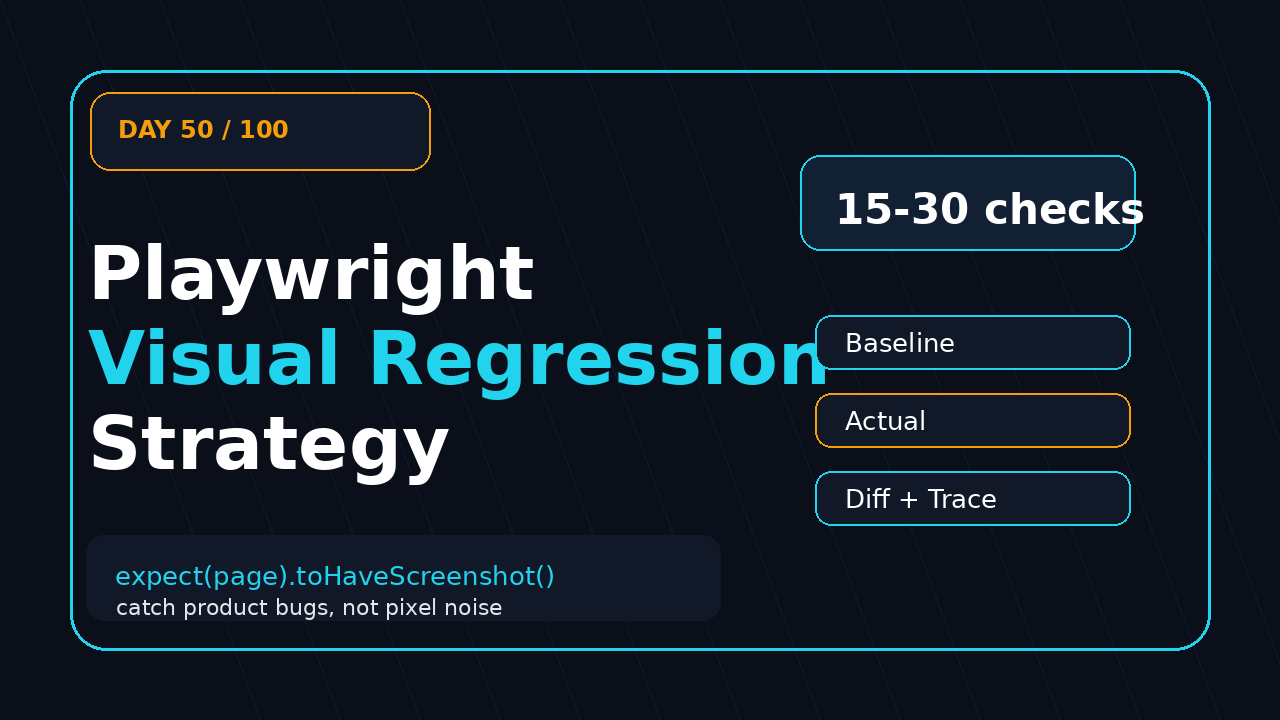
My starting target for a product team is usually 15 to 30 visual checks:
- 5 checks for the core money flow.
- 5 checks for dashboard or admin review screens.
- 3 checks for auth and account management.
- 3 checks for responsive mobile layouts.
- 2 checks for localization or accessibility snapshot risk.
- 2 to 12 checks for product-specific UI risk.
This is enough to catch real regressions without drowning the team. You can add more after the first month of stable signal.
Pair visual checks with semantic assertions
Visual checks should not replace functional checks. They should sit beside them. Before taking a screenshot, assert the page state with locators, roles, and test data.
import { test, expect } from '@playwright/test';

test('checkout summary visual contract', async ({ page }) => {
  await page.goto('/checkout?scenario=standard-user');

  await expect(page.getByRole('heading', { name: 'Order Summary' })).toBeVisible();
  await expect(page.getByText('Total: ₹4,999')).toBeVisible();
  await expect(page.getByRole('button', { name: 'Place order' })).toBeEnabled();

  await expect(page.locator('[data-testid="order-summary-card"]'))
    .toHaveScreenshot('checkout-order-summary.png');
});
This pattern prevents screenshots of half-loaded pages. It also makes the failure easier to debug. If the semantic assertion fails, you have a functional bug. If the screenshot fails, you inspect a layout or visual change.
Baseline design that survives product changes
The baseline policy decides whether the suite earns trust. I want every baseline update to feel like a code review, not a screenshot dump.
Lock the environment first
Microsoft’s Playwright repository is active and large, with more than 93,000 GitHub stars when I checked for this article. The ecosystem is mature enough for serious visual testing, but maturity does not remove environment drift. You still need discipline.
Lock these values before your first baseline:
- Browser engine and Playwright version.
- Viewport width and height.
- Device scale factor.
- Timezone and locale.
- Color scheme and theme.
- Test data and feature flags.
- Font availability inside the CI image.
The latest Playwright release from the GitHub API was v1.62.0, published on 2026-07-24, when I researched this Day 50 article. Version details change fast, so pin your dependency and upgrade intentionally. I like the process in the Playwright upgrade checklist: verify a small set of files before merge instead of letting updates drift silently.
Use project-specific snapshot names
Visual snapshots become confusing when names are generic. Use names that include the intent, not just the page.
await expect(page.locator('[data-testid="pricing-card-pro"]'))
  .toHaveScreenshot('pricing-pro-card-desktop-light.png');

await expect(page.locator('[data-testid="pricing-grid"]'))
  .toHaveScreenshot('pricing-grid-mobile-dark.png');
When a reviewer sees the filename, they should know what changed. If the filename is page-1.png, the reviewer has to open the test file and reverse-engineer the intent.
The person who writes the test should not always approve the baseline alone. Product owners, designers, and QA leads need a lightweight review loop for important screens.
I use this baseline approval rule:
- Minor spacing inside an owned component: QA plus developer approval.
- Copy, pricing, state, or visual hierarchy change: product owner approval.
- Brand, color, typography, or major layout change: design approval.
- Release-blocking user flow: QA lead approval before baseline update.
This is not bureaucracy. It is a way to stop accidental UI regressions from being accepted as new truth.
Playwright visual regression strategy implementation
This section gives the working implementation. The idea is simple: stable data, stable page, narrow screenshot target, explicit masks, CI artifact evidence.
Configure stable Playwright projects
I keep one dedicated visual project in playwright.config.ts. It uses a fixed viewport and disables noise-heavy behavior where the product allows it.
import { defineConfig, devices } from '@playwright/test';

export default defineConfig({
  testDir: './tests',
  retries: process.env.CI ? 1 : 0,
  reporter: [['html'], ['junit', { outputFile: 'test-results/junit.xml' }]],
  use: {
    baseURL: process.env.BASE_URL ?? 'http://localhost:3000',
    trace: 'retain-on-failure',
    screenshot: 'only-on-failure',
    video: 'retain-on-failure',
    locale: 'en-IN',
    timezoneId: 'Asia/Kolkata',
  },
  projects: [
    {
      name: 'visual-chromium-desktop',
      use: {
        ...devices['Desktop Chrome'],
        viewport: { width: 1366, height: 768 },
        colorScheme: 'light',
      },
      grep: /@visual/,
    },
  ],
  expect: {
    toHaveScreenshot: {
      maxDiffPixelRatio: 0.002,
      animations: 'disabled',
      caret: 'hide',
    },
  },
});
The exact threshold depends on the product. I start strict and loosen only when I can explain the noise. A threshold without an explanation becomes a hiding place for bugs.
Mask dynamic regions intentionally
Masking is not cheating. Random data is cheating. If a UI area is designed to change, mask it and test the rule behind it separately.
test('dashboard revenue cards remain visually stable @visual', async ({ page }) => {
  await page.goto('/dashboard?seed=visual-baseline');

  const dashboard = page.locator('[data-testid="executive-dashboard"]');
  await expect(page.getByRole('heading', { name: 'Revenue Dashboard' })).toBeVisible();

  await expect(dashboard).toHaveScreenshot('dashboard-revenue-cards.png', {
    mask: [
      page.locator('[data-testid="last-updated"]'),
      page.locator('[data-testid="support-chat-widget"]'),
    ],
    maskColor: '#0B0F19',
  });
});
Notice the seed. Test data matters. If the database creates new chart values on every run, Playwright is doing its job by failing the screenshot. Fix the data first.
Capture components before full pages
Full-page screenshots are attractive because they feel complete. They also collect every unrelated change in the viewport. Component-level screenshots are usually easier to review.
I use this order:
- Component screenshot for the risky UI block.
- Viewport screenshot for the main product path.
- Full-page screenshot only for layout-heavy pages.
This order cuts noise. It also makes diffs useful in pull requests because the changed area is smaller.
AI-assisted triage without trusting the bot blindly
AI can help with visual regression triage, but I do not let it approve releases. I let it summarize evidence for humans.
Classify diffs into four buckets
When a screenshot fails, the first job is classification. I use four buckets:
- Product bug: user-facing meaning changed by mistake.
- Expected product change: intentional change that needs baseline approval.
- Test data drift: screenshot changed because setup changed.
- Environment noise: fonts, animations, clock, ads, or infra differences.
An AI model can compare the baseline, actual, and diff image and produce a first-pass summary. The QA engineer still owns the final label.
Store evidence like a release note
For each visual failure, I want three artifacts:
- Baseline image.
- Actual image.
- Diff image plus trace link.
The AI browser agent evidence checklist makes the same point for AI-driven browser testing: evidence beats trust. If an AI agent says a visual diff is harmless, I still want the images and trace.
Use accessible snapshots for a second signal
Playwright’s snapshot testing documentation covers asserting the accessibility tree against a predefined snapshot template. This is useful because visual and accessibility failures tell different stories.
If a button disappears visually and the ARIA snapshot also changes, I treat the failure as higher risk. If the pixels move but the accessibility tree stays stable, the change may be layout-only. That does not mean safe. It means I review with better context.
CI release gate setup
A Playwright visual regression strategy needs a clear CI policy. If every visual diff blocks every branch, the team will bypass it. If nothing blocks, the suite becomes theatre.
Run visual checks at the right time
npm download data for @playwright/test showed 191,083,347 downloads for the last-month window I checked. That popularity does not mean every team should run every visual check on every commit. Use tiers.
My CI tiers look like this:
- Pull request: 5 to 10 critical component screenshots.
- Pre-merge main: core visual suite on Chromium.
- Nightly: cross-browser, mobile viewport, locale, and theme matrix.
- Release candidate: full visual suite plus manual review of changed baselines.
This keeps feedback fast while still protecting the release.
Make failures reviewable in pull requests
A visual failure should not force a developer to download random artifacts and guess. Publish the HTML report, attach images, and write a short triage note.
name: visual-regression
on:
  pull_request:
  workflow_dispatch:

jobs:
  visual:
    runs-on: ubuntu-latest
    steps:
      - uses: actions/checkout@v4
      - uses: actions/setup-node@v4
        with:
          node-version: 22
      - run: npm ci
      - run: npx playwright install --with-deps chromium
      - run: npx playwright test --project=visual-chromium-desktop
        env:
          BASE_URL: ${{ secrets.STAGING_URL }}
      - uses: actions/upload-artifact@v4
        if: always()
        with:
          name: playwright-visual-report
          path: |
            playwright-report
            test-results
The artifact is the start. The team still needs a review ritual. I ask QA to comment with one of the four labels: product bug, expected product change, data drift, or environment noise.
Do not auto-update baselines in CI
Auto-updating baselines in CI is dangerous. It turns visual testing into a rubber stamp. Baselines should change through a reviewed commit, with a reason.
Use a local command for intentional updates:
npx playwright test --project=visual-chromium-desktop --update-snapshotsThen review the PNG changes like production code. If the baseline update touches pricing, checkout, legal copy, or auth pages, slow down and get the right owner.
India SDET context and ownership
In India, visual regression ownership is a strong SDET signal. Service-company projects often treat automation as script delivery. Product companies expect engineers to reduce release risk. This is where visual evidence helps you stand out.
What hiring managers notice
When I interview SDETs, I do not get excited by a line that says “implemented visual testing.” I ask what the suite caught, how many false positives it had, and how baselines were approved.
A stronger resume bullet looks like this:
- Built Playwright visual regression suite for 22 release-critical UI states across checkout, dashboard, and localization flows.
- Reduced noisy diffs by masking dynamic widgets, pinning viewport and locale, and moving from full-page screenshots to component snapshots.
- Added CI artifacts with baseline, actual, diff, and trace links for release review.
That tells me you understand risk, not just syntax.
Where AI fits in the SDET roadmap
AI does not remove the SDET from visual testing. It increases the value of a QA engineer who can design the evidence loop. A model can summarize diffs. A strong SDET decides which diffs matter, where to mask, when to block, and when to update baselines.
If you are moving from manual QA to automation, visual regression is a practical bridge. You already know what looks wrong to a user. Add Playwright, stable data, and CI review, and you become more valuable in product teams.
Use visual checks for localization and RTL risk
Indian and global teams often ship English first and discover localization issues late. Longer labels break cards. Currency symbols wrap badly. RTL layouts flip icons and spacing in surprising ways.
For that reason, I like pairing visual checks with the ideas in Playwright RTL layout testing. A small RTL visual suite can catch layout bugs that ordinary text assertions miss.
Key takeaways
The best Playwright visual regression strategy is not the biggest screenshot library. It is the suite that catches meaningful UI regressions and earns trust during release review.
- Start with 15 to 30 high-risk screenshots, not every page.
- Lock browser, viewport, locale, theme, timezone, data, and fonts.
- Prefer component screenshots before full-page screenshots.
- Mask dynamic regions intentionally and test their logic elsewhere.
- Use AI for triage summaries, not release approval.
- Store baseline, actual, diff, and trace as release evidence.
- Review baseline updates like code changes.
Day 50 is the point where visual testing stops being a demo and becomes a release habit. If your team can explain every diff, your visual suite is doing real QA work.
FAQ
Is Playwright enough for visual regression testing?
Yes, Playwright is enough for many teams because it supports screenshot comparison through toHaveScreenshot(), traces, CI artifacts, browser projects, and stable test configuration. Dedicated visual platforms can add cross-browser farms, richer review workflows, or AI-powered diff grouping, but start with Playwright if your problem is discipline rather than tooling.
How many screenshots should a team start with?
I recommend 15 to 30 screenshots for a product team starting from zero. Pick critical user journeys first: checkout, dashboards, pricing, auth, reports, localization, and graph-heavy screens. Expand only after the first month of low-noise results.
Should visual regression tests block pull requests?
Only the highest-signal checks should block pull requests. Run the small critical subset on PRs, run the broader suite before merge or nightly, and run the full matrix before release. A suite that blocks too often for noise will be bypassed.
Can AI approve visual diffs automatically?
I would not let AI approve release diffs automatically. Use AI to summarize the changed area, suggest a label, and group similar failures. Keep human approval for baseline updates and release-blocking decisions.
What is the biggest mistake in Playwright visual testing?
The biggest mistake is updating baselines without review. That converts accidental bugs into accepted truth. Every baseline change should have a reason, an owner, and a review trail.