
Playwright CI Sharding with TypeScript: Day 18
Playwright CI sharding is the point where a local TypeScript test project starts looking like a real team framework. On Day 18, we take the suite you have been building and split it across multiple CI jobs without losing reports, traces, or debugging clarity.
🎭 Want to master this with real projects? Join the Playwright Automation Mastery course at The Testing Academy.
I see many QA teams add more tests, then complain that Playwright became slow. Most of the time Playwright is not the problem. The pipeline design is. A single CI job running 500 browser tests is a queue, not a scalable test strategy.
Table of Contents
- Why Playwright CI Sharding Matters
- The Mental Model: Workers, Projects, and Shards
- Baseline TypeScript Config Before Sharding
- GitHub Actions Workflow for Playwright CI Sharding
- Reports, Traces, and Artifacts
- Common Pitfalls I See in Real Teams
- Debugging Checklist for Sharded Runs
- India Team Context: Speed Without Chaos
- Key Takeaways
- FAQ
Contents
Why Playwright CI Sharding Matters
Playwright CI sharding means splitting one test suite into smaller chunks and running those chunks in parallel CI jobs. The official Playwright sharding docs define a shard as a smaller part of the suite that can run independently on a separate machine or job. That simple idea changes how fast feedback reaches developers.
The data shows why teams care. The Microsoft Playwright GitHub repository has more than 91,000 stars, and the npm registry reported about 168 million downloads for @playwright/test in the last month at the time I checked this job. That adoption is not only because Playwright is easy to start. It is also because it scales well when teams use its runner correctly.
Here is the usual pattern I see:
- Week 1: 30 tests finish in 3 minutes.
- Month 2: 180 tests take 18 minutes.
- Month 6: 600 tests block pull requests for 50 minutes.
- Then someone says, “Automation is slowing us down.”
That last line is a symptom. The root cause is that the suite stayed on one lane while the test count kept growing. Sharding adds more lanes.
What you should expect after this tutorial
By the end, you will have a GitHub Actions setup that runs a Playwright TypeScript suite across multiple shards, uploads blob reports, merges them into one HTML report, and stores traces for failed tests. You can copy the workflow into a real repository and adjust only the shard count.
If you are catching up on this series, read the ScrollTest guide on Selenium to Playwright page objects and test conversion. The structure from that article fits perfectly with the CI pattern here.
The Mental Model: Workers, Projects, and Shards
Before writing YAML, get the vocabulary right. Most broken pipelines I review mix up workers, projects, and shards. They are related, but they solve different problems.
Workers run inside one job
Playwright Test runs test files in parallel using worker processes. The official parallelism docs explain that workers are OS processes. If your CI job has 2 CPU cores and you set 6 workers, you may create contention instead of speed.
npx playwright test --workers=2I usually start conservative in CI. On a 2-core GitHub runner, two workers is a sane baseline. On a bigger self-hosted runner, measure before increasing. More workers do not always mean lower runtime if the app under test, database, or test data setup becomes the bottleneck.
Projects represent browser or environment combinations
A Playwright project is a named test configuration. You might have one project for Chromium, one for Firefox, and one for mobile Chrome. Projects are great for coverage, but they multiply runtime if you run every test on every browser.
// playwright.config.ts
projects: [
  { name: 'chromium', use: { ...devices['Desktop Chrome'] } },
  { name: 'firefox', use: { ...devices['Desktop Firefox'] } },
]
For pull requests, I prefer Chromium only plus critical smoke tests. For nightly builds, run the full browser matrix. This is not cutting corners. This is putting the right feedback at the right stage.
Shards split the suite across jobs
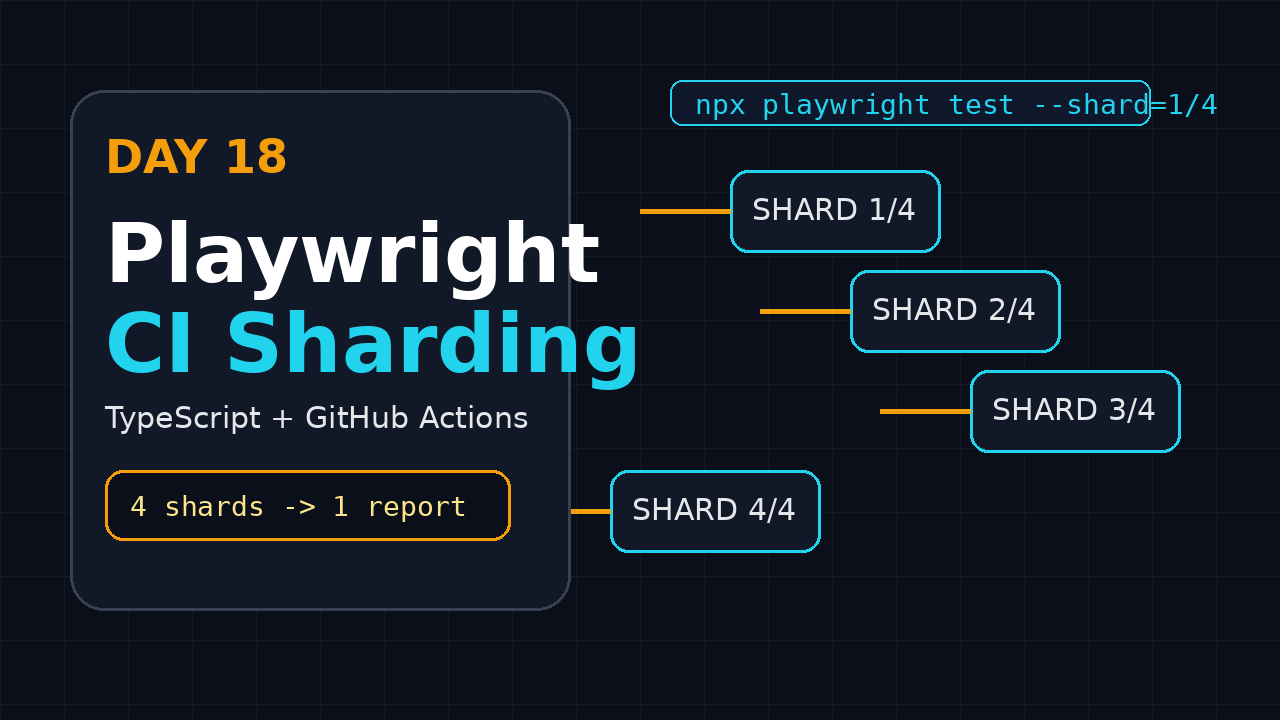
A shard is the CI-level split. If you run --shard=1/4, that job runs the first quarter of the suite. Another job runs --shard=2/4, then 3/4, then 4/4. When the jobs run together, the wall-clock time drops because the work is shared.
npx playwright test --shard=1/4
npx playwright test --shard=2/4
npx playwright test --shard=3/4
npx playwright test --shard=4/4
Think of it like four testers checking four modules at the same time, then sharing one report. That is the goal.
Baseline TypeScript Config Before Sharding
Do not shard a messy suite. Sharding magnifies hidden problems: shared test data, order dependency, weak waits, and global state. Start with a predictable playwright.config.ts.
Install the required packages
npm init playwright@latest
npm install -D @playwright/test typescript
npx playwright install --with-deps
For an existing repo, the important part is that @playwright/test is in dev dependencies and browsers are installed in CI. If your CI image already has browsers, still keep the install command visible so new contributors understand the dependency.
Create a CI-friendly config
// playwright.config.ts
import { defineConfig, devices } from '@playwright/test';

export default defineConfig({
  testDir: './tests',
  timeout: 30_000,
  expect: {
    timeout: 7_000,
  },
  fullyParallel: true,
  forbidOnly: !!process.env.CI,
  retries: process.env.CI ? 1 : 0,
  workers: process.env.CI ? 2 : undefined,
  reporter: process.env.CI
    ? [['blob'], ['github']]
    : [['html', { open: 'never' }]],
  use: {
    baseURL: process.env.BASE_URL ?? 'http://localhost:3000',
    trace: 'on-first-retry',
    screenshot: 'only-on-failure',
    video: 'retain-on-failure',
  },
  projects: [
    {
      name: 'chromium',
      use: { ...devices['Desktop Chrome'] },
    },
  ],
});
Notice three choices here:
fullyParallel: truelets Playwright run tests as independently as possible.reporter: [['blob'], ['github']]creates reports that can be merged after sharding.trace: 'on-first-retry'gives debugging evidence without storing huge traces for every passing test.
Add stable scripts to package.json
{
  "scripts": {
    "test:e2e": "playwright test",
    "test:e2e:ci": "playwright test --project=chromium",
    "report:merge": "playwright merge-reports --reporter html ./blob-report"
  }
}
Keep commands boring. A junior SDET should open package.json and understand what the pipeline runs in 30 seconds.
I also add one short README section beside the workflow. It lists the shard count, browser project, artifact names, and the owner for flaky-test triage. This small note prevents pipeline knowledge from staying with only one senior engineer.
For more debugging discipline, pair this with ScrollTest’s DeFlaky AI root cause analysis for flaky tests. Sharding is faster only when failures remain explainable.
GitHub Actions Workflow for Playwright CI Sharding
Now we build the actual workflow. This example uses four shards. Do not copy the number blindly. Start with the current runtime and CI cost, then tune.
Full workflow file
name: Playwright CI

on:
  pull_request:
    branches: [main]
  push:
    branches: [main]

jobs:
  test:
    name: Shard ${{ matrix.shardIndex }} of ${{ matrix.shardTotal }}
    runs-on: ubuntu-latest
    timeout-minutes: 30
    strategy:
      fail-fast: false
      matrix:
        shardIndex: [1, 2, 3, 4]
        shardTotal: [4]

    steps:
      - name: Checkout
        uses: actions/checkout@v4

      - name: Setup Node
        uses: actions/setup-node@v4
        with:
          node-version: 22
          cache: npm

      - name: Install dependencies
        run: npm ci

      - name: Install Playwright browsers
        run: npx playwright install --with-deps chromium

      - name: Run Playwright shard
        run: npx playwright test --project=chromium --shard=${{ matrix.shardIndex }}/${{ matrix.shardTotal }}
        env:
          CI: true
          BASE_URL: ${{ secrets.STAGING_BASE_URL }}

      - name: Upload blob report
        if: always()
        uses: actions/upload-artifact@v4
        with:
          name: blob-report-${{ matrix.shardIndex }}
          path: blob-report
          retention-days: 7

  merge-reports:
    if: always()
    needs: [test]
    runs-on: ubuntu-latest
    steps:
      - name: Checkout
        uses: actions/checkout@v4

      - name: Setup Node
        uses: actions/setup-node@v4
        with:
          node-version: 22
          cache: npm

      - name: Install dependencies
        run: npm ci

      - name: Download blob reports
        uses: actions/download-artifact@v4
        with:
          pattern: blob-report-*
          path: all-blob-reports
          merge-multiple: true

      - name: Merge into HTML report
        run: npx playwright merge-reports --reporter html ./all-blob-reports

      - name: Upload HTML report
        uses: actions/upload-artifact@v4
        with:
          name: playwright-html-report
          path: playwright-report
          retention-days: 14
This is the core of Playwright CI sharding with TypeScript. Four jobs run in parallel, each job uploads a blob report, and the merge job creates one readable HTML report.
Screenshot description: what the Actions page should show
In GitHub Actions, you should see one workflow run with four parallel jobs named “Shard 1 of 4” through “Shard 4 of 4”. After they finish, a fifth job named “merge-reports” runs. The artifact panel should show playwright-html-report. When you download and open it, the report should include tests from all shards, not only one shard.
Why fail-fast is false
I set fail-fast: false because I want all shards to finish and upload evidence. If shard 1 fails in minute 2 and GitHub cancels shard 2, 3, and 4, you lose the full failure picture. For UI suites, partial evidence creates bad triage meetings.
Reports, Traces, and Artifacts
A fast pipeline that gives no debugging data is not useful. Playwright’s Trace Viewer documentation describes traces as a way to inspect actions, snapshots, network calls, console logs, and source locations. That is exactly what a remote CI failure needs.
Use traces only where they pay back
I like trace: 'on-first-retry' for CI. It keeps artifacts small for green runs and captures evidence when the test is suspicious enough to retry. For a new flaky area, temporarily switch one project to retain-on-failure.
use: {
  trace: process.env.CI ? 'on-first-retry' : 'retain-on-failure',
  screenshot: 'only-on-failure',
  video: 'retain-on-failure',
}
Open the report locally
unzip playwright-html-report.zip
npx playwright show-report playwright-report
The HTML report should show the project name, browser, duration, retry status, screenshots, and traces. If a test failed on shard 3, the merged report should still link to its trace. If it does not, check your artifact paths first.
Keep artifact retention practical
Seven to fourteen days is enough for most teams. Long retention looks safe, but it can create storage noise and hide the real issue: nobody is triaging failures quickly. For release branches, store reports longer only if compliance needs it.
🚀 Level Up Your Playwright
From locators to CI pipelines — build a production-grade Playwright + TypeScript framework step by step.
Common Pitfalls I See in Real Teams
Sharding is simple when tests are independent. It becomes painful when tests secretly depend on each other.
If all shards use the same test user, one shard may change data while another shard expects the old state. This creates failures that disappear locally. Use isolated users, unique emails, or API setup per test.
import { test as base } from '@playwright/test';

export const test = base.extend<{ userEmail: string }>({
  userEmail: async ({}, use, testInfo) => {
    const email = `qa_${testInfo.workerIndex}_${Date.now()}@example.com`;
    await use(email);
  },
});
This small fixture removes a large class of cross-shard collisions.
Pitfall 2: testing too many browsers on every PR
Running Chromium, Firefox, and WebKit across every pull request feels thorough. In practice, it can triple pipeline time and push developers to ignore failures. Use a layered strategy:
- Pull request: Chromium smoke and changed-area tests.
- Main branch: wider regression on Chromium.
- Nightly: full browser matrix.
- Release candidate: full matrix plus critical exploratory checks.
Pitfall 3: hiding flaky tests behind retries
Retries are a diagnostic tool, not a dustbin. If a test passes only on retry every day, the team should mark it for root cause work. Track retry count in reports and review the top offenders weekly.
Pitfall 4: too many shards for a small suite
If your suite has 40 tests, eight shards may waste time on setup overhead. Each job must checkout code, install dependencies, and start browsers. Measure total duration, not only test execution duration.
Debugging Checklist for Sharded Runs
When a sharded Playwright run fails, do not start by rerunning blindly. Use a fixed checklist. It saves time and keeps the team calm.
Step-by-step triage flow
- Open the merged HTML report artifact.
- Find the failing test and note the shard number.
- Open the trace from the first failure, not only the retry.
- Check whether the failure is selector, assertion, network, auth, or test data.
- Run the same test locally with
--repeat-each=5. - If it fails only in CI, run with the same env vars and browser project.
- If multiple shards fail, check environment health before blaming tests.
npx playwright test tests/orders.spec.ts \
  --project=chromium \
  --repeat-each=5 \
  --trace=on
Commands I keep in my CI notes
# Run one shard locally to reproduce a CI pattern
npx playwright test --shard=3/4 --project=chromium

# Run only failed tests from the last run if your report supports it
npx playwright test --last-failed

# Open report after downloading artifacts
npx playwright show-report playwright-report
If you are exploring agent-based browser automation, the ScrollTest BrowserBash tutorial is a useful companion. But for CI, keep the deterministic Playwright suite as your trust layer.
India Team Context: Speed Without Chaos
In India-based QA teams, I often see one CI runner serving multiple squads. A 45-minute Playwright run may look acceptable until five pull requests queue behind it. Then the real cost is not minutes. It is context switching across developers, SDETs, and reviewers.
For service companies, the pressure is usually client reporting and predictable release windows. For product companies, the pressure is developer velocity and release confidence. In both cases, Playwright CI sharding gives the SDET team a clean metric to own: feedback time per pull request.
A practical rollout plan
- Measure current median and worst-case Playwright runtime for one week.
- Fix the top 5 flaky tests before adding shards.
- Move to 2 shards and compare total workflow time.
- Move to 4 shards only if setup overhead is still smaller than saved runtime.
- Review artifact size, retry count, and queue time every Friday.
For a team with ₹25-40 LPA SDETs, waiting 40 minutes for preventable CI feedback is expensive. The better story in interviews and performance reviews is specific: “I reduced PR browser-test feedback from 38 minutes to 14 minutes by adding four Playwright shards and merged blob reports.” That sentence has weight.
Key Takeaways
Playwright CI sharding is not an advanced trick. It is a normal step once your TypeScript suite crosses a few hundred tests.
- Workers parallelize inside one CI job; shards parallelize across CI jobs.
- Use blob reports when each shard must later become one HTML report.
- Keep traces on retry or failure so CI failures remain debuggable.
- Do not shard tests that depend on shared data or execution order.
- Start with 2 shards, measure, then move to 4 or more only when the data supports it.
Tomorrow, Day 19 moves closer to production framework design. We will connect CI results with quality signals that managers and developers can actually use.
FAQ
How many Playwright shards should I start with?
Start with 2 shards. If the setup overhead is small and the suite still takes too long, move to 4. Do not start with 8 shards just because the YAML looks impressive.
Should I shard by file name, folder, or Playwright’s built-in shard option?
Use Playwright’s built-in --shard=x/y option first. Folder-based splitting looks simple, but it often creates uneven jobs when one folder has heavier tests.
Can I use Playwright CI sharding with Jenkins or GitLab CI?
Yes. The idea is the same: run separate jobs with different --shard values, upload blob reports, then merge them. The YAML syntax changes, but the Playwright commands stay similar.
Do retries make sharding unsafe?
No. Retries are fine when used carefully. The danger is ignoring repeated retry passes. Treat retries as a signal that a test or environment needs attention.
Should every pull request run all browsers?
Usually no. Run the fastest useful signal on pull requests, then run the wider browser matrix on main, nightly, or release pipelines.
Sources checked: Playwright sharding docs, Playwright parallelism docs, Playwright Trace Viewer docs, Microsoft Playwright GitHub repository, and npm package data for @playwright/test.
🎓 Master Playwright End to End
Join hundreds of SDETs building real automation frameworks. Lifetime access, hands-on projects, and a job-ready portfolio.

