
BrowserBash Tutorial: Plain English Browser Automation
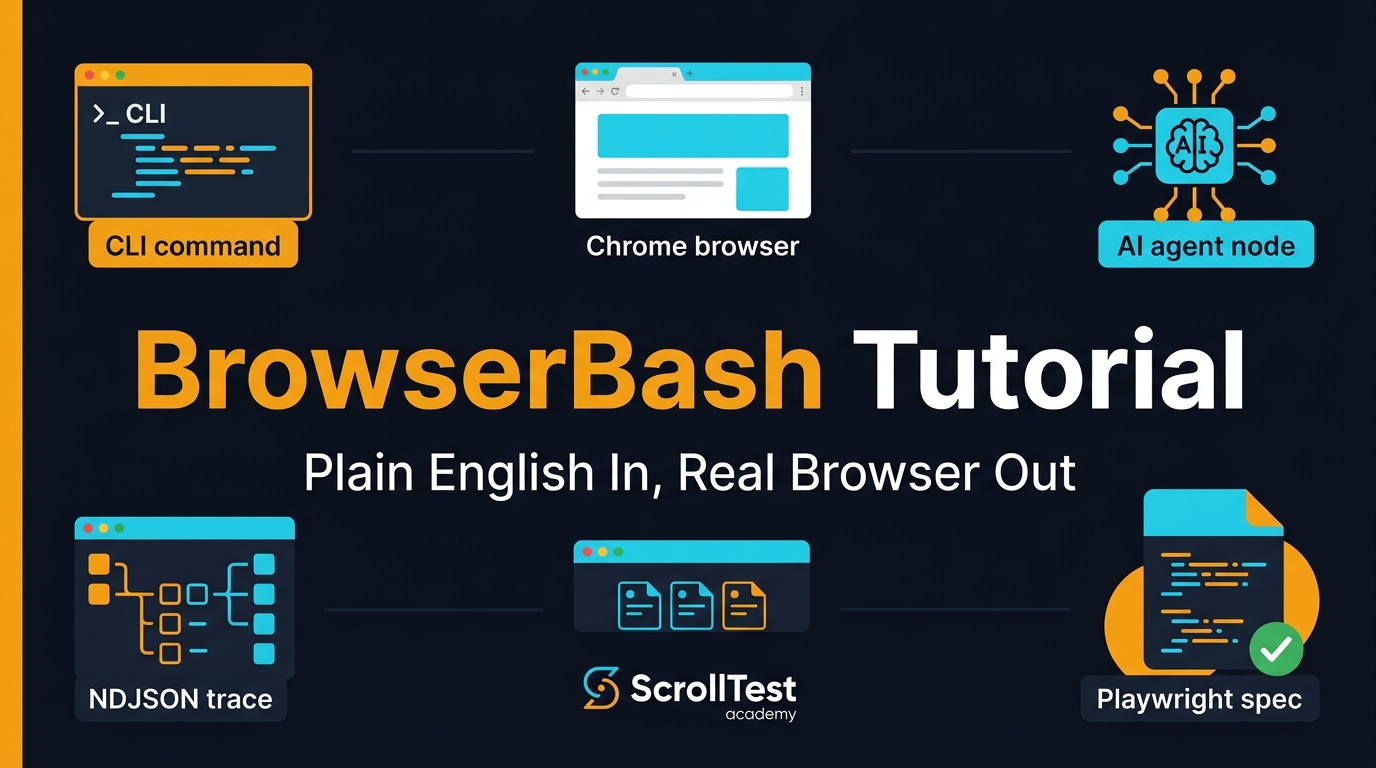
This BrowserBash tutorial shows QA engineers how to turn a plain-English objective into a real browser run, then decide where it fits beside Playwright, Selenium, Cypress, and AI agents. I am treating BrowserBash as a practical CLI, not a magic replacement for test automation, because teams still need evidence, repeatability, and clean failure signals.
🎭 Want to master this with real projects? Join the Playwright Automation Mastery course at The Testing Academy.
Table of Contents
- What Is BrowserBash?
- Why QA Engineers Should Care
- BrowserBash Tutorial Setup
- Your First Plain-English Browser Run
- CI and AI Agent Workflows
- Playwright vs BrowserBash
- Real-World QA Use Cases
- India Career Context for SDETs
- Common Mistakes and Fixes
- Key Takeaways
- FAQ
Contents
What Is BrowserBash?
A CLI that drives a real browser from a sentence
BrowserBash describes itself as a free, open-source natural-language browser automation CLI. The core idea is simple: write a plain-English objective, run a command, and let an AI agent drive Chrome through a real page.
The public site says the CLI is free to use, open source under Apache-2.0, and installable with a single npm command. The public browserbash-cli npm package confirms the package name:
npm install -g browserbash-cli
The latest npm registry metadata I checked lists browserbash-cli at version 1.3.1. The package description says it can run objectives against local Chrome, LambdaTest/TestMu, BrowserStack, any CDP endpoint, or Playwright MCP. The npm downloads API showed 1,086 downloads for the 30-day window from 2026-05-25 to 2026-06-23, so this is an early tool, not a mature Selenium-scale ecosystem.
It is not the same as Playwright Test
Playwright Test is a full test framework. The official Playwright docs say it bundles a test runner, assertions, isolation, parallelization, and tooling for Chromium, WebKit, and Firefox across Windows, Linux, and macOS. BrowserBash sits in a different lane. It is closer to an agentic browser operator that accepts an objective and produces a run.
That distinction matters. If your team needs deterministic regression coverage for checkout, login, and payment flows, Playwright specs still win. If your team needs fast exploration, smoke checks, data collection, or AI-agent evidence, BrowserBash becomes interesting.
The source and dashboard model
The BrowserBash pricing page says the CLI, local dashboard, and cloud account are free, with 15-day run history for uploaded cloud runs. It also says the only planned paid item is optional extended cloud data retention. That is useful for QA teams because run history, video recordings, and replay links become evidence during triage.
I like this model for one reason: the CLI can run without forcing every tester into a paid seat before the team has proven value. That lowers the adoption friction for a small QA guild or a 5-person product team.
Why QA Engineers Should Care
The test automation market is moving toward agents
We already see test automation moving in two directions. One side is strict, typed, code-heavy automation. Playwright is strong here. The npm downloads API showed @playwright/test at 166,554,379 downloads in the 30-day window from 2026-05-25 to 2026-06-23. The GitHub API showed 91,591 stars for microsoft/playwright when I checked.
The other side is agent-assisted automation. Testers describe an outcome, the agent navigates the browser, and the system captures evidence. BrowserBash belongs to this second lane. It does not remove the need for engineers. It changes what engineers can automate in the first 10 minutes of a task.
Plain English reduces the first step cost
A QA engineer often starts with a sentence in a Jira ticket:
- Verify that a new user can sign up with email.
- Check whether the pricing page shows the annual discount.
- Open the dashboard and confirm the latest failed run appears.
- Capture the top 3 search results for a release note check.
Traditional automation asks the tester to translate that sentence into locators, waits, assertions, and reporting. BrowserBash starts from the sentence itself. That makes it useful for quick smoke coverage, pre-automation discovery, and exploratory passes before a stable Playwright spec is worth writing.
It fits a bigger QA toolchain
I would not use BrowserBash alone. I would pair it with Playwright specs, API checks, visual review, and CI artifacts. For Playwright-specific patterns, read Playwright 1.61 Release Notes: Passkeys, WebStorage API, and What QA Teams Must Know and Playwright Reports: Day 16 HTML, JUnit and CI Guide.
The value is not “AI does testing.” The value is a faster path from intent to evidence. That is the part QA teams should test seriously in 2026.
BrowserBash Tutorial Setup
Prerequisites
For this BrowserBash tutorial, I assume you have Node.js, npm, and Chrome installed. I also assume you can run shell commands locally or inside a CI runner. The public BrowserBash homepage shows this install command:
npm install -g browserbash-cli
After installation, verify the CLI is visible:
browserbash --help
browserbash --version
If your machine cannot find the command, check your npm global binary path:
npm bin -g
npm config get prefix
Choose your model strategy
The BrowserBash homepage says it can run on free local models through Ollama or free OpenRouter models, with optional Anthropic or OpenRouter keys if you want to bring your own model. That is important for test data privacy. If you are working on an internal app, use local models or a company-approved provider. Do not paste production credentials into a random prompt.
My practical order is:
- Start with a harmless public site to understand event output.
- Move to a staging environment with fake data.
- Mask secrets through environment variables or a vault.
- Only then connect cloud replay or external providers.
Understand the layers
The BrowserBash site describes three swappable layers: where the browser runs, which AI model is used, and how the output is consumed. That maps well to real QA architecture. A local developer might use Chrome on a laptop. A CI pipeline might use a container or remote browser provider. An AI agent might consume NDJSON output.
This separation is healthy. Test automation gets painful when the browser, model, reporting, and credentials are glued together into one black box.
Your First Plain-English Browser Run
Start with a public read-only objective
Do not start with login. Start with a read-only page. The BrowserBash homepage uses Hacker News as an example. You can run an objective like this:
browserbash run "Open https://news.ycombinator.com and store the top story title as 'top_story' and its points as 'points'" --headless
This is a good first test because the page is public, the objective is specific, and the expected data is easy to inspect. A weak objective says “check Hacker News.” A strong objective names the page, the data to extract, and the variables to store.
Turn a manual smoke check into an objective
Now take a QA-style smoke check. Suppose your staging app has a marketing page, a sign-up CTA, and a pricing page. Your plain-English objective can be:
browserbash run "Open https://staging.example.com, click the primary Sign up button, verify the email field is visible, then go back and confirm the Pricing link opens a page with the text Annual" --headless
Notice the verbs: open, click, verify, go back, confirm. This is still not as deterministic as a Playwright spec, but it is much better than a vague instruction. Treat objectives like test cases. Specific language produces better automation.
Write the equivalent Playwright spec when the flow stabilizes
Once the flow becomes important for every release, convert it to Playwright. Playwright’s docs highlight web-specific async assertions that retry until the expected condition is met, with a default assertion timeout of 5 seconds. That retry behavior is one reason Playwright is strong for regression suites.
import { test, expect } from '@playwright/test';

test('pricing smoke flow', async ({ page }) => {
  await page.goto('https://staging.example.com');
  await page.getByRole('link', { name: /pricing/i }).click();
  await expect(page.getByRole('heading', { name: /pricing/i })).toBeVisible();
  await expect(page.getByText(/annual/i)).toBeVisible();
});
This is the pattern I recommend: use BrowserBash for fast intent-to-evidence runs, then promote stable high-value flows into Playwright.
CI and AI Agent Workflows
Use NDJSON when another tool needs to read the run
The BrowserBash homepage mentions an agent mode with NDJSON events. That matters because CI systems and coding agents need structured output. A video is useful for humans. NDJSON is useful for machines.
browserbash run "Open https://example.com and verify the hero heading is visible" --agent --headless > browserbash-run.ndjson
From there, a CI script can parse whether the run passed, failed, or needs review. You can also attach browserbash-run.ndjson as an artifact next to Playwright HTML reports and screenshots.
Fail safely in CI
Plain-English automation can fail for valid reasons: the app changed, the model misunderstood, the browser timed out, or the objective was too vague. Do not wire it into release blocking on day 1. Start as a non-blocking evidence job.
name: BrowserBash Smoke
on:
  pull_request:

jobs:
  smoke:
    runs-on: ubuntu-latest
    steps:
      - uses: actions/checkout@v4
      - uses: actions/setup-node@v4
        with:
          node-version: 22
      - run: npm install -g browserbash-cli
      - run: browserbash run "Open ${{ secrets.STAGING_URL }} and verify the login page loads" --agent --headless > browserbash.ndjson
        continue-on-error: true
      - uses: actions/upload-artifact@v4
        with:
          name: browserbash-smoke
          path: browserbash.ndjson
After 20 to 30 runs, inspect the failure pattern. If the tool is stable for a specific flow, you can tighten the gate. If the failures are noisy, keep it as exploratory evidence.
Connect it to bug reports
A useful AI browser run produces evidence. A bad run produces a paragraph of confidence. I want these fields in every bug report created from BrowserBash:
- Objective text used for the run.
- Browser provider and model provider.
- Pass or fail status with timestamp.
- Screenshot, video, or replay link.
- NDJSON artifact or summarized action trace.
This keeps the QA process auditable. It also helps developers reproduce the issue without guessing what the agent actually clicked.
🚀 Level Up Your Playwright
From locators to CI pipelines — build a production-grade Playwright + TypeScript framework step by step.
Playwright vs BrowserBash
The numbers show Playwright is still the regression backbone
Playwright is not small anymore. The GitHub API showed 91,591 stars for microsoft/playwright, and the npm downloads API showed 166,554,379 monthly downloads for @playwright/test in the same 30-day window I checked. Selenium is still relevant too: the GitHub API for Selenium showed 34,218 stars for SeleniumHQ/selenium, and npm reported 8,489,884 monthly downloads for selenium-webdriver.
Those numbers do not prove one tool is better for every team. They prove one thing: if you are building long-term regression infrastructure, Playwright and Selenium have much deeper adoption than a new agentic CLI.
Where BrowserBash wins
BrowserBash wins when speed of expression is more important than test-suite architecture. I would use it for:
- Exploratory smoke checks before writing code.
- Release note verification on public pages.
- Simple extraction tasks for QA research.
- AI-agent workflows where the objective comes from another tool.
- Bug evidence collection with replay and event streams.
Where Playwright wins
Playwright wins when you need typed code, stable locators, retries, fixtures, parallelism, trace viewer, and code review. If your checkout flow fails, I want a deterministic spec with clear assertions. I do not want a vague agent transcript as the only gate.
If you are migrating from Selenium, read Selenium to Playwright Migration Part 3: The Master Cheat Sheet. That article covers how selectors, waits, and page objects map when teams move from one framework to another.
Real-World QA Use Cases
1. Release note smoke checks
When a SaaS vendor ships a release note, QA teams need to know whether the app behavior changed. BrowserBash can run a public-page objective and capture evidence. Example:
browserbash run "Open the latest Playwright release notes page, find mentions of WebStorage or passkeys, and summarize the QA impact in 3 bullets" --agent --headless
For a deeper release-note process, pair this with the style of checks in Selenium 4.45 Upgrade Checklist for SDETs.
2. Pre-automation discovery
Before writing a Playwright spec, ask BrowserBash to navigate the path and record what it sees. This helps identify ambiguous button names, missing labels, unstable navigation, and pages where human-readable intent does not map cleanly to UI controls.
If the agent struggles, your human users may struggle too. That is a strong accessibility and UX signal.
3. Support reproduction
Support teams often send QA a message like, “customer cannot download invoice.” A tester can convert that into an objective against staging with masked data:
browserbash run "Log in as the test customer, open Billing, click the latest invoice, and verify a PDF download starts" --headless --record
Do not use real customer data. Use seeded test accounts and masked credentials. The run artifact becomes a reproduction pack for engineering.
4. QA agent handoff
AI coding agents can write code. QA agents should verify behavior. A BrowserBash objective can be generated from a pull request description, executed against a preview URL, then attached to the PR. That gives teams a lightweight bridge between natural-language acceptance criteria and browser evidence.
India Career Context for SDETs
Plain-English automation is a career signal, not a shortcut
In India, many manual testers are trying to move into SDET roles. The salary gap can be large. In my experience, strong automation SDETs in product companies often target the ₹18-40 LPA band, while service-company manual testing roles may sit much lower depending on city, project, and experience. The exact number varies, but the skill signal is consistent: teams pay more for people who can convert business intent into reliable checks.
BrowserBash can help in interviews because it gives you a story: “I take a requirement, run an agentic smoke check, capture evidence, then promote the stable parts into Playwright.” That sounds better than “I know an AI tool.”
What hiring managers will ask
A hiring manager will not stop at the demo. They will ask:
- How do you know the run is correct?
- How do you handle secrets?
- When do you write a real Playwright spec?
- How do you debug a flaky agent run?
- What evidence do you attach to a Jira bug?
If you can answer these questions with commands, artifacts, and code, you stand out. If you only say “AI automates the browser,” you sound like every other resume.
A 7-day learning plan
Here is a practical plan for QA engineers:
- Day 1: Install BrowserBash and run 3 public read-only objectives.
- Day 2: Save NDJSON output and inspect pass or fail events.
- Day 3: Run one staging smoke objective with fake data.
- Day 4: Convert one stable objective into a Playwright test.
- Day 5: Add the BrowserBash run as a non-blocking CI job.
- Day 6: Create a bug report template with objective, replay, and trace fields.
- Day 7: Present the workflow to your team with one pass and one fail example.
Common Mistakes and Fixes
Mistake 1: Writing vague objectives
“Test login” is not a good objective. It hides the page, user type, expected result, and evidence. Write this instead:
browserbash run "Open the staging login page, sign in with the seeded QA user, verify the dashboard heading says Welcome, then capture a screenshot" --headless --record
The fix is simple: include the URL, account type, action, assertion, and artifact.
Mistake 2: Treating agent runs as regression tests too early
Agentic browser automation is powerful, but regression suites need boring stability. Keep BrowserBash non-blocking until you have enough run history. I like a minimum of 20 clean runs before discussing a release gate. That number is my operating rule, not a vendor benchmark.
Mistake 3: Forgetting privacy
Plain English makes it easy to leak data. A tester might paste a real email, password, customer ID, or production URL without thinking. Build guardrails:
- Use staging URLs by default.
- Use seeded accounts, not customer accounts.
- Mask secrets through environment variables.
- Review replay retention before uploading runs.
- Document which model provider is allowed.
Mistake 4: Not converting good runs into code
If a BrowserBash objective catches a real bug twice, it deserves a proper test. Promote it into Playwright, add assertions, and review the code. AI should speed up discovery. It should not become an excuse to avoid engineering discipline.
Key Takeaways
This BrowserBash tutorial is not a sales pitch for replacing Playwright. It is a practical argument for adding a fast, plain-English browser layer to your QA workflow.
- BrowserBash turns a plain-English objective into a real browser run through a CLI.
- The public npm package
browserbash-cliwas at version 1.3.1 when checked. - Playwright remains the better choice for deterministic regression suites.
- BrowserBash is useful for smoke checks, discovery, support reproduction, and AI-agent evidence.
- QA engineers should treat every run as evidence: objective, model, browser, replay, screenshot, and trace.
If you already use Playwright, start with one non-blocking BrowserBash job in CI. If it produces useful evidence for 20 to 30 runs, formalize it. If it produces noise, keep it for exploratory testing and support triage.
FAQ
Is BrowserBash a replacement for Playwright?
No. BrowserBash is better seen as an agentic browser automation CLI. Playwright is still stronger for typed regression tests, fixtures, retries, trace viewer, and long-term test maintenance.
Is BrowserBash free?
The BrowserBash pricing page says the CLI, local dashboard, and cloud account are free, with no credit card required. It also says cloud run history is kept for 15 days on the free account, with optional extended retention planned as the paid item.
Can I use BrowserBash in CI?
Yes, but start non-blocking. Capture NDJSON output, screenshots, videos, or replay links as artifacts. After you have stable run history, decide whether a specific objective should become a gate or a Playwright spec.
What should I put in a BrowserBash objective?
Include the URL, the user type, the action, the expected result, and the artifact you want. “Test checkout” is weak. “Open staging checkout, add product SKU QA-001, pay with test card, verify order confirmation number appears, then capture screenshot” is much better.
Should manual testers learn BrowserBash?
Yes, but not as a shortcut. Learn it with Playwright, API testing, and CI basics. The career value comes from turning requirements into evidence and then turning stable evidence into maintainable automated checks.
🎓 Master Playwright End to End
Join hundreds of SDETs building real automation frameworks. Lifetime access, hands-on projects, and a job-ready portfolio.
