
AI Testing Bug Report Template for SDETs
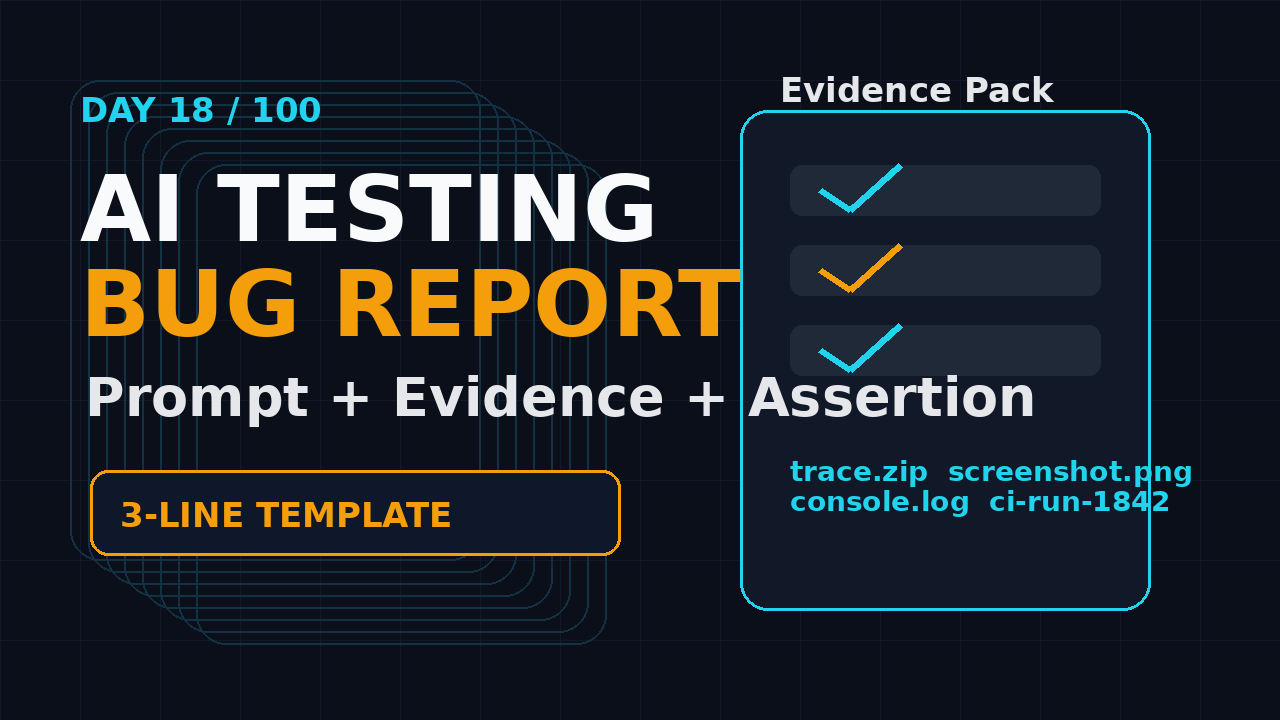
Day 18 of 100 Days of AI in QA & SDET: An AI testing bug report is not a normal bug report with the word AI added to it. It must capture the instruction, the evidence, the reproducible assertion, and the exact artifact trail that proves what the agent did.
🤖 Learning AI-powered testing? Go hands-on with LLM, RAG, and AI-agent testing in the AI-Powered Testing Mastery course at The Testing Academy.
I see teams make the same mistake with AI browser testing: they paste a failed screenshot into Jira and ask developers to guess. That worked badly for normal automation. It works worse when an LLM, an agent loop, a browser session, and a test runner are all involved.
Table of Contents
- Why AI Testing Bug Reports Need a New Format
- The AI Testing Bug Report Template
- Prompt, Task, and Expected Behavior
- Evidence Pack: Screenshots, Traces, Logs
- The Reproducible Assertion
- Triage Workflow for SDET Teams
- Jira, GitHub, and GitLab Format
- Playwright Example
- India SDET Career Angle
- Key Takeaways
- FAQ
Contents
Why AI Testing Bug Reports Need a New Format
A normal automation bug report usually answers four questions: what failed, where it failed, how to reproduce it, and what the expected result was. An AI testing bug report needs those answers, but it also needs context about the model input and the agent path.
When a Playwright test fails, I can inspect the selector, the network call, the screenshot, and the stack trace. When an AI browser agent fails, I also need to know the instruction it received, the page state it observed, the intermediate action it selected, and whether the final failure came from the app or the agent decision.
AI adds one more failure layer
In classic test automation, the common failure buckets are product defect, bad test data, unstable environment, selector problem, timeout, or wrong assertion. In AI-assisted QA, I add these buckets:
- Prompt ambiguity: the instruction allows multiple valid paths.
- Observation gap: the agent misses visible state or DOM state.
- Action drift: the agent performs a reasonable action on the wrong element.
- Oracle weakness: the final check is subjective or missing.
- Tooling failure: screenshot, trace, browser context, or network capture is incomplete.
This is why a one-line bug title like “AI failed login test” is useless. Failed how? Did the model click the wrong button? Did the app reject valid credentials? Did the captcha block the flow? Did the assertion check the wrong page? Without that detail, developers cannot reproduce the defect and QA cannot improve the agent.
The bug report must separate app bugs from agent bugs
The first job of the report is classification. I want to know if the issue belongs to the application, the test design, the AI prompt, the agent planner, or the environment.
That classification keeps the conversation honest. If the app returns a 500 after a valid checkout step, raise a product bug. If the agent clicks “Cancel” because the prompt says “close the modal” but the expected path was “Save,” fix the prompt and the test instruction.
This article builds on my earlier Trace Review Template for AI Browser Runs. The difference is that this one turns the trace review into a bug report a developer can act on.
The AI Testing Bug Report Template
Here is the template I use for every serious AI testing bug report. You can paste this into Jira, GitHub Issues, GitLab, Linear, or any internal defect tracker.
Copy-paste template
## Title
[AI Testing] <feature> - <specific failure>

## Classification
- Type: product bug | prompt issue | agent issue | test data | environment | flaky
- Severity: P0 | P1 | P2 | P3
- Confidence: high | medium | low

## AI task / prompt
Paste the exact instruction sent to the AI agent.

## Expected behavior
Describe the business outcome and the final assertion.

## Observed behavior
Describe what happened, using timestamps or step numbers.

## Reproducible assertion
Given <state>
When <AI/test action>
Then <objective assertion>

## Evidence pack
- Screenshot: <link>
- Playwright trace: <link>
- Video: <link>
- Console logs: <link or excerpt>
- Network/API logs: <link or excerpt>
- Test run ID / CI job: <link>

## Minimal reproduction
1. Checkout branch / build: <value>
2. Seed data / user role: <value>
3. Run command: <command>
4. Expected result: <assertion>

## Suspected root cause
One paragraph. Separate facts from guesses.

## Suggested next action
- App fix needed
- Prompt change needed
- Selector/locator change needed
- Data/environment fix needed
- Needs more evidence
The template is intentionally strict. It prevents the common QA habit of writing a story instead of a reproducible defect. It also prevents the common AI habit of sounding confident without evidence.
The three-line minimum
If the team refuses a long template, I still insist on a three-line minimum:
- Prompt/task: the exact instruction sent to the AI agent.
- Observed evidence: screenshot, trace, log, or CI link that proves what happened.
- Reproducible assertion: the objective check that fails.
Those three lines already make the report better than most “AI broke the flow” messages I see in Slack.
Prompt, Task, and Expected Behavior
The prompt is not optional. If your report does not include the prompt, nobody can tell whether the AI failed or the human wrote a vague instruction.
For example, this is a weak bug report:
AI could not complete checkout.This is better:
Prompt: Log in as a standard buyer, add the cheapest wireless mouse to cart, apply coupon QA10, and complete checkout with the saved card.
Expected: Order confirmation page appears and contains an order ID.
Observed: Agent clicked "Remove" beside the cart item after applying QA10. Cart became empty. Final assertion failed because no order ID was generated.
Write expected behavior as a business outcome
Do not write “test should pass.” That tells the developer nothing. Write the business outcome.
- Bad: “Checkout AI test should pass.”
- Better: “A buyer with a saved card can place an order and see an order ID.”
- Best: “Given a standard buyer and one in-stock item, checkout creates exactly one paid order and displays an order ID matching
ORD-[0-9]+.”
The best version gives the developer and the automation engineer a target. It is specific enough to reproduce and objective enough to assert.
Capture model and agent context when it matters
If the failure is tied to AI behavior, capture the model name, temperature if available, system prompt version, tool list, and agent commit. I do not put secrets or private prompt content in public trackers, but I do keep the internal artifact link.
This matters because an agent run is not only browser automation. It is a decision system. If the planner changes, the same UI may produce a different path. If the prompt changes, the failure may disappear for the wrong reason.
Evidence Pack: Screenshots, Traces, Logs
The evidence pack is where SDETs earn trust. Developers do not need a dramatic paragraph. They need a clean path from failure to proof.
The Playwright trace viewer documentation describes traces as a way to inspect actions, snapshots, network activity, console messages, source, and attachments. That is exactly why trace links belong in AI testing bug reports. A screenshot shows one moment. A trace shows the path.
Use this evidence order
I prefer this order because it moves from easiest to inspect to deepest debug signal:
- Screenshot: final visible failure state.
- Trace: action timeline and DOM snapshots.
- Video: human-readable replay for quick triage.
- Console logs: client-side errors and warnings.
- Network logs: failed API calls, status codes, request IDs.
- CI job: build number, branch, commit, retries, environment.
For AI browser testing, I add one more artifact: the agent instruction log. That log should show the initial prompt and the high-level actions the agent attempted. Do not dump private chain-of-thought. Save observable decisions, tool calls, and evidence.
What to attach from Playwright
Playwright can capture screenshots, traces, videos, console messages, and test attachments. The console message API documentation shows how console messages expose text, type, location, and related page context. For UI bugs, that can be the difference between “button did nothing” and “frontend threw a TypeError after the click.”
Here is the minimum Playwright config I want on AI browser test projects:
import { defineConfig } from '@playwright/test';

export default defineConfig({
  use: {
    trace: 'retain-on-failure',
    screenshot: 'only-on-failure',
    video: 'retain-on-failure',
  },
  reporter: [
    ['html'],
    ['junit', { outputFile: 'test-results/junit.xml' }],
  ],
});
If you run agent tests through a wrapper, store the agent prompt and observation summary as a test attachment. That keeps the bug report connected to the run instead of scattered across Slack, CI, and local files.
The Reproducible Assertion
A reproducible assertion is the heart of the report. It converts “AI failed” into a check another engineer can run.
I like the Given-When-Then format because it forces discipline:
Given a standard buyer with an active saved card
When the AI agent adds one in-stock item and completes checkout
Then the order confirmation page shows an order ID
And the orders API returns status "PAID" for that order
Make the assertion objective
Objective assertions use data, state, or visible text that can be checked. Subjective assertions create arguments.
- Weak: “The page should look correct.”
- Better: “The success toast should be visible.”
- Best: “The toast text equals
Payment method updatedand the API returns HTTP 200.”
AI can help write bug reports, but it must not invent assertions. If the report says the API returned 500, attach the network log. If the report says the agent clicked the wrong button, attach the trace step or screenshot with the locator context.
Use PromptFoo or eval checks for AI behavior
If the failure is about response quality or task interpretation, connect it to an eval. My PromptFoo Evaluation for AI Testing article explains why “AI failed” is not a useful verdict. You need expected behavior and pass/fail criteria.
For example, an AI test data generator that creates invalid phone numbers should have an eval that checks country format, length, and allowed characters. A browser agent that chooses the wrong CTA should have an assertion that checks the final URL, DOM state, or backend effect.
🚀 Build Real AI Testing Skills
Stop testing AI by guesswork. Learn DeepEval, RAG evaluation, and agent testing with guided projects.
Triage Workflow for SDET Teams
The report is only useful if the team triages it consistently. I use a five-step workflow.
Step 1: Classify the failure
Pick one primary bucket before discussing fixes:
- Product defect
- AI prompt issue
- Agent planner issue
- Automation implementation issue
- Test data issue
- Environment or CI issue
- Flaky behavior that needs repeat evidence
If the issue is flaky, use a repeated-run workflow like the one I covered in DeFlaky AI Root Cause Analysis for Flaky Tests. One failed run is a clue. Ten runs with traces create evidence.
Step 2: Reproduce outside the agent
When possible, reproduce the same flow manually or with deterministic Playwright code. This separates application bugs from agent behavior.
If manual reproduction fails the same way, the bug likely belongs to the app. If deterministic Playwright passes but the agent fails, inspect the prompt, observation, and action selection.
Step 3: Reduce the scenario
Do not report a 27-step AI journey if a 4-step flow proves the bug. Reduce it.
- Start from a clean user and known seed data.
- Run only the feature path needed for the failure.
- Replace AI navigation with direct deterministic setup where possible.
- Keep the final AI step only if the AI decision is the suspected problem.
Step 4: Attach the smallest useful evidence pack
More evidence is not always better. A 400 MB video nobody opens is not useful. A trace, one screenshot, the failing assertion, and the failed API request often solve the problem faster.
Step 5: Close the loop
After the fix, rerun the exact scenario and update the defect with proof. If the bug was in the prompt, include the prompt diff. If it was in the app, include the commit or release version. If it was flaky, include repeated-run evidence.
Jira, GitHub, and GitLab Format
Your tracker matters less than your fields. Still, the format changes slightly by tool.
GitHub Issues
GitHub supports issue forms and templates. The official GitHub Issues documentation explains how issues can be created from repositories and connected to project work. For AI testing defects, create an issue form with required fields for prompt, expected behavior, observed behavior, evidence links, and reproducible assertion.
name: AI Testing Bug Report
description: Report an AI-assisted QA failure with evidence
body:
  - type: textarea
    id: prompt
    attributes:
      label: AI task / prompt
    validations:
      required: true
  - type: textarea
    id: assertion
    attributes:
      label: Reproducible assertion
    validations:
      required: true
  - type: textarea
    id: evidence
    attributes:
      label: Evidence pack
      description: Trace, screenshot, video, logs, CI job
    validations:
      required: true
GitLab and Jira
GitLab’s issue workflow documentation emphasizes triage, labels, templates, and clear issue state. That maps well to AI testing because labels can separate ai-prompt, agent-bug, product-bug, flake, and needs-evidence.
In Jira, I create custom fields only when they change behavior. “AI prompt version” and “Evidence pack link” are useful. “AI vibes score” is not useful. Keep the form short enough that engineers fill it out.
Playwright Example
Here is a small example that captures the evidence needed for a strong AI testing bug report. It is not a full agent framework. It shows the reporting discipline.
import { test, expect } from '@playwright/test';

test('AI checkout task produces a paid order', async ({ page }, testInfo) => {
  const aiTask = `Log in as buyer_qa, add the cheapest wireless mouse,
  apply coupon QA10, and complete checkout with the saved card.`;

  await testInfo.attach('ai-task.txt', {
    body: aiTask,
    contentType: 'text/plain',
  });

  const consoleErrors: string[] = [];
  page.on('console', msg => {
    if (msg.type() === 'error') consoleErrors.push(msg.text());
  });

  // Replace this with your AI agent runner.
  await page.goto(process.env.APP_URL!);
  await page.getByRole('textbox', { name: 'Email' }).fill('buyer_qa@example.com');
  await page.getByRole('textbox', { name: 'Password' }).fill(process.env.QA_PASSWORD!);
  await page.getByRole('button', { name: 'Sign in' }).click();

  await page.getByRole('link', { name: /wireless mouse/i }).first().click();
  await page.getByRole('button', { name: 'Add to cart' }).click();
  await page.getByRole('link', { name: 'Checkout' }).click();
  await page.getByRole('textbox', { name: 'Coupon' }).fill('QA10');
  await page.getByRole('button', { name: 'Apply' }).click();
  await page.getByRole('button', { name: 'Place order' }).click();

  await testInfo.attach('console-errors.json', {
    body: JSON.stringify(consoleErrors, null, 2),
    contentType: 'application/json',
  });

  await expect(page.getByText(/Order ID: ORD-[0-9]+/)).toBeVisible();
});
This example gives the future bug report three useful artifacts: the task, the console errors, and the trace/screenshot/video from Playwright config. If the test fails, you can write a report without guessing.
Add an AI-generated report only after evidence exists
I am fine with AI drafting the bug report. I am not fine with AI inventing the report. Feed it the prompt, test output, trace summary, console errors, and screenshots. Then ask for a concise report in the template.
Write an AI testing bug report using the template.
Use only the evidence below. If evidence is missing, say "needs evidence".
Do not invent API responses, screenshots, timestamps, or root causes.

Evidence:
- Task: ...
- Assertion failure: ...
- Console errors: ...
- Trace summary: ...
- Screenshot description: ...
This prompt is boring on purpose. It keeps the model inside the evidence. That is exactly what a QA team needs.
India SDET Career Angle
In India, I see a clear split between testers who “use AI tools” and SDETs who design AI-ready quality systems. The second group gets better opportunities.
At service companies, many teams still measure QA output by test cases written and defects logged. In product companies, especially teams paying ₹25-40 LPA for strong SDETs, the expectation is different. They want engineers who can improve signal quality, reduce noise, and give developers evidence they trust.
This skill is interview-friendly
If I interview an SDET in 2026, I would rather hear this:
“For AI browser failures, I separate product bugs from agent failures. Every report includes the prompt, trace, screenshot, console errors, network evidence, and a reproducible assertion.”
That answer is stronger than “I use ChatGPT to write test cases.” It shows engineering judgment.
Build a small portfolio artifact
If you are learning AI testing, create a public sample repo with:
- One Playwright test with trace and screenshot capture.
- One AI task log stored as an attachment.
- One bug report template in Markdown.
- One sample failed run with evidence.
- One README explaining how you triage AI failures.
That portfolio proves you understand the workflow. It is also a strong companion to tools like BrowserBash or BrowsingBee-style AI browser testing because the focus stays on reproducible evidence.
Key Takeaways
An AI testing bug report should make the failure reproducible, not dramatic. If the report cannot prove what happened, it is only a complaint.
- Always include the exact AI task or prompt that triggered the failure.
- Separate product bugs from prompt, agent, data, environment, and automation issues.
- Attach a small evidence pack: screenshot, trace, logs, network data, and CI job.
- Write the expected result as a business outcome plus an objective assertion.
- Let AI draft reports only after you provide real evidence.
My rule is simple: if a developer cannot reproduce or classify the issue in five minutes, the bug report is not finished.
FAQ
What is an AI testing bug report?
An AI testing bug report is a defect report for an AI-assisted test run. It includes the AI prompt, expected behavior, observed behavior, evidence pack, and a reproducible assertion so the team can classify the issue correctly.
Should I attach chain-of-thought to a bug report?
No. Attach observable artifacts such as prompts, tool calls, screenshots, traces, console logs, network logs, and final assertions. Do not expose private reasoning or sensitive system prompts in public trackers.
Is a screenshot enough for AI browser testing bugs?
No. A screenshot is useful, but it captures one moment. For AI browser runs, add a Playwright trace, console logs, network logs, CI run link, and the agent task that produced the behavior.
Can AI write the bug report for me?
Yes, but only after you provide evidence. Ask the model to use only the provided artifacts and mark missing fields as “needs evidence.” Do not let it invent root causes.
What is the most important field in the template?
The reproducible assertion. It turns a vague AI failure into a specific check that another engineer can run, debug, and close.
🎓 Become an AI-Powered QA Engineer
Join hundreds of SDETs mastering LLM, RAG, and agent testing. Lifetime access, hands-on labs, and a job-ready portfolio.
