Selenium Grid Upgrade Risk Matrix After 4.46.0
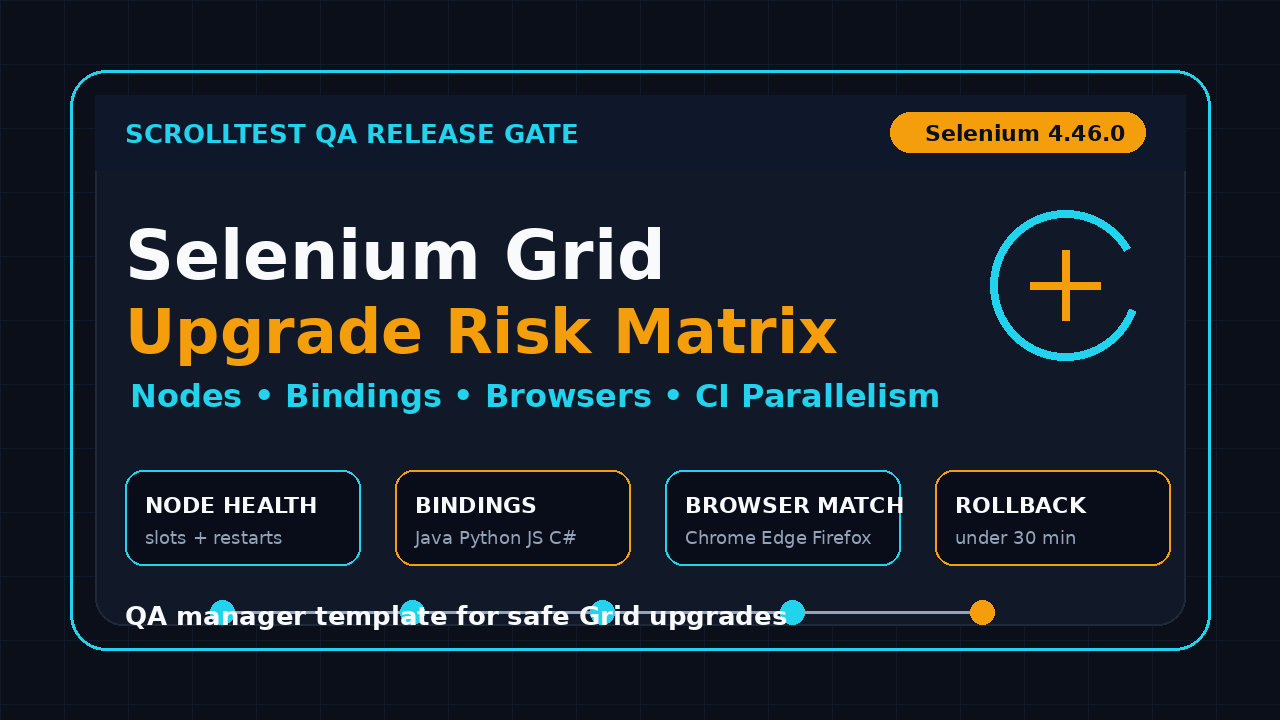
If you run Selenium Grid in CI, a Selenium Grid upgrade risk matrix is safer than a blind version bump. Selenium 4.46.0 shipped on July 11, 2026, and the matching docker-selenium 4.46.0 image followed shortly after, so test leads need a small but serious checklist before the next release window.
I see the same failure pattern in automation teams: the local WebDriver tests pass, the pull request looks green, and then the shared Grid starts dropping sessions at peak load. This guide gives you a practical matrix for nodes, bindings, browsers, Docker images, and parallel execution.
Table of Contents
- Why a risk matrix beats a casual Grid upgrade
- What changed around Selenium 4.46.0
- Selenium Grid upgrade risk matrix template
- Node and infrastructure health checks
- Language bindings and browser compatibility
- Parallel execution and CI release gates
- Rollback plan and phased rollout
- India QA manager view
- FAQ
Contents
Why a risk matrix beats a casual Grid upgrade
Selenium Grid is the part of the stack that everyone touches and nobody fully owns until it breaks. The official Selenium Grid documentation describes Grid as the way to run WebDriver scripts on remote machines by routing client commands to remote browser instances. That sounds simple. In production, it means your tests depend on a chain of routers, distributors, sessions, nodes, browsers, drivers, containers, network rules, and CI job settings.
A minor Selenium upgrade can expose weak assumptions that were already sitting inside the framework. The upgrade did not create every problem. It often makes hidden coupling visible.
The real risk is coordination
Grid upgrades cut across four ownership lines:
- Automation engineers own test code and language bindings.
- DevOps owns Docker images, Kubernetes jobs, and runners.
- QA managers own release confidence and test selection.
- Product teams own deadlines that rarely move for infrastructure work.
When these groups upgrade in isolation, risk increases. One team updates the Java client. Another updates Chrome in the container image. A third team changes parallel threads because the build is slow. The symptom appears as flakiness, but the root cause is usually version drift.
Why I prefer a matrix
A matrix forces the team to write risk in one place. It answers five questions before anyone clicks merge:
- What component is changing?
- Which suites depend on it?
- What failure would users see in CI?
- How do we detect the failure within one build?
- How do we roll back without guessing?
This is why a Selenium Grid upgrade risk matrix is useful even for small teams. It turns an upgrade from a hope-based activity into a controlled release.
What a bad upgrade looks like
The obvious failure is a red build. The expensive failure is quieter. It looks like a five-minute session queue turning into a 28-minute queue, two browser versions running in the same job, or screenshots missing from failed tests. A team can lose half a day arguing about test quality when the real issue is a node pool that no longer matches the client capabilities.
If your team already compared frameworks using our Playwright vs Selenium vs Cypress decision guide, you know Selenium still wins in many enterprise stacks because of ecosystem maturity. That maturity does not remove upgrade risk. It makes ownership more important.
What changed around Selenium 4.46.0
The primary source for this article is the Selenium 4.46.0 GitHub release, published on July 11, 2026. I do not treat every release note as an emergency. I treat it as a signal to check the layers that map to my grid topology.
The matching container side matters too. The docker-selenium 4.46.0-20260707 release was published after the Selenium library release, and the docker-selenium repository is the source many teams use for standalone browser nodes and Grid images. If you run Grid through Docker Compose or Kubernetes, this image line is as important as the client library version.
Release notes are input, not a test plan
A release note tells you what changed. It does not know your grid size, browser mix, test data dependency, or CI timeout. That is the manager’s job.
For example, a small binding change may be low risk for a team that runs only Java tests. It can be higher risk for a platform team that supports Java, Python, JavaScript, and C# teams through one shared Grid. The same release can carry different risk in two companies.
Use the WebDriver contract as the stable layer
The W3C WebDriver specification is the stable contract behind browser automation commands. Selenium implements and extends around that contract, while browser vendors ship their own drivers and browser behavior changes. During an upgrade, I separate failures into three buckets:
- Client failure: the language binding sends or parses something differently.
- Grid failure: routing, session creation, or node registration changes behavior.
- Browser failure: Chrome, Edge, Firefox, or Safari behavior changes under the same test.
This separation saves time. Without it, every failure becomes a generic Selenium problem.
Check your previous upgrade notes
If you upgraded recently, use that evidence. ScrollTest already covered practical release checks in Selenium 4.45.0 upgrade notes for test leads. Do not restart from zero every month. Carry forward the failures, skipped checks, and rollback decisions from the last upgrade.
Selenium Grid upgrade risk matrix template
Here is the template I use when a team needs a fast but defensible upgrade review. Copy it into a spreadsheet, Jira ticket, or GitHub issue. The format matters less than the discipline of filling it before the change lands.
| Area | Risk question | Signal to measure | Owner | Gate |
|---|---|---|---|---|
| Grid server | Can router, distributor, sessions, and nodes start cleanly? | Grid status endpoint, logs, node count | DevOps | No startup errors |
| Nodes | Do all browser nodes register with expected slots? | Available slots by browser and version | Platform QA | 95% expected capacity online |
| Bindings | Do Java, Python, JS, and C# clients create sessions? | Smoke tests per language | Automation leads | All critical bindings pass |
| Browsers | Do target browser versions match supported capability names? | Session capabilities and screenshots | QA lead | No wrong browser launches |
| Parallelism | Does the Grid hold under normal CI concurrency? | Queue time, session duration, failure rate | SDET manager | No regression over baseline |
| Artifacts | Are logs, videos, screenshots, and traces still captured? | Failed-test artifact check | Framework owner | Artifacts present for failures |
| Rollback | Can the old Grid image and bindings be restored quickly? | Rollback dry run | Release owner | Rollback under 30 minutes |
Risk scoring model
I keep scoring boring. Do not invent a 17-point governance model that nobody uses. Score each row from 1 to 3:
- 1 = low: isolated change, easy rollback, low business impact.
- 2 = medium: shared component, visible CI impact, rollback possible.
- 3 = high: shared Grid, release-blocking suites, unclear rollback path.
Then multiply by confidence:
- 1 = strong evidence: tested with production-like parallelism.
- 2 = partial evidence: tested with small smoke coverage.
- 3 = weak evidence: assumption, not tested.
A row with risk 3 and confidence 3 is a stop sign. It means the most important area has the least evidence.
Example filled row
Area: Parallel execution
Change: Selenium Grid image 4.45.0 -> 4.46.0
Risk: 3
Confidence: 2
Signal: p95 session queue time, failed session creation count, node CPU
Gate: 200 smoke tests at 40 parallel sessions must finish under baseline + 10%
Owner: SDET manager
Rollback: restore previous docker-selenium image tag and rerun smoke gate
This row is useful because it is testable. A vague line such as “validate Grid stability” is not useful. Nobody knows what pass means.
Minimum gates for small teams
If you do not have a platform QA team, use this smaller gate:
- Start Grid with the new version in a staging runner.
- Run one smoke spec per supported language binding.
- Run 30 to 50 tests at your normal parallel setting.
- Force one failing test and confirm artifacts are captured.
- Roll back to the previous image and confirm the old setup still works.
That is enough to catch most painful mistakes before production CI sees the upgrade.
Node and infrastructure health checks
Grid node health is where many upgrades fail. The test code gets blamed because it is visible. The node pool is hidden inside logs, dashboards, or Kubernetes events.
Check node registration first
Before running a single test, confirm node registration. You want to know:
- How many nodes registered?
- How many slots are available per node?
- Which browser names and versions are advertised?
- Did any node restart during startup?
- Are stereotypes and capabilities consistent with the old Grid?
The official Grid docs include pages for components, configuration, and architecture. Use them as your reference when checking whether your deployment runs as standalone, hub-node, or fully distributed components.
Use a status probe in CI
Add a small status probe before the smoke suite starts. This avoids wasting ten minutes on tests when the Grid is not ready.
import requests

GRID_URL = "http://selenium-grid.company.internal:4444"

response = requests.get(f"{GRID_URL}/status", timeout=10)
response.raise_for_status()
data = response.json()

if not data.get("value", {}).get("ready"):
    raise SystemExit("Grid is not ready. Stop the smoke run.")

nodes = data.get("value", {}).get("nodes", [])
print(f"Grid ready. Registered nodes: {len(nodes)}")
Keep the probe small. Its job is not to replace monitoring. Its job is to fail early when the Grid cannot create reliable sessions.
Watch container image drift
Docker tags are easy to update and easy to misunderstand. Pin the exact docker-selenium image tag during the rollout. Avoid floating tags for shared CI infrastructure. When a browser image changes underneath a stable test suite, the team loses the ability to compare before and after behavior.
For Kubernetes teams, I also check:
- Image digest used by the running pod.
- CPU and memory requests for browser nodes.
- Node eviction or restart events during the smoke run.
- Network policies between router, distributor, sessions, and nodes.
- Pod startup time compared with the previous image.
This is not overkill. Browser containers are heavier than many service containers. A small memory change can become a big CI failure when 40 sessions start together.
Language bindings and browser compatibility
The next part of the Selenium Grid upgrade risk matrix is the binding and browser layer. This is where enterprise teams carry hidden complexity. One team writes Java. Another uses Python for data flows. A frontend team keeps JavaScript tests. A legacy group still runs C#.
Test each binding with the same scenario
Do not compare different tests across languages. Use the same scenario in every binding:
- Create a remote session.
- Open a stable internal or public test page.
- Read the title.
- Take a screenshot.
- Quit the session cleanly.
The value is not the business assertion. The value is checking session creation, command routing, artifact handling, and cleanup across bindings.
Capability names must be boring
Many Grid failures come from capability drift. Keep your capabilities simple during an upgrade. Do not mix the version bump with a new browser matrix, new proxy settings, and new test tagging rules.
import { Builder, Browser } from "selenium-webdriver";

const gridUrl = process.env.GRID_URL ?? "http://localhost:4444/wd/hub";

async function smoke() {
  const driver = await new Builder()
    .usingServer(gridUrl)
    .forBrowser(Browser.CHROME)
    .build();

  try {
    await driver.get("https://www.selenium.dev/selenium/web/web-form.html");
    const title = await driver.getTitle();
    console.log(`Remote session title: ${title}`);
  } finally {
    await driver.quit();
  }
}

smoke().catch((error) => {
  console.error(error);
  process.exit(1);
});
This tiny test tells you if the JavaScript binding can create and clean a remote Chrome session. Repeat the same structure in Java, Python, and C# if those bindings are part of your platform.
Browser version policy
A QA manager should ask for a clear browser version policy before approving the Grid upgrade. The policy can be simple:
- One latest stable Chrome and Edge image for daily CI.
- One Firefox lane for cross-browser coverage.
- One pinned image for release branches that need repeatability.
- No browser major-version jump in the same PR as a Grid architecture change.
If your team also runs Playwright, keep the comparison honest. Playwright bundles browser management differently, while Selenium often integrates with existing enterprise browser and Grid setups. Our Playwright upgrade checklist uses the same principle: trace, diff, and rollback before you trust the new version.
Parallel execution and CI release gates
A Selenium Grid upgrade risk matrix is incomplete without parallel execution. A Grid that passes five tests is not automatically ready for 500 tests. Most production failures appear under concurrency.
Measure queue time, not only pass rate
Pass rate is a lagging signal. Queue time is an early warning. If sessions wait longer after the upgrade, you will see longer builds before you see a clean failure.
Track at least these numbers for the old and new Grid:
- Total tests executed.
- Parallel threads requested.
- Peak active sessions.
- Median and p95 session queue time.
- Session creation failures.
- Average test duration.
- Node CPU and memory during peak.
The first rollout should compare the new version against the previous baseline. Do not rely on a single green build. A green build that takes 18 minutes longer is still a regression for a fast-moving team.
Create a release gate
Here is a practical release gate for CI:
Gate name: Selenium Grid 4.46.0 staging gate
Suites: login smoke, checkout smoke, admin smoke, cross-browser smoke
Browsers: Chrome stable, Edge stable, Firefox stable
Parallelism: same as daily regression
Pass rule: 100% infrastructure pass, functional failures triaged
Performance rule: build time under old baseline + 10%
Artifact rule: screenshot and log present for every forced failure
Rollback rule: previous Grid image restored in under 30 minutes
The phrase “infrastructure pass” matters. A real product bug can fail during the gate. That should not block the Grid upgrade if the infrastructure behaved correctly. Separate product failures from session creation, node crash, and timeout failures.
Add a short failure taxonomy during the rollout:
GRID_SESSION_CREATEGRID_NODE_CRASHGRID_QUEUE_TIMEOUTBROWSER_VERSION_MISMATCHARTIFACT_MISSINGTEST_PRODUCT_FAILURE
This avoids the lazy label “flaky.” If a failure is Grid-related, call it Grid-related. If it is a product bug, call it a product bug. Release decisions improve when names are precise.
Rollback plan and phased rollout
The best time to write a rollback plan is before the upgrade. If the plan starts after CI is red, the team is already stressed.
Keep rollback boring
A rollback plan needs three things:
- The exact previous Selenium Grid image or server version.
- The previous language binding versions or lockfile commit.
- The CI variable or deployment command that restores the old path.
Store this inside the release ticket. Do not depend on one engineer remembering the old tag from Slack.
Use a phased rollout
For teams with a large regression suite, I prefer this order:
- Local smoke: one engineer validates the new version on a clean branch.
- Staging Grid: the shared platform runs the new server or image away from daily CI.
- Single team opt-in: one product team runs its daily smoke on the new Grid.
- Nightly regression: full suite runs once without blocking releases.
- Default CI: the new Grid becomes the default only after evidence is reviewed.
This rollout is slower than a version bump. It is faster than cleaning up a broken release pipeline at 6 PM.
Do not upgrade everything together
A common mistake is bundling these changes:
- Selenium server upgrade.
- docker-selenium image upgrade.
- Browser major-version update.
- Java or Python binding update.
- CI parallelism increase.
- New retry logic.
If the build fails, you now have six suspects. Split the change. Upgrade the Grid first, then bindings, then browser policy, then parallelism. If the business forces a compressed window, record the extra risk in the matrix instead of pretending it is fine.
India QA manager view
In India-based QA teams, Grid ownership often sits between SDETs and DevOps. A service company team may have slower access to infrastructure changes. A product company team may move faster but run more CI jobs per day. The upgrade playbook should match the org model.
What I expect from a senior SDET
A senior SDET earning in the ₹25-40 LPA range should be able to do more than update a Maven version. I expect this person to:
- Read the Selenium and docker-selenium release notes.
- Map the change to the framework’s actual Grid topology.
- Write a smoke gate across at least one critical language binding.
- Measure queue time and session failures under parallel load.
- Explain rollback in a way a manager can approve.
This is where automation careers are moving. The best SDETs are not only script writers. They own test infrastructure risk.
Manager questions before approval
If you lead a QA team, ask these questions in the upgrade review:
- Which release note item can affect our Grid topology?
- Which suites prove session creation, browser coverage, and artifacts?
- What is the baseline for queue time and build duration?
- Who can roll back if the first morning build fails?
- What are we explicitly not changing in this upgrade?
These questions make the meeting shorter. They also protect the team from emotional debates after a red pipeline.
If your team is building broader automation maturity, connect this upgrade process with the release-gate thinking in our AI eval release watch for QA teams: watch the upstream release, map impact, run a targeted gate, and report evidence.
Key takeaways
The Selenium Grid upgrade risk matrix gives QA managers a practical way to approve Selenium 4.46.0 without guesswork. It keeps the discussion grounded in nodes, bindings, browsers, Docker images, and CI behavior.
- Start with official Selenium and docker-selenium release sources, then map the change to your topology.
- Score risk and confidence separately. High risk with weak evidence should block the rollout.
- Test Grid readiness before running business smoke tests.
- Measure queue time and session creation failures, not only pass rate.
- Keep rollback exact: previous image, previous bindings, and the command to restore them.
My rule is simple: if the Grid is shared, the upgrade needs evidence. A clean Selenium Grid upgrade risk matrix gives that evidence without turning the release into a paperwork exercise.
FAQ
Do I need a Selenium Grid upgrade risk matrix for every minor release?
Yes, but scale it to the change. For a small team, one page is enough. For a shared enterprise Grid, use the full matrix because many teams depend on the same infrastructure.
Should I upgrade Selenium bindings and Grid server together?
Not by default. Upgrade one layer at a time when possible. If you must upgrade both together, mark the risk higher and run binding-specific smoke tests before the full suite.
What is the first signal that a Grid upgrade is unhealthy?
Session queue time is usually the earliest useful signal. Pass rate may stay green while the build gets slower. Track queue time, session creation failures, and node restarts during the first rollout.
No. Pin the exact image tag or digest, but also verify running pod images, browser versions, node slots, and artifact capture. The tag is a starting point, not proof that CI is healthy.
What should I do if the release gate fails?
Classify the failure first. If it is a Grid session, node, browser mismatch, or artifact issue, roll back and investigate. If it is a product bug exposed by the smoke suite, keep the infrastructure decision separate from the product defect.