Browser Agent Test Evidence: QA Approval Guide
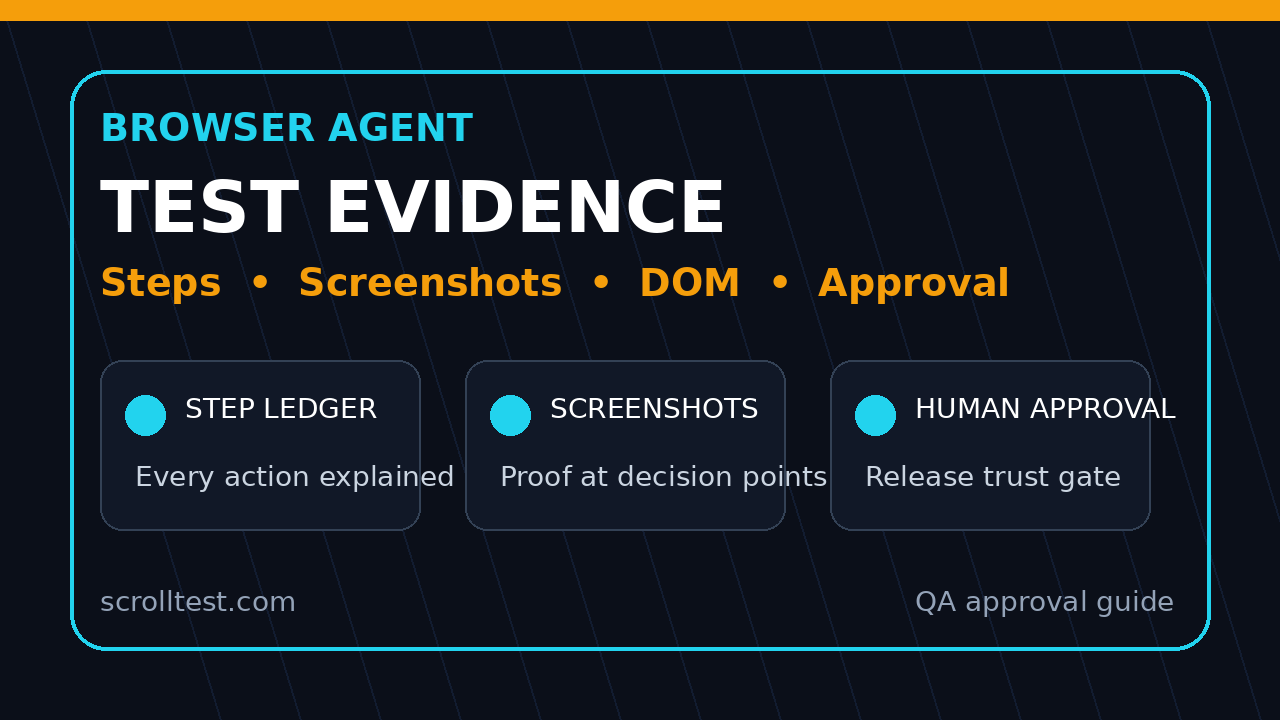
Browser agent test evidence is now the real question for QA teams. Browser agents can click, type, inspect pages, and complete flows, but I do not trust a run until it shows me the steps, screenshots, DOM state, logs, and a clear human approval trail.
The timing matters. browser-use 0.13.3, published on July 1, 2026, shipped Browser Use CLI 3.0 powered by Browser Harness and added a browser-use skill install path for coding agents. Stagehand browse 0.9.0, published on June 25, 2026, changed screenshot behavior so bare invocations write a screenshot file by default. That is not a small detail for QA. It signals where browser automation is going: agent actions must leave reviewable proof.
This article is my practical model for reviewing AI browser runs at ScrollTest, BrowsingBee, or any team that wants agent speed without handing production quality to a black box.
Table of Contents
- Why Browser Agent Test Evidence Matters Now
- What Evidence a Browser Agent Must Capture
- The Human Approval Gate I Recommend
- A Playwright Pattern for Agent Evidence
- How I Think About This in BrowsingBee
- CI Policy: When Evidence Blocks a Release
- India SDET Career Angle
- Common Mistakes Teams Make
- Key Takeaways
- FAQ
Contents
Why Browser Agent Test Evidence Matters Now
I see a dangerous pattern in AI testing demos. The agent finishes a task, prints a success message, and everyone claps. Then the same run fails silently in a real checkout flow because the agent accepted a cookie banner, skipped a validation message, or clicked the wrong similar-looking button.
Traditional automation has a simple contract. A Playwright or Selenium test has code, assertions, logs, screenshots, and a repeatable command. Agentic browser testing changes that contract. The action plan can be dynamic. The selector can be inferred. The next step can depend on an LLM response. That flexibility is useful, but it also increases the need for evidence.
Browser agents are moving faster than QA process
The browser-use release notes show how fast the ecosystem is shipping. Version 0.13.3 launched a new CLI powered by Browser Harness, pinned Browser Harness to 0.1.4, and improved skill installation across Claude Code, Codex, Cursor, Gemini, OpenCode, and related agent skill directories. That means browser agents are no longer a side experiment. They are entering developer workflows directly.
GitHub API data on July 7, 2026 showed the browser-use repository above 103,000 stars. The Stagehand repository was above 23,000 stars on the same check. I do not treat stars as quality proof, but they are a strong signal that QA teams will see these tools in pull requests, internal demos, and product experiments.
A green result is not enough
A green result tells me the agent claims it achieved the goal. It does not tell me whether the agent used the right page, checked the right outcome, saw the right error, or accidentally passed because the application returned cached state.
For browser agent testing, I want proof that answers five questions:
- What exact goal did the agent receive?
- Which pages, selectors, and visible text did it interact with?
- What screenshots prove the important states?
- Which assertions or acceptance checks passed?
- Who reviewed and approved the run?
If the evidence cannot answer those questions, the run should not approve a release. It can still help exploration. It can still create a bug lead. It can still generate a draft Playwright test. But it should not be treated as a release gate.
What Evidence a Browser Agent Must Capture
Browser agent test evidence should be boring, structured, and hard to fake accidentally. I do not want a beautiful paragraph that says, “The agent verified checkout.” I want artifacts a reviewer can inspect in two minutes.
1. Step ledger
The first artifact is a step ledger. This is a chronological list of what the agent did and why. Each row should include a timestamp, action, target, observation, and confidence.
A useful step ledger looks like this:
- Open
/loginand wait for the email field. - Fill test user email and password from the QA secret store.
- Click “Sign in” and observe dashboard heading.
- Open cart page and confirm two items are visible.
- Click checkout and capture payment summary screenshot.
The reason matters. When an agent says it clicked a button, I also want to know why it thought that button matched the goal. That is where hallucinated actions become visible.
2. Screenshots at decision points
Stagehand browse 0.9.0 changed bare screenshot invocations so they save a file by default and print the saved path. That is the right default for QA. A screenshot should be a first-class artifact, not optional debug noise.
I recommend screenshots at these points:
- Before the first meaningful action.
- After login or identity change.
- Before payment, deletion, or irreversible actions.
- After the final assertion state.
- When the agent reports uncertainty or retries.
Screenshots do not replace assertions, but they catch issues that text logs miss. A button can be present but disabled. A dashboard heading can be visible while the account is wrong. A toast can hide the actual validation message. The image gives the reviewer context.
3. DOM snapshot and selected text
For every critical step, capture the accessible name, role, selected text, and a small DOM snippet around the target. This is especially important when two controls have similar labels.
Do not dump the entire page DOM into the report. Nobody reads a 2 MB HTML blob during review. Capture the relevant node, parent container, role, accessible name, and visible text. That gives enough evidence without creating noise.
4. Network and console signals
A browser agent can complete a visual task while the console is full of errors. A checkout can show success while the analytics call, tax call, or inventory call failed. QA cannot ignore this.
Capture these signals for agent runs:
- HTTP 4xx and 5xx responses.
- Failed network requests.
- Console errors and unhandled exceptions.
- Important API request and response IDs.
- Trace or video link when the run is flaky.
The Playwright Trace Viewer documentation describes traces as a way to explore recorded Playwright traces after a script has run, especially for debugging CI failures. That idea transfers directly to browser agents. If the run matters, keep the trail.
The Human Approval Gate I Recommend
Human approval is not a weakness in agentic testing. It is the control that lets you use agents safely while the tooling matures. I prefer a simple three-level model.
Level 1: Exploration only
At Level 1, the agent explores the product and suggests test ideas. It can click around, produce notes, and create a draft bug report. No release decision depends on it.
This is where most teams should start. Give the agent a bounded mission such as “find broken form validation on the signup page.” Ask it to produce screenshots, reproduction steps, and suspected severity. A human tester validates before anything enters Jira.
Level 2: Assisted regression
At Level 2, the agent runs a known flow with a known expected outcome. The agent can make minor navigation decisions, but the acceptance criteria are fixed.
Example acceptance criteria:
- User can log in with a seeded QA account.
- Dashboard displays the correct account name.
- Cart retains two seeded items.
- Checkout summary displays the expected total.
- No console errors appear during the flow.
A human reviews failed runs and sampled passed runs. The sample rate can drop as the evidence quality improves, but I still want review for high-risk flows.
Level 3: Release gate with approval
At Level 3, the browser agent can block a release if evidence is missing or an acceptance check fails. It should not auto-approve the release alone. The release gate should show a reviewer-ready packet with screenshots, step ledger, assertions, and risk notes.
My rule is simple: agents can block automatically, but approval stays human for business-critical paths. This is the same mindset I use for flaky automation. A failed gate protects users. A passed gate must earn trust.
A Playwright Pattern for Agent Evidence
You do not need a complex platform to start. A small TypeScript wrapper around Playwright can capture most evidence. The agent or test runner calls the wrapper instead of calling page.click() directly.
Evidence object
Start with a typed evidence object. Keep it small enough to review, but structured enough to query in CI.
type EvidenceStep = {
  id: string;
  timestamp: string;
  goal: string;
  action: string;
  target: string;
  observation: string;
  screenshotPath?: string;
  domSnippet?: string;
  consoleErrors: string[];
  networkFailures: string[];
  confidence: 'high' | 'medium' | 'low';
};

type AgentRunEvidence = {
  runId: string;
  prompt: string;
  environment: 'local' | 'staging' | 'prod-smoke';
  commitSha: string;
  steps: EvidenceStep[];
  finalDecision: 'pass' | 'fail' | 'needs-review';
  reviewer?: string;
};
This structure gives QA, developers, and managers the same language. Nobody has to interpret a chat transcript. The run has a status, a prompt, a commit SHA, and evidence steps.
Capture screenshots and DOM snippets
Here is a simplified Playwright helper. In production, I would add retries, artifact upload, and PII masking.
import { Page, expect } from '@playwright/test';
import fs from 'node:fs/promises';

export async function recordStep(
  page: Page,
  evidence: AgentRunEvidence,
  input: {
    goal: string;
    action: string;
    target: string;
    locatorText?: string;
    confidence: EvidenceStep['confidence'];
  }
) {
  const id = `${evidence.runId}-${evidence.steps.length + 1}`;
  const screenshotPath = `artifacts/${id}.png`;

  await page.screenshot({ path: screenshotPath, fullPage: true });

  const domSnippet = input.locatorText
    ? await page.getByText(input.locatorText).first().evaluate(el =>
        el.outerHTML.slice(0, 1000)
      ).catch(() => 'target text not found')
    : 'not captured';

  evidence.steps.push({
    id,
    timestamp: new Date().toISOString(),
    goal: input.goal,
    action: input.action,
    target: input.target,
    observation: await page.title(),
    screenshotPath,
    domSnippet,
    consoleErrors: [],
    networkFailures: [],
    confidence: input.confidence,
  });

  await fs.writeFile(
    `artifacts/${evidence.runId}.json`,
    JSON.stringify(evidence, null, 2)
  );
}
This is not a replacement for proper test assertions. It is the evidence layer around the action. I still want strong assertions like await expect(page.getByRole('heading', { name: 'Dashboard' })).toBeVisible(). The evidence explains why the assertion result should be trusted.
Block on missing evidence
The most important policy is not fancy. If the run has no screenshot for a critical step, mark it needs-review. If the run has low confidence on a destructive action, mark it needs-review. If the agent cannot explain which selector it used, mark it needs-review.
function decide(evidence: AgentRunEvidence) {
  const missingScreens = evidence.steps.some(step =>
    step.action.includes('checkout') && !step.screenshotPath
  );

  const lowConfidence = evidence.steps.some(step =>
    step.confidence === 'low'
  );

  const browserErrors = evidence.steps.flatMap(step => step.consoleErrors);

  if (missingScreens || lowConfidence || browserErrors.length > 0) {
    return 'needs-review';
  }

  return evidence.finalDecision;
}
This is the difference between agent theater and QA engineering. The agent is useful, but the policy owns the release.
How I Think About This in BrowsingBee
BrowsingBee exists because browser automation is becoming more agentic. A tester should be able to describe a mission, run it, and review useful evidence. But I do not want BrowsingBee or any AI testing tool to pretend that a chat answer is the same thing as test proof.
The reviewer packet
For a serious browser-agent run, I want a reviewer packet that includes:
- The original user goal and constraints.
- A step-by-step action ledger.
- Before and after screenshots for key states.
- DOM snippets for selected targets.
- Console and network anomalies.
- Final agent summary with uncertainty called out.
- Human reviewer decision and timestamp.
This connects well with the internal ScrollTest content already published on AI browser agent evidence checklists and the Browser Agent Testing Day 29 trust report. The theme is consistent: QA teams do not need more magic. They need faster execution with stronger proof.
Why proof matters for product teams
Product teams do not reject AI testing because they hate AI. They reject it when the output feels impossible to audit. If a PM asks, “Did the agent really test coupon stacking?” and the answer is a paragraph, trust drops. If the answer is a packet with screenshots, step ledger, API status, and a reviewer decision, the conversation changes.
I want QA engineers to own that conversation. Do not wait for the tool vendor to define quality standards. Define the evidence you need, then make every tool fit that bar.
CI Policy: When Evidence Blocks a Release
Browser agents should not be allowed to spray random actions inside CI. CI needs boundaries. The best approach is a contract file that lists allowed missions, protected pages, required artifacts, and failure policy.
Example policy file
missions:
  checkout_smoke:
    environment: staging
    allowed_domains:
      - staging.shop.example.com
    required_artifacts:
      - step_ledger
      - screenshots
      - dom_snippets
      - console_log
      - network_failures
    protected_actions:
      - payment_submit
      - account_delete
    approval_required: true
    block_release_on:
      - missing_required_artifact
      - console_error
      - network_5xx
      - low_confidence_final_step
This policy keeps the agent inside a safe lane. It also gives engineering managers a clean way to ask, “What exactly can this agent do in our pipeline?”
Reporting format for CI
The CI report should be short. I like this format:
- Run: checkout_smoke on staging, commit SHA, build ID.
- Status: pass, fail, or needs review.
- Risk: low, medium, or high.
- Evidence: links to JSON, screenshots, trace, video.
- Reviewer: name, decision, timestamp.
If you already use Playwright, connect the agent report to your existing trace discipline. The ScrollTest guide on the Playwright upgrade smoke checklist is a good companion because upgrade checks and agent checks have the same principle: prove the browser path still works before you trust the new layer.
India SDET Career Angle
For Indian QA engineers, this is a career signal. The market is not asking every tester to become an AI researcher. It is asking SDETs to judge AI output, design safe automation systems, and explain risk clearly.
What changes for manual testers
If you are moving from manual testing to automation, browser agents can help you learn faster. You can ask the agent to explore a flow, then inspect the evidence and convert stable paths into Playwright tests. But do not become the person who only prompts tools. Become the person who can say why a run should or should not be trusted.
A strong portfolio project in 2026 is not “I made an AI agent click a website.” A stronger project is “I built an evidence gate for AI browser runs with screenshots, DOM snippets, Playwright traces, and human approval.” That shows engineering judgment.
What changes for senior SDETs
Senior SDETs in TCS, Infosys, Wipro, service teams, startups, and product companies will be asked to evaluate agentic test tools. The right answer is not blind adoption or blanket rejection. The right answer is a pilot with measurable controls.
Use this checklist in interviews and internal proposals:
- Which flows are safe for agent exploration?
- Which flows require deterministic Playwright tests?
- What evidence must every agent run capture?
- Who approves a passed run?
- What artifacts are retained for audit?
- What failures block the release automatically?
That is the language of an SDET who can operate at ₹25 to ₹40 LPA and beyond. Tool knowledge matters. Risk ownership matters more.
Common Mistakes Teams Make
I see the same mistakes when teams start with agentic browser testing. Most of them come from treating the agent like either a human tester or a deterministic script. It is neither.
Mistake 1: Letting the agent define success
The agent should not be the only source of truth for success. Product acceptance criteria should define success. The agent can collect evidence and propose a decision, but your test policy should decide whether the evidence is enough.
Mistake 2: Capturing too much noise
Some teams dump everything: full DOM, full video, full logs, full screenshots, full chat transcript. That sounds safe, but it becomes unreadable. Evidence has to be reviewable. If a lead cannot inspect the packet in two to five minutes, the packet is too noisy.
Mistake 3: No retention policy
Evidence costs money and may contain sensitive data. Decide how long to keep screenshots, traces, and DOM snippets. Mask PII. Separate local exploration artifacts from release-gate artifacts. This is basic QA hygiene.
Mistake 4: Ignoring deterministic tests
Agentic testing is not a replacement for stable Playwright suites. Use agents for exploration, coverage discovery, flaky flow investigation, and assisted regression. Convert high-value stable paths into deterministic tests. The ScrollTest AI browser agent testing checklist makes the same point: AI runs need clear boundaries.
Key Takeaways
Browser agent test evidence is the control layer that lets QA teams use browser agents without pretending that every green agent answer is production proof.
- Browser agents are moving into developer workflows through tools like browser-use, Stagehand, and coding-agent skills.
- A passed agent run needs a step ledger, screenshots, DOM snippets, console logs, network signals, and reviewer approval.
- Use agents to block releases on missing evidence or real failures, but keep human approval for business-critical pass decisions.
- Playwright traces, screenshots, and structured JSON reports are practical starting points for agent evidence.
- For SDETs, the career opportunity is not just prompt writing. It is building trustworthy AI testing systems.
My recommendation is simple: start with one low-risk flow this week. Define the evidence packet before you choose the tool. Then run the agent, review the proof, and only promote it when the evidence is boring enough to trust.
FAQ
Is browser agent test evidence different from normal test logs?
Yes. Normal logs usually explain a deterministic script. Browser agent evidence must explain dynamic decisions. That means you need the goal, action reasoning, selected targets, screenshots, DOM snippets, assertions, and uncertainty markers.
Can browser agents replace Playwright tests?
No, not for stable release-critical flows. Browser agents are excellent for exploration, assisted regression, and generating test ideas. High-value stable flows should still become deterministic Playwright tests with clear assertions.
Should every browser agent run require human review?
Early pilots should require review. Mature low-risk flows can move to sampled review. Business-critical pass decisions should still keep human approval, while failures and missing evidence can block automatically.
What is the minimum evidence packet I should start with?
Start with the prompt, step ledger, before and after screenshots, final assertion, console errors, failed network requests, and reviewer decision. Add DOM snippets and traces for flows that are flaky or business critical.
Which tools should I use first?
If your team already uses Playwright, start there because screenshots, traces, videos, and assertions are built into the workflow. Then evaluate browser-use, Stagehand, or BrowsingBee-style agent workflows against the same evidence standard.