Selenium Release Notes: QA Risk Review Playbook
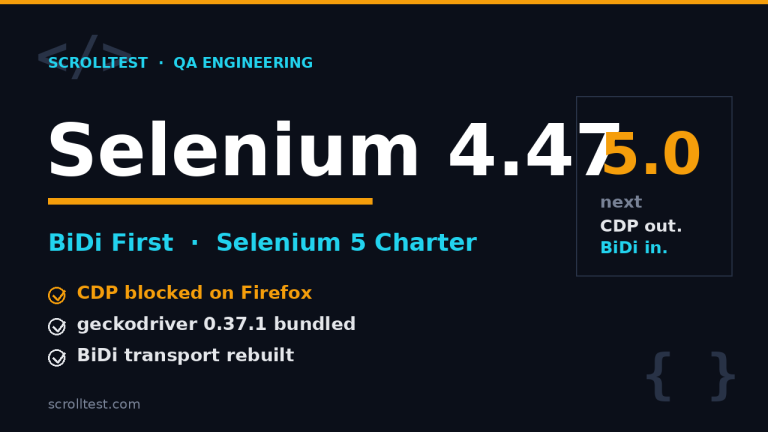
Selenium release notes should trigger a QA risk review, not a casual package bump. Selenium 4.45.0 shipped on 16 June 2026 with 141 linked pull requests, and that is enough surface area to treat the upgrade like a small platform change.
I see teams read browser automation release notes like a changelog for developers. That is the wrong lens. For QA teams, every line about Grid, WebDriver, JavaScript atoms, Python dependencies, .NET packaging, or deprecated Java classes is a clue about what can fail in CI next week.
Table of Contents
- Why Selenium Release Notes Matter
- Selenium 4.45.0 Facts QA Should Read
- The QA Risk Matrix for Release Notes
- CI Upgrade Gates Before You Merge
- TypeScript Examples for Upgrade Evidence
- India SDET Context: Who Owns This Work?
- A 30-Minute Selenium Upgrade Meeting Template
- Common Mistakes I See Teams Make
- Key Takeaways
- FAQ
Contents
Why Selenium Release Notes Matter
A Selenium upgrade is not only a library upgrade. It is a contract change between your tests, browser drivers, remote Grid, CI runners, language bindings, and reporting pipeline. If one piece shifts, the symptom may look like a flaky test even when the real cause is compatibility.
The official Selenium WebDriver documentation describes WebDriver as a remote-control interface for browsers. That one sentence is enough to explain the risk. Your test code is not alone. It talks to a browser through a protocol, through a driver, often through containers or Selenium Grid. Release notes tell you which part of that chain changed.
Release notes are production signals
When I review a Selenium release, I do not start by asking, “Can we install it?” I ask four practical questions:
- Which component changed: Java, Python, JavaScript, .NET, Ruby, Grid, Selenium Manager, or build tooling?
- Does the change touch browser discovery, element lookup, waits, logging, packaging, or network transport?
- Does our CI image pin versions tightly enough to reproduce failures?
- Can we prove the upgrade with screenshots, traces, logs, and before-after failure counts?
That last question matters more now because AI-assisted QA tools can generate scripts quickly. Fast generation without evidence gives teams more noise. A release-note review is one of the cheapest ways to keep automation honest.
One changelog line can map to many failures
A line about JavaScript atom migration sounds boring until your custom element lookup wrappers behave differently on an old browser. A Grid WebSocket fix sounds internal until remote sessions start behaving differently under parallel load. A dependency update sounds routine until your locked Docker image starts resolving a different transitive package.
This is why I treat Selenium release notes as a risk document. If your team has 800 UI tests, 20 parallel CI workers, and 3 browser channels, a small release can still create hundreds of combinations. You do not need fear. You need a review system.
Selenium Release Notes: 4.45.0 Facts QA Should Read
The Selenium 4.45.0 GitHub release was published on 16 June 2026. The release page links detailed changelogs for Java, Python, .NET, Ruby, and JavaScript, then lists 141 pull requests. That is not a tiny patch from a QA point of view.
Here is the practical breakdown I pulled from the release body:
- 141 linked pull requests in the release notes.
- 42 build-related entries, which can affect packaging, release generation, CI, lock files, and repository maintenance.
- 22 Python entries, useful for teams running Pytest and Selenium Python bindings.
- 21 .NET entries, important for C# shops and Windows-heavy enterprise teams.
- 16 Ruby entries, plus several dependency and runtime updates.
- 10 JavaScript entries and 8 Java entries, both relevant for mixed-language SDET teams.
- 8 Grid entries, which matter if your tests run remotely or in containers.
The ecosystem size makes small changes expensive
Selenium is still a huge automation dependency. The GitHub repository showed 34,262 stars and 8,691 forks when checked through the GitHub repository API for this article. The npm package selenium-webdriver showed 8,332,872 downloads for the last month through the npm downloads API. PyPI Stats reported 55,506,932 downloads for the Selenium Python package in the last month through its recent downloads endpoint.
Those numbers do not prove quality. They prove blast radius. A widely used dependency deserves a boring, repeatable upgrade process.
What stands out in Selenium 4.45.0
I would flag these release areas for QA review:
- Grid transport: the release includes a Grid change that closes a pre-handshake race in the WebSocket proxy. If you run remote sessions, video recording, BiDi flows, or parallel browser jobs, this deserves targeted smoke coverage.
- Java API cleanup: the release removes deprecated logging classes. If your framework still imports old logging APIs, compile-time failures are better than runtime surprises.
- JavaScript element lookup: the release notes mention migration of a find-elements atom from Closure to TypeScript and corrected handling for older browsers and missing casing. I would run locator-heavy suites before declaring victory.
- Python dependency inputs: the release mentions using
pyprojectfor Python runtime dependency lock input. Python teams should rebuild in a clean virtual environment, not reuse a warm laptop cache. - .NET packaging and deterministic build work: C# teams should check NuGet restore, source link behavior, and CI artifact packaging.
If you want the scroll-specific QA angle for this same release, read the internal ScrollTest note on Selenium 4.45 scroll testing. This article focuses on the upgrade governance layer.
The QA Risk Matrix for Release Notes
I use a simple matrix when reading Selenium release notes. It keeps the team out of vague debates and turns the release into testable work.
Risk level 1: compile or install risk
This is the easiest category to catch. Java classes disappear. TypeScript types change. Python dependencies resolve differently. .NET package restore fails. If the release notes mention deprecation removal, packaging, lock files, or runtime dependencies, I mark it as install risk.
The test is simple: build from a clean machine or clean container. Do not use your laptop where every cache hides the truth.
docker run --rm -v "$PWD:/work" -w /work node:22 bash -lc '
  npm ci
  npm ls selenium-webdriver
  npm test -- --runInBand
'
Risk level 2: locator and interaction risk
Anything touching element lookup, atoms, JavaScript execution, shadow DOM behavior, waits, Actions API, or browser-specific casing goes here. These changes may not break installation. They break user flows in strange ways.
I do not run the full suite first. I pick 20 tests that cover the hardest interaction patterns:
- nested iframes
- shadow DOM components
- dynamic tables
- autocomplete and keyboard actions
- file uploads and downloads
- old browser support if the product still needs it
Risk level 3: Grid and parallel execution risk
Grid changes can look clean on a laptop and fail only when 30 jobs hit the hub together. The Selenium troubleshooting documentation is useful here because it reminds teams to debug drivers, browsers, Grid, and environment separately instead of blaming the test immediately.
For Grid risk, I want three signals before merging: session creation time, failure rate under parallel load, and browser logs for remote jobs. If the release mentions WebSocket, BiDi, session routing, node registration, or Docker images, I run a parallel smoke pack twice.
Risk level 4: observability risk
Logging and reporting changes are easy to underestimate. A test that fails with no useful log is more expensive than a test that fails loudly. If release notes mention logging classes, source links, traceability, or build metadata, check your report artifacts.
The upgrade is not complete until a failed job still gives you enough evidence to fix the problem in under 10 minutes.
CI Upgrade Gates Before You Merge
A good Selenium upgrade is boring because the pipeline catches obvious problems early. I prefer five gates. They are simple, and every gate produces evidence.
Gate 1: dependency diff
Before running tests, print the dependency diff. This helps the reviewer see what changed beyond the single Selenium package.
npm ci
npm ls selenium-webdriver
npm outdated selenium-webdriver || true

git diff package-lock.json
For Python teams, I want the equivalent output from pip freeze or uv pip compile. For Java teams, print the effective Maven dependency tree. For .NET teams, save the NuGet restore log.
Gate 2: browser-driver inventory
Selenium Manager reduces driver pain, but it does not remove environment responsibility. Record browser versions and driver paths in CI. The point is not to admire the log. The point is to reproduce the same environment when a failure appears two days later.
google-chrome --version || true
microsoft-edge --version || true
firefox --version || true
node -e "console.log(process.version)"
Gate 3: targeted smoke suite
Run a small suite that maps directly to the release notes. For Selenium 4.45.0, I would include Grid session creation, locator-heavy pages, old-browser checks if needed, and framework compile checks for Java logging imports.
Gate 4: parallel run
One green serial run is not enough if production CI uses parallel execution. Run the smoke suite with the same worker count used in the release pipeline. If your normal suite runs with 12 workers, testing the upgrade with 1 worker hides the exact class of bugs you need to catch.
Gate 5: rollback command
Every upgrade pull request should include the rollback command. Not a paragraph. A command.
npm install selenium-webdriver@4.44.0 --save-exact
npm ci
npm run test:smoke
That command saves time when the release is good but your environment is not ready.
TypeScript Examples for Upgrade Evidence
I prefer TypeScript examples because many modern QA teams run Playwright and Selenium side by side. The same evidence habits apply to both. If your team recently built a Playwright upgrade habit, this Playwright upgrade checklist for AI QA teams is a useful companion.
Example 1: capture Selenium session evidence
This script records the browser name, browser version, Selenium package version, and a screenshot. It gives you a tiny evidence bundle for every upgrade run.
import { Builder, By, until } from "selenium-webdriver";
import chrome from "selenium-webdriver/chrome";
import fs from "node:fs/promises";
import pkg from "selenium-webdriver/package.json" assert { type: "json" };

async function runUpgradeSmoke() {
  const options = new chrome.Options();
  options.addArguments("--headless=new", "--window-size=1440,900");

  const driver = await new Builder()
    .forBrowser("chrome")
    .setChromeOptions(options)
    .build();

  try {
    await driver.get("https://www.selenium.dev/");
    const title = await driver.getTitle();
    const docs = await driver.wait(
      until.elementLocated(By.css('a[href*="documentation"]')),
      10_000
    );

    await docs.getText();
    const caps = await driver.getCapabilities();
    const screenshot = await driver.takeScreenshot();

    await fs.mkdir("upgrade-evidence", { recursive: true });
    await fs.writeFile("upgrade-evidence/home.png", screenshot, "base64");
    await fs.writeFile(
      "upgrade-evidence/session.json",
      JSON.stringify({
        title,
        seleniumWebdriverVersion: pkg.version,
        browserName: caps.get("browserName"),
        browserVersion: caps.get("browserVersion")
      }, null, 2)
    );
  } finally {
    await driver.quit();
  }
}

runUpgradeSmoke();
Example 2: fail fast on missing evidence
Evidence should be mandatory. If the smoke test passes but no screenshot or session metadata exists, the job should fail. That is how you prevent silent green builds.
import fs from "node:fs";

const requiredFiles = [
  "upgrade-evidence/home.png",
  "upgrade-evidence/session.json"
];

for (const file of requiredFiles) {
  if (!fs.existsSync(file)) {
    throw new Error(`Missing Selenium upgrade evidence: ${{file}}`);
  }
}

const session = JSON.parse(fs.readFileSync("upgrade-evidence/session.json", "utf8"));
if (!session.seleniumWebdriverVersion?.startsWith("4.45.")) {
  throw new Error(`Unexpected Selenium version: ${{session.seleniumWebdriverVersion}}`);
}Do not run random smoke tests. Tag tests by risk area and run the tags that match the release notes.
type ReleaseRisk = "grid" | "locator" | "install" | "logging" | "browser";

const selenium445Risks: ReleaseRisk[] = ["grid", "locator", "install", "logging"];

function testCommandFor(risks: ReleaseRisk[]) {
  const grep = risks.map((risk) => `@${{risk}}`).join("|");
  return `npm run test:selenium -- --grep "${{grep}}"`;
}

console.log(testCommandFor(selenium445Risks));
// npm run test:selenium -- --grep "@grid|@locator|@install|@logging"
If your AI browser agent says a run passed, ask for evidence. I wrote more about that habit in AI browser run evidence.
India SDET Context: Who Owns This Work?
In Indian QA teams, this work often falls into a gap. Manual testers assume automation engineers own it. Automation engineers assume DevOps owns CI images. DevOps assumes QA will shout if something breaks. That gap is exactly where flaky test suites are born.
The best owner is the framework maintainer
If your team has a framework owner or senior SDET, that person should own the release-note review. Not because they install packages. Because they understand how a browser automation change affects product flows, CI runtime, reports, and developer trust.
In service-company environments like TCS, Infosys, Wipro, or Cognizant projects, the upgrade may need client approval. In product companies, the decision may be faster but the risk is wider because one framework can serve 10 squads. The operating model changes, but the checklist stays the same.
Career signal for senior SDETs
This is also a career signal. A junior automation engineer updates a dependency and waits for failures. A senior SDET reads the release notes, predicts failure areas, builds a smoke plan, and gives the team a rollback path.
If you are aiming for ₹25-40 LPA SDET roles, this is the type of thinking interviewers notice. They may not ask, “How do you read Selenium release notes?” They will ask how you reduce flaky tests, own CI reliability, or upgrade shared frameworks safely. This playbook gives you a concrete story.
A 30-Minute Selenium Upgrade Meeting Template
Most upgrade meetings waste time because nobody brings facts. Use this structure and keep it short.
Minute 0-5: state the release facts
- Version: Selenium 4.45.0
- Published: 16 June 2026
- Release notes: 141 linked pull requests
- Main risk areas: Grid, Java logging cleanup, JavaScript element lookup, Python dependency inputs, .NET packaging
Minute 5-10: map risks to your stack
Ask which parts your team actually uses. A Java team may ignore Python dependency notes. A Grid-heavy team cannot ignore WebSocket proxy work. A Node team should care about JavaScript binding changes and npm package resolution.
Minute 10-20: choose the smoke pack
Pick 15 to 30 tests. Each test should map to a release risk. If nobody can explain why a test is in the smoke pack, remove it. Add one test for each risky component instead.
Minute 20-25: define evidence
Decide what artifacts prove the upgrade. I want at least:
- dependency diff
- browser and driver versions
- parallel smoke result
- screenshots for failed tests
- Grid logs if remote execution is used
- rollback command in the pull request
Minute 25-30: assign ownership
One person owns the PR. One person reviews the risk mapping. One person validates CI evidence. Do not make “the QA team” the owner. Shared ownership usually means no ownership.
Common Mistakes I See Teams Make
The mistakes are predictable. I see them in enterprise Selenium frameworks and small startup suites.
Mistake 1: upgrading only on a laptop
A laptop has caches, browser versions, local permissions, and network settings that CI does not have. The upgrade must run in the same type of container or runner used by the main pipeline.
Mistake 2: reading only the package manager output
npm install or pip install tells you the package resolved. It does not tell you that Grid sessions work, old locators still behave, or reports still contain useful failure evidence.
Mistake 3: ignoring language-specific notes
Selenium is multi-language. A release can be low risk for your Python project and high risk for your Java project. Read the changelog that matches your binding, not only the top release title.
Mistake 4: no rollback path
If your rollback plan is “we will revert if needed,” you do not have a rollback plan. Write the exact version pin and command in the PR.
Mistake 5: treating green tests as the only proof
Green tests are useful. Evidence is better. If the upgrade breaks tomorrow, you need artifacts that show what changed today.
Key Takeaways: Selenium Release Notes Are QA Strategy
Selenium release notes are QA strategy documents because they describe the moving parts that your tests depend on. Read them with the same seriousness you give a production incident review.
- Selenium 4.45.0 shipped on 16 June 2026 with 141 linked pull requests, so it deserves a structured review.
- Map release notes to risk areas: install, locator, Grid, browser, logging, and reporting.
- Run a targeted smoke pack before the full regression suite.
- Collect evidence: dependency diff, browser versions, session metadata, screenshots, Grid logs, and rollback command.
- Use this habit as a senior SDET signal. Teams trust engineers who can upgrade frameworks without creating chaos.
My recommendation is simple: create a recurring release-note review ritual. It can be 30 minutes. It can be one PR template. But it must exist. Blind upgrades are not a strategy.
FAQ
Should every Selenium release trigger a full regression run?
No. Start with release-note risk mapping. If the release touches Grid, locator internals, driver discovery, or language binding APIs your framework uses, run a targeted smoke pack first. Run the full regression only after the smoke pack passes or when the risk is broad.
Is Selenium still worth using when Playwright is popular?
Yes, in many teams. Selenium still has a huge ecosystem, multiple language bindings, Grid maturity, and strong enterprise adoption. Playwright may be the better fit for some modern web apps, but Selenium remains important where cross-language and legacy browser coverage matter.
Who should approve Selenium upgrades?
The framework owner should drive the review. CI owners, DevOps, and product QA leads should review evidence when the upgrade touches their area. Approval should be based on risk mapping and test evidence, not seniority.
How often should a QA team review Selenium releases?
Monthly is a good default for active automation teams. If your framework supports many squads or runs in regulated domains, review every release and decide whether to upgrade, defer, or create a spike.
What is the minimum evidence for a Selenium upgrade PR?
At minimum, include the release link, dependency diff, browser versions, targeted smoke results, failed-test artifacts if any, and rollback command. If you use Grid, include Grid logs or session metadata too.