QASkills CLI Install Flow for AI QA Teams
100 Days of AI in QA & SDET: Day 22
🤖 Learning AI-powered testing? Go hands-on with LLM, RAG, and AI-agent testing in the AI-Powered Testing Mastery course at The Testing Academy.
The QASkills CLI install flow matters because QA teams are starting to reuse agent instructions the same way they reuse test utilities. I do not want every SDET pasting random prompts into Cursor, Claude, or VS Code and calling it an automation strategy. I want skills that can be installed, reviewed, versioned, and improved like code.
That is the point of this Day 22 guide. I will show a practical workflow for turning AI QA prompts into a team skill library using QASkills, then connecting that library to evidence capture, code review, and CI habits that testers already understand.
Table of Contents
- Why the QASkills CLI install flow matters
- What QASkills standardizes for AI QA
- Setup: install and inspect a skill
- The 7-step team workflow
- Example: release note to test plan
- Evidence rules for AI-generated tests
- CI, review, and ownership model
- India context for SDETs and QA leads
- Key takeaways
- FAQ
Contents
Why the QASkills CLI install flow matters
Most AI adoption in QA starts with one excited engineer. They create a great prompt for writing Playwright tests, generating API checks, or summarizing a browser trace. For a week, the team feels faster. Then the prompt gets copied into Slack, changed by three people, and nobody knows which version produced which result.
That is where a skill install flow helps. A skill is not just a prompt. It is a named workflow with purpose, inputs, constraints, examples, and acceptance rules. The QASkills directory positions skills as reusable QA workflows for AI coding agents. The npm package confirms the CLI purpose clearly: @qaskills/cli is a command-line tool to install, search, and manage QA testing skills for AI coding agents.
Prompts are private. Skills are team assets.
A private prompt can help one tester. A skill can help a team because it has a name, file location, usage pattern, and review path. That small change is important. Once a skill lives in the repo or agent configuration, the QA lead can ask normal engineering questions:
- Who owns this skill?
- What problem does it solve?
- Which inputs are required?
- What output format is expected?
- What evidence proves the output is usable?
- When did we last update it?
AI QA needs repeatability before scale
I see many teams jump to “AI will write all tests” too early. That is the wrong order. First, make the workflow repeatable. If one engineer can generate a useful upgrade smoke checklist from release notes, make that one skill stable. Then expand to API tests, accessibility scans, visual regression, and prompt regression.
ScrollTest already has related playbooks for this direction. If you are new to the idea, read QA Skills Directory for AI Agents and QA Agent Skills: One Command Every Tester Should Try. This article focuses on the install flow and team operating model.
What QASkills standardizes for AI QA
The QASkills CLI install flow standardizes three things that usually stay messy in AI experiments: skill discovery, skill installation, and skill usage. That sounds simple, but it changes the QA conversation from “try this prompt” to “run the approved workflow.”
1. Discovery
Discovery answers a basic question: what skills exist for this task? A team should not maintain five versions of “write Playwright tests from a bug report.” A directory lets engineers search by task and select the closest workflow instead of starting from a blank chat window.
2. Installation
Installation puts the skill where the agent can use it. That may be an agent skills folder, a local repository convention, or a configuration used by the developer tool. The important part is that installation becomes a command, not a tribal handoff.
3. Usage rules
A good QA skill must say what it will and will not do. For example, a release-note-to-test-plan skill should not invent product behavior. It should extract changed areas, map them to risk, ask for missing environment details, and produce a test plan that a human can review.
That is different from asking an LLM to “create tests for this release.” The first version has boundaries. The second version invites hallucination.
Setup: install and inspect a skill
The current npm metadata lists @qaskills/cli as version 0.2.0, with the description “CLI tool for QA Skills Directory: install, search, and manage QA testing skills for AI coding agents.” That source matters because npm is the package registry most teams will use when they automate installation in a Node-based setup.
Here is the basic shape I expect SDET teams to use. Confirm the latest command from the official QASkills page or npm package before adding it to a production onboarding guide.
# Check package metadata
npm view @qaskills/cli version description

# Try the CLI without a global install
npx @qaskills/cli --help

# Search for a QA workflow skill
npx @qaskills/cli search release

# Install a skill into your local agent setup
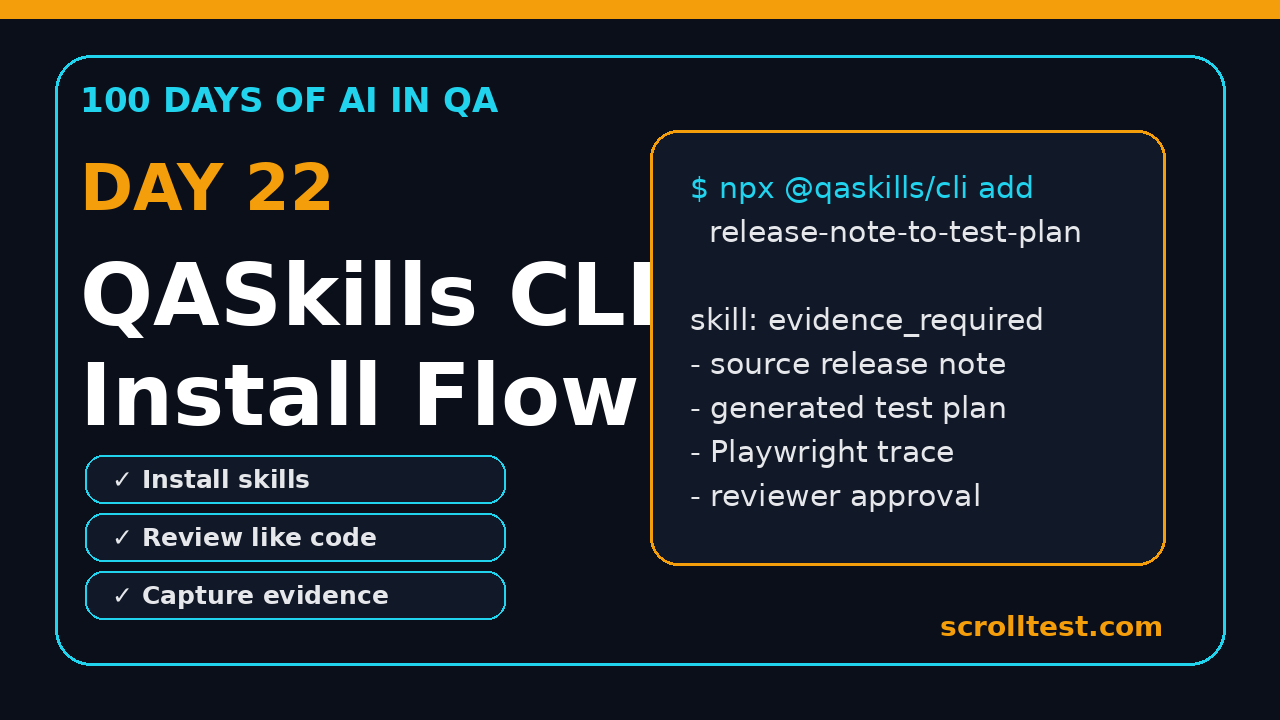
npx @qaskills/cli add release-note-to-test-plan
What I inspect after installation
I do not trust a skill just because it installs successfully. I inspect the generated files and ask five questions:
- Does the skill state its purpose in one paragraph?
- Does it define required inputs?
- Does it forbid invented facts?
- Does it produce a reviewable output format?
- Does it ask for evidence before marking work done?
If the answer is no, the skill is not ready for team use. It may still be useful as a draft, but it should not become the default workflow.
Repository layout
For teams using Playwright and TypeScript, I like this layout because it keeps agent skills near test engineering assets without mixing them into production code:
repo/
  tests/
    e2e/
    api/
  docs/
    release-notes/
    test-plans/
  .qaskills/
    release-note-to-test-plan.md
    playwright-upgrade-checklist.md
    browser-agent-evidence-pack.md
  package.json
This makes review simple. A pull request that changes a skill can be reviewed by QA leads the same way framework utilities are reviewed.
The 7-step team workflow
A CLI install flow is useful only when it becomes part of a team workflow. Here is the model I would use with a 6 to 15 member QA automation team.
Step 1: Pick one high-value pain point
Do not start with ten skills. Start with one painful and repetitive task. Release-note analysis is a good candidate because every sprint creates the same pressure: what changed, what can break, what should we test, and what can we skip?
Step 2: Install the skill in a sandbox repo
Run the skill locally first. Use a real release note, a real defect summary, or a real API change log. The input should be realistic, not a perfect demo.
Step 3: Run it on three different examples
One example proves nothing. I test a skill on at least three cases:
- A clean release note with clear feature changes.
- A messy release note with vague fixes.
- A risky infrastructure change such as auth, payments, or data migration.
Step 4: Add acceptance criteria
The skill output must satisfy a checklist. For a release note test plan, I expect sections for changed areas, impacted user journeys, risk level, smoke tests, regression tests, data requirements, and open questions.
Step 5: Save the output as an artifact
If the agent creates a test plan, save it under docs/test-plans/. If it creates Playwright tests, commit them under tests/e2e/. If it creates exploratory charters, attach them to Jira or your test management tool. AI work that disappears after a chat session is not engineering work.
Step 6: Review like code
Every AI-generated test idea should be reviewed. The reviewer should check assumptions, missing scenarios, environment requirements, and false confidence. The goal is not to block AI. The goal is to prevent sloppy automation from entering the regression suite.
Step 7: Promote to team default
Once a skill passes repeated usage, document it in the team README. Add a short “when to use this” note. This is how a useful experiment becomes part of the QA operating system.
Example: release note to test plan
Release notes are a perfect AI QA use case because they contain signal, but the signal is often uneven. Some notes clearly state a behavior change. Others say “fixed edge case in checkout” and leave the tester to chase context.
Here is the instruction pattern I use for a release-note-to-test-plan skill:
You are a senior SDET reviewing release notes.

Input:
- Release note text
- Product area
- Test environment
- Known risky modules

Rules:
- Do not invent behavior not present in the release note.
- Mark unclear items as open questions.
- Produce smoke, regression, and exploratory checks.
- Include data setup and rollback needs.
- Include evidence required for sign-off.

Output:
1. Change summary
2. Risk map
3. Smoke test checklist
4. Regression checklist
5. Automation candidates
6. Open questions
7. Evidence checklist
Sample output format
The generated plan should be structured enough for a QA lead to review in five minutes:
## Change Summary
- Checkout discount validation changed for coupon stacking.
- Auth token refresh behavior changed for mobile web sessions.

## Risk Map
| Area | Risk | Reason |
| Checkout | High | Money calculation and coupon edge cases |
| Auth | Medium | Session renewal can break long-running journeys |

## Smoke Tests
- Apply one valid coupon and complete checkout.
- Apply two coupons and verify rejection message.
- Keep mobile web session idle for 20 minutes and resume.

## Evidence Required
- Screenshot of final order summary.
- Network log for coupon validation API.
- Playwright trace for auth refresh journey.
This is also where Browser Use and browser agents become relevant. The latest Browser Use GitHub release in my research was 0.13.2, published on 2026-06-12. Whether your team uses Browser Use, Playwright, Stagehand, or a custom browser agent, the rule stays the same: the agent must leave reviewable evidence.
🚀 Build Real AI Testing Skills
Stop testing AI by guesswork. Learn DeepEval, RAG evaluation, and agent testing with guided projects.
Evidence rules for AI-generated tests
The fastest way to ruin AI adoption in QA is to accept outputs without evidence. A generated Playwright test is not done because it exists. It is done when the team can prove what it tested, why it matters, and what happened during execution.
The minimum evidence pack
For every AI-generated browser test, I want this evidence pack:
- The original prompt or skill name.
- The source input, such as release notes or a bug report.
- The generated test plan or test file.
- A Playwright trace or equivalent browser run artifact.
- Screenshot for the key assertion point.
- Console and network errors, if relevant.
- Reviewer notes and final decision.
I wrote a dedicated ScrollTest guide on this topic here: AI Testing Evidence Pack: Trace, Screenshot, Logs. The short version is simple: if you cannot replay or inspect the run, do not treat it as a reliable QA result.
Playwright example
Here is a small Playwright test pattern that captures useful signals during an AI-generated flow. The code is not magical. It is disciplined.
import { test, expect } from '@playwright/test';

test('checkout coupon smoke from release-note skill', async ({ page }, testInfo) => {
  const consoleErrors: string[] = [];

  page.on('console', msg => {
    if (msg.type() === 'error') consoleErrors.push(msg.text());
  });

  await page.goto('/checkout');
  await page.getByLabel('Coupon code').fill('SAVE10');
  await page.getByRole('button', { name: 'Apply coupon' }).click();

  await expect(page.getByText('Coupon applied')).toBeVisible();
  await expect(page.getByTestId('order-total')).toContainText('₹');

  await testInfo.attach('console-errors', {
    body: consoleErrors.join('\n') || 'No console errors',
    contentType: 'text/plain'
  });
});
When a skill generates a test, ask it to include evidence hooks like this. The goal is not to make the test longer. The goal is to make the result reviewable.
CI, review, and ownership model
AI QA skills need ownership. Without ownership, the skill library becomes another folder nobody trusts. I prefer a simple model: every skill has an owner, reviewer group, example input, expected output, and expiry date.
Skill metadata
Add metadata at the top of every skill file:
name: release-note-to-test-plan
owner: qa-platform
reviewers: [sdet-leads, automation-architects]
last_reviewed: 2026-06-29
valid_for: release notes, changelogs, upgrade notes
not_valid_for: undocumented product behavior, production incident RCA
required_evidence:
  - source release note
  - generated test plan
  - reviewer approval
  - execution artifact for automated checks
CI checks for skill changes
You can keep the first CI gate basic. The goal is to catch careless changes, not build a full AI governance platform on day one.
name: qa-skill-review
on:
  pull_request:
    paths:
      - '.qaskills/**'

jobs:
  validate-skills:
    runs-on: ubuntu-latest
    steps:
      - uses: actions/checkout@v4
      - name: Check required skill sections
        run: |
          grep -R "required_evidence" .qaskills
          grep -R "not_valid_for" .qaskills
          grep -R "owner:" .qaskills
For LLM output testing, tools like PromptFoo are also worth watching. The current npm metadata I checked lists PromptFoo as version 0.121.17 and describes it as an “LLM eval & testing toolkit.” That is the direction QA teams should understand: prompts, skills, and agent outputs need regression tests too.
India context for SDETs and QA leads
In India, this skill-based AI QA workflow is especially practical. Many service teams still operate with manual test plans, sprint release notes, and regression checklists. Many product companies expect SDETs to own Playwright, API automation, CI, and release confidence. The gap between these two worlds is exactly where reusable AI QA skills help.
For manual testers moving into SDET roles
If you are moving from manual testing to automation, do not sell yourself as “I use AI.” That is weak. Build a small portfolio that shows repeatable workflows:
- A release note converted into a risk-based test plan.
- A bug report converted into Playwright reproduction steps.
- An API change converted into contract test cases.
- A flaky test log converted into a root-cause checklist.
That portfolio speaks better in interviews than generic AI tool screenshots. For a broader transition plan, read From Manual Tester to SDET in 30 Days.
For QA managers
If you lead a team, your job is not to ban AI or blindly push it. Your job is to make the usage safe, measurable, and repeatable. Start with three approved skills and one evidence rule. That is enough for a month of real learning.
Here is a practical rollout plan:
- Week 1: pick one workflow and install the skill in a sandbox.
- Week 2: run it on three real examples and tune the instructions.
- Week 3: add evidence rules and review templates.
- Week 4: make it part of sprint release testing.
This is how AI becomes a quality multiplier instead of a noisy experiment.
Key takeaways
The QASkills CLI install flow is not about one command. It is about turning AI QA work into something a team can repeat, review, and trust.
- Do not manage QA prompts through Slack messages and personal notes.
- Install reusable skills and keep them close to the test framework.
- Define inputs, output format, and evidence rules for every skill.
- Review AI-generated test plans and tests like code.
- Use evidence packs before accepting browser agent results.
My recommendation for Day 22 is simple: pick one painful QA workflow this week and convert it into an installable skill. Do not chase ten AI tools. Standardize one repeatable workflow first.
FAQ
Is the QASkills CLI install flow only for automation engineers?
No. Manual testers can use skills for test plan generation, bug report analysis, risk mapping, and exploratory charters. Automation engineers can extend the same workflow into Playwright, API tests, and CI.
Should AI-generated tests be committed directly?
No. Treat them as drafts. Review selectors, assertions, test data, runtime, and failure messages before committing. A bad generated test can create more maintenance than a manually written one.
How many skills should a team start with?
Start with one to three. Good first choices are release-note-to-test-plan, bug-report-to-repro-test, and browser-agent-evidence-pack. More than that becomes hard to review.
Where does PromptFoo fit in this workflow?
PromptFoo fits when you want regression tests for prompts, skills, and expected AI outputs. Use it after you have stable examples and scoring rules.
What is the biggest mistake teams make?
They confuse AI output with QA evidence. Output is just a draft. Evidence is the trace, screenshot, log, reviewed test plan, and execution result that proves the work deserves trust.
🎓 Become an AI-Powered QA Engineer
Join hundreds of SDETs mastering LLM, RAG, and agent testing. Lifetime access, hands-on labs, and a job-ready portfolio.