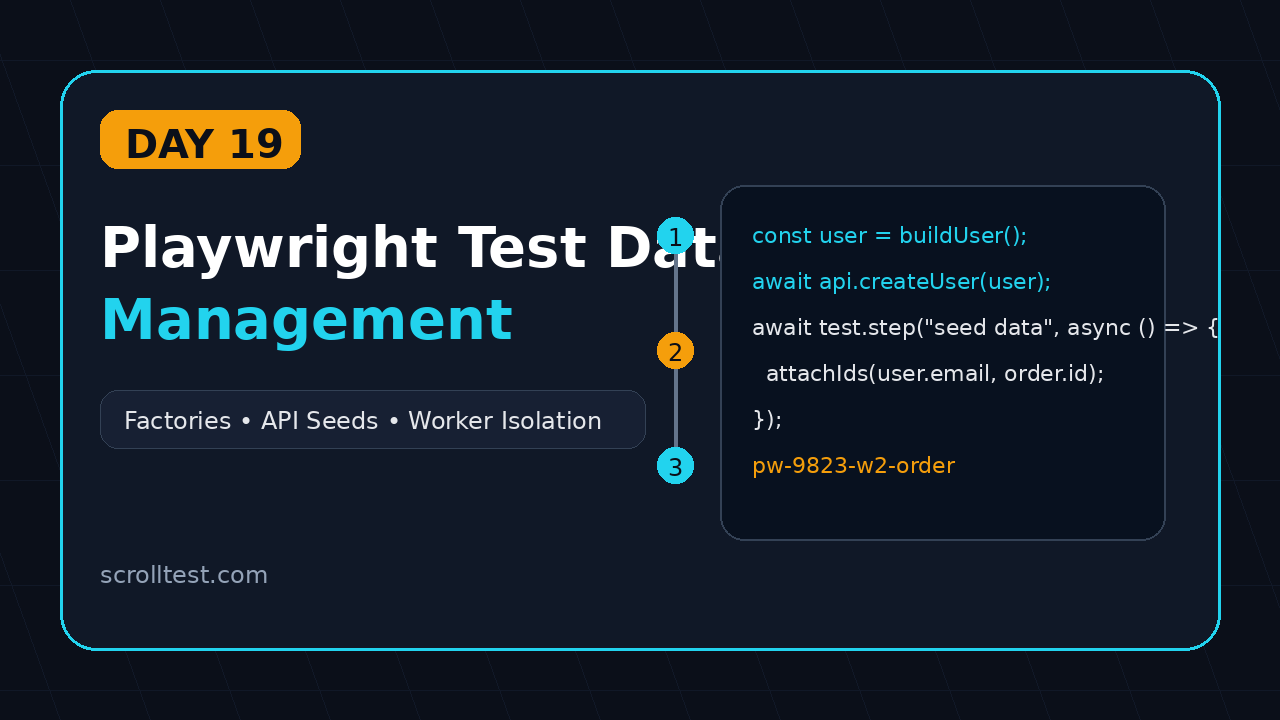
Playwright Test Data Management: Day 19
Series: 21-Day Playwright + TypeScript Tutorial Series
🎭 Want to master this with real projects? Join the Playwright Automation Mastery course at The Testing Academy.
Day 19: Playwright test data management
Playwright test data management is where many good TypeScript test suites start to fail in CI. The selectors are clean, the assertions are solid, the sharding is fast, but two tests fight for the same user, order, or feature flag and the team calls it “flaky automation.”
I treat test data as part of the framework, not as a spreadsheet someone updates on Friday night. In this tutorial, you will build a practical pattern with typed factories, API seeding, per-worker isolation, cleanup, and trace-friendly names that make failures easy to debug.
Table of Contents
- Why Playwright Test Data Breaks in CI
- The Data Strategy I Use in Real Projects
- Create Typed Test Data Factories
- Seed Data Through APIs Before UI Tests
- Use Worker Isolation for Parallel Runs
- Cleanup Without Hiding Bugs
- Screenshot and Trace Evidence
- Common Pitfalls
- Key Takeaways
- FAQ
Contents
Why Playwright Test Data Breaks in CI
Most teams start with one shared test account. It works for the first ten tests. Then the suite grows, runs in parallel, and suddenly the same account has three carts, two password resets, and one partially created profile.
Playwright itself is not the problem. The official authentication guide explains that Playwright runs tests in isolated browser contexts and can load saved authenticated state. That solves browser isolation. It does not solve database or backend state isolation.
The same gap shows up after CI sharding. In Day 18 on Playwright CI sharding, we split tests across machines to reduce feedback time. That makes data collisions more visible because multiple workers hit the same environment at the same time.
The real failure pattern
I see this sequence again and again:
- A test logs in as
qa_user@example.com. - Another test updates the same user’s address.
- A third test expects a clean dashboard.
- CI runs all three in parallel.
- One assertion fails and the error message points to the UI, not the data.
The fix is not “add retry.” Retry only hides the timing. The fix is to create deterministic data ownership for every test or every worker.
Useful numbers for context
During this run, the Microsoft Playwright GitHub repository had 91,719 stars, and the npm downloads API reported 168,373,938 downloads for @playwright/test in the last month. That adoption means more teams are using Playwright for serious CI suites, not only local smoke scripts.
When the suite becomes serious, test data must become serious too.
The Data Strategy I Use in Real Projects
My default Playwright test data management strategy has four rules:
- Generate unique data: every test run gets a unique prefix.
- Seed through stable APIs: use UI only for the behavior you are testing.
- Type the data: TypeScript should catch missing fields before CI does.
- Clean carefully: delete what you created, but keep evidence when a test fails.
This sits well with Playwright’s own API testing support. You can use request fixtures to create setup data before a UI flow starts. That keeps tests faster and easier to read.
What should be static?
Some data should stay static. A country list, a payment method enum, a role name, or a feature flag key can live in constants. These values describe the system, not a test case.
// tests/support/constants.ts
export const Roles = {
  admin: 'ADMIN',
  buyer: 'BUYER',
  support: 'SUPPORT',
} as const;

export const Countries = {
  india: 'IN',
  unitedStates: 'US',
} as const;
What should be generated?
Users, orders, carts, tickets, invoices, and comments should usually be generated. If the object can be created, updated, cancelled, or deleted by the test, it should not be shared across the suite.
A simple naming convention helps in screenshots and traces:
const runId = process.env.GITHUB_RUN_ID ?? Date.now().toString();
const testPrefix = `pw-${runId}`;
When a failed trace shows an order named pw-985233-order-returns-01, I know exactly which CI run created it.
Create Typed Test Data Factories
A factory is a small function that returns valid test data with sensible defaults. It should be boring. Boring factories are a good sign because the test reads like the business flow.
Create this folder structure:
tests/
  support/
    data/
      user.factory.ts
      order.factory.ts
      ids.ts
  e2e/
    checkout.spec.ts
Start with a unique ID helper
I prefer a tiny helper over random strings scattered across tests.
// tests/support/data/ids.ts
export function uniqueId(label: string): string {
  const runId = process.env.GITHUB_RUN_ID ?? 'local';
  const worker = process.env.TEST_WORKER_INDEX ?? '0';
  const stamp = Date.now().toString(36);
  return `pw-${runId}-w${worker}-${label}-${stamp}`;
}
This gives you three things: the run, the worker, and the object purpose. That matters when cleanup fails and you need to inspect backend records.
Create a typed user factory
Now define the shape of the data and a factory function.
// tests/support/data/user.factory.ts
import { uniqueId } from './ids';

export type TestUser = {
  email: string;
  password: string;
  firstName: string;
  lastName: string;
  role: 'BUYER' | 'ADMIN';
};

export function buildUser(overrides: Partial<TestUser> = {}): TestUser {
  const id = uniqueId('user');

  return {
    email: `${id}@example.test`,
    password: 'Passw0rd!123',
    firstName: 'Playwright',
    lastName: id,
    role: 'BUYER',
    ...overrides,
  };
}
The test can override only the part it cares about. Everything else stays valid by default.
Create an order factory
Factories become more useful when they model relationships. An order belongs to a user. Make that clear in the type.
// tests/support/data/order.factory.ts
import { uniqueId } from './ids';

export type TestOrder = {
  externalId: string;
  sku: string;
  quantity: number;
  buyerEmail: string;
};

export function buildOrder(buyerEmail: string, overrides: Partial<TestOrder> = {}): TestOrder {
  return {
    externalId: uniqueId('order'),
    sku: 'PW-COURSE-001',
    quantity: 1,
    buyerEmail,
    ...overrides,
  };
}
The important rule: factories create data objects; clients persist them. Do not mix both too early. Keeping those responsibilities separate makes tests easier to debug.
Seed Data Through APIs Before UI Tests
UI setup is expensive. If a checkout test needs an existing user and a cart, create them through APIs and use the browser for the checkout behavior. This keeps the test focused.
Playwright exposes an APIRequestContext for API calls. The official API testing docs show the same core idea: use Playwright to send HTTP requests, validate responses, and share state with browser tests when needed.
Build a small API client
Do not place raw request calls everywhere. Wrap them.
// tests/support/api/test-data.client.ts
import { APIRequestContext, expect } from '@playwright/test';
import { TestUser } from '../data/user.factory';
import { TestOrder } from '../data/order.factory';

export class TestDataClient {
  constructor(private readonly request: APIRequestContext) {}

  async createUser(user: TestUser): Promise<{ id: string; email: string }> {
    const response = await this.request.post('/api/test/users', {
      data: user,
    });

    expect(response.ok()).toBeTruthy();
    return response.json();
  }

  async createOrder(order: TestOrder): Promise<{ id: string; externalId: string }> {
    const response = await this.request.post('/api/test/orders', {
      data: order,
    });

    expect(response.ok()).toBeTruthy();
    return response.json();
  }

  async deleteUser(userId: string): Promise<void> {
    const response = await this.request.delete(`/api/test/users/${userId}`);
    expect([200, 204, 404]).toContain(response.status());
  }
}
Yes, these are test-only endpoints. In product companies, I push for safe internal endpoints guarded by environment, network, or auth. If you do not have those endpoints, use existing public APIs, direct database setup through a service, or a lightweight seed command. Pick one path and standardize it.
Use it inside a test
Here is the clean version of a checkout precondition:
// tests/e2e/checkout.spec.ts
import { test, expect } from '@playwright/test';
import { TestDataClient } from '../support/api/test-data.client';
import { buildUser } from '../support/data/user.factory';
import { buildOrder } from '../support/data/order.factory';

test('buyer can pay for an existing order', async ({ page, request }) => {
  const dataClient = new TestDataClient(request);
  const user = buildUser();
  const createdUser = await dataClient.createUser(user);
  const order = buildOrder(user.email);
  const createdOrder = await dataClient.createOrder(order);

  await page.goto(`/login?email=${encodeURIComponent(user.email)}`);
  await page.getByLabel('Password').fill(user.password);
  await page.getByRole('button', { name: 'Sign in' }).click();

  await page.goto(`/orders/${createdOrder.externalId}`);
  await page.getByRole('button', { name: 'Pay now' }).click();
  await expect(page.getByText('Payment successful')).toBeVisible();

  await test.info().attach('test-data', {
    body: JSON.stringify({ createdUser, createdOrder }, null, 2),
    contentType: 'application/json',
  });
});
The attachment is useful. In the HTML report and trace workflow, the team can see exactly which data was created. If you followed Day 16 on Playwright reports, this fits neatly into the evidence pack.
Use Worker Isolation for Parallel Runs
The Playwright fixtures documentation says fixtures are isolated between tests and can provide everything a test needs. That is the right mental model for data too. If tests run in parallel, the data owner must be clear.
Understand the worker problem
When you run four workers, four tests can create or update records at the same time. If each test uses a unique user, you are safe. If every test uses automation@example.com, you are waiting for a failure.
Use worker information in your data prefix. Playwright exposes worker indexes through test info, but you can also pass a worker index from setup code.
import { test as base } from '@playwright/test';
import { TestDataClient } from './api/test-data.client';
import { buildUser, TestUser } from './data/user.factory';

type Fixtures = {
  testUser: TestUser;
  dataClient: TestDataClient;
};

export const test = base.extend<Fixtures>({
  dataClient: async ({ request }, use) => {
    await use(new TestDataClient(request));
  },

  testUser: async ({ dataClient }, use, testInfo) => {
    const user = buildUser({
      lastName: `worker-${testInfo.workerIndex}`,
    });

    const created = await dataClient.createUser(user);
    await use(user);

    if (testInfo.status === testInfo.expectedStatus) {
      await dataClient.deleteUser(created.id);
    }
  },
});

export { expect } from '@playwright/test';
Now your spec imports from your fixture file instead of directly from @playwright/test.
import { test, expect } from '../support/fixtures';

test('profile page shows generated buyer name', async ({ page, testUser }) => {
  await page.goto('/login');
  await page.getByLabel('Email').fill(testUser.email);
  await page.getByLabel('Password').fill(testUser.password);
  await page.getByRole('button', { name: 'Sign in' }).click();

  await expect(page.getByText(testUser.lastName)).toBeVisible();
});
When to use project-level data
Sometimes you need a larger setup: one tenant, three roles, a paid subscription, and a default catalog. In that case, use project dependencies or global setup. The Playwright docs cover global setup and teardown, but I use it carefully.
Global setup is good for slow, stable, read-mostly data. It is risky for data that tests mutate. If five tests edit the same tenant, your setup is shared state with a nicer name.
🚀 Level Up Your Playwright
From locators to CI pipelines — build a production-grade Playwright + TypeScript framework step by step.
Cleanup Without Hiding Bugs
Cleanup is not just deletion. Cleanup is a policy. If a test passes, delete the data. If a test fails, consider keeping the data for investigation and attach the IDs to the report.
Use status-aware cleanup
The fixture example above deletes the user only when the test status matches the expected status. That keeps failed-test data alive long enough to inspect. In a nightly cleanup job, delete old records with the pw- prefix older than 24 or 48 hours.
// scripts/cleanup-test-data.ts
import { request } from '@playwright/test';

async function main() {
  const api = await request.newContext({
    baseURL: process.env.BASE_URL,
    extraHTTPHeaders: {
      Authorization: `Bearer ${process.env.TEST_DATA_TOKEN}`,
    },
  });

  const response = await api.delete('/api/test/cleanup', {
    data: {
      prefix: 'pw-',
      olderThanHours: 48,
    },
  });

  if (!response.ok()) {
    throw new Error(`Cleanup failed: ${response.status()}`);
  }

  await api.dispose();
}

main();
Do not clean the wrong environment
This sounds obvious until someone points the cleanup token at staging and deletes a record used by a manual QA run. Add a hard environment guard.
if (!process.env.BASE_URL?.includes('test') && !process.env.BASE_URL?.includes('staging')) {
  throw new Error(`Refusing to cleanup unsafe BASE_URL: ${process.env.BASE_URL}`);
}
In India-based service teams, I often see a shared QA environment used by automation, manual QA, BA demos, and client validation. If that is your reality, make the prefix visible and negotiate an automation namespace. Do not let your tests silently corrupt someone else’s demo data.
Screenshot and Trace Evidence
Data bugs are easier to debug when the evidence names the data. A screenshot of “Payment failed” is weaker than a screenshot plus an attached JSON payload showing the user, order, and run ID.
What screenshots should show
For this tutorial, I would capture these screenshots while recording the lesson:
- Screenshot 1: VS Code showing
user.factory.tsandids.tsside by side. - Screenshot 2: Playwright HTML report attachment named
test-datawith the created user and order IDs. - Screenshot 3: Trace Viewer network tab showing the seed API call before the UI flow starts.
- Screenshot 4: CI logs showing a unique
pw-<run>-w<worker>prefix for each worker.
If you already followed Day 7 on Trace Viewer, connect the same debugging habit here. Trace is not only for click problems. It is also a data audit trail.
Add annotations for test data
Small annotations make report scanning easier.
test('buyer can pay for an existing order', async ({ page, request }, testInfo) => {
  const runId = process.env.GITHUB_RUN_ID ?? 'local';
  testInfo.annotations.push({ type: 'run-id', description: runId });
  testInfo.annotations.push({ type: 'data-owner', description: `worker-${testInfo.workerIndex}` });

  // test body...
});
This is useful for managers too. When a CI failure lands in Slack, the first question is not “who touched this?” It becomes “which generated data did this worker own?”
Common Pitfalls
Here are the mistakes I would actively prevent during framework review.
Pitfall 1: One login for every test
Shared login is easy to start and painful to scale. Use saved authentication state for speed, but keep the backend data isolated. Authentication state is not a replacement for test data design.
Pitfall 2: Random data without traceability
Pure random strings create mystery. A value like a8x92s tells you nothing. A value like pw-123456-w2-order-return tells you the run, worker, and purpose.
Pitfall 3: UI setup for everything
If every test creates data through the UI, the suite becomes slow and noisy. Use APIs for setup. Use UI for the behavior under test.
Pitfall 4: Cleanup in the middle of debugging
Automatic cleanup after failure can remove the only evidence you need. Keep failed-test records for a short window, attach IDs, and clean them with a scheduled job.
Pitfall 5: Secrets in factories
Factories should not contain real tokens, real customer emails, or production-like passwords copied from internal docs. Use safe test domains like example.test and inject secrets through CI variables.
Key Takeaways
Playwright test data management is not extra polish. It is the difference between a suite your team trusts and a suite everyone reruns until it turns green.
- Use typed factories for users, orders, and other mutable objects.
- Seed data through APIs when the UI flow is not the thing being tested.
- Include run ID and worker ID in generated data names.
- Attach data IDs to reports and traces for faster debugging.
- Clean passed-test data immediately, but preserve failed-test data briefly.
For Day 20, the natural next step is building a production-ready framework structure: folders, fixtures, API clients, page objects, tags, reports, and CI scripts that a real team can maintain.
FAQ
Should Playwright tests use production data?
No. Do not use production customer data in automation. Use safe test environments, synthetic records, masked data, or test-only seed APIs.
Is global setup better than per-test data?
Global setup is useful for stable data that tests only read. For mutable data, per-test or per-worker generation is safer.
Should I delete test data after every run?
Delete passed-test data quickly. Keep failed-test data for a short debugging window, then delete it with a scheduled cleanup job.
Can I use Faker with Playwright and TypeScript?
Yes, but wrap it inside factories. Do not call random data helpers directly from every spec. You want controlled uniqueness, not chaos.
What is the best first step for an existing flaky suite?
Find the top ten tests using shared users or shared orders. Convert those to generated data with a visible prefix. That usually removes a surprising number of CI-only failures.
🎓 Master Playwright End to End
Join hundreds of SDETs building real automation frameworks. Lifetime access, hands-on projects, and a job-ready portfolio.