Playwright Authentication: Day 10 Tutorial
Playwright authentication is where a beginner suite usually becomes a real automation suite. Login is slow, login is fragile, and login is the first thing that breaks when every spec repeats the same UI steps.
🎭 Want to master this with real projects? Join the Playwright Automation Mastery course at The Testing Academy.
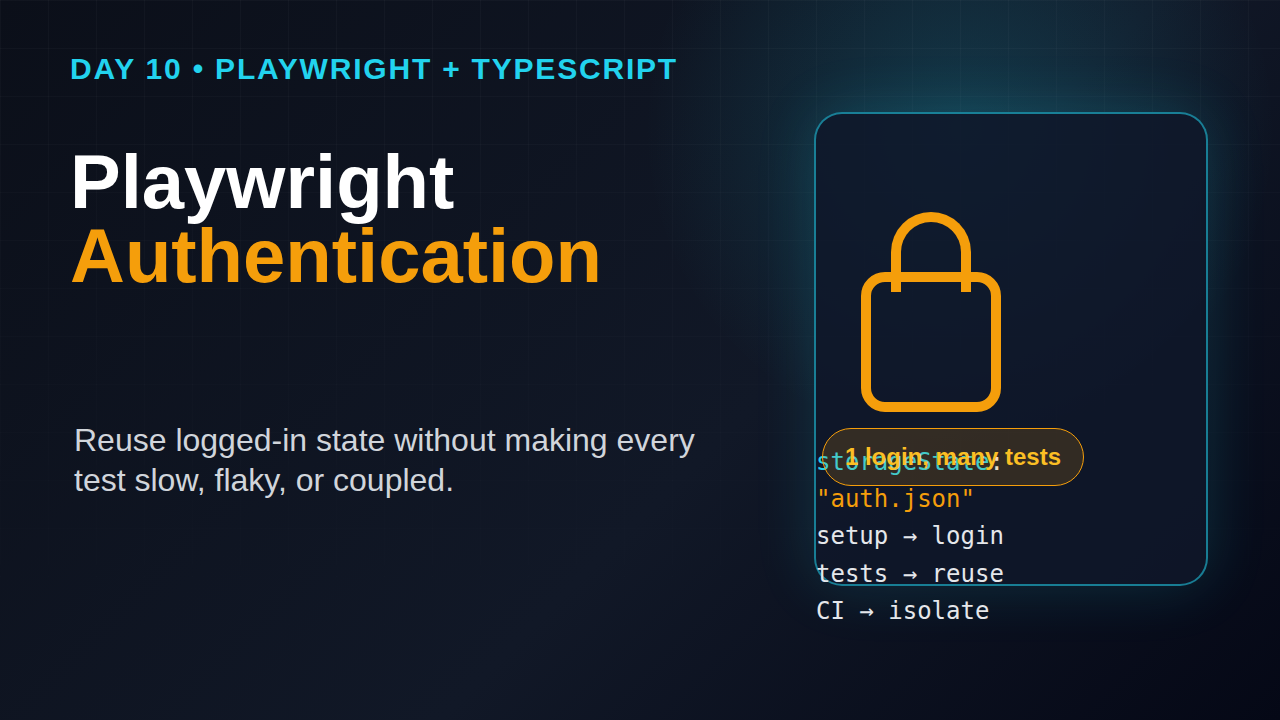
Day 10 fixes that. I will show the exact pattern I use in Playwright TypeScript projects: create authenticated state once, save it with storageState, reuse it safely, and avoid the traps that make logged-in tests flaky in CI.
Table of Contents
- Why Playwright authentication matters
- The mental model: browser context plus storage state
- Project setup for authenticated tests
- Create a login setup test
- Reuse authenticated state in real specs
- Handle multiple user roles
- Use API login when the UI login is not the test
- CI, security, and cleanup rules
- Common Playwright authentication pitfalls
- Key takeaways
Contents
Why Playwright authentication matters
The official Playwright authentication guide says Playwright runs tests in isolated browser contexts and can load an existing authenticated state to avoid signing in for every test. That one sentence explains the whole strategy. Isolation gives clean tests. Saved state gives speed.
This matters more as the suite grows. If 80 tests each spend 8 seconds on login, the suite wastes more than 10 minutes before it checks the product. Worse, the login page becomes a single point of failure. One OTP delay, one captcha rule, one slow identity provider, and the entire run looks broken.
For this series, Day 8 covered Playwright API testing and Day 9 covered Playwright visual testing. Authentication connects both topics. You often create state through an API call, then validate the logged-in UI, then capture screenshots only after the page is stable.
What changes after Day 10
- You stop putting login steps in every test.
- You separate authentication setup from product behavior checks.
- You keep admin, manager, and customer sessions isolated.
- You make CI runs faster without sharing unsafe state between workers.
Playwright is popular enough that this pattern is not niche. The npm downloads API reported 162,011,279 downloads for @playwright/test from 2026-05-18 to 2026-06-16, and the GitHub API showed 91,163 stars for microsoft/playwright during this run. Treat authentication as a first-class framework feature, not as a copy-pasted helper.
The mental model: browser context plus storage state
Playwright authentication works because a browser context stores cookies, local storage, and related browser session data. When you call context.storageState({ path }), Playwright writes that state into a JSON file. Later, a test project can load that file through use.storageState.
Do not think of this as “skip login forever.” Think of it as “login once per run, then reuse the same realistic browser state for tests that do not care about login behavior.” If the login flow itself is your feature under test, write a normal login spec. If the dashboard is your feature under test, start from an already logged-in state.
What storage state usually contains
- Session cookies for the app domain.
- Local storage values used by the frontend.
- Origin-specific state for the browser context.
It does not magically store everything. If your application uses server-side sessions, refresh tokens, short-lived cookies, or a custom WebAuthn flow, you still need a setup flow that creates valid state. The saved file is a snapshot. When the backend invalidates that snapshot, the setup must run again.
Screenshot description
Screenshot to capture: open the generated playwright/.auth/user.json file in VS Code. Blur token values. Show the cookies and origins keys. This screenshot teaches students that Playwright authentication is browser state, not a hidden Playwright trick.
Project setup for authenticated tests
Start with a clean folder for auth files. I prefer playwright/.auth because it is obvious and easy to ignore in Git. Never commit real session files. They are secrets.
mkdir -p playwright/.auth
printf "playwright/.auth\n" >> .gitignore
Now create a setup project in playwright.config.ts. The setup project logs in and saves state. The logged-in browser project depends on it.
import { defineConfig, devices } from '@playwright/test';

export default defineConfig({
  testDir: './tests',
  timeout: 30_000,
  expect: { timeout: 5_000 },
  use: {
    baseURL: process.env.BASE_URL ?? 'https://demo.playwright.dev',
    trace: 'retain-on-failure',
    video: 'retain-on-failure'
  },
  projects: [
    {
      name: 'setup',
      testMatch: /.*\.setup\.ts/
    },
    {
      name: 'chromium-authenticated',
      use: {
        ...devices['Desktop Chrome'],
        storageState: 'playwright/.auth/user.json'
      },
      dependencies: ['setup']
    }
  ]
});
The important part is dependencies: ['setup']. Playwright’s global setup docs describe project dependencies as a recommended way to run setup work before dependent projects. I prefer this over a classic global setup file because it appears in the HTML report, supports traces, and behaves like a normal test.
Why I avoid one giant global setup
Global setup feels simple at first, but it hides failures. When login breaks, I want a trace, screenshot, console logs, and a clear setup test failure. A setup project gives me that. A hidden script often gives me a stack trace and a frustrated Slack thread.
Create a login setup test
Create tests/auth.setup.ts. The job of this file is narrow: login as one role and save state. It should not validate dashboard widgets, settings pages, or business rules.
import { test, expect } from '@playwright/test';

const authFile = 'playwright/.auth/user.json';

test('authenticate as standard user', async ({ page }) => {
  await page.goto('/login');

  await page.getByLabel('Email').fill(process.env.E2E_USER_EMAIL!);
  await page.getByLabel('Password').fill(process.env.E2E_USER_PASSWORD!);
  await page.getByRole('button', { name: 'Sign in' }).click();

  await expect(page.getByRole('heading', { name: /dashboard/i })).toBeVisible();
  await expect(page).toHaveURL(/dashboard/);

  await page.context().storageState({ path: authFile });
});
Notice the two assertions before saving state. Do not save cookies immediately after clicking Sign in. Many apps set cookies first, then redirect, then hydrate the profile. Saving too early creates state that passes locally and fails on CI. Wait for a stable logged-in signal.
Use environment variables, not hard-coded users
Credentials should come from CI secrets or a local .env file. If your team hard-codes passwords in specs, the framework has already lost discipline.
BASE_URL=https://staging.example.com \
E2E_USER_EMAIL=qa.user@example.com \
E2E_USER_PASSWORD='correct-horse-battery' \
npx playwright test --project=chromium-authenticated
For local learning, a demo app is fine. For company work, get dedicated test users from the backend or identity team. Do not run end-to-end suites on a real employee account.
Screenshot description
Screenshot to capture: Playwright HTML report showing a green setup project followed by chromium-authenticated. This tells students the setup is visible, debuggable, and part of the run.
Reuse authenticated state in real specs
Once the project loads storageState, the actual test becomes short. That is the point. The spec should describe the product behavior, not the login ceremony.
import { test, expect } from '@playwright/test';

test('user can open the billing page', async ({ page }) => {
  await page.goto('/billing');

  await expect(page.getByRole('heading', { name: 'Billing' })).toBeVisible();
  await expect(page.getByText('Current plan')).toBeVisible();
});

test('user can update profile display name', async ({ page }) => {
  await page.goto('/settings/profile');

  await page.getByLabel('Display name').fill('Playwright Learner');
  await page.getByRole('button', { name: 'Save changes' }).click();

  await expect(page.getByText('Profile updated')).toBeVisible();
});
Compare this with a spec that logs in at the top of every test. The authenticated version is easier to read, easier to debug, and easier to explain in an interview. When I review SDET assignments for ₹25-40 LPA roles in India, this separation stands out. It shows framework thinking.
Keep one unauthenticated project too
Do not make every project authenticated. You still need tests for public pages, invalid login, password reset, signup, and access control. Add a plain Chromium project for those specs.
{
  name: 'chromium-public',
  use: { ...devices['Desktop Chrome'] },
  testIgnore: /.*\.auth\.spec\.ts/
}
A clean suite has both paths: public tests that start logged out and product tests that start logged in.
Handle multiple user roles
Real apps rarely have one user. Admins approve things. Managers assign things. Customers create things. If you reuse one state file for all of them, role bugs will hide until production.
Create one setup test per role and one state file per role. Keep names boring and obvious.
// tests/auth.setup.ts
import { test, expect, Page } from '@playwright/test';

async function login(page: Page, email: string, password: string) {
  await page.goto('/login');
  await page.getByLabel('Email').fill(email);
  await page.getByLabel('Password').fill(password);
  await page.getByRole('button', { name: 'Sign in' }).click();
  await expect(page.getByRole('heading', { name: /dashboard/i })).toBeVisible();
}

test('authenticate admin', async ({ page }) => {
  await login(page, process.env.ADMIN_EMAIL!, process.env.ADMIN_PASSWORD!);
  await page.context().storageState({ path: 'playwright/.auth/admin.json' });
});

test('authenticate customer', async ({ page }) => {
  await login(page, process.env.CUSTOMER_EMAIL!, process.env.CUSTOMER_PASSWORD!);
  await page.context().storageState({ path: 'playwright/.auth/customer.json' });
});
Then map each role to a project.
projects: [
  { name: 'setup', testMatch: /.*\.setup\.ts/ },
  {
    name: 'admin',
    use: { storageState: 'playwright/.auth/admin.json' },
    dependencies: ['setup']
  },
  {
    name: 'customer',
    use: { storageState: 'playwright/.auth/customer.json' },
    dependencies: ['setup']
  }
]
Test cross-role flows carefully
Some flows need two users in the same test. For example, a manager creates an approval request and an admin approves it. In that case, create separate browser contexts inside the test. Do not swap cookies in the same context.
import { test, expect } from '@playwright/test';

test('customer request appears in admin queue', async ({ browser }) => {
  const customerContext = await browser.newContext({
    storageState: 'playwright/.auth/customer.json'
  });
  const adminContext = await browser.newContext({
    storageState: 'playwright/.auth/admin.json'
  });

  const customerPage = await customerContext.newPage();
  await customerPage.goto('/requests/new');
  await customerPage.getByLabel('Title').fill('Refund request from e2e');
  await customerPage.getByRole('button', { name: 'Submit' }).click();
  await expect(customerPage.getByText('Request submitted')).toBeVisible();

  const adminPage = await adminContext.newPage();
  await adminPage.goto('/admin/requests');
  await expect(adminPage.getByText('Refund request from e2e')).toBeVisible();

  await customerContext.close();
  await adminContext.close();
});
This pattern is powerful, but use it sparingly. Cross-role tests are slower and need better data cleanup.
🚀 Level Up Your Playwright
From locators to CI pipelines — build a production-grade Playwright + TypeScript framework step by step.
Use API login when the UI login is not the test
UI login is realistic, but it is not always the best setup. If the login provider has captcha, rate limits, magic links, or OTP, use an API route or backend test helper to create the session. Day 8 already introduced Playwright’s request fixture, and the official API testing docs cover request contexts for direct API calls.
import { test, expect, request } from '@playwright/test';

const authFile = 'playwright/.auth/api-user.json';

test('authenticate through API', async ({ page, playwright }) => {
  const api = await request.newContext({
    baseURL: process.env.BASE_URL,
    extraHTTPHeaders: { 'content-type': 'application/json' }
  });

  const loginResponse = await api.post('/api/test-login', {
    data: {
      email: process.env.E2E_USER_EMAIL,
      password: process.env.E2E_USER_PASSWORD
    }
  });

  expect(loginResponse.ok()).toBeTruthy();

  const cookies = await api.storageState();
  await page.context().addCookies(cookies.cookies);
  await page.goto('/dashboard');
  await expect(page.getByRole('heading', { name: /dashboard/i })).toBeVisible();

  await page.context().storageState({ path: authFile });
  await api.dispose();
});
The endpoint name /api/test-login is intentional. I prefer a test-only helper behind staging authentication instead of fighting a production identity provider in every CI run. Security teams usually accept this when the endpoint is disabled in production, audited, and protected by network rules.
When API login is the wrong choice
- When the login page itself changed and needs coverage.
- When third-party SSO behavior is part of the acceptance criteria.
- When the app stores critical client state that only the UI creates.
- When the backend team cannot provide a safe test-only route.
CI, security, and cleanup rules
Playwright authentication becomes risky when teams treat state files like harmless test artifacts. They are not harmless. They can contain live cookies. Store them only during the run and keep them out of Git.
GitHub Actions example
name: Playwright authenticated tests

on: [push, pull_request]

jobs:
  e2e:
    runs-on: ubuntu-latest
    env:
      BASE_URL: ${{ secrets.STAGING_BASE_URL }}
      E2E_USER_EMAIL: ${{ secrets.E2E_USER_EMAIL }}
      E2E_USER_PASSWORD: ${{ secrets.E2E_USER_PASSWORD }}
    steps:
      - uses: actions/checkout@v4
      - uses: actions/setup-node@v4
        with:
          node-version: 22
      - run: npm ci
      - run: npx playwright install --with-deps chromium
      - run: npx playwright test --project=chromium-authenticated
      - uses: actions/upload-artifact@v4
        if: failure()
        with:
          name: playwright-report
          path: playwright-report/
Do not upload playwright/.auth as an artifact. If you need to debug auth, use the trace from the setup project. The trace is still sensitive, but it is tied to a failed run and can be retained with your team’s normal artifact rules.
Data cleanup
Authentication solves login speed. It does not solve dirty test data. If authenticated tests create records, clean those records with an API call after the test or use unique names that are easy to delete later.
test.afterEach(async ({ request }, testInfo) => {
  const cleanupId = testInfo.title.replace(/\W+/g, '-').toLowerCase();
  await request.delete(`/api/test-data/${cleanupId}`);
});
For serious suites, I prefer API cleanup over UI cleanup. UI cleanup is slower and fails for reasons unrelated to the test.
Common Playwright authentication pitfalls
I see the same mistakes in beginner and intermediate suites. Most are easy to fix once you know what to watch.
1. Saving state too early
Clicking Sign in is not enough. Wait for a post-login URL, a stable heading, or an API response that proves the session is ready. Save state after that signal.
2. Committing auth JSON files
This is a security bug. Add playwright/.auth to .gitignore on Day 1 of the framework. If a session file was already committed, rotate the credentials.
3. Sharing one account across parallel workers
If tests mutate user data, one account can create collisions. Use read-only users for read-only tests. Use worker-scoped test users for write-heavy tests. Playwright fixtures can create a unique user per worker when the app supports it.
Authentication means “who are you?” Authorization means “what can you do?” Keep admin and customer state separate. Then write specs that prove customers cannot open admin pages.
test('customer cannot open admin users page', async ({ page }) => {
  await page.goto('/admin/users');
  await expect(page.getByText('Access denied')).toBeVisible();
});
5. Ignoring session expiry
Short-lived sessions are common. If the setup project runs on every CI job, expiry is usually fine. If you cache state across jobs, expect random failures. I do not cache auth state between CI runs unless the app team explicitly supports it.
Key takeaways
Playwright authentication is not just a speed trick. It is a framework design decision that keeps login separate from product behavior checks.
- Use a setup project to create
storageStatebefore authenticated specs run. - Save state only after a reliable logged-in assertion passes.
- Use one state file per role: admin, customer, manager, or support.
- Prefer API login when UI login is noisy and not the feature under test.
- Never commit auth files or upload them as casual CI artifacts.
If you are following the full series, read Day 5 on Page Object Model, Day 7 on Trace Viewer, and Day 8 on API testing. Day 11 will build on this and move into test data management, which is where authenticated suites either become reliable or become expensive.
FAQ: Playwright authentication
Should every Playwright test use storageState?
No. Use storage state for tests where login is only setup. Keep separate tests for login, logout, invalid credentials, password reset, and access control.
Can I reuse one storageState file forever?
No. Treat it as per-run state. Generate it in setup, use it in dependent projects, and let the next CI job create a fresh file.
Is API login less realistic than UI login?
Yes, but that is acceptable when login is not the behavior under test. You still need a small number of UI login tests for confidence.
Where should I store Playwright auth files?
Store them under playwright/.auth or a similar ignored folder. Keep the folder out of Git and out of normal CI artifacts.
Sources
- Playwright Authentication guide
- Playwright Global setup and teardown docs
- Playwright API testing docs
- GitHub API: microsoft/playwright repository metadata
- npm downloads API: @playwright/test
🎓 Master Playwright End to End
Join hundreds of SDETs building real automation frameworks. Lifetime access, hands-on projects, and a job-ready portfolio.