
Playwright MCP Smoke Test: 5-Step QA Guide
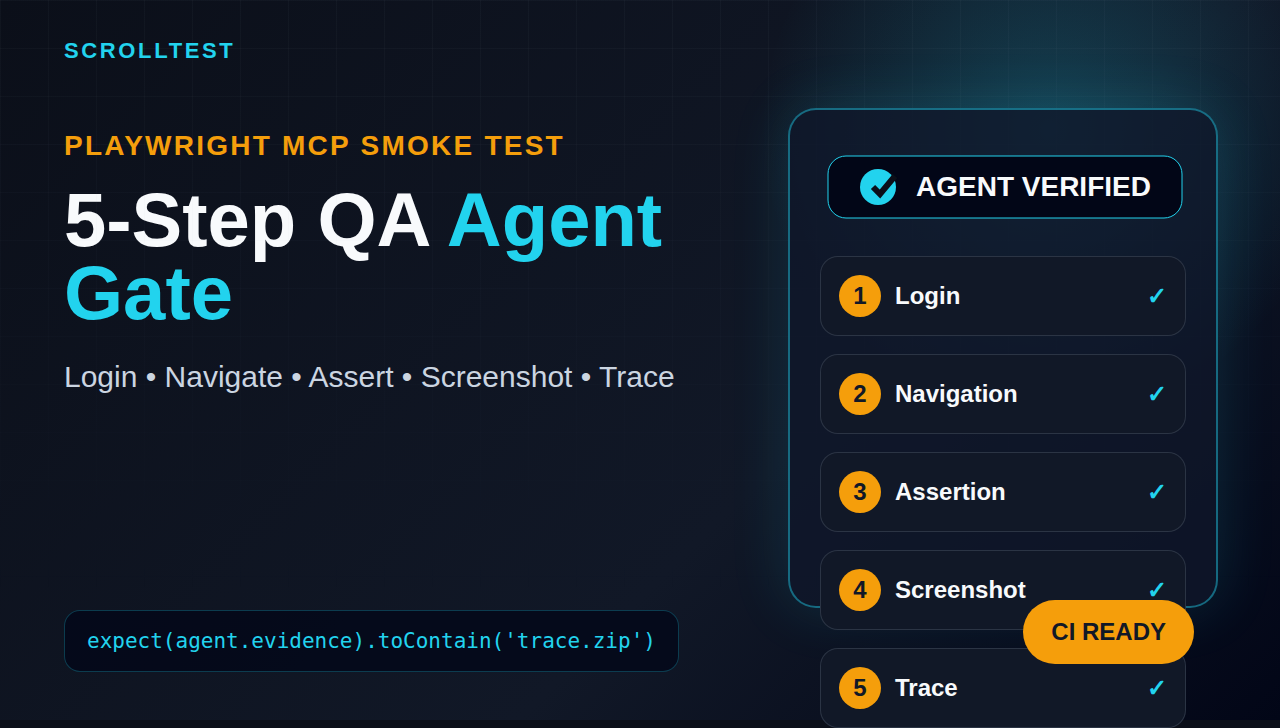
Playwright MCP smoke test is the safety net I want every QA team to add before they trust an AI agent with browser work. Playwright MCP can open pages, click controls, read accessibility snapshots, and keep browser state, but a testing agent is only useful when it leaves evidence that a human can verify later.
🤖 Learning AI-powered testing? Go hands-on with LLM, RAG, and AI-agent testing in the AI-Powered Testing Mastery course at The Testing Academy.
This guide shows a practical 5-step smoke test for Playwright MCP agents: login, navigation, assertion, screenshot, and trace validation. The goal is not to replace your Playwright suite. The goal is to catch broken agent workflows before they waste CI minutes, create noisy bug reports, or silently approve a bad release.
Table of Contents
- What Is a Playwright MCP Smoke Test?
- Why AI Browser Agents Need Smoke Tests
- Set Up Playwright MCP for QA Workflows
- The 5-Step Playwright MCP Smoke Test
- TypeScript Validator for Agent Evidence
- Run the Smoke Test in CI
- Common Failures and Fixes
- India QA Career Context
- Key Takeaways
- FAQ
Contents
What Is a Playwright MCP Smoke Test?
A Playwright MCP smoke test is a small, repeatable check that proves an AI browser agent can complete one critical user journey and return useful evidence. It should be short enough to run before a larger agent task, but strict enough to catch weak prompts, broken selectors, bad credentials, missing browser dependencies, and poor reporting.
Microsoft describes Playwright MCP as a Model Context Protocol server that gives LLMs browser automation capabilities through Playwright. The project README says it uses structured accessibility snapshots instead of pixel-only input, which matters for test automation because the agent can reason over roles, names, and page structure instead of guessing from screenshots. The official MCP documentation defines MCP as an open standard for connecting AI applications to external systems such as files, databases, tools, and workflows.
That combination is powerful. It also creates a new QA problem. If an AI agent has a browser tool, a test URL, and a vague instruction like “check checkout”, it may produce a confident summary without enough proof. A smoke test keeps the agent honest.
Smoke test versus full regression suite
A smoke test answers one question: “Is this workflow alive enough for deeper testing?” A regression suite answers a bigger question: “Did this release break known behavior?” Do not mix the two.
- Smoke test: 3 to 8 minutes, one happy path, visible proof, fail fast.
- Regression suite: broader coverage, more assertions, data variations, cross-browser execution.
- Agent evaluation: checks whether the agent followed instructions and produced trustworthy artifacts.
I prefer the smoke test to run first. If the agent cannot log in, navigate, assert, capture a screenshot, and preserve a trace, I do not want it touching a longer exploratory task.
Why Playwright MCP changes the QA workflow
Classic Playwright tests fail at a specific line. Agent runs can fail softly: the agent clicks a nearby button, skips a business assertion, captures an early screenshot, or reports “passed” without a trace. The smoke test in this article treats those soft failures as first-class bugs.
Why Agents Need a Playwright MCP Smoke Test
The Playwright MCP smoke test is not about distrust of AI. It is about test discipline. If a human tester joins a project, I do not hand over production checkout testing on day one without a checklist. I expect the same from an AI agent.
The Playwright MCP v0.0.76 release, published on GitHub on 10 June 2026, added and improved several operational features: video action annotations, remote endpoint options, response size limits, browser channel support, clearer invalid argument reporting, and safer static file routing. These details show the project is moving from demo usage toward operational workflows. QA teams should respond by adding operational guardrails too.
The three risks I see in AI browser testing
When teams start using AI browser agents, the first demos look impressive. The agent opens the site, clicks around, and writes a neat report. The issues show up later in CI, sprint demos, or bug triage.
- Evidence risk: the agent says it tested a flow but gives no screenshot, trace, or exact assertion.
- Determinism risk: the same instruction produces different paths across runs.
- Scope risk: the agent spends time on low-value exploration and misses the core release gate.
A smoke test reduces all three. It gives the agent a narrow job, demands proof, and rejects vague results.
What good evidence looks like
For an agent run, I want evidence that a developer, tester, or manager can inspect without asking the model what happened: final URL, named assertion, screenshot after the assertion point, trace or video link, and a short failure reason. Playwright’s trace viewer documentation says traces help debug tests after scripts run, especially when failures happen in CI. A trace turns “the AI failed” into “the cart badge did not update after the add-to-cart click”.
Internal link: fundamentals still matter
If your team is new to MCP, read Why Learning Playwright MCP Without Fundamentals Will Destroy Your QA Career before you copy any agent workflow. MCP is easier to use when testers already understand locators, assertions, fixtures, traces, and test data. AI removes some typing. It does not remove engineering judgment.
Set Up Playwright MCP for QA Workflows
Start small. One local site, one test user, one browser, one path. I use a checkout or dashboard flow because it quickly proves login, navigation, UI state, and assertion quality.
Install the server in your MCP client
The Playwright MCP README shows a standard MCP server config using npx @playwright/mcp@latest. In a compatible client, the config usually looks like this:
{
  "mcpServers": {
    "playwright": {
      "command": "npx",
      "args": ["@playwright/mcp@latest"]
    }
  }
}
Pinning to latest is fine for local learning. For CI, I prefer pinning a version so the agent workflow does not change under my feet:
{
  "mcpServers": {
    "playwright": {
      "command": "npx",
      "args": ["@playwright/mcp@0.0.76"]
    }
  }
}
Version pinning is boring. Boring is good when a release gate depends on the result.
Create a narrow agent instruction
Do not say “test the app”. Give the agent a bounded mission with evidence requirements. Here is the exact pattern I use:
You are running a Playwright MCP smoke test.
Target: https://example.test
Flow: login, open dashboard, verify user name, capture screenshot, save trace.
Credentials: use TEST_USER_EMAIL and TEST_USER_PASSWORD from environment.
Pass criteria:
1. Login succeeds without console errors.
2. Dashboard URL contains /dashboard.
3. Header contains "Welcome, QA User".
4. Screenshot is captured after assertion.
5. Trace or video artifact is available.
Return JSON only with status, finalUrl, assertions, artifacts, and failureReason.
This prompt is not fancy. It is explicit. That is why it works.
Prepare test data before the agent runs
AI agents become flaky when test data is vague. Create a stable test account and reset the state before the run. If the flow uses a cart, clear the cart. If the flow uses orders, create a known order. If the flow uses feature flags, lock them for the smoke environment.
A simple data checklist:
- One dedicated smoke user.
- Known password stored in CI secrets.
- Stable role and permissions.
- Predictable account state before every run.
- No dependency on OTP, CAPTCHA, or personal email.
Teams in enterprise services companies often skip this step because test environments are shared. That is where agent testing becomes noisy. A Playwright MCP smoke test should not depend on another team’s manual testing data.
The 5-Step Playwright MCP Smoke Test
This is the core workflow. Keep it short. If the smoke test grows to 25 steps, split it.
Step 1: Login with a dedicated test user
Login proves the agent can handle forms, wait for navigation, and use secrets safely. The agent should never print passwords in its result. It should return a redacted credential note at most.
Expected evidence:
- Login page URL before action.
- Post-login URL after action.
- Assertion that an authenticated element is visible.
- Failure reason if login is blocked.
Bad result: “Login worked.” Good result: “Login passed because final URL is /dashboard and element [data-testid=user-menu] is visible.” The second result gives the team something concrete to inspect.
Navigation is where many agents drift. They click whatever looks close instead of using a clear path. For a smoke test, specify the target route or menu item. If your app has role-based menus, assert both the URL and the page heading.
Navigate to Dashboard > Orders.
Pass only if:
- final URL contains /orders
- H1 text is "Orders"
- network is idle or the main table is visible
Do not accept a screenshot of a spinner. Do not accept a partial page. The agent must prove the destination loaded.
Step 3: Make one business assertion
This is the difference between browser automation and testing. Clicking through screens is not enough. The agent needs one business assertion tied to risk.
Examples:
- Dashboard shows the logged-in user’s name.
- Cart badge increments from 0 to 1 after adding a product.
- Orders page shows the seeded order ID.
- Settings page saves a preference and displays the new value.
For a smoke test, I prefer one assertion that is hard to fake from page structure alone. A text heading is useful, but a state change is better.
Step 4: Capture a screenshot after the assertion
The screenshot must be captured after the assertion point. This matters. I have seen agent reports attach screenshots from the wrong page because the capture happened too early.
Name the screenshot predictably:
artifacts/playwright-mcp-smoke-dashboard-2026-06-15.png
The image should show the asserted state, not secrets. If your dashboard contains private customer data, use a sanitized smoke environment.
Step 5: Save trace or video for debugging
The Playwright docs describe Trace Viewer as a GUI tool for exploring recorded traces after the script has run. In CI, this is what turns a failed smoke run into a useful bug report.
At minimum, store one of these:
- Playwright trace zip.
- Video recording with action annotations where supported.
- Console log and network failure summary.
The Playwright MCP v0.0.76 release added tools to show or hide action annotations on recorded video. That is a small detail, but it is useful for QA reviews. A video with action annotations makes it easier to see whether the agent clicked the correct control or wandered through the UI.
TypeScript Validator for Agent Evidence
I do not trust free-form agent summaries. I ask the agent to return JSON, then I validate the JSON like any other test artifact. This keeps the smoke test repeatable and CI-friendly.
Expected agent result schema
Ask the agent to return this shape:
{
  "status": "passed",
  "finalUrl": "https://example.test/dashboard",
  "assertions": [
    {
      "name": "dashboard heading",
      "expected": "Orders",
      "actual": "Orders",
      "passed": true
    }
  ],
  "artifacts": {
    "screenshot": "artifacts/playwright-mcp-smoke-dashboard.png",
    "trace": "artifacts/trace.zip",
    "video": "artifacts/run.webm"
  },
  "failureReason": ""
}
Then validate it with TypeScript:
type AgentAssertion = {
  name: string;
  expected: string;
  actual: string;
  passed: boolean;
};

type AgentSmokeResult = {
  status: 'passed' | 'failed';
  finalUrl: string;
  assertions: AgentAssertion[];
  artifacts: {
    screenshot?: string;
    trace?: string;
    video?: string;
  };
  failureReason?: string;
};

function validateSmokeResult(result: AgentSmokeResult): void {
  if (!['passed', 'failed'].includes(result.status)) {
    throw new Error('Invalid status');
  }

  if (!result.finalUrl.includes('/dashboard') && !result.finalUrl.includes('/orders')) {
    throw new Error(`Unexpected final URL: ${result.finalUrl}`);
  }

  if (result.assertions.length === 0) {
    throw new Error('No assertions returned by agent');
  }

  const failed = result.assertions.filter(assertion => !assertion.passed);
  if (failed.length > 0) {
    throw new Error(`Agent assertion failed: ${failed[0].name}`);
  }

  if (!result.artifacts.screenshot) {
    throw new Error('Missing screenshot artifact');
  }

  if (!result.artifacts.trace && !result.artifacts.video) {
    throw new Error('Missing trace or video artifact');
  }
}
This is not a replacement for Playwright assertions inside a normal test file. It is a contract for the agent’s output. If the agent cannot satisfy the contract, the smoke test fails.
Validate artifact files exist
Do not stop at JSON. Check that the file paths exist and are non-empty.
import fs from 'node:fs';

function assertArtifactExists(path: string, label: string): void {
  if (!fs.existsSync(path)) {
    throw new Error(`Missing ${label}: ${path}`);
  }

  const size = fs.statSync(path).size;
  if (size < 1024) {
    throw new Error(`${label} is too small to be useful: ${size} bytes`);
  }
}

assertArtifactExists(result.artifacts.screenshot!, 'screenshot');
if (result.artifacts.trace) assertArtifactExists(result.artifacts.trace, 'trace');
if (result.artifacts.video) assertArtifactExists(result.artifacts.video, 'video');
A 0-byte trace is not evidence. A blank screenshot is not evidence. Treat artifacts as test outputs, not decoration.
Internal link: agent architecture
For a broader agent architecture pattern, read AI Test Agents Need a Planner, Generator, and Healer. The smoke test here fits into the planner and verifier side of that workflow. The agent can plan the steps, but a validator must decide whether the evidence is good enough.
🚀 Build Real AI Testing Skills
Stop testing AI by guesswork. Learn DeepEval, RAG evaluation, and agent testing with guided projects.
Run the Playwright MCP Smoke Test in CI
A local demo is not enough. If the Playwright MCP smoke test matters, run it in CI on a schedule or before deployments. I like running it in three places: nightly, before release branches, and after major environment refreshes.
Example GitHub Actions workflow
Your exact MCP client may differ, but the CI shape stays the same. Install dependencies, run the agent task, validate the result, and upload artifacts.
name: playwright-mcp-smoke

on:
  workflow_dispatch:
  schedule:
    - cron: '30 3 * * *'

jobs:
  smoke:
    runs-on: ubuntu-latest
    timeout-minutes: 15
    steps:
      - uses: actions/checkout@v4

      - uses: actions/setup-node@v4
        with:
          node-version: 22

      - name: Install dependencies
        run: npm ci

      - name: Run MCP smoke agent
        env:
          TEST_USER_EMAIL: ${{ secrets.TEST_USER_EMAIL }}
          TEST_USER_PASSWORD: ${{ secrets.TEST_USER_PASSWORD }}
        run: npm run agent:smoke

      - name: Validate agent evidence
        run: npm run validate:agent-smoke

      - name: Upload smoke artifacts
        if: always()
        uses: actions/upload-artifact@v4
        with:
          name: playwright-mcp-smoke-artifacts
          path: artifacts/
The cron above runs at 9:00 AM IST. That is useful for Indian QA teams because the first person online sees the smoke result before standup.
Pass and fail rules
Write the rules before the first run. Otherwise every failure becomes a debate.
- Pass: login, target navigation, one business assertion, screenshot, and trace or video all present.
- Fail: any missing artifact, any failed assertion, unexpected final URL, or hidden JavaScript error on the target page.
- Blocked: environment down, credentials expired, feature flag missing, or test data unavailable.
I keep “blocked” separate from “failed” because it helps triage. A blocked run is an environment or setup issue. A failed run is product or agent behavior that needs investigation.
Where this fits with your normal suite
Do not let MCP smoke tests replace stable Playwright tests. Use them as an early warning layer and an agent quality gate. A good stack is: static checks, one MCP smoke test, core Playwright regression, targeted exploratory agent runs, and human review for high-risk flows.
If your smoke test fails, stop the longer agent run. There is no value in asking a broken agent to explore 20 pages.
Common Failures and Fixes
The failures are predictable. That is good news because you can design around them.
Failure 1: The agent clicks the wrong element
This often happens when labels are vague: two buttons named “Continue”, multiple links named “View”, or icon-only controls. Fix the application accessibility first. Playwright MCP’s structured snapshots become more useful when your app uses clear roles and names.
Practical fixes:
- Add accessible names to icon buttons.
- Use unique headings for major pages.
- Add stable test IDs for critical smoke controls.
- Tell the agent the exact expected route after a click.
Failure 2: The agent reports pass without proof
This is a prompt and validation problem. The prompt must demand JSON output. The validator must reject missing artifacts. If a human tester said “looks good” without evidence, you would ask for screenshots or logs. Apply the same standard to agents.
Failure 3: Environment state changes between runs
Shared QA environments create false failures. One tester changes the account. Another clears the cart. A background job deletes seeded data. Then the agent gets blamed.
Fix this with setup and teardown. Seed data before the smoke test. Reset data after the run. If you cannot reset the whole environment, isolate the smoke user and keep the assertion tied to that user.
Failure 4: Trace or video is missing in CI
This usually comes from artifact path mistakes, cleanup steps, or browser dependency issues. Playwright MCP v0.0.76 includes clearer reporting for a missing ffmpeg versus a missing browser. That kind of distinction matters because the fix is different. Missing browser means install dependencies. Missing ffmpeg means install video support or disable video and require trace instead.
Internal link: fixtures and hooks
If test setup is your weak point, read Playwright Fixtures and Hooks: Day 6 Tutorial. The same fixture discipline you use in normal Playwright tests should appear in MCP smoke workflows too.
India QA Career Context
For Indian QA engineers, Playwright MCP is not just a new tool to mention on a resume. It is a signal that the QA role is moving from “write scripts” to “design reliable automation systems around AI”.
Service company projects at TCS, Infosys, Wipro, Cognizant, and similar firms still need strong execution on Selenium, API testing, and manual validation. Product companies and global remote teams increasingly ask for Playwright, CI, debugging skills, and now AI-assisted workflows. The engineer who can build a Playwright MCP smoke test with evidence validation stands out because they understand both testing and agent risk.
What hiring managers will care about
Do not pitch yourself as “I know AI tools”. Show a concrete workflow: “I built a Playwright MCP smoke test for login and dashboard validation. The agent returns JSON, screenshot, and trace evidence. CI rejects missing artifacts or failed assertions.” That sounds like engineering, and it beats “I used ChatGPT to generate test cases”.
Salary signal for SDETs
In the Indian market, the stronger SDET roles usually reward engineers who combine automation depth, CI discipline, debugging, and communication. For experienced SDETs targeting ₹25-40 LPA product roles, AI agent testing is useful only when it is attached to real engineering artifacts. A GitHub repo with a smoke workflow, validator, and sample trace is stronger than a certificate screenshot.
If you are moving from manual testing, do not jump straight to MCP. Learn Playwright locators, assertions, fixtures, API testing, and CI first. Then add MCP as an advanced layer.
Key Takeaways
A Playwright MCP smoke test gives QA teams a practical gate before they trust AI agents with browser automation. Keep it small, strict, and evidence-heavy.
- Use Playwright MCP for bounded agent workflows, not vague “test the app” prompts.
- Demand five proof points: login, navigation, assertion, screenshot, and trace or video.
- Validate the agent’s JSON output in code before you accept the result.
- Run the smoke test in CI and upload artifacts even when the job fails.
- Keep Playwright fundamentals strong. MCP improves workflows, but it does not replace test design.
My recommendation is simple: build one smoke test this week. Pick your most important flow. Make the agent prove it. If the evidence is weak, fix the workflow before expanding to larger AI testing tasks.
FAQ
Is Playwright MCP better than normal Playwright tests?
No. It solves a different problem. Normal Playwright tests are deterministic code artifacts. Playwright MCP is useful when an AI agent needs to interact with a browser through structured tools. Use MCP for agent workflows and use normal Playwright for stable regression coverage.
How long should a Playwright MCP smoke test run?
I aim for 3 to 8 minutes. If it takes longer, the workflow is probably too broad. A smoke test should fail fast and give clear evidence.
Should I allow the agent to choose its own assertions?
Not for a release gate. Tell the agent the assertion you expect. You can allow exploratory assertions in a separate run, but the smoke test should have fixed pass criteria.
What artifacts are mandatory?
At minimum, require a final URL, assertion details, one screenshot, and either a trace or video. For CI, upload artifacts on both pass and fail.
Sources: Microsoft Playwright MCP README; GitHub release notes for Playwright MCP v0.0.76; official Model Context Protocol documentation; Playwright Trace Viewer documentation.
🎓 Become an AI-Powered QA Engineer
Join hundreds of SDETs mastering LLM, RAG, and agent testing. Lifetime access, hands-on labs, and a job-ready portfolio.
