Playwright Geolocation and Permissions in TypeScript
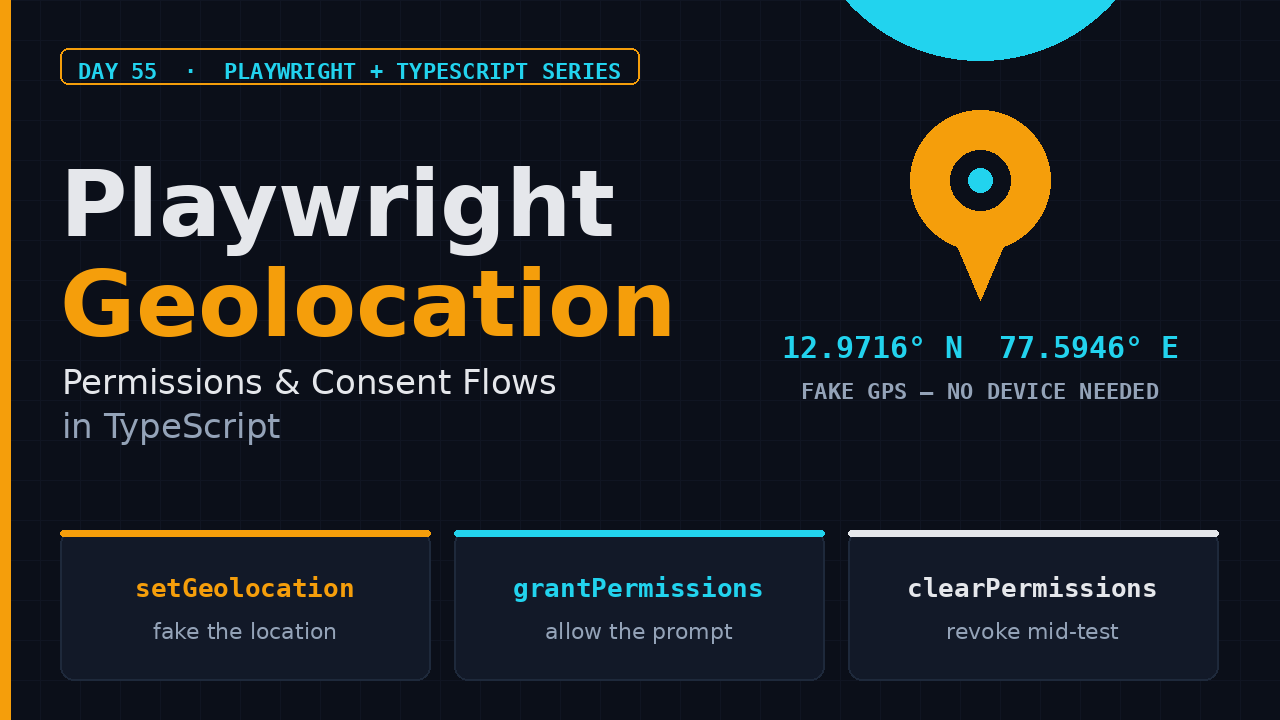
Most QA suites I review stop at the happy path: login, click, assert. But the features that actually break in production are the ones tied to location and browser consent. A food-delivery app that shows the wrong city, a maps view that refuses to center, a push-notification prompt nobody tested, a clipboard paste that silently fails on a checkout page. Playwright gives you first-class control over Playwright geolocation and permissions, and almost nobody on the team knows it exists. This is Day 55 of the Playwright + TypeScript series, and I will show you exactly how to fake a device location, grant and revoke permissions, and test notification, clipboard, camera, and microphone flows without a real device, a real GPS signal, or a real webcam.
Table of Contents
- Why Location and Permission Tests Break in CI
- How Playwright Geolocation Emulation Works
- Granting Permissions with context.grantPermissions
- Testing Notification Permission Flows
- Clipboard, Camera, and Microphone Permissions
- Handling Browser Permission Prompts
- Clearing and Revoking Permissions Mid-Test
- Locale, Timezone, and Language: The Rest of Emulation
- Playwright Geolocation with Mobile Device Emulation
- Common Pitfalls and How I Debug Them
- India SDET Interview Angle
- Key Takeaways
- FAQ
Contents
Why Location and Permission Tests Break in CI
Here is the pattern I see across teams. A tester opens the app in Chrome on their laptop, clicks “Allow” on the location prompt, and everything works. The same test runs in CI headless and the flow dies at the consent screen, or navigator.geolocation returns null, or the notification prompt blocks the whole run waiting for a human who is not there. The root cause is almost always the same: the team never controlled location or permission state at the browser-context level, so the test inherited whatever the default was, and the default is different in every environment.
Playwright models this correctly. Location, permissions, locale, timezone, and color scheme all live on the browser context, not on the page. That is a deliberate design decision and it is the whole reason the feature is deterministic. When you create a new context with the right options, every page inside it starts in a known state. No flaky consent dialogs, no “this test passed on my machine” surprises, no midnight Slack messages about a red pipeline that passed locally.
The adoption numbers tell you how standard this tool has become. Playwright is now at roughly 94,700 GitHub stars, and @playwright/test sees about 201 million downloads a month, while the core playwright package is over 310 million. Location and permission control is not some niche add-on; it is core emulation functionality the official docs call out under Emulation. If your team ships any location-aware or consent-aware feature, this is the skill that stops those features from shipping broken.
How Playwright Geolocation Emulation Works
There are two ways to set a location: at context creation time, or on a live context. The first is cleaner for a test that needs a fixed location from the moment the page loads.
import { test, expect } from '@playwright/test';

test('location-aware search shows nearby stores', async ({ browser }) => {
  const context = await browser.newContext({
    geolocation: { latitude: 12.9716, longitude: 77.5946 }, // Bengaluru
    permissions: ['geolocation'],
  });
  const page = await context.newPage();
  await page.goto('https://example.com/stores');
  await expect(page.getByText('Bengaluru')).toBeVisible();
  await context.close();
});
The geolocation option takes latitude and longitude. You can also pass accuracy, but latitude and longitude are what most applications actually read. The moment you set it, navigator.geolocation.getCurrentPosition() inside the page returns your fake coordinates instead of trying to resolve a real one.
Moving the User Mid-Test
The second way is context.setGeolocation(), which is useful when a single test has to move the user from one city to another without tearing down the context, like testing a route that crosses a state border or a pricing tier that changes by region.
await context.setGeolocation({ latitude: 19.076, longitude: 72.8777 }); // Mumbai
await page.reload();
await expect(page.getByRole('heading', { name: 'Mumbai' })).toBeVisible();
Here is the trap most people hit first: setting geolocation without granting the geolocation permission does nothing useful. The coordinate is set, but the page’s request for location still gets denied, so navigator.geolocation either errors out or returns no position. Playwright geolocation is a two-part operation: you set the coordinates and you grant the permission. Do both or do neither.
What the Page Actually Sees
Under the hood, the browser injects a mock position provider. From the page’s point of view, the position comes back instantly, with the coordinates you supplied and the accuracy you optionally set. There is no real network call to a location service, which is why this works in a locked-down CI container with no GPS and no internet access to Google’s geolocation service. When you need to assert on what the page received, you can read it back directly.
const position = await page.evaluate(() =>
  new Promise((resolve) => navigator.geolocation.getCurrentPosition((p) => resolve(p.coords)))
);
console.log(position.latitude, position.longitude); // 12.9716 77.5946
Because the mock provider returns instantly, you can also test distance-based logic cheaply. A delivery app that shows “restaurants within 3 km” is really computing a haversine distance between the fake user location and a list of stored restaurant coordinates. Set the location to a known point, and the radius filter becomes a pure function you can assert against, no real movement required. When a geofencing feature breaks, it is almost never the distance math; it is usually the coordinate never getting set in the first place because the permission was missing.
Granting Permissions with context.grantPermissions
Permissions are granted per context with context.grantPermissions() and revoked with context.clearPermissions(), both documented in the BrowserContext API reference. The supported names include geolocation, notifications, clipboard-read, clipboard-write, camera, and microphone, with a few more depending on the browser engine.
import { test } from '@playwright/test';

test('grant geolocation and notifications', async ({ context }) => {
  await context.grantPermissions(['geolocation', 'notifications']);
  // navigator.geolocation and Notification.requestPermission() now resolve as granted.
});
The important detail is that grantPermissions is asynchronous and applies to the whole context. Every page and every iframe inside that context sees the granted permission. If you open a second context, it inherits nothing. This is what makes permissions deterministic: a test gets exactly the permissions you declared and nothing else.
There is also an optional origin parameter, which matters when your app talks to a third-party iframe that needs its own permission. By default grantPermissions grants to the origin of the page that is about to load, but you can scope it to a specific origin when the embedded widget is served from a different domain. I rarely need it for single-page apps, but it has saved me on payment widgets and embedded map providers that live on a separate origin.
Permissions and Secure Contexts
One caveat that trips people up: browsers only honor these permission APIs on a secure context. That means https:// or localhost. If you point your test at a plain http:// URL, geolocation and clipboard may silently refuse even when you granted them. Local dev servers and localhost are fine, but keep this in mind when someone hands you a staging box served over plain HTTP.
The Shorthand in newContext
You can also pass permissions directly in newContext(), as I showed in the geolocation example. Under the hood it calls the same grant logic before the first page loads. I prefer the context option for setup and grantPermissions for mid-test changes, but both produce the same result.
Testing Notification Permission Flows
Push and in-app notifications are the most under-tested consent flow in most apps, because they are genuinely annoying to test manually. With Playwright you can cover all three outcomes: granted, denied, and default with a pending decision.
import { test, expect } from '@playwright/test';

test('notification permission granted shows subscribe state', async ({ browser }) => {
  const context = await browser.newContext({ permissions: ['notifications'] });
  const page = await context.newPage();
  await page.goto('https://example.com');

  const permission = await page.evaluate(() => Notification.permission);
  expect(permission).toBe('granted');

  await context.close();
});
To test the denied path, you simply do not grant the permission. The app’s call to Notification.requestPermission() resolves to 'denied', and you assert the fallback UI. The key distinction to remember is that Notification.permission reads 'granted' only when you granted it on the context, 'denied' when the request was refused, and 'default' when no decision has been made yet. Testing all three states is what separates a complete consent test from a happy-path one.
Clipboard, Camera, and Microphone Permissions
Clipboard is the one I reach for most often, because copy-and-paste flows break constantly, especially promo codes and referral links. To read from and write to the clipboard you need both clipboard-read and clipboard-write granted.
import { test, expect } from '@playwright/test';

test('copy and paste a promo code', async ({ browser }) => {
  const context = await browser.newContext({
    permissions: ['clipboard-read', 'clipboard-write'],
  });
  const page = await context.newPage();
  await page.goto('https://example.com/checkout');

  await page.getByRole('button', { name: 'Copy code' }).click();
  const copied = await page.evaluate(() => navigator.clipboard.readText());
  expect(copied).toBe('SAVE20');

  await page.getByRole('textbox', { name: 'Promo code' }).fill(copied);
  await context.close();
});
Camera and Microphone
Camera and microphone use the same mechanism. Grant camera or microphone on the context, and the app’s getUserMedia() call succeeds with a fake media stream. Playwright uses a fake device behind the scenes, so you can test a video-call join screen or a KYC face-capture flow without plugging in a webcam. For most QA work the default fake stream is enough to prove the UI transitions from “requesting permission” to “stream active” correctly.
One honest caveat: camera and microphone emulation is solid in Chromium and WebKit, but Firefox historically has gaps around fake media streams. If you run a cross-browser suite, gate camera-specific tests to Chromium and WebKit, and keep Firefox on the clipboard, geolocation, and notification paths. I go deeper on these engine differences in my WebKit and Firefox browser quirks write-up.
Handling Browser Permission Prompts
Sometimes you do not want to pre-grant a permission. You want to test what the user actually experiences. The single biggest misunderstanding I run into is people reaching for page.on('dialog') to handle the location or notification prompt, because that handler only catches JavaScript dialogs like alert, confirm, prompt, and beforeunload. The permission prompt is browser-native UI that sits outside the DOM and outside the dialog event system.
So how do you test the “user said no” path? You leave the permission unset, which makes the location request fail, and you assert your app’s fallback behavior. Here is the correct way.
import { test, expect } from '@playwright/test';

test('denied geolocation shows fallback UI', async ({ page }) => {
  // No grant, so navigator.geolocation.getCurrentPosition fails.
  await page.goto('https://example.com/location-gated');
  await expect(page.getByText('Enable location to continue')).toBeVisible();
});
The only prompts you do handle with page.on('dialog') are the classic JavaScript ones. For everything permission-related, think context grants and clears, not dialogs. This one mental model shift will save you hours of debugging a handler that never fires.
Clearing and Revoking Permissions Mid-Test
There is a real use case for revoking: testing what happens when a user changes their mind, or when a background sync loses its permission, or when an account setting disables notifications server-side and the client has to reconcile. clearPermissions() resets everything you granted.
import { test, expect } from '@playwright/test';

test('revoke notification permission mid-session', async ({ context, page }) => {
  await context.grantPermissions(['notifications']);
  await page.goto('https://example.com');
  await expect(page.getByText('Notifications on')).toBeVisible();

  await context.clearPermissions();
  await page.reload();
  await expect(page.getByText('Notifications off')).toBeVisible();
});
clearPermissions() accepts an optional list to clear only specific permissions, or clears everything when called with no arguments. I clear everything by default in an afterEach hook so no permission state leaks into the next test that reuses the context. This matters in a worker-scoped fixture pattern, which I covered back in my Day 6 fixtures and hooks tutorial.
Locale, Timezone, and Language: The Rest of Emulation
Location rarely matters in isolation. An app that shows “nearby stores” also formats dates, prices, and currency based on locale and timezone. If you fake the coordinates but leave the timezone at UTC, you will chase a confusing bug where the store hours are correct but the “open until 10 PM” label is off by five and a half hours.
Playwright lets you set these on the same context, and you should do it whenever location is part of the test.
const context = await browser.newContext({
  geolocation: { latitude: 12.9716, longitude: 77.5946 },
  permissions: ['geolocation'],
  locale: 'en-IN',
  timezoneId: 'Asia/Kolkata',
});
await page.goto('https://example.com/stores');
// Dates now render in IST, prices in INR, and the map centers on Bengaluru.
The locale option controls navigator.language and Intl formatting, while timezoneId controls Intl.DateTimeFormat and Date behavior. Together with geolocation, these three give you a coherent “user in Bengaluru” persona that behaves the same way on every run. This is the difference between testing a feature and testing a realistic user session, and it is exactly why I treat location, locale, and timezone as one unit in my frameworks.
Playwright Geolocation with Mobile Device Emulation
Location features are usually mobile features, so you will often combine geolocation with a device profile. Playwright lets you do both in one context, and it is the single most realistic test you can write for a delivery or ride-hailing app.
import { test, expect, devices } from '@playwright/test';

test('ride-hailing app shows pickup near Delhi', async ({ browser }) => {
  const context = await browser.newContext({
    ...devices['iPhone 13'],
    geolocation: { latitude: 28.6139, longitude: 77.209 }, // Delhi
    permissions: ['geolocation'],
  });
  const page = await context.newPage();
  await page.goto('https://example.com/ride');
  await expect(page.getByText('Your pickup', { exact: false })).toBeVisible();
  await context.close();
});
The devices['iPhone 13'] spread gives you the right user agent, viewport, and touch support, and then you layer Playwright geolocation and permission on top. The order does not matter because the context options are merged into a single configuration object. I go deeper on device profiles in my Day 49 mobile testing post, and this pattern is the natural extension of the browser context isolation I covered on Day 52.
Common Pitfalls and How I Debug Them
These are the six mistakes I have made or seen others make with Playwright geolocation and permissions. Fix these first before you blame the framework.
- Setting coordinates without granting.
setGeolocationalone is not enough. Grantgeolocationtoo, or the page sees a denied request and you get an error callback instead of a position. - Granting on the wrong context. Permissions are context-scoped. If a helper creates a second context, the grant does not carry over, and your page silently runs without permission.
- Expecting
page.on('dialog')to catch permission prompts. It catches only JavaScript dialogs, not the native consent UI. Handle permissions through context grants. - Forgetting the clipboard needs two grants.
clipboard-readandclipboard-writeare separate. Grant both for a full copy-paste test. - Assuming headless and headed behave the same. Some browsers gate permission APIs behind secure contexts, so always run on
https://orlocalhost, never bare HTTP. - Leaking permissions between tests. Clear permissions in an
afterEachor use fresh contexts so one granted test does not silently fix another test that should have failed.
When something still does not work, my debug order is: first log navigator.permissions.query({ name: 'geolocation' }) from inside the page to see the actual state, then check whether the page is on a secure context, then confirm the grant ran on the same context object the page belongs to. Nine times out of ten the answer is in one of those three checks, and it is usually the first one.
India SDET Interview Angle
This topic shows up in interviews more than you would expect, especially at product companies building location-aware apps: food delivery, ride hailing, logistics, and fintech with KYC capture. A typical question is, “How would you automate a test for a feature that requires the user’s location and camera permission?” If you answer with “I would use grantPermissions and setGeolocation on the browser context, and test both the granted and denied paths,” you immediately separate yourself from the manual-testing crowd.
In Bengaluru, an SDET who can talk about context-scoped permissions, mobile emulation, and consent-path coverage as part of a Playwright framework is comfortably in the ₹15 to 35 LPA band depending on years and product exposure. The skill itself is not hard; the differentiator is that you actually know the denied path and the secure-context caveat, not just the happy path. Interviewers probe for that edge knowledge precisely because most candidates do not have it.
Key Takeaways
- Geolocation and permissions live on the browser context, not the page, which keeps Playwright geolocation tests deterministic across environments.
- Faking location is a two-part job: set coordinates and grant the
geolocationpermission together. - Use
grantPermissionsandclearPermissionsto cover granted, denied, and revoked consent states. - Test notification, clipboard, camera, and microphone flows with context grants, never with
page.on('dialog'). - Combine
devicesprofiles, locale, and timezone with geolocation for realistic mobile tests, and always run onhttps://orlocalhost.
FAQ
Does Playwright geolocation work in headless mode?
Yes. Geolocation is emulated at the context level, so it works identically in headless and headed Chromium, WebKit, and Firefox. The only real requirement is a secure context, meaning https:// or localhost.
Can I test the native “Allow / Block” permission prompt itself?
Not as a visual UI. The native consent prompt is outside the DOM. You control the outcome by granting or clearing permissions on the context, which is the deterministic way to cover both decisions.
Why does my camera test fail in Firefox?
Fake media stream support is inconsistent in Firefox. Keep camera and microphone tests on Chromium and WebKit, and use Firefox for geolocation, clipboard, and notification paths.
How do I reset permissions between tests?
Call context.clearPermissions() in an afterEach hook, or simply create a fresh context per test. A fresh context starts with zero permissions, which is the cleanest isolation you can get.
Does granting clipboard access cover both copy and paste?
No. clipboard-read and clipboard-write are separate grants. Grant both if your test copies a value and then pastes it.
Do I need real GPS hardware to test location?
No. Playwright injects a mock position provider, so no GPS, no network location service, and no special hardware is required. The coordinates come back instantly from the values you set.