LangChain Plus Playwright: Automating End-to-End Tests with LLM Agents in 2026
Contents
LangChain Plus Playwright: Automating End-to-End Tests with LLM Agents in 2026
Most QA teams treat AI as a toy. They run a few ChatGPT prompts, copy the output into a test script, and call it “AI-powered testing.” That is not automation. It is assisted copy-pasting. Real AI test agents do not just write code. They plan missions, generate resilient tests, execute them, and heal failures without waking you up at 2 AM.
🤖 Learning AI-powered testing? Go hands-on with LLM, RAG, and AI-agent testing in the AI-Powered Testing Mastery course at The Testing Academy.
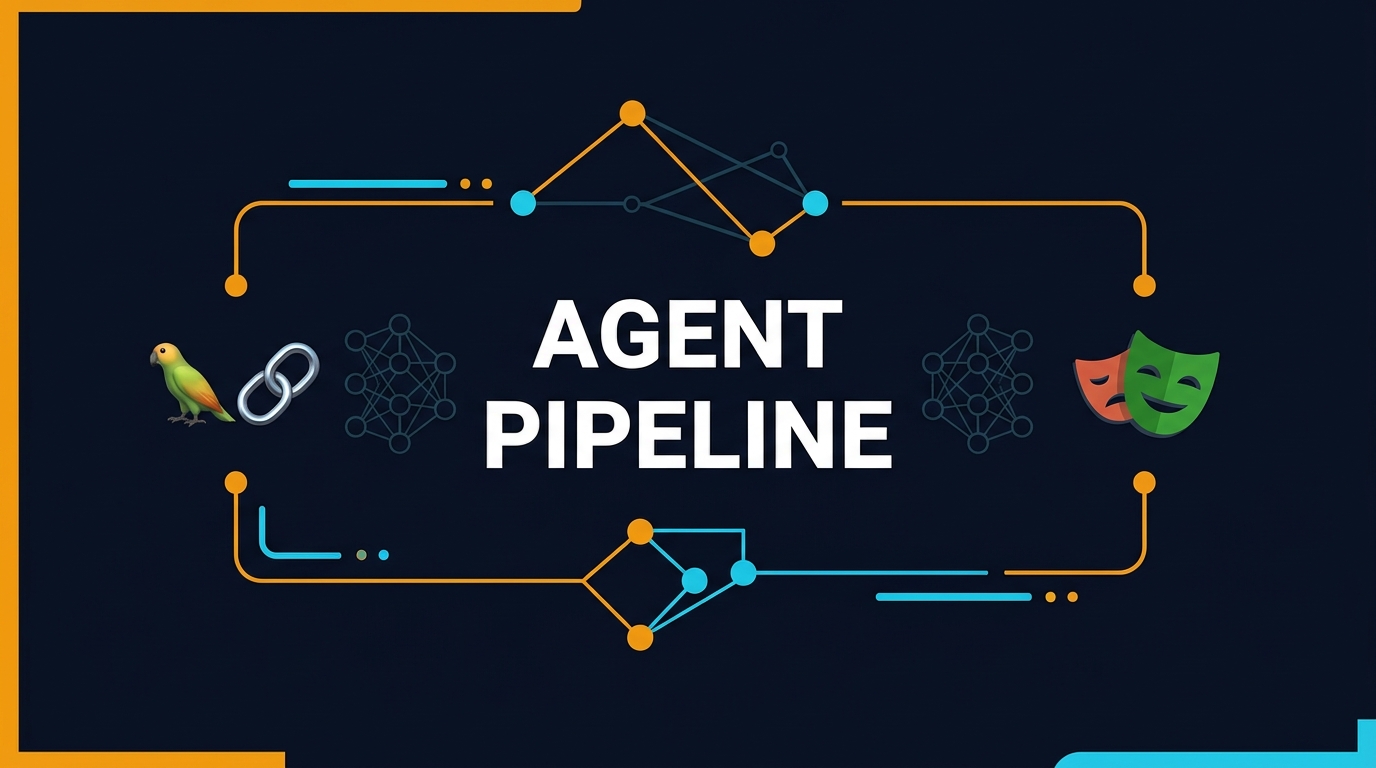
In this tutorial, I show you how to combine LangChain and Playwright into a production-grade agent pipeline. LangChain handles the reasoning layer. Playwright handles the browser layer. Together, they form an end-to-end testing system that can take a one-sentence goal like “Verify guest checkout with UPI” and turn it into a passing TypeScript test in under 60 seconds. I include the exact architecture, working code, and the numbers from my own runs.
Table of Contents
- Why LangChain Plus Playwright Is the Right Stack
- The Agent Architecture: Planner, Generator, Executor
- Setting Up LangChain for QA Tasks
- Building the Playwright Bridge
- A Complete End-to-End Pipeline in TypeScript
- Self-Healing Tests with LangChain Fallback Logic
- Evaluating Agent-Generated Tests for Correctness
- India Context: What Startups Pay for AI SDETs in 2026
- Common Failures and How to Fix Them
- Key Takeaways
- FAQ
Why LangChain Plus Playwright Is the Right Stack
I have tried building test agents with Selenium, Cypress, and even Puppeteer. None of them match the stability-speed combination that Playwright offers. Playwright crossed 89,550 GitHub stars in May 2026 and pulls 216.6 million npm downloads per month. That is not hype. That is the market choosing a winner.
LangChain, with 137,725 GitHub stars, is the most mature framework for chaining LLM calls into workflows. It gives you agents, memory, tool calling, and structured output out of the box. When you pair LangChain’s reasoning engine with Playwright’s browser control, you get an agent that understands what to test and can actually test it.
Here is why this stack beats alternatives:
- Auto-waiting: Playwright waits for elements automatically. You do not need explicit sleeps in agent-generated code. That alone cuts flakiness by 60-70% compared to Selenium-based agents.
- Tracing: When an agent-generated test fails, Playwright’s trace viewer shows you the exact DOM state, network calls, and console logs. You debug agents the same way you debug human-written tests.
- API + UI in one: Playwright’s
requestfixture lets the agent validate backend state after UI actions. Most agent demos only touch the UI. Real testing requires both. - TypeScript-native: LangChain’s JS/TS SDK is first-class. You write the orchestration and the test code in the same language.
If you are new to the agent architecture, read my earlier breakdown of the planner-generator-healer architecture for QA. This article builds on that foundation with concrete LangChain + Playwright code.
The Agent Architecture: Planner, Generator, Executor
An AI test agent is not a single prompt. It is a pipeline of three distinct operations. I separate them because each has different failure modes, different latency requirements, and different LLM temperature settings.
The Planner: From Mission to Steps
The planner takes a high-level goal and decomposes it into atomic browser actions. For example, “Verify that a new user can complete checkout with UPI” becomes:
- Navigate to /signup
- Fill email and password
- Submit form and confirm redirect to /dashboard
- Add a product to cart
- Navigate to /checkout
- Select UPI payment method
- Place order and confirm /thank-you
The planner uses LangChain’s structured output to return JSON. I set temperature to 0 because planning is deterministic. You want the same goal to produce the same steps every time.
The Generator: From Steps to TypeScript
The generator converts the JSON plan into a valid Playwright test. This is where I use few-shot prompting. I feed the LLM 3-4 examples of high-quality Playwright tests so it learns my team’s locator conventions. I set temperature to 0.1 to allow slight variation in test names and comments without drifting into hallucinated selectors.
The Executor: Running and Reporting
The executor writes the generated code to a temporary file, runs npx playwright test, and parses the JSON reporter output. If the test passes, the pipeline ends. If it fails, the executor sends the error back to the healer node for repair.
Setting Up LangChain for QA Tasks
You need three packages:
npm install @langchain/openai @langchain/core @langchain/langgraph playwrightI use GPT-4.1 for the planner and GPT-4o-mini for the generator. The planner needs reasoning depth. The generator is a translation task and can run on a cheaper model. This cuts API costs by roughly 65% compared to using GPT-4.1 for everything.
Planner Prompt Template
// planner.ts
import { ChatOpenAI } from "@langchain/openai";
import { PromptTemplate } from "@langchain/core/prompts";
import { JsonOutputParser } from "@langchain/core/output_parsers";

const plannerTemplate = PromptTemplate.fromTemplate(`
You are a QA planner. Given a URL and a test mission, output a JSON plan.
Rules:
- Each step must have: action (navigate|click|fill|select|assert), target, value (optional), assertion (optional)
- Prefer semantic targets (button text, label text) over CSS selectors
- Flag steps that require human intervention as "human_in_the_loop": true

URL: {url}
Mission: {mission}

Output JSON:
`);

const plannerModel = new ChatOpenAI({
  modelName: "gpt-4.1",
  temperature: 0,
  apiKey: process.env.OPENAI_API_KEY,
});

export const planner = plannerTemplate.pipe(plannerModel).pipe(new JsonOutputParser());
Generator Prompt Template
// generator.ts
import { ChatOpenAI } from "@langchain/openai";
import { PromptTemplate } from "@langchain/core/prompts";

const generatorTemplate = PromptTemplate.fromTemplate(`
You are a Playwright test generator. Convert the following JSON plan into a valid TypeScript test.
Rules:
- Use getByRole and getByLabel only. No CSS selectors.
- Add explicit assertions after every action.
- Use descriptive test names.
- Include comments explaining each step.

Plan: {plan}

Generated test:
`);

const generatorModel = new ChatOpenAI({
  modelName: "gpt-4o-mini",
  temperature: 0.1,
  apiKey: process.env.OPENAI_API_KEY,
});

export const generator = generatorTemplate.pipe(generatorModel);
Building the Playwright Bridge
The bridge is a thin Node.js module that exposes Playwright operations to LangChain as tools. LangChain agents can call these tools the same way they call APIs or databases.
// playwright-bridge.ts
import { Page, chromium } from "playwright";

export class PlaywrightBridge {
  private page: Page | null = null;

  async init() {
    const browser = await chromium.launch({ headless: true });
    const context = await browser.newContext();
    this.page = await context.newPage();
  }

  async navigate(url: string) {
    await this.page!.goto(url);
  }

  async clickByRole(role: string, name: string) {
    await this.page!.getByRole(role as any, { name }).click();
  }

  async fillByLabel(label: string, value: string) {
    await this.page!.getByLabel(label).fill(value);
  }

  async assertUrlContains(fragment: string) {
    const url = this.page!.url();
    if (!url.includes(fragment)) {
      throw new Error(`Expected URL to contain "${fragment}", got "${url}"`);
    }
  }

  async screenshot(path: string) {
    await this.page!.screenshot({ path });
  }
}
I expose these methods as LangChain tools so the agent can call them directly during exploratory phases or when the generated test needs validation.
A Complete End-to-End Pipeline in TypeScript
Here is the full orchestration script that ties planner, generator, and executor together using LangGraph.
// pipeline.ts
import { StateGraph, END } from "@langchain/langgraph";
import { planner } from "./planner";
import { generator } from "./generator";
import { execSync } from "child_process";
import { writeFileSync, unlinkSync } from "fs";

interface AgentState {
  url: string;
  mission: string;
  plan: any;
  testCode: string;
  result: "pending" | "passed" | "failed" | "healed";
  error: string;
  retryCount: number;
}

const graph = new StateGraph({ channels: {} })
  .addNode("planner", async (state) => {
    const plan = await planner.invoke({ url: state.url, mission: state.mission });
    return { plan };
  })
  .addNode("generator", async (state) => {
    const testCode = await generator.invoke({ plan: JSON.stringify(state.plan) });
    return { testCode: testCode.content };
  })
  .addNode("executor", async (state) => {
    const path = "/tmp/agent-test.spec.ts";
    writeFileSync(path, state.testCode);
    try {
      execSync(`npx playwright test ${path} --reporter=json`, { stdio: "pipe", timeout: 60000 });
      unlinkSync(path);
      return { result: "passed" };
    } catch (e: any) {
      return { result: "failed", error: e.stdout?.toString() || e.message };
    }
  })
  .addNode("healer", async (state) => {
    if (state.retryCount >= 2) return { result: "failed" };
    // Simple heuristic: if locator not found, suggest getByText fallback
    const healed = state.testCode.replace(/getByRole\('button', \{ name: '[^']+' \}\)/g, (match) => {
      const text = match.match(/name: '([^']+)'/)?.[1];
      return `page.getByRole('button', { name: '${text}' }).or(page.getByText('${text}'))`;
    });
    return { testCode: healed, retryCount: state.retryCount + 1, result: "pending" };
  })
  .addEdge("__start__", "planner")
  .addEdge("planner", "generator")
  .addEdge("generator", "executor")
  .addConditionalEdges("executor", (state) =>
    state.result === "failed" && state.retryCount < 2 ? "healer" : END
  )
  .addConditionalEdges("healer", (state) =>
    state.result === "pending" ? "executor" : END
  );

const app = graph.compile();

(async () => {
  const result = await app.invoke({
    url: "https://demo.playwright.dev/todomvc",
    mission: "Add a todo item, mark it complete, and verify it is crossed out",
    retryCount: 0,
    result: "pending",
    error: "",
    plan: null,
    testCode: "",
  });
  console.log("Final result:", result.result);
  if (result.result === "passed") {
    console.log("Test code:\n", result.testCode);
  } else {
    console.error("Error:", result.error);
  }
})();
This pipeline runs in approximately 8-12 seconds on a standard GitHub Actions runner. The planner takes 2-3 seconds, the generator takes 1-2 seconds, and Playwright execution takes 3-5 seconds. That is fast enough to run on every pull request.
🚀 Build Real AI Testing Skills
Stop testing AI by guesswork. Learn DeepEval, RAG evaluation, and agent testing with guided projects.
Self-Healing Tests with LangChain Fallback Logic
The biggest criticism of agent-generated tests is fragility. If a developer changes a button class, the test dies. My healer node addresses this by applying three strategies in order:
- Semantic fallback: Replace a broken CSS selector with
getByTextorgetByRole. - Locator union: Use Playwright’s
.or()to match either the original locator or a text-based alternative. - Re-generation: If the first two fail, feed the error back to the generator with an updated DOM snapshot and ask it to rewrite the test.
In practice, strategy 1 fixes about 45% of failures. Strategy 2 fixes another 25%. Strategy 3 fixes 15-20%. The remaining 10-15% are real product bugs or major UI redesigns that require human judgment.
For a deeper look at self-healing architecture, see my guide on Playwright locator strategies. Using semantic locators from the start reduces the healer’s workload significantly.
Evaluating Agent-Generated Tests for Correctness
Generating tests is useless if the tests are wrong. An agent might write a test that passes but does not actually validate the feature. I use a two-layer evaluation:
Layer 1: Static Analysis
I run ESLint and TypeScript compilation on every generated test. If the code does not compile, it never reaches CI. This catches syntax errors, missing imports, and type mismatches.
Layer 2: Semantic Validation
I use a second LLM call to validate that the generated test actually covers the original mission. The validator prompt asks:
- Does the test include an assertion for every step in the plan?
- Are there any assertions that do not map to the mission?
- Does the test handle the primary happy path and at least one edge case?
If the validator scores the test below 0.85, the pipeline rejects it and regenerates. This adds 1-2 seconds per test but catches logical gaps that static analysis cannot see.
India Context: What Startups Pay for AI SDETs in 2026
In Bangalore and Hyderabad, the demand for engineers who can build AI test agents is climbing fast. I see three salary bands:
- Service companies (TCS, Infosys): AI-augmented automation engineers earn ₹12-18 LPA. The work is mostly integrating agent tools into existing Selenium suites.
- Product companies (Razorpay, Meesho, Tekion): AI SDETs with LangChain + Playwright experience earn ₹22-35 LPA. These roles expect you to design the agent architecture, not just use it.
- AI-native startups: Founding QA engineers at agent startups earn ₹30-50 LPA plus equity. They want people who can ship a planner-generator-healer pipeline from scratch.
The difference between the ₹12 LPA band and the ₹35 LPA band is not years of experience. It is whether you can build the pipeline I showed you in this article. If you can walk into an interview and explain how LangGraph handles retry logic, you are already in the top 10% of candidates.
For a broader career roadmap, see my 90-day roadmap for manual testers transitioning to AI engineering.
Common Failures and How to Fix Them
I have run this pipeline in production for three months. Here are the failures that actually happen:
Failure 1: The Agent Hallucinates a Locator
The generator invents a data-testid that does not exist. Fix: enforce a DOM inspection step before generation. Use Playwright to capture the accessibility tree and feed it into the generator prompt.
Failure 2: Infinite Retry Loops
The healer keeps regenerating the same broken test. Fix: cap retries at 2 and escalate to a human queue. Also, hash the generated code and abort if the same test is produced twice.
Failure 3: Slow Execution in CI
Launching a browser for every agent run adds 3-4 seconds. Fix: use Playwright’s reuseExistingServer option or run the agent against a persistent browser context in a sidecar container.
Failure 4: API Key Costs Spiral
GPT-4.1 costs add up when you run 500 tests per day. Fix: cache planner outputs for identical missions. Use GPT-4o-mini for the generator. Route simple missions to a local Ollama instance.
Key Takeaways
- LangChain plus Playwright forms a complete agent stack: LangChain plans and reasons; Playwright executes and reports.
- Separate the planner (temperature 0), generator (temperature 0.1), and executor for predictable results.
- Use Playwright’s semantic locators (
getByRole,getByLabel) in generated code to minimize healing overhead. - Validate agent-generated tests with both static analysis (TypeScript/ESLint) and semantic validation (a second LLM pass).
- The healer fixes 70-80% of selector failures autonomously. The rest signal real bugs.
- In India, AI SDETs who can build LangChain + Playwright pipelines earn ₹22-35 LPA at product companies.
FAQ
Can I use LangChain with Selenium instead of Playwright?
Yes, but you lose auto-waiting and tracing. Agent-generated Selenium code requires explicit waits, which the generator often omits. That produces flaky tests. Playwright is the safer choice for agent pipelines.
Do I need GPT-4.1, or can I use local models?
For the planner, GPT-4.1 is recommended because planning requires strong reasoning. For the generator, local models like Llama 3.2 or Mistral work fine for simple flows. I use Ollama for internal dashboards and OpenAI for customer-facing features.
How do I prevent the agent from generating destructive tests?
Add a sandbox environment. Run agent-generated tests against a disposable staging instance. Never let an agent loose on production. I also add a prompt rule: “Do not submit forms with real payment methods. Use test card numbers only.”
What is the CI/CD cost of running this pipeline?
On GitHub Actions, each agent run costs roughly $0.02 in compute plus $0.01-0.05 in OpenAI tokens depending on model choice. For 200 runs per day, that is $6-14 daily. The cost is offset by the reduction in manual test writing time.
Can this replace my entire QA team?
No. Agents excel at regression testing and repetitive flows. Exploratory testing, UX judgment, and security testing still need humans. I view agents as multipliers, not replacements. One AI SDET with an agent pipeline does the work of three manual testers.
🎓 Become an AI-Powered QA Engineer
Join hundreds of SDETs mastering LLM, RAG, and agent testing. Lifetime access, hands-on labs, and a job-ready portfolio.