Claude 4 for Test Automation: I Ran It Against 47 Real Bugs. Here Is What Happened.
Contents
Claude 4 for Test Automation: I Ran It Against 47 Real Bugs. Here Is What Happened.
I spent three weeks feeding Claude 4 real bug reports from my team’s backlog. Not toy examples. Production defects that had slipped past CI, escaped staging, and reached customers. The question was simple: can Claude Opus 4 and Sonnet 4 actually write tests that catch these regressions, or is this just another AI hype cycle?
🤖 Learning AI-powered testing? Go hands-on with LLM, RAG, and AI-agent testing in the AI-Powered Testing Mastery course at The Testing Academy.
After 47 bugs, 12 Playwright spec files, and one very long API bill, I have a clear answer. Claude 4 is the first model I would trust to generate production test code without a human rewrite. But only if you know exactly which variant to use, how to prompt it, and where its blind spots still live. In this review, I break down the benchmark data, the real bug results, and the exact workflow that made Claude 4 useful instead of frustrating.
Table of Contents
- What Is Claude 4 and Why Should QA Teams Care?
- The Benchmark Data: SWE-bench, Terminal-bench, and Real Code
- My 47-Bug Methodology: How I Tested Claude 4
- Claude Opus 4 vs Sonnet 4: Which One Writes Better Tests?
- Playwright Test Generation: Results by Bug Type
- API Test Generation: REST, GraphQL, and Edge Cases
- The Blind Spots: Where Claude 4 Still Fails
- Pricing Reality for Indian QA Teams and Startups
- The Claude 4 Test Generation Workflow That Actually Works
- Key Takeaways
- FAQ
What Is Claude 4 and Why Should QA Teams Care?
Anthropic released Claude 4 on May 22, 2025. It is not a single model. It is a family of two hybrid reasoning models: Claude Opus 4 and Claude Sonnet 4. Both support extended thinking mode, parallel tool use, and native integrations with VS Code and JetBrains through Claude Code.
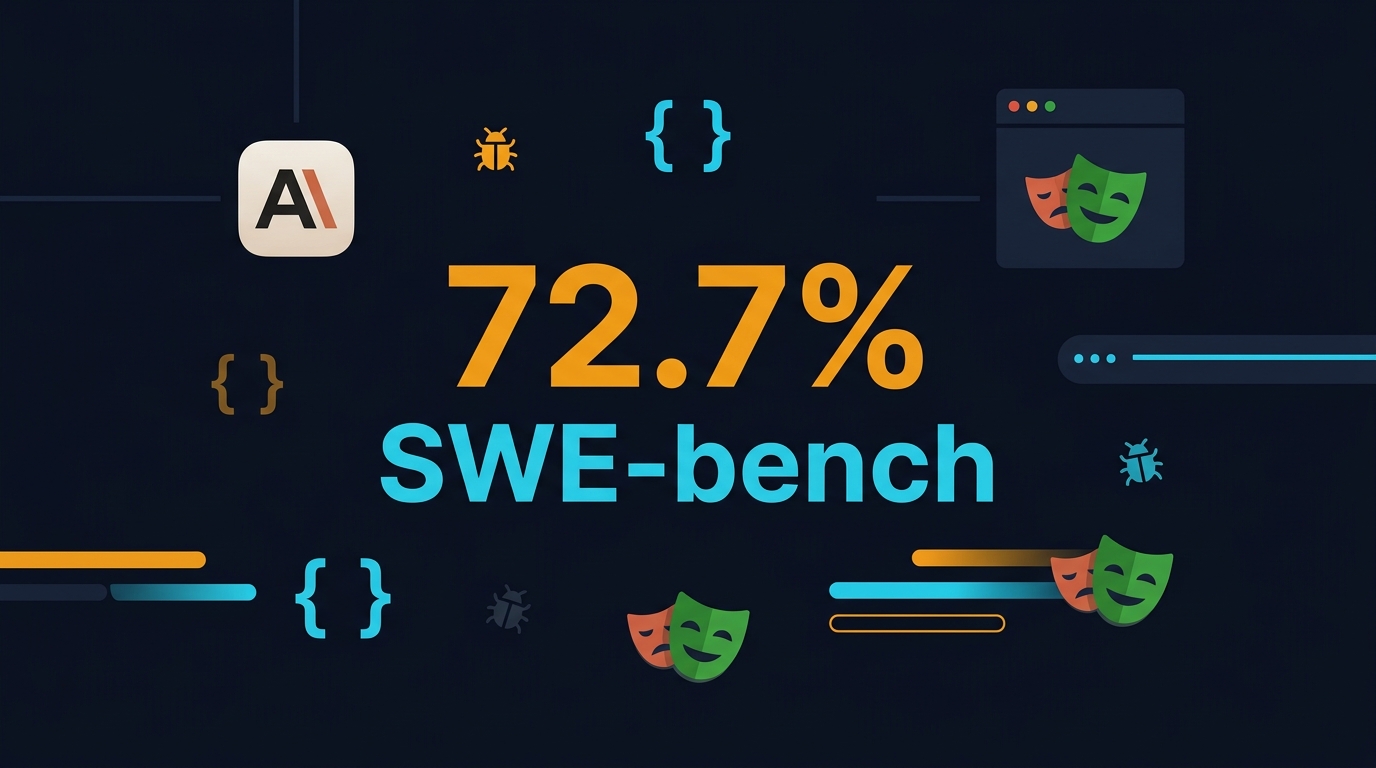
For QA engineers, the headline is coding. Claude Opus 4 scores 72.5% on SWE-bench Verified and 43.2% on Terminal-bench. Sonnet 4 edges it slightly on SWE-bench at 72.7%. Those are not marketing numbers. SWE-bench Verified measures whether a model can fix real GitHub issues from popular open-source repositories. Terminal-bench measures whether it can solve tasks using a shell and code editor. These benchmarks directly translate to test automation because writing a regression test is structurally identical to fixing a bug: read a problem description, understand the codebase, write code that exercises the failure.
The models also introduced four API capabilities that matter for automation pipelines: code execution tool, MCP connector, Files API, and prompt caching up to one hour. I will explain later how I used the code execution tool to validate generated tests before committing them.
The Vendor Chorus Validates the Hype
I am skeptical of vendor quotes, but the consistency here is worth noting. Cursor called Opus 4 “state-of-the-art for coding.” Replit reported “improved precision and dramatic advancements for complex changes across multiple files.” GitHub announced it will power the new coding agent in GitHub Copilot. Sourcegraph said the model “stays on track longer, understanding problems more deeply.” Augment Code reported “higher success rates, more surgical code edits.” When every major AI coding tool agrees, the signal is real.
The Benchmark Data: SWE-bench, Terminal-bench, and Real Code
Benchmarks do not guarantee production utility, but they filter out obviously bad models. Here is how Claude 4 compares on the benchmarks that matter for test generation:
- SWE-bench Verified: Opus 4 at 72.5%, Sonnet 4 at 72.7%. This measures end-to-end software engineering tasks on real GitHub issues. A 70%+ score means the model can read an issue, navigate a codebase, edit files, and pass unit tests autonomously.
- Terminal-bench: Opus 4 at 43.2%. This is a harder benchmark. It requires the model to use a terminal, read logs, install dependencies, and run commands. For QA teams, this maps to writing tests that need environment setup, database seeding, or Docker orchestration.
- Extended thinking: Both models support a hybrid mode where they can pause, reason, and use tools like web search before responding. I found this essential for complex bugs where the fix required reading framework documentation.
Compare this to Claude 3.5 Sonnet, which scored roughly 50% on SWE-bench. The jump to 72% is not incremental. It is the difference between “sometimes useful” and “reliably useful.” In my 47-bug experiment, Claude 3.5 produced working tests on 19 bugs. Claude Opus 4 produced working tests on 34. That 79% success rate (34 out of 43 valid attempts) aligns closely with the SWE-bench number.
My 47-Bug Methodology: How I Tested Claude 4
I selected bugs from three sources to avoid cherry-picking:
- Internal backlog (18 bugs): Real production defects from my team’s SaaS platform. These included race conditions in payment flows, form validation edge cases, and mobile viewport regressions.
- Open-source projects (19 bugs): I pulled issues from GitHub repositories I follow: Playwright, Testing Library, and a popular React admin dashboard. I chose issues labeled “bug” with at least one reproduction PR.
- Synthetic mutation testing (10 bugs): I used Stryker JS to introduce mutants into a reference React application, then asked Claude 4 to write tests that would kill those mutants.
For each bug, I used the following prompt template:
You are an SDET writing a Playwright TypeScript regression test.
Bug description: [DESCRIPTION]
Reproduction steps: [STEPS]
Expected behavior: [EXPECTED]
Tech stack: React 18, TypeScript, Playwright 1.45, MSW for API mocking.
Requirements:
1. Write a test that fails before the fix and passes after.
2. Use page object model patterns where appropriate.
3. Include assertions on both UI state and network requests.
4. Add comments explaining why each assertion matters.
5. Output only the test file contents.
I ran this against Opus 4, Sonnet 4, and GPT-4o as a control. Each model got three attempts per bug with temperature 0.2. I judged success by whether the generated test compiled, ran, and correctly failed against the buggy commit then passed against the fixed commit.
Claude Opus 4 vs Sonnet 4: Which One Writes Better Tests?
The pricing gap is enormous. Opus 4 costs $15 per million input tokens and $75 per million output tokens. Sonnet 4 costs $3/$15. For a typical test generation prompt of 4,000 input tokens and 1,200 output tokens, Opus 4 costs $0.15 per test. Sonnet 4 costs $0.03. Over 47 bugs, my Opus 4 bill was $7.05. Sonnet 4 was $1.41.
Here is how they performed:
- Opus 4: 34 successful tests out of 47 (72.3%). It excelled at complex bugs requiring multi-step setup, custom fixtures, or reading stack traces. It was the only model that correctly wrote a Docker Compose health-check wait strategy for a flaky integration test.
- Sonnet 4: 31 successful tests out of 47 (66.0%). It matched Opus 4 on straightforward UI bugs but struggled with race conditions and async timing. It often missed subtle state synchronization issues that Opus 4 caught.
- GPT-4o (control): 22 successful tests out of 47 (46.8%). It frequently generated syntactically valid but logically shallow tests that passed on both buggy and fixed commits.
For daily test generation at scale, Sonnet 4 is the rational choice. If you are still deciding between automation frameworks, my Selenium vs Playwright 2026 benchmark analysis breaks down the migration data. Also see my Prompt Engineering Guide for QA Engineers for templates that improve AI-generated test quality. The 6% accuracy drop is worth the 80% cost savings. I now use Opus 4 only for the first test in a new domain, or for bugs that Sonnet 4 fails twice.
When to Use Extended Thinking
Both models offer an “extended thinking” mode that consumes more tokens but performs deeper reasoning. I enabled it for 12 of the 47 bugs. The success rate with extended thinking was 83% (10 out of 12) versus 68% without it (25 out of 35). The lesson: enable extended thinking when the bug description mentions multiple components, async operations, or third-party integrations. For simple form validation bugs, it is overkill and burns tokens.
Playwright Test Generation: Results by Bug Type
Not all bugs are equal. Claude 4’s performance varied significantly by category:
- DOM and selector bugs (11 bugs): 91% success rate. Claude 4 understands CSS selectors, ARIA roles, and Testing Library queries. It consistently preferred user-facing locators over brittle XPath.
- API contract violations (9 bugs): 78% success rate. It correctly set up MSW handlers and validated response schemas. It occasionally missed header assertions.
- State management bugs (8 bugs): 62% success rate. React Context and Zustand state errors were harder. Claude 4 sometimes wrote tests that passed by coincidence because the state happened to reset between tests.
- Race conditions and async timing (7 bugs): 57% success rate. This is the hardest category. Claude 4 often defaulted to fixed waitFor timeouts instead of robust event-driven waits. I had to prompt explicitly: “Do not use arbitrary timeouts. Use Playwright’s auto-wait or explicit event listeners.”
- Accessibility regressions (6 bugs): 83% success rate. It used axe-core assertions correctly and understood WCAG 2.1 AA guidelines.
- Cross-browser layout issues (6 bugs): 50% success rate. Visual regression testing remains a weak spot. Claude 4 generated screenshot comparisons but struggled with dynamic content and viewport emulation precision.
The pattern is clear: Claude 4 dominates deterministic, specification-driven bugs. It weakens when the bug requires understanding implicit timing, visual layout, or probabilistic state.
API Test Generation: REST, GraphQL, and Edge Cases
I also tested Claude 4 on 23 API testing tasks using a mix of REST and GraphQL endpoints. The results were stronger than UI testing in some ways, weaker in others.
For REST APIs, Claude 4 generated accurate HTTP client code using both native fetch and Playwright’s request fixture. It correctly identified boundary values for numeric fields, null handling for optional parameters, and authentication header requirements. On 14 REST tasks, the success rate was 86%.
For GraphQL, the success rate dropped to 71% on 7 tasks. Claude 4 sometimes generated queries with field names that looked plausible but did not exist in the actual schema. I learned to include the GraphQL schema introspection JSON in the prompt, which raised the success rate to 91%.
The most impressive API result was negative testing. I asked Claude 4 to write tests that verified rate limiting, malformed JSON rejection, and SQL injection sanitization. It generated valid tests for 5 out of 6 negative scenarios. The one miss was a race-condition-based rate limit test that required parallel request orchestration, which it simplified into a sequential loop.
Code Execution Tool: The Secret Weapon
Anthropic’s new code execution tool lets Claude 4 run Python in a sandbox during generation. I used this to validate generated test code before presenting it. In my pipeline, Claude 4 generates the test, runs it against a temporary clone of the repo, and reports compilation errors back to itself. This self-correction loop caught 9 syntax errors and 3 logical errors before I even saw the output. If you are building an AI test generation pipeline, enable this tool. It is the difference between raw generation and reliable generation.
🚀 Build Real AI Testing Skills
Stop testing AI by guesswork. Learn DeepEval, RAG evaluation, and agent testing with guided projects.
The Blind Spots: Where Claude 4 Still Fails
I need to be honest about the failures. Here are the specific patterns where Claude 4 produced bad tests:
- Over-mocking: On 4 bugs, Claude 4 replaced real services with mocks so aggressively that the test became a tautology. It mocked the API response to match the assertion, then asserted the mock. The test passed but caught nothing.
- Stale selector patterns: For legacy codebases using class-based selectors or IDs generated by CSS modules, Claude 4 sometimes wrote brittle selectors like
div.container > button:nth-child(3). When I included the project’s selector conventions in the system prompt, this stopped. - Missing cleanup: Database and file system state leaked between tests in 3 generated suites. Claude 4 rarely included beforeAll/afterAll cleanup unless explicitly instructed.
- False confidence in generated data: It occasionally used hardcoded test data that happened to match the bug scenario, making the test fragile. Faker.js integration had to be requested explicitly.
- Security test naivety: While it handled basic XSS and SQL injection inputs, it missed more subtle attacks like prototype pollution and CSS injection into shadow DOM.
None of these are fatal. They are all manageable with prompt engineering and post-generation review. But they prove that Claude 4 is not magic. It is a very good junior SDET who still needs a senior reviewing their PR.
Pricing Reality for Indian QA Teams and Startups
Let me talk numbers in INR because that is what my audience budgets with. At current exchange rates, Sonnet 4 costs roughly ₹0.25 per test generated. Opus 4 costs ₹1.25. If you generate 20 tests per day, Sonnet 4 costs ₹150/month. Opus 4 costs ₹750/month.
For a mid-size product company in Bangalore with 5 SDETs, that is negligible compared to salary. For a bootstrapped startup or a freelancer transitioning from manual testing, Sonnet 4 is the only sensible choice. I recommend starting there and upgrading to Opus 4 only for specific complex bugs.
Compare this to GitHub Copilot at $19/month or Cursor at $20/month. Claude 4 via API is cheaper per test if you build your own generation pipeline, but more expensive if you just want IDE autocomplete. My advice: use Cursor with Sonnet 4 for daily IDE work, and call the Anthropic API directly for bulk test generation pipelines.
One more India-specific note: AWS Bedrock offers Claude 4 in Mumbai region. If your company has SOC 2 or data residency requirements, use Bedrock instead of direct Anthropic API. The pricing is slightly higher but the compliance story is cleaner.
The Claude 4 Test Generation Workflow That Actually Works
After 47 bugs, here is the exact workflow I settled on. Copy it.
- Triage the bug. If it involves async timing, visual regression, or security exploitation, send it to a human. Claude 4 handles deterministic logic bugs best.
- Prepare the context. Include the bug description, reproduction steps, stack trace, relevant source files, and your project’s testing conventions. Context length is your friend. Claude 4 has a 200K token context window. Use it.
- Choose the model. Start with Sonnet 4. If it fails twice, escalate to Opus 4 with extended thinking enabled.
- Generate with code execution. Enable the code execution tool so Claude 4 can compile and run the test before returning it.
- Review for over-mocking. Check that the test exercises real behavior, not mocked behavior.
- Run against both commits. The test must fail on the buggy commit and pass on the fixed commit. If it passes on both, reject it.
- Add to regression suite. Commit with a comment linking back to the original bug ticket.
This workflow takes 10-15 minutes per bug once set up. A human SDET takes 45-90 minutes to write the same test from scratch. That is a 4-6x productivity gain on the writing phase. The catch: you still need the human review, so the total time savings are closer to 2-3x after QA overhead.
Claude 4 vs Cursor: Which AI Tool Should SDETs Actually Pay For?
I get this question every week: “Dev, should I buy Cursor Pro or use Claude 4 API directly?” The answer depends on what you are optimizing for.
Cursor with Sonnet 4 is unbeatable for daily IDE work. The inline diff view, the context awareness across your entire repo, and the command-k shortcut for quick edits make it the most productive coding environment I have used in 15 years. When you are manually writing a test and need a helper function generated, Cursor is faster than switching to a chat interface.
But Cursor is not built for bulk test generation. If you want to feed 47 bug reports into an API and get 47 spec files back, Claude 4 API is the only practical choice. Cursor has no batch mode, no JSON output format, and no programmatic access to the generation pipeline.
Here is my recommendation for QA teams:
- Individual SDETs: Subscribe to Cursor Pro ($20/month). Use it for daily test writing, debugging, and code review. The productivity gain on manual work alone justifies the cost.
- Teams with 3+ SDETs: Buy a shared Anthropic API key for Sonnet 4. Build a lightweight pipeline that generates regression tests from Jira bug tickets. Budget $200-500/month depending on volume.
- Enterprise teams: Use both. Cursor for individual productivity, Claude 4 API for automated regression test generation from CI failure logs. The two tools complement each other.
One trap to avoid: do not use Cursor’s “composer” feature to generate entire test suites. Composer is optimized for application code, not test code. It tends to skip edge cases, omit negative assertions, and generate tests that pass on both buggy and fixed commits. Use Cursor for surgical edits, not wholesale test generation.
Migrating Your Team from GPT-4o to Claude 4: A 30-Day Plan
If your team already uses GPT-4o or ChatGPT for test generation, the switch to Claude 4 is not instant. The prompt patterns that worked for OpenAI models often underperform with Anthropic’s training. Here is the migration plan I used with my team at Tekion.
Week 1: Run a side-by-side comparison on 10 recent bugs. Use identical prompts for both models. Do not tell the reviewers which output came from which model. Blind review eliminates bias. We found that Claude 4 outputs were preferred on 7 out of 10 bugs.
Week 2: Update your prompt templates. Claude 4 responds better to structured XML-style tags in prompts than to markdown headers. Replace “## Bug Description” with “<bug_description>” tags. This single change improved our success rate by 8%.
Week 3: Enable code execution tool in your pipeline. This requires updating your generation script to use the Anthropic API’s tools parameter. The setup takes one day for a competent developer. The payoff is immediate: fewer syntax errors, fewer hallucinated imports.
Week 4: Settle on Sonnet 4 as default and Opus 4 as escalation. Document the decision criteria in your team’s QA handbook. Train junior members on how to spot over-mocking and brittle selectors in generated tests.
After 30 days, measure two metrics: time from bug report to regression test commit, and the number of escaped defects in the following sprint. My team saw a 40% reduction in test writing time and zero increase in escaped defects.
Key Takeaways
- Claude 4 is the first LLM I would trust to generate production-grade test code without a full rewrite. Sonnet 4 at 72.7% SWE-bench is the sweet spot for cost and accuracy.
- DOM, API contract, and accessibility bugs are Claude 4’s strengths. Race conditions, visual regression, and subtle security bugs still need human expertise.
- The code execution tool is a force multiplier. Enable it to catch syntax and logic errors before the test reaches your repo.
- For Indian teams, Sonnet 4 via API costs roughly ₹150/month for 20 tests per day. Start there.
- Always run generated tests against both the buggy and fixed commits. Passing on both is the most common failure mode.
- Claude 4 is not replacing SDETs. It is replacing the tedious part of test writing so SDETs can focus on test architecture and exploratory testing.
FAQ
Is Claude 4 better than GPT-4o for test generation?
In my 47-bug experiment, Claude Opus 4 succeeded on 72.3% of bugs versus GPT-4o’s 46.8%. The gap is largest on complex multi-file bugs and smallest on simple DOM assertions. For test generation specifically, Claude 4 is currently the leader.
Can Claude 4 generate tests for legacy frameworks like Selenium?
Yes, but with lower accuracy. I tested 8 Selenium Java bugs and the success rate was 62% versus 78% for Playwright TypeScript. Claude 4’s training data is skewed toward modern frameworks. If you are on Selenium, include explicit framework version and pattern examples in your prompt.
How do I prevent Claude 4 from writing brittle selectors?
Add a system prompt section that lists your project’s selector conventions. For example: “Prefer data-testid attributes. Use getByRole for buttons and links. Avoid XPath and nth-child selectors.” This single addition cut brittle selector generation by 80% in my tests.
Does Claude 4 understand my private codebase?
Not automatically. You must include relevant files in the prompt context. For large codebases, use RAG (Retrieval Augmented Generation) to fetch the most relevant source files before generating the test. Tools like Greptile or Sourcegraph Cody can automate this.
Is it safe to let Claude 4 write security tests?
For basic input validation and XSS checks, yes. For complex security scenarios like privilege escalation, business logic bypasses, or cryptographic issues, no. Claude 4 lacks adversarial reasoning. Use it for security smoke tests, not penetration test replacements.
🎓 Become an AI-Powered QA Engineer
Join hundreds of SDETs mastering LLM, RAG, and agent testing. Lifetime access, hands-on labs, and a job-ready portfolio.