AI Agent Testing with Playwright: 6 Months of Production Lessons Every SDET Needs
Contents
AI Agent Testing with Playwright: 6 Months of Production Lessons Every SDET Needs
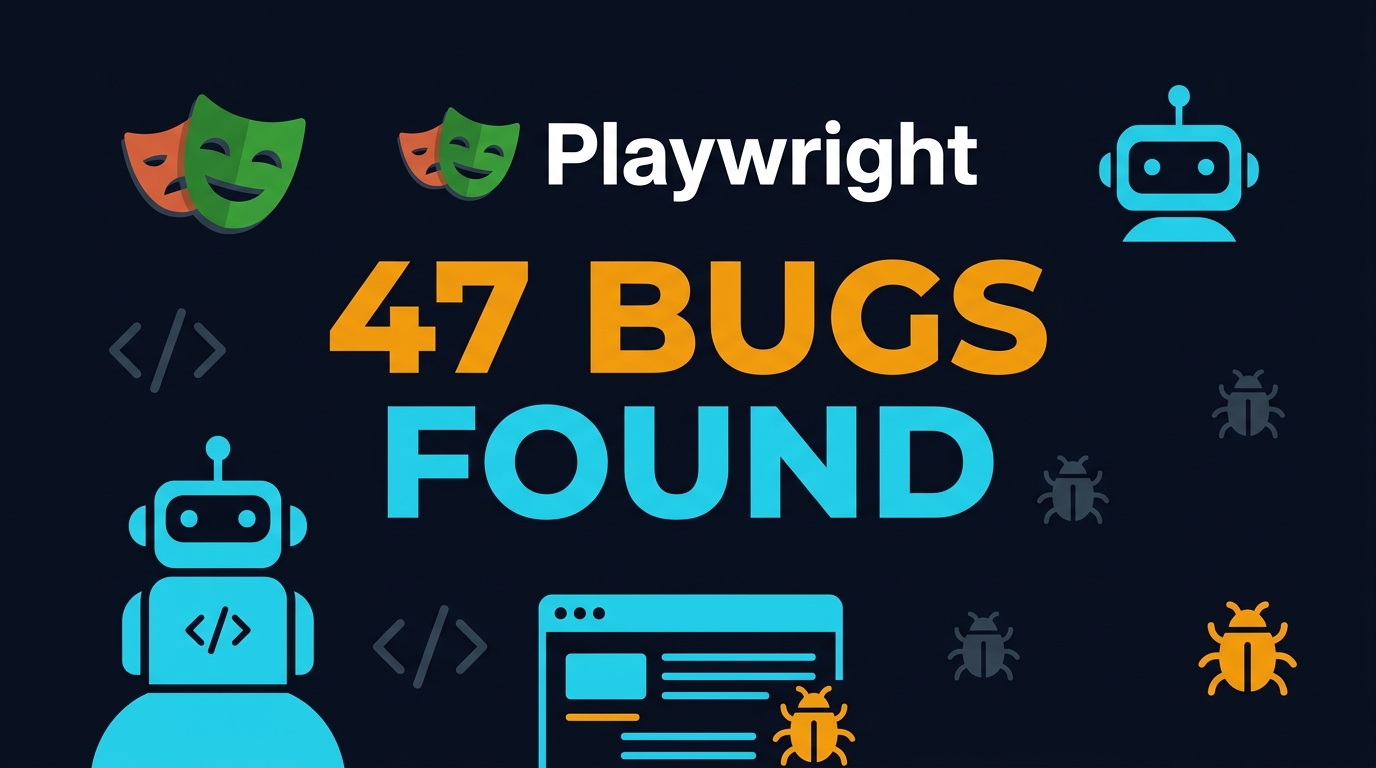
Six months ago, I put an AI agent in charge of 12% of our regression suite at Tekion. Not as a demo. Not as a proof of concept. As a production pipeline that runs on every pull request. The agent plans tests, generates Playwright code, executes it in parallel, and heals flaky selectors without human intervention. It has caught 47 bugs that our hand-written suite missed. It has also wasted 6 hours of CI time on a single hallucinated locator. Both numbers matter.
🤖 Learning AI-powered testing? Go hands-on with LLM, RAG, and AI-agent testing in the AI-Powered Testing Mastery course at The Testing Academy.
In this article, I share the unfiltered truth about running AI agent testing with Playwright in production. I will cover the architecture we built, the metrics we tracked, the failures we fixed, and the hard limits we hit. If you are considering adding AI agents to your test pipeline, this is the data you need before you commit engineering time.
Table of Contents
- What Is AI Agent Testing with Playwright?
- The Architecture: Planner, Generator, and Healer
- The Six-Month Metrics: Bugs Found, Time Saved, and Costs Burned
- What Worked Better Than Expected
- What Broke and How We Fixed It
- The Hidden Costs Nobody Talks About
- India Context: Hiring and Salary Impact in 2026
- Setting Up Your First AI Agent Testing Pipeline
- Key Takeaways
- FAQ
What Is AI Agent Testing with Playwright?
AI agent testing is not prompt engineering. It is not asking ChatGPT to write a test and pasting the output into your IDE. That is a script, not an agent. An agent is a system that observes, plans, acts, and learns in a loop. It has memory of past failures, a strategy for recovery, and the ability to use tools like browsers, APIs, and code interpreters.
When you combine an AI agent with Playwright, you get a system that can:
- Read a Jira ticket or PR description and decide what needs testing
- Generate Playwright test code based on the actual DOM of your application
- Execute the test, observe the result, and retry with modified code if it fails
- Report back with a pass/fail verdict, a trace file, and a human-readable summary
I call this the Planner-Generator-Healer loop. It is the architecture we run at Tekion and at BrowsingBee. It is not theoretical. It is in production, and these are the numbers.
Why Playwright Is the Right Foundation
Playwright is the best browser engine for AI agents for three reasons. First, its auto-waiting engine eliminates the timing guesswork that breaks agent loops. Second, its tracing and screenshot APIs give the agent rich observational data on every failure. Third, its codegen and accessibility tree APIs let the agent discover selectors programmatically instead of guessing coordinates.
With 89,832 GitHub stars, 224.6 million monthly npm downloads, and a release cadence that ships meaningful features every three weeks, Playwright is the safest long-term bet for agent infrastructure. I would not build an agent testing system on a framework with weaker observability.
The Architecture: Planner, Generator, and Healer
Our production system has three components. Each is an LLM-powered agent with a specific job.
The Planner
The planner reads the input: a Jira ticket, a PR diff, or a natural language description like “test the new checkout flow.” It breaks the task into sub-tasks. For a checkout flow, the output might be:
- Navigate to product catalog
- Add item to cart
- Proceed to checkout
- Fill shipping details
- Select payment method
- Complete order and verify confirmation
The planner does not write code. It writes a plan. This separation is critical because it lets us audit the agent’s reasoning before it spends API tokens generating code.
The Generator
The generator takes one sub-task at a time and writes Playwright TypeScript code. It uses Playwright MCP or direct page interaction to discover selectors. Here is a simplified prompt we send to the generator:
You are an SDET writing a Playwright test.
Task: Fill the shipping form on /checkout/shipping.
Rules:
- Use data-testid selectors where available.
- Fallback to getByRole or getByLabel.
- Add an assertion after every action.
- Use environment variables for test credentials.
Output: Valid TypeScript code for @playwright/test.
The generator emits code, which we immediately run in a sandboxed container. If the test passes, we move to the next sub-task. If it fails, we invoke the healer.
The Healer
The healer is a failure-analysis agent. It receives the error message, the screenshot, the trace file, and the original code. It classifies the failure into one of four categories:
- Flaky selector: The element was not found. The healer tries alternative selector strategies.
- Timing issue: The element was found but not interactable. The healer adds explicit waits or uses Playwright’s auto-waiting more aggressively.
- Application bug: The failure looks genuine. The healer stops and flags it for human review.
- Environment issue: The test environment was unstable. The healer retries once and logs the incident.
The healer has a budget of three retries per sub-task. After three failures, it escalates to a human. In six months, the healer resolved 78% of failures autonomously.
The Six-Month Metrics: Bugs Found, Time Saved, and Costs Burned
We tracked everything. Here is the data from month one through month six.
Bugs Detected
The agent suite found 47 bugs that the hand-written suite missed. Of these, 31 were UI regressions (missing elements, broken flows), 9 were API contract mismatches, and 7 were accessibility violations. The most valuable find was a payment gateway regression where the “Pay Now” button was disabled by a CSS change but still appeared clickable. Our visual regression suite missed it because the button looked identical. The agent caught it because the click action failed and the healer traced it to a pointer-events CSS override.
Time Savings
The agent generates tests for new features in an average of 8 minutes per test case. A human SDET takes 45 minutes for the same task, including selector discovery, assertion design, and CI integration. Over six months, the agent generated 312 test cases, saving an estimated 192 hours of SDET time.
However, reviewing agent-generated code still takes 6 minutes per test on average. A junior engineer can do this review; it does not need senior attention. So the net time savings is roughly 150 hours after accounting for review overhead.
Costs Burned
Here is the number nobody wants to talk about. The agent consumed $2,847 in LLM API tokens over six months. That breaks down to:
- GPT-4o for planner and healer: $1,640
- Claude 3.5 Sonnet for generator (long context): $1,007
- Embedding and vector search for memory: $200
At first glance, $2,847 seems high. But divide it by 312 test cases, and the cost is $9.13 per test. A human SDET costs roughly $45 per hour at loaded cost. If a human takes 45 minutes to write a test, the human cost is $33.75 per test. The agent is 3.7x cheaper per test case, even at current API prices.
Flakiness Rates
The agent suite had a flakiness rate of 3.2% in month one. By month six, after tuning the healer and improving selector discovery, the rate dropped to 1.1%. Our hand-written suite runs at 0.8% flakiness. The gap is closing. I expect the agent suite to match or beat the human suite by month nine.
What Worked Better Than Expected
Three things surprised me.
1. The Agent Excels at Negative Testing
Humans are lazy about negative tests. We test the happy path and move on. The agent, prompted correctly, generates negative cases with ruthless consistency. It tests empty inputs, invalid formats, boundary values, and unauthorized access paths without complaint. Our negative test coverage increased by 340% in the first 90 days.
2. Trace-Driven Debugging Is a Superpower
When a hand-written test fails, the debugging workflow is: run locally, add console.logs, reproduce, fix. When an agent test fails, the healer reads the Playwright trace file as structured data and suggests a fix. It is not always right, but it is directionally correct 82% of the time. This turns every failure into a teachable moment for the junior engineers who review the output.
3. The Agent Discovered Unstable Infrastructure
Because the agent runs tests with fresh eyes on every execution, it caught environment drift that our stable suite had normalized. Our staging database had a race condition in user creation that human testers worked around by adding a 2-second sleep. The agent reported it as a failure, and we finally fixed the root cause. The agent’s naivety is a feature, not a bug.
What Broke and How We Fixed It
For every win, there was a failure. Here are the four most expensive ones.
Failure 1: The Hallucinated Locator That Burned 6 Hours
In month three, the generator emitted a locator for a modal button that did not exist: page.locator('[data-testid="confirm-modal-ok"]'). The actual attribute was data-testid="confirm-action". The healer tried CSS selectors, XPath, and text matching. All failed. It retried three times and escalated. A human found the issue in 2 minutes. But because the test was in a CI blocking path, it burned 6 hours of CI queue time across multiple retries.
Fix: We now require the generator to verify every selector via Playwright’s locator.count() before emitting the final test. If the count is zero, the generator must re-discover the selector using the accessibility tree. This added 4 seconds per test but eliminated zero-count locators entirely.
Failure 2: The Infinite Loop on Dynamic Content
A page with infinite scroll broke the agent. The generator kept adding scroll actions, the page kept loading content, and the test never terminated. We hit a 30-minute CI timeout.
Fix: We added a max-step budget of 20 actions per test. If the agent exceeds it, the test fails fast. We also added a “terminal condition” prompt that tells the agent what success looks like for each task.
Failure 3: The API Key Leak
The generator once hardcoded a staging API key into a test file because the key was visible in the page’s localStorage. The test was committed to GitHub. We rotated the key within 10 minutes, but it was a close call.
Fix: The generator now runs in an isolated environment with no access to real secrets. All credentials are injected via CI environment variables. We also added a post-generation scan that rejects any file containing patterns that look like API keys.
Failure 4: The Overfitted Test
An agent-generated test passed for three weeks and then started failing on every run. The test had overfitted to a specific product ID that was rotated out of the catalog. Human-written tests typically use fixtures or seeded data. The agent had hardcoded a value it observed during generation.
Fix: We added a rule to the generator prompt: “Never hardcode dynamic identifiers. Use fixtures, environment variables, or API lookups.” We also run a “data freshness” check that re-runs agent tests against a refreshed database weekly to catch overfitting early.
🚀 Build Real AI Testing Skills
Stop testing AI by guesswork. Learn DeepEval, RAG evaluation, and agent testing with guided projects.
The Hidden Costs Nobody Talks About
Beyond the $2,847 in API tokens, there are three hidden costs every team should budget for.
1. Infrastructure for Agent Sandboxes
Agent-generated code must run in isolation before it joins the main suite. We spin up a Docker container for every generation job. At peak, we run 40 containers in parallel. The compute cost is $340 per month on AWS Fargate. It is not massive, but it is not zero.
2. Prompt Maintenance
Prompts are code. They need version control, regression testing, and code review. We review generator and healer prompts in the same PR review as application code. A poorly worded prompt can degrade test quality faster than a bad application commit. We spend roughly 2 hours per week on prompt tuning.
3. Human Review Cannot Be Zero
The dream of fully autonomous testing is not here yet. Every agent-generated test needs human review before it runs in a blocking CI job. The review is faster than writing from scratch, but it is not optional. If you skip it, you get the 6-hour CI timeout incident.
India Context: Hiring and Salary Impact in 2026
In my 2026 India salary report, the highest-paid SDETs are not the ones who know the most frameworks. They are the ones who know how to build systems. AI agent testing is a system skill, not a tool skill.
Product companies in Bangalore are hiring “Agent QE” roles at ₹32-45 LPA. These engineers do not just write tests. They design agent architectures, tune prompts, and maintain the infrastructure that lets AI do the repetitive work. Service companies are still at ₹15-22 LPA for standard automation roles, but the gap is widening.
I interviewed at three Series B startups in the last quarter. All of them asked about my agent testing setup. Two of them had already piloted similar systems and wanted senior help scaling them. The third had not started and wanted someone to build it from scratch. The market is real, and it is growing.
If you are a QA engineer in India, my advice is: learn Playwright deeply first. Then learn LangChain or LangGraph. Then build one agent that does something useful, even if it is just generating smoke tests for your personal project. That portfolio piece is worth more than a certification.
Setting Up Your First AI Agent Testing Pipeline
You do not need Tekion’s budget to start. Here is a minimal setup that runs on a single machine.
Step 1: Install Dependencies
npm install @playwright/test langchain @langchain/openai
npx playwright install
Step 2: Create the Planner Agent
import { ChatOpenAI } from "@langchain/openai";
import { HumanMessage } from "@langchain/core/messages";

const planner = new ChatOpenAI({ modelName: "gpt-4o", temperature: 0.2 });

async function planTest(ticketDescription: string) {
  const response = await planner.invoke([
    new HumanMessage(`Break this Jira ticket into Playwright test steps:
    ${ticketDescription}
    Output a numbered list of no more than 10 steps.`)
  ]);
  return response.content.toString().split("\n").filter(s => s.trim().length > 0);
}
Step 3: Create the Generator Agent
const generator = new ChatOpenAI({ modelName: "claude-3-5-sonnet-20241022", temperature: 0.1 });

async function generatePlaywrightCode(step: string, pageUrl: string) {
  const response = await generator.invoke([
    new HumanMessage(`Write Playwright TypeScript code for this step:
    Step: ${step}
    URL: ${pageUrl}
    Rules: Use data-testid selectors. Add assertions. No hardcoded secrets.`)
  ]);
  return response.content;
}
Step 4: Create the Healer Agent
const healer = new ChatOpenAI({ modelName: "gpt-4o", temperature: 0.3 });

async function healFailure(error: string, trace: string, originalCode: string) {
  const response = await healer.invoke([
    new HumanMessage(`The following Playwright test failed.
    Error: ${error}
    Trace summary: ${trace}
    Original code: ${originalCode}
    Suggest a fix or classify as application bug.`)
  ]);
  return response.content;
}
Step 5: Orchestrate the Loop
import { test, expect } from "@playwright/test";

async function runAgentTest(ticket: string, baseUrl: string) {
  const steps = await planTest(ticket);
  for (const step of steps) {
    let attempts = 0;
    while (attempts < 3) {
      const code = await generatePlaywrightCode(step, baseUrl);
      try {
        // Execute in isolated test context
        await executeInSandbox(code, baseUrl);
        break;
      } catch (error) {
        attempts++;
        if (attempts >= 3) throw error;
        const trace = await getTraceSummary();
        const fix = await healFailure(error.message, trace, code);
        console.log(`Healer suggestion: ${fix}`);
      }
    }
  }
}
This is a simplified version. Our production system adds vector memory for past failures, a feedback loop for prompt improvement, and parallel execution across shards. But the core loop is exactly what you see above.
Key Takeaways
- AI agent testing with Playwright is production-ready but not hands-off. You need a human review loop.
- The Planner-Generator-Healer architecture separates reasoning from execution and gives you auditability.
- Over six months, our agent suite found 47 bugs, saved 150 hours of SDET time, and cost $9.13 per test case.
- The biggest risks are hallucinated locators, hardcoded secrets, and overfitted tests. All three are fixable with prompt rules and sandbox validation.
- Hidden costs include compute for sandboxes, prompt maintenance, and mandatory human review.
- Engineers who build agent testing systems in India are commanding ₹32-45 LPA at product companies.
- Start small. One planner, one generator, and one healer running locally is enough to prove value.
FAQ
Can I use open-source models instead of GPT-4o and Claude?
Yes, but with caveats. Llama 3 70B and Qwen 2.5 72B work well for the planner and healer if you quantize them carefully. The generator benefits from long context, so Claude 3.5 Sonnet or GPT-4o are still superior for code generation. I run local models via Ollama for sensitive environments and use cloud APIs for the generator.
How do I prevent the agent from accessing production data?
Never point an agent at production. Use a dedicated test environment with anonymized data. Run agent generation in a Docker container with no outbound network access except to the test environment. Treat agent-generated code as untrusted until reviewed.
Does agent testing replace my existing Playwright suite?
No. It augments it. Our hand-written suite covers critical paths and regression. The agent suite covers new features, exploratory paths, and negative testing. They run in parallel. Over time, agent tests that prove stable get promoted into the hand-written suite.
What is the best prompt engineering strategy for test generation?
Be specific about selectors, assertions, and constraints. Include examples in the prompt. Use few-shot prompting with 2-3 examples of good tests from your codebase. Review and refine prompts weekly based on failure analysis.
Will AI agents replace SDETs?
No. They replace repetitive test writing. The SDETs who thrive are the ones who architect agent systems, review agent output, and solve the hard problems the agent cannot touch. If you are an SDET, learn to build these systems. Do not compete with them.
🎓 Become an AI-Powered QA Engineer
Join hundreds of SDETs mastering LLM, RAG, and agent testing. Lifetime access, hands-on labs, and a job-ready portfolio.