Playwright Test Data Management with TypeScript
Playwright test data management is the difference between a suite that passes locally and a suite that survives CI, parallel workers, retries, and shared staging environments. I see many teams write clean locators and still fight flaky tests because every spec depends on the same user, the same product, or yesterday’s database state.
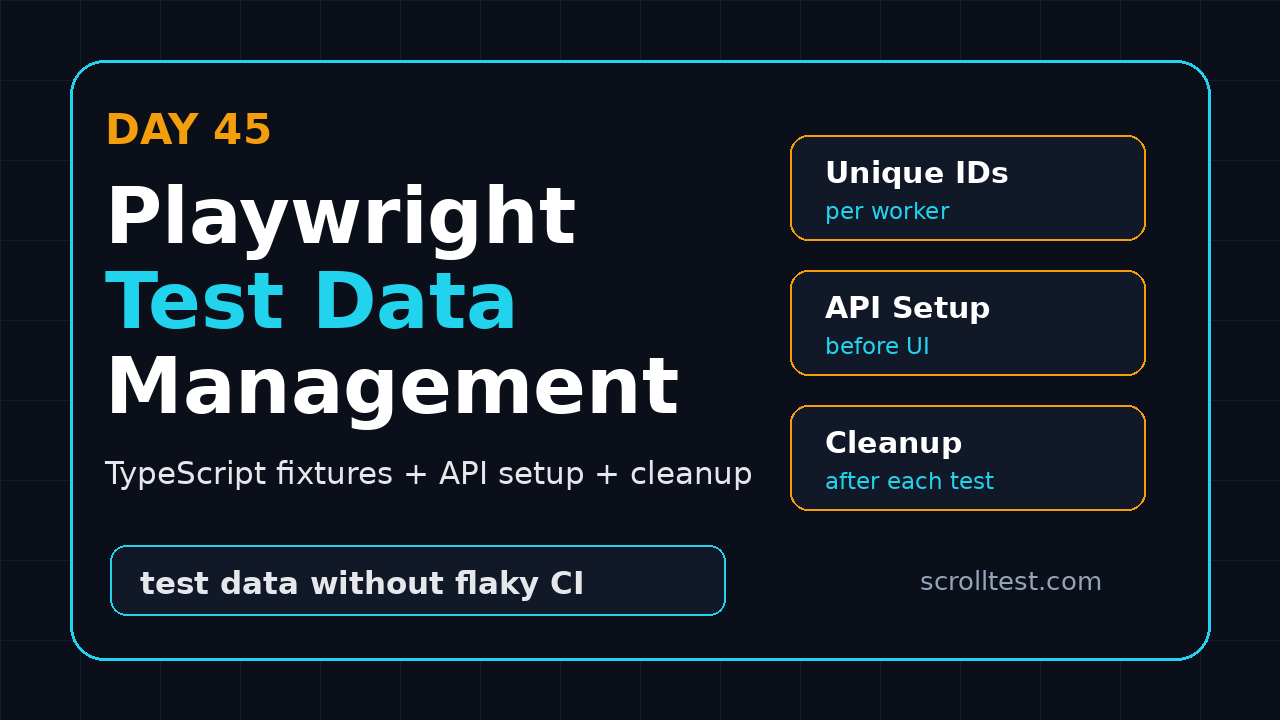
Day 45 of the Playwright + TypeScript series fixes that problem. We will build a practical data strategy using typed factories, API setup, worker-safe uniqueness, cleanup hooks, and clear rules for what belongs in fixtures versus the test body.
Table of Contents
- Why Test Data Breaks Playwright Suites
- Five Rules for Playwright Test Data Management
- Project Setup for Typed Data Factories
- Generate Unique Data per Test and Worker
- Create Data Through APIs Before UI Steps
- Use Fixtures for Setup and Cleanup
- Handle Shared State, Authentication, and Parallel Runs
- Common Pitfalls I See in Real Teams
- CI Checklist for Stable Test Data
- FAQ
Contents
Why Test Data Breaks Playwright Suites
Most Playwright failures blamed on timing are actually data failures. The element appears, the assertion is correct, and the browser behaves properly. The test fails because the account is locked, the product was deleted by another run, or the order status is not what the test expects.
Playwright gives us strong primitives for isolation. The official authentication guide explains that tests run in isolated browser contexts, and saved storage state can remove repeated login steps. The fixture model also gives each test only what it needs and keeps fixtures isolated between tests, as described in the Playwright fixtures documentation.
That isolation does not magically fix backend state. If every test uses qa_user@example.com and edits the same cart, isolation at the browser level cannot protect you. You need a data model for the suite.
Symptoms of weak test data
- Tests pass one by one but fail in parallel.
- Retries pass because the first attempt accidentally prepared state.
- CI fails more often on Mondays after staging refreshes.
- Debugging starts with “who changed this record?” instead of the actual bug.
- Testers avoid running destructive scenarios because they fear breaking other suites.
For context, Playwright is no longer a niche tool. The GitHub repository API showed Microsoft Playwright at more than 94,000 stars during this run, and the npm downloads API reported over 209 million downloads for @playwright/test in the last month. At that scale, the problem is not whether Playwright can automate browsers. The problem is whether our test architecture keeps up.
The mental model
I use this simple split: browser state belongs to Playwright contexts, application state belongs to your test data layer. If the test needs a logged-in admin, use storage state. If the test needs an unpaid invoice, create that invoice through an API or fixture before the UI scenario starts.
If you already followed Day 44 on Playwright multi-user testing with TypeScript, treat today’s article as the backend half of that model. Multi-user tests need separate contexts. Stable multi-user tests also need separate records.
Five Rules for Playwright Test Data Management
Playwright test data management should be boring. The data layer should make tests easier to read, not hide risky magic behind a giant helper file. These five rules keep the design practical.
1. Create data close to the test intent
If a test verifies refund approval, the setup should say createRefundRequest, not seedScenarioA17. Named factories preserve intent. Future maintainers can see what business state matters without reading SQL dumps.
2. Prefer API setup over UI setup
Playwright’s API testing guide explains that tests can send requests directly from Node.js without loading a browser page. Use that for setup. Creating a customer through six UI screens before every test wastes time and adds failure points unrelated to the scenario.
3. Make records unique by default
Every record created by a test should carry a unique suffix. Email addresses, order numbers, product names, coupon codes, and tenant names should never collide between workers. Node’s crypto module documents crypto.randomUUID(), which is a clean built-in option for unique identifiers.
4. Clean up what you create
Cleanup does not always mean deleting from the database. Sometimes you disable a coupon, cancel an order, archive a product, or call a test-only reset endpoint. The rule is simple: a test that creates state must own the exit path for that state.
Read-only reference data is fine: country list, currency codes, shipping methods. Mutable shared records are dangerous. If five specs update the same customer profile, you have created a race condition and called it automation.
Project Setup for Typed Data Factories
Start with a small structure. Do not create a framework folder with 30 files on day one. You need factories, clients, fixtures, and tests.
tests/
  checkout.spec.ts
  refund.spec.ts
fixtures/
  test-fixtures.ts
test-data/
  factories.ts
  cleanup.ts
  api-client.ts
playwright.config.ts
.env.example
The test-data folder is not a dumping ground. It contains typed helpers that represent business objects. The fixtures folder wires those helpers into Playwright’s lifecycle. Tests consume intent-level helpers and stay readable.
Create TypeScript types first
Types stop test data from becoming a loose object soup. I like to define only the fields my tests care about. If the backend has 80 fields, the factory does not need all 80.
// test-data/factories.ts
export type TestCustomer = {
  email: string;
  name: string;
  phone: string;
};

export type TestProduct = {
  name: string;
  sku: string;
  priceInPaise: number;
};

export type TestOrder = {
  orderId: string;
  customerEmail: string;
  totalInPaise: number;
  status: 'created' | 'paid' | 'cancelled' | 'refunded';
};
This is not ceremony. It gives autocomplete to every SDET in the team and catches accidental shape changes during review.
Keep defaults realistic
Bad data factories create unrealistic records. A product named test with price 1 may pass the happy path while missing tax, rounding, and invoice formatting bugs. Use boring but realistic defaults.
// test-data/factories.ts
import { randomUUID } from 'node:crypto';

const suffix = () => randomUUID().slice(0, 8);

export function buildCustomer(overrides: Partial<TestCustomer> = {}): TestCustomer {
  const id = suffix();
  return {
    email: `qa.customer.${id}@example.com`,
    name: `QA Customer ${id}`,
    phone: `90000${id.slice(0, 5)}`,
    ...overrides,
  };
}

export function buildProduct(overrides: Partial<TestProduct> = {}): TestProduct {
  const id = suffix();
  return {
    name: `Automation Keyboard ${id}`,
    sku: `AUTO-KB-${id}`,
    priceInPaise: 249900,
    ...overrides,
  };
}
Notice the overrides parameter. Tests can change one field without rebuilding the whole object. That keeps setup readable.
Generate Unique Data per Test and Worker
Parallel execution is where weak data design gets exposed. Playwright supports parallelism, sharding, retries, and multiple projects. If your data is not worker-safe, CI will punish you.
Add the worker index to visible names
UUIDs are good for uniqueness, but worker markers help debugging. When CI worker 3 creates a bad record, a visible suffix like w3 makes logs and screenshots easier to connect.
// test-data/factories.ts
import type { TestInfo } from '@playwright/test';
import { randomUUID } from 'node:crypto';

export function testRunId(testInfo: TestInfo) {
  const safeTitle = testInfo.title.replace(/[^a-z0-9]+/gi, '-').toLowerCase();
  return `w${testInfo.workerIndex}-${safeTitle}-${randomUUID().slice(0, 6)}`;
}

export function customerForTest(testInfo: TestInfo) {
  const id = testRunId(testInfo);
  return {
    email: `qa.${id}@example.com`,
    name: `QA ${id}`,
    phone: '9000012345',
  };
}
I prefer short IDs in UI-visible strings. Long UUIDs make screenshots noisy. Keep the full ID in logs if you need traceability.
Use deterministic prefixes for cleanup
Every test-created record should have a prefix such as qa., AUTO-, or e2e-. This makes cleanup queries safe. You can delete records created by automation without touching manual QA data.
export const DATA_PREFIX = process.env.DATA_PREFIX ?? 'e2e';

export function couponCode(testInfo: TestInfo) {
  return `${DATA_PREFIX}-COUPON-w${testInfo.workerIndex}-${randomUUID().slice(0, 5)}`;
}
In Indian services teams, I often see shared staging used by multiple squads, vendors, and release testers. A clear prefix is not optional there. It prevents one team’s cleanup script from deleting another team’s demo data.
Create Data Through APIs Before UI Steps
The fastest way to make UI tests stable is to stop using the UI for setup. Use the UI for the behavior you want to verify. Use APIs for everything else.
Build a small API client
Playwright exposes request fixtures, but I still wrap domain actions in a small client. The test should say createProduct, not remember endpoints and payload details.
// test-data/api-client.ts
import type { APIRequestContext, expect } from '@playwright/test';
import type { TestCustomer, TestProduct, TestOrder } from './factories';

export class TestDataClient {
  constructor(private request: APIRequestContext) {}

  async createCustomer(customer: TestCustomer) {
    const response = await this.request.post('/api/test/customers', {
      data: customer,
    });
    if (!response.ok()) {
      throw new Error(`createCustomer failed: ${response.status()} ${await response.text()}`);
    }
    return response.json() as Promise<{ id: string; email: string }>;
  }

  async createProduct(product: TestProduct) {
    const response = await this.request.post('/api/test/products', {
      data: product,
    });
    if (!response.ok()) {
      throw new Error(`createProduct failed: ${response.status()} ${await response.text()}`);
    }
    return response.json() as Promise<{ id: string; sku: string }>;
  }

  async createPaidOrder(customerId: string, productId: string): Promise<TestOrder> {
    const response = await this.request.post('/api/test/orders', {
      data: { customerId, productId, paymentState: 'paid' },
    });
    if (!response.ok()) {
      throw new Error(`createPaidOrder failed: ${response.status()} ${await response.text()}`);
    }
    return response.json() as Promise<TestOrder>;
  }
}
The error message includes the response body. That matters in CI. A plain “expected 201 got 500” forces engineers to rerun locally. A useful failure tells them whether the fixture broke, the endpoint changed, or the environment is down.
Use API setup in a UI test
Now the test starts at the screen that matters. The setup is still explicit, but the browser does not waste time creating records through unrelated pages.
// tests/refund.spec.ts
import { test, expect } from '@playwright/test';
import { TestDataClient } from '../test-data/api-client';
import { buildCustomer, buildProduct } from '../test-data/factories';

test('support agent can approve a refund for a paid order', async ({ page, request }, testInfo) => {
  const data = new TestDataClient(request);
  const customer = await data.createCustomer(buildCustomer({ name: `Refund ${testInfo.workerIndex}` }));
  const product = await data.createProduct(buildProduct());
  const order = await data.createPaidOrder(customer.id, product.id);

  await page.goto(`/admin/orders/${order.orderId}`);
  await page.getByRole('button', { name: 'Request refund' }).click();
  await page.getByRole('textbox', { name: 'Reason' }).fill('Damaged in transit');
  await page.getByRole('button', { name: 'Submit refund' }).click();

  await expect(page.getByText('Refund submitted')).toBeVisible();
  await expect(page.getByTestId('order-status')).toHaveText('refunded');

  await testInfo.attach('refund-order', {
    body: JSON.stringify({ orderId: order.orderId, customer: customer.email }, null, 2),
    contentType: 'application/json',
  });
});
The attachment is intentional. When a test fails in CI, the trace shows the UI and the attachment shows the backend record. That combination saves time.
If you want a separate refresher on API-driven automation, this older ScrollTest article on Faker.js for test automation pairs well with this approach because realistic data generation catches formatting bugs that static examples miss.
Use Fixtures for Setup and Cleanup
Playwright fixtures are perfect for data that many tests need. The key is to keep the fixture specific. A fixture named preparedCheckout is useful. A fixture named everythingSetup becomes a maintenance trap.
Create a fixture that returns a ready order
Here is a typed fixture that creates a customer, product, and paid order. It also registers cleanup after the test finishes.
// fixtures/test-fixtures.ts
import { test as base } from '@playwright/test';
import { TestDataClient } from '../test-data/api-client';
import { buildCustomer, buildProduct } from '../test-data/factories';

type ReadyOrder = {
  orderId: string;
  customerEmail: string;
};

type Fixtures = {
  dataClient: TestDataClient;
  readyPaidOrder: ReadyOrder;
};

export const test = base.extend<Fixtures>({
  dataClient: async ({ request }, use) => {
    await use(new TestDataClient(request));
  },

  readyPaidOrder: async ({ dataClient }, use) => {
    const customer = await dataClient.createCustomer(buildCustomer());
    const product = await dataClient.createProduct(buildProduct());
    const order = await dataClient.createPaidOrder(customer.id, product.id);

    await use({ orderId: order.orderId, customerEmail: customer.email });

    await dataClient.archiveOrder(order.orderId);
    await dataClient.deleteCustomer(customer.id);
    await dataClient.deleteProduct(product.id);
  },
});

export { expect } from '@playwright/test';
This sample assumes the API client has cleanup methods. In real systems, deletion may not be allowed. Use cancel, archive, deactivate, or mark-as-test-data instead. The important part is ownership.
Use the fixture in the spec
The spec becomes shorter and easier to review. It focuses on the workflow, not the plumbing.
// tests/order-details.spec.ts
import { test, expect } from '../fixtures/test-fixtures';

test('agent can open a prepared paid order', async ({ page, readyPaidOrder }) => {
  await page.goto(`/admin/orders/${readyPaidOrder.orderId}`);

  await expect(page.getByRole('heading', { name: `Order ${readyPaidOrder.orderId}` })).toBeVisible();
  await expect(page.getByText(readyPaidOrder.customerEmail)).toBeVisible();
  await expect(page.getByTestId('payment-status')).toHaveText('paid');
});
Screenshot description: capture the Playwright trace viewer at the first page load. The left panel should show only one UI navigation before assertions, while setup calls appear as API requests. That screenshot teaches the team why API setup is cleaner than UI setup.
Authentication and test data are connected, but they are not the same thing. A stored admin session can be reused safely if the backend account is stable and read-only enough. A mutable cart, order, or customer cannot be reused safely.
Use storage state for identity
Playwright’s auth docs recommend saving authenticated state so tests do not log in repeatedly. Use that for roles such as admin, support agent, merchant, and customer. Keep those identities separate from the records each test creates.
// playwright.config.ts
import { defineConfig } from '@playwright/test';

export default defineConfig({
  testDir: './tests',
  fullyParallel: true,
  use: {
    baseURL: process.env.BASE_URL ?? 'https://staging.example.com',
    trace: 'on-first-retry',
  },
  projects: [
    {
      name: 'setup',
      testMatch: /auth\.setup\.ts/,
    },
    {
      name: 'chromium-admin',
      use: { storageState: '.auth/admin.json' },
      dependencies: ['setup'],
    },
  ],
});
Do not put data IDs inside storage state. Storage state is for cookies and local storage. Test records should come from factories or API setup so each test can own them.
Make environment variables explicit
CI should not guess which environment it is seeding. I like a small validation helper that fails before the first test if the base URL or test API token is missing.
// test-data/env.ts
export function requiredEnv(name: string): string {
  const value = process.env[name];
  if (!value) {
    throw new Error(`Missing required environment variable: ${name}`);
  }
  return value;
}

export const env = {
  baseUrl: requiredEnv('BASE_URL'),
  testDataToken: requiredEnv('TEST_DATA_TOKEN'),
};
This is especially useful when the same suite runs against QA, UAT, and pre-prod. A clear failure beats creating test customers in the wrong environment.
Common Pitfalls I See in Real Teams
Playwright test data management fails in predictable ways. The tool is usually not the issue. The ownership model is.
Pitfall 1: One magical seed script
A giant seed script feels efficient until nobody knows which tests depend on which rows. When it breaks, 80 tests fail. Prefer small factories and scenario-specific fixtures.
Pitfall 2: Cleanup only on success
Cleanup must run after failed tests too. Put cleanup after await use() in fixtures or inside test.afterEach. If cleanup only runs at the end of the happy path, failed tests poison the next run.
Pitfall 3: Tests depend on execution order
A test that creates a customer and another test that edits that customer is not a suite. It is a hidden workflow. Playwright can run tests in parallel, shard them, and retry them. Order-dependent tests fight the runner.
Pitfall 4: Too much random data
Randomness helps uniqueness, but uncontrolled randomness hides bugs. Keep important values explicit. If you test a ₹2,499 product, set priceInPaise: 249900. Do not let a faker library choose a price that changes every run.
Pitfall 5: No test-only backend contract
Some teams refuse to add test-only endpoints and then spend months automating setup through the UI. A test-only API behind authentication is often safer than fragile UI setup. It also makes cleanup auditable.
For related reliability work, read ScrollTest’s network throttling and offline testing in Playwright article. Data stability and network stability usually show up together during CI debugging.
CI Checklist for Stable Test Data
Use this checklist before you scale a Playwright suite across multiple workers or shards.
- Unique records: every mutable entity gets a unique suffix.
- Data prefix: all automation records use a known prefix such as
e2e-. - API setup: tests create prerequisite state through backend APIs where possible.
- Typed factories: common entities have TypeScript types and default builders.
- Cleanup ownership: every created entity has a cleanup path.
- Storage state boundary: auth files store identity, not scenario data.
- Trace attachments: tests attach important IDs to reports.
- Environment guard: CI fails early if base URL or test token is missing.
- Parallel proof: the suite passes with at least two workers before adding shards.
- Dashboard query: the team can find all automation-created records quickly.
A small cleanup registry pattern
When one test creates multiple entities, a cleanup registry keeps teardown readable. Register cleanup as soon as an entity is created.
// test-data/cleanup.ts
export class CleanupRegistry {
  private tasks: Array<() => Promise<void>> = [];

  add(task: () => Promise<void>) {
    this.tasks.push(task);
  }

  async run() {
    const failures: string[] = [];
    for (const task of this.tasks.reverse()) {
      try {
        await task();
      } catch (error) {
        failures.push(error instanceof Error ? error.message : String(error));
      }
    }
    if (failures.length) {
      throw new Error(`Cleanup failed:
${failures.join('
')}`);
    }
  }
}
// tests/checkout.spec.ts
import { test, expect } from '@playwright/test';
import { CleanupRegistry } from '../test-data/cleanup';
import { TestDataClient } from '../test-data/api-client';
test('buyer can complete checkout with a fresh product', async ({ page, request }) => {
const cleanup = new CleanupRegistry();
const data = new TestDataClient(request);
try {
const product = await data.createProduct({
name: 'Automation Mouse',
sku: `AUTO-MOUSE-${Date.now()}`,
priceInPaise: 129900,
});
cleanup.add(() => data.deleteProduct(product.id));
await page.goto(`/products/${product.id}`);
await page.getByRole('button', { name: 'Add to cart' }).click();
await page.getByRole('button', { name: 'Checkout' }).click();
await expect(page.getByText('Order confirmed')).toBeVisible();
} finally {
await cleanup.run();
}
});The fixture version is cleaner for repeated patterns. The registry is useful for one-off workflows where you need local control.
FAQ
Should I use database inserts instead of APIs?
Use APIs when possible. APIs respect validation, permissions, and side effects. Direct database inserts are fast, but they can create invalid state if the app normally writes related records, events, or audit logs. If you must use SQL, keep it behind a small helper and document the contract.
Can I use Faker.js with Playwright?
Yes, but use it carefully. Faker is useful for names, addresses, and phone numbers. Keep values that affect assertions explicit. For example, randomize the customer name but set the exact product price when the test verifies checkout totals.
How do I manage test data across multiple CI shards?
Add shard and worker identifiers to generated data. Use environment variables such as CI_NODE_INDEX, Playwright’s workerIndex, and a short random suffix. Never let two shards create the same email, SKU, or order ID.
Should every test clean up data?
Every test should have an ownership plan. Some systems need hard deletion. Others need archive or cancel actions because deletion breaks audit rules. The plan matters more than the exact operation.
Key Takeaways
Playwright test data management is not a side topic. It is core framework design. A suite with clean locators but weak data ownership will still fail in CI.
- Use Playwright contexts and storage state for browser identity.
- Use typed factories and API clients for application state.
- Generate unique records per test, worker, and shard.
- Attach IDs to traces so CI failures are debuggable.
- Clean up through delete, archive, cancel, or test-data reset paths.
Tomorrow, I would extend this into environment strategy: how to run the same Playwright suite across local, QA, UAT, and CI without hardcoded URLs or secret leaks.