
Playwright Trace Viewer for AI-Generated Tests
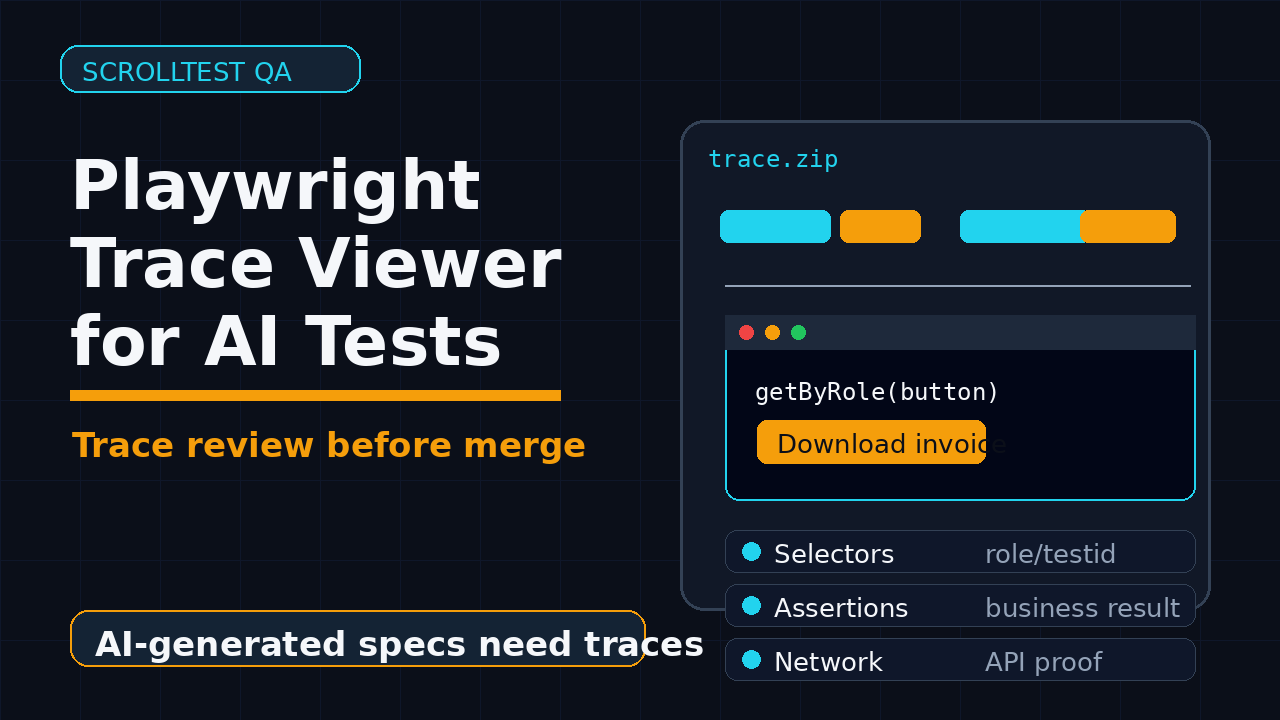
Playwright Trace Viewer is the fastest way I know to turn AI-generated tests from “looks correct” into “proved by evidence.” If your team uses agents, codegen, Cursor, Claude, or Copilot to write Playwright specs, the trace is where you find out whether the generated test is actually testing the product or only replaying a lucky path.
AI can write a test in seconds. It can also invent locators, miss assertions, ignore network failures, and hide timing problems behind retries. This guide shows the review workflow I use for Playwright Trace Viewer when AI generates the first draft of a test.
Table of Contents
- Why Playwright Trace Viewer Matters for AI-Generated Tests
- What the Current Playwright Data Says
- The Trace-First Review Loop
- Setup: Record the Right Trace, Not Every Trace
- How to Read a Trace Like an SDET
- Fixing AI-Generated Tests with Trace Evidence
- CI Workflow for Trace Artifacts
- India Context: Why This Skill Pays Off
- Review Checklist
- FAQ
Contents
Why Playwright Trace Viewer Matters for AI-Generated Tests
Playwright Trace Viewer matters because AI-generated tests are easy to accept too quickly. A generated spec may compile, pass locally, and still be weak. The problem is not that AI writes bad code every time. The problem is that a green check mark hides missing intent.
The official Playwright docs describe Trace Viewer as a GUI for exploring recorded traces after a script has run, especially for debugging failures on CI. That definition is accurate, but I use it one step earlier. I open the trace before I trust the generated test. The trace becomes a review artifact, not only a failure artifact.
AI makes the first draft cheaper
Tools can now generate selectors, flows, and assertions from natural language. Playwright itself documents Test Agents named planner, generator, and healer, which can be used independently or chained in an agentic loop. That is a strong signal: generated tests are moving from experiment to normal workflow.
But cheaper drafting changes the bottleneck. The bottleneck moves from “can someone write this test?” to “can someone prove this test covers the right behavior?” That is where Trace Viewer helps. It gives you DOM snapshots, action details, network calls, console messages, screenshots, and timing in one place.
Green tests are not enough
I see three common failures in AI-generated Playwright specs:
- The test clicks the right button but never verifies the business result.
- The test uses a fragile text or CSS selector even when a role or test id exists.
- The test passes because the page is already in a favorable state.
- The test waits for arbitrary time instead of waiting for user-visible behavior.
Trace Viewer exposes these problems quickly. You can step through the actions and ask: what did the browser actually see, what changed on the page, which request completed, and which assertion proved the outcome?
The right mental model
Treat every AI-generated spec as a hypothesis. The prompt says what the test should do. The generated code says what the tool guessed. The trace says what the browser actually did. Your review should trust the trace more than the prompt and more than the generated code.
What the Current Playwright Data Says
Playwright is not a niche tool anymore. The GitHub API for microsoft/playwright showed more than 93,000 stars during this run, and the npm downloads API for @playwright/test reported more than 191 million downloads for the last-month window ending 2026-07-24. The current npm latest version returned by the registry was 1.62.0.
Those numbers matter for one practical reason. If your team builds AI-assisted test generation around Playwright, you are building on a widely used ecosystem. You can expect stronger documentation, more examples, more CI patterns, and more SDETs who have already hit the same debugging problems.
Source claims I use in this article
I use four source types here:
- Playwright Trace Viewer documentation for what traces contain and how to open them.
- Playwright Test Agents documentation for the planner, generator, and healer workflow.
- Playwright test generator documentation for locator generation guidance.
- GitHub and npm APIs for adoption signals, not marketing claims.
What this means for QA teams
The adoption signal is important, but it does not remove review discipline. More downloads do not make your generated test good. They only mean the tooling is mature enough that teams can standardize around better review loops. For AI-generated tests, I want a repeatable loop that junior SDETs and senior reviewers both understand.
If you are setting up a wider Playwright practice, also read Playwright Upgrade Checklist: Trace, Diff, Rollback and Playwright Debugging TypeScript: Day 31 Guide. Both connect well with the trace-based approach in this article.
The Trace-First Review Loop
The Playwright Trace Viewer review loop is simple: generate the test, run it with trace recording, inspect the trace, rewrite the weak points, and only then commit the spec. I prefer this over code-only review because the trace forces everyone to discuss browser evidence.
Step 1: Save the original prompt
Do not review generated code without the prompt. The prompt defines intent. If the prompt says “verify the invoice PDF is downloadable,” but the generated spec only clicks the Download button, the trace will show the click but not the missing assertion. Keep the prompt in the pull request description or test file comment while the test is under review.
Step 2: Run with trace on first retry or always during review
For normal CI, I prefer trace on first retry. During AI review, I run trace on the first pass. The extra artifact is worth it because the generated code has not earned trust yet.
# Run only the generated spec and capture a trace
npx playwright test tests/generated/invoice-download.spec.ts --trace on

# Open the HTML report and inspect the trace from the failed or passed run
npx playwright show-report
Step 3: Review action by action
Open the trace and walk through the timeline. Do not skim only the final screenshot. Look at each action, the locator used, the before and after snapshots, console logs, network requests, and assertions. The goal is not to admire the generated code. The goal is to find the first place where the generated code stopped representing user intent.
Step 4: Rewrite the test in small commits
When the trace exposes a weak selector or missing assertion, fix one category at a time. First fix locators. Then fix assertions. Then fix test data. Then fix cleanup. This makes review easier and avoids another AI-style rewrite that changes everything at once.
Setup: Record the Right Trace, Not Every Trace
Playwright gives you several trace modes. The mistake I see in teams is turning trace on for everything forever. That creates huge artifact storage, slower CI, and noisy debugging. The better setup is targeted.
Recommended config for stable suites
For a mature suite, use trace on first retry. It captures evidence when a test needs investigation without paying the full cost on every passing run.
// playwright.config.ts
import { defineConfig, devices } from '@playwright/test';

export default defineConfig({
  testDir: './tests',
  retries: process.env.CI ? 1 : 0,
  reporter: process.env.CI ? [['html'], ['github']] : [['html']],
  use: {
    baseURL: process.env.BASE_URL || 'https://app.example.com',
    trace: process.env.AI_REVIEW ? 'on' : 'on-first-retry',
    screenshot: 'only-on-failure',
    video: 'retain-on-failure'
  },
  projects: [
    { name: 'chromium', use: { ...devices['Desktop Chrome'] } }
  ]
});
Review mode for generated tests
I like a separate environment flag named AI_REVIEW. It makes intent explicit. When a generated spec is new, the reviewer runs with trace on. After the spec has been hardened, CI falls back to trace on first retry.
AI_REVIEW=1 npx playwright test tests/generated/cart-checkout.spec.ts
Artifact naming
Name generated specs clearly. A file like checkout-ai-draft.spec.ts is honest during review. Rename it after hardening. In CI, include the branch name, commit SHA, browser project, and retry number in uploaded artifacts. That makes trace links easier to discuss in pull requests.
How to Read a Trace Like an SDET
Reading traces is a skill. A beginner opens the trace and checks whether the page “looked okay.” A good SDET checks whether the test proved the product behavior with stable signals.
Start with the timeline
The timeline tells you the action sequence. Compare it with the user journey. Did the test skip a permission dialog? Did it use cached authentication? Did it land on a state that real users do not get? AI-generated tests often start from the happy path because the prompt describes the happy path.
Inspect locators before assertions
The Playwright test generator documentation says Playwright prioritizes role, text, and test id locators. That is the right direction. In Trace Viewer, check whether the generated test used a resilient user-facing locator or a brittle implementation detail.
// Weak: generated from DOM shape, breaks when layout changes
await page.locator('div.card:nth-child(2) button').click();

// Better: user-facing role and accessible name
await page.getByRole('button', { name: 'Download invoice' }).click();

// Good when product owns a stable test contract
await page.getByTestId('download-invoice').click();
Check snapshots around every important action
Trace snapshots show the page before and after an action. For generated tests, I ask one question at every important action: did the visible state change in the way the prompt promised? If not, the test may be clicking without proving.
Use network evidence for backend outcomes
Some UI flows need network evidence. If the test submits a form, check whether the expected API request fired, returned the right status, and updated the UI. Do not assert only on a toast when the business outcome is a saved record.
const responsePromise = page.waitForResponse(resp =>
  resp.url().includes('/api/invoices') && resp.request().method() === 'POST'
);

await page.getByRole('button', { name: 'Create invoice' }).click();
const response = await responsePromise;
expect(response.status()).toBe(201);
await expect(page.getByText('Invoice created')).toBeVisible();
Fixing AI-Generated Tests with Trace Evidence
Playwright Trace Viewer helps you move from opinionated review comments to evidence-backed fixes. Instead of saying “this selector feels fragile,” you can say “the trace shows this selector depends on the second card position; use a role locator or a test id.”
Fix missing assertions
AI-generated tests often over-index on actions. They click, type, and navigate, but the assertions are thin. The trace shows every action, so mark the points where the product state should be proved.
// Generated draft
await page.getByRole('button', { name: 'Pay now' }).click();
await page.getByText('Success').click();

// Hardened version
await page.getByRole('button', { name: 'Pay now' }).click();
await expect(page.getByRole('heading', { name: 'Payment successful' })).toBeVisible();
await expect(page.getByText(/Transaction ID:/)).toBeVisible();
Fix fake waiting
If the trace shows idle time after a waitForTimeout, remove it. A timeout is a guess. Replace it with a user-visible condition, network response, URL assertion, or element state.
// Do not keep this from a generated draft
await page.waitForTimeout(3000);

// Prefer a state the user or system actually depends on
await expect(page.getByRole('status')).toContainText('Synced');
Generated tests may assume existing records, logged-in sessions, or feature flags. Trace Viewer helps you spot those assumptions because the first snapshot often reveals unexpected preloaded state. Build setup into fixtures or API helpers instead of depending on whatever happened in the environment.
test.beforeEach(async ({ request, page }) => {
  const user = await request.post('/test-api/users', {
    data: { role: 'billing-admin' }
  });
  const { token } = await user.json();
  await page.context().addCookies([{ name: 'auth', value: token, url: 'https://app.example.com' }]);
});
Fix overbroad coverage claims
A generated test named should validate checkout is usually too broad. After trace review, rename it to the specific behavior it proves. Good names reduce duplicate AI output later because future prompts can reference existing coverage.
CI Workflow for Trace Artifacts
The CI workflow should make traces easy to find. If a reviewer has to download a zip, guess the right browser, and search through folders, they will skip the trace. That defeats the purpose.
Upload the report and trace
In GitHub Actions, upload the Playwright report as an artifact. Keep retention reasonable. Seven to fourteen days is enough for most pull request review loops.
name: e2e
on: [pull_request]

jobs:
  playwright:
    runs-on: ubuntu-latest
    steps:
      - uses: actions/checkout@v4
      - uses: actions/setup-node@v4
        with:
          node-version: 22
      - run: npm ci
      - run: npx playwright install --with-deps
      - run: npx playwright test
        env:
          CI: true
      - uses: actions/upload-artifact@v4
        if: always()
        with:
          name: playwright-report-${{ github.run_id }}
          path: playwright-report/
          retention-days: 14
Add a trace review rule
For AI-generated tests, add a review rule: no generated Playwright spec is approved until the reviewer opens one trace from the new test. This sounds strict, but it saves time. The trace reveals weak selectors and missing assertions faster than a long code review thread.
Connect with release gates
If your team already has release gates, trace artifacts should become part of the failure packet. Pair them with screenshots, videos, console logs, and issue links. For a broader release-gate mindset, read Playwright Visual Regression Strategy That Finds Bugs and LLM Testing Pipelines: DeepEval vs PromptFoo.
India Context: Why This Skill Pays Off
In India, the gap between “automation engineer” and “SDET who can review AI output” is getting visible. Service teams at TCS, Infosys, Wipro, and similar companies are adopting AI coding assistants, but the review discipline is uneven. Product companies care less about whether a tool wrote the first draft and more about whether you can prove reliability.
What I would show in an interview
If I were interviewing for a ₹25-40 LPA SDET role, I would not only say “I know Playwright.” I would show a trace review packet:
- Original prompt used to generate the test.
- Generated spec before review.
- Trace screenshots or trace artifact link.
- Three issues found from the trace.
- Final hardened spec with better locators and assertions.
That packet proves judgment. Many candidates can run npx playwright test. Fewer can explain why a generated test is not production-ready yet.
How managers should train teams
Do not train teams only on prompt writing. Train them on artifact review. A simple 60-minute workshop works well: generate one weak test, record a trace, ask each engineer to find two problems, then compare fixes. This builds shared taste.
Review Checklist
Use this checklist every time an AI tool generates a Playwright spec. Keep it in the pull request template until the habit sticks.
- Intent: Does the test name match one specific user behavior?
- Prompt: Is the original prompt stored in the PR or linked ticket?
- Trace: Was the generated test run with trace recording during review?
- Locators: Are locators based on role, label, text, or stable test id?
- Assertions: Does the test prove the business outcome, not only the click path?
- Network: Are important backend calls checked when UI alone is not enough?
- State: Does the test create or isolate its own data?
- Waits: Are arbitrary timeouts removed?
- CI: Are trace artifacts uploaded and easy to open?
- Maintenance: Is the final spec readable enough for a human to own?
My minimum bar
My minimum bar is simple. If the trace cannot convince a reviewer that the test covers a meaningful behavior, the test is not ready. Passing once is not enough. A production test must be understandable, repeatable, and tied to product risk.
Key Takeaways
Playwright Trace Viewer turns AI-generated tests into reviewable evidence. That is the real win. You still need judgment, but the artifact makes judgment faster and less subjective.
- Use AI to draft tests, not to bypass review.
- Record traces for generated specs before approving them.
- Inspect locators, snapshots, assertions, network calls, and hidden state.
- Replace arbitrary waits with real product signals.
- Upload trace artifacts in CI so reviewers can discuss evidence.
If your team is building an AI-assisted QA workflow, start with one rule this week: every generated Playwright test gets one trace review before merge. That one habit will catch more weak tests than another prompt template.
FAQ
Should I keep trace on for every Playwright test?
Not permanently. Use trace: 'on-first-retry' for normal CI to control artifact size. Use trace: 'on' while reviewing new AI-generated tests because the extra evidence is useful before trust is established.
Can Trace Viewer prove that a test has enough coverage?
No single artifact proves complete coverage. Trace Viewer proves what happened in one run. It helps you find missing assertions, weak selectors, incorrect state, and skipped product behavior. Coverage still needs product risk analysis.
Is Playwright codegen the same as AI-generated testing?
No. Playwright codegen records actions and generates locators as you use the browser. AI-generated tests may come from natural language prompts or agents. Both need trace review because generated code can still miss intent.
What is the best first test to review with Trace Viewer?
Pick a checkout, login, invoice, or search flow that touches UI and API behavior. These flows expose weak locators, missing waits, hidden state, and thin assertions quickly.
How do I teach junior QA engineers this workflow?
Give them one weak generated test and one trace. Ask them to identify three issues before seeing the code fix. This trains observation before refactoring, which is exactly what good SDET review requires.


