Playwright Release Radar: QA Upgrade Checklist
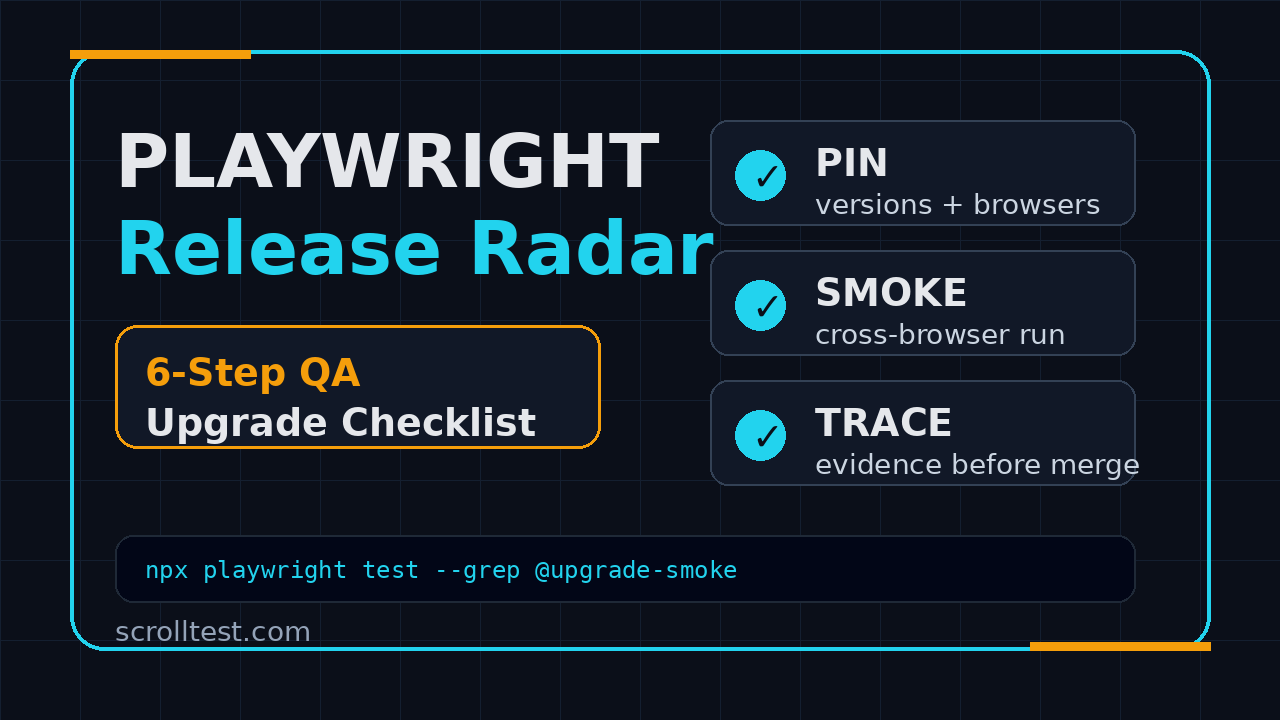
Playwright release radar is the habit I want every QA team to build before the next browser automation upgrade lands in the sprint. Instead of treating a Playwright version bump like a dependency chore, treat it like a small release: read the notes, pin the toolchain, run a trace-heavy smoke pack, and record the risk before you merge.
Table of Contents
- What Is Playwright Release Radar?
- Why QA Teams Need a Playwright Release Radar
- What Playwright 1.61.1 Tells Test Leads
- The Playwright Release Radar Upgrade Checklist
- Build a CI Smoke Suite for Every Upgrade
- Use Trace-First Debugging Before Blaming Flakiness
- India QA Lead Context: Why This Matters in 2026
- Common Traps I See During Playwright Upgrades
- A Copy-Paste Release Radar Template
- FAQ
Contents
What Is Playwright Release Radar?
A Playwright release radar is a lightweight review system for Playwright, browser, Node, and CI image updates. It does not need a committee. It needs one owner, one checklist, and one clear rule: no framework upgrade merges without evidence.
I use the word radar because the goal is not to react after tests break. The goal is to see upcoming risk early. Playwright moves fast, browsers move faster, and CI containers silently drift when teams leave base images unpinned. A release radar turns that noise into a weekly QA signal.
What goes into the radar?
The radar tracks four moving parts:
- Playwright package version: the
@playwright/testorplaywrightversion in your lockfile. - Browser binaries: Chromium, Firefox, and WebKit versions installed by Playwright.
- Runtime dependencies: Node version, pnpm/npm/yarn version, and OS libraries in Docker.
- Test evidence: smoke result, trace links, screenshots, retries, and the exact rollback command.
Why I do not call this just dependency management
Dependency management checks whether a package can install. QA release radar checks whether user-critical browser journeys still behave. That difference matters. An install can pass while UI mode has a reporting issue, trace viewer displays timings incorrectly, or a Node loader regression hits a pnpm workspace.
The official Playwright 1.61.1 GitHub release is a good example. It lists bug fixes around UI mode, trace viewer WebSocket message times, Node 22.15 sync loader behavior, and pnpm workspace resolution. None of these sound like a normal product feature. For a QA team, each one maps to a real workflow: debugging, trace review, TypeScript loading, and monorepo execution.
Why QA Teams Need a Playwright Release Radar
Playwright is not a sleepy utility. It is a browser automation platform used for UI tests, API checks, component tests, tracing, screenshots, videos, and developer debugging. The npm download API reported 173,247,025 downloads for @playwright/test and 260,327,902 downloads for playwright for the 2026-06-06 to 2026-07-05 window when I checked this article. At that adoption level, every release creates both opportunity and operational risk.
Most teams do not get hurt by the big breaking change. They get hurt by the small mismatch:
- Local Node is 22.14 but CI runs 22.15.
- The Docker image updates browsers but the lockfile stays old.
- A test runner upgrade happens without updating
playwright install --with-deps. - Retries hide a browser-specific regression until the release branch is already cut.
- Trace files are collected only after the failure becomes noisy.
The hidden cost is the unplanned debugging window. I see teams lose half a day because nobody knows whether a failure came from the application, browser engine, Playwright, CI image, or test data. A release radar shortens that conversation.
For example, if the upgrade pull request already includes a trace from Chromium, Firefox, and WebKit smoke flows, you do not debate for two hours. You open the trace, compare the last known good run, and decide whether the issue is product risk or automation drift.
Playwright release radar is a leadership habit
This is not only for the person writing tests. QA leads and SDET managers need this habit because automation upgrades affect sprint predictability. If a team promises release confidence but cannot explain what changed in its test stack last week, that confidence is fragile.
On ScrollTest, I have written before about building evidence instead of faith in automation, including the AI Testing Evidence Pack. The same principle applies here. A Playwright upgrade without trace, screenshot, log, and rollback evidence is an opinion, not a release signal.
What Playwright 1.61.1 Tells Test Leads
Playwright 1.61.1 shipped on 2026-06-23 according to the official GitHub release page. It is a patch release, but patch does not mean ignore. Patch releases often contain the exact fixes that affect daily debugging quality.
Bug fixes can still change your workflow
The release notes call out fixes around:
expect.extendmatcher behavior when a custom matcher shares a default matcher name.- UI mode reporting for
apiRequestContext._wrapApiCall. - Trace viewer WebSocket message timing display.
- A Node 22.15 sync loader regression.
- Sync ESM loader resolution for extensionless TypeScript subpath imports across pnpm workspace symlinks.
I read that list as a risk map. If your tests use custom matchers, APIRequestContext, trace viewer debugging, Node 22, TypeScript, or pnpm workspaces, you have a reason to test the patch carefully. If your team uses none of those, your upgrade smoke can be smaller.
The release notes should drive the smoke suite
Do not run the same generic smoke pack for every upgrade. Read the release notes first, then pick scenarios that exercise the changed areas. For Playwright 1.61.1, my smoke list includes:
- A UI journey that fails intentionally once, so I can inspect the trace viewer.
- An API test that uses
request.newContext()and produces clear timing output. - A custom matcher test if the framework has extended
expect. - A pnpm workspace import test if the repository is a monorepo.
- A Node 22 CI job if the team is already on that runtime.
The official Playwright release notes documentation gives the broader version history, while GitHub gives the patch-specific list. I use both. Docs show the product direction. GitHub tells me what changed in the actual tag.
The Playwright Release Radar Upgrade Checklist
Here is the practical checklist I recommend. It is intentionally boring. Boring checklists protect releases.
1. Pin the current baseline
Before changing anything, capture the current state. Run:
node --version
npm --version
npx playwright --version
npx playwright install --dry-run || true
git status --short
Save the output in the upgrade pull request. If the upgrade breaks, this tells you what you are rolling back to.
2. Read the official sources
Use primary sources first:
- Playwright GitHub releases for exact tag notes.
- Playwright release notes for feature-level context.
- Playwright CI documentation for runner and browser installation guidance.
Do not base the decision on a random social post that says the release is safe. Your repository, Docker image, Node version, and test architecture decide whether it is safe.
3. Upgrade in a branch, not on Friday
Create a dedicated branch and keep it small:
git checkout -b chore/playwright-1-61-1
npm install -D @playwright/test@1.61.1
npx playwright install --with-deps
npm test -- --list
I avoid Friday upgrades unless production is blocked. If a browser automation upgrade starts failing after 5 PM, the team pays with weekend attention. Schedule it early in the week, run the evidence pack, and merge only when the smoke is clean.
4. Run targeted smoke tests across browsers
Your smoke pack should cover the core revenue or user-critical flows. For a SaaS app, that may be login, dashboard load, create record, edit record, export, and logout. For an e-commerce app, it may be search, cart, checkout, payment stub, and order confirmation.
Do not run 2,000 tests first. Run 10 high-signal tests with traces enabled. If those fail, a full suite only creates more noise.
5. Save trace, screenshot, and video evidence
The Playwright trace viewer documentation explains how traces help inspect actions, network calls, console logs, and screenshots. For upgrade work, trace is not optional. It is the fastest way to separate product failure from framework drift.
// playwright.config.ts
import { defineConfig } from '@playwright/test';

export default defineConfig({
  retries: 1,
  use: {
    trace: 'retain-on-failure',
    screenshot: 'only-on-failure',
    video: 'retain-on-failure'
  },
  reporter: [['html'], ['github']]
});
6. Document rollback before merge
A good upgrade PR includes the rollback command:
npm install -D @playwright/test@1.60.0
npx playwright install --with-deps
git checkout -- package-lock.json
Use the exact previous version from your lockfile. Do not paste a generic rollback command that nobody tested.
Build a CI Smoke Suite for Every Upgrade
The Playwright release radar becomes useful when it runs in CI. Local checks are helpful, but CI is where browser binaries, OS libraries, secrets, service containers, and parallelism expose real upgrade risk.
A minimal GitHub Actions job
Here is a compact job I use for upgrade branches. Adapt the browser list and test grep to your suite.
name: playwright-upgrade-smoke

on:
  pull_request:
    paths:
      - 'package.json'
      - 'package-lock.json'
      - 'playwright.config.ts'
      - 'tests/**'

jobs:
  smoke:
    runs-on: ubuntu-latest
    timeout-minutes: 20
    strategy:
      fail-fast: false
      matrix:
        browser: [chromium, firefox, webkit]
    steps:
      - uses: actions/checkout@v4
      - uses: actions/setup-node@v4
        with:
          node-version: '22'
          cache: 'npm'
      - run: npm ci
      - run: npx playwright install --with-deps ${{ matrix.browser }}
      - run: npx playwright test --project=${{ matrix.browser }} --grep @upgrade-smoke
      - uses: actions/upload-artifact@v4
        if: always()
        with:
          name: traces-${{ matrix.browser }}
          path: test-results/**
This job is small on purpose. It runs only when relevant files change, uses the same install path as production CI, uploads artifacts every time, and prevents one browser failure from hiding another.
Mark upgrade smoke tests explicitly
Do not guess which tests matter. Tag them:
import { test, expect } from '@playwright/test';

test('@upgrade-smoke user can create and archive a project', async ({ page }) => {
  await page.goto('/login');
  await page.getByLabel('Email').fill(process.env.SMOKE_USER!);
  await page.getByLabel('Password').fill(process.env.SMOKE_PASSWORD!);
  await page.getByRole('button', { name: 'Sign in' }).click();

  await page.getByRole('button', { name: 'New project' }).click();
  await page.getByLabel('Project name').fill(`Upgrade smoke ${Date.now()}`);
  await page.getByRole('button', { name: 'Create' }).click();

  await expect(page.getByText('Project created')).toBeVisible();
});
If a test is important enough to block a Playwright upgrade, tag it. If it is not important, keep it out of this smoke lane.
Use Trace-First Debugging Before Blaming Flakiness
Flakiness is often a lazy label. During a framework upgrade, I want proof before I call a failure flaky. A trace-first workflow forces the team to inspect what actually happened.
My triage order
When an upgrade smoke fails, I use this order:
- Check the trace: action timeline, locator resolution, screenshots, network, console.
- Compare browsers: same failure across Chromium, Firefox, and WebKit means app or framework-level risk.
- Compare environments: local pass with CI fail usually points to OS libraries, secrets, data, or timing.
- Compare versions: rerun the same smoke on the previous Playwright version.
- Classify the failure: product bug, test bug, infra drift, browser-specific issue, or framework regression.
One issue, one evidence bundle
Every failed upgrade PR should end with a short evidence bundle:
- Failing test name and browser.
- Playwright version before and after.
- Node version and CI image.
- Trace artifact link.
- Screenshot or video link.
- Decision: fix now, skip with issue, rollback, or wait for patch.
This turns a noisy Slack discussion into a decision. It also helps future you. When Playwright 1.62 arrives, you can read the last upgrade note and avoid repeating the same investigation.
India QA Lead Context: Why This Matters in 2026
In India, many QA teams sit between service-company delivery habits and product-company release expectations. In a TCS or Infosys-style project, dependency changes may be handled by a central platform team. In a product company, the SDET team often owns the automation stack directly. That ownership changes the career game.
A QA engineer who can only write Playwright tests is useful. A QA engineer who can own Playwright upgrades, CI images, trace evidence, rollback planning, and release risk communication is harder to replace. That skill maps directly to senior SDET and QA lead expectations.
What hiring managers notice
When I interview SDETs, I listen for upgrade discipline. I do not only ask, “Have you used Playwright?” I ask how they handle version bumps, flaky failures, Docker images, retries, and trace artifacts. The answer reveals whether the candidate has shipped automation in a real team or only followed tutorials.
For engineers targeting ₹25-40 LPA roles, this matters. Product teams pay for ownership. Release radar is ownership in a concrete form: you know what changed, you know what risk remains, and you can explain it without drama.
Use this as a portfolio artifact
If you are building a public portfolio, create a small repo that demonstrates this workflow. Include a Playwright smoke test, GitHub Actions workflow, trace upload, and upgrade notes markdown. Link it in interviews. It is more convincing than saying “I know CI/CD.”
If you are newer to the transition path, read ScrollTest’s Manual Tester to SDET in 30 Days blueprint. Release radar is not day-one work, but it is exactly the kind of operational skill that separates tutorial knowledge from team-ready automation.
Common Traps I See During Playwright Upgrades
Most upgrade failures are predictable. The team does not need more hero debugging. It needs fewer traps.
Trap 1: Updating package.json but not browsers
Playwright controls browser binaries. If you update the package but do not run the browser install step in CI, you can end up testing a strange mix of versions. Always run npx playwright install --with-deps in the upgrade lane unless your Docker image already bakes the exact browsers.
Trap 2: Letting retries hide the first signal
Retries are useful for resilience, but they can hide upgrade risk. During upgrade validation, inspect first-run failures even if retry passes. A test that passes only on retry after a framework upgrade deserves attention.
Trap 3: Running the full suite without a hypothesis
A 2,000-test failure report is not automatically better than a 12-test smoke report. Start with the release notes, build a hypothesis, and run the smallest suite that can prove or disprove it. Full regression comes after the smoke signal is clean.
Trap 4: No rollback owner
Every upgrade needs an owner who can roll back quickly. If the PR author goes offline and nobody else understands the lockfile, CI image, and browser install step, the team has created release risk. Put the rollback command in the PR description.
Trap 5: Treating docs as optional
The official Playwright docs on continuous integration and trace usage are not beginner-only pages. They change over time. Re-read them when you update major versions, change Node, or move CI providers.
A Copy-Paste Release Radar Template
Use this markdown template in your repository. Put it at docs/release-radar/playwright-YYYY-MM.md or paste it into the upgrade pull request.
# Playwright Release Radar

## Upgrade summary
- Previous version:
- Target version:
- Release notes:
- Upgrade branch:
- Owner:

## Why we are upgrading
- Security / bug fix / browser support / feature / housekeeping:

## Changed areas from release notes
- Area 1:
- Area 2:
- Area 3:

## Smoke evidence
| Browser | Result | Trace | Notes |
|---|---:|---|---|
| Chromium |  |  |  |
| Firefox |  |  |  |
| WebKit |  |  |  |

## CI environment
- Node:
- Package manager:
- OS image:
- Docker image:

## Failures found
- Failure:
- Classification:
- Decision:

## Rollback
```bash
# exact rollback command here
```

## Final decision
- Merge / hold / rollback / wait for patch:
Make the radar visible
Do not bury this inside one engineer’s notes. Add it to your QA dashboard, release checklist, or team wiki. For teams already working with browser automation at scale, this pairs well with a test infrastructure design review like the one in ScrollTest’s SDET test infrastructure system design guide.
Key Takeaways: Playwright Release Radar
Playwright release radar is not extra process for the sake of process. It is a small operating system for keeping browser automation trustworthy while the tooling moves quickly.
- Playwright release radar turns version bumps into evidence-backed QA decisions.
- Start with official release notes, not random opinions.
- Run a small trace-heavy smoke suite before the full regression pack.
- Pin Node, browser binaries, package versions, and CI images clearly.
- Document rollback before merge, not after production panic.
If your team upgrades Playwright this month, do not ask “Did the package install?” Ask the better question: “Can we prove the critical browser journeys still work, and can we roll back in five minutes if they do not?” That is the Playwright release radar mindset.
FAQ
How often should a QA team check Playwright releases?
Check once a week and upgrade on a planned cadence. For most teams, monthly upgrades are practical. For teams using Playwright heavily in CI, a weekly review with a monthly merge window works better than ignoring releases for a quarter.
Should we upgrade Playwright immediately after every patch?
No. Read the release notes first. If the patch touches an area you use, test it early. If it does not, put it into the next scheduled upgrade window. The point is controlled movement, not blind speed.
What is the minimum evidence before merging a Playwright upgrade?
I want at least a clean smoke result across the browsers the product supports, trace artifacts for failures or a representative run, CI environment details, and a rollback command. For high-risk products, add visual comparison and API smoke checks.
Can manual testers use this checklist?
Yes. Manual testers moving into automation can use the checklist to understand how real teams manage test framework risk. You may not own the CI job on day one, but you can learn how evidence, trace files, and release notes connect to release decisions.
Does this replace full regression testing?
No. It comes before full regression. The release radar smoke suite tells you whether the upgrade is healthy enough to justify a broader run. If the smoke fails, fix or roll back before burning hours on a noisy full suite.