AI Test Evidence for Browser Agents: QA Sign-Off
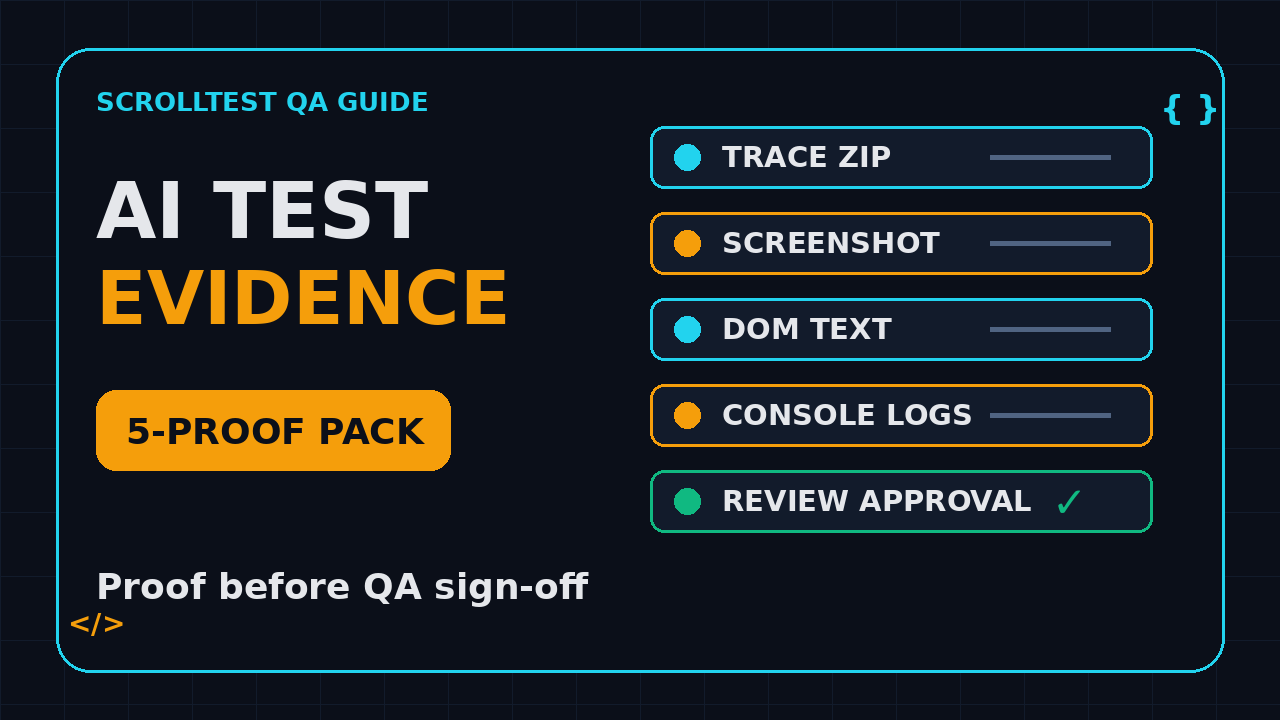
AI test evidence is now the difference between a useful browser agent and a green checkmark nobody trusts. If an AI test says checkout passed, I want the trace, the screenshot, the DOM fact, the console log, and the human approval trail before I call it done.
Table of Contents
- Why Green Checks Fail for AI Tests
- What Counts as AI Test Evidence?
- What the Stagehand Release Signals
- The Playwright Proof Stack I Use
- AI Test Evidence Pack Template
- CI Approval Workflow for QA Teams
- India SDET Context: Why This Skill Pays
- Implementation Example in TypeScript
- Key Takeaways
- FAQ
Contents
Why Green Checks Fail for AI Tests
A normal deterministic test fails loudly. A browser agent can fail quietly. It may click the wrong button, accept a misleading modal, summarize a page incorrectly, or pass because the model guessed the expected state instead of proving it.
That is why AI test evidence matters. I do not treat an AI browser run as a test result until it produces reviewable artifacts. The output should help a QA engineer answer one simple question: what exactly happened in the browser?
AI agents add a new failure mode
Classic Playwright or Selenium tests mostly fail through code-level issues: bad locators, timeouts, broken assertions, missing waits, or real product bugs. AI browser agents add model-level uncertainty. The model chooses actions from natural language. That means the same prompt can behave differently when the page layout, copy, auth state, or model version changes.
Browserbase describes Stagehand as an SDK for browser agents, and the GitHub repository describes it as “The SDK For Browser Agents”. The project is not tiny. The GitHub API showed 23,415 stars and 1,610 forks during this run, and the npm downloads API reported 4,592,495 downloads for @browserbasehq/stagehand from 2026-06-06 to 2026-07-05. When tooling gets that much adoption, QA teams need a review pattern, not blind excitement.
A pass without proof creates review debt
Most teams already have screenshots somewhere. That is not enough. A screenshot only proves what the final screen looked like. It does not prove which selector was clicked, whether the network request returned the expected payload, whether the console had errors, or whether the agent took a shortcut.
I see this especially in agent-based smoke tests. The terminal prints PASS, the demo looks clean, and the release manager moves on. Two days later, someone finds that the AI skipped an optional upsell, accepted the wrong shipping method, or clicked a cached account state. The issue was not that AI testing is bad. The issue was that the team accepted a green check without evidence.
Good QA asks for artifacts, not vibes
A senior SDET does not ask, “Did the AI pass?” A senior SDET asks:
- Which exact URL did the browser visit?
- Which selector or role did it use for each action?
- What did the screenshot show at the assertion point?
- What did the trace show before and after the critical click?
- Which network calls returned 4xx or 5xx?
- Who approved the run, and what changed since the last approval?
This is the same discipline I covered in Browser Agent Test Evidence: QA Approval Guide and AI Testing Evidence: Stop Trusting Green Checks. The difference here is the practical pack I expect every AI browser run to attach to CI.
What Counts as AI Test Evidence?
AI test evidence is the set of artifacts that proves a browser agent performed the intended workflow, observed the right state, and left enough data for a human reviewer to challenge the result. Think of it as a mini audit file for every high-value agent run.
The minimum evidence set
For a low-risk smoke test, I want at least five artifacts:
- Final screenshot: the screen at the point of approval or failure.
- Action log: every major action the agent took, with timestamps.
- DOM snapshot: the specific visible text or attributes used for assertions.
- Console log: browser errors, warnings, and failed resources.
- Trace or video: a replayable flow for debugging and review.
For payment, healthcare, security, or enterprise admin flows, I add network evidence and reviewer approval. The goal is not to create paperwork. The goal is to make every pass explainable.
Evidence must be tied to assertions
A folder full of screenshots is still weak if nobody knows which assertion each file supports. Evidence should map to a test step. For example:
- Open checkout page and attach
01-checkout-loaded.png. - Fill shipping address and attach DOM text for selected country.
- Click payment method and attach network response for saved method.
- Place order and attach trace plus order confirmation screenshot.
- Record reviewer decision in CI summary.
This order matters. When a release breaks, I do not want to hunt through 40 random PNG files. I want a named chain of proof.
Evidence should be cheap to inspect
If a reviewer needs to download a 200 MB artifact for every run, the process dies. Keep the first review layer lightweight: a Markdown summary, 3 to 6 images, links to trace files, and clear pass/fail reasons. Keep the full trace available for deeper debugging.
Playwright’s own Trace Viewer documentation explains how traces can show actions, snapshots, network requests, console messages, and source code context. That is the right mental model. AI tests need the same inspectability, even when the action choice came from a model.
What the Stagehand Release Signals
The source topic for this article is the Stagehand browse@0.9.0 release, published on 2026-06-25. One small release note caught my eye: browse screenshot now writes a file by default instead of printing base64 to stdout.
Why a screenshot default matters
On paper, this is a minor CLI behavior change. In QA practice, it is a big hint. File-based screenshots are easier to attach to CI, zip into evidence bundles, upload to a bug, and review in pull requests. Base64 on stdout is useful for scripts, but it is awkward for humans.
The release note says bare screenshot invocations now save to screenshot-<yyyymmdd-hhmmss>.<type> in the current directory, avoid overwrites with a collision counter, and print JSON like { "saved": "<path>" }. It also keeps the old behavior through a --base64 flag. That is exactly the kind of change that pushes browser agents toward reviewable proof.
Windows reliability also affects QA adoption
The same release fixed browse skills add on Windows by quoting npx command paths and bounding installer stages. It also added a 180-second deadline for the child process and 10-second abort timeouts for catalog and skill-file fetches. These details matter because many Indian QA teams still run mixed Windows and macOS fleets.
If your SDET team has 12 engineers and 7 of them use Windows laptops, a CLI that hangs forever or breaks on C:\Program Files\nodejs\npx.cmd is not a small issue. It becomes a rollout blocker. Reliability at the tool boundary is part of test reliability.
Adoption creates governance pressure
The npm registry reported the latest @browserbasehq/stagehand version as 3.6.0 during this run. The GitHub repo was pushed on 2026-07-08. This ecosystem is moving fast. When browser-agent tools move this fast, QA teams cannot rely on tribal memory. You need evidence standards written down.
My rule is simple: every browser-agent upgrade gets the same treatment as a Playwright upgrade. Read release notes, run a smoke suite, attach before/after evidence, and record reviewer approval. I explained a similar upgrade discipline in Playwright Upgrade Checklist: 3 Checks Before CI.
The Playwright Proof Stack I Use
Playwright is still my base layer for browser proof because it gives deterministic control, trace files, screenshots, videos, locators, and network hooks. An AI agent can sit above it, but the evidence should still be collected with boring engineering discipline.
Trace first, screenshot second
A screenshot is a point in time. A trace is the story. Playwright traces can be opened locally or attached to CI artifacts. They help reviewers inspect actions, DOM snapshots, console output, and network traffic. When a test is flaky, the trace usually tells me more than the assertion error.
For AI test evidence, I treat trace recording as mandatory for high-value flows:
import { test, expect } from '@playwright/test';

test('checkout evidence smoke', async ({ page }, testInfo) => {
  await page.goto('/checkout');
  await page.getByLabel('Email').fill('qa@example.com');
  await page.getByRole('button', { name: 'Continue' }).click();

  await expect(page.getByText('Shipping address')).toBeVisible();
  await page.screenshot({ path: testInfo.outputPath('shipping-step.png'), fullPage: true });
});
The trace setting belongs in playwright.config.ts, not inside one random test file:
import { defineConfig } from '@playwright/test';

export default defineConfig({
  use: {
    trace: 'retain-on-failure',
    screenshot: 'only-on-failure',
    video: 'retain-on-failure'
  },
  reporter: [['html'], ['github']]
});
Use role locators for readable proof
AI agents often describe intent in plain English. Your deterministic checks should be just as readable. A reviewer understands getByRole('button', { name: 'Place order' }) faster than .btn-primary:nth-child(3). Readable selectors become readable evidence.
This is why I keep linking teams back to resilient locator habits. If you need a refresher, read Resilient Locator Strategies in Playwright. Bad locators poison both test stability and evidence quality.
Network and console evidence catches silent failures
Many UI flows look fine while the console is burning. Capture it. A simple listener gives the reviewer context:
const consoleErrors: string[] = [];
const failedRequests: string[] = [];

page.on('console', msg => {
  if (msg.type() === 'error') consoleErrors.push(msg.text());
});

page.on('requestfailed', req => {
  failedRequests.push(`${req.method()} ${req.url()} ${req.failure()?.errorText}`);
});

await testInfo.attach('console-errors', {
  body: consoleErrors.join('\n') || 'No console errors',
  contentType: 'text/plain'
});

await testInfo.attach('failed-requests', {
  body: failedRequests.join('\n') || 'No failed requests',
  contentType: 'text/plain'
});
This is not fancy. It is useful. In CI, useful beats fancy every time.
AI Test Evidence Pack Template
Here is the structure I recommend for every serious AI browser test. Put it in your repo, not in a Notion page nobody opens.
Folder structure
evidence/
  run-2026-07-08-0915/
    summary.md
    actions.json
    screenshots/
      01-home-loaded.png
      02-login-success.png
      03-checkout-confirmed.png
    dom/
      confirmation.txt
      pricing-card.json
    logs/
      console.txt
      network-failures.txt
    traces/
      checkout.zip
    approval.json
Every file has a job. The summary tells the story. The action log records what the agent tried. Screenshots show visible state. DOM files prove the exact text or attributes. Logs catch silent failures. Traces allow replay. Approval records the human decision.
Summary file format
The summary.md file should be readable inside GitHub Actions, GitLab, Jenkins, or Azure DevOps:
# AI Test Evidence: Checkout Smoke

- Run ID: run-2026-07-08-0915
- Environment: staging
- Browser: chromium
- Agent: stagehand/browser-agent
- Commit: a1b2c3d
- Result: PASS WITH REVIEW

## Critical assertions
1. Checkout page loaded with visible cart total.
2. Shipping form accepted India address.
3. Confirmation page showed order ID pattern `ORD-`.
4. No console errors were captured.
5. Reviewer approved screenshots 02 and 03.

## Artifacts
- Trace: traces/checkout.zip
- Final screenshot: screenshots/03-checkout-confirmed.png
- DOM proof: dom/confirmation.txt
Approval file format
For high-risk flows, make approval explicit:
{
  "runId": "run-2026-07-08-0915",
  "reviewer": "qa-lead@example.com",
  "decision": "approved",
  "risk": "medium",
  "notes": "Confirmation page, total amount, and order ID verified.",
  "approvedAt": "2026-07-08T09:22:00+05:30"
}
This looks strict, but it saves time during release calls. Instead of arguing about whether the AI test really passed, the team opens the evidence pack.
CI Approval Workflow for QA Teams
Do not bolt AI evidence on after the test finishes. Build it into the pipeline from day 1. The CI job should produce artifacts whether the test passes or fails.
A practical workflow
- Run deterministic Playwright setup: auth, fixtures, test data, and environment checks.
- Run the AI browser agent for the exploratory or intent-driven step.
- Capture screenshot, trace, console, DOM, and network evidence after each critical action.
- Run deterministic assertions against the final state.
- Upload the evidence pack as a CI artifact.
- Require reviewer approval for medium or high-risk flows.
- Block release only when deterministic assertions fail or approval is missing.
GitHub Actions artifact example
name: ai-browser-evidence

on:
  pull_request:
  workflow_dispatch:

jobs:
  evidence:
    runs-on: ubuntu-latest
    steps:
      - uses: actions/checkout@v4
      - uses: actions/setup-node@v4
        with:
          node-version: 22
      - run: npm ci
      - run: npx playwright install --with-deps chromium
      - run: npm run test:ai-evidence
      - uses: actions/upload-artifact@v4
        if: always()
        with:
          name: ai-test-evidence
          path: evidence/
The key line is if: always(). Failed AI runs need evidence even more than passing runs. If your CI only uploads artifacts on success, you have built the wrong feedback loop.
When to require human approval
I do not require approval for every low-risk assertion. That slows the team down. I require approval when the agent touches:
- Payments, refunds, invoices, or pricing.
- User permissions, roles, or admin settings.
- PII, healthcare, finance, or compliance-sensitive data.
- Release-blocking smoke flows.
- Any workflow where the AI chooses between multiple valid paths.
For normal UI smoke coverage, deterministic assertions plus trace artifacts are enough. For risky flows, approval is a feature, not friction.
India SDET Context: Why This Skill Pays
In India, many manual testers are moving into automation because basic test execution is under price pressure. The next jump is not just Selenium to Playwright. It is from writing scripts to owning test evidence for AI-assisted systems.
What hiring managers notice
When I review SDET profiles, I do not get excited by a line that says “AI testing tools”. I get interested when someone can explain a CI workflow, attach a trace, write a Playwright assertion, and tell me when a human reviewer must approve a model-driven run.
For mid-level SDETs in Bengaluru, Pune, Hyderabad, and NCR, the ₹15-28 LPA band is crowded. The ₹25-40 LPA conversations usually expect ownership: release gates, flaky test reduction, framework design, and cross-team communication. AI test evidence fits that ownership bucket because it connects automation, risk, and engineering process.
Services company vs product company expectations
In a services setup, the client may ask for proof after a defect escapes. In a product company, the release manager asks for proof before a release goes out. The same evidence pack helps both, but product teams usually move faster and expect the SDET to design the workflow without waiting for a manager.
If you are transitioning from manual testing, this is a strong portfolio project. Build a small checkout demo, add Playwright, add an AI-agent step, and publish the evidence folder structure in GitHub. That beats another generic resume bullet about “good knowledge of automation”.
A 7-day learning plan
- Day 1: Learn Playwright trace, screenshot, and video settings.
- Day 2: Add console and request failure logging.
- Day 3: Create a Markdown evidence summary.
- Day 4: Add a DOM snapshot for one critical assertion.
- Day 5: Upload evidence as a CI artifact.
- Day 6: Add reviewer approval JSON.
- Day 7: Document the risk rules for approval.
This is practical enough for a portfolio and serious enough for a real team.
Implementation Example in TypeScript
Below is a compact evidence helper you can drop into a Playwright project. It does not depend on a specific AI agent library. That is intentional. Keep evidence capture independent from the model tool so you can swap Stagehand, a custom agent, or a deterministic Playwright step.
Evidence helper
import { Page, TestInfo, expect } from '@playwright/test';
import fs from 'node:fs/promises';
import path from 'node:path';

export async function attachEvidence(
  page: Page,
  testInfo: TestInfo,
  stepName: string,
  domSelector?: string
) {
  const safeName = stepName.toLowerCase().replace(/[^a-z0-9]+/g, '-');
  const screenshotPath = testInfo.outputPath(`${safeName}.png`);

  await page.screenshot({ path: screenshotPath, fullPage: true });
  await testInfo.attach(`${safeName}-screenshot`, {
    path: screenshotPath,
    contentType: 'image/png'
  });

  if (domSelector) {
    const text = await page.locator(domSelector).innerText().catch(() => 'DOM selector not found');
    await testInfo.attach(`${safeName}-dom`, {
      body: text,
      contentType: 'text/plain'
    });
  }
}

export async function writeEvidenceSummary(testInfo: TestInfo, lines: string[]) {
  const summaryPath = testInfo.outputPath('summary.md');
  await fs.writeFile(summaryPath, lines.join('\n'), 'utf-8');
  await testInfo.attach('evidence-summary', {
    path: summaryPath,
    contentType: 'text/markdown'
  });
}
Using it in a test
import { test, expect } from '@playwright/test';
import { attachEvidence, writeEvidenceSummary } from './evidence-helper';

test('AI assisted checkout produces proof', async ({ page }, testInfo) => {
  const consoleErrors: string[] = [];
  page.on('console', msg => {
    if (msg.type() === 'error') consoleErrors.push(msg.text());
  });

  await page.goto('/checkout');
  await attachEvidence(page, testInfo, 'checkout loaded', 'body');

  // Replace this block with your Stagehand or browser-agent action.
  await page.getByLabel('Email').fill('qa@example.com');
  await page.getByRole('button', { name: /continue/i }).click();

  await expect(page.getByText(/shipping address/i)).toBeVisible();
  await attachEvidence(page, testInfo, 'shipping visible', 'body');

  await testInfo.attach('console-errors', {
    body: consoleErrors.join('\n') || 'No console errors',
    contentType: 'text/plain'
  });

  await writeEvidenceSummary(testInfo, [
    '# AI Test Evidence',
    '- Result: PASS WITH REVIEW',
    '- Critical assertion: shipping address visible',
    `- Console errors: ${consoleErrors.length}`,
    '- Reviewer: pending in CI'
  ]);
});
What to change for real projects
For production, add three things. First, store run IDs with commit SHA and environment name. Second, redact tokens, phone numbers, and email addresses before attaching DOM or network payloads. Third, keep evidence retention short for staging if it contains customer-like data. Proof is useful. Leaking data is not.
Key Takeaways
AI test evidence is not an optional nice-to-have. It is the discipline that makes browser agents acceptable inside real QA pipelines.
- Do not trust a green check from an AI browser test without screenshots, logs, DOM proof, and trace evidence.
- The Stagehand
browse@0.9.0screenshot change is a small but useful signal: file-based proof belongs in CI. - Playwright traces remain one of the strongest ways to review browser behavior after a flaky or model-driven run.
- For high-risk flows, add human approval and keep the decision in a machine-readable file.
- For SDETs in India, evidence design is a practical skill that shows release ownership, not just tool knowledge.
If you are building AI browser tests this month, start with one flow. Capture the screenshot, trace, DOM text, console errors, and reviewer decision. Then make that pack the release standard.
FAQ
What is AI test evidence?
AI test evidence is the set of artifacts that proves what an AI-assisted test did in the browser. It usually includes screenshots, action logs, DOM snapshots, console logs, network failures, traces, and reviewer approval for risky flows.
Is a screenshot enough for AI testing proof?
No. A screenshot proves a visual state at one moment. It does not prove the path the agent took, the selector it used, the network response it received, or the console errors it caused. Use screenshots with traces and logs.
Should every AI test require manual approval?
No. Require manual approval for high-risk workflows such as payments, permissions, PII, compliance, and release-blocking smoke tests. Low-risk checks can use deterministic assertions plus attached evidence.
How does Playwright help with AI test evidence?
Playwright can capture traces, screenshots, videos, console messages, network failures, and DOM assertions. Even if the action comes from an AI agent, Playwright can record the proof that makes the result reviewable.
Where should teams store AI test evidence?
Store it as CI artifacts first. For release-blocking flows, also link the evidence pack from the pull request, release ticket, or test management record. Keep retention policies short when evidence may contain sensitive staging data.