Playwright Upgrade Checklist: Stop Blind Updates
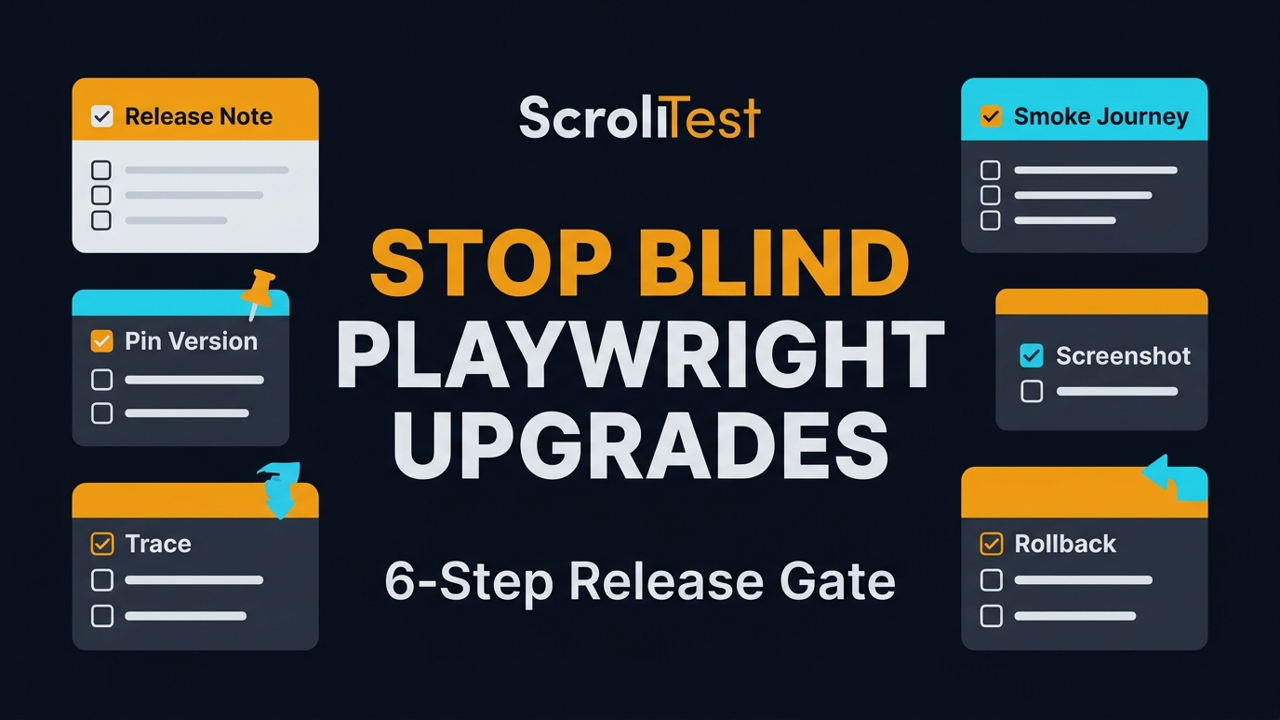
If your Playwright upgrade checklist is only npm update and a prayer, you are not upgrading Playwright. You are gambling with your regression suite. I use a six-step release gate for every version bump: read the release note, pin the version, run one critical user journey, inspect trace evidence, compare screenshots, then ship or rollback.
This matters because Playwright is no longer a small side tool. The microsoft/playwright GitHub repository shows 92,330 stars and 6,046 forks at the time of writing, while npm reports 173,247,025 downloads for @playwright/test between 2026-06-06 and 2026-07-05. A casual upgrade in a tool with that much reach can break CI, traces, snapshots, auth setup, and developer trust in one morning.
Table of Contents
- Why Playwright upgrades break teams
- Read the release note before touching package.json
- Pin the version and browser binaries
- Run one critical user journey first
- Inspect trace evidence, not only green checks
- Compare screenshots and snapshots
- Ship or rollback with a decision log
- India QA context: why this skill pays
- Copy-paste Playwright upgrade checklist
- FAQ
Contents
Why Playwright Upgrades Break Teams
Playwright releases are usually strong, but strong does not mean risk-free. Version 1.61.1 was published on 2026-06-23 and its GitHub release lists bug fixes for expect matcher behavior, UI mode API request reporting, Trace Viewer WebSocket message times, Node 22.15 sync loader behavior, and pnpm workspace symlink resolution. That is exactly the kind of release where a careless upgrade can pass 900 tests and still break the 1 test your product manager demos at 5 PM.
Green CI is not full evidence
I see teams treat a passing Playwright run as a release certificate. It is not. A green run says the assertions in that run passed with the data, browser, network, and workers used at that moment. It does not prove that a login passkey flow still records usable traces, that screenshots stayed stable on WebKit, or that pnpm workspace imports still resolve in the same way in your monorepo.
Upgrades touch more than test code
A Playwright upgrade can change browser versions, reporter behavior, trace payloads, video retention, CLI flags, and Node loader edge cases. The official Playwright release notes for version 1.61 mention browser versions Chromium 149.0.7827.55, Firefox 151.0, and WebKit 26.5. If your product has a payment iframe, file upload widget, auth redirect, or drag-and-drop path, those browser changes are not trivia.
One bad upgrade does more damage than one failed CI job. Developers start saying, “Playwright is flaky.” Managers start asking for manual sign-off. Manual testers spend Saturday checking flows that automation should protect. The better framing is simple: your Playwright upgrade checklist is a release process, not a dependency task.
Read The Release Note Before Touching package.json
The first step is boring, and that is why it works. Before changing @playwright/test, open the exact GitHub release and the official docs release page. For v1.61.1, the GitHub note has 5 bullet-level fixes. I turn those bullets into risk questions before I touch the lockfile.
Convert each release note into a risk question
Do not read a bug fix as “somebody else’s problem.” Read it as a prompt. The v1.61.1 sync loader notes become: “Do we run Node 22.15 in CI?” and “Do we use extensionless TypeScript subpath imports across pnpm workspace symlinks?” The Trace Viewer WebSocket timing fix becomes: “Do our tests rely on WebSocket debugging or trace review for chat, notifications, or live dashboards?”
Separate patch risk from feature excitement
Version 1.61 introduced new capabilities like WebAuthn passkey testing through browserContext.credentials, Web Storage APIs through page.localStorage and page.sessionStorage, and new video retention modes. Those are useful. They are also not a reason to upgrade production CI without a gate. Your release note review should create two lists:
- Risk list: fixes or behavior changes that touch current tests.
- Opportunity list: new APIs you may adopt later in a branch.
- Ignore list: changes that do not touch your stack today.
Write the decision in 5 lines
I prefer a tiny upgrade note in the pull request. It should mention the old version, new version, Node version, browser channels, and the risk areas. Link to the GitHub release, not a random summary post. If you already use a release watcher, connect this article with AI Release Watcher for QA Teams so upgrades do not depend on one senior SDET remembering every tool.
Pin The Version And Browser Binaries
The second step in the Playwright upgrade checklist is pinning. I do not like floating versions in test infrastructure. If your CI uses ^1.60.0 and a fresh install silently resolves to a later minor version, your test result is no longer reproducible. That is painful when a flaky run appears only on one runner.
Use exact dependency versions
For most teams, this is enough: pin @playwright/test, commit the lockfile, and run the browser install command in CI. The exact command depends on your package manager, but the intent is the same.
# package.json should use an exact version, not ^ or ~
npm pkg set devDependencies.@playwright/test=1.61.1
npm install
npx playwright install --with-deps
npx playwright --version
If you use pnpm workspaces, run the upgrade from the workspace root and check the lockfile diff. The v1.61.1 release specifically mentions a pnpm workspace symlink regression fix, so I would not approve that bump without one workspace import smoke test.
Record the browser versions
Playwright ships browser revisions with the package. The v1.61 release notes list Chromium 149, Firefox 151, and WebKit 26.5. Put those in the PR comment if your app has browser-specific risk. This is especially important for visual testing, file uploads, keyboard shortcuts, WebAuthn, and WebSocket-heavy flows.
Keep rollback cheap
A safe rollback is not “revert everything and hope.” It is a small dependency PR with a known lockfile diff. Keep the Playwright upgrade isolated from test refactors. Do not rename 200 locators in the same branch. Do not move fixtures in the same branch. A clean upgrade PR should be boring enough that a release manager can reverse it in 2 minutes.
Run One Critical User Journey First
Do not run the full suite first. Run one high-signal journey first. For an ecommerce app, that may be login, search, add to cart, payment handoff, and order confirmation. For a SaaS dashboard, it may be login, create record, upload file, invite user, and verify the audit log. One journey tells you if the new browser, waits, tracing, and fixtures can survive a real path.
Pick one journey with money or trust attached
The best first journey is not the shortest test. It is the flow your business cannot afford to break. In India-based service teams, I often see the opposite: 1,500 assertions around low-value admin pages, but the production payment or KYC path gets manual testing at the end. That is backwards. If your SDET salary target is ₹25-40 LPA in product companies, you need to think like a release owner, not a script maintainer.
Use a tagged smoke test
A tagged smoke test gives you a stable command for every upgrade. Here is a TypeScript example I use as a pattern. The names are plain because future you should understand the failure at 1 AM.
import { test, expect } from '@playwright/test';

test('@upgrade critical checkout journey', async ({ page }) => {
  await page.goto('/login');
  await page.getByLabel('Email').fill(process.env.SMOKE_USER_EMAIL!);
  await page.getByLabel('Password').fill(process.env.SMOKE_USER_PASSWORD!);
  await page.getByRole('button', { name: 'Sign in' }).click();

  await expect(page.getByRole('heading', { name: 'Dashboard' })).toBeVisible();
  await page.getByRole('link', { name: 'Products' }).click();
  await page.getByRole('button', { name: 'Add to cart' }).first().click();
  await page.getByRole('link', { name: 'Cart' }).click();
  await expect(page.getByTestId('cart-total')).toContainText('₹');
  await page.getByRole('button', { name: 'Checkout' }).click();
  await expect(page.getByText('Payment method')).toBeVisible();
});
Run it in the same shape as CI
Run the smoke test with the same workers, reporter, base URL, and retries that CI uses. A local headed run is useful for debugging, but it is not the upgrade gate. I like this command because it is explicit:
npx playwright test --grep "@upgrade" --project=chromium --trace=on --reporter=line,htmlIf the one journey fails, stop. Do not start fixing 30 unrelated tests. First ask whether the failure belongs to the product, the test, the browser, or the upgrade itself. The ScrollTest post on smart automation beyond happy paths is a good companion when your suite is green but user journeys still break.
Inspect Trace Evidence, Not Only Green Checks
A passing test without evidence is weak. A passing test with a trace is stronger. The official Playwright Trace Viewer documentation says traces let you inspect actions, DOM snapshots, console logs, network requests, and source. That is why traces belong in an upgrade gate.
Open the trace after the smoke run
Do not wait for a failure. Open the trace for the passing smoke test and look for slow selectors, redirected requests, missing console errors, and unexpected waits. The point is to catch degraded behavior before it becomes a flaky build. If you only open traces after a failure, you use 30% of the tool.
npx playwright show-report
# or open a single trace.zip from CI artifacts
npx playwright show-trace test-results/critical-checkout/trace.zip
Check the exact risk from the release
For v1.61.1, I would inspect WebSocket traces if the app has live updates because the release note mentions Trace Viewer WebSocket message times. I would check UI mode only if the team uses UI mode to debug API requests. I would check Node 22.15 only if CI actually runs Node 22.15. That is the difference between a focused upgrade and a random regression hunt.
Save trace evidence as a PR artifact
When possible, attach the HTML report or trace artifact to the upgrade PR. A reviewer should see more than “tests passed.” They should see: command run, project run, trace generated, screenshot comparison clean, and rollback plan. This is where tools like BrowsingBee or a simple CI artifact policy can help because the discussion moves from opinion to evidence.
Compare Screenshots And Snapshots
Visual changes are where blind upgrades hurt. Browser font rendering, viewport differences, animation timing, and WebKit behavior can shift enough to annoy users even when assertions pass. The Playwright docs for test snapshots explain snapshot assertions such as visual comparisons, text snapshots, and ARIA snapshots. Use that capability around your most important screens.
Start with 3 screenshots, not 300
The goal is signal, not screenshot spam. Pick 3 screens: one logged-out page, one data-heavy dashboard, and one transaction page. If those are stable, expand later. If those fail after the upgrade, you already have enough evidence to pause.
Use a stable screenshot command
Here is a compact Playwright visual guard. It keeps animations disabled and compares only the area that matters.
import { test, expect } from '@playwright/test';

test('@upgrade dashboard visual contract', async ({ page }) => {
  await page.goto('/dashboard');
  await expect(page.getByRole('heading', { name: 'Dashboard' })).toBeVisible();
  await expect(page.getByTestId('revenue-card')).toHaveScreenshot('revenue-card.png', {
    animations: 'disabled',
    maxDiffPixelRatio: 0.01,
  });
});
Do not approve noisy baselines
If every upgrade requires accepting 80 new screenshots, your visual tests are not helping. Stabilize fonts, seed data, viewport, time, and network before trusting the result. The ScrollTest guide on network throttling and offline testing in Playwright is useful when screenshots depend on slow API states or skeleton loaders.
Ship Or Rollback With A Decision Log
The last step is a decision. Do not leave the upgrade in a half-approved state. The release owner should write one comment: ship, rollback, or hold with a named reason. This makes the next upgrade faster because the team can see what was risky last time.
Use a 3-option decision model
- Ship: release note reviewed, version pinned, smoke journey passed, trace inspected, screenshot comparison clean.
- Rollback: a critical journey failed, screenshot diff is user-visible, or CI cannot reproduce the same result twice.
- Hold: the release note mentions an area you own, but you need one extra test before approving.
Make CI enforce the gate
Playwright’s CI documentation covers running tests in providers such as GitHub Actions. I like a dedicated upgrade workflow because it keeps the signal clean. It can run only on dependency branches and upload trace/report artifacts.
name: playwright-upgrade-gate
on:
  pull_request:
    paths:
      - 'package.json'
      - 'package-lock.json'
      - 'pnpm-lock.yaml'
      - 'playwright.config.ts'

jobs:
  smoke:
    runs-on: ubuntu-latest
    steps:
      - uses: actions/checkout@v4
      - uses: actions/setup-node@v4
        with:
          node-version: 22
      - run: npm ci
      - run: npx playwright install --with-deps
      - run: npx playwright test --grep "@upgrade" --trace=on
      - uses: actions/upload-artifact@v4
        if: always()
        with:
          name: playwright-upgrade-evidence
          path: |
            playwright-report
            test-results
Keep the log searchable
A tiny changelog entry is enough: “Upgraded Playwright 1.60.0 to 1.61.1, Node 22, smoke checkout passed, trace inspected, dashboard screenshot clean.” Six months later, this log saves hours when someone asks why a browser version changed.
India QA Context: Why This Skill Pays
In Indian QA interviews, many candidates can explain locators, waits, and fixtures. Fewer can explain release risk. That gap matters. Service companies like TCS, Infosys, Wipro, and Cognizant often split tool ownership across roles. Product companies expect senior SDETs to own the CI signal and protect releases.
What hiring managers hear
If you say, “I upgraded Playwright,” it sounds like a task. If you say, “I built a Playwright upgrade gate with pinned versions, one critical journey, trace evidence, and screenshot comparison,” it sounds like ownership. That is the language of ₹25-40 LPA SDET roles because it connects automation to release safety.
What juniors should practice
Pick a demo app and run this checklist on every Playwright release for 4 weeks. Write a small note each time. You will learn npm locking, CI artifacts, trace review, visual assertions, and rollback thinking. That is a better portfolio project than another login test copied from YouTube.
What managers should require
Managers should not approve dependency upgrade PRs with only “all tests passed.” Ask for 5 items: release note link, version diff, critical journey result, trace/report artifact, and rollback decision. The checklist is simple enough for a junior SDET and strict enough for a production team.
Copy-Paste Playwright Upgrade Checklist
Use this template in the PR description. It is intentionally short. A checklist that nobody fills is theatre.
PR template
## Playwright upgrade checklist

- [ ] Old version:
- [ ] New version:
- [ ] Release note reviewed:
- [ ] Node version checked:
- [ ] Browser versions recorded:
- [ ] One critical journey run: `npx playwright test --grep "@upgrade" --trace=on`
- [ ] Trace opened and inspected:
- [ ] Screenshot/snapshot comparison clean:
- [ ] CI artifacts attached:
- [ ] Decision: Ship / Rollback / Hold
- [ ] Rollback command or revert PR ready:
Command pack
# Check current version
npm ls @playwright/test
npx playwright --version

# Pin and install
npm pkg set devDependencies.@playwright/test=1.61.1
npm install
npx playwright install --with-deps

# Run only the upgrade smoke path
npx playwright test --grep "@upgrade" --trace=on --reporter=line,html

# Inspect evidence
npx playwright show-report
Key takeaways
- A Playwright upgrade checklist protects release trust, not only package hygiene.
- Read exact release notes before editing
package.json. - Pin the Playwright version and keep the lockfile diff isolated.
- Run one critical journey with trace enabled before the full suite.
- Approve the upgrade only after trace and screenshot evidence are clean.
Common Playwright Upgrade Traps I See In Real Teams
The checklist sounds simple, but teams still skip it when a deadline is close. These are the traps I see most often when Playwright is treated like a normal npm package instead of release infrastructure.
Trap 1: mixing the upgrade with test cleanup
A Playwright upgrade branch should answer one question: is this version safe for our suite? If the same pull request also rewrites fixtures, renames page objects, changes CI workers, and deletes old screenshots, nobody can isolate the cause of a failure. Keep cleanup in the next PR. The upgrade PR should be small enough to review in 10 minutes.
Trap 2: accepting every screenshot diff
Visual diffs need discipline. If a dashboard card moved by 2 pixels because the font rendered differently, decide if that matters. If a button disappeared, stop the release. Do not click “update snapshots” on 60 files because the build is red. Snapshot approval is a product decision, not a keyboard shortcut.
Trap 3: ignoring reporters and artifacts
Many teams check only test status and forget the HTML report, trace zip, and video settings. Version 1.61 added video retention modes that mirror trace modes such as retain-on-failure and on-all-retries. If your CI storage cost or debugging workflow depends on videos, treat reporter and artifact behavior as part of the upgrade.
Trap 4: testing only Chromium
Chromium is usually the default project, but Playwright is valuable because it covers Chromium, Firefox, and WebKit with one API. If your users include Safari, run at least one WebKit smoke path before approval. A checkout flow that passes on Chromium and breaks on WebKit is still a failed upgrade.
Trap 5: no owner for rollback
Rollback ownership should be named before the upgrade starts. If the release breaks after merge, who reverts it? Who checks the lockfile? Who confirms browser binaries? A rollback plan is not negative thinking. It is how mature QA teams move fast without turning every dependency update into drama.
FAQ
How often should a QA team upgrade Playwright?
I prefer small, regular upgrades over a painful jump every 8 months. A weekly or biweekly review works if you have a smoke gate. If your suite is unstable, fix the gate first, then increase the upgrade rhythm.
Should I upgrade Playwright automatically with Dependabot or Renovate?
Yes, but do not auto-merge. Let the bot open the PR, then require the Playwright upgrade checklist: release note review, pinned version, tagged smoke journey, trace artifact, screenshot comparison, and a decision comment.
Is one smoke journey enough?
One journey is enough for the first signal, not the final release for every team. Start with one money or trust path. Add 2 more when you see repeated upgrade risk in login, payments, file uploads, WebAuthn, or dashboards.
Do I need visual testing for every Playwright upgrade?
You need at least a small visual guard if your app has dashboards, PDFs, invoices, charts, or marketing pages. Browser upgrades can shift rendering. Three stable screenshots catch more risk than 300 noisy ones.
What should I do if the upgrade fails only in CI?
Do not call it flaky and move on. Compare Node version, OS image, browser install command, environment variables, workers, retries, and trace artifacts. CI-only failures often expose the exact environment assumption your local run hides.