Playwright Upgrade Smoke Checklist for QA Teams
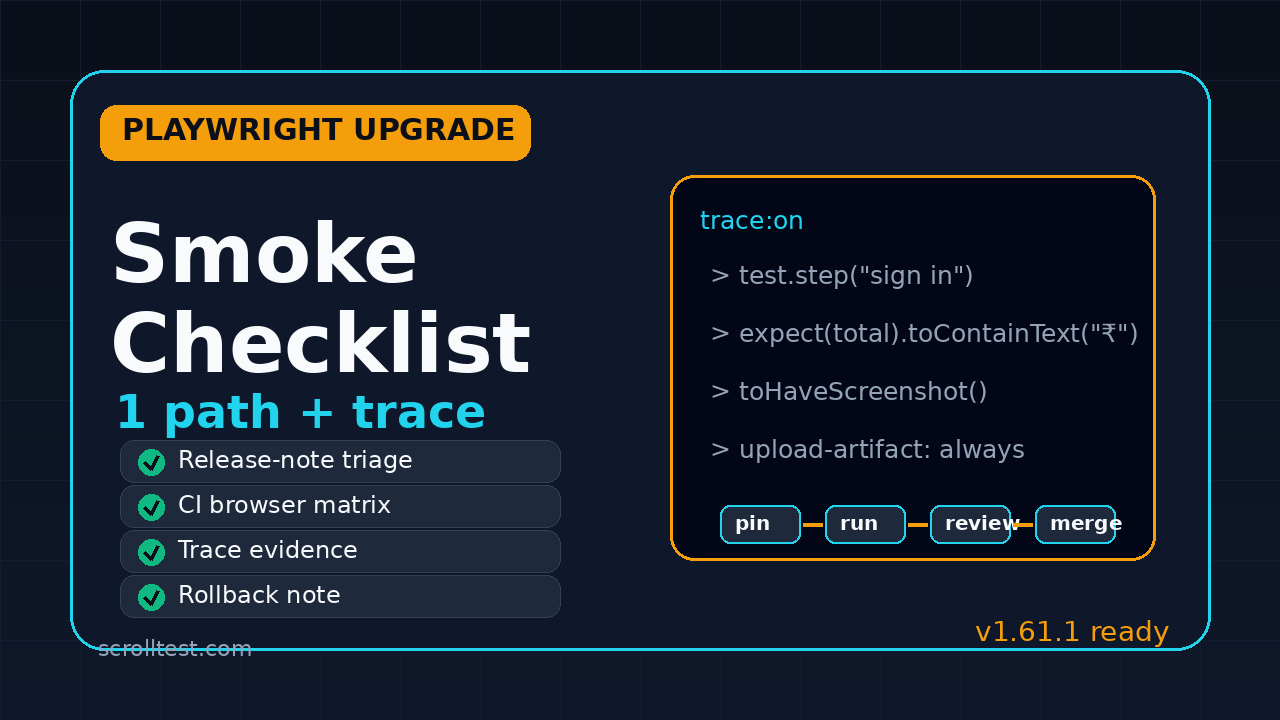
A Playwright upgrade smoke checklist is the difference between a controlled dependency update and a Monday morning regression hunt. Playwright v1.61.1 is a small bug-fix release, but small releases can still touch loader behavior, traces, API request reporting, and workspace resolution. I use the checklist below when a team wants the safety of a quick smoke run without pretending that a full regression cycle is always required.
Table of Contents
- Why a Playwright upgrade smoke checklist matters
- Start with release-note triage
- Pick one golden path before you upgrade
- Run the local upgrade safely
- Validate the CI and browser matrix
- Review trace, video, and screenshot evidence
- Write the rollback note before merging
- India QA team context
- Copy-paste upgrade briefing template
- Key takeaways
- FAQ
Contents
Why a Playwright upgrade smoke checklist matters
Playwright upgrades look simple because the command is simple. The risk is not the command. The risk is accepting a new test runner, browser bundle, trace viewer behavior, and assertion surface with no evidence that your critical user journey still works.
The latest Playwright release at the time of writing is v1.61.1, published on June 23, 2026. The release notes list bug fixes for custom expect matcher behavior, API request reporting in UI mode, trace viewer websocket timings, and Node 22.15 sync loader regressions. None of those lines says “your checkout test will fail.” But each line is close enough to real test infrastructure that I want a repeatable smoke gate before merging.
Small release does not mean zero QA work
I see teams make the same mistake with every automation framework update. They read the release note, see no obvious breaking change, update the package, and rely on the full nightly suite to catch issues later. That feels efficient until the nightly suite fails across 180 specs and nobody knows whether the failure came from product code, test data, browser behavior, or the Playwright bump.
A smoke checklist gives you a narrower question: “Can this upgrade run one important journey, capture useful evidence, and fail in a way the team can debug?” If the answer is yes, the full regression has a cleaner starting point. If the answer is no, the team stops early with a smaller blast radius.
The adoption signal is too large to treat upgrades casually
Playwright is not a side tool anymore. The GitHub repository API showed more than 92,000 stars on July 5, 2026, and the npm downloads API reported 172,653,760 downloads for @playwright/test in the previous month. That scale means your team is probably not the first to hit an upgrade issue, but it also means you cannot assume your app, your CI image, and your custom fixtures behave exactly like the default examples.
The right response is not fear. The right response is a small, boring operating system for upgrades.
Start with release-note triage
A good Playwright upgrade smoke checklist starts before anyone touches package.json. Read the release note like a test lead, not like a package manager. You are looking for affected areas, not just feature highlights.
Classify each release-note line
I use four buckets:
- Runner risk: Anything touching test discovery, fixtures, workers, retries, sharding, reporters, or UI mode.
- Browser risk: Anything touching Chromium, Firefox, WebKit, permissions, downloads, dialogs, tabs, or service workers.
- Assertion risk: Anything touching
expect, custom matchers, snapshots, visual comparisons, or timeouts. - Infrastructure risk: Anything touching Node versions, loaders, ESM, pnpm, Docker images, tracing, or CI output.
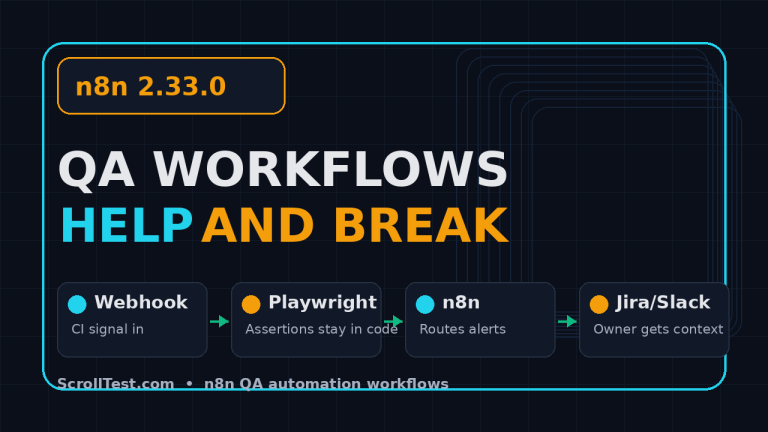
For v1.61.1, the release-note items I would flag are expectation behavior, UI mode API reporting, trace viewer websocket timing, and Node sync loader resolution. That does not mean every team is affected. It means these areas deserve targeted checks if your framework uses custom matchers, API testing, websocket-heavy flows, pnpm workspaces, or Node 22.15.
Create a one-screen impact note
Do not paste the full release note into Slack and call it done. Convert it into a one-screen impact note:
- What version are we on now?
- What version are we moving to?
- Which release-note lines touch our framework?
- Which one user journey will prove the upgrade is safe enough?
- Who owns rollback if CI turns red after merge?
This is not bureaucracy. It is debugging insurance. When the upgrade fails, the first five minutes matter. A tight note prevents three engineers from asking the same questions in different channels.
Check your existing ScrollTest notes
If your team already keeps Playwright upgrade notes, link them directly in the pull request. On ScrollTest, I have written related material on Playwright upgrade discipline for AI QA teams, Playwright video recording and failure debugging, and Playwright interview questions. Internal links like these help new team members understand why the checklist exists instead of treating it as another random gate.
Pick one golden path before you upgrade
The most useful smoke test is not the prettiest test. It is the test that proves your application, authentication, data setup, browser context, assertions, and evidence capture still work together.
What counts as a golden path?
A golden path should include at least five ingredients:
- Login or session setup, because auth failures hide framework problems quickly.
- One real navigation path through the app, not only a component page.
- One meaningful assertion against business state.
- One screenshot or visual checkpoint where layout matters.
- One trace or video artifact that a reviewer can inspect after failure.
For an ecommerce app, this might be login, search, add to cart, checkout summary, and order confirmation. For a SaaS dashboard, it might be login, create entity, edit entity, verify audit entry, and delete cleanup. For a banking app, it might be login, account overview, transaction filter, export, and logout.
Do not use a toy smoke spec
A toy smoke spec gives false confidence. A test that opens the home page and checks the title only proves that Playwright can launch a browser. It does not prove that your fixtures still work, that storage state is compatible, that your assertions wait correctly, or that screenshots are stable enough for review.
I prefer one slightly annoying test over five shallow tests. The annoying test hits the parts that usually break during upgrades: setup, network calls, selectors, timeouts, traces, and cleanup.
Golden path example in TypeScript
Here is a compact pattern I use. Replace selectors with your own app locators. Keep the test readable so a reviewer can understand the evidence without opening six helper files.
import { test, expect } from '@playwright/test';

test.describe('upgrade smoke', () => {
  test('buyer can complete the checkout summary path', async ({ page }) => {
    await test.step('sign in', async () => {
      await page.goto('/login');
      await page.getByLabel('Email').fill(process.env.SMOKE_USER!);
      await page.getByLabel('Password').fill(process.env.SMOKE_PASSWORD!);
      await page.getByRole('button', { name: 'Sign in' }).click();
      await expect(page.getByRole('heading', { name: 'Dashboard' })).toBeVisible();
    });

    await test.step('add product to cart', async () => {
      await page.getByRole('link', { name: 'Products' }).click();
      await page.getByPlaceholder('Search products').fill('demo backpack');
      await page.getByRole('button', { name: 'Add to cart' }).first().click();
      await expect(page.getByText('1 item in cart')).toBeVisible();
    });

    await test.step('verify checkout summary', async () => {
      await page.getByRole('link', { name: 'Cart' }).click();
      await expect(page.getByTestId('checkout-total')).toContainText('₹');
      await expect(page.getByTestId('checkout-summary')).toHaveScreenshot('checkout-summary.png');
    });
  });
});
The point is not the ecommerce flow. The point is the structure: steps, user-facing locators, one business assertion, one visual assertion, and clear failure evidence.
Run the local upgrade safely
Once the triage note and golden path are ready, do the actual upgrade in a branch. Keep the diff small. A dependency upgrade PR is not the place to refactor fixtures, rename page objects, and rewrite selectors. When you mix changes, failure analysis becomes guesswork.
Use explicit commands
For npm-based projects, I usually start with:
git checkout -b chore/playwright-1-61-1
npm install -D @playwright/test@1.61.1
npx playwright install --with-deps
npx playwright test tests/smoke/upgrade-smoke.spec.ts --project=chromium --trace=on
If your repo pins browser binaries in Docker, update the image or install step in the same branch. If your team uses pnpm or a monorepo, pay attention to lockfile changes and workspace resolution. The v1.61.1 notes mention loader issues across pnpm workspace symlinks, so this is not a theoretical concern for monorepo teams.
Record the environment
Write down the local versions used for the smoke result:
node --versionnpm --version,pnpm --version, oryarn --versionnpx playwright --version- OS and container image, if the smoke runs inside Docker
This looks boring until CI fails on a different Node patch version. Then the boring note becomes the fastest clue in the room.
Keep the lockfile honest
Review the lockfile. Do not approve a Playwright upgrade if the lockfile quietly updates unrelated libraries. I am strict about this because accidental dependency drift can make a clean Playwright upgrade look flaky. If the lockfile changes too much, reset it and rerun the package manager command with a narrower scope.
Validate the CI and browser matrix
The local smoke proves the branch can work on one machine. CI proves the upgrade can work where your team actually runs tests. Most Playwright upgrade pain shows up in CI because of missing browser dependencies, stale caches, container image differences, and parallelism.
Start with the smallest useful matrix
Do not begin with every browser, every shard, and every environment. Start with a small matrix:
- Chromium on the default CI image
- One non-Chromium browser if your product officially supports it
- One API setup path if your smoke depends on backend state
- Trace enabled on failure or always for the smoke job
After that passes, run the broader matrix. This order reduces noise. A failed WebKit shard should not hide the fact that Chromium failed because the browser install step was skipped.
GitHub Actions example
Here is a minimal job that keeps upgrade smoke separate from the full regression suite:
name: playwright-upgrade-smoke

on:
  pull_request:
    paths:
      - 'package.json'
      - 'package-lock.json'
      - 'playwright.config.ts'
      - 'tests/smoke/**'

jobs:
  smoke:
    runs-on: ubuntu-latest
    strategy:
      fail-fast: false
      matrix:
        project: [chromium, firefox]
    steps:
      - uses: actions/checkout@v4
      - uses: actions/setup-node@v4
        with:
          node-version: 22
          cache: 'npm'
      - run: npm ci
      - run: npx playwright install --with-deps
      - run: npx playwright test tests/smoke/upgrade-smoke.spec.ts --project=${{ matrix.project }} --trace=on
      - uses: actions/upload-artifact@v4
        if: always()
        with:
          name: playwright-report-${{ matrix.project }}
          path: playwright-report/
This job does one thing. It answers whether the upgrade branch can execute the chosen smoke path in CI and upload the evidence needed for review.
Pin before you widen
For upgrade PRs, I prefer pinned versions over ranges. A range like ^1.61.1 can make the next install pull a newer patch when the team is not looking. Pinning is not forever. It is a choice to make the upgrade review deterministic.
Review trace, video, and screenshot evidence
Playwright’s value is not only fast execution. It is the quality of evidence after failure. The official Trace Viewer documentation explains how traces capture actions, snapshots, console logs, network calls, and source context. Use that evidence in your upgrade review. Do not stop at a green checkmark.
What to inspect in trace viewer
Open the trace for the golden path and check:
- Did the test visit the expected pages in the expected order?
- Did locators resolve to the intended elements?
- Were there unexpected retries or long waits?
- Did network calls return expected status codes?
- Were console errors introduced after the upgrade?
- Are screenshots and DOM snapshots readable enough for future debugging?
For v1.61.1 specifically, I would look at trace timestamps if the app uses websockets because the release note mentions websocket message timing in trace viewer. You do not need to invent a websocket test if your app does not use websockets. But if your app does, include that path in smoke or at least inspect one trace where websocket traffic exists.
Visual snapshot review
The Playwright snapshot testing documentation is clear that visual comparisons depend on deterministic rendering. During upgrades, screenshot changes can come from browser updates, font differences, animations, viewport changes, or real UI changes. Treat a changed baseline as evidence to review, not as a file to auto-accept.
My rule is simple: if the upgrade PR updates a visual baseline, the PR description must include the before/after image and a one-line reason. “Browser rendering changed slightly around button antialiasing” is acceptable if the diff shows exactly that. “Updated snapshots” is not.
Video is useful when humans review fast
Video is not a replacement for trace. It is a fast sanity check for reviewers who want to see whether the journey looks right. If you use video recording, keep it on for the smoke job or on failure. ScrollTest has a separate guide on Playwright video recording and debugging if you want the configuration details.
Write the rollback note before merging
A rollback note sounds negative. I see it as professional. If the upgrade has a safe exit path, teams merge with more confidence. If nobody knows how to roll back, the team argues during the incident instead of fixing it.
Minimum rollback content
Put this in the pull request description:
- Previous Playwright version
- New Playwright version
- Exact revert command or PR revert link
- Browser install/cache step that must be rerun
- Owner who will watch the first scheduled regression after merge
- Known acceptable differences, if any
This is especially important when the upgrade touches a shared base image. Rolling back only package.json may not be enough if CI now uses a different browser dependency layer.
Merge criteria
I use this merge gate for Playwright upgrades:
- Release-note triage is present in the PR.
- Golden path passes locally with trace enabled.
- Upgrade smoke passes in CI for the agreed browser matrix.
- Trace, screenshot, and video evidence are attached or linked.
- No unrelated lockfile drift exists.
- Rollback note is written before approval.
If any item is missing, the upgrade can wait. A test framework upgrade is not a race unless a security or production issue forces urgency.
India QA team context
For India-based QA teams, upgrade discipline has a career angle too. Service-company teams at TCS, Infosys, Wipro, and similar environments often inherit large automation suites where dependency updates are rare and scary. Product-company teams usually expect faster upgrade cycles because CI, release trains, and browser support move quickly.
The SDET signal hiring managers notice
When I interview SDETs, I do not only ask whether they know Playwright syntax. I ask how they manage flakiness, upgrades, CI evidence, and debugging. A candidate who can explain a Playwright upgrade smoke checklist sounds like someone who has operated a real suite, not only completed a tutorial.
That distinction matters for ₹25-40 LPA SDET roles in Bengaluru, Hyderabad, Pune, and remote product teams. The higher the role, the less the interviewer cares about “can you click a button with Playwright?” and the more they care about “can you keep a test platform trustworthy when dependencies change?”
What junior engineers should practice
If you are a junior QA engineer, create a small public repo with a Playwright upgrade smoke job. Add one spec, one trace artifact, one screenshot assertion, and one rollback note in the README. This is better portfolio evidence than another generic login test.
If you are a lead, assign upgrade ownership explicitly. Rotate it. Do not let one senior engineer become the only person who understands Playwright, Docker, and CI. Framework ownership should be a team muscle.
Copy-paste upgrade briefing template
Use this template in the next Playwright upgrade PR. Keep it short. A template that engineers actually fill is better than a perfect template they ignore.
## Playwright upgrade brief

Current version: 1.xx.x
Target version: 1.61.1
Release note: https://github.com/microsoft/playwright/releases/tag/v1.61.1

### Release-note impact
- Runner risk:
- Browser risk:
- Assertion risk:
- Infrastructure risk:

### Golden path smoke
Spec: tests/smoke/upgrade-smoke.spec.ts
Browsers: chromium, firefox
Evidence: trace + screenshot + video on failure

### Commands run locally
```bash
npm install -D @playwright/test@1.61.1
npx playwright install --with-deps
npx playwright test tests/smoke/upgrade-smoke.spec.ts --project=chromium --trace=on
```

### CI result
Link:
Artifacts:

### Rollback
Previous version:
Rollback command:
Owner:
First regression watch window:
Adapt the template to your risk
If your team runs payments, healthcare workflows, or regulated reporting, add stricter evidence requirements. If your project is an internal admin tool with low traffic, the checklist can stay lighter. The point is not to create universal ceremony. The point is to match the upgrade gate to the real risk of your product.
Key takeaways
A Playwright upgrade smoke checklist helps you move fast without turning every dependency update into a guessing game. The best version is short, repeatable, and evidence-heavy.
- Read release notes as risk signals, not marketing copy.
- Choose one golden path that proves auth, navigation, assertions, screenshots, and traces still work.
- Keep the upgrade PR narrow so failures are easier to isolate.
- Run a small CI browser matrix before widening to the full suite.
- Review trace, video, and screenshots before trusting the green checkmark.
- Write the rollback note before merge, not during a production incident.
If you want a practical next step, copy the template above into your next Playwright upgrade PR and force the team to attach one trace. That one habit changes the conversation from “tests are flaky again” to “here is the evidence, here is the risk, and here is the decision.”
FAQ
How often should teams upgrade Playwright?
I prefer smaller, regular upgrades over rare big jumps. Monthly or per-minor-release upgrades work well for many product teams, provided each upgrade has a smoke gate and rollback note. If your suite is large and fragile, start quarterly, fix the framework debt, then increase the cadence.
Should the upgrade smoke run on every pull request?
Not always. Run it on dependency upgrade PRs, changes to playwright.config.ts, smoke specs, Docker images, and CI setup. If the golden path is cheap enough, running it more often is fine. If it is expensive, keep it targeted but mandatory for upgrade branches.
Do I need to test all browsers before merging a patch release?
Test the browsers your product promises to support. For many teams, Chromium plus one secondary browser is enough for the upgrade smoke, followed by the full scheduled regression. For consumer products with strict browser support, include Chromium, Firefox, and WebKit before merge.
What if the screenshot baseline changes after the upgrade?
Do not auto-accept it. Attach the before/after diff, explain the visible change, and confirm it is acceptable. If the diff shows layout movement, missing text, broken icons, or viewport differences, treat it as a real failure until proved otherwise.
Is this checklist overkill for a small team?
No, if you keep it lightweight. One golden path, one CI job, one trace, and one rollback note can fit inside a small team’s normal PR flow. The overkill is discovering after merge that nobody knows what changed.