The Complete Guide to Eliminating Flaky Tests: Root Causes, Detection, and Permanent Fixes
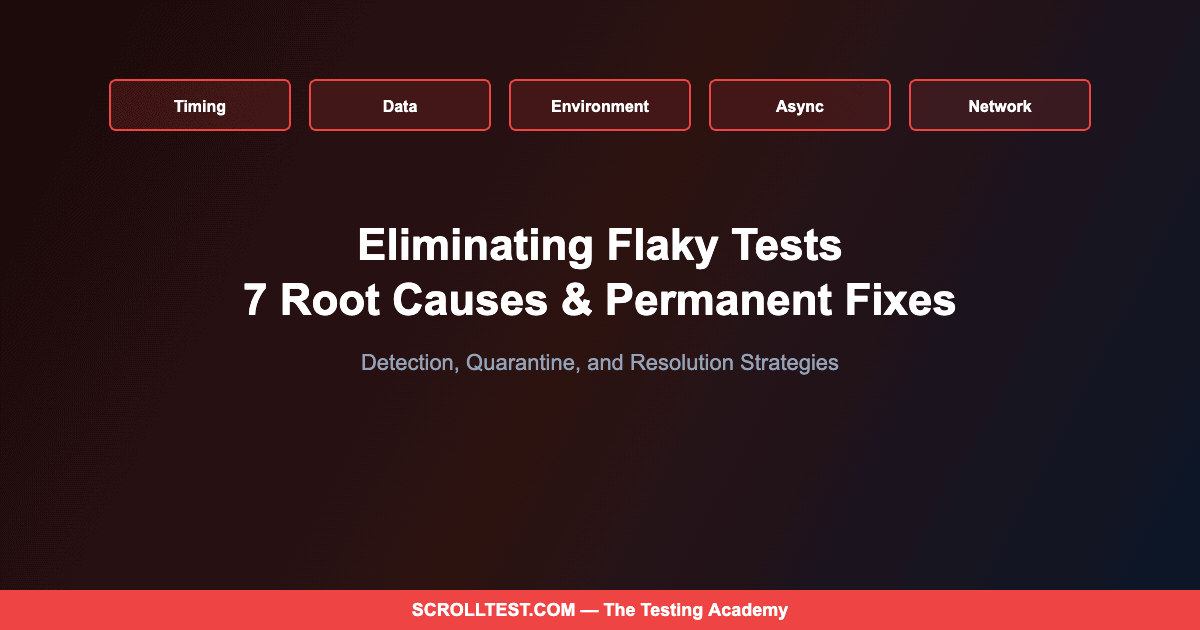
Flaky tests are not a minor inconvenience — they are the primary reason automation investments fail to deliver value. When tests fail intermittently for reasons unrelated to actual bugs, teams lose trust in their test suite, start ignoring failures, and eventually let real defects slip through. After diagnosing flakiness in hundreds of test suites, I have identified seven root causes that account for 95% of all flaky test failures — and each one has a permanent fix.
🎭 Want to master this with real projects? Join the Playwright Automation Mastery course at The Testing Academy.
The most insidious thing about flaky tests is not the false failures themselves — it is the behavioral change they cause. I have watched teams evolve from “every failure is investigated” to “just rerun it” to “the pipeline is always red, nobody looks anymore” in a matter of months. That progression is predictable and preventable, but only if you treat flakiness as a first-class engineering problem rather than an annoyance to be tolerated.
Contents
Root Cause #1: Timing and Race Conditions
This is the single most common cause of flaky tests, responsible for approximately 40% of intermittent failures in the suites I audit. The test performs an action and immediately checks for a result before the application has finished processing. A button click triggers an API call, but the assertion checks the page before the response arrives. A navigation event fires, but the test reads the DOM before the new page has rendered.
The fix depends on your framework. Playwright’s auto-waiting handles most timing issues natively — when you use await page.click() and await expect(locator).toBeVisible(), the framework waits automatically. For Selenium, explicit waits with WebDriverWait and expected conditions are essential. The anti-pattern is Thread.sleep() or any hardcoded delay — it either waits too long (slowing your suite) or not long enough (still flaky).
Root Cause #2: Test Data Pollution
Tests that share data — a common user account, a shared database record, a global configuration setting — create implicit dependencies. Test A modifies the shared user’s profile. Test B expects the original profile state. When they run in one order, everything passes. When parallel execution or test reordering changes the sequence, Test B fails.
The permanent fix is test isolation. Every test should create its own data, operate on that data exclusively, and clean up after itself. In practice, this means factory functions that generate unique test users, API calls that create fresh test data before each scenario, and teardown hooks that delete what was created. The upfront investment in data isolation pays for itself within weeks through eliminated flakiness.
Root Cause #3: Environment Inconsistencies
Tests pass on your local machine but fail in CI. The database has slightly different data. The service version is different. The browser version is different. The screen resolution is different. Any environmental variable that differs between where you develop tests and where you run them is a potential source of flakiness.
Docker solves most of this. Run your tests inside containers with pinned versions of everything: browser, Node.js runtime, system libraries. Your CI pipeline should use the same Docker image you use locally. If the test passes in the container on your machine, it will pass in the container in CI. The remaining edge cases — network latency, DNS resolution, external service availability — require mocking or service virtualization.
Root Cause #4: Asynchronous Operations
Modern web applications are heavily asynchronous. A user action triggers a chain of events: API calls, WebSocket messages, state updates, re-renders. Tests that do not account for this asynchrony will intermittently check the page in the middle of an update cycle and see stale or inconsistent state.
The fix is to wait for the specific signal that the operation has completed, not for an arbitrary duration. Wait for a network response to return. Wait for a loading spinner to disappear. Wait for a specific element to contain specific text. Playwright’s page.waitForResponse() and expect(locator).toHaveText() are purpose-built for this. In Selenium, custom wait conditions that poll for specific application states are the equivalent approach.
Root Cause #5: Animation and UI Rendering
CSS animations, transitions, and dynamic rendering create a window where elements exist in the DOM but are not yet interactable. A dropdown menu that animates open over 300 milliseconds is technically present after 50 milliseconds but cannot be clicked until the animation completes. A modal that fades in has its overlay blocking clicks during the transition.
Playwright handles many of these cases with its actionability checks — it waits for elements to be stable (not animating) before interacting. For Selenium, you may need to disable CSS animations in your test environment or add explicit waits for animation completion. The broader fix is to work with your development team to provide test-friendly hooks: data attributes that change when animations complete, or test mode flags that skip animations entirely.
🚀 Level Up Your Playwright
From locators to CI pipelines — build a production-grade Playwright + TypeScript framework step by step.
Root Cause #6: Network Dependencies
Tests that depend on external services — third-party APIs, CDN-hosted assets, authentication providers — inherit the reliability characteristics of those services. If the external service has 99.9% uptime, your test has a 0.1% failure rate from that dependency alone. Multiply that across multiple external dependencies and multiple tests, and you have a meaningful flakiness contribution.
Network mocking eliminates this entirely. Playwright’s page.route() intercepts requests and returns predetermined responses. Your tests become independent of external service availability, faster (no network round trips), and deterministic (same mock data every time). The trade-off is that you need to keep your mocks synchronized with actual API responses, but that is a maintenance task with clear ownership, not a random flakiness source.
This is subtler than data pollution. Shared state includes browser cookies that persist between tests, local storage that accumulates, service workers that cache responses, and in-memory state that is not reset. Even if each test creates its own data, shared browser state can cause tests to see different application behavior depending on execution order.
The fix is to use fresh browser contexts for each test. Playwright’s test.use({ storageState: undefined }) and fresh context creation ensure every test starts with a clean browser. In Selenium, deleting cookies and local storage in the setup phase, or launching a fresh browser instance per test, achieves the same isolation. The performance cost of fresh contexts is minimal compared to the debugging cost of shared-state flakiness.
Building a Flakiness Dashboard
Detection is as important as prevention. Track every test execution result over time. Calculate a flakiness score for each test: the percentage of runs where the test produced different results (pass then fail, or fail then pass) without any code changes. Tests with flakiness scores above 2% should be quarantined — moved to a separate suite that runs but does not gate deployments — while you investigate and fix the root cause.
The quarantine strategy is critical. It protects your pipeline’s signal-to-noise ratio while giving you time to fix problems properly. The worst response to flaky tests is to add retry logic that masks the problem. Retries make your pipeline slower, hide real failures that happen to pass on retry, and remove the urgency to fix the underlying cause.
The Honest Caveats
Eliminating flakiness completely is an asymptotic goal — you can approach zero but never reach it. Some flakiness stems from genuine non-determinism in your application (eventual consistency, distributed system timing) that reflects real user experience rather than test defects. The goal is not zero flakiness but a flakiness rate low enough to maintain team trust in the test suite.
The seven root causes I have described are based on my audit experience, which skews toward web application testing with Playwright and Selenium. Mobile testing, desktop application testing, and embedded system testing have additional flakiness sources that this article does not cover.
Test isolation — especially data isolation — has a real cost. Creating and destroying test data for every test is slower than sharing data across tests. The trade-off is speed versus reliability, and for most teams, reliability should win. But there are legitimate scenarios where shared fixtures with careful orchestration are the pragmatic choice.
Making Reliability a Team Value
The teams that eliminate flakiness share a cultural trait: they treat test reliability as a first-class engineering metric, not a QA problem. When a test becomes flaky, it gets fixed with the same urgency as a production bug. When someone adds a sleep() statement to make a test pass, it gets flagged in code review. When the CI pipeline turns red, nobody merges until it is green. These are not QA practices — they are engineering practices. And the organizations that adopt them ship better software, faster.
Diagnosing and eliminating flaky tests — including building quarantine systems and flakiness dashboards — is covered in depth in Module 6 of my AI-Powered Testing Mastery course, with hands-on labs using both Playwright and Selenium test suites.
🎓 Master Playwright End to End
Join hundreds of SDETs building real automation frameworks. Lifetime access, hands-on projects, and a job-ready portfolio.