Playwright Upgrade Checklist for AI QA Teams
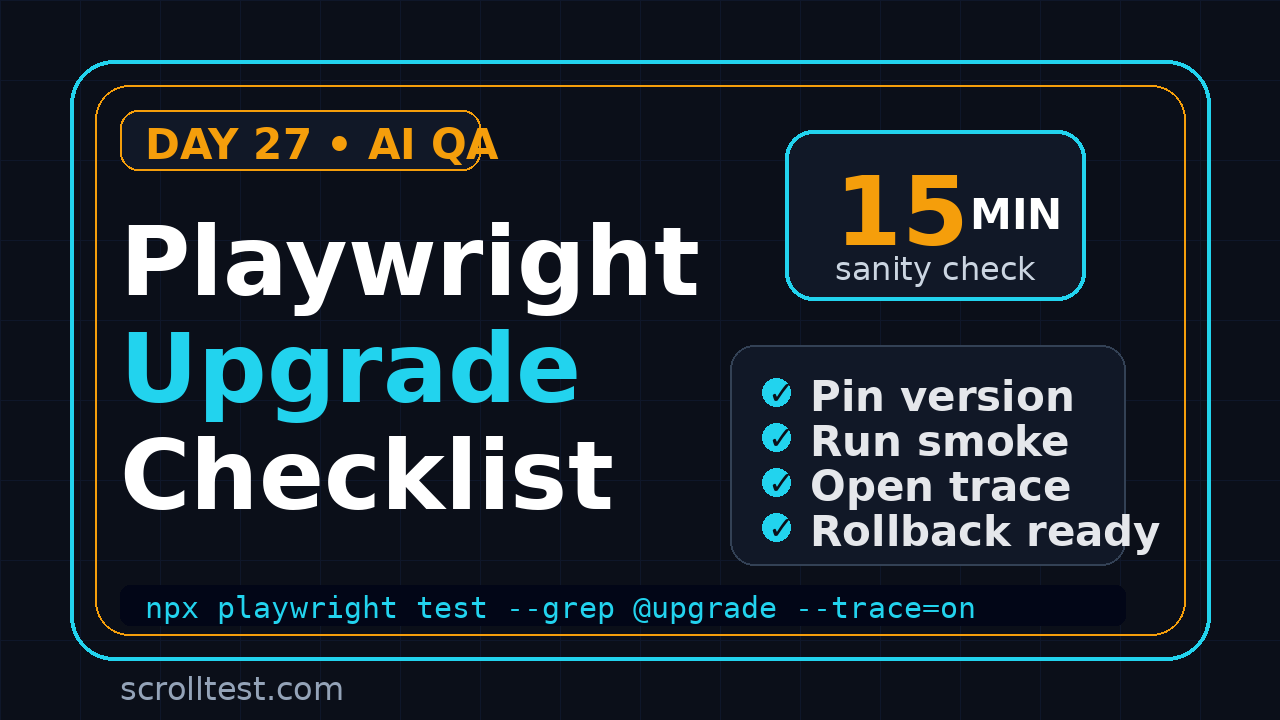
Playwright upgrade checklist work sounds boring until one small version bump breaks the one login flow your AI agent depends on. I use this Day 27 guide as a 15-minute sanity check before I let any Playwright upgrade enter a real QA pipeline.
Most teams upgrade Playwright like they update a utility library. That is the wrong mental model. Playwright controls browsers, downloads browser binaries, drives selectors, records traces, manages retries, and often sits inside the same CI stage that blocks production releases. If the upgrade is casual, the failure analysis becomes expensive.
Table of Contents
- Why Playwright Upgrades Break AI QA Workflows
- The Playwright Upgrade Checklist I Use
- Pin Versions and Read Release Notes Like a Tester
- Run One Critical User Journey Before the Full Suite
- Inspect Trace, Screenshots, and Console Evidence
- Build the CI Rollback Plan Before You Upgrade
- The AI Agent Testing Angle
- India SDET Career Context
- Create a Local Upgrade Lab
- Key Takeaways
- FAQ
Contents
Why Playwright Upgrades Break AI QA Workflows
Playwright is not only a test runner. It is also a browser automation layer, assertion engine, reporter ecosystem, trace recorder, screenshot tool, and browser binary manager. That is why I treat upgrades with more discipline than a normal package bump.
The Playwright project published v1.61.1 on GitHub on 23 June 2026. The exact version will change by the time you read this, but the upgrade risk does not change. A small change in browser behavior, locator strictness, trace output, default timing, or reporter configuration can affect a large test estate.
AI QA makes this risk more visible
Classic automation often fails with a clear selector error. AI-assisted browser tests fail in messier ways. The agent may click a visually similar element, skip a validation, accept a changed dialog, or finish with a confident but wrong explanation. If the underlying browser automation layer changes, the AI layer can hide the real reason.
That is why I connect upgrade checks to evidence checks. Day 25 of this series covered the AI testing evidence pack: trace, screenshot, logs, and a short human-readable verdict. A Playwright upgrade should pass the same evidence gate.
Downloads prove the blast radius
The npm downloads API showed 172,653,760 downloads for @playwright/test in the last-month window ending 2 July 2026. The same API showed 259,574,117 downloads for playwright in that period. I do not use download counts as a quality metric, but they do show how widely a bad upgrade habit can spread.
For ScrollTest readers, the practical message is simple: when Playwright moves, your QA process should notice. The team should know what changed, what was tested, what evidence was captured, and how to roll back.
The Playwright Upgrade Checklist I Use
This is the short version. If your team is busy, run this exact Playwright upgrade checklist before merging the dependency bump.
- Read the release note. Look for browser updates, breaking changes, config changes, reporter updates, trace changes, and bug fixes near your stack.
- Pin the version. Do not float Playwright in CI. Use an exact package version and commit the lockfile.
- Run one critical user journey. Pick login, checkout, booking, payment, search, or whatever path costs the most when broken.
- Open the trace. Confirm the user journey behaved correctly, not just that the test returned green.
- Compare screenshots. Check key states before and after the upgrade.
- Scan console and network errors. Do not ignore a green UI assertion with new client-side errors.
- Run the targeted smoke suite. Keep this suite small enough to run on every dependency bump.
- Document the verdict. Write what changed, what passed, what failed, and who approved it.
- Keep rollback ready. The old lockfile and browser cache strategy should not be a mystery.
The 15-minute version
If I have only 15 minutes, I run one high-value journey with tracing enabled, inspect the trace, compare one screenshot, and read the release note. That catches more real risk than blindly running 900 tests and reading only the final pass percentage.
The manager version
If I manage a team, I ask three questions in the pull request:
- Which Playwright version are we moving from and to?
- Which business-critical flow did we prove with trace evidence?
- What exact command rolls this back if production release validation fails?
That is not ceremony. It is protection against dependency changes becoming release-day surprises.
Pin Versions and Read Release Notes Like a Tester
Playwright release notes are not marketing notes. They are QA strategy documents. They tell you what the browser automation layer can now do, what got fixed, and which areas deserve regression attention.
I start with the official release page or the GitHub tag, then connect each item to my test suite. If a release mentions a browser behavior fix, I check visual and interaction-heavy flows. If it mentions trace or reporter changes, I check CI artifacts. If it mentions locator behavior, I check fragile selectors and Page Object Model helpers.
Use exact versions
Here is the dependency style I prefer for CI-owned test projects:
{
  "devDependencies": {
    "@playwright/test": "1.61.1"
  },
  "scripts": {
    "test:smoke": "playwright test --project=chromium --grep @smoke",
    "test:critical": "playwright test tests/critical --trace=on"
  }
}
I do not want a test runner changing under me because a range accepted a new patch while CI rebuilt the container. Exact versions make the change reviewable.
Upgrade with the browser binaries in mind
A Playwright upgrade often pairs with browser binary updates. If your Docker image caches old browsers, your CI run may not match your local run. The safe pattern is to make the browser install step explicit.
npm install --save-dev @playwright/test@1.61.1
npx playwright install --with-deps
npx playwright test tests/critical --trace=on
If you run Playwright in Docker, connect this with the pattern from Playwright Docker: Day 13 Tutorial. Browser dependencies, base image versions, and cached layers matter more than people admit.
Run One Critical User Journey Before the Full Suite
The full suite is useful, but it is not the first signal I want after an upgrade. Large suites create noise. One critical user journey creates clarity.
For an e-commerce app, that flow may be login to cart to checkout. For a SaaS product, it may be login, create project, invite user, update billing, and export report. For an internal tool, it may be the one approval path the operations team uses every day.
Tag the flow deliberately
I prefer a small critical suite with explicit tags. Do not bury the upgrade check inside a random regression pack.
import { test, expect } from '@playwright/test';

test('@upgrade @critical buyer can complete checkout', async ({ page }) => {
  await page.goto('/');
  await page.getByRole('link', { name: 'Sign in' }).click();
  await page.getByLabel('Email').fill(process.env.TEST_USER_EMAIL!);
  await page.getByLabel('Password').fill(process.env.TEST_USER_PASSWORD!);
  await page.getByRole('button', { name: 'Sign in' }).click();

  await expect(page.getByRole('heading', { name: /dashboard/i })).toBeVisible();
  await page.getByRole('link', { name: 'Products' }).click();
  await page.getByRole('button', { name: 'Add to cart' }).first().click();
  await page.getByRole('link', { name: 'Checkout' }).click();

  await expect(page.getByTestId('order-summary')).toBeVisible();
  await expect(page.getByRole('button', { name: 'Place order' })).toBeEnabled();
});
Keep the pass condition honest
A green status is not enough. I want to know that the test actually reached the expected page, used the intended account, saw the correct state, and did not hide console errors. This is where AI QA teams must be stricter than traditional automation teams.
If you are building agent-driven checks, compare this with AI Agent Testing: Why One Pass Means Nothing. One successful run can still be a weak signal if the evidence is thin.
Inspect Trace, Screenshots, and Console Evidence
Playwright documents Trace Viewer as the tool for inspecting recorded traces, including actions, snapshots, network, and console information. That makes it perfect for upgrade checks. I do not want only pass or fail. I want to see the path.
Turn trace on for upgrade checks
For the targeted upgrade run, I force tracing on. Storage is cheaper than guessing.
import { defineConfig } from '@playwright/test';

export default defineConfig({
  retries: process.env.CI ? 1 : 0,
  use: {
    trace: 'on-first-retry',
    screenshot: 'only-on-failure',
    video: 'retain-on-failure'
  },
  reporter: [
    ['html'],
    ['list']
  ]
});
For a one-off upgrade branch, I often run:
npx playwright test --grep @upgrade --trace=on --project=chromium
npx playwright show-report
Look for silent changes
The most useful upgrade issues are not always red failures. I check for:
- New console errors on pages that still passed assertions.
- New network failures masked by cached UI state.
- Unexpected dialogs or permission prompts.
- Longer waiting time around navigation or API responses.
- Changed screenshots around key components.
- Locator warnings or strictness failures in helper methods.
Playwright also documents test retries. Retries help expose flakiness, but they should not become a carpet under which upgrade problems disappear. If a test passes only on retry after the upgrade, I treat that as a signal worth reading.
Build the CI Rollback Plan Before You Upgrade
The worst upgrade plan is: merge first, panic later. A rollback should be boring. The person on release duty should know the package version, lockfile commit, Docker image tag, and browser install command.
Make the upgrade a small pull request
A dependency bump mixed with 40 test refactors is hard to review. Keep the upgrade pull request focused:
- Package version change.
- Lockfile change.
- Browser install or Docker image change if needed.
- Small config adjustment only when the release note requires it.
- Evidence comment with trace, screenshot, and smoke result.
Add a PR comment template
This is the template I like:
## Playwright upgrade evidence

From: 1.60.x
To: 1.61.1
Release note: https://github.com/microsoft/playwright/releases/tag/v1.61.1

Critical flow checked:
- @upgrade buyer can complete checkout

Evidence:
- Trace: [CI artifact link]
- Screenshot diff: [CI artifact link]
- HTML report: [CI artifact link]

Rollback:
- Revert this PR
- Restore previous lockfile
- Rebuild test Docker image
This looks basic, but it changes team behavior. The reviewer stops asking, “Did tests pass?” and starts asking, “What evidence did we capture?”
The AI Agent Testing Angle
AI browser agents make Playwright upgrade discipline more important, not less. Many agent stacks use Playwright-like browser control under the hood or produce browser actions that need Playwright-style validation. If the browser layer changes, the agent output may change too.
Use Playwright as the judge, not only the driver
When an AI agent performs a browser task, I want a deterministic checker around it. The agent can explore, but Playwright should verify the result.
import { test, expect } from '@playwright/test';

test('@agent-check generated quote is reviewable', async ({ page }) => {
  await page.goto('/quotes/latest');

  await expect(page.getByTestId('agent-summary')).toBeVisible();
  await expect(page.getByTestId('agent-summary')).not.toContainText('I think');
  await expect(page.getByRole('button', { name: 'Approve quote' })).toBeEnabled();

  const evidenceCount = await page.getByTestId('evidence-item').count();
  expect(evidenceCount).toBeGreaterThanOrEqual(3);
});
This is the direction I see serious QA teams taking. The agent may generate the path. The test framework validates the outcome, captures evidence, and blocks weak claims.
Add an upgrade gate for agent workflows
Your AI workflow should have its own upgrade gate:
- Run one agent task before and after the Playwright upgrade.
- Capture screenshots at key steps.
- Compare the final state, not just the final text.
- Store the trace and the agent reasoning separately.
- Reject the upgrade if the agent becomes less deterministic on critical flows.
This is also a good place to explore BrowsingBee-style evidence capture or your own internal evidence pack. The principle is the same: do not trust a browser agent without proof.
India SDET Career Context
For SDETs in India, Playwright knowledge is no longer only “another automation tool.” Product companies expect engineers to own CI quality, debugging, trace analysis, and upgrade risk. Service companies still have a lot of Selenium-heavy projects, but the interview bar is shifting for modern web automation roles.
I see three levels in interviews:
- Junior: can write a Playwright test and use locators.
- Mid-level: can design fixtures, Page Object Models, CI runs, retries, and reports.
- Senior SDET: can explain flakiness, dependency upgrades, browser differences, evidence quality, and rollback plans.
If you are aiming for ₹25-40 LPA SDET roles in Bengaluru, Pune, Hyderabad, or remote product companies, this upgrade discipline matters. Hiring managers notice engineers who can protect releases, not only write happy-path scripts.
For the broader transition path, read From Manual Tester to SDET in 30 Days. Then add this upgrade checklist to your portfolio. A GitHub repo with a clean Playwright project, CI workflow, trace artifact, and upgrade PR template is more convincing than another generic resume bullet.
Create a Local Upgrade Lab
I like a small local upgrade lab before the CI pull request. It is not a separate framework. It is a branch, one fixture file, one critical test, and a clean command history. The goal is to prove that the upgrade behaves on a developer machine before burning CI minutes and confusing the team with flaky pipeline results.
My local command sequence
This is the sequence I ask engineers to paste into the pull request when the upgrade is ready:
git checkout -b chore/playwright-upgrade-1-61-1
npm install --save-dev @playwright/test@1.61.1
npx playwright install --with-deps
npx playwright test --grep @upgrade --project=chromium --trace=on
npx playwright show-report
That command history tells me the engineer did not only edit package.json by hand. They installed the browser dependencies, ran the critical flow, and opened the report. It also gives the next engineer a repeatable path if the upgrade fails later.
What I write in the test notes
The notes should be short and specific. I write the browser, operating system or Docker image, Playwright version, test command, result, trace location, and any visual difference I accepted. If a screenshot changed because a browser updated font rendering or spacing, I say that clearly. If I cannot explain the change, I do not approve the upgrade yet.
This habit is useful for distributed teams. A tester in Bengaluru, a developer in Pune, and a release manager in Europe can read the same evidence without joining a call. That is the real value of disciplined automation: fewer opinions, more proof.
Key Takeaways
The Playwright upgrade checklist is not paperwork. It is a release safety habit for teams that depend on browser automation and AI-assisted testing.
- Treat Playwright release notes as QA planning inputs.
- Pin exact versions and commit the lockfile.
- Run one critical journey before the full suite.
- Inspect trace, screenshots, console output, and network evidence.
- Keep the rollback path ready before merging.
- For AI QA, validate the final state with deterministic Playwright checks.
My practical rule: if a Playwright upgrade cannot produce a trace, a screenshot, a smoke result, and a rollback command, it is not ready for the main branch.
FAQ
How often should a team upgrade Playwright?
I prefer frequent, small upgrades over rare, painful jumps. A monthly or release-aligned cadence works well for many teams, as long as each upgrade gets the same evidence check.
Should I run the full regression suite after every Playwright upgrade?
Run the critical smoke suite first. If that passes with clean evidence, run the broader regression suite based on your release risk. Do not start with a huge noisy suite if nobody will inspect the failures properly.
Are retries bad during an upgrade check?
No. Playwright documents retries for flaky tests, and they are useful. But if a test starts passing only on retry after the upgrade, treat that as a signal. Read the trace and fix the cause.
What is the minimum evidence for AI agent browser tests?
I want the agent instruction, browser trace, screenshots at key states, console and network notes, final deterministic assertion, and a short verdict. Anything less makes the run hard to trust.
Can manual testers use this checklist?
Yes. A manual tester can review release notes, run one critical journey, compare screenshots, and inspect a trace with a senior engineer. That is a strong step toward SDET work.