Prompt Regression Testing for QA: Day 25 Guide
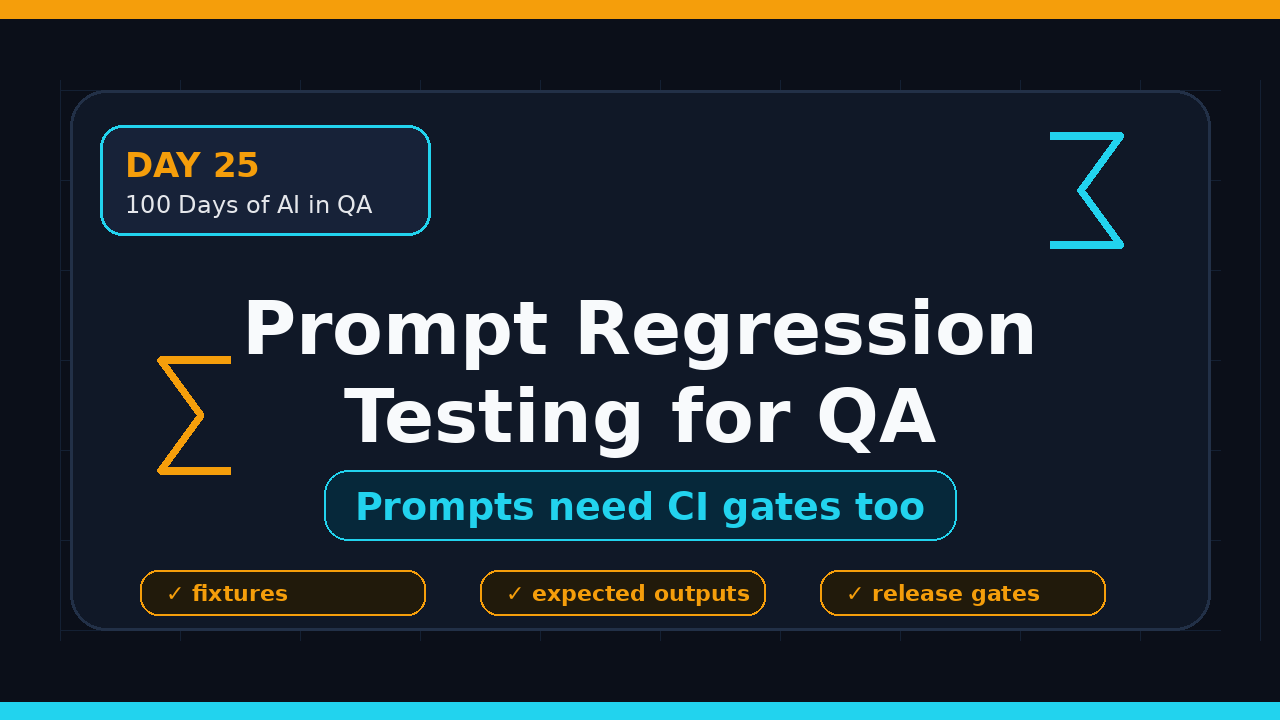
Day 25 of 100 Days of AI in QA & SDET. Prompt regression testing is the testing habit AI QA teams need before they trust any LLM feature in production. I see teams treat prompts like copy text, but a prompt change can break login triage, bug summaries, test generation, and support routing just like a code change can break an API.
This guide explains what prompt regression testing borrows from classic QA, how to design a practical eval suite, and how to wire it into CI without turning your team into research scientists.
Table of Contents
- Why Prompt Regression Testing Matters
- What Prompt Regression Testing Borrows From Classic QA
- Build a Risk Model Before Writing Evals
- PromptFoo Workflow for QA Teams
- Turn Prompt Regression Testing Into a CI Gate
- Test Data, Golden Answers, and Drift
- India Career Context for SDETs
- Common Anti-Patterns I See
- Key Takeaways
- FAQ
Contents
Why Prompt Regression Testing Matters
Prompt regression testing matters because prompts now behave like executable product logic. They decide what an AI assistant says, which tool an agent calls, which bug is marked critical, and which Playwright test gets generated for a feature.
When that logic changes, the output can change even if the model name and application code stay the same. A small wording change can make the assistant more verbose, less strict, more biased toward false positives, or too forgiving when an answer should fail.
This is not theory. The package data shows real adoption. The npm downloads API reported 1,395,585 monthly downloads for promptfoo for the May 30 to June 28, 2026 window. The PromptFoo GitHub API showed 22,830 stars at the time I checked. Teams are not only talking about LLM evals. They are installing tooling.
Classic regression did not disappear
Classic QA already solved the core pattern: when code changes, we run a stable set of checks to prove critical behavior still works. Prompt regression testing uses the same thinking for AI outputs.
- Old world: code change breaks checkout.
- AI world: prompt change breaks refund classification.
- Old world: flaky selector hides a real UI defect.
- AI world: vague assertion hides a bad answer.
- Old world: release gate checks pass rate.
- AI world: eval gate checks output quality score.
The skill is not about writing clever prompts. The skill is proving a prompt still behaves under known risks.
Why QA should own this muscle
Developers often focus on making the AI feature work once. QA engineers focus on whether it keeps working after changes, under edge cases, and with messy inputs. That mindset is exactly what LLM features need.
If your team is already reading Prompt Regression Testing for QA or comparing PromptFoo vs DeepEval for QA, this is the next step: treat evals as a regression suite, not a demo checklist.
What Prompt Regression Testing Borrows From Classic QA
Prompt regression testing borrows five habits from classic QA: risk-based selection, stable fixtures, expected results, negative testing, and release gates. None of these are new. The only change is the output type.
1. Risk-based test selection
A UI regression suite should not click every pixel in the product. It should cover the journeys that cost money, trust, or time when they fail. Prompt evals work the same way.
Start with prompts that affect decisions:
- Bug severity classification.
- Customer support replies.
- Test case generation from requirements.
- Root cause summaries from logs.
- Agent tool selection, such as whether to call browser, database, or API tools.
A grammar rewrite prompt is low risk. A prompt that decides whether a payment bug is P0 or P3 is high risk.
2. Stable fixtures
Classic QA uses fixtures because random data makes failures hard to debug. Prompt testing needs the same discipline. Each eval case should have a fixed input, clear context, and stable expected behavior.
For QA work, good fixtures include:
- One clean bug report.
- One noisy bug report with missing steps.
- One hallucination trap where the model must say it lacks data.
- One security-sensitive input with credentials or tokens masked.
- One India-specific support ticket with mixed English and local context if your users need it.
Do not start with 300 cases. Start with 20 high-signal cases. Make every case earn its place.
3. Expected outputs
In deterministic testing, expected output may be exact. With LLMs, exact text is often too brittle. The better pattern is expected behavior.
For example, a bug triage assistant does not need the exact phrase “critical payment failure.” It needs to classify severity as P0, mention the payment path, refuse to invent a browser version if none was provided, and produce a next-step checklist.
# promptfooconfig.yaml
prompts:
  - file://prompts/bug-triage.txt

providers:
  - openai:gpt-4.1-mini

tests:
  - vars:
      bug_report: |
        Checkout fails after OTP verification.
        User sees a blank page after clicking Pay Now.
        Happens for 4 out of 5 attempts on Chrome mobile.
    assert:
      - type: contains
        value: "P0"
      - type: contains
        value: "checkout"
      - type: not-contains
        value: "database outage"
      - type: llm-rubric
        value: "Answer must include severity, likely impacted user flow, and 3 verification steps. It must not invent root cause."
The promptfoo npm registry metadata is a useful public reference when you need a concrete tool to run prompt tests from configuration instead of building everything yourself.
Build a Risk Model Before Writing Evals
The fastest way to waste time is to write evals before you know the risk. Prompt regression testing becomes useful when every test maps to a product failure mode.
Map prompts to failure cost
I use a simple 3-level model:
- Low risk: style changes, summarization for internal notes, draft-only content.
- Medium risk: test generation, defect clustering, QA report summaries.
- High risk: customer replies, compliance answers, production agents, payment or security triage.
High-risk prompts get regression coverage first. Medium-risk prompts get smoke evals. Low-risk prompts get spot checks unless they create public or customer-visible content.
Define quality dimensions
Most teams write one vague assertion: “answer should be good.” That is not a test. A QA-friendly eval separates quality dimensions.
For a bug-summary prompt, I want these dimensions:
- Accuracy: does it preserve the facts from the ticket?
- Grounding: does it avoid inventing logs, browsers, users, or root causes?
- Completeness: does it include steps, expected behavior, actual behavior, and impact?
- Actionability: does a developer know what to check next?
- Safety: does it avoid exposing secrets from the input?
Each dimension can become an assertion. That gives you better failure messages than a single quality score.
Use severity like a normal defect
When an eval fails, do not call it “AI weirdness.” Classify it.
- P0: model gives harmful, customer-visible, or security-breaking output.
- P1: model gives wrong product guidance or wrong severity.
- P2: model misses useful context but the answer is still safe.
- P3: style, tone, or formatting issue.
This simple language helps engineering managers take LLM quality seriously because it looks like the risk model they already understand.
PromptFoo Workflow for QA Teams
PromptFoo is not the only option, but it is a practical starting point for QA teams because it feels close to test configuration. You define prompts, providers, test cases, and assertions. Then you run the suite from the command line or CI.
The GitHub repository API and npm registry metadata are also easy to monitor if your team wants to track adoption, latest versions, or release cadence.
Install and run a smoke eval
npm install -D promptfoo
npx promptfoo init
npx promptfoo eval
npx promptfoo view
For a QA team, I like this folder structure:
ai-evals/
  prompts/
    bug-triage.txt
    test-case-generator.txt
  fixtures/
    bug-reports.yaml
    requirements.yaml
  promptfooconfig.yaml
  README.md
Keep evals next to the application if prompt changes ship with product code. Keep evals in a separate quality repo if the prompts are shared across multiple teams.
Write assertions that catch real regressions
Here is a practical test for a test-case generation prompt. The input is a requirement. The output must include boundary cases, negative cases, and at least one automation hint.
tests:
  - description: "Generates meaningful tests for password reset"
    vars:
      requirement: |
        Users can request a password reset link from the login page.
        The link expires after 15 minutes.
        Users should not learn whether an email exists in the system.
    assert:
      - type: contains
        value: "15 minutes"
      - type: contains
        value: "expired link"
      - type: contains
        value: "email enumeration"
      - type: llm-rubric
        value: |
          Output must include positive, negative, boundary, and security test ideas.
          It must not suggest revealing whether the account exists.
This is classic QA thinking. You are checking boundary value, negative flow, and security behavior. The prompt is just the system under test.
Add one human review loop
Do not pretend LLM evaluation is fully solved by assertions. Keep a human review loop for high-risk prompts. The goal is not to manually approve every output forever. The goal is to sample failures, improve fixtures, and make the suite sharper.
I prefer this weekly cadence:
- Review the top 10 eval failures by severity.
- Mark each failure as prompt issue, model issue, fixture issue, or assertion issue.
- Add 3 to 5 new test cases from real production misses.
- Remove duplicate cases that do not catch new risk.
- Publish a one-page quality note for the team.
That rhythm keeps the eval suite useful instead of turning it into another abandoned folder.
Turn Prompt Regression Testing Into a CI Gate
Prompt regression testing becomes real when a failing eval can block a risky change. If evals only run on a laptop, they become optional. Optional quality checks die during release pressure.
Start with a soft gate
Do not block every build on day one. Start with a soft gate that posts results to pull requests. Let developers see failures without feeling punished by a new process.
name: AI Prompt Regression

on:
  pull_request:
    paths:
      - "ai-evals/**"
      - "src/prompts/**"

jobs:
  prompt-regression:
    runs-on: ubuntu-latest
    steps:
      - uses: actions/checkout@v4
      - uses: actions/setup-node@v4
        with:
          node-version: 20
      - run: npm ci
      - run: npx promptfoo eval --config ai-evals/promptfooconfig.yaml
        env:
          OPENAI_API_KEY: ${{ secrets.OPENAI_API_KEY }}
After two or three weeks, block only P0 and P1 failures. Keep P2 and P3 as warnings until the suite is stable.
Version the model and the prompt
A common mistake is changing the model, prompt, and app code in one PR. When the eval fails, nobody knows why. Treat the model version as test environment configuration.
- Record provider and model name in eval output.
- Record prompt file version or commit SHA.
- Record fixture set version.
- Store score trend for important prompts.
This is similar to browser version tracking in Selenium or Playwright. If Chrome changes and your UI test fails, you want that context. If an LLM provider changes behavior, you want the same audit trail.
Connect evals to release notes
Every AI feature release note should include a quality note:
- Number of eval cases run.
- Pass rate by severity.
- Known failures accepted for release.
- Prompt or model changes in the release.
- Owner for follow-up cases.
This makes AI quality visible. It also gives QA a stronger seat in release discussions.
Test Data, Golden Answers, and Drift
Prompt regression testing lives or dies on test data. Bad fixtures produce fake confidence. Overly rigid golden answers produce noisy failures. The balance matters.
Use three types of fixtures
I recommend three fixture buckets:
- Golden cases: stable, high-value examples that should almost never change.
- Edge cases: messy inputs, missing fields, mixed intent, multilingual text, and long logs.
- Production misses: sanitized real failures that escaped previous checks.
Golden cases protect core behavior. Edge cases protect robustness. Production misses protect learning. If your suite has only happy paths, it is a demo, not a regression suite.
Do not overfit to one perfect answer
Classic snapshot tests can be useful, but they can also create noise. LLMs need room for equivalent answers. Use exact match only when exact output is the requirement, such as a JSON schema, a specific label, or a tool name.
For everything else, test the contract:
- Required fields are present.
- Forbidden claims are absent.
- Output follows a schema.
- Safety behavior is respected.
- Reasoning does not leak private data.
Watch for data drift
Production data changes. Products change. User language changes. Your eval suite should change too. A support bot trained around last quarter’s product names may fail after a pricing or UI change.
Set a monthly review reminder. Remove stale fixtures. Add new failure examples. Update expected behavior when the product intentionally changes. This is normal test maintenance, not AI chaos.
India Career Context for SDETs
For Indian QA engineers, prompt regression testing is a strong career move because it sits between automation, product thinking, and AI engineering. That is where better roles are moving.
I do not see this replacing Playwright, Selenium, API testing, or CI/CD. I see it adding a new layer. A good SDET can now say: “I test browser flows, APIs, and AI outputs with the same release discipline.” That sentence gets attention in product companies.
Where this helps in interviews
If you are targeting ₹25-40 LPA product-company roles, do not pitch yourself as someone who “uses ChatGPT.” Pitch yourself as someone who can build AI quality gates.
Bring a small GitHub repo with:
- One prompt under test.
- Twenty fixtures.
- PromptFoo or similar eval config.
- GitHub Actions workflow.
- A markdown report showing pass rate and 3 failures you fixed.
This is more convincing than a certificate screenshot. It proves you can turn AI curiosity into engineering practice.
How managers should staff it
If you manage a QA team, do not create a separate “AI eval person” too early. Pick two automation engineers who already understand regression, test data, and CI. Give them one AI feature and a two-week pilot.
The output should be simple: 25 eval cases, a CI report, top 5 risks, and one release recommendation. If the pilot works, expand to more prompts.
Common Anti-Patterns I See
Prompt regression testing fails when teams copy old testing mistakes into a new tool. These are the traps I would avoid.
Anti-pattern 1: Testing only happy paths
If every input is clean, short, and obvious, your eval suite will pass while production fails. Add messy tickets, missing fields, contradictory requirements, and adversarial inputs.
Anti-pattern 2: Treating eval score as truth
A score is a signal, not a verdict. Inspect failures. Check whether the assertion is fair. Compare with human judgment for high-risk prompts.
Anti-pattern 3: No owner
Someone must own prompt quality. Not forever, not as a bottleneck, but as a release responsibility. Without an owner, evals become a folder nobody trusts.
Anti-pattern 4: Ignoring cost and speed
LLM evals cost money and time. Split the suite like classic automation:
- Smoke evals on every PR.
- Full regression nightly.
- High-risk evals before release.
- Exploratory human review weekly.
This keeps the feedback loop fast without ignoring quality.
Key Takeaways
Prompt regression testing is not a fancy AI ritual. It is regression testing applied to prompts, LLM outputs, and agent behavior.
- Prompt changes can break product behavior, so they deserve regression coverage.
- Start with high-risk prompts that affect customers, money, security, or release decisions.
- Use fixtures, expected behavior, severity, and CI gates just like classic QA.
- PromptFoo gives QA teams a practical configuration-driven starting point.
- SDETs who can test AI outputs will stand out more than testers who only know how to call an LLM.
If you want the previous building blocks, read DeepEval for QA Engineers and QA Agent Skill Library. If you want to turn this into a reusable team workflow, QASkills is the natural next step because skills are easier to repeat than one-off prompts.
FAQ
Is prompt regression testing only for AI product teams?
No. Any QA team using prompts for test generation, defect summaries, release notes, support triage, or browser agents can use it. If a prompt affects a decision, test it.
Should QA write evals or should developers write them?
Both should contribute, but QA should shape the risk model. Developers know implementation details. QA brings negative thinking, regression discipline, test data design, and release judgment.
Do I need PromptFoo specifically?
No. PromptFoo is a practical option because it is config-friendly and easy to run from CI. You can also use DeepEval, custom pytest checks, or vendor eval tools. The principle matters more than the brand.
How many eval cases are enough?
For a first pilot, 20 to 30 high-signal cases are enough. For a production-critical AI feature, grow the suite based on real failures, risk, and release frequency. Quality beats volume.
What is the biggest mistake beginners make?
They test whether the answer sounds good instead of testing whether it is safe, grounded, complete, and useful. Convert “good answer” into specific assertions.